2014 MERCEDES-BENZ CLA-Class lane keeping
[x] Cancel search: lane keepingPage 10 of 358

Display messages
ASSYST PLUS ................................ 286
Calling up (on-board computer) .... .213
Driving systems ............................ .232
Engine ............................................ 230
General notes ................................ 213
Hiding (on-board computer) ........... 213
Lights ............................................. 226
Safety systems .............................. 214
SmartKey ....................................... 243
Tires ............................................... 237
Vehicle .......................................... .239
Distance recorder .............................199
see Odometer
see Trip odometer
Distance warning function
Activating/deactivating ................. 205
Function/notes ................................ 64
Warning lamp ................................. 253
DISTRONIC PLUS
Activation conditions ..................... 170
Cruise control lever ....................... 169
Deactivating ................................... 173
Display message ............................ 235
Displays in the multifunction dis-
play ................................................ 174
Driving tips ................................... .174
Function/notes ............................ .168
Important safety notes .................. 168
Setting the specified minimum
distance ......................................... 172
Warning lamp ................................. 253
Doors
Automatic locking (on-board com-
puter) ............................................. 209
Automatic locking (switch) .............. .83
Central locking/unlocking
(SmartKey) ...................................... .76
Control panel .................................. .37
Display message ............................ 241
Emergency locking ........................... 83
Emergency unlocking ....................... 83
Important safety note s.................... 81
Opening (from inside) ...................... 81
Drinking and driving ......................... 161 Drive program
Automatic ...................................... 151
Display ........................................... 148
Display (DIRECT SELECT lever) ...... 147
Manual ........................................... 152
SETUP (on-board computer) .......... 211
Driver's door
see Doors
Driver's seat
see Seats
Driving abroad
Mercedes-Benz Service ................. 287
Symmetrical low beam .................. 108
Driving on flooded roads .................. 165
Driving safety systems 4ETS (Electronic Traction Sys-
tem) ................................................. 68
ABS (Anti-lock Braking System) ....... 63
ADAPTIVE BRAK E............................. 71
Adaptive Brake Assist ...................... 66
BAS (Brake Assist System) .............. 64
COLLISION PREVENTION ASSIST .... 64
COLLISION PREVENTION ASSIST
PLUS ................................................ 67
Distance warning function ............... 64
EBD (electronic brake force distri- bution) ............................................. 71
ESP ®
(Electronic Stability Pro-
gram) ............................................... 67
ETS/4ETS (Electronic Traction
System) ........................................... 68
ETS (Electronic Traction System) ..... 68
Important safety information ........... 63
Overview .......................................... 63
STEER CONTROL ............................. 71
Driving systems
Active Parking Assist ..................... 181
ATTENTION ASSIST ........................ 189
Blind Spot Assist ............................ 191
Cruise control ................................ 166
Display message ............................ 232
DISTRONIC PLUS ........................... 168
HOLD function ............................... 176
Lane Keeping Assist ...................... 193
Lane Tracking package .................. 191
PARKTRONIC ................................. 178
RACE START (AMG vehicles) .......... 177 8
Index
Page 13 of 358

Gear or selector lever (cleaning
guidelines)
........................................ .293
Genuine parts ...................................... 21
Glove box .......................................... .257 H
Handbrake see Parking brake
Hazard warning lamps ......................111
Display message ............................ 242
Headlamps
Fogging up ..................................... 113
see Automatic headlamp mode
Head restraints
Adjusting ......................................... 99
Adjusting (electrically) ................... 100
Adjusting (manually) ........................ 99
Adjusting (rear) .............................. 100
Heating
see Climate control
High-beam headlamps
Changing bulbs .............................. 116
Display message ............................ 227
Switching on/off ........................... 110
Hill start assist .................................. 142
HOLD function Activating ....................................... 176
Deactivating ................................... 177
Display message ............................ 233
Function/notes ............................ .176
Hood
Closing .......................................... .283
Display message ............................ 241
Important safety notes .................. 282
Opening ......................................... 282
Hydroplaning ..................................... 165 I
Ignition lock see Key positions
Immobilizer .......................................... 72
Indicator lamps see Warning and indicator lamps
Indicators
see Turn signals Inspection
see ASSYST PLUS
Instrument cluster
Overview .......................................... 31
Settings ......................................... 207
Warning and indicator lamps ........... 32
Instrument cluster lighting .............. 196
Interior lighting ................................. 113
Automatic control .......................... 114
Delayed switch-off (on-board
computer) ...................................... 209
Emergency lighting ........................ 114
Manual control ............................... 114
Overview ........................................ 113
Reading lamp ................................. 113
Setting the brightness of the
ambient lighting (on-board com-
puter) ............................................. 208 J
Jack Storage location ............................ 296
Using ............................................. 337
Jump starting (engine) ......................305 K
Kickdown Driving tips ................................... .150
Manual drive program .................... 154
Knee bag .............................................. 45 L
Lamps see Warning and indicator lamps
Lane Keeping Assist
Activating/deactivating ................. 206
Display message ............................ 233
Function/informatio n.................... 193
Lane Tracking package ..................... 191
Lap time (RACETIMER) ...................... 211
LATCH-type (ISOFIX) child seat
anchors ................................................ 60
License plate lamp (display mes-
sage) ................................................... 227 Index
11
Page 193 of 358

Information in the multifunction display
Briefly showing detected traffic signs in
the multifunction display
X Activate the Speed Limit Assist warning
function using the on-board computer
(Y page 205).
A traffic sign indicating a speed limit or the
end of a speed limit appears in the multi-
function display for around five seconds as soon as it is detected. Any other informa-
tion in the multifunction display is hidden
for this period. 0043
Maximum permissible speed (example)
0044 Maximum permissible speed for vehicles
subject to the restriction in the additional
sign (example)
0087 Additional character in fog
0085 Speed Limit Assist is available and
switched on
Permanently showing detected traffic
signs in the multifunction display
X Display the assistance graphic using the
on-board computer (Y page 204).
A traffic sign indicating a speed limit or the
end of a speed limit appears in the multi-
function display as soon as it is detected.
Traffic sign 0043indicating a speed limit is gen-
erally displayed until:
R a traffic sign indicating the end of the speed
limit is detected.
R you make a turn.
R you leave or enter a city. R
the road type changes (e.g. highway, coun-
try road).
R you have traveled a certain minimum dis-
tance without the traffic sign being repea-
ted or detected again. Lane Tracking package
General notes The Lane Tracking package consists of Blind
Spot Assist (Y page 191) and Lane Keeping
Assist (Y page 193).
Blind Spot Assist General notes
Blind Spot Assist uses a radar sensor system
to monitor the areas on both sides of your
vehicle. It supports you from a speed of
approximately 20 mph (30 km/h). A warning
display in the exterior mirrors draws your
attention to vehicles detected in the moni-
tored area. If you then switch on the corre-
sponding turn signal to change lanes, you will also receive a visual and audible collision
warning. For this purpose, Blind Spot Assist
uses sensors in the rear bumper.
Important safety notes G
WARNING
Blind Spot Assist does not react to:
R vehicles overtaken too closely on the side,
placing them in the blind spot area
R vehicles which approach with a large speed
differential and overtake your vehicle
As a result, Blind Spot Assist may not give
warnings in such situations. There is a risk of an accident.
Always observe the traffic conditions care-
fully, and maintain a safe lateral distance.
Blind Spot Assist is only an aid. It may fail to
detect some vehicles and is no substitute for
attentive driving.
i USA only: Driving systems
191Driving and parking Z
Page 195 of 358

speeds above 20 mph (30 km/h), the indica-
tor lamp goes out and Blind Spot Assist is
operational.
If a vehicle is detected within the monitoring
range of Blind Spot Assist at speeds above
20 mph (30 km/h), then warning lamp 0043on
the corresponding side lights up red. This
warning is always emitted when a vehicle
enters the blind spot monitoring range from
behind or from the side. When you overtake a vehicle, the warning only occurs if the differ-
ence in speed is less than 7 mph (12 km/h).
The yellow indicator lamp goes out if reverse gear is engaged. In this event, Blind Spot
Assist is no longer active.
The brightness of the indicator/warning
lamps is adjusted automatically according to
the ambient light.
Collision warning
If a vehicle is detected in the monitoring range of Blind Spot Assist and you switch on the
corresponding turn signal, a double warning
tone sounds. Red warning lamp 0043flashes. If
the turn signal remains on, vehicles detected
are indicated by the flashing of red warning
lamp 0043. There are no further warning tones.
Switching on Blind Spot Assist X Make sure that Blind Spot Assist is activa-
ted in the on-board computer
(Y page 206).
X Turn the SmartKey to position 2in the igni-
tion lock.
Warning lamps 0043in the exterior mirrors
light up red for approximately 1.5 seconds
and then turn yellow. Lane Keeping Assist General notes
Lane Keeping Assist monitors the area in
front of your vehicle with camera
0043, which is
mounted at the top of the windshield. Active
Lane Keeping Assist detects lane markings on
the road and can warn you before you leave
your lane unintentionally.
This function is available in the range between
40 mph and 120 mph (60 km/h and
200 km/h).
A warning may be given if a front wheel
passes over a lane marking. It will warn you by means of intermittent vibration in the steer-
ing wheel for up to 1.5 seconds.
Important safety notes G
WARNING
Lane Keeping Assist may not always clearly
recognize lane markings.
In this case, Lane Keeping Assist may:
R give an unnecessary warning
R not give a warning
There is a risk of an accident.
Always pay particular attention to the traffic
situation and stay in lane, in particular if
warned by Lane Keeping Assist. G
WARNING
The Lane Keeping Assist warning does not
return the vehicle to the original lane. There is a risk of an accident. Driving systems
193Driving and parking
Z
Page 196 of 358

You should always steer, brake or accelerate
yourself, in particular if warned by Lane Keep- ing Assist.
If you fail to adapt your driving style, Lane
Keeping Assist can neither reduce the risk of
an accident nor override the laws of physics. Lane Keeping Assist cannot take into account
the road, traffic and weather conditions. Lane Keeping Assist is merely an aid. You are
responsible for the distance to the vehicle in
front, for vehicle speed, for braking in good
time and for staying in your lane.
The Lane Keeping Assist does not keep the
vehicle in the lane.
The system may be impaired or may not func-
tion if:
R there is poor visibility, e.g. due to insuffi-
cient illumination of the road, or due to
snow, rain, fog or spray
R there is glare, e.g. from oncoming traffic,
the sun or reflections (e.g. when the road
surface is wet)
R the windshield is dirty, fogged up, damaged
or covered, for instance by a sticker, in the
vicinity of the camera
R there are no, several or unclear lane mark-
ings for a lane, e.g. in areas with road con-
struction work
R the lane markings are worn away, dark or
covered up, e.g. by dirt or snow
R the distance to the vehicle in front is too
small and the lane markings thus cannot be
detected
R the lane markings change quickly, e.g.
lanes branch off, cross one another or
merge
R the road is narrow and winding
R there are strong shadows cast on the lane
Switching on Lane Keeping Assist
X Switch on Active Lane Keeping Assist using
the on-board computer; to do so, select
Standard Standard orAdaptive
Adaptive (Ypage 206).
If you drive at speeds above 40 mph
(60 km/h) and lane markings are detected, the lane markings in the assistance graph-
ics display (Y
page 204) are shown in
green.
When Standard is selected, no warning vibra-
tion occurs if:
R you switch on the turn signals. In this event,
the warnings are suppressed for a certain
period of time.
R a driving safety system intervenes, such as
ABS, BAS or ESP ®
.
When Adaptive is selected, no warning vibra-
tion occurs if:
R you switch on the turn signals. In this event,
the warnings are suppressed for a certain
period of time.
R a driving safety system intervenes, e.g.
ABS, BAS or ESP ®
.
R you accelerate hard, e.g. kickdown.
R you brake hard.
R you steer actively, e.g. swerve to avoid an
obstacle or change lanes quickly.
R you cut the corner on a sharp bend.
In order that you are warned only when nec-
essary and in good time if you cross the lane marking, the system recognizes certain con-
ditions and warns you accordingly.
The warning vibration occurs earlier if:
R you approach the outer lane marking on a
bend.
R the road has very wide lanes, e.g. a free-
way.
R the system recognizes solid lane markings.
The warning vibration occurs later if:
R the road has narrow lanes.
R you cut the corner on a bend. 194
Driving systemsDriving and parking
Page 206 of 358
Dialing an entry from the phone book
X
Press the 0059or0065 button on the steer-
ing wheel to select the Tel
Tel menu.
X Press the 0063,0064or0076 button to
switch to the phone book.
X Press the 0063or0064 button to select the
desired name.
To start scrolling rapidly, press and hold the
0063 or0064 button for longer than one
second.
Rapid scrolling stops when you release the button or reach the end of the list.
X If only one telephone number is stored
for a name: press the0061or0076 button
to start dialing.
or X If there is more than one number for a
particular name: press the0061or0076
button to display the numbers.
X Press the 0063or0064 button to select the
number you want to dial.
X Press the 0061or0076 button to start dial-
ing.
or X If you do not want to make a call: press
the 0076 or0038 button.
Redialing The on-board computer saves the last names
or numbers dialed in the redial memory.
X Press the 0059or0065 button on the steer-
ing wheel to select the Tel Telmenu.
X Press the 0061button to switch to the
redial memory.
X Press the 0063or0064 button to select the
desired name or number.
X Press the 0061or0076 button to start dial-
ing.
or X If you do not want to make a call: press
the 0076 or0038 button. Assistance menu
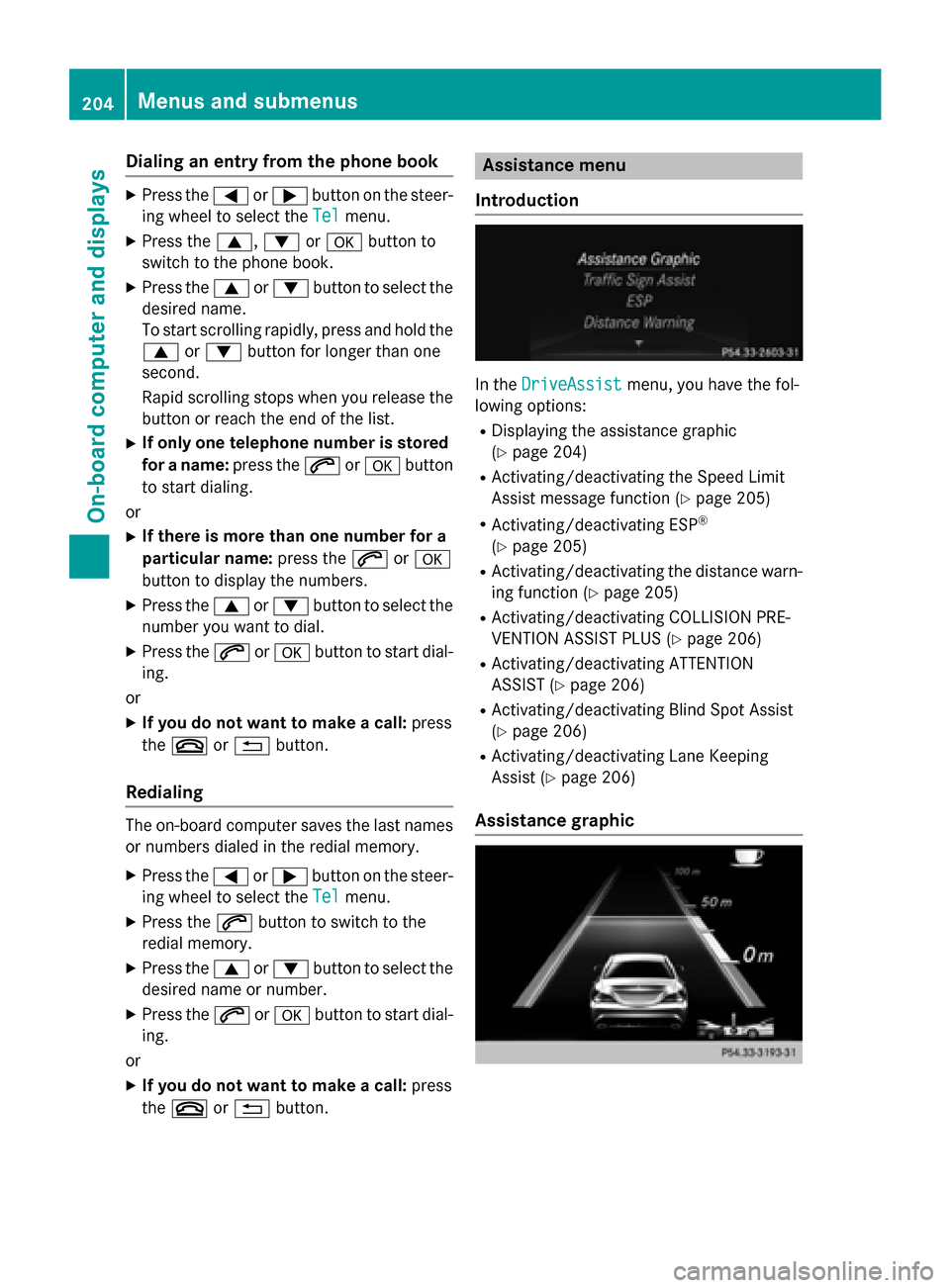
Introduction In the
DriveAssist
DriveAssist menu, you have the fol-
lowing options:
R Displaying the assistance graphic
(Y page 204)
R Activating/deactivating the Speed Limit
Assist message function (Y page 205)
R Activating/deactivating ESP ®
(Y page 205)
R Activating/deactivating the distance warn-
ing function (Y page 205)
R Activating/deactivating COLLISION PRE-
VENTION ASSIST PLUS (Y page 206)
R Activating/deactivating ATTENTION
ASSIST (Y page 206)
R Activating/deactivating Blind Spot Assist
(Y page 206)
R Activating/deactivating Lane Keeping
Assist (Y page 206)
Assistance graphic 204
Menus and submenusOn-boa
rdcompu ter and displays
Page 207 of 358

X
Press the 0059or0065 button on the steer-
ing wheel to select the DriveAssist DriveAssistmenu.
X Press 0063or0064 to select Assistance Assistance
Graphic
Graphic.
X Press the 0076button.
The multifunction display shows the DIS-
TRONIC PLUS distance display in the assis- tance graphic.
The assistance graphic displays the status of and information from the following driving
systems or driving safety systems:
R DISTRONIC PLUS (Y page 174)
R ATTENTION ASSIST (Y page 189)
R Lane Keeping Assist (Y page 193)
R Speed Limit Assist (Y page 190)
R Distance warning function of COLLISION
PREVENTION ASSIST (Y page 64)
R COLLISION PREVENTION ASSIST PLUS
(Y page 67)
Speed Limit Assist Activating/deactivating the Speed Limit
Assist message function
X Press the 0059or0065 button on the steer-
ing wheel to select the DriveAssist
DriveAssist menu.
X Press the 0063or0064 button to select
Speed Limit Assist Speed Limit Assist.
X Press the 0076button.
The current selection is displayed.
X To activate or deactivate: press0076.
When the Speed Limit Assist message
function is activated, the assistance
graphic shows the 00B8symbol.
If the Speed Limit Assist message function
is activated, a detected speed limit is auto- matically displayed for five seconds. Other
items in the multifunction display are sup-
pressed during this time.
Deactivating/activating ESP ®Observe the "Important safety notes" section
in the description of ESP (Y page 68). G
WARNING
If you deactivate ESP ®
, ESP ®
no longer sta-
bilizes the vehicle. There is an increased risk
of skidding and an accident.
Only deactivate ESP ®
in the situations descri-
bed in the following.
It may be best to deactivate ESP ®
in the fol-
lowing situations:
R when using snow chains
R in deep snow
R on sand or gravel
Activating/deactivating ESP ®
on AMG vehi-
cles (Y page 69).
For further information about ESP ®
, see
(Y page 67).
X Start the engine.
X Press the 0059or0065 button on the steer-
ing wheel to select the DriveAssist DriveAssistmenu.
X Press the 0063or0064 button to select
ESP
ESP.
X Press the 0076button.
The current selection is displayed.
X To activate/deactivate: press the0076
button again.
ESP ®
is deactivated if the 00BBwarning
lamp in the instrument cluster lights up
continuously when the engine is running.
If the 00E5 warning lamp and the 00BBwarn-
ing lamp are lit continuously, ESP ®
is not
available due to a malfunction.
Observe the information on warning lamps
(Y page 247).
Observe the information on display messages (Y page 214).
Activating/deactivating the distance
warning function X
Press the 0059or0065 button on the steer-
ing wheel to select the DriveAssist DriveAssistmenu.
X Press 0063or0064 to select Distance
Distance
Warning
Warning. Menus and submenus
205On-board computer and displays Z
Page 208 of 358

X
Press the 0076button.
The current selection is displayed.
X To activate/deactivate: press the0076
button again.
When the distance warning function is acti- vated, the 00C7symbol appears in the mul-
tifunction display in the assistance graphic
display.
Further information on the distance warning
function (Y page 64).
Activating/deactivating COLLISION
PREVENTION ASSIST PLUS X
Press the 0059or0065 button on the steer-
ing wheel to select the DriveAssist DriveAssistmenu.
X Press the 0063or0064 button to select
Collision Prevent. Assist
Collision Prevent. Assist.
X Press the 0076button.
The current selection is displayed.
X To activate/deactivate: press the0076
button again.
When COLLISION PREVENTION ASSIST
PLUS is activated, the 00C7symbol
appears in the multifunction display in the
assistance graphic display.
For further information about COLLISION
PREVENTION ASSIST PLUS, see (Y page 67).
Activating/deactivating ATTENTION
ASSIST X
Press the 0059or0065 button on the steer-
ing wheel to select the DriveAssist DriveAssistmenu.
X Press the 0063or0064 button to select
ATTENTION ASSIST
ATTENTION ASSIST.
X Press the 0076button.
The current selection is displayed.
X To activate/deactivate: press the0076
button again.
When ATTENTION ASSIST is activated, the
00AD symbol appears in the assistance
graphic in the multifunction display.
For further information about ATTENTION
ASSIST, see (Y page 189). Activating/deactivating Blind Spot
Assist X
Press the 0059or0065 button on the steer-
ing wheel to select the DriveAssist DriveAssistmenu.
X Press the 0063or0064 button to select
Blind Spot Assist
Blind Spot Assist.
X Press the 0076button.
The current selection is displayed.
X To activate/deactivate: press the0076
button again.
For further information about Blind Spot
Assist, see (Y page 191).
When the Blind Spot Assist Sensors
Blind Spot Assist Sensors
Deactivated
Deactivated message is shown, the radar
sensors are deactivated.
X Switch on the radar sensor system
(Y page 209).
Activating/deactivating Lane Keeping
Assist X
Press the 0059or0065 button on the steer-
ing wheel to select the DriveAssist DriveAssistmenu.
X Press the 0063or0064 button to select
Lane Keeping Assist
Lane Keeping Assist.
X Press the 0076button.
The current selection is displayed.
X Press 0076to confirm.
X Press the 0064or0063 button to set Off
Off,
Standard
Standard orAdaptive
Adaptive.
X Press the 0076button to save the setting.
When Lane Keeping Assist is activated, the multifunction display shows the lane mark-
ings as bright lines in the assistance
graphic.
For further information about Lane Keeping
Assist, see (Y page 193).206
Menus and submenusOn-board computer and displays