2014 MERCEDES-BENZ C-CLASS ESTATE CD player
[x] Cancel search: CD playerPage 10 of 489
Brightness control (instrument
cluster lighting)
................................... 32
Buttons on the steering column ...... 295C
Calling up a fault see Display messages
Camera
see 360° camera
Car
see Vehicle
Car key
see Key
Car wash (care) ................................. 400
Care
360° camera ................................. 405
AIRPANEL ...................................... 404
Automatic car wash ....................... 400
Carpets .......................................... 408
Display ........................................... 406
Exhaust pipe .................................. 406
Exterior lighting ............................. 404
Gear or selector lever .................... 407
High-pressure cleaner .................... 402
Interior ........................................... 406
Matt paintwork .............................. 403
Note s............................................. 400
Paint .............................................. 402
Plastic trim .................................... 407
Reversing camera .......................... 405
Roof lining ...................................... 408
Seat belt ........................................ 408
Seat cove r..................................... 407
Sensors ......................................... 405
Steering wheel ............................... 407
Trim pieces .................................... 407
Washing by hand ........................... 402
Wheels ........................................... 403
Windows ........................................ 403
Wiper blades .................................. 404
Wooden trim .................................. 407
CD player/CD changer(on-board
computer) .......................................... 305
Central locking
Locking/unlocking (key) .................. 91
Centre console
Lower section .................................. 38 Upper section .................................. 37
Changing bulbs
Dipped-beam headlamp s............... 143
Main-beam headlamp s................... 143
Reversing lamps ............................ 144
Turn signals (front) ......................... 144
Turn signals (rear) .......................... 144
Charge status of high-voltage bat-
tery ..................................................... 276
Child seat
Forward-facing restraint system ...... 68
ISOFIX .............................................. 65
On the front-passenger sea t............ 66
Rearward-facing restraint system .... 67
Recommendations ........................... 72
Suitable positions ............................ 68
Top Tether ....................................... 65
Child-proof locks
Important safety notes .................... 74
Rear doors ....................................... 75
Children
In the vehicl e................................... 63
Restraint systems ............................ 64
Cigarette lighter ................................ 384
Cleaning
Mirror turn signal ........................... 404
Trailer tow hitch ............................. 406
Climate control
Auxiliary heating/ventilation .......... 176
Controlling automaticall y............... 162
Convenience opening/closing
(air-recirculation mode) ................. 168
Cooling with air dehumidification .. 161
Demisting the windows .................. 166
Demisting the windscreen ............. 166
ECO start/stop function ................ 160
ECO start/stop function
(THERMATIC 1-zone) ............. 153, 154
ECO start/stop function
(THERMATIC 2-zone) ............. 156, 157
Hybrid vehicle (THERMOTRONIC ).. 160
Hybrid vehicles (THERMATIC) ........ 156
Important safety notes .................. 152
Indicator lamp ................................ 162
Information about using
THERMATIC automatic climate
control (1 ‑zone) ............................. 153 Index
7
Page 308 of 489
R
disc (CD/DVD)
R memory card (SD/SDHC)
R MEDIA REGISTER
R USB storage device
R Bluetooth ®
audio device
Observe the additional information on media
support and on media mode in the separate
Audio 20 or COMAND Online operating
instructions.
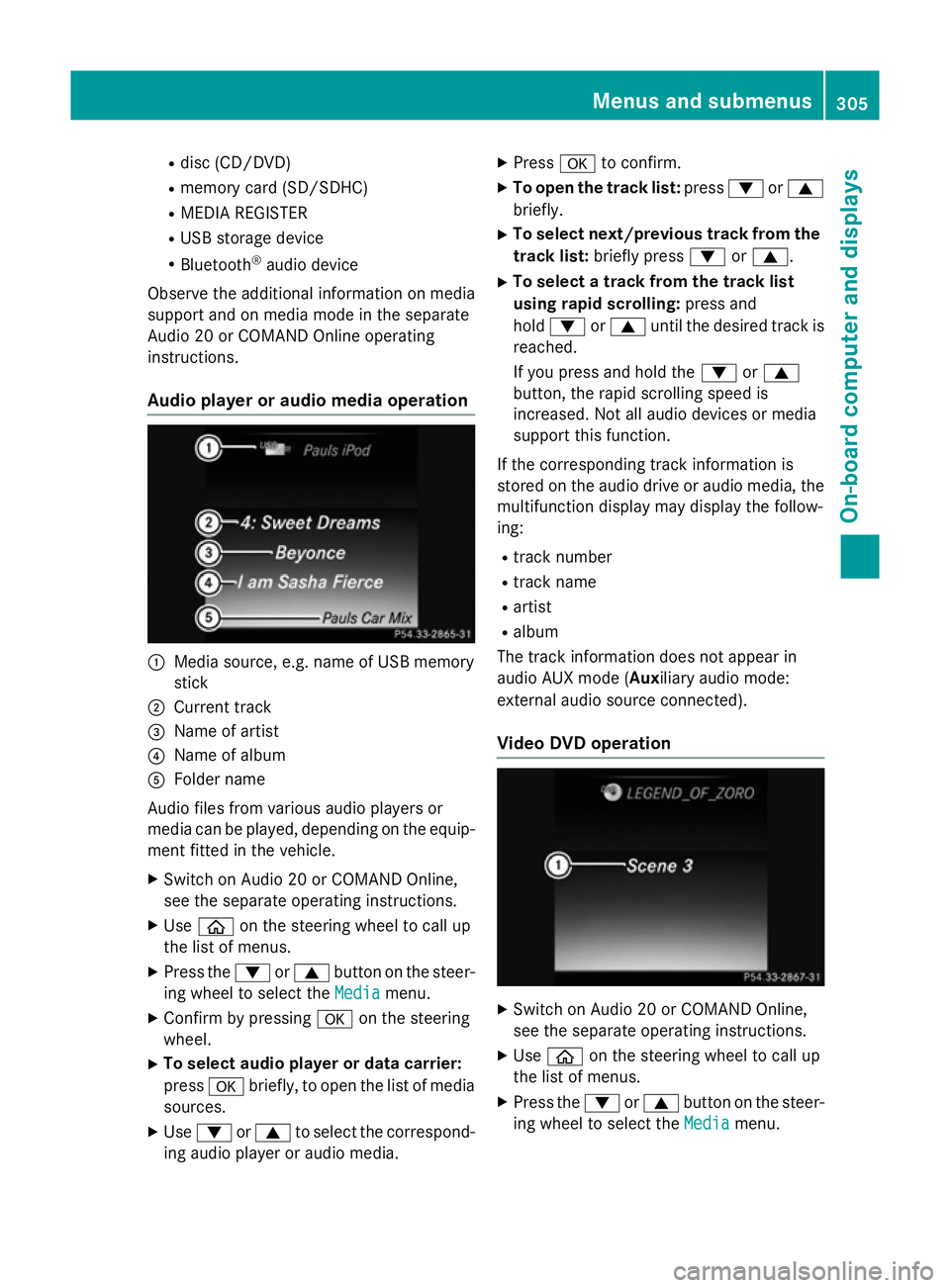
Audio player or audio media operation :
Media source, e.g. name of USB memory
stick
; Current track
= Name of artist
? Name of album
A Folder name
Audio files from various audio players or
media can be played, depending on the equip-
ment fitted in the vehicle.
X Switch on Audio 20 or COMAND Online,
see the separate operating instructions.
X Use ò on the steering wheel to call up
the list of menus.
X Press the :or9 button on the steer-
ing wheel to select the Media
Media menu.
X Confirm by pressing aon the steering
wheel.
X To select audio player or data carrier:
press abriefly, to open the list of media
sources.
X Use : or9 to select the correspond-
ing audio player or audio media. X
Press ato confirm.
X To open the track list: press:or9
briefly.
X To select next/previous track from the
track list: briefly press :or9.
X To select a track from the track list
using rapid scrolling: press and
hold : or9 until the desired track is
reached.
If you press and hold the :or9
button, the rapid scrolling speed is
increased. Not all audio devices or media
support this function.
If the corresponding track information is
stored on the audio drive or audio media, the multifunction display may display the follow-
ing:
R track number
R track name
R artist
R album
The track information does not appear in
audio AUX mode (Auxiliary audio mode:
external audio source connected).
Video DVD operation X
Switch on Audio 20 or COMAND Online,
see the separate operating instructions.
X Use ò on the steering wheel to call up
the list of menus.
X Press the :or9 button on the steer-
ing wheel to select the Media Mediamenu. Menus and submenus
305On-board computer and displays Z
Page 309 of 489
X
Confirm by pressing aon the steering
wheel.
X To select DVD single drive or data car-
rier: press abriefly, to open the list of
media sources.
X Use : or9 to select the correspond-
ing DVD player or DVD media.
X Press ato confirm.
X To open the scene list: press:or
9 briefly.
X To select the next or previous scene
from the scene list: briefly press:or
9.
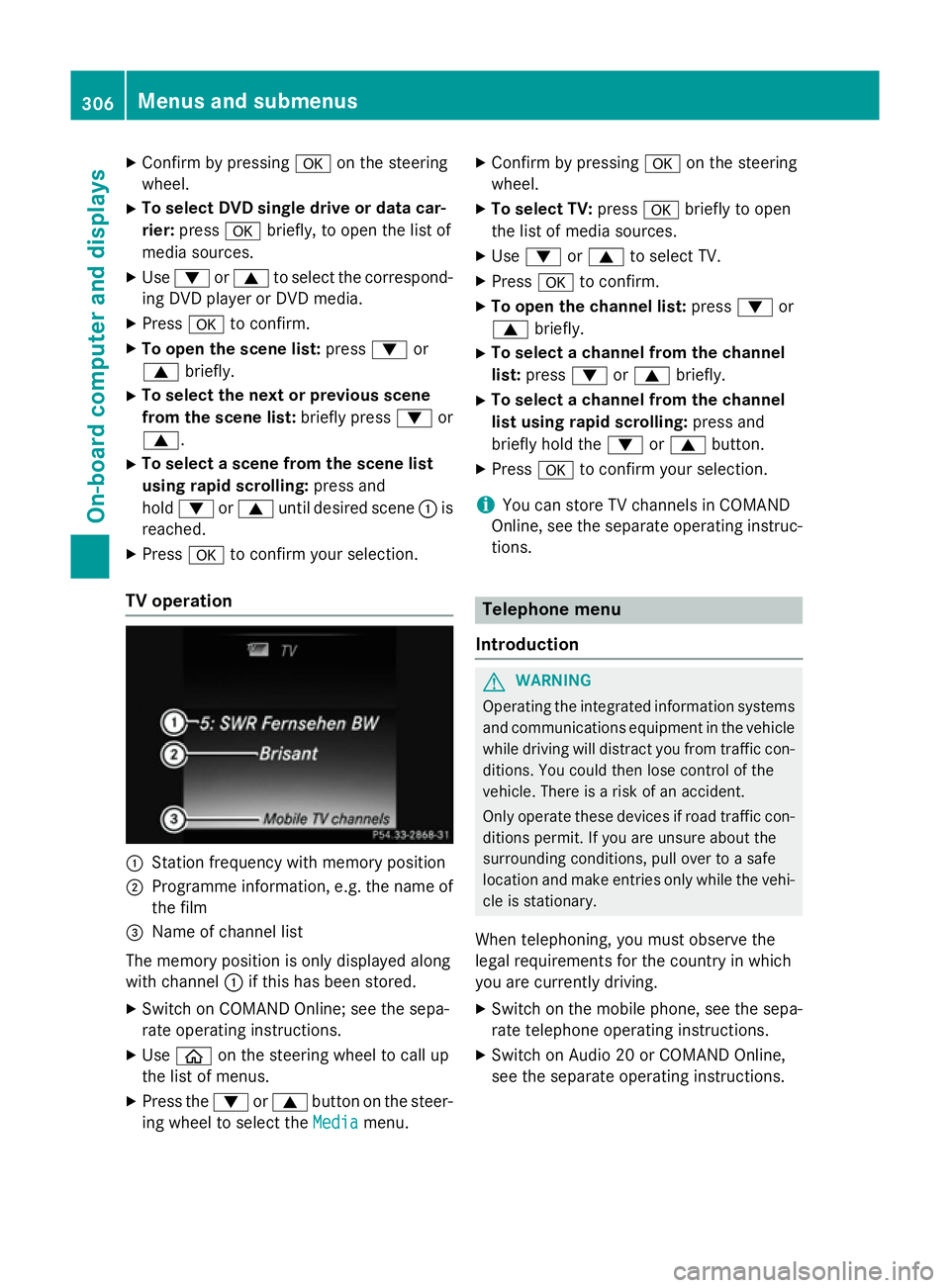
X To select a scene from the scene list
using rapid scrolling: press and
hold : or9 until desired scene :is
reached.
X Press ato confirm your selection.
TV operation :
Station frequency with memory position
; Programme information, e.g. the name of
the film
= Name of channel list
The memory position is only displayed along
with channel :if this has been stored.
X Switch on COMAND Online; see the sepa-
rate operating instructions.
X Use ò on the steering wheel to call up
the list of menus.
X Press the :or9 button on the steer-
ing wheel to select the Media
Media menu. X
Confirm by pressing aon the steering
wheel.
X To select TV: pressabriefly to open
the list of media sources.
X Use : or9 to select TV.
X Press ato confirm.
X To open the channel list: press:or
9 briefly.
X To select a channel from the channel
list: press :or9 briefly.
X To select a channel from the channel
list using rapid scrolling: press and
briefly hold the :or9 button.
X Press ato confirm your selection.
i You can store TV channels in COMAND
Online, see the separate operating instruc-
tions. Telephone menu
Introduction G
WARNING
Operating the integrated information systems and communications equipment in the vehicle
while driving will distract you from traffic con-
ditions. You could then lose control of the
vehicle. There is a risk of an accident.
Only operate these devices if road traffic con-
ditions permit. If you are unsure about the
surrounding conditions, pull over to a safe
location and make entries only while the vehi-
cle is stationary.
When telephoning, you must observe the
legal requirements for the country in which
you are currently driving. X Switch on the mobile phone, see the sepa-
rate telephone operating instructions.
X Switch on Audio 20 or COMAND Online,
see the separate operating instructions. 306
Menus and submenusOn-board computer and displays
Page 375 of 489
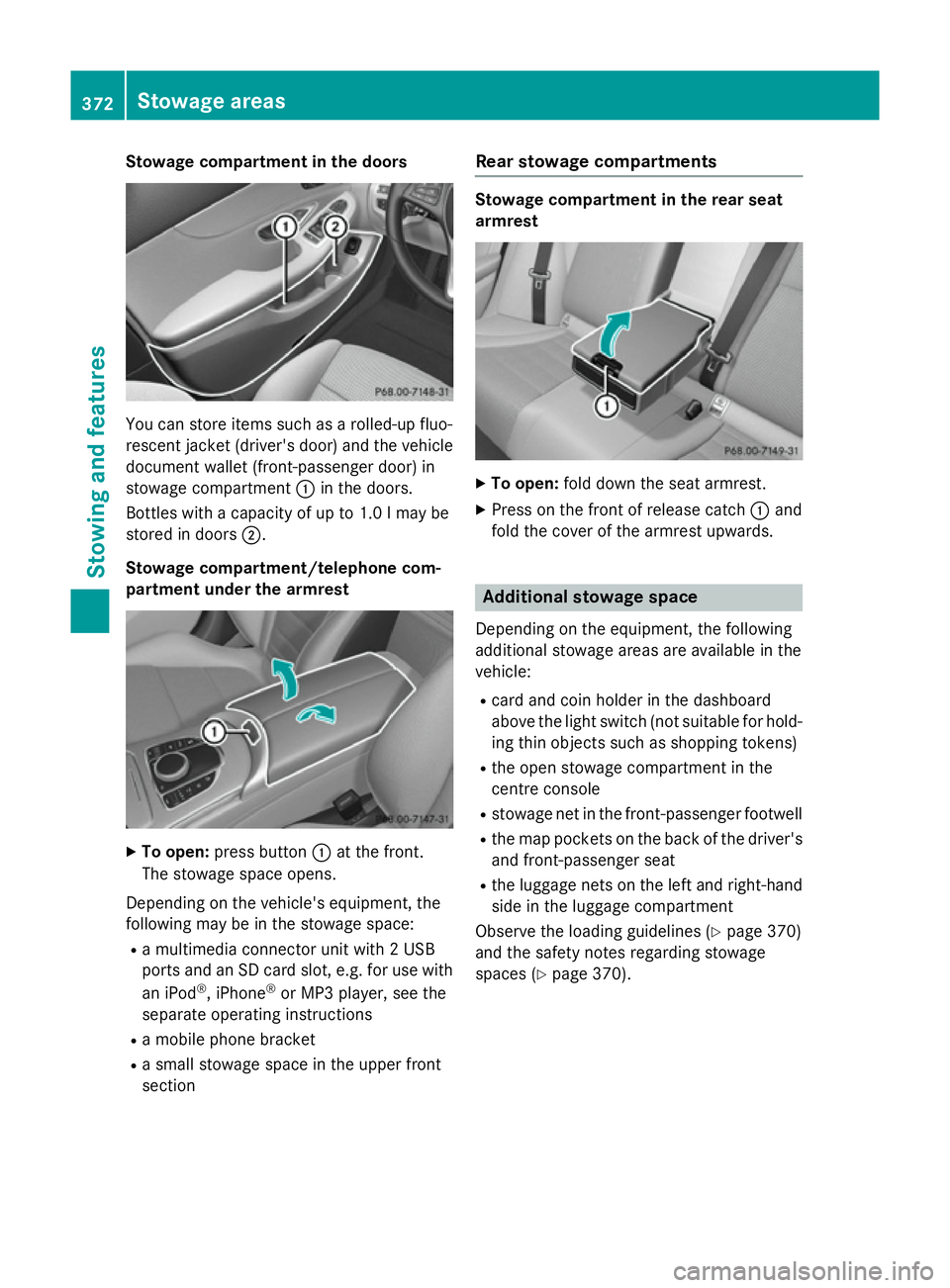
Stowage compartment in the doors
You can store items such as a rolled-up fluo-
rescent jacket (driver's door) and the vehicle document wallet (front-passenger door) in
stowage compartment :in the doors.
Bottles with a capacity of up to 1.0 lmay be
stored in doors ;.
Stowage compartment/telephone com-
partment under the armrest X
To open: press button :at the front.
The stowage space opens.
Depending on the vehicle's equipment, the
following may be in the stowage space: R a multimedia connector unit with 2 USB
ports and an SD card slot, e.g. for use with
an iPod ®
, iPhone ®
or MP3 player, see the
separate operating instructions
R a mobile phone bracket
R a small stowage space in the upper front
section Rear stowage compartments Stowage compartment in the rear seat
armrest
X
To open: fold down the seat armrest.
X Press on the front of release catch :and
fold the cover of the armrest upwards. Additional stowage space
Depending on the equipment, the following
additional stowage areas are available in the
vehicle:
R card and coin holder in the dashboard
above the light switch (not suitable for hold-
ing thin objects such as shopping tokens)
R the open stowage compartment in the
centre console
R stowage net in the front-passenger footwell
R the map pockets on the back of the driver's
and front-passenger seat
R the luggage nets on the left and right-hand
side in the luggage compartment
Observe the loading guidelines (Y page 370)
and the safety notes regarding stowage
spaces (Y page 370). 372
Stowage areasStowing and features