2014 MAZDA MODEL 2 parking brake
[x] Cancel search: parking brakePage 117 of 356

Black plate (117,1)
WARNING
Do not use sudden engine braking on
slippery road surfaces or at high
speeds:Shifting down while driving on wet,
snowy, or frozen roads, or while
driving at high speeds causes sudden
engine braking, which is dangerous.
The sudden change in tire speed
could cause the tires to skid. This
could lead to loss of vehicle control
and an accident.
Be sure to leave the shift lever in 1 or R
position and set the parking brake
when leaving the vehicle unattended: Otherwise the vehicle could move
and cause an accident.
CAUTION
ØKeep your foot off the clutch pedal
except when shifting gears. Also,
do not use the clutch to hold the
vehicle on an upgrade. Riding the
clutch will cause needless clutch
wear and damage.
Ø Do not apply any excessive lateral
force to the gear lever when
changing from 5th to 4th gear.
This could lead to the accidental
selection of 2nd gear, which can
result in damage to the transaxle.
Ø Make sure the vehicle comes to a
complete stop before shifting to R.
Shifting to R while the vehicle is
still moving may damage the
transaxle.
NOTE
If shifting to R is difficult, shift back into
neutral, release the clutch pedal, and try
again.
q Recommendations for Shifting
Upshifting
For normal acceleration, we recommend
these shift points.
Gear Vehicle speed
1 to 2 21 km/h (13 mph)
2 to 3 39 km/h (24 mph)
3 to 4 55 km/h (34 mph)
4 to 5 78 km/h (49 mph)
For cruising
Gear Vehicle speed
1 to 2 18 km/h (11 mph)
2 to 3 29 km/h (18 mph)
3 to 4 47 km/h (29 mph)
4 to 5 68 km/h (42 mph)
Downshifting
When you must slow down in heavy
traffic or on a steep upgrade, downshift
before the engine starts to overwork. This
reduces the chance of stalling and gives
better acceleration when you need more
speed.
On a steep downgrade , downshifting
helps maintain safe speed and prolongs
brake life.
Driving Your Mazda
Starting and Driving
5-11
Mazda2_8DB2-EA-13G_Edition4 Page117
Thursday, May 15 2014 1:37 PM
Form No.8DB2-EA-13G
Page 118 of 356

Black plate (118,1)
Automatic Transaxle Controls
Indicates the shift lever can be shifted freely into any position.
Indicates that you must hold in the lock-release button to shift.
Indicates that you must depress the brake pedal and hold in the lock-release
button to shift (The ignition must be switched ACC or ON).
Various Lockouts:
Lock-release button
qTransaxle Ranges
The shift lever must be in P or N to
operate the starter.
P (Park)
P locks the transaxle and prevents the
front wheels from rotating.
WARNING
Always set the shift lever to P and set
the parking brake:
Only setting the shift lever to the P
position without using the parking
brake to hold the vehicle is
dangerous. If P fails to hold, the
vehicle could move and cause an
accident.
CAUTION
ØShifting into P, N or R while the
vehicle is moving can damage
your transaxle.
Ø Shifting into a driving gear or
reverse when the engine is running
faster than idle can damage the
transaxle.
R (Reverse)
In position R, the vehicle moves only
backward. You must be at a complete stop
before shifting to or from R, except under
rare circumstances as explained in
Rocking the Vehicle (page 4-8).
5-12
Driving Your Mazda
Starting and Driving
Mazda2_8DB2-EA-13G_Edition4 Page118
Thursday, May 15 2014 1:37 PM
Form No.8DB2-EA-13G
Page 119 of 356

Black plate (119,1)
N (Neutral)
In N, the wheels and transaxle are not
locked. The vehicle will roll freely even
on the slightest incline unless the parking
brake or brakes are on.
WARNING
If the engine is running faster than idle,
do not shift from N or P into a driving
gear:It's dangerous to shift from N or P
into a driving gear when the engine
is running faster than idle. If this is
done, the vehicle could move
suddenly, causing an accident or
serious injury.
Do not shift into N when driving the
vehicle: Shifting into N while driving is
dangerous. Engine braking cannot be
applied when decelerating which
could lead to an accident or serious
injury.
CAUTION
Do not shift into N when driving the
vehicle. Doing so can cause transaxle
damage.
NOTE
Apply the parking brake or depress the brake
pedal before moving the shift lever from N to
prevent the vehicle from moving unexpectedly.
D (Drive)
D is the normal driving position. From a
stop, the transaxle will automatically shift
through a 4-gear sequence.
2 (Second)
The 2 position is helpful when driving in
heavy, slow-moving traffic and climbing
hills, for engine braking assist when going
down hills, or for starting on slick
surfaces and other situations where gentle
acceleration may be necessary.
Do not exceed 98 km/h (60 mph) in the 2
position.
1 (Low)
Use the 1 position for maximum power in
hard-pulling situations, or for climbing
and descending very steep grades.
Do not exceed 43 km/h (26 mph) in the 1
position.
WARNING
Do not use sudden engine braking on
slippery road surfaces or at high
speeds: Shifting down while driving on wet,
snowy, or frozen roads, or while
driving at high speeds causes sudden
engine braking, which is dangerous.
The sudden change in tire speed
could cause the tires to skid. This
could lead to loss of vehicle control
and an accident.
qShift-Lock System
The shift-lock system prevents shifting
out of P unless the brake pedal is
depressed.
To shift from P:
1. Depress and hold the brake pedal.
2. Start the engine.
3. Press and hold the lock-release button.
4. Move the shift lever.
Driving Your Mazda
Starting and Driving
5-13
Mazda2_8DB2-EA-13G_Edition4 Page119
Thursday, May 15 2014 1:37 PM
Form No.8DB2-EA-13G
Page 121 of 356
Black plate (121,1)
Passing
For extra power when passing another
vehicle or climbing steep grades, depress
the accelerator fully. The transaxle will
shift to a lower gear, depending on vehicle
speed.
Climbing steep grades from a stop
To climb a steep grade from a stopped
position:
1. Depress the brake pedal.
2. Shift to D or 1, depending on the loadweight and grade steepness.
3. Release the brake pedal while gradually accelerating.
Descending steep grades
When descending a steep grade, shift to 2
or 1, depending on load weight and grade
steepness. Descend slowly, using the
brakes only occasionally to prevent them
from overheating.
Power Steering
Power steering is only operable when the
engine is running. If the engine is off or if
the power steering system is inoperable,
you can still steer, but it requires more
physical effort.
If the steering feels stiffer than usual
during normal driving, consult an
Authorized Mazda Dealer.
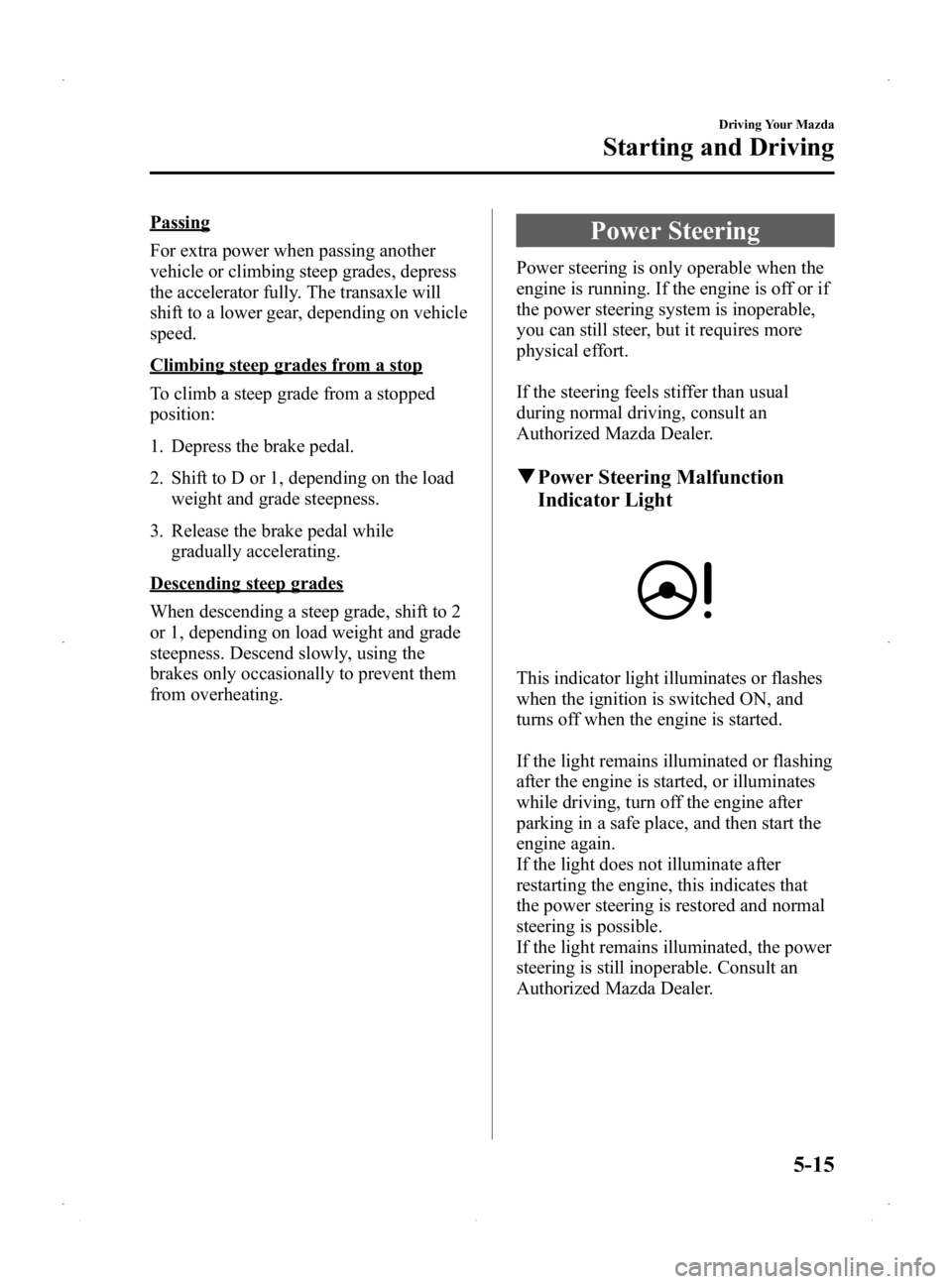
qPower Steering Malfunction
Indicator Light
This indicator light illuminates or flashes
when the ignition is switched ON, and
turns off when the engine is started.
If the light remains illuminated or flashing
after the engine is started, or illuminates
while driving, turn off the engine after
parking in a safe place, and then start the
engine again.
If the light does not illuminate after
restarting the engine, this indicates that
the power steering is restored and normal
steering is possible.
If the light remains illuminated, the power
steering is still inoperable. Consult an
Authorized Mazda Dealer.
Driving Your Mazda
Starting and Driving
5-15
Mazda2_8DB2-EA-13G_Edition4 Page121
Thursday, May 15 2014 1:37 PM
Form No.8DB2-EA-13G
Page 144 of 356

Black plate (144,1)
qBrake System Warning Light
This warning has the following functions:
Parking brake warning/Warning light
inspection
The light illuminates when the parking
brake is applied with the ignition switched
to START or ON. It turns off when the
parking brake is fully released.
Low brake fluid level warning
If the brake warning light remains
illuminated even though the parking brake
is released, the brake fluid may be low or
there could be a problem with the brake
system. Park the vehicle in a safe place
immediately and contact an Authorized
Mazda Dealer.
WARNING
Do not drive with the brake system
warning light illuminated. Contact an
Authorized Mazda Dealer to have the
brakes inspected as soon as possible:
Driving with the brake system
warning light illuminated is
dangerous. It indicates that your
brakes may not work at all or that
they could completely fail at any
time. If this light remains
illuminated, after checking that the
parking brake is fully released, have
the brakes inspected immediately.
CAUTION
In addition, the effectiveness of the
braking may diminish so you may
need to depress the brake pedal more
strongly than normal to stop the
vehicle.
qMalfunction Warning Light
When the ignition is switched ON, the
malfunction warning light illuminates and
then turns off after a few seconds.
The light stays on if the brake switch has
a malfunction. Consult an Authorized
Mazda Dealer.
WARNING
Do not drive the vehicle with the
malfunction warning light illuminated.
Driving with the malfunction
warning light illuminated is
dangerous because the brake lights
and engine control system may not
operate normally due to a brake
switch malfunction which could lead
to an accident. Have your vehicle
inspected by an Authorized Mazda
Dealer.
5-38
Driving Your Mazda
Warning/Indicator Lights and Beep Sounds
Mazda2_8DB2-EA-13G_Edition4 Page144
Thursday, May 15 2014 1:37 PM
Form No.8DB2-EA-13G
Page 158 of 356

Black plate (158,1)
qHeadlight High-Low Beam
Press the lever forward to turn on the high
beams.
Pull the lever back to its original position
for the low beams.
High beam
Low beam
qFlashing the Headlights
To flash the headlights, pull the lever fully
towards you (the headlight switch does
not need to be on). The lever will return to
the normal position when released.
OFF
Flashing
qDaytime Running Lights (Canada)
In Canada, vehicles must be driven with
the headlights on during daytime
operation.
For that reason, the daytime running lights
automatically turn on when the ignition is
switched ON.
NOTE
The Daytime Running Lights turn off when the
parking brake is applied.
5-52
Driving Your Mazda
Switches and Controls
Mazda2_8DB2-EA-13G_Edition4 Page158
Thursday, May 15 2014 1:37 PM
Form No.8DB2-EA-13G
Page 203 of 356

Black plate (203,1)
AUX/USB/iPod Mode
Audio can be heard from the vehicle's
speakers by connecting a commercially-
available portable audio unit to the
auxiliary jack.
A commercially-available, non-impedance
(3.5
) stereo mini plug cable is required.
Contact an Authorized Mazda Dealer for
details.
In addition, audio can be played from the
vehicle audio device by connecting USB
device or an iPod to the USB port.
To use the auxiliary jack/USB port, pull
up its cover.
USB port
Auxiliary jack
How to use AUX mode ....... page 6-38
How to use USB mode ........ page 6-40
How to use iPod mode ......... page 6-44
Error Indications .................. page 6-46
WARNING
Do not adjust the portable audio unit
or a similar product while driving the
vehicle: Adjusting the portable audio unit or
a similar product while driving the
vehicle is dangerous as it could
distract your attention from the
vehicle operation which could lead to
a serious accident. Always adjust the
portable audio unit or a similar
product while the vehicle is stopped.
Do not allow the connection plug cord
to get tangled with the parking brake
or the shift lever: Allowing the plug cord to become
tangled with the parking brake or
the shift lever is dangerous as it
could interfere with driving, resulting
in an accident.
CAUTION
ØAlways close the auxiliary jack/
USB port lid when it is not in use.
If foreign matter or liquid
penetrate the auxiliary jack/USB
port, it may cause a malfunction.
Ø Depending on the portable audio
device, noise may occur when the
device is connected to the vehicle
accessory socket. (If noise occurs,
do not use the accessory socket.)
Ø Do not place objects or apply force
to the auxiliary jack with the plug
connected.
Interior Comfort
Audio System
6-37
Mazda2_8DB2-EA-13G_Edition4 Page203
Thursday, May 15 2014 1:37 PM
Form No.8DB2-EA-13G
Page 227 of 356
Black plate (227,1)
NOTElMake sure the jack is well lubricated before
using it.
(With Tire Pressure Monitoring System)
lBe sure to register the tire pressure sensor
ID signal code whenever tires or wheels are
changed (page 5-27).
1. Park on a level surface off the right-of- way and firmly set the parking brake.
2. Put a vehicle with an automatic transaxle in Park (P), a manual
transaxle in Reverse (R) or 1, and turn
off the engine.
3. Turn on the hazard warning flasher.
4. Have everyone get out of the vehicle and away from the vehicle and traffic.
5. Remove the jack, tool bag, and spare tire (page 7-3).
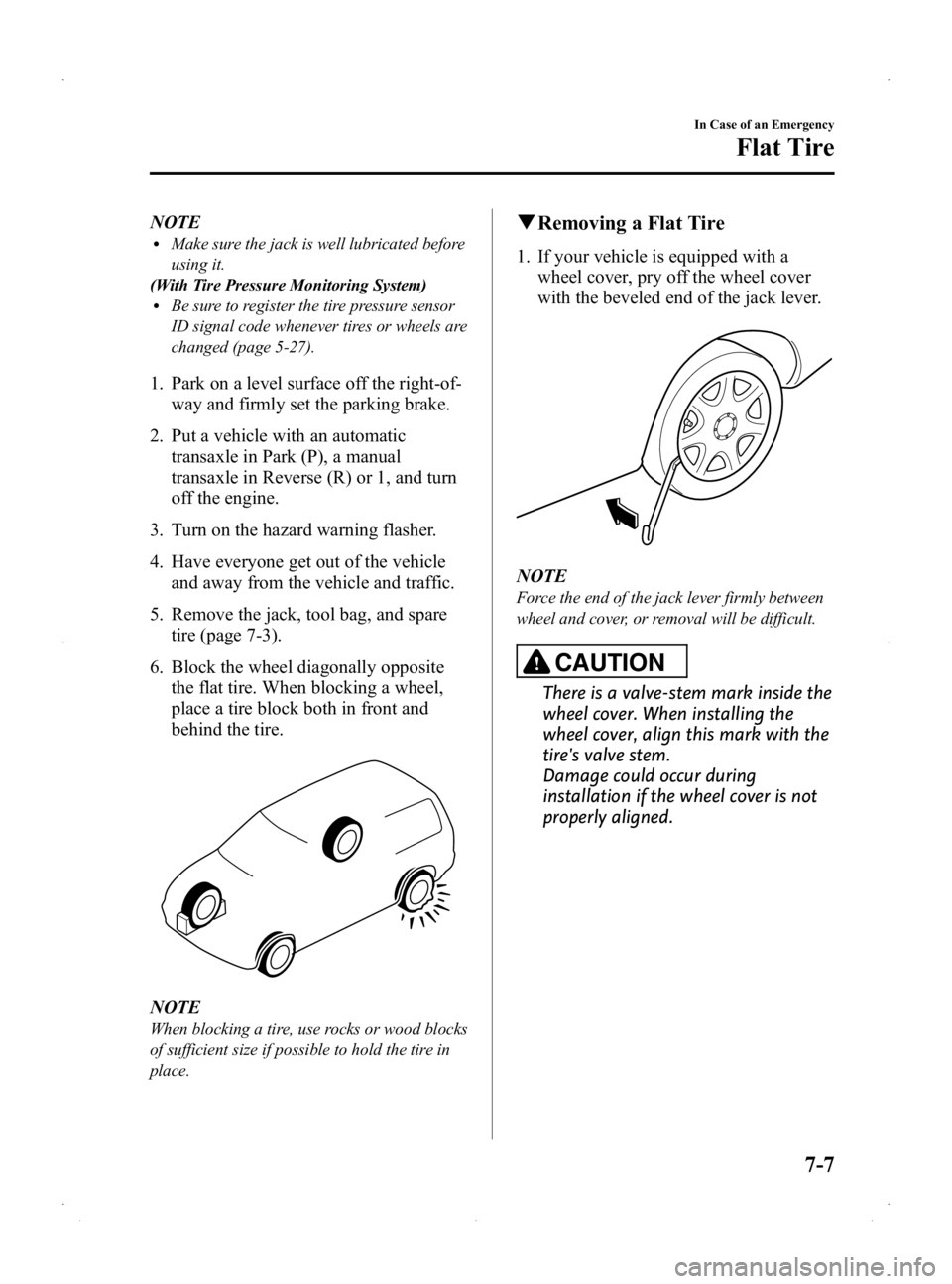
6. Block the wheel diagonally opposite the flat tire. When blocking a wheel,
place a tire block both in front and
behind the tire.
NOTE
When blocking a tire, use rocks or wood blocks
of sufficient size if possible to hold the tire in
place.
qRemoving a Flat Tire
1. If your vehicle is equipped with a
wheel cover, pry off the wheel cover
with the beveled end of the jack lever.
NOTE
Force the end of the jack lever firmly between
wheel and cover, or removal will be difficult.
CAUTION
There is a valve-stem mark inside the
wheel cover. When installing the
wheel cover, align this mark with the
tire's valve stem.
Damage could occur during
installation if the wheel cover is not
properly aligned.
In Case of an Emergency
Flat Tire
7-7
Mazda2_8DB2-EA-13G_Edition4 Page227
Thursday, May 15 2014 1:38 PM
Form No.8DB2-EA-13G