2014 LINCOLN NAVIGATOR warning
[x] Cancel search: warningPage 311 of 506

CHANGING A ROAD WHEEL
WARNING:The use of tire sealants may damage your tire
pressure monitoring system and should not be used. However, if
you must use a sealant, have an authorized dealer install a new tire
pressure monitoring system sensor and valve stem.
WARNING:SeeTire Pressure Monitoring Systemin this
chapter for important information. If the tire pressure monitoring
sensor becomes damaged, it will no longer function.
Note:The tire pressure monitoring system indicator light will illuminate
when the spare tire is in use. To restore the full function of the
monitoring system, all road wheels equipped with tire pressure
monitoring sensors must be mounted on this vehicle.
If you get a flat tire while driving, do not apply the brake heavily.
Instead, gradually decrease your speed. Hold the steering wheel firmly
and slowly move to a safe place on the side of the road.
Have a flat serviced by an authorized dealer in order to prevent damage
to the system sensors. SeeTire Pressure Monitoring Systemearlier in
this chapter. Replace the spare tire with a road tire as soon as possible.
During repairing or replacing of the flat tire, have the authorized dealer
inspect the tire pressure monitoring system sensor for damage.
Dissimilar Spare Tire and Wheel Assembly Information
WARNING:Failure to follow these guidelines could result in an
increased risk of loss of vehicle control, injury or death.
If you have a dissimilar spare tire and wheel assembly, then it is intended
for temporary use only. This means that if you need to use it, you should
replace it as soon as possible with a road tire and wheel assembly that is
the same size and type as the road tires and wheels that were originally
provided by Ford. If the dissimilar spare tire or wheel is damaged, it
should be replaced rather than repaired.
A dissimilar spare tire and wheel assembly is defined as a spare tire or
wheel that is different in brand, size or appearance from the road tires
and wheels and can be one of three types:
1.T-type mini-spare:This spare tire begins with the letter T for tire
size and may have Temporary Use Only molded in the sidewall.
310Wheels and Tires
2014 Navigator(nav)
Owners Guide gf, 1st Printing, June 2013
USA(fus)
Page 313 of 506

•Ground clearance and parking at curbs
•Winter weather driving capability
•Wet weather driving capability
•All-wheel driving capability (if applicable)
•Load leveling adjustment (if applicable)
When driving with the full-size dissimilar spare tire and wheel assembly,
additional caution should be given to:
•towing a trailer.
•driving vehicles equipped with a camper body.
•driving vehicles with a load on the cargo rack.
Drive cautiously when using a full-size dissimilar spare tire and wheel,
and seek service as soon as possible.
Tire Change Procedure
WARNING:When one of the front wheels is off the ground, the
transmission alone will not prevent the vehicle from moving or
slipping off the jack, even if the transmission selector lever is in
positionP.
WARNING:To help prevent the vehicle from moving when you
change a tire, be sure to place the transmission selector lever in
positionP,set the parking brake and block (in both directions) the
wheel that is diagonally opposite (other side and end of the vehicle) to
the tire being changed.
WARNING:Never get underneath a vehicle that is supported
only by a jack. If the vehicle slips off the jack, you or someone
else could be seriously injured.
WARNING:Do not attempt to change a tire on the side of the
vehicle close to moving traffic. Pull far enough off the road to
avoid the danger of being hit when operating the jack or changing the
wheel.
312Wheels and Tires
2014 Navigator(nav)
Owners Guide gf, 1st Printing, June 2013
USA(fus)
Page 314 of 506

WARNING:Always use the jack provided as original equipment
with your vehicle. If using a jack other than the one provided as
original equipment with your vehicle, make sure the jack capacity is
adequate for the vehicle weight, including any vehicle cargo or
modifications.
WARNING:Disable the power running boards before jacking,
lifting, or placing any object under the vehicle. Never place your
hand between the power running board and vehicle as extended power
running boards will retract when the doors are closed. Failure to follow
these instructions may result in personal injury.
Note:Passengers should not remain in the vehicle when the vehicle is
being jacked.
Park on a level surface, activate the hazard flashers and set the parking
brake. Then, place the transmission selector lever in positionPand turn
the engine off.
Location of the spare tire and tools
The spare tire and tools for your vehicle are stowed in the following
locations:
Item Location
Spare tire Under the vehicle, just forward of
the rear bumper
Jack tools Under the access panel located in
the floor compartment behind the
rear seat
Wheels and Tires313
2014 Navigator(nav)
Owners Guide gf, 1st Printing, June 2013
USA(fus)
Page 319 of 506
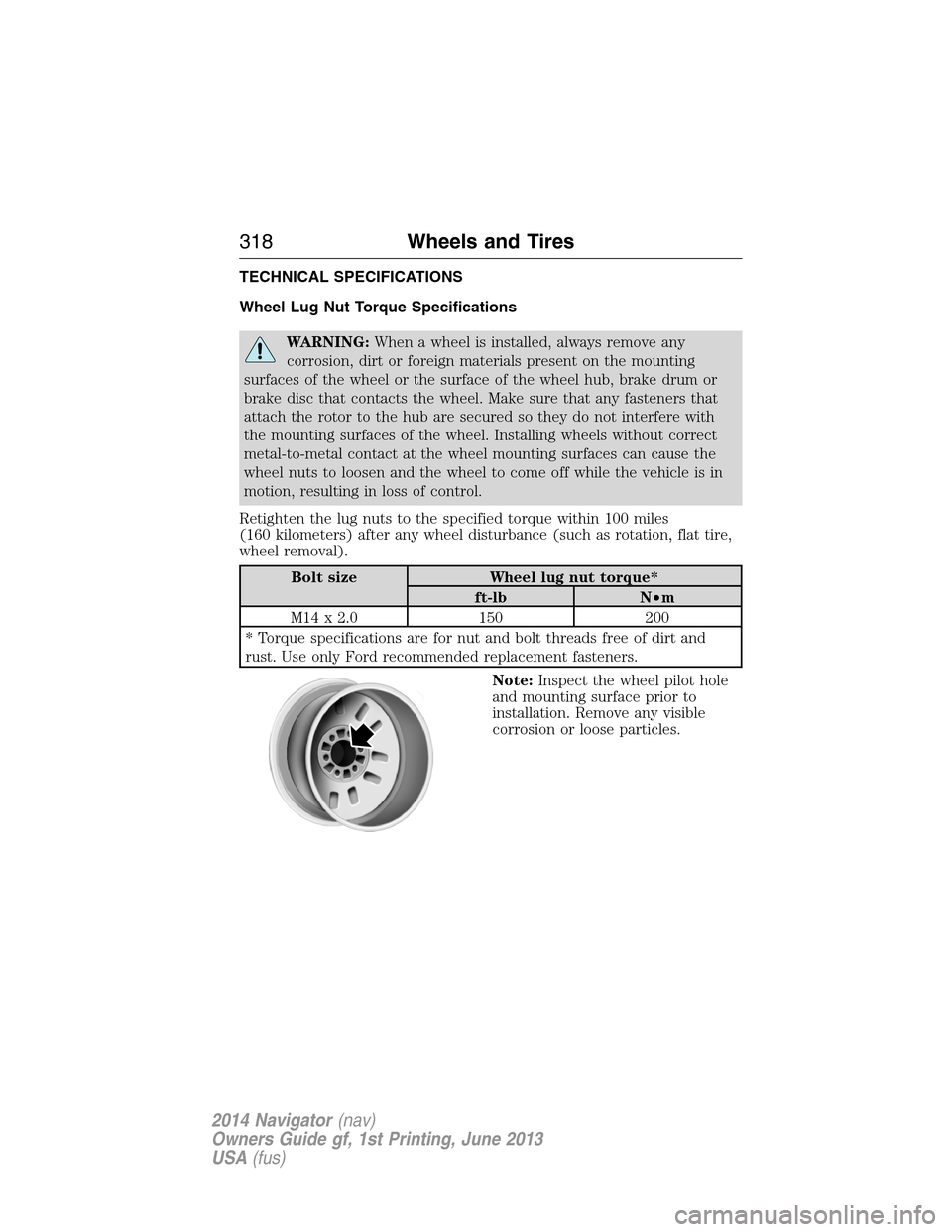
TECHNICAL SPECIFICATIONS
Wheel Lug Nut Torque Specifications
WARNING:When a wheel is installed, always remove any
corrosion, dirt or foreign materials present on the mounting
surfaces of the wheel or the surface of the wheel hub, brake drum or
brake disc that contacts the wheel. Make sure that any fasteners that
attach the rotor to the hub are secured so they do not interfere with
the mounting surfaces of the wheel. Installing wheels without correct
metal-to-metal contact at the wheel mounting surfaces can cause the
wheel nuts to loosen and the wheel to come off while the vehicle is in
motion, resulting in loss of control.
Retighten the lug nuts to the specified torque within 100 miles
(160 kilometers) after any wheel disturbance (such as rotation, flat tire,
wheel removal).
Bolt size Wheel lug nut torque*
ft-lb N•m
M14 x 2.0 150 200
* Torque specifications are for nut and bolt threads free of dirt and
rust. Use only Ford recommended replacement fasteners.
Note:Inspect the wheel pilot hole
and mounting surface prior to
installation. Remove any visible
corrosion or loose particles.
318Wheels and Tires
2014 Navigator(nav)
Owners Guide gf, 1st Printing, June 2013
USA(fus)
Page 324 of 506

4Do not use API S category oils labeled as SN, SM,SL or lower category unless the label also
displays the API certification mark. These oils do not meet all of the requirements of your
vehicles engine and emission system.5Do not use supplemental engine oil additives in your engine. They are unnecessary and could
lead to engine damage that is not covered by your Ford warranty.6Automatic transmissions that require MERCON™ LV should only use MERCON LV fluid. Refer
toscheduled maintenance informationto determine the correct service interval. Use of any
fluid other than the recommended fluid may cause transmission damage.7Indicates only approximate dry-fill capacity. Some applications may vary based on cooler size
and if equipped with an in-tank cooler.8Your vehicle’s rear axle is filled with a synthetic rear axle lubricant and is considered lubricated
for life. These lubricants are not to be checked or changed unless a leak is suspected, service is
required or the axle has been submerged in water. The axle lubricant should be changed any
time the axle has been submerged in water.9Warning:The air conditioning refrigerant system contains refrigerant R–134a under high
pressure. Opening and air conditioning refrigerant system can cause personal injury. Only
qualified personnel should service the air conditioning refrigerant system.
Capacities and Specifications323
2014 Navigator(nav)
Owners Guide gf, 1st Printing, June 2013
USA(fus)
Page 328 of 506

ACCESSORIES
For a complete listing of the accessories that are available for your
vehicle, please contact an authorized dealer or visit our online store at:
www.Accessories.Lincoln.com(United States only).
Lincoln Motor Company will repair or replace any properly authorized
dealer-installed Lincoln Genuine Accessories found to be defective in
factory-supplied materials or workmanship during the warranty period,
as well as any component damaged by the defective accessories.
Lincoln Motor Company will warrant your vehicle through the warranty
that provides the greatest benefit:
•12 months or 12000 miles (20000 kilometers) (whichever occurs first).
•The remainder of your new vehicle limited warranty.
Contact an authorized dealer for details and a copy of the warranty.
Exterior style
•Chrome hood accent•Deflectors
•Splash guards
Interior style
•Ambient lighting•Floor mats
•Illuminated door sill plates
Lifestyle
•SUV camping tent*•Rear seat entertainment*
•Racks and carriers*•Towing accessories
•Cargo organization and management
Peace of mind
•Remote start•Vehicle security systems
•Forward bumper mounted
warning sensors*•Wheel locks
•Locking gas plug for capless fuel system
Accessories327
2014 Navigator(nav)
Owners Guide gf, 1st Printing, June 2013
USA(fus)
Page 335 of 506

AM/FM/CD WITH SYNC®
WARNING:Driving while distracted can result in loss of vehicle
control, crash and injury. We strongly recommend that you use
extreme caution when using any device that may take your focus off
the road. Your primary responsibility is the safe operation of your
vehicle. We recommend against the use of any hand-held device while
driving and encourage the use of voice-operated systems when possible.
Make sure you are aware of all applicable local laws that may affect the
use of electronic devices while driving.
A.Memory presets:
•In radio mode, store your favorite radio stations. To store a radio
station, tune to the station, then press and hold a preset button until
sound returns.
•In satellite radio mode, store up to six stations on each satellite band.
B.Eject:
•Press this button to eject the current CD.
•To eject a specific CD, press this button, then the corresponding
memory preset button.
•Press and hold this button to eject all CDs.
ML
R
P
O
N
Q
KJIHGF
BA
C
D
E
1LOAD
VOL
PUSH
AUX
CD
AM/FMSHUFFLEREV
FWDOK
SEEKMENUTUNE
SEEKTEXT
SCAN23 456
334Audio System
2014 Navigator(nav)
Owners Guide gf, 1st Printing, June 2013
USA(fus)
Page 340 of 506

Switching Dual Play Mode On
You can switch Dual Play mode on by simultaneously pressing the 2 and
4 memory preset buttons on the audio or by doing the following:
1. Press the headphone/speaker control. The headphone icon
illuminates in both front and rear audio displays indicating the rear
seat speakers are off and the headphones are on.
2. Press MEDIA to change audio sources (as heard in the headphones
only).
3. Use the other controls to adjust the playing media.
Switching Off Dual Play Mode
Use any one of the following to switch off Dual Play mode:
•Press the 2 and 4 memory preset buttons simultaneously again.
•Press the 3 and 5 memory preset buttons simultaneously to LOCK
the rear seat controls.
•Press the headphone/speaker button again.
Using Dual Play Mode with Headphones
WARNING:Do not leave children unattended in your vehicle
and do not let children operate the system while unsupervised.
If wired headphones or auxiliary systems are used, children may
become entangled in the cords and seriously injure themselves.
Plug a 1/8–inch (3.5 millimeter) headphone (not included) into the
headphone jack. Press the speaker button, or the 2 and 4 memory preset
buttons simultaneously on the radio to switch on the headphones. DUAL
PLAY illuminates in the audio display, there is no sound from the rear
speakers and the fade control is inactive, signaling that Dual Play is on.
The front speakers remain on for the front passengers. Press the speaker
button, or the 2 and 4 memory preset buttons simultaneously on the
radio again to switch off the headphones and Dual Play mode. SINGLE
PLAY illuminates in the audio display; fade control is active and there is
sound from rear speakers, signaling that Single Play is on.
You need to switch the rear seat controls on to use any rear controls
(whether in Single Play or Dual Play mode). To use Dual Play, switch
on the rear seat controls; the headphone icon illuminates in the audio
display. SeeSwitching the rear audio controls onpreviously.
Audio System339
2014 Navigator(nav)
Owners Guide gf, 1st Printing, June 2013
USA(fus)