Page 361 of 688

361
5Interior features
GS350_250_OM_OM30E16E_(EE)
5-1. Remote Touch screenRemote Touch/12.3-inch display...................... 362
5-2. Using the air conditioning system and defogger
Front automatic air conditioning system ...........371
Rear air conditioning system .......... 391
Rear window and outside rear view mirror defoggers ..........396
Windshield wiper de-icer ....... 397
5-3. Using the interior lights Interior lights list..........................399
• Interior light ........................... 400
• Personal lights....................... 400 5-4. Using the storage features
List of storage features ............ 402• Glove box ............................... 404
• Console box...........................405
• Cup holders ...........................406
• Auxiliary boxes .....................408
Trunk features ..............................409
5-5. Other interior features Sun visors and vanity mirrors ..............................412
Clock ................................................413
Ashtrays ...........................................414
Power outlets ................................ 415
Heated steering wheel .............. 417
Seat heaters/ seat ventilators .......................... 419
Armrest .......................................... 426
Rear sunshade/ rear door sunshades ...............427
Trunk storage extension ..........430
Coat hooks .................................... 431
Assist grips.................................... 432
Utility hook ................................... 433
Sec_05TOC.fm Page 361 Friday, July 11, 2014 7:00 PM
Page 365 of 688
3655-1. Remote Touch screen
5
Interior features
GS350_250_OM_OM30E16E_(EE)
Press the “MENU” button on the Remote Touch to display the “Menu”
screen.
The display may differ depending on the type of the system.
12.3-inch display: When an interruption screen is being displayed on the side dis-
play, the “Menu” screen will be shown on the main display.
“Menu” screen
XFor 8-inch displayXFor 12.3-inch display
SwitchFunction
Select to operate the audio/visual system.*1
Select to display the air conditioning control screen. (→P. 3 7 1 )
Select to display the hands-free operation screen.*1
Select to display the “Information” screen.*1
Select to display the fuel consumption screen. ( →P. 118)
Select to display the “Setup” screen.*1
GS350_250_OM_OM30E16E_(EE).book Page 365 Tuesday, July 8, 201 4 7:11 PM
Page 368 of 688
3685-1. Remote Touch screen
GS350_250_OM_OM30E16E_(EE)
■Split-screen display
Different information can be displayed on the left and right of the
screen. For example, air conditioning system or audio screens can be
displayed and operated while the fuel consumption information screen
is being displayed. The large screen on the left of the display is called
the main display, and the small screen to the right is called the side dis-
play.
GS350_250_OM_OM30E16E_(EE).book Page 368 Tuesday, July 8, 2014 7:11 PM
Page 369 of 688
3695-1. Remote Touch screen
5
Interior features
GS350_250_OM_OM30E16E_(EE)
For details of the functions and operation of the main display, refer to the
respective section.
■Selecting the operation screen
When selecting the side display, move the Remote Touch knob to the
right until is displayed at the boundary between the main display
and the side display, and then move it further to the right. When select-
ing the main display, move the Remote Touch knob to the left until is
displayed at the boundary between the main display and the side dis-
play, and then move it further to the left.
■Display the side display
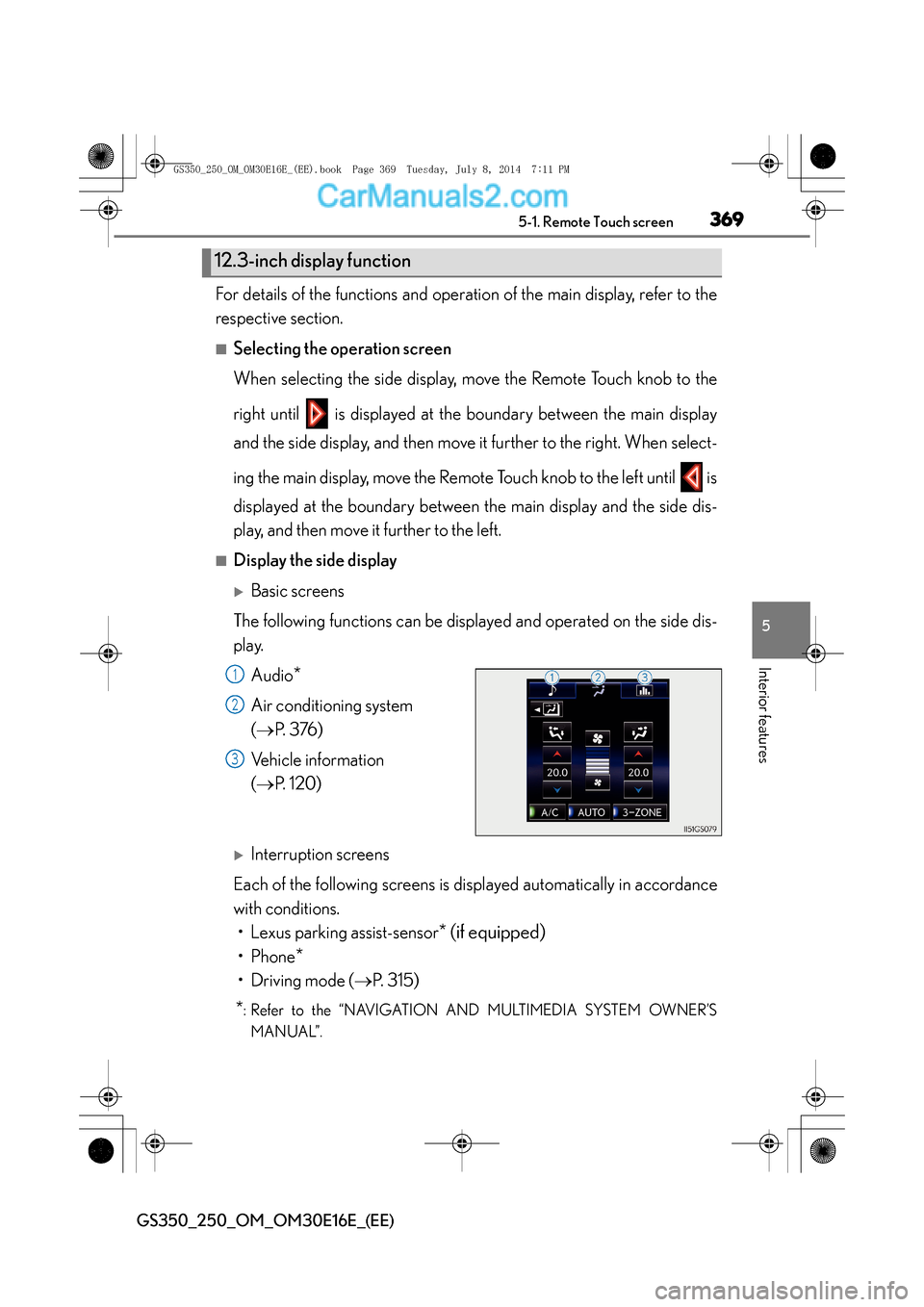
XBasic screens
The following functions can be displayed and operated on the side dis-
play. Audio
*
Air conditioning system
(→ P. 3 76 )
Vehicle information
( → P. 1 2 0 )
XInterruption screens
Each of the following screens is displayed automatically in accordance
with conditions. • Lexus parking assist-sensor
* (if equipped)
•Phone*
• Driving mode ( →P. 315)
*: Refer to the “NAVIGATION AND MULTIMEDIA SYSTEM OWNER’S
MANUAL”.
12.3-inch display function
1
2
3
GS350_250_OM_OM30E16E_(EE).book Page 369 Tuesday, July 8, 201 4 7:11 PM
Page 371 of 688
371
5
5-2. Using the air conditioning system and defogger
Interior features
GS350_250_OM_OM30E16E_(EE)
Front automatic air conditioning system
Air outlets and fan speed are automatically adjusted according to the
temperature setting.
Press the “MENU” button on the Remote Touch, then select to
display the air conditio
ning operation screen.
Vehicles with a 12.3-inc h display: The air conditioning system can be
displayed and operated on the side display. ( →P. 3 6 7 )
The illustrations below are for left-hand drive vehicles.
The button positions and sh apes will differ for right-hand drive vehicles.
Also, the display and button positions will differ depending on the type
of the system.
GS350_250_OM_OM30E16E_(EE).book Page 371 Tuesday, July 8, 201 4 7:11 PM
Page 372 of 688
3725-2. Using the air conditioning system and defogger
GS350_250_OM_OM30E16E_(EE)
■Operation screen and control panel
XWithout rear air conditioning system
GS350_250_OM_OM30E16E_(EE).book Page 372 Tuesday, July 8, 201 4 7:11 PM
Page 373 of 688
3735-2. Using the air conditioning system and defogger
5
Interior features
GS350_250_OM_OM30E16E_(EE)
XWith rear air conditioning system
GS350_250_OM_OM30E16E_(EE).book Page 373 Tuesday, July 8, 2014 7:11 PM
Page 374 of 688
3745-2. Using the air conditioning system and defogger
GS350_250_OM_OM30E16E_(EE)
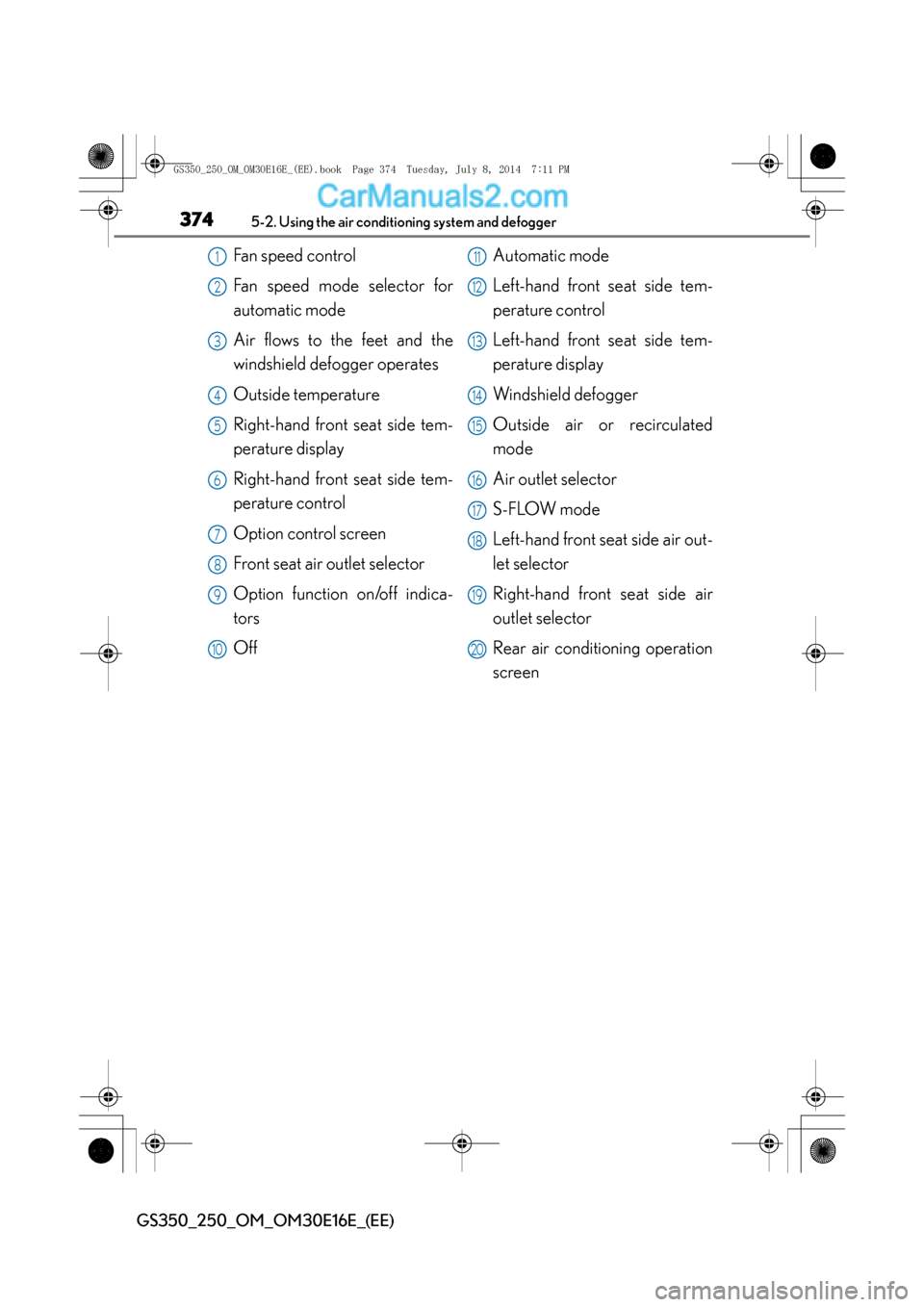
Fan speed control
Fan speed mode selector for
automatic mode
Air flows to the feet and the
windshield defogger operates
Outside temperature
Right-hand front seat side tem-
perature display
Right-hand front seat side tem-
perature control
Option control screen
Front seat air outlet selector
Option function on/off indica-
tors
Off Automatic mode
Left-hand front seat side tem-
perature control
Left-hand front seat side tem-
perature display
Windshield defogger
Outside air or recirculated
mode
Air outlet selector
S-FLOW mode
Left-hand front seat side air out-
let selector
Right-hand front seat side air
outlet selector
Rear air conditioning operation
screen1
2
3
4
5
6
7
8
9
10
11
12
13
14
15
16
17
18
19
20
GS350_250_OM_OM30E16E_(EE).book Page 374 Tuesday, July 8, 201
4 7:11 PM