2014 KIA VENGA AUX
[x] Cancel search: AUXPage 198 of 392

Features of your vehicle
126
4
Single Steering Wheel Remote Control*
Tuner Short press: Preset up/Preset Down
Long Press: Fast Seek Up/Fast Seek Down
CD/iPod/USB Short press: Next Track/Previous Track Long Press: Fast Forward/Fast Backward
Short press to increase/decrease the volume by 1 step
Long press to increase the volume continuously as long
as the key is pressed
Head Unit If the Head Unit is off, short press to switch on the Head Unit.
If the Head Unit is on, long press to switch off the Head Unit.
Tuner If the Head Unit is on, short press to select the next avail- able source (wraparound): FM (last selected band) -> AM
(last selected band) -> CDP -> AUX -> USB/IPOD -> BTA
Press to mute the sound of the system
Note: To enable the following functions to be controlled by the steering wheel keys,
ensure there is CD inserted and USB/iPod/AUX is connected.
* Only when the car is equipped with a Steering Wheel Remote Control
YN RHD 4(100~AUDIO).QXP 3/31/2012 3:58 PM Page 126
Page 201 of 392
4 129
Features of your vehicle
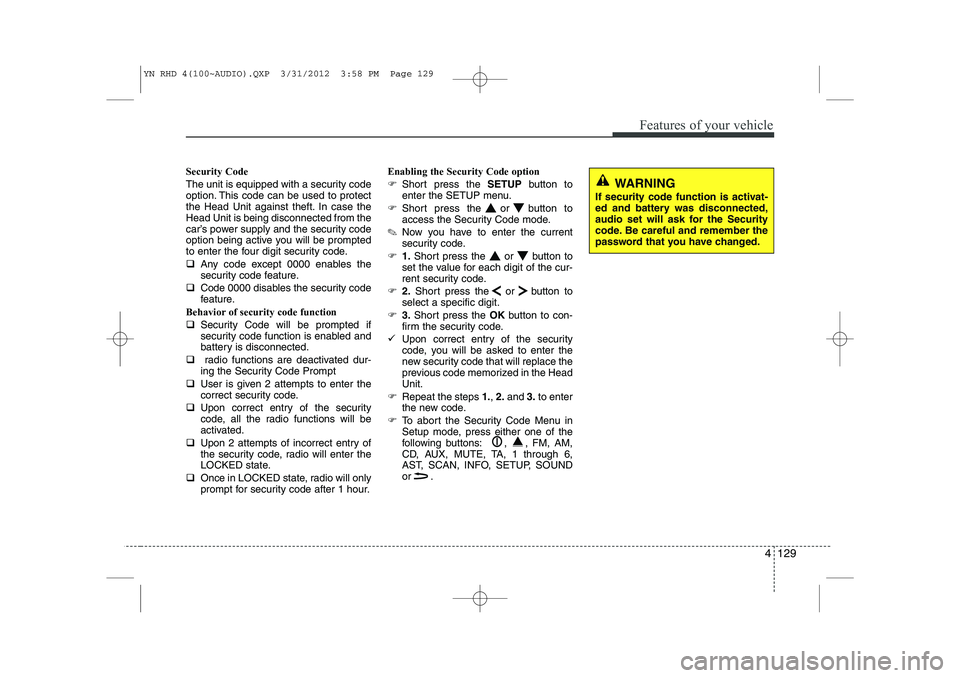
Security Code
The unit is equipped with a security code
option. This code can be used to protect
the Head Unit against theft. In case theHead Unit is being disconnected from the
car’s power supply and the security code
option being active you will be prompted
to enter the four digit security code. ‰Any code except 0000 enables the
security code feature.
‰ Code 0000 disables the security code
feature.
Behavior of security code function ‰ Security Code will be prompted if
security code function is enabled and
battery is disconnected.
‰ radio functions are deactivated dur-
ing the Security Code Prompt
‰ User is given 2 attempts to enter the
correct security code.
‰ Upon correct entry of the security
code, all the radio functions will be
activated.
‰ Upon 2 attempts of incorrect entry of
the security code, radio will enter the
LOCKED state.
‰ Once in LOCKED state, radio will only
prompt for security code after 1 hour. Enabling the Security Code option
)
Short press the SETUPbutton to
enter the SETUP menu.
) Short press the or button to
access the Security Code mode.
✎ Now you have to enter the current
security code.
) 1.Short press the or button to
set the value for each digit of the cur-
rent security code.
) 2.Short press the or button to
select a specific digit.
) 3.Short press the OKbutton to con-
firm the security code.
9 Upon correct entry of the security
code, you will be asked to enter the
new security code that will replace the
previous code memorized in the HeadUnit.
) Repeat the steps 1., 2. and 3.to enter
the new code.
) To abort the Security Code Menu in
Setup mode, press either one of the
following buttons: , , FM, AM,
CD, AUX, MUTE, TA, 1 through 6,
AST, SCAN, INFO, SETUP, SOUND
or .
WARNING
If security code function is activat-
ed and battery was disconnected,
audio set will ask for the Security
code. Be careful and remember the
password that you have changed.
YN RHD 4(100~AUDIO).QXP 3/31/2012 3:58 PM Page 129
Page 203 of 392

4 131
Features of your vehicle
CD player
Status
CD is rejected by the unit
Distorted sound/ skips during CD
play
CD player does not work.
No sound during CD playback
Problems with new copy-protected audio CDs
Bluetooth®Wireless
Technology
Status
Bluetooth®Wireless Technology
device is not able to connect to the Head unit Explanation / How to check
The CD may be dirty. Clean the CD with a damp cloth. The CD does not comply with the
CD player‘s specifications. See“Notes on audio and MP3 CDs”
Player cannot read CD. CD is damaged or spoiled.
In cold weather conditions, con-
densation may occur on the laser.
With the set on, wait for 5 minutes
until the condensation evaporates.
Some CDs contain multimedia
data which is not recognized by
the unit. Advance the tracks until
music is heard.
See “Notes on audio and MP3 CDs”
Some copy protection procedures
are incompatible with accepted
standards for audio CDs.
This is not a fault of the unit. Explanation / How to check
Check if
Bluetooth®Wireless
Technology device is stored in the Head unit.
Check if “Kia BLUETOOTH” is stored in the
Bluetooth®Wireless
Technology device Redo Pairing
USB / iPod®/ AUX
Status
USB device is connected and
selected but no sound is audible
Distorted sound during play iPod ®
is connected and selected but no
sound is audible
Security Code
Status
Radio is in LOCKED or Security Code Prompt state Explanation / How to check
The connected USB-device is not
supported by the Head Unit.
The USB device may be defective.
Your iPod
®
may be defective
Check the functioning of your
iPod ®
without being connected
the interface connector.
The Kia iPod ®
interface cable may
be defective Have the Kia iPod ®
interface cable checked at the Kia
repair shop See “Notes on USB
and/or iPod ®
”
Explanation / How to check
If the Radio is in LOCKED state,
wait for 1 hour for it to enter the
Security Code Prompt state
Once the Radio enters Security
Code Prompt state, enter the cor-
rect security code.
If you have forgotten the security
code, please contact your dealer.
YN RHD 4(100~AUDIO).QXP 3/31/2012 3:58 PM Page 131
Page 385 of 392

Index
2
I
Air bag warning label . . . . . . . . . . . . . . . . . . . . . . . . . . 3-59
Air bag warning light . . . . . . . . . . . . . . . . . . . . . . . . . . 3-40
Air bags. . . . . . . . . . . . . . . . . . . . . . . . . . . . . . . . . . . . . 3-37
Air bag warning label . . . . . . . . . . . . . . . . . . . . . . . . . 3-59
Air bag warning light . . . . . . . . . . . . . . . . . . . . . . . . . 3-40
Curtain air bag . . . . . . . . . . . . . . . . . . . . . . . . . . . . . . 3-51
Driver's and passenger's front air bag . . . . . . . . . . . . 3-44
Side impact air bag . . . . . . . . . . . . . . . . . . . . . . . . . . . 3-49
SRS components and functions . . . . . . . . . . . . . . . . . 3-42
Air cleaner . . . . . . . . . . . . . . . . . . . . . . . . . . . . . . . . . . 7-33
Alarm system . . . . . . . . . . . . . . . . . . . . . . . . . . . . . . . . 4-11
Antenna . . . . . . . . . . . . . . . . . . . . . . . . . . . . . . . . . . . . 4-100
Anti-lock brake system (ABS) . . . . . . . . . . . . . . . . . . . 5-27
Appearance care . . . . . . . . . . . . . . . . . . . . . . . . . . . . . . 7-72 Exterior care . . . . . . . . . . . . . . . . . . . . . . . . . . . . . . . . 7-72
Interior care . . . . . . . . . . . . . . . . . . . . . . . . . . . . . . . . 7-77
Ashtray . . . . . . . . . . . . . . . . . . . . . . . . . . . . . . . . . . . . . 4-94
Audio system . . . . . . . . . . . . . . . . . . . . . . . . . . . . . . . 4-100 Antenna. . . . . . . . . . . . . . . . . . . . . . . . . . . . . . . . . . . 4-100
Auto seat warmer(front) . . . . . . . . . . . . . . . . . . . . . . . . . 3-8
Automatic climate control system . . . . . . . . . . . . . . . . 4-81 Air conditioning . . . . . . . . . . . . . . . . . . . . . . . . . . . . . 4-87
Automatic heating and air conditioning . . . . . . . . . . . 4-82
Manual heating and air conditioning . . . . . . . . . . . . . 4-83 Automatic transaxle . . . . . . . . . . . . . . . . . . . . . . . . . . . 5-19
Aux, USB and iPod port . . . . . . . . . . . . . . . . . . . . . . . . 4-96
Battery. . . . . . . . . . . . . . . . . . . . . . . . . . . . . . . . . . . . . . 7-39
Battery saver function. . . . . . . . . . . . . . . . . . . . . . . . . . 4-61
Before driving . . . . . . . . . . . . . . . . . . . . . . . . . . . . . . . . . 5-3
Bottle holders, see cup holders . . . . . . . . . . . . . . . . . . . 4-94
Brake system. . . . . . . . . . . . . . . . . . . . . . . . . . . . . . . . . 5-24
Anti-lock brake system (ABS) . . . . . . . . . . . . . . . . . . 5-27
Electronic stability program (ESP) . . . . . . . . . . . . . . 5-29
Parking brake . . . . . . . . . . . . . . . . . . . . . . . . . . . . . . . 5-25
Power brakes . . . . . . . . . . . . . . . . . . . . . . . . . . . . . . . 5-24
Emergency Stop Signal . . . . . . . . . . . . . . . . . . . . . . . 5-32
Hill-start assist control . . . . . . . . . . . . . . . . . . . . . . . . 5-32
Vehicle stability management. . . . . . . . . . . . . . . . . . . 5-33
Brakes fluid. . . . . . . . . . . . . . . . . . . . . . . . . . . . . . . . . . 7-28
Bulb replacement . . . . . . . . . . . . . . . . . . . . . . . . . . . . . 7-63
Bulb wattage . . . . . . . . . . . . . . . . . . . . . . . . . . . . . . . . . . 8-2
Button start/stop, see engine start/stop button . . . . . . . . 5-8
Camera (Rear view) . . . . . . . . . . . . . . . . . . . . . . . . . . . 4-60
Capacities (Lubricants) . . . . . . . . . . . . . . . . . . . . . . . . . . 8-4
A
C
B
YN eng INDEX.QXP 2011.09.22. 16:35 Page 2
Page 388 of 392

I5
Index
Fuel gauge. . . . . . . . . . . . . . . . . . . . . . . . . . . . . . . . . . . 4-43
Fuel requirements . . . . . . . . . . . . . . . . . . . . . . . . . . . . . . 1-3
Fuses . . . . . . . . . . . . . . . . . . . . . . . . . . . . . . . . . . . . . . . 7-52
Fuse/relay panel description . . . . . . . . . . . . . . . . . . . . 7-56
Instrument panel fuse . . . . . . . . . . . . . . . . . . . . . . . . . 7-53
Main fuse . . . . . . . . . . . . . . . . . . . . . . . . . . . . . . . . . . 7-55
Gauge Fuel gauge . . . . . . . . . . . . . . . . . . . . . . . . . . . . . . . . . 4-43
Glove box . . . . . . . . . . . . . . . . . . . . . . . . . . . . . . . . . . . 4-91
Hazard warning flasher. . . . . . . . . . . . . . . . . . . . . . . . . 4-61
Hazardous driving conditions . . . . . . . . . . . . . . . . . . . . 5-43
Headlight bulb replacement . . . . . . . . . . . . . . . . . . . . . 7-63
Headrest(front) . . . . . . . . . . . . . . . . . . . . . . . . . . . . . . . . 3-6
Headrest(rear) . . . . . . . . . . . . . . . . . . . . . . . . . . . . . . . . 3-12
Height adjustment . . . . . . . . . . . . . . . . . . . . . . . . . . . . . 3-16
Highway driving . . . . . . . . . . . . . . . . . . . . . . . . . . . . . . 5-47
Hood . . . . . . . . . . . . . . . . . . . . . . . . . . . . . . . . . . . . . . . 4-24
Horn . . . . . . . . . . . . . . . . . . . . . . . . . . . . . . . . . . . . . . . 4-34
How to use this manual . . . . . . . . . . . . . . . . . . . . . . . . . 1-2 Immobilizer system . . . . . . . . . . . . . . . . . . . . . . . . . . . . 4-3
Indicator symbols on the instrument cluster . . . . . . . . . 1-7
Indicators and warnings . . . . . . . . . . . . . . . . . . . . . . . . 4-47
Inside rearview mirror . . . . . . . . . . . . . . . . . . . . . . . . . 4-35
Instrument cluster . . . . . . . . . . . . . . . . . . . . . . . . . . . . . 4-40
Fuel gauge . . . . . . . . . . . . . . . . . . . . . . . . . . . . . . . . . 4-43
Instrument panel illumination . . . . . . . . . . . . . . . . . . 4-42
Odometer . . . . . . . . . . . . . . . . . . . . . . . . . . . . . . . . . . 4-43
Speedometer . . . . . . . . . . . . . . . . . . . . . . . . . . . . . . . . 4-42
Tachometer . . . . . . . . . . . . . . . . . . . . . . . . . . . . . . . . . 4-42
Trip computer . . . . . . . . . . . . . . . . . . . . . . . . . . . . . . . 4-44
Warning and indicators . . . . . . . . . . . . . . . . . . . . . . . . 4-47
Instrument panel fuse . . . . . . . . . . . . . . . . . . . . . . . . . . 7-53
Instrument panel illumination. . . . . . . . . . . . . . . . . . . . 4-42
Instrument panel overview . . . . . . . . . . . . . . . . . . . . . . . 2-3
Interior care. . . . . . . . . . . . . . . . . . . . . . . . . . . . . . . . . . 7-77
Interior features. . . . . . . . . . . . . . . . . . . . . . . . . . . . . . . 4-93 Ashtray . . . . . . . . . . . . . . . . . . . . . . . . . . . . . . . . . . . . 4-94
Aux, USB and iPod port. . . . . . . . . . . . . . . . . . . . . . . 4-96
Cigarette lighter . . . . . . . . . . . . . . . . . . . . . . . . . . . . . 4-93
Clothes hanger . . . . . . . . . . . . . . . . . . . . . . . . . . . . . . 4-97
Cup holder . . . . . . . . . . . . . . . . . . . . . . . . . . . . . . . . . 4-94
Digital clock . . . . . . . . . . . . . . . . . . . . . . . . . . . . . . . . 4-93
Floor mat anchor(s) . . . . . . . . . . . . . . . . . . . . . . . . . . 4-97
G
H
I
YN eng INDEX.QXP 2011.09.22. 16:35 Page 5