Page 202 of 508
4 111
Features of your vehicle
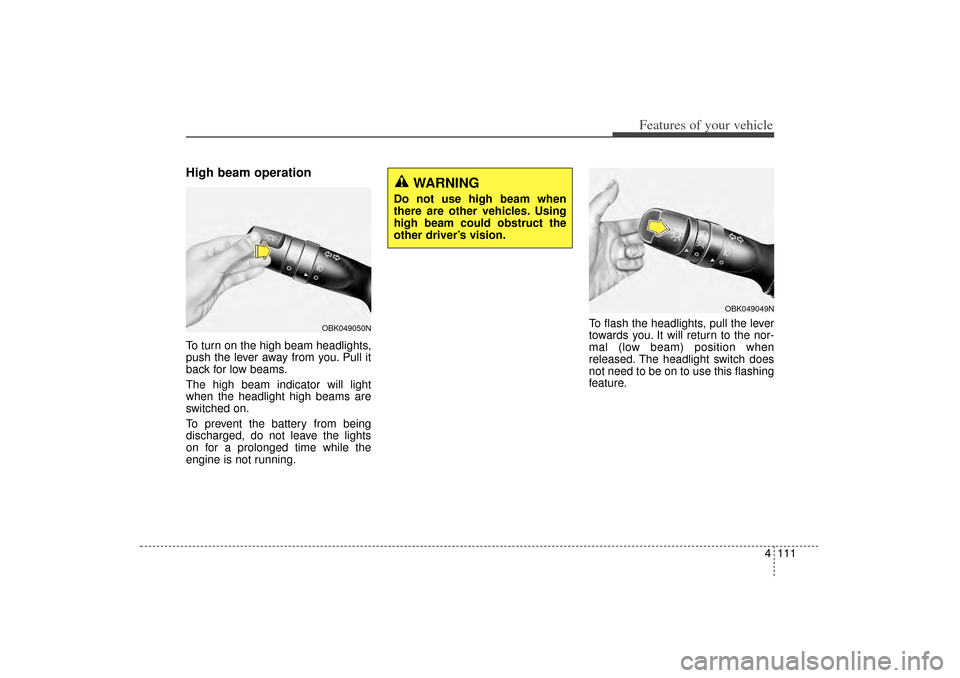
High beam operationTo turn on the high beam headlights,
push the lever away from you. Pull it
back for low beams.
The high beam indicator will light
when the headlight high beams are
switched on.
To prevent the battery from being
discharged, do not leave the lights
on for a prolonged time while the
engine is not running.To flash the headlights, pull the lever
towards you. It will return to the nor-
mal (low beam) position when
released. The headlight switch does
not need to be on to use this flashing
feature.
OBK049049N
WARNING
Do not use high beam when
there are other vehicles. Using
high beam could obstruct the
other driver’s vision.
OBK049050N
XM(FL) CAN(ENG) 4a(~158).QXP 1/23/2013 3:50 PM Page 111
Page 203 of 508
Features of your vehicle112
4Turn signals and lane change
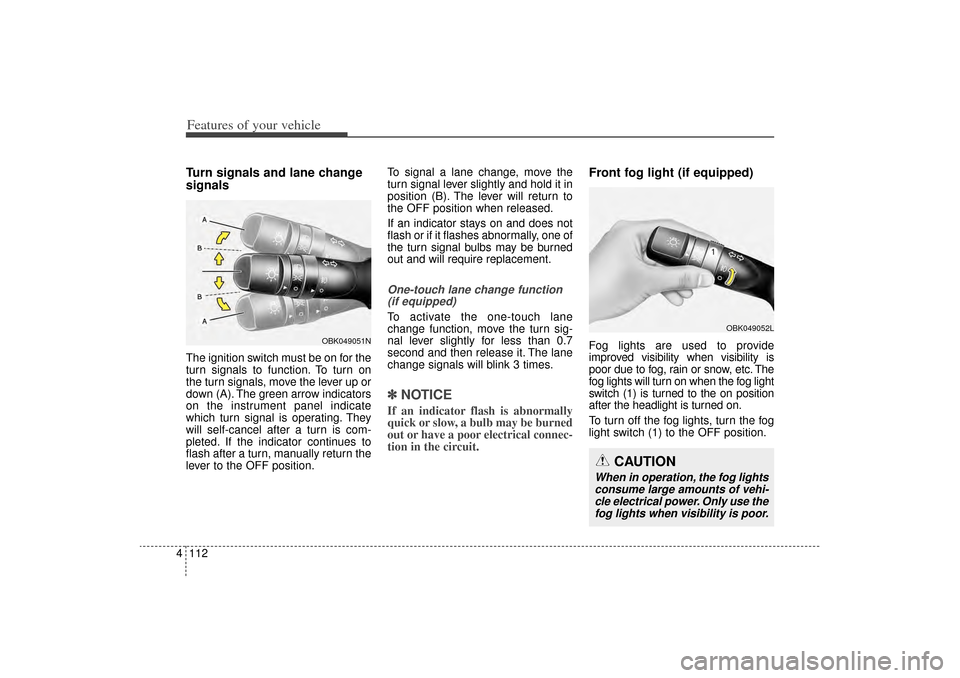
signalsThe ignition switch must be on for the
turn signals to function. To turn on
the turn signals, move the lever up or
down (A). The green arrow indicators
on the instrument panel indicate
which turn signal is operating. They
will self-cancel after a turn is com-
pleted. If the indicator continues to
flash after a turn, manually return the
lever to the OFF position. To signal a lane change, move the
turn signal lever slightly and hold it in
position (B). The lever will return to
the OFF position when released.
If an indicator stays on and does not
flash or if it flashes abnormally, one of
the turn signal bulbs may be burned
out and will require replacement.
One-touch lane change function
(if equipped)To activate the one-touch lane
change function, move the turn sig-
nal lever slightly for less than 0.7
second and then release it. The lane
change signals will blink 3 times.✽ ✽ NOTICEIf an indicator flash is abnormally
quick or slow, a bulb may be burned
out or have a poor electrical connec-
tion in the circuit.
Front fog light (if equipped)Fog lights are used to provide
improved visibility when visibility is
poor due to fog, rain or snow, etc. The
fog lights will turn on when the fog light
switch (1) is turned to the on position
after the headlight is turned on.
To turn off the fog lights, turn the fog
light switch (1) to the OFF position.
OBK049052L
CAUTION
When in operation, the fog lights
consume large amounts of vehi-cle electrical power. Only use thefog lights when visibility is poor.
OBK049051N
XM(FL) CAN(ENG) 4a(~158).QXP 1/23/2013 3:50 PM Page 112
Page 205 of 508

Features of your vehicle114
4Windshield wipers Operates as follows when the igni-
tion switch is turned ON.
MIST/ : For a single wiping cycle,
move the lever to this
(MIST/ ) position and
release it. The wipers will
operate continuously if
the lever is held in this
position.
OFF / O : Wiper is not in operation
INT / --- : Wiper operates intermit-
tently at the same wiping
intervals. Use this mode in
light rain or mist. To vary
the speed setting, turn the
speed control knob.
LO / 1 : Normal wiper speed
HI / 2 : Fast wiper speed✽ ✽ NOTICEIf there is heavy accumulation of
snow or ice on the windshield, defrost
the windshield for about 10 minutes,
or until the snow and/or ice is
removed before using the windshield
wipers to ensure proper operation.
Auto control (if equipped)The rain sensor located on the upper
end of the windshield glass senses
the amount of rainfall and controls
the wiping cycle for the proper inter-
val. The more it rains, the faster the
wiper operates. When the rain stops,
the wipers stop. To vary the speed setting, turn the
speed control knob (1).
If the wiper switch is set in AUTO
mode when the ignition switch is ON,
the wiper will operate once to per-
form a self-check of the system. Set
the wiper to OFF (O) position when
the wiper is not in use.
CAUTION
When the ignition switch is ON
and the windshield wiper switchis placed in the AUTO mode, usecaution in the following situa-tions to avoid any injury to thehands or other parts of thebody:
Do not touch the upper end of the windshield glass facingthe rain sensor.
Do not wipe the upper end of the windshield glass with adamp or wet cloth.
Do not put pressure on the windshield glass.
OXM049123L
Rain sensor
■Type A■Type B
XM(FL) CAN(ENG) 4a(~158).QXP 1/23/2013 3:51 PM Page 114
Page 208 of 508
4 117
Features of your vehicle
Automatic turn off function
(if equipped)The interior lights automatically turn
off approximately 20 minutes after
the ignition switch is turned off, if the
lights are in the ON position.
If your vehicle is equipped with the
theft alarm system, the interior lights
automatically turn off approximately
3 seconds after the system in armed
stage.
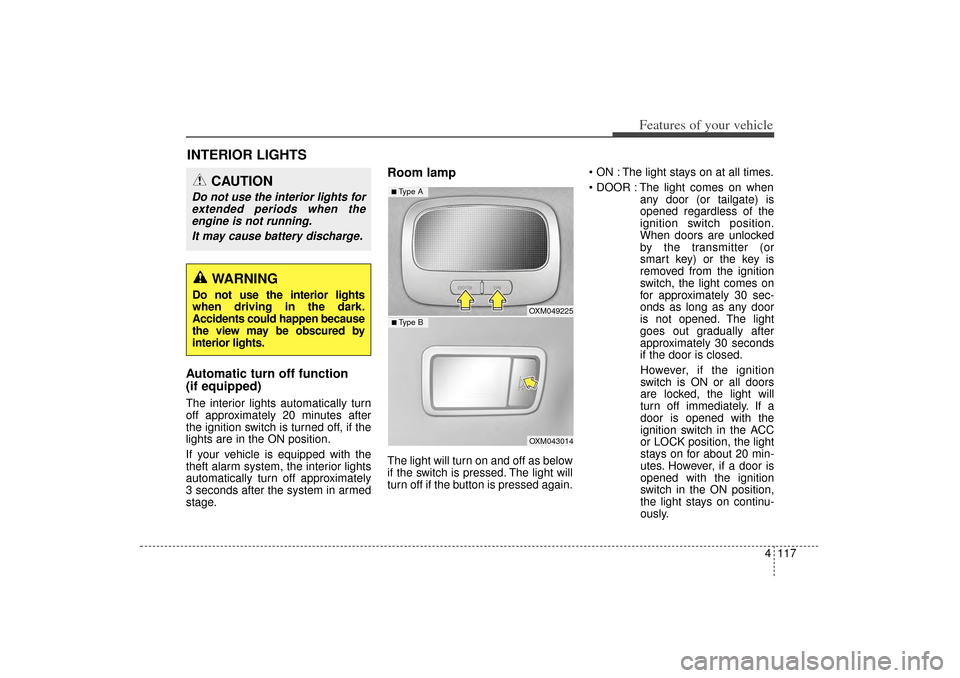
Room lampThe light will turn on and off as below
if the switch is pressed. The light will
turn off if the button is pressed again. ON : The light stays on at all times.
DOOR : The light comes on when
any door (or tailgate) is
opened regardless of the
ignition switch position.
When doors are unlocked
by the transmitter (or
smart key) or the key is
removed from the ignition
switch, the light comes on
for approximately 30 sec-
onds as long as any door
is not opened. The light
goes out gradually after
approximately 30 seconds
if the door is closed.
However, if the ignition
switch is ON or all doors
are locked, the light will
turn off immediately. If a
door is opened with the
ignition switch in the ACC
or LOCK position, the light
stays on for about 20 min-
utes. However, if a door is
opened with the ignition
switch in the ON position,
the light stays on continu-
ously.
INTERIOR LIGHTS
CAUTION
Do not use the interior lights for extended periods when theengine is not running.
It may cause battery discharge.
WARNING
Do not use the interior lights
when driving in the dark.
Accidents could happen because
the view may be obscured by
interior lights.
OXM049225OXM043014
■ Type B■ Type A
XM(FL) CAN(ENG) 4a(~158).QXP 1/23/2013 3:51 PM Page 117
Page 210 of 508
4 119
Features of your vehicle
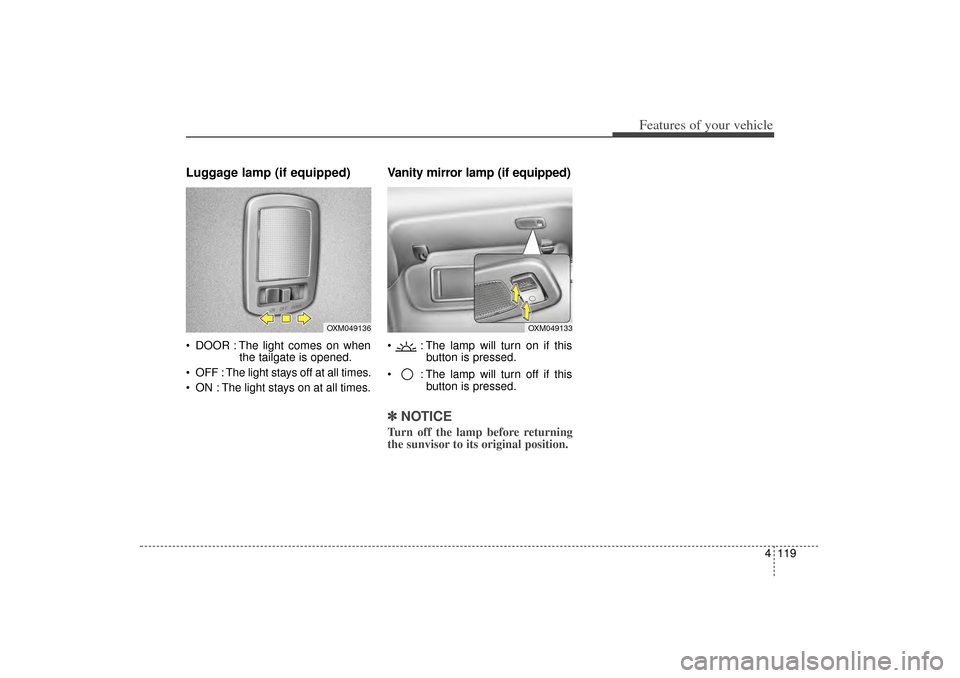
Luggage lamp (if equipped) DOOR : The light comes on whenthe tailgate is opened.
OFF : The light stays off at all times.
ON : The light stays on at all times.
Vanity mirror lamp (if equipped) : The lamp will turn on if this button is pressed.
: The lamp will turn off if this button is pressed.✽ ✽NOTICETurn off the lamp before returning
the sunvisor to its original position.
OXM049136
OXM049133
XM(FL) CAN(ENG) 4a(~158).QXP 1/23/2013 3:51 PM Page 119
Page 217 of 508
Features of your vehicle126
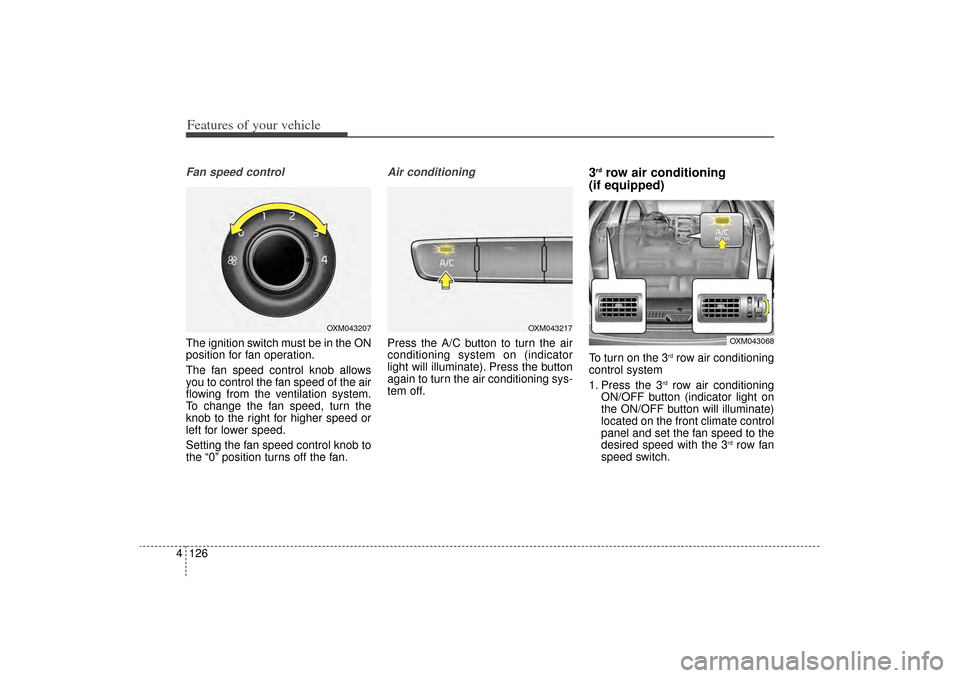
4Fan speed controlThe ignition switch must be in the ON
position for fan operation.
The fan speed control knob allows
you to control the fan speed of the air
flowing from the ventilation system.
To change the fan speed, turn the
knob to the right for higher speed or
left for lower speed.
Setting the fan speed control knob to
the “0” position turns off the fan.
Air conditioningPress the A/C button to turn the air
conditioning system on (indicator
light will illuminate). Press the button
again to turn the air conditioning sys-
tem off.
3rdrow air conditioning
(if equipped)
To turn on the 3
rdrow air conditioning
control system
1. Press the 3
rdrow air conditioning
ON/OFF button (indicator light on
the ON/OFF button will illuminate)
located on the front climate control
panel and set the fan speed to the
desired speed with the 3
rdrow fan
speed switch.
OXM043217
OXM043068
OXM043207
XM(FL) CAN(ENG) 4a(~158).QXP 1/23/2013 3:53 PM Page 126
Page 219 of 508
Features of your vehicle128
4Air conditioningKia Air Conditioning Systems are
filled with refrigerant*.
1. Start the engine. Push the air con-
ditioning button.
2. Set the mode to the position.
3. Set the air intake control to the outside air or recirculated air posi-
tion.
4. Adjust the fan speed control and temperature control to maintain
maximum comfort.
✽ ✽NOTICE• When using the air conditioning sys-
tem, monitor the temperature gauge
closely while driving up hills or in
heavy traffic when outside tempera-
tures are high. Air conditioning sys-
tem operation may cause engine
overheating. Continue to use the
blower fan but turn the air condi-
tioning system off if the temperature
gauge indicates engine overheating.
• When opening the windows in humid weather air conditioning
may create water droplets inside
the vehicle. Since excessive water
droplets may cause damage to
electrical equipment, air condi-
tioning should only be used with
the windows closed.
Air conditioning system operation tips
If the vehicle has been parked in
direct sunlight during hot weather,
open the windows for a short time
to let the hot air inside the vehicle
escape.
To help reduce moisture inside of the windows on rainy or humid
days, decrease the humidity inside
the vehicle by operating the air
conditioning system.
During air conditioning system operation, you may occasionally
notice a slight change in engine
speed as the air conditioning com-
pressor cycles. This is a normal
system operation characteristic.
Use the air conditioning system every month only for a few minutes
to ensure maximum system per-
formance.
CAUTION
The refrigerant system should only be serviced by trainedand certified technicians toinsure proper and safe opera-tion.
The refrigerant system should be serviced in a well-ventilat-ed place.
(Continued)
(Continued) The air conditioning evaporator (cooling coil) shall never berepaired or replaced with oneremoved from a used or sal-vaged vehicle and new replace-ment MAC evaporators shall becertified (and labeled) as meet-ing SAE Standard J2842.
XM(FL) CAN(ENG) 4a(~158).QXP 1/23/2013 3:53 PM Page 128
Page 230 of 508
4 139
Features of your vehicle
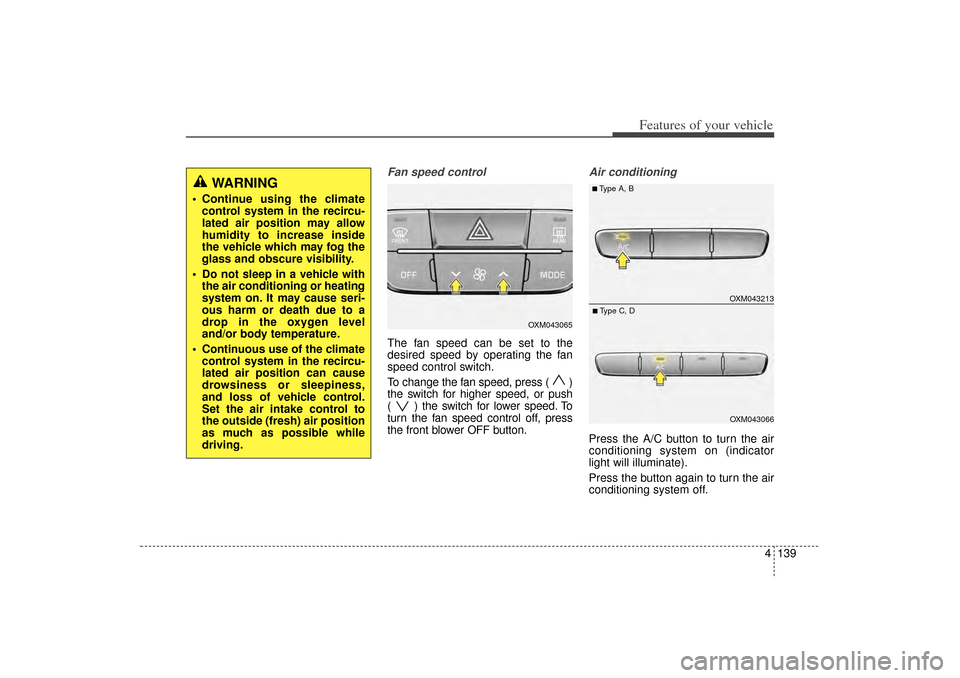
Fan speed controlThe fan speed can be set to the
desired speed by operating the fan
speed control switch.
To change the fan speed, press ( )
the switch for higher speed, or push
( ) the switch for lower speed. To
turn the fan speed control off, press
the front blower OFF button.
Air conditioningPress the A/C button to turn the air
conditioning system on (indicator
light will illuminate).
Press the button again to turn the air
conditioning system off.
WARNING
Continue using the climatecontrol system in the recircu-
lated air position may allow
humidity to increase inside
the vehicle which may fog the
glass and obscure visibility.
Do not sleep in a vehicle with the air conditioning or heating
system on. It may cause seri-
ous harm or death due to a
drop in the oxygen level
and/or body temperature.
Continuous use of the climate control system in the recircu-
lated air position can cause
drowsiness or sleepiness,
and loss of vehicle control.
Set the air intake control to
the outside (fresh) air position
as much as possible while
driving.
OXM043065
OXM043213OXM043066
■Type A, B■Type C, D
XM(FL) CAN(ENG) 4a(~158).QXP 1/23/2013 3:55 PM Page 139