2014 KIA Sedona lock
[x] Cancel search: lockPage 143 of 382
Features of your vehicle
134
3
1VQA2141
1VQA2333
Main control switch
OFF Any
Close ONOFF*
2)OFF
ON ( ) Any
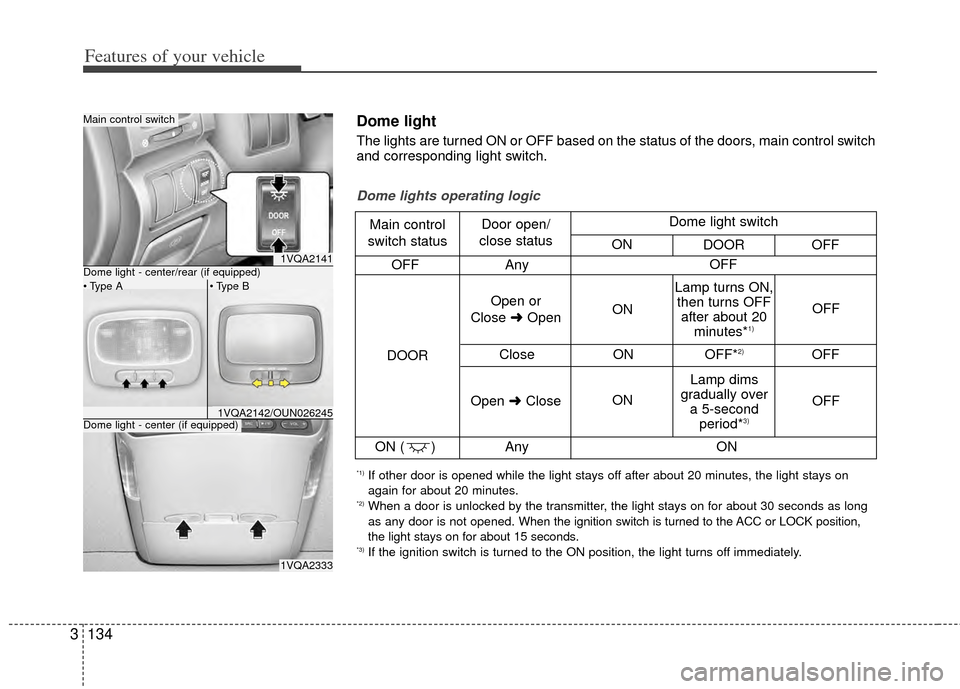
Dome lights operating logic
Main control
switch status Door open/
close status
DOOR Open or
Close ➜Open ON
ON OFF
OFF
Lamp turns ON,
then turns OFF after about 20 minutes*
1)
Lamp dims
gradually over a 5-second period*
3)
Open ➜Close OFF
ON
Dome light switch
ON DOOR OFF
*1) If other door is opened while the light stays off after about 20 minutes, the light stays on
again for about 20 minutes.
*2) When a door is unlocked by the transmitter, the light stays on for about 30 seconds as long
as any door is not opened. When the ignition switch is turned to the ACC or LOCK position,
the light stays on for about 15 seconds.
*3) If the ignition switch is turned to the ON position, the light turns off immediately.
Dome light
The lights are turned ON or OFF based on the status of the doors, main control switch
and corresponding light switch.
1VQA2142/OUN026245Dome light - center (if equipped)
Dome light - center/rear (if equipped)
Page 189 of 382
Features of your vehicle
180
3
Rolling code programming
To train a garage door opener (or other
rolling code equipped devices) with the
rolling code feature, follow these instruc-
tions after completing the “Programming”
portion of this text. (A second person
may make the following training proce-
dures quicker & easier.)
4. Locate the “learn” or “smart” button on
the device’s motor head unit. Exact
location and color of the button may
vary by product brand. If there is diffi-
culty locating the “learn” or “smart” but-
ton, reference the device’s owner’s
manual or contact HomeLink
®at 1-
800-355-3515 or on the internet at
www.homelink.com.
5. Press and release the “learn” or “smart” button on the device’s motor
head unit. You have 30 seconds to
complete step number 6.
6. Return to the vehicle and firmly press and release the programmed
HomeLink
®button up to three times.
The rolling code equipped device
should now recognize the HomeLink
®
signal and activate when the
HomeLink®button is pressed. The
remaining two buttons may now be
programmed if this has not previously
been done. Refer to the
“Programming” portion of this text.
Operating HomeLink®
To operate, simply press the pro-
grammed HomeLink®button. Activation
will now occur for the trained product
(garage door, security system, entry door
lock, estate gate, or home or office light-
ing). For convenience, the hand-held
transmitter of the device may also be
used at any time. The HomeLink
®
Wireless Controls System (once pro-
grammed) or the original hand-held
transmitter may be used to activate the
device (e.g. garage door, entry door lock,
etc.). In the event that there are still pro-
gramming difficulties, contact
HomeLink
®at 1-800-355-3515 or on the
internet at www.homelink.com.
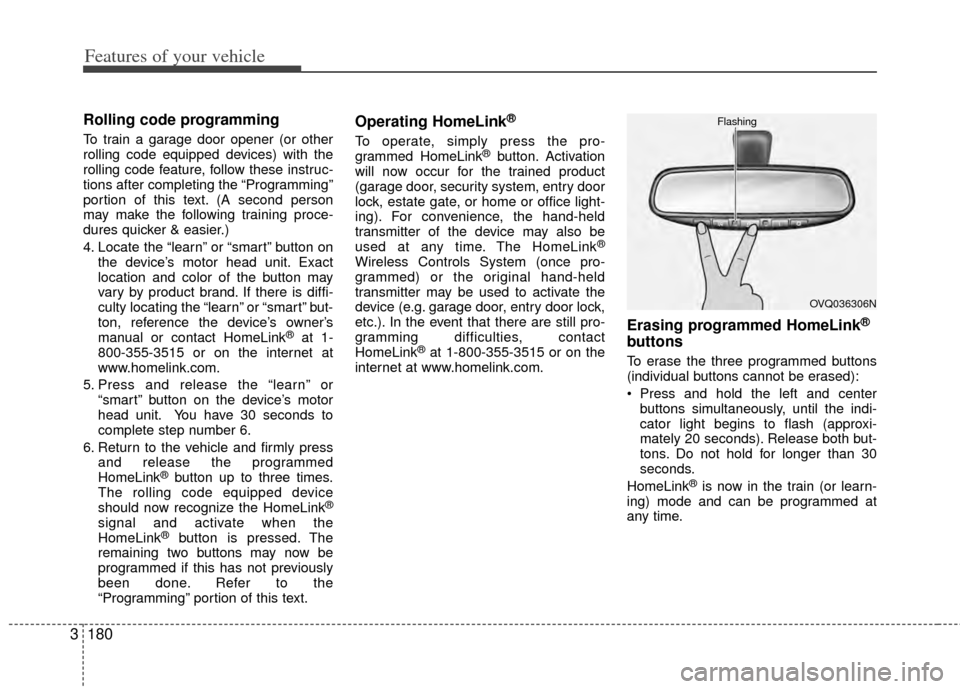
Erasing programmed HomeLink®
buttons
To erase the three programmed buttons
(individual buttons cannot be erased):
Press and hold the left and center buttons simultaneously, until the indi-
cator light begins to flash (approxi-
mately 20 seconds). Release both but-
tons. Do not hold for longer than 30
seconds.
HomeLink
®is now in the train (or learn-
ing) mode and can be programmed at
any time.
OVQ036306N
Flashing
Page 193 of 382
Features of your vehicle
184
3
Rolling code programming
To train a garage door opener (or other
rolling code equipped devices) with the
rolling code feature, follow these instruc-
tions after completing the “Programming”
portion of this text. (A second person
may make the following training proce-
dures quicker & easier.)
4. Locate the “learn” or “smart” button on
the device’s motor head unit. Exact
location and color of the button may
vary by product brand. If there is diffi-
culty locating the “learn” or “smart” but-
ton, reference the device’s owner’s
manual or contact HomeLink
®at 1-
800-355-3515 or on the internet at
www.homelink.com.
5. Press and release the “learn” or “smart” button on the device’s motor
head unit. You have 30 seconds to
complete step number 6.
6. Return to the vehicle and firmly press and release the programmed
HomeLink
®button up to three times.
The rolling code equipped device
should now recognize the HomeLink
®
signal and activate when the
HomeLink®button is pressed. The
remaining two buttons may now be
programmed if this has not previously
been done. Refer to the
“Programming” portion of this text.
Operating HomeLink®
To operate, simply press the pro-
grammed HomeLink®button. Activation
will now occur for the trained product
(garage door, security system, entry door
lock, estate gate, or home or office light-
ing). For convenience, the hand-held
transmitter of the device may also be
used at any time. The HomeLink
®
Wireless Controls System (once pro-
grammed) or the original hand-held
transmitter may be used to activate the
device (e.g. garage door, entry door lock,
etc.). In the event that there are still pro-
gramming difficulties, contact
HomeLink
®at 1-800-355-3515 or on the
internet at www.homelink.com.
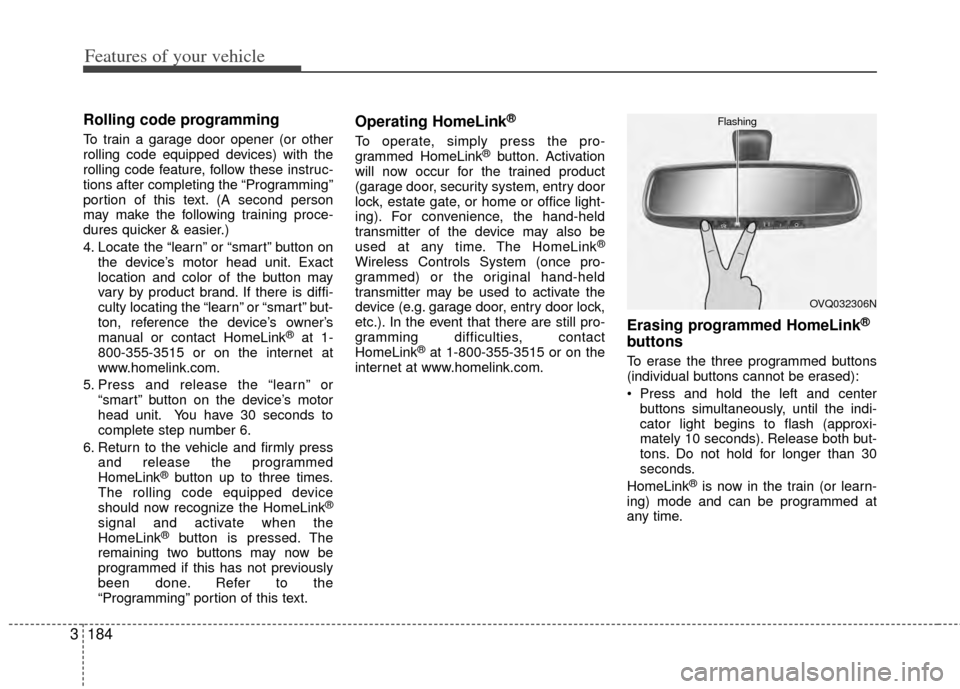
Erasing programmed HomeLink®
buttons
To erase the three programmed buttons
(individual buttons cannot be erased):
Press and hold the left and center buttons simultaneously, until the indi-
cator light begins to flash (approxi-
mately 10 seconds). Release both but-
tons. Do not hold for longer than 30
seconds.
HomeLink
®is now in the train (or learn-
ing) mode and can be programmed at
any time.
OVQ032306N
Flashing
Page 196 of 382
3187
Features of your vehicle
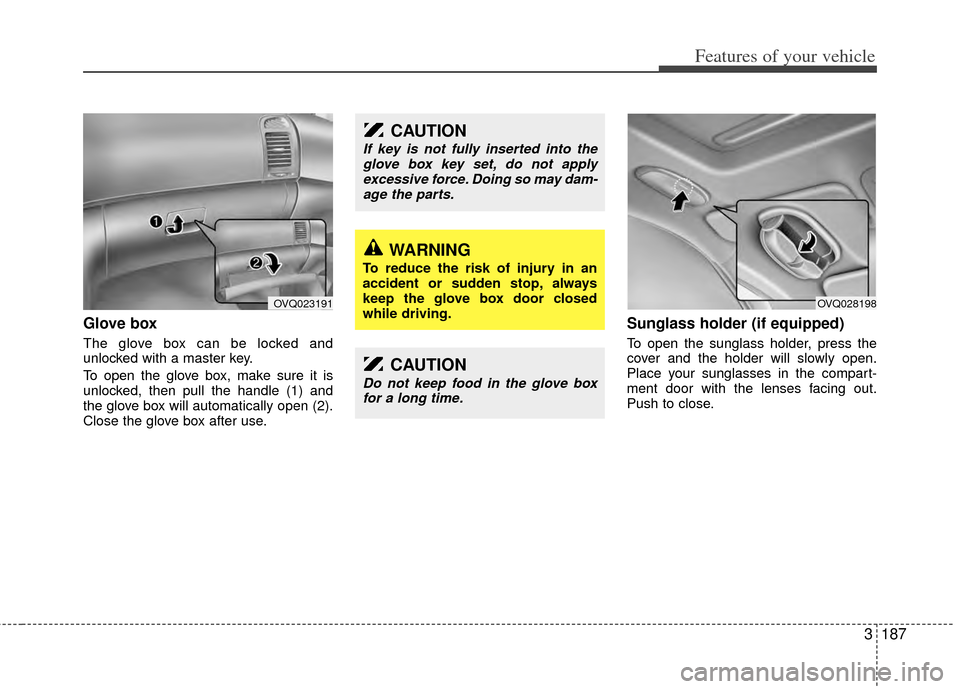
Glove box
The glove box can be locked and
unlocked with a master key.
To open the glove box, make sure it is
unlocked, then pull the handle (1) and
the glove box will automatically open (2).
Close the glove box after use.
Sunglass holder (if equipped)
To open the sunglass holder, press the
cover and the holder will slowly open.
Place your sunglasses in the compart-
ment door with the lenses facing out.
Push to close.
CAUTION
If key is not fully inserted into theglove box key set, do not apply excessive force. Doing so may dam-age the parts.
WARNING
To reduce the risk of injury in an
accident or sudden stop, always
keep the glove box door closed
while driving.
OVQ023191OVQ028198
CAUTION
Do not keep food in the glove box for a long time.
Page 197 of 382
Features of your vehicle
188
3
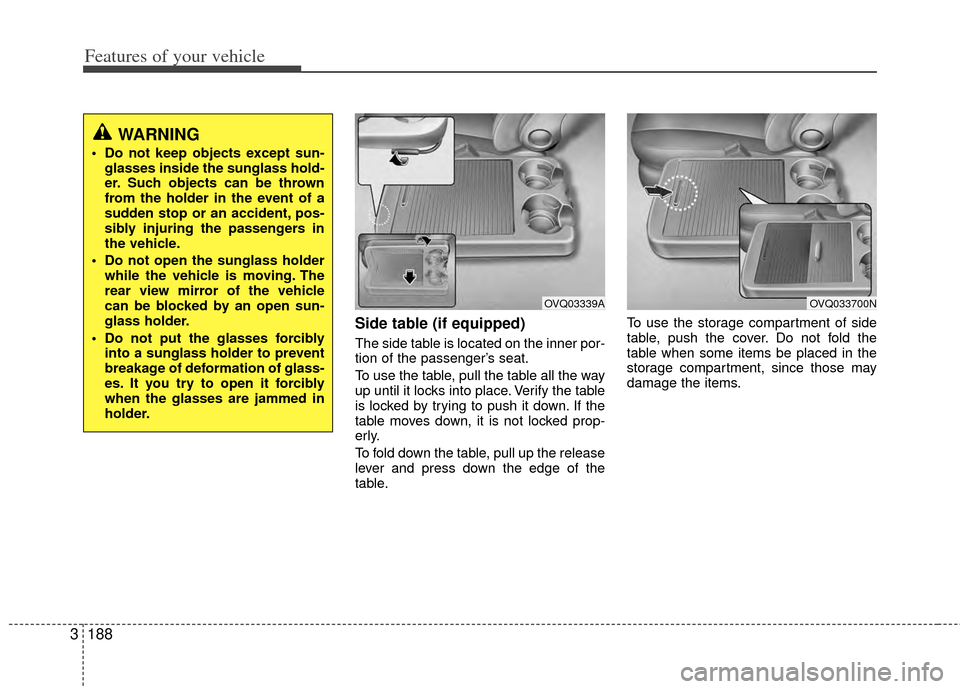
Side table (if equipped)
The side table is located on the inner por-
tion of the passenger’s seat.
To use the table, pull the table all the way
up until it locks into place. Verify the table
is locked by trying to push it down. If the
table moves down, it is not locked prop-
erly.
To fold down the table, pull up the release
lever and press down the edge of the
table. To use the storage compartment of side
table, push the cover. Do not fold the
table when some items be placed in the
storage compartment, since those may
damage the items.
WARNING
Do not keep objects except sun-
glasses inside the sunglass hold-
er. Such objects can be thrown
from the holder in the event of a
sudden stop or an accident, pos-
sibly injuring the passengers in
the vehicle.
Do not open the sunglass holder while the vehicle is moving. The
rear view mirror of the vehicle
can be blocked by an open sun-
glass holder.
Do not put the glasses forcibly into a sunglass holder to prevent
breakage of deformation of glass-
es. It you try to open it forcibly
when the glasses are jammed in
holder.
OVQ03339AOVQ033700N
Page 199 of 382
Features of your vehicle
190
3
Cup holder
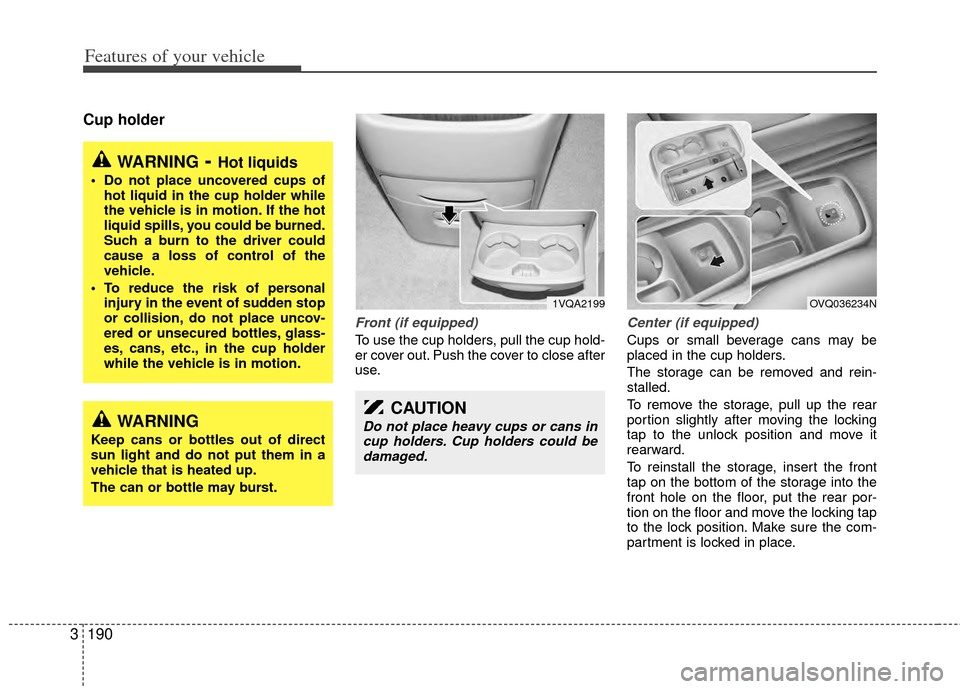
Front (if equipped)
To use the cup holders, pull the cup hold-
er cover out. Push the cover to close after
use.
Center (if equipped)
Cups or small beverage cans may be
placed in the cup holders.
The storage can be removed and rein-
stalled.
To remove the storage, pull up the rear
portion slightly after moving the locking
tap to the unlock position and move it
rearward.
To reinstall the storage, insert the front
tap on the bottom of the storage into the
front hole on the floor, put the rear por-
tion on the floor and move the locking tap
to the lock position. Make sure the com-
partment is locked in place.
WARNING- Hot liquids
Do not place uncovered cups of
hot liquid in the cup holder while
the vehicle is in motion. If the hot
liquid spills, you could be burned.
Such a burn to the driver could
cause a loss of control of the
vehicle.
To reduce the risk of personal injury in the event of sudden stop
or collision, do not place uncov-
ered or unsecured bottles, glass-
es, cans, etc., in the cup holder
while the vehicle is in motion.
WARNING
Keep cans or bottles out of direct
sun light and do not put them in a
vehicle that is heated up.
The can or bottle may burst.
1VQA2199
CAUTION
Do not place heavy cups or cans incup holders. Cup holders could be damaged.
OVQ036234N
Page 202 of 382
3193
Features of your vehicle
(1) : It can be used when the ignitionswitch is in ACC or ON position.
(2), (3) : It can be used regardless of the ignition switch position.
Power outlet
The power outlets are designed to pro-
vide power for mobile telephones or
other devices designed to operate with
vehicle electrical systems. The devices
should draw less than 10 amps with the
engine running.
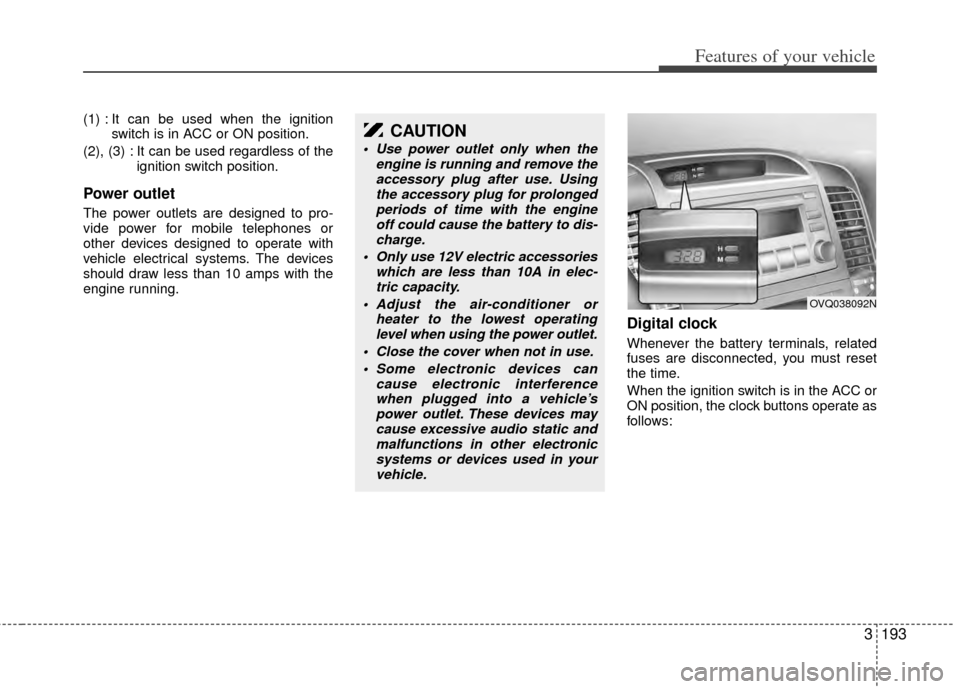
Digital clock
Whenever the battery terminals, related
fuses are disconnected, you must reset
the time.
When the ignition switch is in the ACC or
ON position, the clock buttons operate as
follows:
CAUTION
Use power outlet only when theengine is running and remove theaccessory plug after use. Usingthe accessory plug for prolonged periods of time with the engineoff could cause the battery to dis- charge.
Only use 12V electric accessories which are less than 10A in elec-tric capacity.
Adjust the air-conditioner or heater to the lowest operatinglevel when using the power outlet.
Close the cover when not in use. Some electronic devices can cause electronic interferencewhen plugged into a vehicle’spower outlet. These devices may cause excessive audio static andmalfunctions in other electronicsystems or devices used in your vehicle.
OVQ038092N
Page 204 of 382
3195
Features of your vehicle
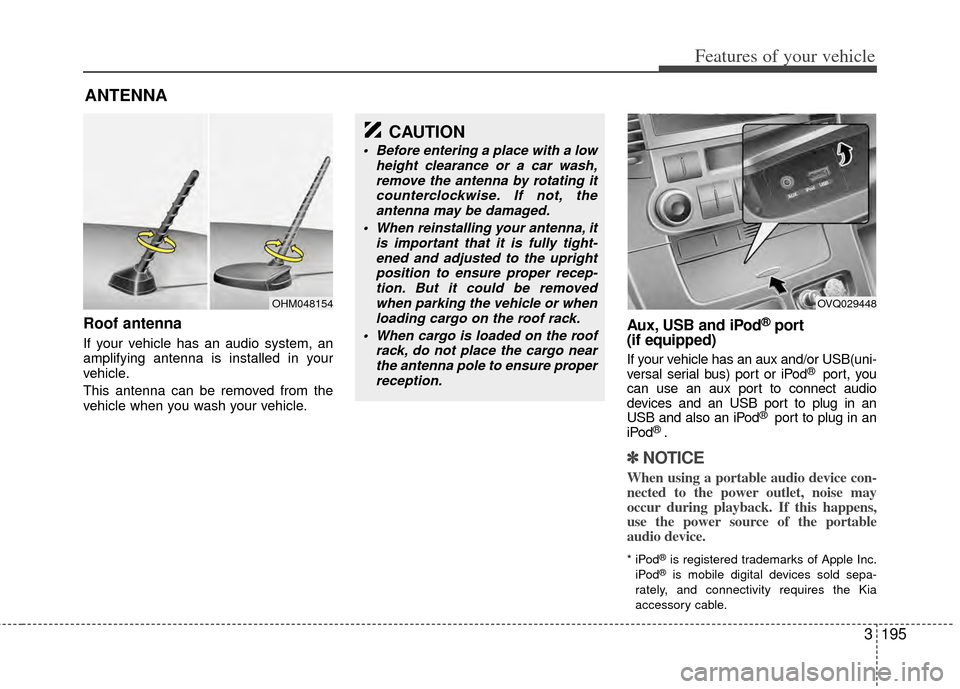
Roof antenna
If your vehicle has an audio system, an
amplifying antenna is installed in your
vehicle.
This antenna can be removed from the
vehicle when you wash your vehicle.
Aux, USB and iPod®port
(if equipped)
If your vehicle has an aux and/or USB(uni-
versal serial bus) port or iPod® port, you
can use an aux port to connect audio
devices and an USB port to plug in an
USB and also an iPod
® port to plug in an
iPod® .
✽ ✽ NOTICE
When using a portable audio device con-
nected to the power outlet, noise may
occur during playback. If this happens,
use the power source of the portable
audio device.
* iPod®is registered trademarks of Apple Inc.
iPod®is mobile digital devices sold sepa-
rately, and connectivity requires the Kia
accessory cable.
ANTENNA
OHM048154
CAUTION
Before entering a place with a low height clearance or a car wash,remove the antenna by rotating itcounterclockwise. If not, theantenna may be damaged.
When reinstalling your antenna, it is important that it is fully tight-ened and adjusted to the uprightposition to ensure proper recep-tion. But it could be removedwhen parking the vehicle or whenloading cargo on the roof rack.
When cargo is loaded on the roof rack, do not place the cargo nearthe antenna pole to ensure properreception.
OVQ029448