2014 KIA Cerato Acc
[x] Cancel search: AccPage 1 of 446

Kia, THE COMPANY
Thank you for becoming the owner of a new Kia vehicle.
As a global car manufacturer focused on building high-quality vehi-
cles with exceptional value, Kia Motors is dedicated to providing you
with a customer service experience that exceeds your expectations.
All information contained in this Owner’s Manual is accurate at the
time of publication. However, Kia reserves the right to make changes
at any time so that our policy of continual product improvement can
be carried out.
This manual applies to all models of this vehicle and includes descrip-
tions and explanations of optional as well as standard equipment. As a
result, you may encounter material in this manual that is not applica-
ble to your specific Kia vehicle.Drive safely and enjoy your Kia!
Page 2 of 446

i
Thank you for choosing a Kia vehicle.
When you require service, remember that your Kia dealer
knows your vehicle best. Your dealer has factory-trained tech-
nicians, recommended special tools and genuine Kia replace-
ment parts. It is dedicated to your complete customer satisfac-
tion.
Because subsequent owners require this important information
as well, this publication should remain with the vehicle if it is
sold.
This manual will familiarize you with operational, mainte-
nance and safety information about your new vehicle. It is sup-
plemented by a Warranty and Consumer Information manual
that provides important information on all warranties regarding
your vehicle.
We urge you to read these publications carefully and follow the
recommendations to help assure enjoyable and safe operation
of your new vehicle.
Kia offers a great variety of options, components and features
for its various models. Therefore, some of the equipment
described in this manual, along with the various illustrations,
may not be applicable to your particular vehicle.
The information and specifications provided in this manual
were accurate at the time of printing. Kia reserves the right to
discontinue or change specifications or design at any time
without notice and without incurring any obligation. If you
have questions, always check with your Kia dealer.
We assure you of our continuing interest in your motoring
pleasure and satisfaction in your Kia vehicle.
© 2013 Kia Canada Inc.
All rights reserved. Reproduction by any means, electronic or
mechanical, including photocopying, recording, or by any
information storage and retrieval system or translation in
whole or part is not permitted without written authorization
from Kia Canada Inc..
Printed in Korea
Foreword
Page 6 of 446
13
Introduction
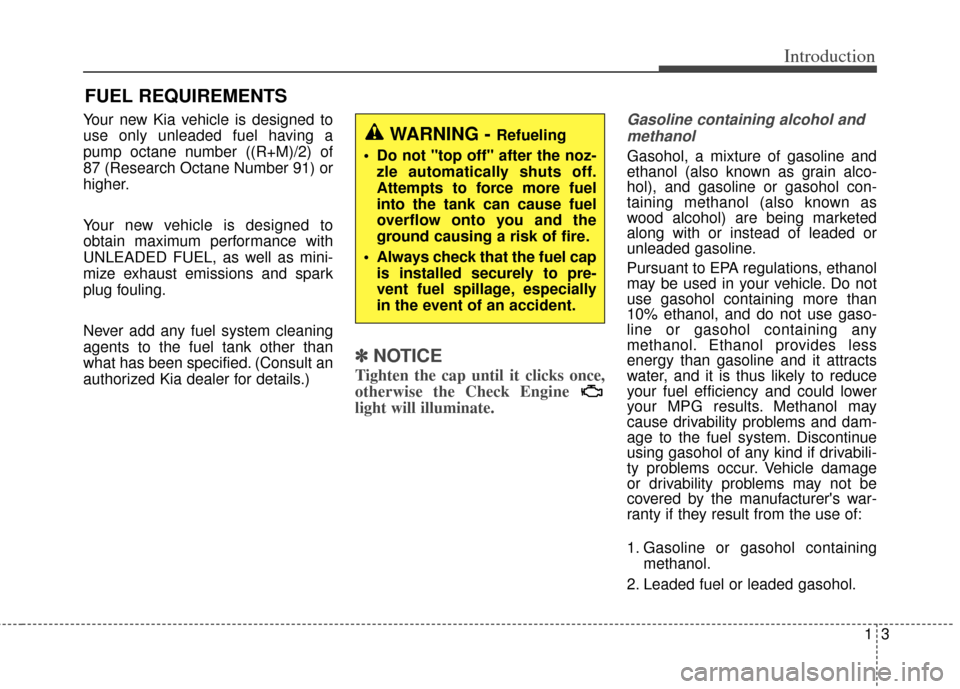
Your new Kia vehicle is designed to
use only unleaded fuel having a
pump octane number ((R+M)/2) of
87 (Research Octane Number 91) or
higher.
Your new vehicle is designed to
obtain maximum performance with
UNLEADED FUEL, as well as mini-
mize exhaust emissions and spark
plug fouling.
Never add any fuel system cleaning
agents to the fuel tank other than
what has been specified. (Consult an
authorized Kia dealer for details.)
✽ ✽
NOTICE
Tighten the cap until it clicks once,
otherwise the Check Engine
light will illuminate.
Gasoline containing alcohol and
methanol
Gasohol, a mixture of gasoline and
ethanol (also known as grain alco-
hol), and gasoline or gasohol con-
taining methanol (also known as
wood alcohol) are being marketed
along with or instead of leaded or
unleaded gasoline.
Pursuant to EPA regulations, ethanol
may be used in your vehicle. Do not
use gasohol containing more than
10% ethanol, and do not use gaso-
line or gasohol containing any
methanol. Ethanol provides less
energy than gasoline and it attracts
water, and it is thus likely to reduce
your fuel efficiency and could lower
your MPG results. Methanol may
cause drivability problems and dam-
age to the fuel system. Discontinue
using gasohol of any kind if drivabili-
ty problems occur. Vehicle damage
or drivability problems may not be
covered by the manufacturer's war-
ranty if they result from the use of:
1. Gasoline or gasohol containing methanol.
2. Leaded fuel or leaded gasohol.
FUEL REQUIREMENTS
WARNING - Refueling
• Do not "top off" after the noz- zle automatically shuts off.
Attempts to force more fuel
into the tank can cause fuel
overflow onto you and the
ground causing a risk of fire.
Always check that the fuel cap is installed securely to pre-
vent fuel spillage, especially
in the event of an accident.
Page 8 of 446

15
Introduction
Operation in foreign countries
If you are going to drive your vehicle
in another country, be sure to:
Observe all regulations regardingregistration and insurance.
Determine that acceptable fuel is available. No special break-in period is needed.
By following a few simple precautions
for the first 1,000 km (600 miles) you
may add to the performance, econo-
my and life of your vehicle.
Do not race the engine.
While driving, keep your engine
speed (rpm, or revolutions per
minute) between 2,000 rpm and
4,000 rpm.
Do not maintain a single speed for long periods of time, either fast or
slow. Varying engine speed is need-
ed to properly break-in the engine.
Avoid hard stops, except in emer- gencies, to allow the brakes to seat
properly.
Don't let the engine idle longer than 3 minutes at one time.
Don't tow a trailer during the first 2,000 km (1,200 miles) of operation.
VEHICLE BREAK-IN PROCESS
Page 17 of 446

33
Safety features of your vehicle
WARNING - Uprighting
seat
Do not press the release lever
on a manual seatback without
holding and controlling the
seatback. The seatback will
spring upright possibly impact-
ing you or other passengers.
WARNING- Loose
objects
Do not place anything in the dri-
ver's foot well or under the front
seats. Loose objects in the dri-
ver's foot area could interfere
with the operation of the foot
pedals.WARNING- Driver
responsibility for passen-
gers
The driver must advise the pas-
senger to keep the seatback in
an upright position whenever
the vehicle is in motion. If a seat
is reclined during an accident,
the restraint system's ability to
restrain will be greatly reduced.WARNING - Seat cushion
Occupants should never sit on
seat cushions. The passenger's
hips may slide under the lap
portion of the seat belt during
an accident or a sudden stop.
1KMN3661
Page 22 of 446

Safety features of your vehicle
83
Lumbar support (for driver’s seat, if equipped)
The lumbar support can be adjusted
by pressing the lumbar support
switch on the side of the driver's
seat. Press the front portion of the
switch to increase support, or the
rear portion of the switch to decrease
support.
Driver position memory system
(if equipped, for power seat)
A driver position memory system is
provided to store and recall the driver
seat position with a simple button
operation. By saving the desired posi-
tion into the system memory, different
drivers can reposition the driver seat
based upon their driving preference.
If the battery is disconnected, the
desired seat position memory will
need to be re-saved.
OYDDSA2014
WARNING
Never attempt to operate the
driver position memory system
while the vehicle is moving.
This could result in loss of your
vehicle, and an accident causing
death, serious injury, or property
damage.
OYDDSA2008
Page 23 of 446

39
Safety features of your vehicle
Storing positions into memoryusing the buttons on the door
Storing driver’s seat positions
1. Shift the shift lever into P while the ignition switch is ON.
2. Adjust the driver seat to position comfortable for the driver.
3. Press SET button on the control panel. The system will beep once.
4. Press one of the memory buttons (1 or 2) within 5 seconds after
pressing the SET button. The sys-
tem will beep twice when memory
has been successfully stored. Recalling positions from memory
1. Shift the shift lever into P while the
ignition switch is ON.
2. To recall the position in memory, press the desired memory button
(1 or 2). The system will beep
once, then the driver seat will
automatically adjust to the stored
positions.
Adjusting the control switch for the
driver seat while the system is recall-
ing the stored position will cause the
movement to stop and move in the
direction that the control switch is
moved.
Easy access function (if equipped)
With the shift lever in the P position,
the system will move the driver's seat
automatically as follows:
Without smart key system
- It will move the driver’s seat rear-ward when the ignition key is
removed and front driver’s door is
opened.
- It will move the driver’s seat for- ward when the ignition key is
inserted.
With smart key system - It will move the driver’s seat rear-ward when the engine start/stop
button is turned to the OFF posi-
tion and front driver’s door is
opened.
- It will move the driver’s seat for- ward when the engine start/stop
button is turned to the ACC or
START position.
You can activate or deactivate this
feature. Refer to "User settings" in
chapter 4.
Page 24 of 446

Safety features of your vehicle
10
3
Headrest (for front seat)
The driver's and front passenger's
seats are equipped with a headrest
for the occupant's safety and comfort.
The headrest not only provides com-
fort for the driver and front passen-
ger, but also helps protect the head
and neck in the event of a collision. For maximum effectiveness in case
of an accident, the headrest should
be adjusted so the middle of the
headrest is at the same height of the
center of gravity of an occupant's
head. Generally, the center of gravity
of most people's head is similar with
the height of the top of their eyes.
Also, adjust the headrest as close to
your head as possible.
For this reason, the use of a cushion
that holds the body away from the
seatback is not recommended.
Adjusting the height up and down
To raise the headrest, pull it up to the
desired position (1). To lower the
headrest, push and hold the release
button (2) on the headrest support
and lower the headrest to the desired
position (3).WARNING - Headrest
removal/adjustment
Do not operate the vehicle with the headrests removed.
Headrests can provide critical
neck and head support in a
crash.
Do not adjust the headrest height while the vehicle is in
motion. Driver may lose con-
trol of the vehicle.
OYDDSA2009OMG038400