2014 KIA CEED turn signal
[x] Cancel search: turn signalPage 743 of 1206

459
Features of your vehicle
INSTRUMENT CLUSTER (SUPERVISION)
1. Tachometer
2. Speedometer
3. Fuel gauge
4. Warning and indicator lights (if equipped)
5. Turn signal indicators
6. LCD displayOJD042038L
❈
The actual cluster in the vehicle may differ
from the illustration.
For more details, refer to "Gauges" in the
following pages.
■ Type A
JD RHD 4a(~171).QXP 4/29/2013 11:57 AM Page 59
Page 744 of 1206

Features of your vehicle
60
4
1. Tachometer
2. Speedometer
3. Fuel gauge
4. Warning and indicator lights (if equipped)
5. Turn signal indicators
6. LCD display
7. Engine torque gauge
8. Turbo boost pressure gauge
9. Engine coolant temperature gauge
OJD043038/OJD043248
❈
The actual cluster in the vehicle may differ
from the illustration.
For more details, refer to "Gauges" in the
following pages.
■ Type B (for T-GDI engine)
Analog Mode Digital Mode
JD RHD 4a(~171).QXP 4/29/2013 11:58 AM Page 60
Page 765 of 1206

481
Features of your vehicle
Electronic Power Steering(EPS) system warning light(if equipped)
This indicator light comes on after the
ignition key is turned to the ON position
and then it will go off in approximately 3
seconds if there is no problem with EPS. This light also comes on when the EPS
has some problems. If it comes on whilst
driving, we recommend that the system
be checked by an authorised Kia dealer.
Turn signal indicator lights
The blinking green arrows on the instru-
ment panel show the direction indicated
by the turn signals. If the arrow comes on
but does not blink, blinks more rapidly
than normal, or does not illuminate at all,
a malfunction in the turn signal system is
indicated. Your dealer should be consult-
ed for repairs.
Light on indicator
The indicator illuminates when the tail lights or headlights are ON.
Low Beam Indicator Light
(if equipped)
This indicator light illuminates when the headlights are on.
High beam indicator
This indicator illuminates when the head- lights are on and in the high beam posi-
tion or when the turn signal lever is pulled
into the Flash-to-Pass position.
JD RHD 4a(~171).QXP 4/29/2013 12:00 PM Page 81
Page 794 of 1206

Features of your vehicle
110
4
REARVIEW CAMERA (IF EQUIPPED)
❈ The actual rear view in the vehicle may dif-
fer from the illustration. The rearview camera will activate when
the back-up light is ON with the ignition
switch ON and the shift lever in the R
(Reverse) position. This system is a supplemental system
that shows behind the vehicle through
the navigation monitor or the rearview
display mirror whilst backing-up. ❈
For more detailed informations, refer
to supplement for navigation system. The hazard warning flasher should be
used whenever you find it necessary to
stop the vehicle in a hazardous location.
When you must make such an emer-
gency stop, always pull off the road as far
as possible.
The hazard warning lights are turned on
by pushing in the hazard switch. Both
turn signal lights will blink. The hazard
warning lights will operate even though
the key is not in the ignition switch.
To turn the hazard warning lights off,
push the switch again.
OJD042089R
HAZARD WARNING FLASHER
WARNING
This system is a supplementary function only. It is the responsibil-
ity of the driver to always check
the inside/outside rearview mirror
and the area behind the vehicle
before and whilst backing upbecause there is a dead zone that
can't see through the camera.
Always keep the camera lens clean. If lens is covered with for-
eign matter, the camera may not
operate normally.■Type A
■Type B
RRRReeeeaaaarrrr vvvviiiieeeewwww ddddiiiissssppppllllaaaayyyy
RRRReeeeaaaarrrr vvvviiiieeeewwww ddddiiiissssppppllllaaaayyyy
OJD042086
OJD042088R
OJD043088R
JD RHD 4a(~171).QXP 4/29/2013 12:01 PM Page 110
Page 799 of 1206

4 115
Features of your vehicle
Turn signals and lane change sig- nals
The ignition switch must be on for the
turn signals to function. To turn on the
turn signals, move the lever up or down
(A). Green arrow indicators on the instru-
ment panel indicate which turn signal is
operating.
They will self-cancel after a turn is com-
pleted. If the indicator continues to flash
after a turn, manually return the lever tothe OFF position.
To signal a lane change, move the turn
signal lever slightly and hold it in position
(B). The lever will return to the OFF posi-tion when released.If an indicator stays on and does not
flash or if it flashes abnormally, one of the
turn signal bulbs may be burned out andwill require replacement.
One-touch lane change function
(if equipped)
To activate an one-touch lane change
function, move the turn signal lever
slightly and then release it. The lane
change signals will blink 3 times.
You can inactivate one-touch lane
change function in “Auto triple turn” of
“User setting”. Refer to “User setting” inchapter 4.
✽✽ NOTICE
If an indicator flash is abnormally quick
or slow, bulb may be burned out or have
a poor electrical connection in the cir-cuit.OED040804
JD RHD 4a(~171).QXP 4/29/2013 12:02 PM Page 115
Page 1010 of 1206
561
Driving your vehicle
Warning indicator
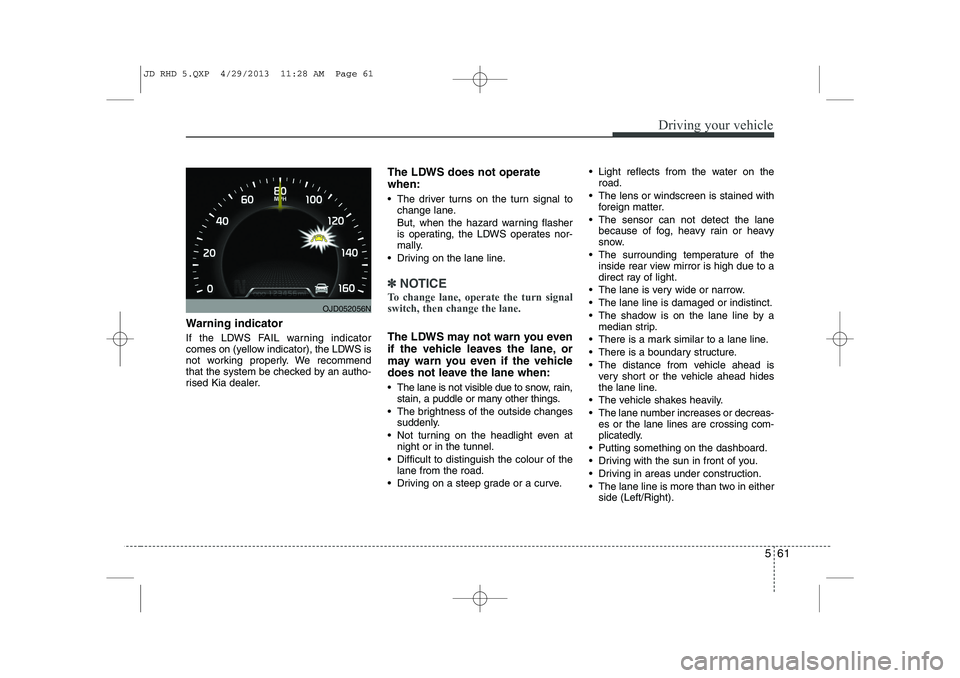
If the LDWS FAIL warning indicator
comes on (yellow indicator), the LDWS is
not working properly. We recommend
that the system be checked by an autho-
rised Kia dealer.The LDWS does not operate when:
The driver turns on the turn signal to
change lane.
But, when the hazard warning flasher
is operating, the LDWS operates nor-
mally.
Driving on the lane line.
✽✽ NOTICE
To change lane, operate the turn signal switch, then change the lane.
The LDWS may not warn you even
if the vehicle leaves the lane, or
may warn you even if the vehicle
does not leave the lane when:
The lane is not visible due to snow, rain, stain, a puddle or many other things.
The brightness of the outside changes suddenly.
Not turning on the headlight even at night or in the tunnel.
Difficult to distinguish the colour of the lane from the road.
Driving on a steep grade or a curve. Light reflects from the water on the
road.
The lens or windscreen is stained with foreign matter.
The sensor can not detect the lane because of fog, heavy rain or heavy
snow.
The surrounding temperature of the inside rear view mirror is high due to a
direct ray of light.
The lane is very wide or narrow.
The lane line is damaged or indistinct.
The shadow is on the lane line by a median strip.
There is a mark similar to a lane line.
There is a boundary structure.
The distance from vehicle ahead is very short or the vehicle ahead hides
the lane line.
The vehicle shakes heavily.
The lane number increases or decreas- es or the lane lines are crossing com-
plicatedly.
Putting something on the dashboard.
Driving with the sun in front of you.
Driving in areas under construction.
The lane line is more than two in either side (Left/Right).
OJD052056N
JD RHD 5.QXP 4/29/2013 11:28 AM Page 61
Page 1022 of 1206
573
Driving your vehicle
Trailer brakes
If your trailer is equipped with a braking
system, make sure it conforms to your
country’s regulations and that it is prop-
erly installed and operating correctly.
If your trailer weight exceeds the maxi-
mum allowed weight without trailer
brakes, then the trailer will also require its
own brakes as well. Be sure to read and
follow the instructions for the trailer
brakes so you’ll be able to install, adjust
and maintain them properly.
Do not tap into or modify your vehicle'sbrake system. Driving with a trailer
Towing a trailer requires a certain
amount of experience. Before setting out
for the open road, you must get to know
your trailer. Acquaint yourself with the
feel of handling and braking with the
added weight of the trailer. And always
keep in mind that the vehicle you are
driving is now a good deal longer and not
nearly so responsive as your vehicle is
by itself.
Before you start, check the trailer towbar
hitch and platform, safety chains, electri-
cal connector(s), lights, tyres and mirror
adjustment. If the trailer has electric
brakes, start your vehicle and trailer mov-
ing and then apply the trailer brake con-
troller by hand to be sure the brakes are
working. This lets you check your electri-
cal connection at the same time.
During your trip, check occasionally to be
sure that the load is secure, and that the
lights and any trailer brakes are still work-ing.Following distance
Stay at least twice as far behind the vehi-
cle ahead as you would when driving
your vehicle without a trailer. This can
help you avoid situations that require
heavy braking and sudden turns.
Passing
You’ll need more passing distance up
ahead when you’re towing a trailer. And,
because of the increased vehicle length,
you’ll need to go much farther beyond the
passed vehicle before you can return to
your lane.
Backing up
Hold the bottom of the steering wheel
with one hand. Then, to move the trailer
to the left, just move your hand to the left.
To move the trailer to the right, move your
hand to the right. Always back up slowly
and, if possible, have someone guide you.
Making turns
When you’re turning with a trailer, make
wider turns than normal. Do this so your
trailer won’t strike soft shoulders, curbs,
road signs, trees, or other objects. Avoid
jerky or sudden manoeuvres. Signal well
in advance.
WARNING
- Trailer brakes
Do not use a trailer with its own
brakes unless you are absolutely
certain that you have properly set
up the brake system. This is not a
task for amateurs. Use an experi-
enced, competent trailer shop for
this work.
JD RHD 5.QXP 4/29/2013 11:28 AM Page 73
Page 1023 of 1206
Driving your vehicle
74
5
Turn signals when towing a trailer
When you tow a trailer, your vehicle has
to have a different turn signal flasher and
extra wiring. The green arrows on your
instrument panel will flash whenever you
signal a turn or lane change. Properly
connected, the trailer lights will also flash
to alert other drivers you’re about to turn,
change lanes, or stop.
When towing a trailer, the green arrows
on your instrument panel will flash for
turns even if the bulbs on the trailer are
burned out. Thus, you may think drivers
behind you are seeing your signals
when, in fact, they are not. It is important
to check occasionally to be sure the trail-
er bulbs are still working. You must also
check the lights every time you discon-
nect and then reconnect the wires.
Do not connect a trailer lighting system
directly to your vehicle’s lighting system.
Use only an approved trailer wiring har-
ness.
An authorised Kia dealer can assist you
in installing the wiring harness.
Driving on grades
Reduce speed and shift to a lower gear
before you start down a long or steep
downgrade. If you don’t shift down, you
might have to use your brakes so much
that they would get hot and no longer
operate efficiently.
On a long uphill grade, shift down and
reduce your speed to around 70 km/h (45mph) to reduce the possibility of engine
and transaxle overheating.
If your trailer weighs more than the max-
imum trailer weight without trailer brakes
and you have an automatic transaxle,
you should drive in D (Drive) when tow-
ing a trailer.
Operating your vehicle in D (Drive) when
towing a trailer will minimize heat build up
and extend the life of your transaxle.
WARNING
Failure to use an approved trailer wiring harness could result in dam-
age to the vehicle electrical system
and/or personal injury.
CAUTION
When towing a trailer on steep grades (in excess of 6%) pay close
attention to the engine coolant temperature gauge to ensure theengine does not overheat.
If the coolant temperature redwarning light illuminates or the coolant temperature gauge movestowards “130”, pull over and stop as soon as it is safe to do so, and
allow the engine to idle until it cools down. You may proceed oncethe engine has cooled sufficiently.
You must decide driving speed depending on trailer weight anduphill grade to reduce the possi- bility of engine and transaxleoverheating.
JD RHD 5.QXP 4/29/2013 11:28 AM Page 74