2014 JEEP CHEROKEE keyless entry
[x] Cancel search: keyless entryPage 175 of 690

Flash-To-Pass
You can signal another vehicle with your headlights by
lightly pulling the multifunction lever toward you. This
will turn on the high beams headlights until the lever is
released.
Front Map/Reading Lights
The front map/reading lights are mounted in the over-
head console. Each light can be turned on by pressing a
switch on either side of the console. To turn the lights off,
press the switch a second time. These lights also turn on
when a door is opened, or when the UNLOCK button on
the Remote Keyless Entry (RKE) transmitter is pressed,
or when the dimmer control is turned completely up-
ward to the second detent.There are courtesy lights located above the front seats.
The courtesy lights can be turned on by pressing the lens.
To turn the lights off, press the lens a second time.
Front Map/Reading Light Switches
3
UNDERSTANDING THE FEATURES OF YOUR VEHICLE 173
Page 382 of 690

•Electric Park Brake Service Mode
This feature provides a means for a technician or vehicle
owner to utilize a vehicle integrated, menu driven sys-
tem, to command the electric park brake retraction, to
service the rear foundation brakes (brake pads, calipers,
rotors, etc.).
For further information, refer to “Electric Parking Brake
(EPD)” in “Starting and Operating.”
Lights
After pressing the “Lights” soft-key the following set-
tings will be available.
• Headlights Off Delay
When this feature is selected, it allows the adjustment of
the amount of time the headlights remain on after the
engine is shut off. To change the Headlights Off Delay
setting, touch the “Headlights Off Delay” soft-key, and choose either 0 sec, 30 sec, 60 sec or 90 seconds.
A check-mark appears next to setting indicating that the
setting has been selected. Touch the back arrow soft-key
to return to the previous menu.
•
Headlight Illumination On Approach
When this feature is selected, the headlights will activate
and remain on for 0, 30, 60, or 90 seconds when the doors
are unlocked with the Remote Keyless Entry (RKE)
transmitter. To change the Illuminated Approach status,
touch the + or - soft-key to select your desired time
interval. Touch the back arrow soft-key to return to the
previous menu.
• Headlights With Wipers — If Equipped
When this feature is selected, and the headlight switch is
in the AUTO position, the headlights will turn on ap-
proximately 10 seconds after the wipers are turned on.
380 UNDERSTANDING YOUR INSTRUMENT PANEL
Page 383 of 690

The headlights will also turn off when the wipers are
turned off if they were turned on by this feature. To make
your selection, touch the “Headlights With Wipers” soft-
key, until a check-mark appears next to setting, indicating
that the setting has been selected. Touch the back arrow
soft-key to return to the previous menu.
•Auto High Beams “SmartBeam™” — If Equipped
When this feature is selected, the high beam headlights
will activate/deactivate automatically under certain con-
ditions. To make your selection, touch the “Auto High
Beams” soft-key, until a check-mark appears next to
setting, indicating that the setting has been selected.
Touch the back arrow soft-key to return to the previous
menu. Refer to “Lights/SmartBeam™ — If Equipped” in
“Understanding The Features Of Your Vehicle” for fur-
ther information. •
Daytime Running Lights — If Equipped
When this feature is selected, the headlights will turn on
whenever the engine is running. To make your selection,
touch the Daytime Running Lights soft-key, until a
check-mark appears next to setting, indicating that the
setting has been selected. Touch the back arrow soft-key
to return to the previous menu.
• Flash Turn signals With Lock
When this feature is selected, the Turn signals will flash
when the doors are locked or unlocked with the Remote
Keyless Entry (RKE) transmitter. This feature may be
selected with or without the sound horn on lock feature
selected. To make your selection, touch the “Flash Turn
signals with Lock” soft-key, until a check-mark appears
next to setting, indicating that the setting has been
selected. Touch the back arrow soft-key to return to the
previous menu.
4
UNDERSTANDING YOUR INSTRUMENT PANEL 381
Page 385 of 690

•1st Press Of Key Fob Unlocks
When 1st Press Of Key Fob Unlocks is selected, only the
driver’s door will unlock on the first press of the Remote
Keyless Entry (RKE) transmitter UNLOCK button. When
1st Press Of Key Fob Unlocks is selected, you must press
the RKE transmitter UNLOCK button twice to unlock the
passenger’s doors. When Unlock All Doors On 1st Press
is selected, all of the doors will unlock on the first press
of the RKE transmitter UNLOCK button.
NOTE: If the vehicle is programmed 1st Press Of Key Fob
Unlocks, all doors will unlock no matter which Passive
Entry equipped door handle is grasped. If 1st Press Of
Key Fob Unlocks is programmed, only the driver ’s door
will unlock when the driver ’s door is grasped. With
Passive Entry, if 1st Press Of Key Fob Unlocks is pro-
grammed touching the handle more than once will only
result in the driver ’s door opening. If driver door first is
selected, once the driver door is opened, the interior door lock/unlock switch can be used to unlock all doors (or
use RKE transmitter).
•
Passive Entry
This feature allows you to lock and unlock the vehicles
door(s) without having to press the Remote Keyless
Entry (RKE) transmitter lock or unlock buttons. To make
your selection, touch the “Passive Entry” soft-key, until a
check-mark appears next to setting, showing that setting
has been selected. Touch the back arrow soft-key to
return to the previous menu. Refer to “Keyless Enter-N-
Go™” in “Things To Know Before Starting Your Vehicle”.
• Memory To FOB — If Equipped
This feature provides automatic driver seat positioning to
enhance driver mobility when entering and exiting the
vehicle. To make your selection, touch the “Memory
Linked To FOB” soft-key, until a check-mark appears next
to setting, showing that setting has been selected. Touch
the back arrow soft-key to return to the previous menu.
4
UNDERSTANDING YOUR INSTRUMENT PANEL 383
Page 386 of 690

NOTE:The seat will return to the memorized seat
location (if Recall Memory with Remote Key Unlock is set
to ON) when the Remote Keyless Entry (RKE) transmitter
is used to unlock the door. Refer to “Driver Memory
Seat” in “Understanding The Features Of Your Vehicle”
for further information.
Auto-On Comfort
After touching the “Auto-On Comfort” soft-key the fol-
lowing settings will be available:
• Horn With Remote Start
When this feature is selected, the horn will sound when
the remote start is activated. To make your selection,
touch the “Sound Horn With Remote Start” soft-key, until
a check-mark appears next to setting, showing that
setting has been selected. Touch the back arrow soft-key
to return to the previous menu. •
Auto-On Driver Heated/Ventilated Seat & Steering
Wheel With Vehicle Start — If Equipped
When this feature is selected the driver’s heated seat and
heated steering wheel will automatically turn on when
temperatures are below 40° F (4.4° C). When tempera-
tures are above 80° F (26.7° C) the driver vented seat will
turn on. To make your selection, touch the “Auto Heated
Seats” soft-key, until a check-mark appears next to set-
ting, showing that setting has been selected. Touch the
back arrow soft-key to return to the previous menu.
Engine Off Options
After touching the “Engine Off Options” soft-key the
following settings will be available:
• Easy Exit Seats
When this feature is selected, the Driver ’s seat will
automatically move rearward once the engine is shut off.
384 UNDERSTANDING YOUR INSTRUMENT PANEL
Page 678 of 690
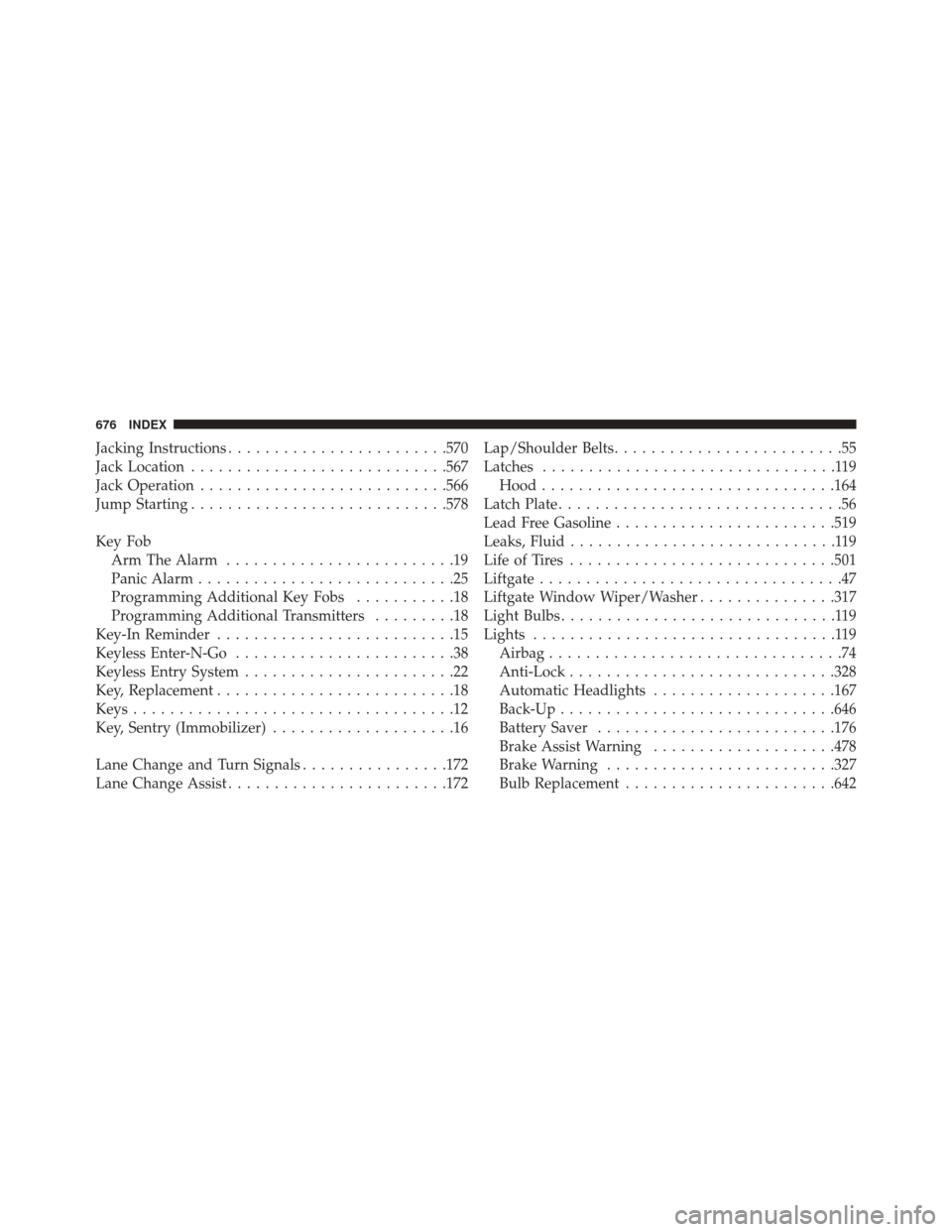
Jacking Instructions....................... .570
Jack Location ........................... .567
Jack Operation .......................... .566
Jump Starting ........................... .578
Key Fob Arm The Alarm .........................19
Panic Alarm ............................25
Programming Additional Key Fobs ...........18
Programming Additional Transmitters .........18
Key-In Reminder ..........................15
Keyless Enter-N-Go ........................38
Keyless Entry System .......................22
Key, Replacement ..........................18
Keys ...................................12
Key, Sentry (Immobilizer) ....................16
Lane Change and Turn Signals ................172
Lane Change Assist ....................... .172Lap/Shoulder Belts
.........................55
Latches ................................119
Hood ............................... .164
Latch Plate ...............................56
Lead Free Gasoline ....................... .519
Leaks, Fluid .............................119
Life of Tires ............................ .501
Liftgate .................................47
Liftgate Window Wiper/Washer ...............317
Light Bulbs ..............................119
Lights .................................119
Airbag ................................74
Anti-Lock ............................ .328
Automatic Headlights ....................167
Back-Up ............................. .646
Battery Saver ......................... .176
Brake Assist Warning ....................478
Brake Warning ........................ .327
Bulb Replacement ...................... .642
676 INDEX
Page 682 of 690

Mirrors............................. .134
Outlet (Auxiliary Electrical Outlet) ...........300
Sunroof ............................. .295
Windows ..............................44
Pregnant Women and Seat Belts ................65
Preparation for Jacking .....................569
Pretensioners Seat Belts ..............................64
Programming Transmitters (Remote Keyless Entry). . .22
Radial Ply Tires ......................... .495
Radiator Cap (Coolant Pressure Cap) ...........616
Radio Operation ......................... .392
Radio Remote Controls .....................390
Rain Sensitive Wiper System .................181
Rear Camera ........................... .284
Rear Cross Path ......................... .144
Rear ParkSense System .....................232
Rear Seat, Folding ........................ .157Rear Window Defroster
.....................318
Rear Window Features .....................317
Rear Wiper/Washer ....................... .317
Recorder, Event Data .......................89
Recreational Towing ...................... .543
Shifting into Transfer Case Neutral (N) ........546
Shifting out of Transfer Case Neutral (N) ......549
Reformulated Gasoline .....................521
Refrigerant ............................. .606
Release, Hood ........................... .164
Reminder, Lights On ...................... .170
Reminder, Seat Belt .........................64
Remote Control Starting System .........................30
Remote Keyless Entry (RKE) ..................22
Arm The Alarm .........................19
FCC General Information ..................29
Panic Alarm ............................25
Programming Additional Key Fobs ...........18
680 INDEX
Page 687 of 690
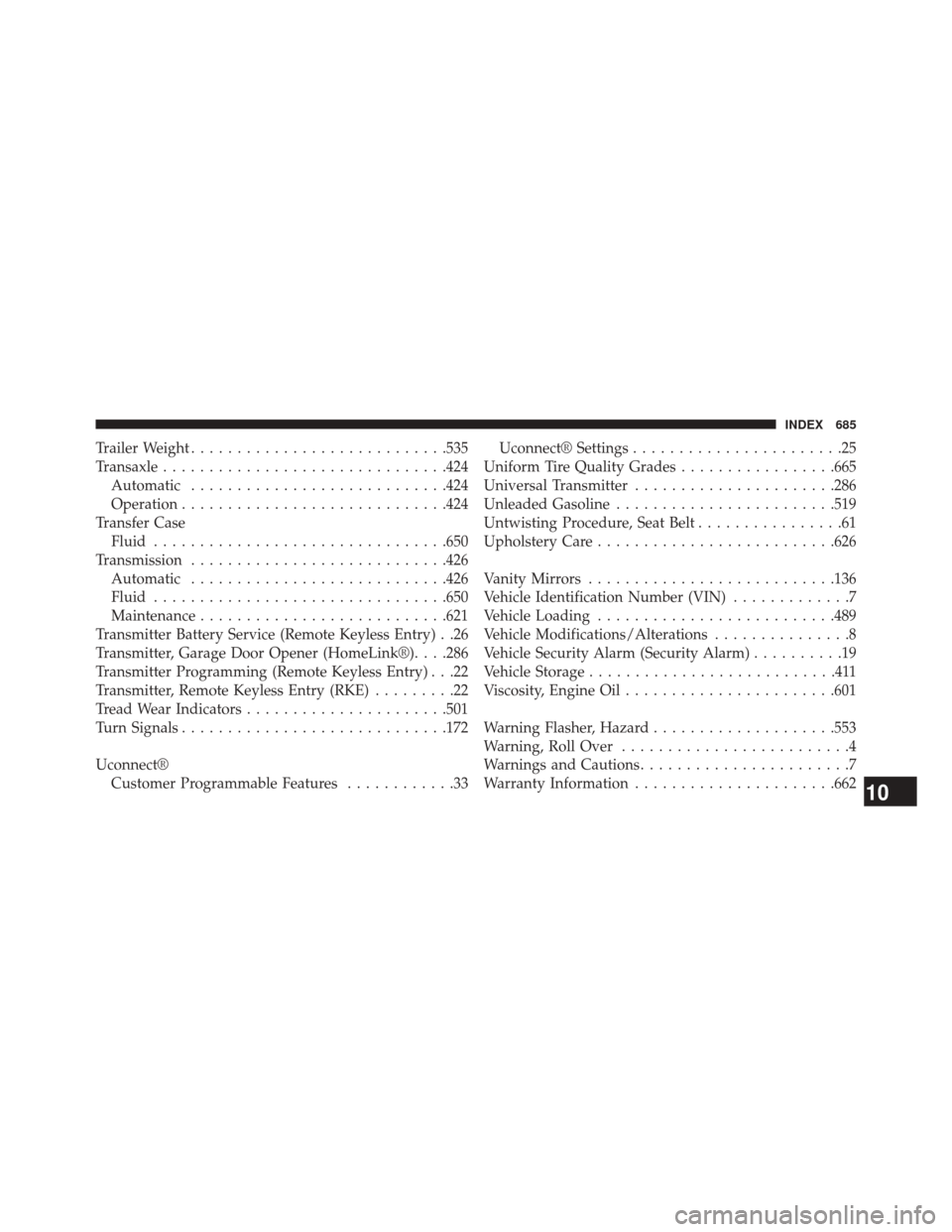
Trailer Weight........................... .535
Transaxle .............................. .424
Automatic ........................... .424
Operation ............................ .424
Transfer Case Fluid ............................... .650
Transmission ........................... .426
Automatic ........................... .426
Fluid ............................... .650
Maintenance .......................... .621
Transmitter Battery Service (Remote Keyless Entry) . .26
Transmitter, Garage Door Opener (HomeLink®). . . .286
Transmitter Programming (Remote Keyless Entry) . . .22
Transmitter, Remote Keyless Entry (RKE) .........22
Tread Wear Indicators ..................... .501
Turn Signals ............................ .172
Uconnect® Customer Programmable Features ............33Uconnect® Settings
.......................25
Uniform Tire Quality Grades .................665
Universal Transmitter ..................... .286
Unleaded Gasoline ....................... .519
Untwisting Procedure, Seat Belt ................61
Upholstery Care ......................... .626
Vanity Mirrors .......................... .136
Vehicle Identification Number (VIN) .............7
Vehicle Loading ......................... .489
Vehicle Modifications/Alterations ...............8
Vehicle Security Alarm (Security Alarm) ..........19
Vehicle Storage ...........................411
Viscosity, Engine Oil ...................... .601
Warning Flasher, Hazard ....................553
Warning, Roll Over .........................4
Warnings and Cautions .......................7
Warranty Information ..................... .662
10
INDEX 685