Page 189 of 665
3-93
Convenient features of your vehicle
3
- Engine Oil Pressure
Warning Light
•If the engine does not stop
immediately after the Engine Oil
Pressure Warning Light is illumi-
nated, severe damage could
result.
•If the warning light stays on
while the engine is running, it
indicates that there may be seri-
ous engine damage or malfunc-
tion. In this case,
1. Stop the vehicle as soon as it
is safe to do so.
2. Turn off the engine and check
the oil level. If the oil level is
low, fill the engine oil to the
proper level.
3. Start the engine again. If the
warning light stays on after the
engine is started, turn the
engine off immediately. In this
case, we recommend that you
have the vehicle inspected by
an authorized HYUNDAI dealer.
Low Fuel Level
Warning Light
This warning light illuminates:
When the fuel tank is nearly empty.
If the fuel tank is nearly empty:
Add fuel as soon as possible.
- Low Fuel Level
Driving with the Low Fuel Level
warning light on or with the fuel
level below “0 or E” can cause the
engine to misfire and damage the
catalytic converter (if equipped).
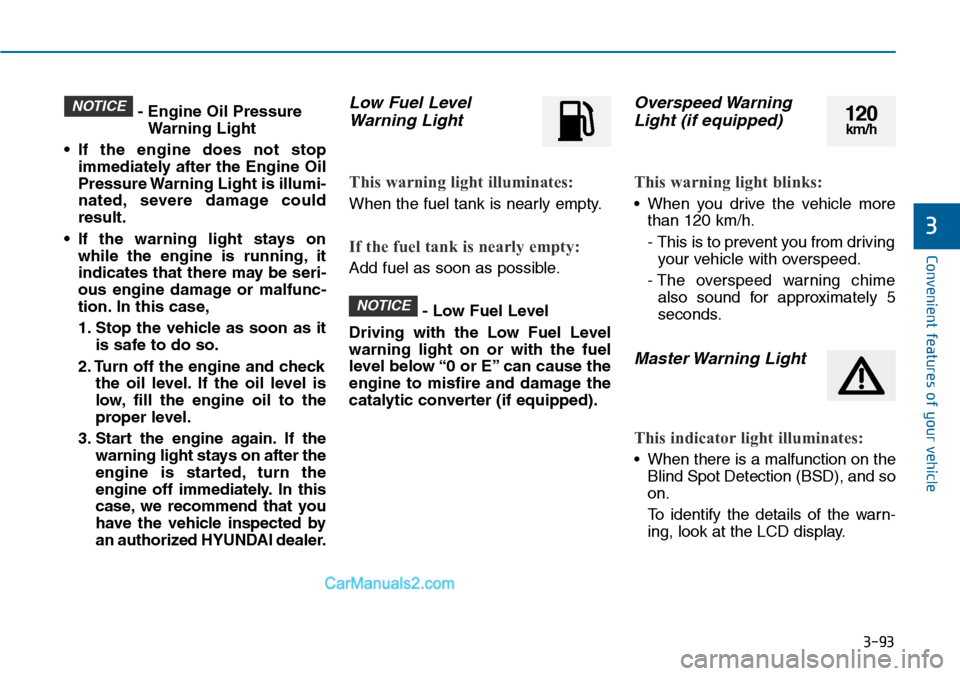
Overspeed Warning
Light (if equipped)
This warning light blinks:
•When you drive the vehicle more
than 120 km/h.
- This is to prevent you from driving
your vehicle with overspeed.
- The overspeed warning chime
also sound for approximately 5
seconds.
Master Warning Light
This indicator light illuminates:
•When there is a malfunction on the
Blind Spot Detection (BSD), and so
on.
To i d e n t i f y t h e d e t a i l s o f t h e w a r n -
ing, look at the LCD display.
NOTICE
NOTICE120km/h
Page 190 of 665
3-94
Convenient features of your vehicle
Indicator lights
Electronic Stability
Control (ESC) Indicator
Light
This indicator light illuminates:
•Once you set the ignition switch or
the Engine Start/Stop button to the
ON position.
- It illuminates for approximately 3
seconds and then goes off.
•When there is a malfunction with
the ESC system.
In this case, we recommend that
you have the vehicle inspected by
an authorized HYUNDAI dealer.
This indicator light blinks:
While the ESC is operating.
For more details, refer to “Electronic
Stability Control (ESC)” in chapter 5.
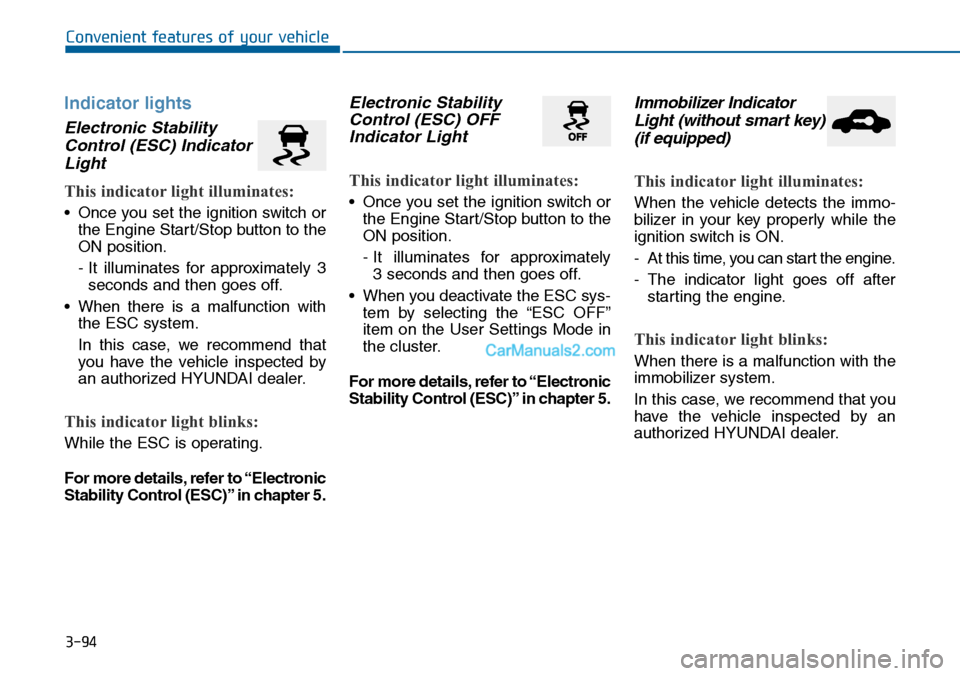
Electronic Stability
Control (ESC) OFF
Indicator Light
This indicator light illuminates:
•Once you set the ignition switch or
the Engine Start/Stop button to the
ON position.
- It illuminates for approximately
3 seconds and then goes off.
•When you deactivate the ESC sys-
tem by selecting the “ESC OFF”
item on the User Settings Mode in
the cluster.
For more details, refer to “Electronic
Stability Control (ESC)” in chapter 5.
Immobilizer Indicator
Light (without smart key)
(if equipped)
This indicator light illuminates:
When the vehicle detects the immo-
bilizer in your key properly while the
ignition switch is ON.
-At this time, you can start the engine.
-The indicator light goes off after
starting the engine.
This indicator light blinks:
When there is a malfunction with the
immobilizer system.
In this case, we recommend that you
have the vehicle inspected by an
authorized HYUNDAI dealer.
Page 191 of 665

3-95
Convenient features of your vehicle
3
Immobilizer Indicator
Light (With Smart Key)
This indicator light illuminates for
up to 30 seconds:
•When the vehicle detects the
smart key in the vehicle properly
while the Engine Start/Stop button
is ACC or ON.
- At this time, you can start the
engine.
- The indicator light goes off after
starting the engine.
This indicator light blinks for a few
seconds:
•When the smart key is not in the
vehicle.
- At this time, you can not start the
engine.
This indicator light illuminates for
2 seconds and goes off:
•When the vehicle can not detect
the smart key which is in the vehi-
cle while the Engine Start/Stop
button is ON.
In this case, we recommend that
you have the vehicle inspected by
an authorized HYUNDAI dealer.
This indicator light blinks:
•When the battery of the smart key
is weak.
- At this time, you can not start the
engine. However, you can start
the engine if you press the
Engine Start/Stop button with the
smart key.(For more details,
refer to “Starting the Engine” in
section 5).
•When there is a malfunction with
the immobilizer system.
In this case, we recommend that
you have the vehicle inspected by
an authorized HYUNDAI dealer.
Turn Signal Indicator
Light
This indicator light blinks:
•When you turn the turn signal light
on.
If any of the following occurs, there
may a malfunction with the turn signal
system. In this case, we recommend
that you have the vehicle inspected by
an authorized HYUNDAI dealer.
- The indicator light does not blink
but illuminates.
- The indicator light blinks more
rapidly.
- The indicator light does not illumi-
nate at all.
Page 192 of 665

3-96
Convenient features of your vehicle
Low Beam Indicator
Light (if equipped)
This indicator light illuminates:
•When the headlights are on.
High Beam Indicator
Light
This indicator light illuminates:
•When the headlights are on and in
the high beam position
•When the turn signal lever is pulled
into the Flash-to-Pass position.
Light ON Indicator
Light
This indicator light illuminates:
•When the tail lights or headlights
are on.
Front Fog Indicator
Light (if equipped)
This indicator light illuminates:
•When the front fog lights are on.
Rear Fog Indicator
Light (if equipped)
This indicator light illuminates:
•When the rear fog lights are on.
Cruise
Indicator Light
(if equipped)
This indicator light illuminates:
•When the cruise control system is
enabled.
For more details, refer to “Cruise
Control System” in chapter 5.
Cruise SET Indicator
Light (if equipped)
This indicator light illuminates:
•When the cruise control speed is
set.
For more details, refer to “Cruise
Control System” in chapter 5.
SET
CRUISE
■Type A■Type B
Page 193 of 665
![Hyundai Sonata 2014 Owners Manual 3-97
Convenient features of your vehicle
3
AUTO HOLD Indicator
Light (if equipped)
This indicator light illuminates:
•[White] When you activate the auto
hold system by pressing the AUTO
HOLD butto](/manual-img/35/16805/w960_16805-192.png "Hyundai Sonata 2014 Owners Manual 3-97
Convenient features of your vehicle
3
AUTO HOLD Indicator
Light (if equipped)
This indicator light illuminates:
•[White] When you activate the auto
hold system by pressing the AUTO
HOLD butto")
3-97
Convenient features of your vehicle
3
AUTO HOLD Indicator
Light (if equipped)
This indicator light illuminates:
•[White] When you activate the auto
hold system by pressing the AUTO
HOLD button.
•[Green] When you stop the vehicle
completely by depressing the
brake pedal with the auto hold sys-
tem activated.
•[Yellow] When there is a malfunc-
tion with the auto hold system.
In this case, we recommend that
you have the vehicle inspected by
an authorized HYUNDAI dealer.
For more details, refer to “Auto
Hold” in chapter 5.
SPORT Mode Indicator
Light (if equipped)
This indicator light illuminates
•When you select "SPORT" mode
as drive mode.
For more details, refer to "Drive
Mode Integrated Control System"
in chapter 5.
ECO Mode Indicator
Light (if equipped)
This indicator light illuminates:
•When you select “ECO”mode as
drive mode.
For more details, refer to “Drive
Mode Integrated Control System”
in chapter 5.
AUTO
HOLDSPORTECO
Do not watch the ECO indicator
light while driving. This will dis-
tract you and may cause an
accident that results in severe
personal injury.
WARNING
Page 194 of 665
3-98
Convenient features of your vehicle
Exterior lights
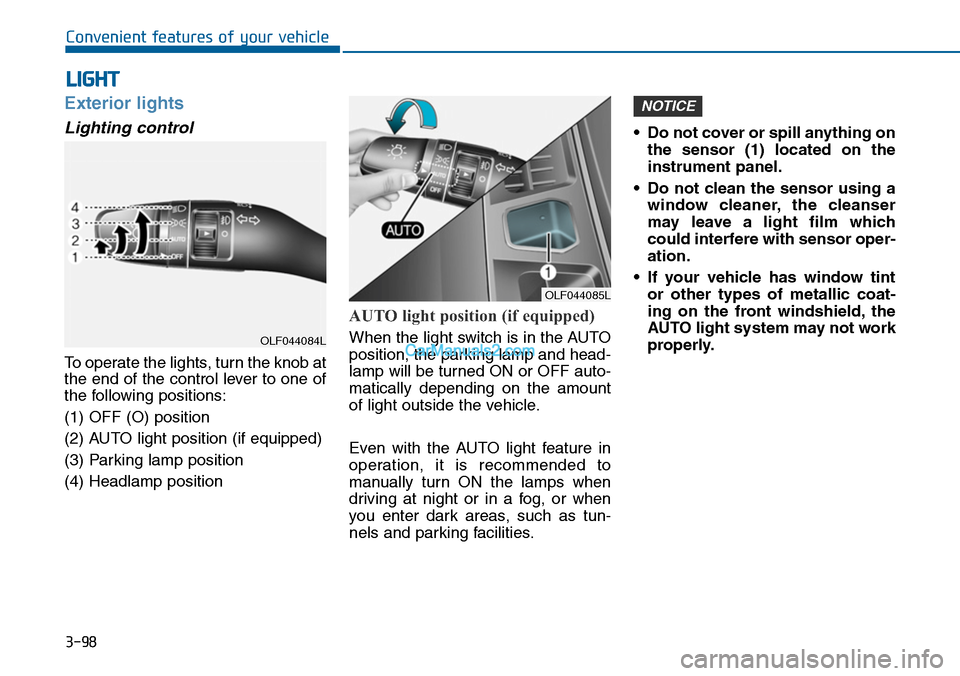
Lighting control
To operate the lights, turn the knob at
the end of the control lever to one of
the following positions:
(1) OFF (O) position
(2) AUTO light position (if equipped)
(3) Parking lamp position
(4) Headlamp position
AUTO light position (if equipped)
When the light switch is in the AUTO
position, the parking lamp and head-
lamp will be turned ON or OFF auto-
matically depending on the amount
of light outside the vehicle.
Even with the AUTO light feature in
operation, it is recommended to
manually turn ON the lamps when
driving at night or in a fog, or when
you enter dark areas, such as tun-
nels and parking facilities.
•Do not cover or spill anything on
the sensor (1) located on the
instrument panel.
•Do not clean the sensor using a
window cleaner, the cleanser
may leave a light film which
could interfere with sensor oper-
ation.
•If your vehicle has window tint
or other types of metallic coat-
ing on the front windshield, the
AUTO light system may not work
properly.
NOTICE
LIGHT
OLF044085L
OLF044084L
Page 195 of 665
3-99
Convenient features of your vehicle
3
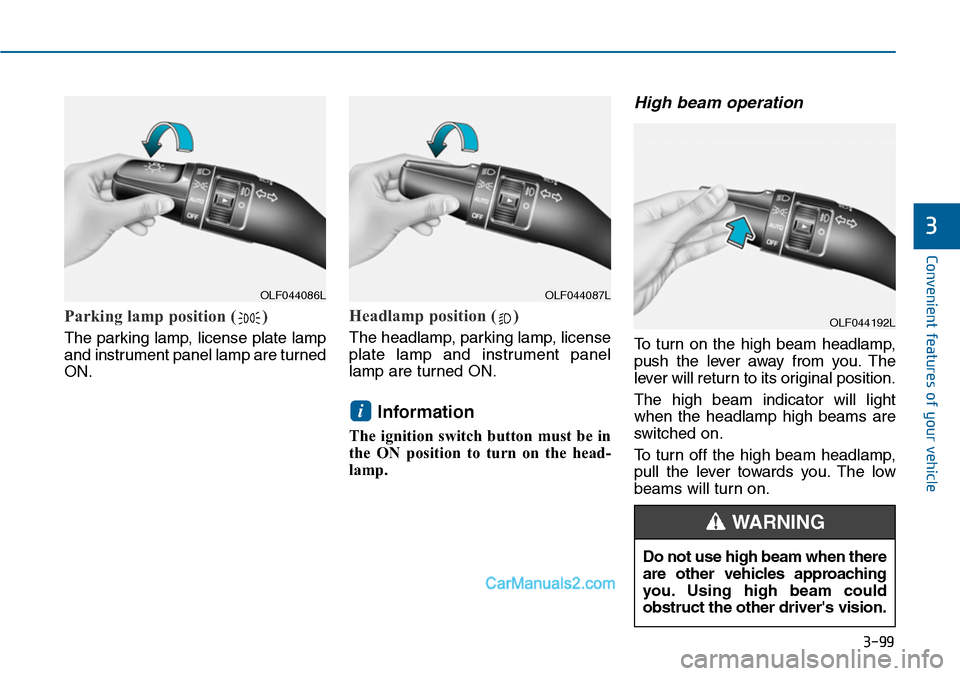
Parking lamp position ( )
The parking lamp, license plate lamp
and instrument panel lamp are turned
ON.
Headlamp position ( )
The headlamp, parking lamp, license
plate lamp and instrument panel
lamp are turned ON.
Information
The ignition switch button must be in
the ON position to turn on the head-
lamp.
High beam operation
To t u r n o n t h e h i g h b e a m h e a d l a m p ,
push the lever away from you. The
lever will return to its original position.
The high beam indicator will light
when the headlamp high beams are
switched on.
To turn off the high beam headlamp,
pull the lever towards you. The low
beams will turn on.
i
OLF044086LOLF044087L
OLF044192L
Do not use high beam when there
are other vehicles approaching
you. Using high beam could
obstruct the other driver's vision.
WARNING
Page 196 of 665

3-100
Convenient features of your vehicle
To flash the high beam headlamp,
pull the lever towards you, then
release the lever. The high beams
will remain ON as long as you hold
the lever towards you.
Turn signals and lane change
signals
To signal a turn, push down on the
lever for a left turn or up for a right
turn in position (A). To signal a lane
change, move the turn signal lever
slightly and hold it in position (B).The
lever will return to the OFF position
when released or when the turn is
completed.
If an indicator stays on and does not
flash or if it flashes abnormally, one of
the turn signal bulbs may be burned
out and will require replacement.
One-touch turn signal function
(if equipped)
To activate an one-touch turn signal
function, move the turn signal lever
slightly and then release it. The lane
change signals will blink 3, 5 or 7
times.
Yo u c a n a c t i v a t e / d e a c t i v a t e t h e O n e
Touch Turn Signal function or choose
the number of blinking (3, 5, or 7)
from the User Settings Mode on the
LCD display.For more details, refer
to "LCD Display" in this chapter.
OLF044088L
OLF044091L