Page 137 of 665
3-41
Convenient features of your vehicle
3
PANORAMA SUNROOF (IF EQUIPPED)
•Make sure heads, other body
parts or objects are out of the
way before using the sunroof.
•Do not leave the engine run-
ning and the key in your vehi-
cle with unsupervised children.
Unattended children could
operate the sunroof, which
could result in serious injury.
WARNING
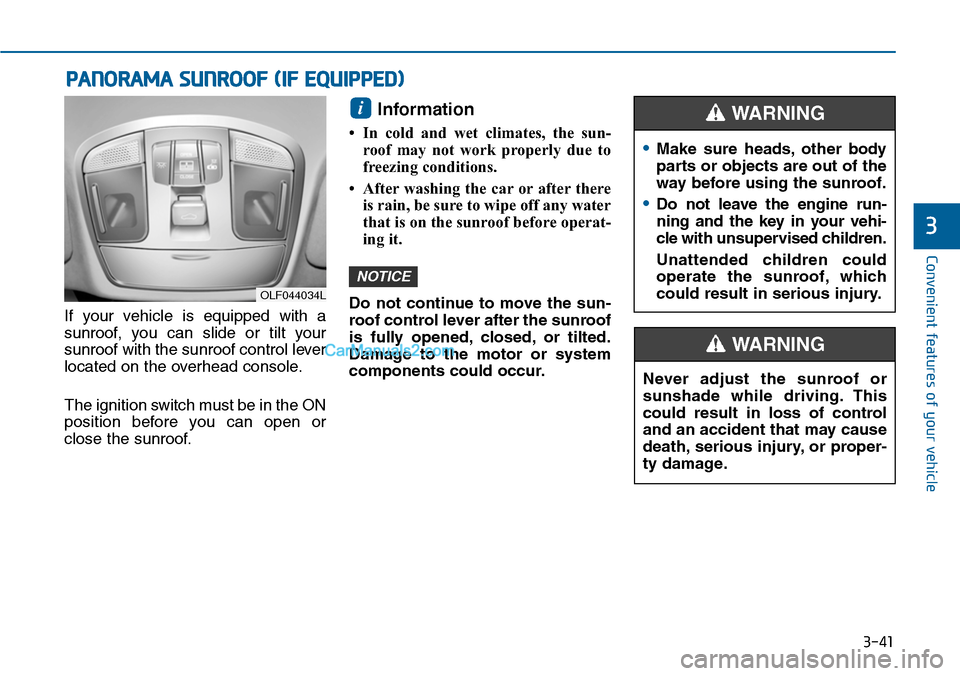
If your vehicle is equipped with a
sunroof, you can slide or tilt your
sunroof with the sunroof control lever
located on the overhead console.
The ignition switch must be in the ON
position before you can open or
close the sunroof.
Information
•In cold and wet climates, the sun-
roof may not work properly due to
freezing conditions.
• After washing the car or after there
is rain, be sure to wipe off any water
that is on the sunroof before operat-
ing it.
Do not continue to move the sun-
roof control lever after the sunroof
is fully opened, closed, or tilted.
Damage to the motor or system
components could occur.
NOTICE
i
OLF044034L
Never adjust the sunroof or
sunshade while driving. This
could result in loss of control
and an accident that may cause
death, serious injury, or proper-
ty damage.
WARNING
Page 157 of 665
3-61
Convenient features of your vehicle
3
Information
• The fuel tank capacity is given in
chapter 8.
• The fuel gauge is supplemented by a
low fuel warning light, which will
illuminate when the fuel tank is
nearly empty.
• On inclines or curves, the fuel gauge
pointer may fluctuate or the low fuel
warning light may come on earlier
than usual due to the movement of
fuel in the tank.
Avoid driving with a extremely low
fuel level. Running out of fuel
could cause the engine to misfire
damaging the catalytic converter.
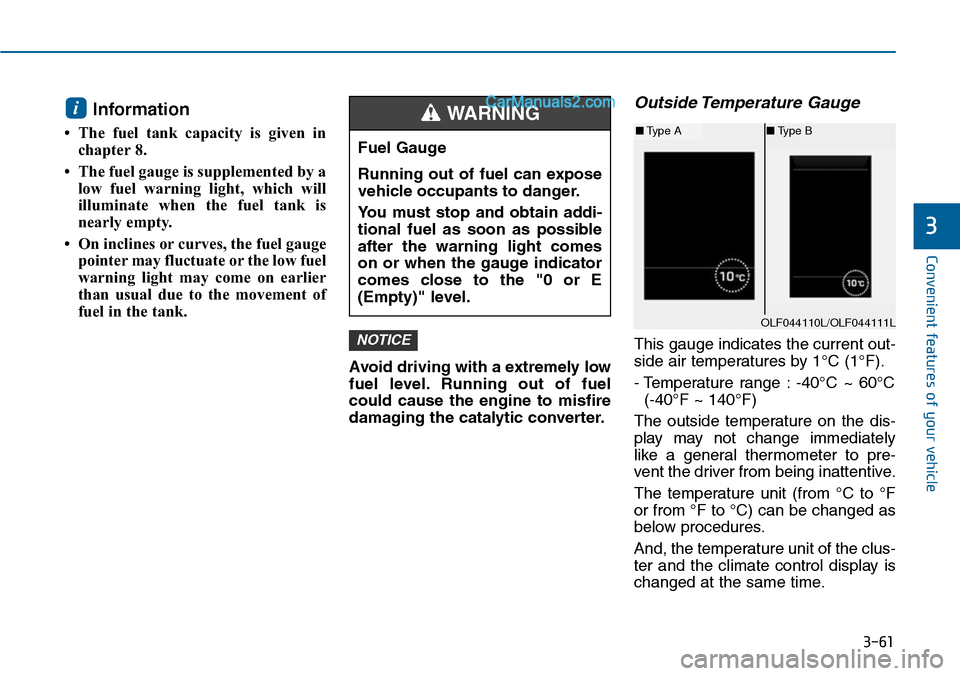
Outside Temperature Gauge
This gauge indicates the current out-
side air temperatures by 1°C (1°F).
- Temperature range : -40°C ~ 60°C
(-40°F ~ 140°F)
The outside temperature on the dis-
play may not change immediately
like a general thermometer to pre-
vent the driver from being inattentive.
The temperature unit (from °C to °F
or from °F to °C) can be changed as
below procedures.
And, the temperature unit of the clus-
ter and the climate control display is
changed at the same time.
NOTICE
i
Fuel Gauge
Running out of fuel can expose
vehicle occupants to danger.
Yo u m u s t s t o p a n d o b t a i n a d d i -
tional fuel as soon as possible
after the warning light comes
on or when the gauge indicator
comes close to the "0 or E
(Empty)" level.
WARNING
OLF044110L/OLF044111L
■Type A■Type B
Page 158 of 665
3-62
Convenient features of your vehicle
- User Settings Mode in the Cluster :
Yo u c a n c h a n g e t h e t e m p e r a t u r e
unit in the “Other Features -
Temperature unit” .
- Automatic climate control system :
While pressing the OFF button,
press the AUTO button for 3 sec-
onds or more.
Icy Road Warning Light
(if equipped)
This warning light is to warn the driv-
er the road may be icy.
When the following conditions occur,
the warning light (including Outside
Temperature Gauge) blinks 10 times
and then illuminates, and also warn-
ing chime sounds 3 times.
- The temperature on the Outside
Te m p e r a t u r e G a u g e i s b e l o w
approximately 4°C (40°F).
- The ignition switch or the Engine
Start/Stop button is in the ON posi-
tion.
Information
If the icy road warning light appears
while driving, you should drive more
attentively and safely refraining from
over-speeding, rapid acceleration,
sudden braking or sharp turning, etc.
i
OLF044428L
Page 218 of 665
3-122
Convenient features of your vehicle
DEFROSTER
To prevent damage to the conduc-
tors bonded to the inside surface
of the rear window, never use
sharp instruments or window
cleaners containing abrasives to
clean the window.
Information
If you want to defrost and defog the
front windshield, refer to “Windshield
Defrosting and Defogging” in this
chapter.
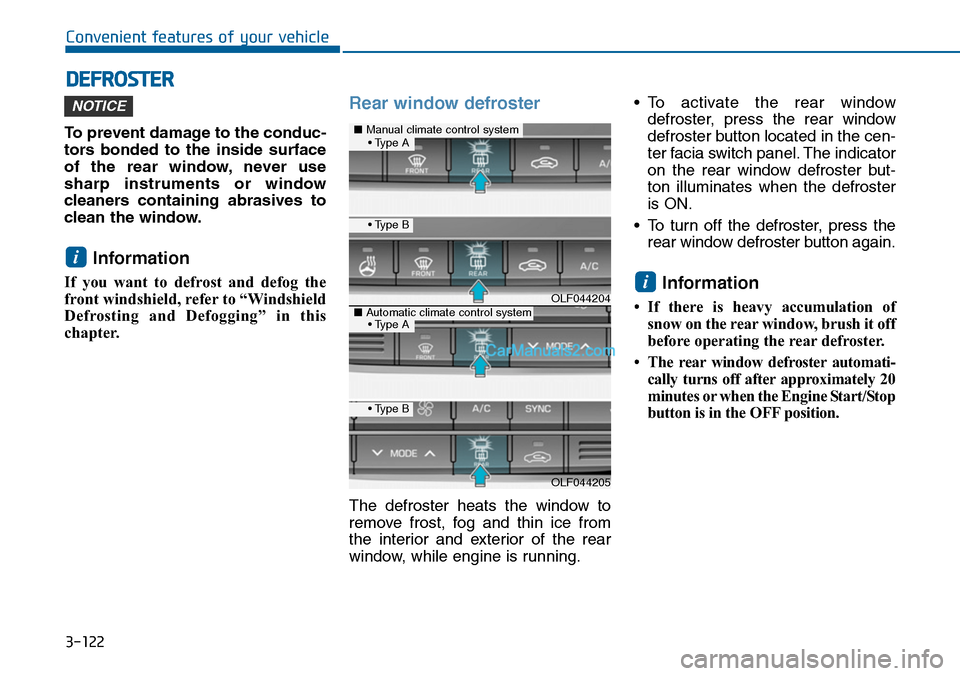
Rear window defroster
The defroster heats the window to
remove frost, fog and thin ice from
the interior and exterior of the rear
window, while engine is running.
•To activate the rear window
defroster, press the rear window
defroster button located in the cen-
ter facia switch panel. The indicator
on the rear window defroster but-
ton illuminates when the defroster
is ON.
•To turn off the defroster, press the
rear window defroster button again.
Information
•If there is heavy accumulation of
snow on the rear window, brush it off
before operating the rear defroster.
•The rearwindow defrosterautomati-
cally turns off after approximately 20
minutes or when the Engine Start/Stop
button is in the OFF position.
i
i
NOTICE
OLF044204
OLF044205
■Manual climate control system
■Automatic climate control system
• Type B
• Type B
• Type A
• Type A
Page 220 of 665
3-124
Convenient features of your vehicle
MANUAL CLIMATE CONTROL SYSTEM (IF EQUIPPED)
OLF044202/OLF044203
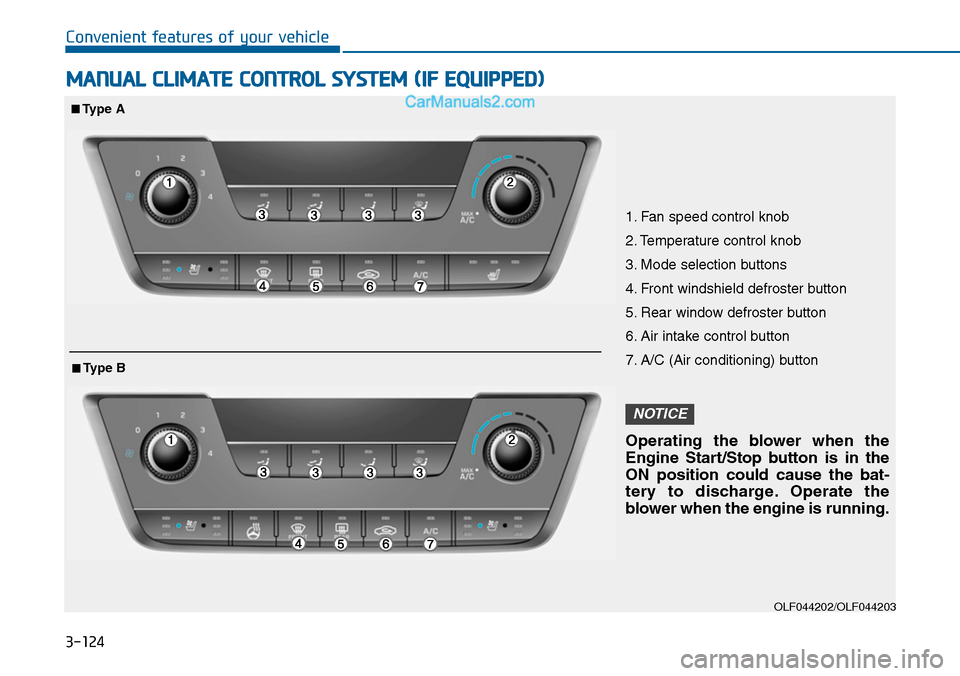
1. Fan speed control knob
2. Temperature control knob
3. Mode selection buttons
4. Front windshield defroster button
5. Rear window defroster button
6. Air intake control button
7. A/C (Air conditioning) button
Operating the blower when the
Engine Start/Stop button is in the
ON position could cause the bat-
tery to discharge. Operate the
blower when the engine is running.
NOTICE
■Type A
■Type B
Page 225 of 665
3-129
Convenient features of your vehicle
3
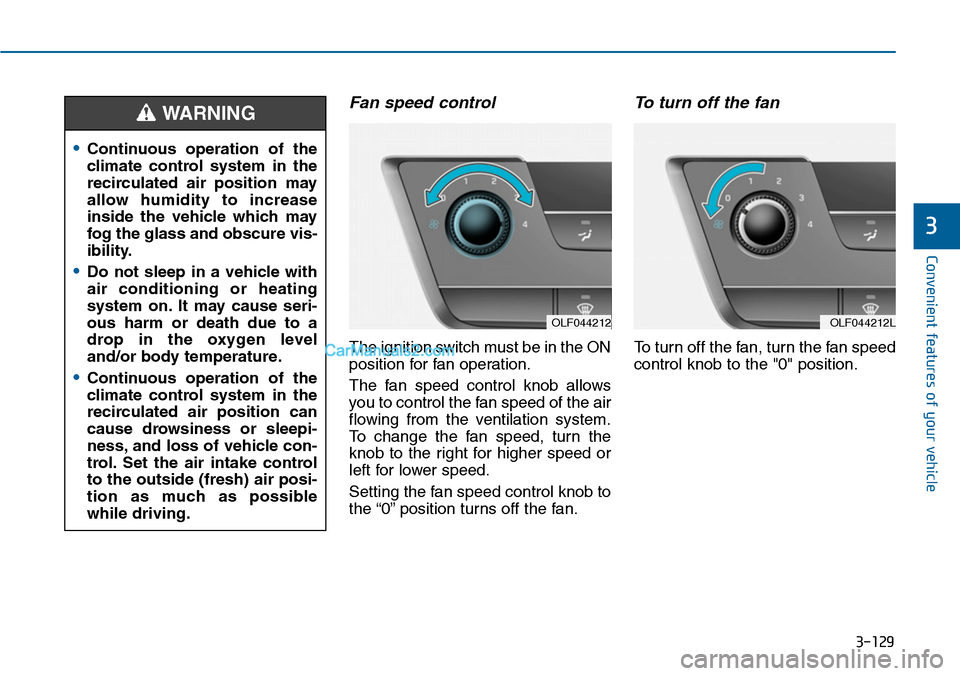
Fan speed control
The ignition switch must be in the ON
position for fan operation.
The fan speed control knob allows
you to control the fan speed of the air
flowing from the ventilation system.
To change the fan speed, turn the
knob to the right for higher speed or
left for lower speed.
Setting the fan speed control knob to
the “0” position turns off the fan.
To turn off the fan
To turn off the fan, turn the fan speed
control knob to the "0" position.
•Continuous operation of the
climate control system in the
recirculated air position may
allow humidity to increase
inside the vehicle which may
fog the glass and obscure vis-
ibility.
•Do not sleep in a vehicle with
air conditioning or heating
system on. It may cause seri-
ous harm or death due to a
drop in the oxygen level
and/or body temperature.
•Continuous operation of the
climate control system in the
recirculated air position can
cause drowsiness or sleepi-
ness, and loss of vehicle con-
trol. Set the air intake control
to the outside (fresh) air posi-
tion as much as possible
while driving.
WARNING
OLF044212OLF044212L
Page 228 of 665

3-132
Convenient features of your vehicle
•Operating the air conditioning sys-
tem in the recirculated air position
provides maximum cooling, how-
ever, continual operation in this
mode may cause the air inside the
vehicle to become stale.
•During cooling operation, you may
occasionally notice a misty air flow
because of rapid cooling and
humid air intake. This is a normal
system operation characteristics.
System maintenance
Climate control air filter
The climate control air filter installed
behind the glove box filters the dust
or other pollutants that come into the
vehicle from the outside through the
heating and air conditioning system.
If dust or other pollutants accumulate
in the filter over a period of time, the
air flow from the air vents may
decrease, resulting in moisture accu-
mulation on the inside of the wind-
shield even when the outside (fresh)
air position is selected. If this hap-
pens, we recommend that the cli-
mate control air filter be replaced by
an authorized HYUNDAI dealer.
Information
• Replace the filter according to the
Maintenance Schedule.
If the car is being driven in severe con-
ditions such as dusty, rough roads,
more frequent climate control air filter
inspections and changes are required.
• When the air flow rate suddenly
decreases, we recommend that the
system be checked by an authorized
HYUNDAI dealer.
Information
It is important that the correct type
and amount of oil and refrigerant is
used. Otherwise, damage to the com-
pressor and abnormal system opera-
tion may occur.
i
i
1LDA5047
Outside air
Recirculatedair
Climate controlair filter
Blower
Evaporatorcore
Heater core
We recommend that the air con-
ditioning system be serviced by
an authorized HYUNDAI dealer.
Improper service may cause
serious injury to the person per-
forming the service.
WARNING
Page 230 of 665
3-134
Convenient features of your vehicle
AUTOMATIC CLIMATE CONTROL SYSTEM (IF EQUIPPED)
OLF044214/OLF044215
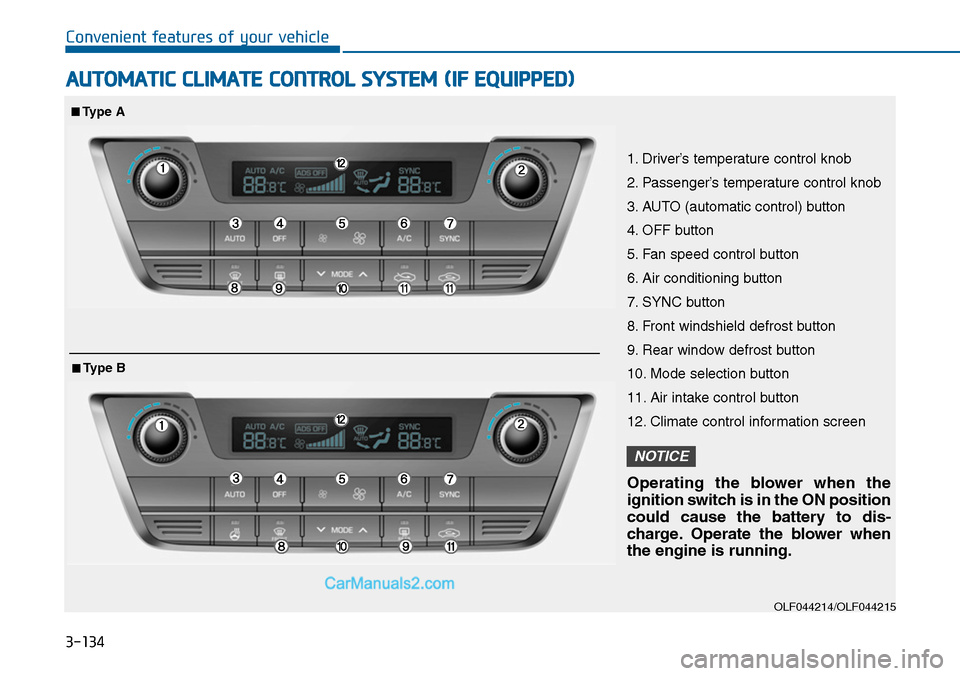
1. Driver’s temperature control knob
2. Passenger’s temperature control knob
3. AUTO (automatic control) button
4. OFF button
5. Fan speed control button
6. Air conditioning button
7. SYNC button
8. Front windshield defrost button
9. Rear window defrost button
10. Mode selection button
11. Air intake control button
12. Climate control information screen
Operating the blower when the
ignition switch is in the ON position
could cause the battery to dis-
charge. Operate the blower when
the engine is running.
NOTICE
■Type A
■Type B