Page 208 of 711
4107
Features of your vehicle
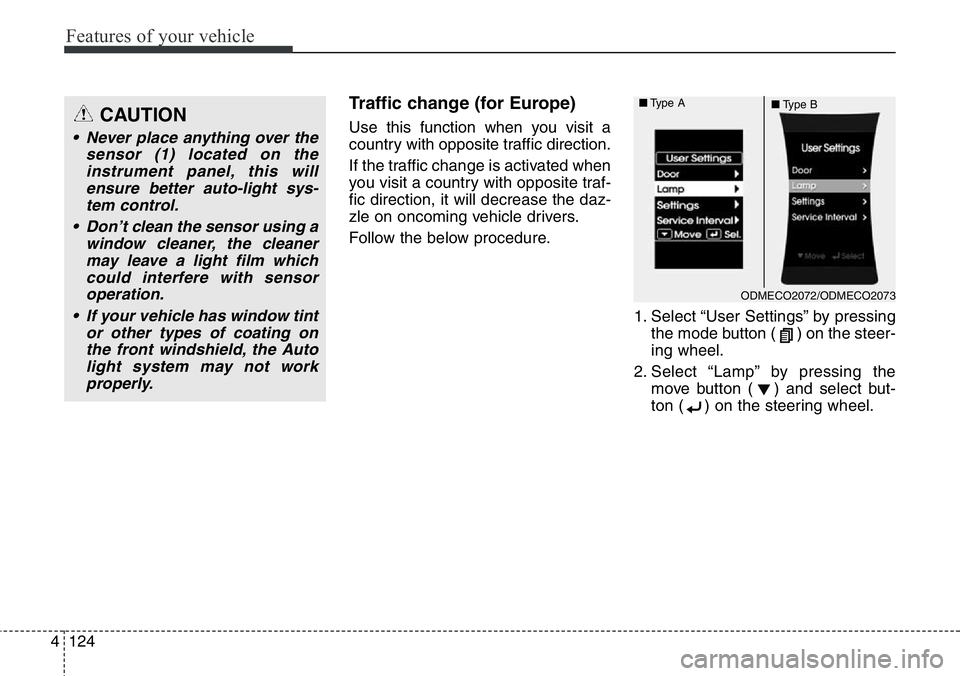
Operating condition
The system will help park the vehicle
in the middle or back of a parked
vehicle. Use the system when all the
below conditions are met.
• When the parking space is a
straight line
• When parallel parking is required
• When there is a parked vehicle
• When there is enough space to
move the vehicle
Non-operating condition
Never use the Smart Parking Assist
System in the below conditions.
• Curved parking space
• Inclined roads
• A vehicle loaded with longer or
wider cargo compared to the vehicle
• Diagonal parking space
• Parking space with trash, grass or
barriers
• Heavy snow or rain
• A pole close to the parking line
• Bumpy roads
• A vehicle equipped with a snow
chain or spare tire
• Tire pressure lower or higher than
the standard tire pressure
• A trailer connected to the vehicle
• Slippery or uneven road
• Big vehicles such as buses or
trucks parked
• Sensor covered with foreign mat-
ter, such as snow or water
• Moisture frozen on the sensor.
• A motorcycle or bicycle parked• A trash can or obstacle near
• Heavy wind
• Wheel changed to an unauthorized
size
• A problem with the wheel alignment
• Next to a garden or bush
OLM041271
■Right side
- parallel mode■Left side
-parallel mode
Page 209 of 711
Features of your vehicle
108 4
WARNING
Do not use the Smart Parking
Assist System in the following
conditions for unexpected
results may occur and cause a
serious accident.
1. Parking on inclines
The driver must apply the accel-
erator and brake pedal when
parking on inclines. If the driver
is unfamiliar with applying the
accelerator and brake pedal, a
car accident may occur.
(Continued)
OLM041290
(Continued)
2. Parking in snow
Snow may interfere with sensor
operation or the system may
cancel if the road is slippery
while parking. Also, if the driver
is unfamiliar with applying the
accelerator and brake pedal, a
car accident may occur.
(Continued)(Continued)
3. Parking in narrow space
The system may not search for
parking spaces if the space is
too narrow. Even if it operates
always be careful.
(Continued)
OLM041292OSL040144
Page 211 of 711
Features of your vehicle
110 4
How the system works
1. Activate the Smart Parking Assist
System
2. Select parking assist mode
3. Search for parking space (slowly
move forward.)
4. Search complete (automatic
search by sensor.)
5. Steering wheel control
(1) Shift according to the instruc-
tion on the LCD display.
(2) Drive slowly with the brake
pedal applied.
6. Smart Parking Assist System
complete
7. If necessary, manually adjust posi-
tion of vehicle.
✽NOTICE
• Before activating the system check
if the conditions are possible to use
the system.
• For your safety, always apply the
brake pedal except for when driv-
ing.
1. Activate Smart Parking Assist
System(Continued)
7. Obstacle in parking space
The system may search for a
parking space even though an
obstacle is in the parking
space. An accident may occur if
you continue to park the vehicle
with the system.
Do not solely rely on the Smart
Parking Assist System.
OLM041272
ODM042241
ODM042240
■Type A
■ Type B
Page 213 of 711

Features of your vehicle
112 4
• The right side parallel mode is
selected automatically when the
Smart Parking Assist System is
activated.
• To select the left side parallel mode
press the Smart Parking Assist
System button once more.
• If the button is pressed again, the
system will turn off.3. Search for parking space
• Slowly drive forward maintaining
the distance of approximately 50cm
~ 150cm (19.6in.~59.0in.) with the
parked vehicles. The side sensors
will search for a parking space.• If the vehicle speed is over 30km/h
(18.6mph), a message will appear
to notify to reduce speed.
• If the vehicle speed is over 40km/h
(24.8mph), the system will cancel.
✽NOTICE
• Turn on the hazard warning flasher
if it is crowded with other vehicles.
• If the parking lot is small, slowly
drive more nearer to the parking
space.
• The search for a parking space
will be completed only when there
is enough space for the vehicle to
move to park.
ODMEDR2144 ■Right side
- parallel mode
ODMEDR2143 ■Left side
- parallel mode
Page 214 of 711

4113
Features of your vehicle
✽NOTICE
• When searching for a parking
space, the system may not be able
to find a parking space if there is
no vehicle parked, a parking space
is available after driving by or a
parking space is available before
driving by.
• The system may not operate nor-
mally in the following conditions:
(1) When the sensors are frozen
(2) When the sensors are dirty
(3) When it snows or rains heavily
(4) When a pillar or object is near
✽NOTICE
Slowly drive forward maintaining
the distance of approximately 50cm
~ 150cm (19.6in.~59.0in.) with the
parked vehicles. If not within the
distance, the system may not be able
to search for a parking space.
CAUTION
After searching for a parking
space is completed, continue
using the system after checking
the surrounding area.
OLM041273 50~150 cm
CAUTION
While using the Smart Parking
Assist System if the Auto Hold
activates the above message
will appear. Turn the Auto Hold
operation off. When you cancel
the Auto Hold operation by
depressing the accelerator
pedal, always check the sur-
rounding area near your vehicle.
ODMEDR2103/ODMEDR2116
Page 225 of 711
Features of your vehicle
124 4
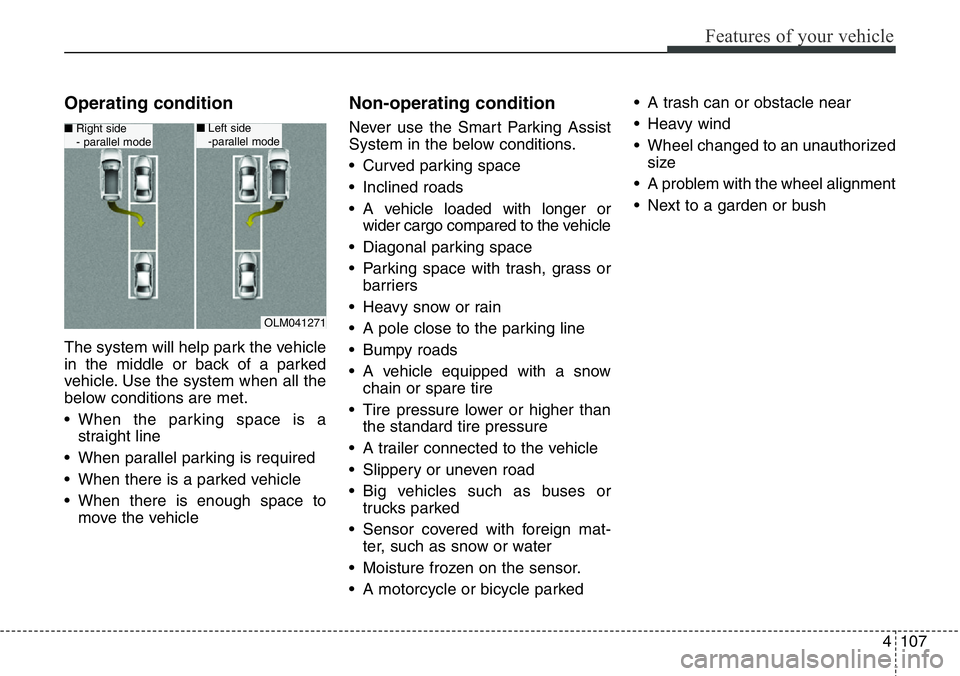
Traffic change (for Europe)
Use this function when you visit a
country with opposite traffic direction.
If the traffic change is activated when
you visit a country with opposite traf-
fic direction, it will decrease the daz-
zle on oncoming vehicle drivers.
Follow the below procedure.
1. Select “User Settings” by pressing
the mode button ( ) on the steer-
ing wheel.
2. Select “Lamp” by pressing the
move button ( ) and select but-
ton ( ) on the steering wheel.CAUTION
• Never place anything over the
sensor (1) located on the
instrument panel, this will
ensure better auto-light sys-
tem control.
• Don’t clean the sensor using a
window cleaner, the cleaner
may leave a light film which
could interfere with sensor
operation.
• If your vehicle has window tint
or other types of coating on
the front windshield, the Auto
light system may not work
properly.
ODMECO2072/ODMECO2073 ■Type A
■Type B
Page 233 of 711
Features of your vehicle
132 4
Windshield wipers
Operates as follows when the igni-
tion switch is turned ON.
/MIST : For a single wiping cycle,
move the lever to this (
/MIST) position and
release it. The wipers will
operate continuously if the
lever is held in this position.
O/OFF : Wiper is not in operation
---/INT : Wiper operates intermittently
at the same wiping intervals.
Use this mode in light rain or
mist. To vary the speed set-
ting, turn the speed control
knob.
1/LO : Normal wiper speed
2/HI : Fast wiper speed
✽NOTICE
If there is heavy accumulation of snow
or ice on the windshield, defrost the
windshield for about 10 minutes, or
until the snow and/or ice is removed
before using the windshield wipers to
ensure proper operation.
If you do not remove the snow and/or
ice before using the wiper and washer,
it may damage the wiper and washer
system.
Auto control (if equipped)
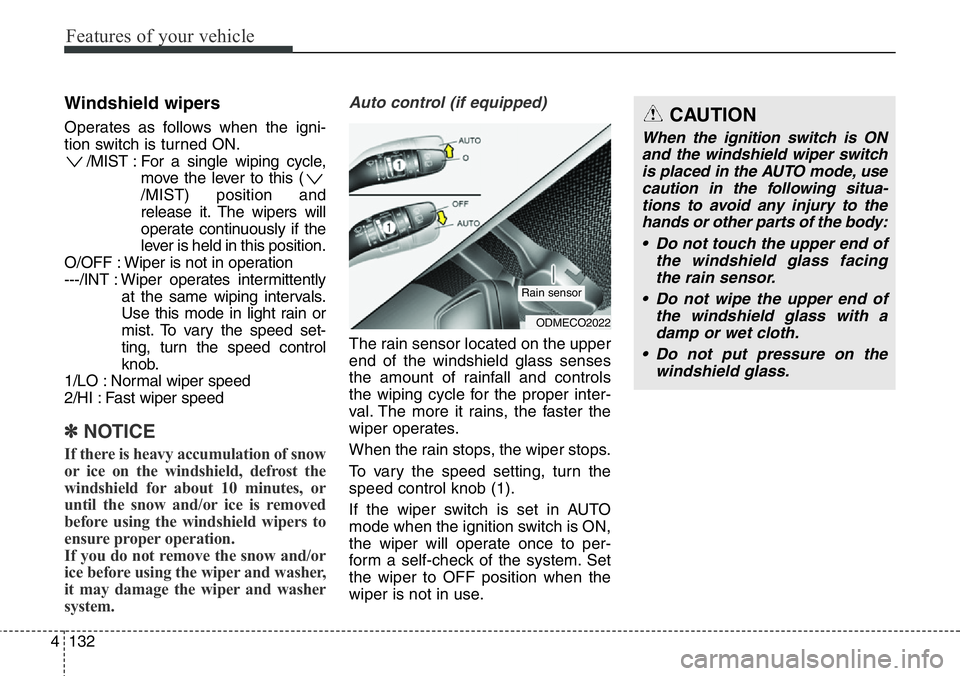
The rain sensor located on the upper
end of the windshield glass senses
the amount of rainfall and controls
the wiping cycle for the proper inter-
val. The more it rains, the faster the
wiper operates.
When the rain stops, the wiper stops.
To vary the speed setting, turn the
speed control knob (1).
If the wiper switch is set in AUTO
mode when the ignition switch is ON,
the wiper will operate once to per-
form a self-check of the system. Set
the wiper to OFF position when the
wiper is not in use.
ODMECO2022
Rain sensor
CAUTION
When the ignition switch is ON
and the windshield wiper switch
is placed in the AUTO mode, use
caution in the following situa-
tions to avoid any injury to the
hands or other parts of the body:
• Do not touch the upper end of
the windshield glass facing
the rain sensor.
• Do not wipe the upper end of
the windshield glass with a
damp or wet cloth.
• Do not put pressure on the
windshield glass.
Page 234 of 711
4133
Features of your vehicle
Windshield washers
(if equipped)
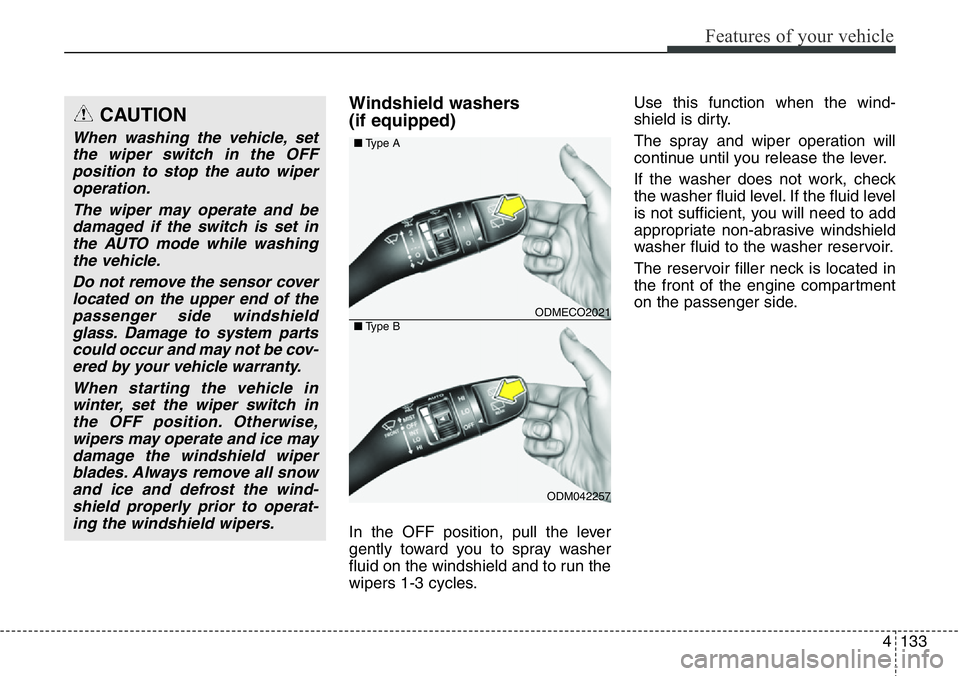
In the OFF position, pull the lever
gently toward you to spray washer
fluid on the windshield and to run the
wipers 1-3 cycles.Use this function when the wind-
shield is dirty.
The spray and wiper operation will
continue until you release the lever.
If the washer does not work, check
the washer fluid level. If the fluid level
is not sufficient, you will need to add
appropriate non-abrasive windshield
washer fluid to the washer reservoir.
The reservoir filler neck is located in
the front of the engine compartment
on the passenger side.
CAUTION
When washing the vehicle, set
the wiper switch in the OFF
position to stop the auto wiper
operation.
The wiper may operate and be
damaged if the switch is set in
the AUTO mode while washing
the vehicle.
Do not remove the sensor cover
located on the upper end of the
passenger side windshield
glass. Damage to system parts
could occur and may not be cov-
ered by your vehicle warranty.
When starting the vehicle in
winter, set the wiper switch in
the OFF position. Otherwise,
wipers may operate and ice may
damage the windshield wiper
blades. Always remove all snow
and ice and defrost the wind-
shield properly prior to operat-
ing the windshield wipers.
ODMECO2021
ODM042257 ■Type A
■Type B