2014 Hyundai Santa Fe ESP
[x] Cancel search: ESPPage 206 of 711
4105
Features of your vehicle
✽NOTICE
1. The warning may not sound
sequentially depending on the
speed and shapes of the objects
detected.
2. The parking assist system may
malfunction if the vehicle bumper
height or sensor installation has
been modified. Any non-factory
installed equipment or accessories
may also interfere with the sensor
performance.
3. Sensor may not recognize objects
less than 30 cm from the sensor,
or it may sense an incorrect dis-
tance. Use with caution.
4. When the sensor is frozen or
stained with snow or water, the
sensor may be inoperative until
the stains are removed using a
soft cloth.
5. Do not push, scratch or strike the
sensor with any hard objects that
could damage the surface of the
sensor. Sensor damage could
occur.
✽NOTICE
This system can only sense objects
within the range and location of the
sensors, it can not detect objects in
other areas where sensors are not
installed. Also, small or slim objects,
or objects located between sensors
may not be detected. Always visual-
ly check in front and behind the
vehicle when driving. Be sure to
inform any drivers in the vehicle
that may be unfamiliar with the sys-
tem regarding the systems capabili-
ties and limitations.
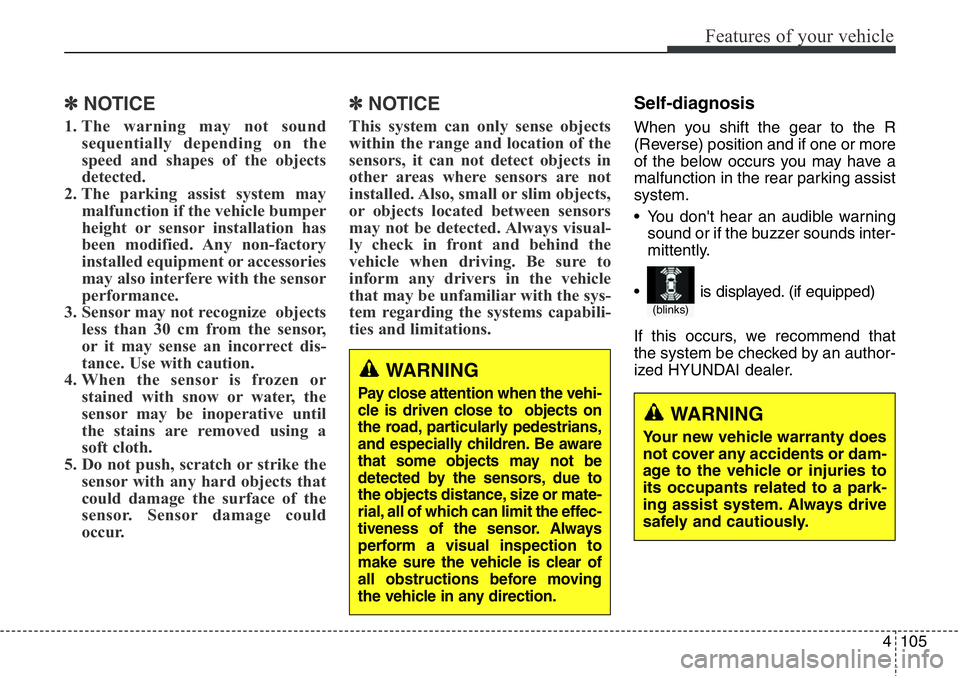
Self-diagnosis
When you shift the gear to the R
(Reverse) position and if one or more
of the below occurs you may have a
malfunction in the rear parking assist
system.
• You don't hear an audible warning
sound or if the buzzer sounds inter-
mittently.
If this occurs, we recommend that
the system be checked by an author-
ized HYUNDAI dealer.
WARNING
Pay close attention when the vehi-
cle is driven close to objects on
the road, particularly pedestrians,
and especially children. Be aware
that some objects may not be
detected by the sensors, due to
the objects distance, size or mate-
rial, all of which can limit the effec-
tiveness of the sensor. Always
perform a visual inspection to
make sure the vehicle is clear of
all obstructions before moving
the vehicle in any direction.
WARNING
Your new vehicle warranty does
not cover any accidents or dam-
age to the vehicle or injuries to
its occupants related to a park-
ing assist system. Always drive
safely and cautiously.
(blinks)
• is displayed. (if equipped)
Page 207 of 711

Features of your vehicle
106 4
The Smart Parking Assist System
helps drivers park their vehicle by
using sensors to measure parallel
parking spaces, control the steering
wheel to semi-automatically park the
car and provide instruction on the
LCD display to help through parking.
✽NOTICE
• The vehicle will not stop for pedes-
trians or objects that may be in its
path, so the driver must monitor
the maneuver.
• Use the system only in parking lots
and places used for parking.
• The system does not work if there is
no car parked in front of the park-
ing space you are planning to park
or if it is a diagonal parking space.
• After parking your vehicle using the
system, the vehicle may not be
parked at the exact spot you have
wished. For example, the space
between your vehicle and wall may
not be the distance you have desired.
• Deactivate the system and park
your vehicle manually, when the sit-
uation requires parking manually.
• The Parking Assist System's front
and rear warning sound activates
when the Smart Parking Assist
System is activated.
• After searching for a parking
space is completed, the Smart
Parking Assist System will be can-
celed if the Parking Assist System
is cancelled by pressing the button
to the OFF position.
SMART PARKING ASSIST SYSTEM (SPAS) (IF EQUIPPED)
OLM041270
WARNING
• The Smart Parking Assist
System should only be con-
sidered as a supplementary
function. The driver must
check the front and rear view
for objects. The operational
function of the Smart Parking
Assist System can be affected
by many factors and condi-
tions of the surroundings, so
the responsibility rests always
with the driver.
• The system may not operate
normally if the vehicle needs
wheel alignment adjustment.
We recommend that the sys-
tem be checked by an author-
ized HYUNDAI dealer.
• If you use a different tire or
wheel size rather than the size
recommended by the HYUNDAI
dealer, the system may not
work properly. Always use the
same size tire and wheel.
Page 220 of 711
4119
Features of your vehicle
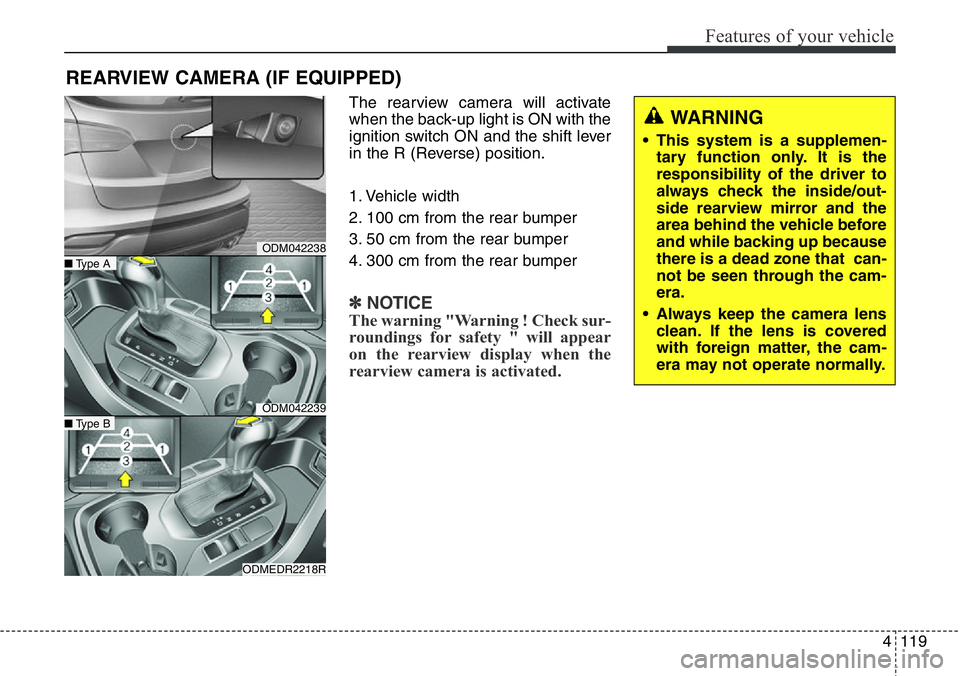
The rearview camera will activate
when the back-up light is ON with the
ignition switch ON and the shift lever
in the R (Reverse) position.
1. Vehicle width
2. 100 cm from the rear bumper
3. 50 cm from the rear bumper
4. 300 cm from the rear bumper
✽NOTICE
The warning "Warning ! Check sur-
roundings for safety " will appear
on the rearview display when the
rearview camera is activated.
REARVIEW CAMERA (IF EQUIPPED)
WARNING
• This system is a supplemen-
tary function only. It is the
responsibility of the driver to
always check the inside/out-
side rearview mirror and the
area behind the vehicle before
and while backing up because
there is a dead zone that can-
not be seen through the cam-
era.
• Always keep the camera lens
clean. If the lens is covered
with foreign matter, the cam-
era may not operate normally.
ODM042238
ODM042239
ODMEDR2218R
■Type A
■Type B
Page 229 of 711
Features of your vehicle
128 4
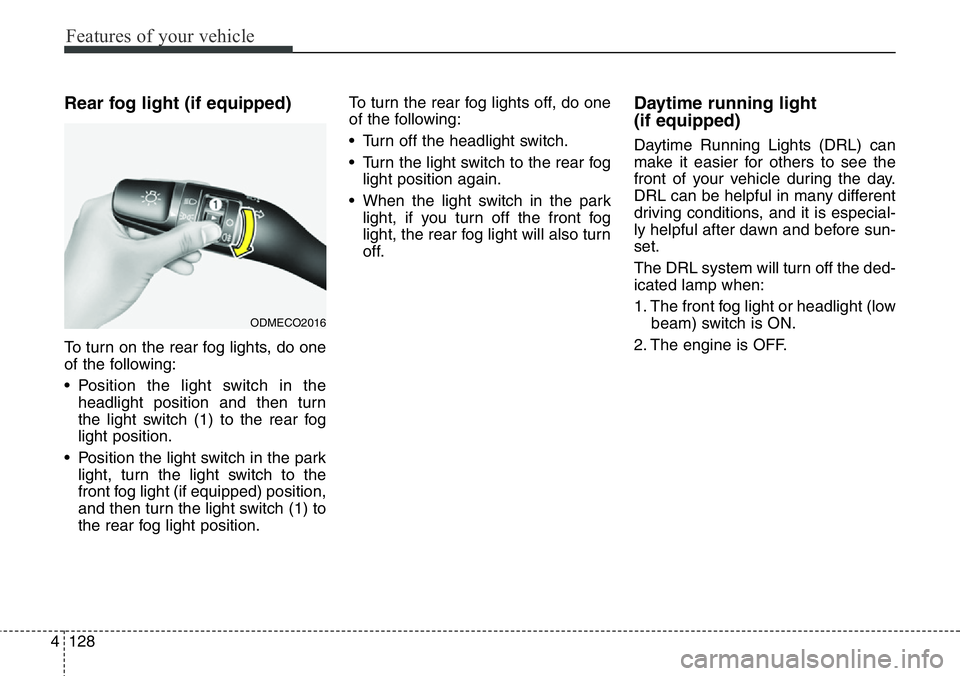
Rear fog light (if equipped)
To turn on the rear fog lights, do one
of the following:
• Position the light switch in the
headlight position and then turn
the light switch (1) to the rear fog
light position.
• Position the light switch in the park
light, turn the light switch to the
front fog light (if equipped) position,
and then turn the light switch (1) to
the rear fog light position.To turn the rear fog lights off, do one
of the following:
• Turn off the headlight switch.
• Turn the light switch to the rear fog
light position again.
• When the light switch in the park
light, if you turn off the front fog
light, the rear fog light will also turn
off.
Daytime running light
(if equipped)
Daytime Running Lights (DRL) can
make it easier for others to see the
front of your vehicle during the day.
DRL can be helpful in many different
driving conditions, and it is especial-
ly helpful after dawn and before sun-
set.
The DRL system will turn off the ded-
icated lamp when:
1. The front fog light or headlight (low
beam) switch is ON.
2. The engine is OFF.
ODMECO2016
Page 271 of 711
Features of your vehicle
170 4
• For maximum defrosting, set the
temperature control to the extreme
right/hot position and the fan speed
control to the highest speed.
• If warm air to the floor is desired
while defrosting or defogging, set
the mode to the floor-defrost posi-
tion.
• Before driving, clear all snow and
ice from the windshield, rear win-
dow, outside rear view mirrors, and
all side windows.
• Clear all snow and ice from the
hood and air inlet in the cowl grill to
improve heater and defroster effi-
ciency and to reduce the probabili-
ty of fogging up the inside of the
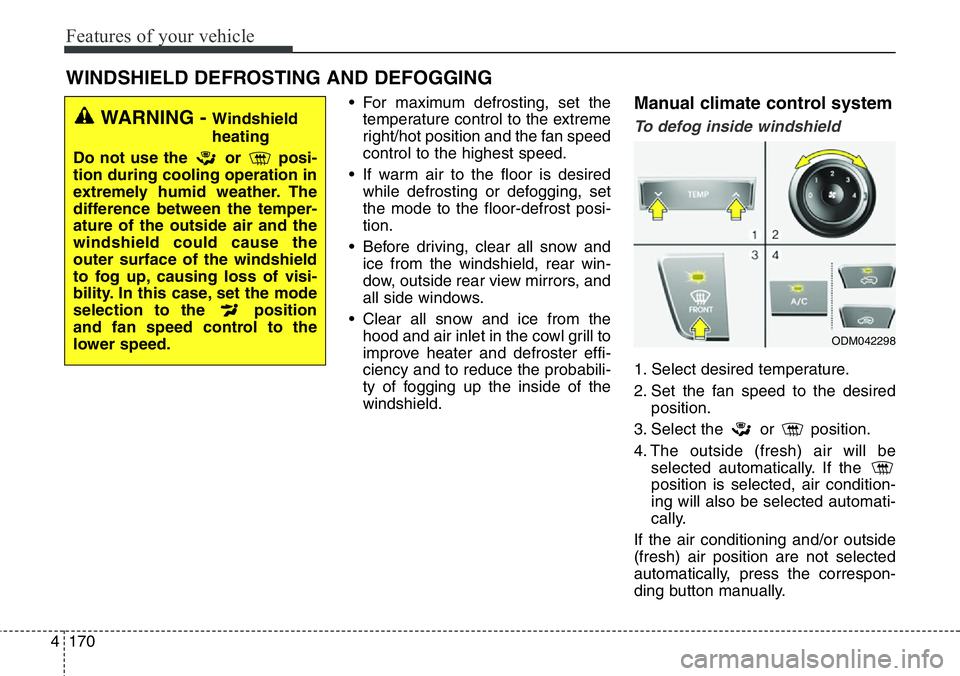
windshield.Manual climate control system
To defog inside windshield
1. Select desired temperature.
2. Set the fan speed to the desired
position.
3. Select the or position.
4. The outside (fresh) air will be
selected automatically. If the
position is selected, air condition-
ing will also be selected automati-
cally.
If the air conditioning and/or outside
(fresh) air position are not selected
automatically, press the correspon-
ding button manually.
WINDSHIELD DEFROSTING AND DEFOGGING
WARNING - Windshield
heating
Do not use the or posi-
tion during cooling operation in
extremely humid weather. The
difference between the temper-
ature of the outside air and the
windshield could cause the
outer surface of the windshield
to fog up, causing loss of visi-
bility. In this case, set the mode
selection to the position
and fan speed control to the
lower speed.
ODM042298
Page 272 of 711
4171
Features of your vehicle
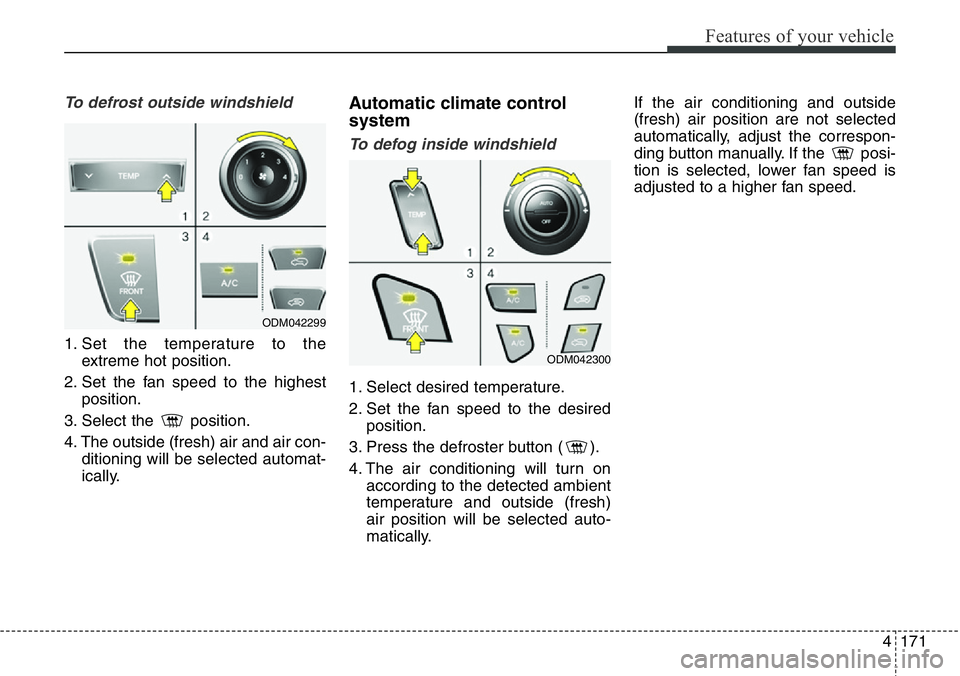
To defrost outside windshield
1. Set the temperature to the
extreme hot position.
2. Set the fan speed to the highest
position.
3. Select the position.
4. The outside (fresh) air and air con-
ditioning will be selected automat-
ically.
Automatic climate control
system
To defog inside windshield
1. Select desired temperature.
2. Set the fan speed to the desired
position.
3. Press the defroster button ( ).
4. The air conditioning will turn on
according to the detected ambient
temperature and outside (fresh)
air position will be selected auto-
matically.If the air conditioning and outside
(fresh) air position are not selected
automatically, adjust the correspon-
ding button manually. If the posi-
tion is selected, lower fan speed is
adjusted to a higher fan speed.
ODM042299
ODM042300
Page 290 of 711
4189
Features of your vehicle
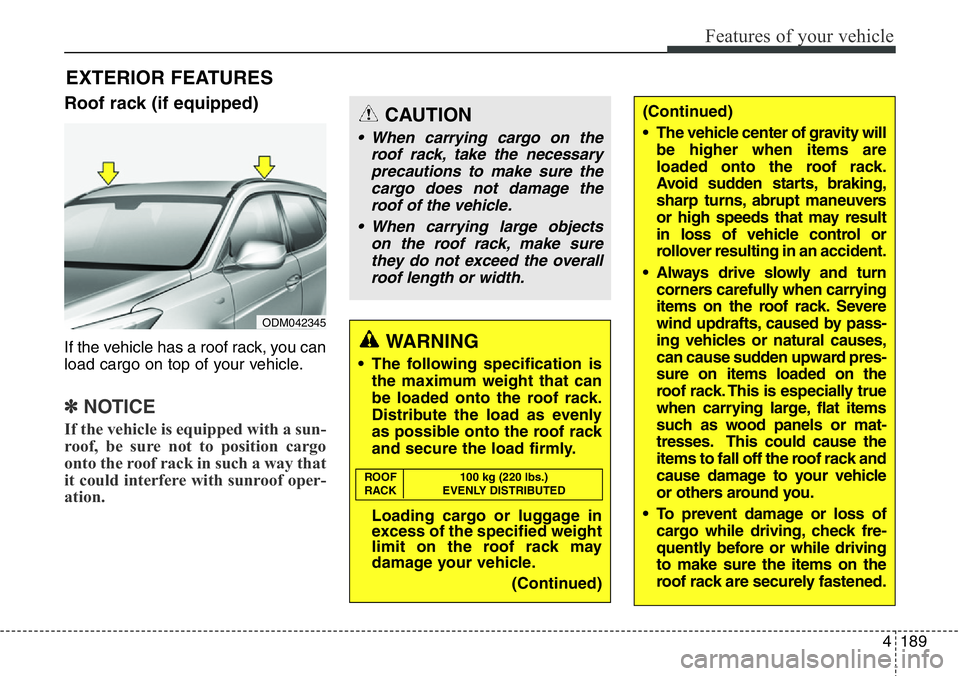
Roof rack (if equipped)
If the vehicle has a roof rack, you can
load cargo on top of your vehicle.
✽NOTICE
If the vehicle is equipped with a sun-
roof, be sure not to position cargo
onto the roof rack in such a way that
it could interfere with sunroof oper-
ation.
EXTERIOR FEATURES
(Continued)
• The vehicle center of gravity will
be higher when items are
loaded onto the roof rack.
Avoid sudden starts, braking,
sharp turns, abrupt maneuvers
or high speeds that may result
in loss of vehicle control or
rollover resulting in an accident.
• Always drive slowly and turn
corners carefully when carrying
items on the roof rack. Severe
wind updrafts, caused by pass-
ing vehicles or natural causes,
can cause sudden upward pres-
sure on items loaded on the
roof rack. This is especially true
when carrying large, flat items
such as wood panels or mat-
tresses. This could cause the
items to fall off the roof rack and
cause damage to your vehicle
or others around you.
• To prevent damage or loss of
cargo while driving, check fre-
quently before or while driving
to make sure the items on the
roof rack are securely fastened.CAUTION
• When carrying cargo on the
roof rack, take the necessary
precautions to make sure the
cargo does not damage the
roof of the vehicle.
• When carrying large objects
on the roof rack, make sure
they do not exceed the overall
roof length or width.
WARNING
• The following specification is
the maximum weight that can
be loaded onto the roof rack.
Distribute the load as evenly
as possible onto the roof rack
and secure the load firmly.
Loading cargo or luggage in
excess of the specified weight
limit on the roof rack may
damage your vehicle.
(Continued)
ROOF 100 kg (220 lbs.)
RACK EVENLY DISTRIBUTED
ODM042345
Page 330 of 711
4229
Features of your vehicle
RADIO (for RDS model)
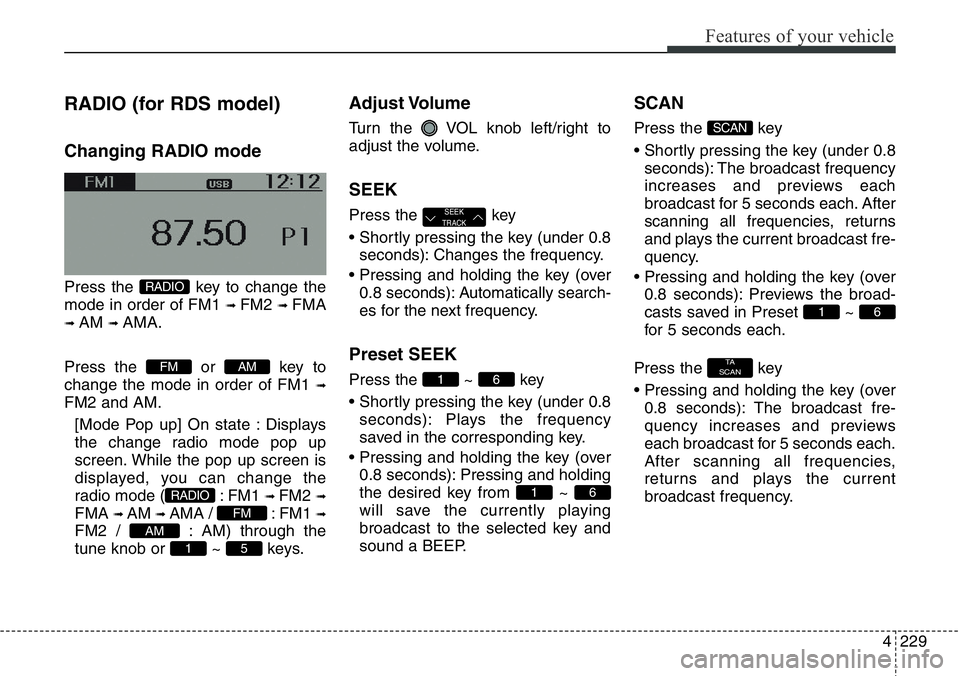
Changing RADIO mode
Press the key to change the
mode in order of FM1
➟ FM2 ➟ FMA
➟ AM ➟ AMA.
Press the or key to
change the mode in order of FM1
➟
FM2 and AM.
[Mode Pop up] On state : Displays
the change radio mode pop up
screen. While the pop up screen is
displayed, you can change the
radio mode ( : FM1
➟ FM2 ➟
FMA ➟ AM ➟ AMA / : FM1 ➟
FM2 / : AM) through the
tune knob or ~ keys.
Adjust Volume
Turn the VOL knob left/right to
adjust the volume.
SEEK
Press the key
• Shortly pressing the key (under 0.8
seconds): Changes the frequency.
• Pressing and holding the key (over
0.8 seconds): Automatically search-
es for the next frequency.
Preset SEEK
Press the ~ key
• Shortly pressing the key (under 0.8
seconds): Plays the frequency
saved in the corresponding key.
• Pressing and holding the key (over
0.8 seconds): Pressing and holding
the desired key from ~
will save the currently playing
broadcast to the selected key and
sound a BEEP.
SCAN
Press the key
• Shortly pressing the key (under 0.8
seconds): The broadcast frequency
increases and previews each
broadcast for 5 seconds each. After
scanning all frequencies, returns
and plays the current broadcast fre-
quency.
• Pressing and holding the key (over
0.8 seconds): Previews the broad-
casts saved in Preset ~
for 5 seconds each.
Press the key
• Pressing and holding the key (over
0.8 seconds): The broadcast fre-
quency increases and previews
each broadcast for 5 seconds each.
After scanning all frequencies,
returns and plays the current
broadcast frequency.
TA
SCAN
61
SCAN
61
61
SEEK
TRACK
51
AM
FM
RADIO
AMFM
RADIO