Page 519 of 1534

429
Features of your vehicle
(Continued)Use only portable plastic fuel
containers designed to carry and
store gasoline.
Do not use cellular phones while refueling. Electric current and/or
electronic interference from cel-
lular phones can potentially
ignite fuel vapors causing a fire.
When refueling, always shut the engine off. Sparks produced byelectrical components related to
the engine can ignite fuel vapors
causing a fire. Once refueling is
complete, check to make sure thefiller cap and filler door are
securely closed, before starting
the engine.
DO NOT use matches or a lighter and DO NOT SMOKE or leave a lit
cigarette in your vehicle while at
a gas station especially during
refueling. Automotive fuel is
highly flammable and can, when
ignited, result in fire.
(Continued)(Continued)
If a fire breaks out during refuel-ing, leave the vicinity of the vehi-
cle, and immediately contact the
manager of the gas station and
then contact the local fire depart-
ment. Follow any safety instruc-
tions they provide.CAUTION
Make sure to refuel your vehicle
according to the "Fuel require-
ments" suggested in section 1.
If the fuel filler cap requires replacement, we recommend thatyou use parts for replacement
from an authorized HYUNDAIdealer. An incorrect fuel filler cap can result in a serious malfunc-tion of the fuel system or emis-
sion control system.
Do not spill fuel on the exterior surfaces of the vehicle. Any typeof fuel spilled on painted surfaces
may damage the paint.
After refueling, make sure the fuel cap is installed securely to pre-vent fuel spillage in the event ofan accident.
EL(FL) Eng 4A.QXP 7/11/2013 11:31 AM Page 29
Page 520 of 1534
Features of your vehicle
30
4
If your vehicle is equipped with a sunroof,
you can slide or tilt your sunroof with the
sunroof control lever located on the over-
head console. The sunroof can only be opened, closed,
or tilted when the ignition switch is in theON position. Sunroof open warning (if equipped)
If the driver removes the ignition
key(Smart key : turns off the engine) and
opens the driver-side door when the sun-
roof is not fully closed, the warning chime
will sound for approximately 7 secondsand
- Type A : Sunroof Open Warning Light
illuminate or blink for approxi-
mately 7 seconds.
- Type B : Sunroof open image will
appear on the LCD display.
Close the sunroof securely when leaving
your vehicle.
✽✽ NOTICE
Page 524 of 1534
Features of your vehicle
34
4
Electric power steering (if equipped)
Power steering uses the motor to assist
you in steering the vehicle. If the engine
is off or if the power steering system
becomes inoperative, the vehicle may
still be steered, but it will require
increased steering effort.
The motor driven power steering is con-
trolled by the power steering control unit
which senses the steering wheel torque
and vehicle speed to command the
motor.
The steering wheel becomes heavier as
the vehicle’s speed increases and
becomes lighter as the vehicle’s speed
decreases for better control of the steer-ing wheel.
Should you notice any change in the
effort required to steering during normal
vehicle operation, we recommend that
the system be checked by an authorized
HYUNDAI dealer.✽✽
NOTICE
The following symptoms may occur dur- ing normal vehicle operation:
Page 529 of 1534

439
Features of your vehicle
Inside rearview mirror
Adjust the rearview mirror to center on
the view through the rear window. Make
this adjustment before you start driving.
Day/night rearview mirror
Make this adjustment before you start
driving and while the day/night lever is in
the day position.
Pull the day/night lever toward you to
reduce glare from the headlights of vehi-
cles behind you during night driving.
Remember that you lose some rearviewclarity in the night position.
Electric chromic mirror (ECM) (if equipped)
The electric rearview mirror automatical- ly controls the glare from the headlights
of the car behind you in nighttime or low
light driving conditions. The sensormounted in the mirror senses the light
level around the vehicle, and automati-cally controls the headlight glare from
vehicles behind you.
When the engine is running, the glare is
automatically controlled by the sensor
mounted in the rearview mirror.
Whenever the shift lever is shifted into
reverse (R), the mirror will automatically
go to the brightest setting in order to
improve the drivers view behind the vehi-
cle.
MIRRORS
WARNING -
Rear visibility
Do not place objects in the rear
seat or cargo area which would
interfere with your vision out the
rear window.
OEL049035
CAUTION
When cleaning the mirror, use a paper towel or similar materialdampened with glass cleaner. Do not spray glass cleaner directly on
the mirror as that may cause the liq- uid cleaner to enter the mirror hous-ing.
Day
Night
WARNING
Do not adjust the rearview mirror
while the vehicle is moving. This
could result in loss of control, and
an accident which could cause
death, serious injury or property
damage.
WARNING
Do not modify the inside mirror and
do not install a wide mirror. It could
result in injury, during an accident
or deployment of the air bag.
EL(FL) Eng 4A.QXP 7/11/2013 11:32 AM Page 39
Page 566 of 1534

Features of your vehicle
76
4
Malfunction indicator lamp
(MIL) (check engine light)
This indicator light is part of the Engine
Control System which monitors various
emission control system components. If
this light illuminates while driving, it indi-
cates that a potential problem has been
detected somewhere in the emissioncontrol system. This light will also illuminate when the
ignition switch is turned to the ON posi-
tion, and will go out in a few seconds
after the engine is started. If it illuminates
while driving, or does not illuminate when
the ignition key is turned to the ON posi-
tion, we recommend that the system be
checked by an authorized HYUNDAI
dealer.
Generally, your vehicle will continue to be
drivable, but we recommend that the sys-
tem be checked by an authorized
HYUNDAI dealer.
CAUTION - Diesel engine
(if equipped with DPF)
When the malfunction indicator light is blinks, it may stop blinking
after driving the vehicle at more than 60km/h (37 mph) or at morethan second gear with 1500 ~ 2000engine rpm for a certain time (for
about 25 minutes).
If the malfunction indicator lightcontinues to blink in spite of the procedure, we recommend that the
system be checked by an author- ized HYUNDAI dealer.
If you continue to drive with themalfunction indicator light blinking
for a long time, the DPF system canbe damaged and fuel consumption can be worsen.
CAUTION
Prolonged driving with the EmissionControl System Malfunction
Indicator Light illuminated maycause damage to the emission con- trol systems which could effect dri-vability and/or fuel economy.
CAUTION - Gasoline engine
If the Emission Control SystemMalfunction Indicator Light illumi-
nates, potential catalytic converter damage is possible which couldresult in loss of engine power. Werecommend that the system be
inspected by an authorizedHYUNDAI dealer.
CAUTION - Diesel engine
If the Emission Control SystemMalfunction Indicator Light blinks,
some error related to the injection quantity adjustment occurs whichcould result in loss of engine power, combustion noise and poor
emission. We recommend that thesystem be inspected by an author-ized HYUNDAI dealer.
EL(FL) Eng 4A.QXP 7/11/2013 11:33 AM Page 76
Page 567 of 1534
477
Features of your vehicle
Indicator Lights
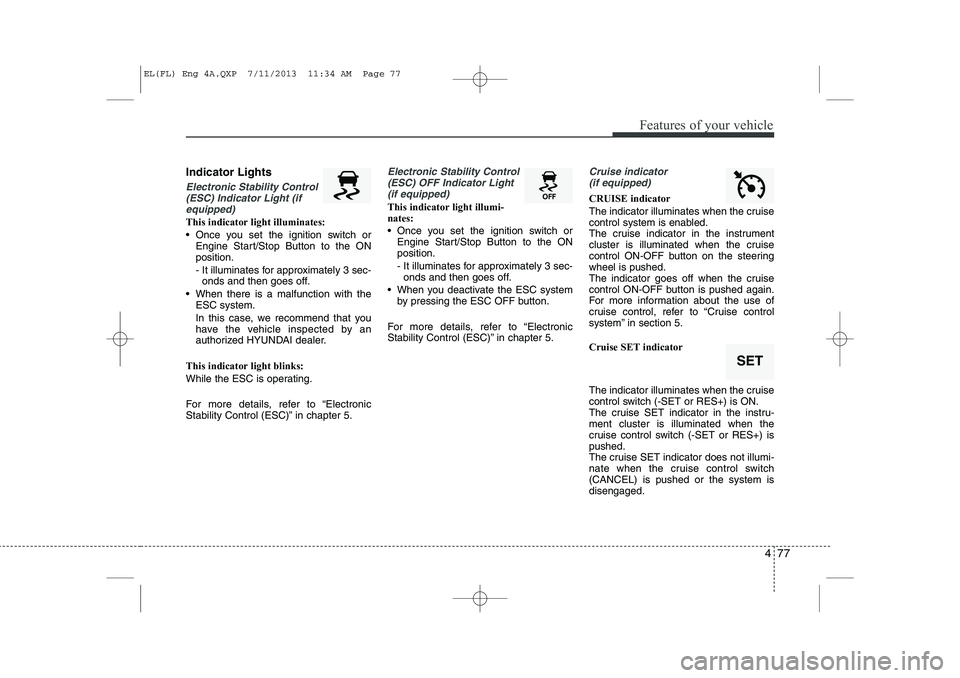
Electronic Stability Control(ESC) Indicator Light (if equipped)
This indicator light illuminates:
Once you set the ignition switch or Engine Start/Stop Button to the ON position.
- It illuminates for approximately 3 sec-onds and then goes off.
When there is a malfunction with the ESC system.
In this case, we recommend that you
have the vehicle inspected by an
authorized HYUNDAI dealer.
This indicator light blinks:
While the ESC is operating.
For more details, refer to “Electronic
Stability Control (ESC)” in chapter 5.
Electronic Stability Control (ESC) OFF Indicator Light (if equipped)
This indicator light illumi- nates:
Once you set the ignition switch or Engine Start/Stop Button to the ON position.
- It illuminates for approximately 3 sec-onds and then goes off.
When you deactivate the ESC system by pressing the ESC OFF button.
For more details, refer to “Electronic
Stability Control (ESC)” in chapter 5.
Cruise indicator (if equipped)
CRUISE indicator
The indicator illuminates when the cruise
control system is enabled.
The cruise indicator in the instrument
cluster is illuminated when the cruise
control ON-OFF button on the steeringwheel is pushed.
The indicator goes off when the cruise
control ON-OFF button is pushed again.
For more information about the use of
cruise control, refer to “Cruise control
system” in section 5. Cruise SET indicator
The indicator illuminates when the cruise
control switch (-SET or RES+) is ON.
The cruise SET indicator in the instru-ment cluster is illuminated when the
cruise control switch (-SET or RES+) ispushed.
The cruise SET indicator does not illumi-
nate when the cruise control switch(CANCEL) is pushed or the system isdisengaged.
SET
EL(FL) Eng 4A.QXP 7/11/2013 11:34 AM Page 77
Page 591 of 1534

4 101
Features of your vehicle
Auto light position (if equipped)
When the light switch is in the AUTO light position, the taillights and headlights will
be turned ON or OFF automaticallydepending on the amount of light outside
the vehicle.High - beam operation
To turn on the high beam headlights,
push the lever away from you. Pull it back
for low beams. The high-beam indicator will light when
the headlight high beams are switchedon.
To prevent the battery from being dis-
charged, do not leave the lights on for aprolonged time while the engine is not
running.
OBK049048NOBK049050N
CAUTION
Never place anything over the
sensor (1) located on the instru-
ment panel, this will ensure better auto-light system control.
Don’t clean the sensor using a window cleaner, the cleaner may
leave a light film which could interfere with sensor operation.
If your vehicle has window tint or other types of coating on thefront windshield, the Auto light
system may not work properly.
WARNING
Do not use high beam when there
are other vehicles. Using highbeam could obstruct the other dri-ver's vision.
EL(FL) Eng 4A.QXP 7/11/2013 11:35 AM Page 101
Page 606 of 1534
Heating and air conditioning
1. Start the engine.
2. Set the mode to the desired position.For improving the effectiveness of heating and cooling;- Heating: - Cooling:
3. Set the temperature control to the desired position.
4. Set the air intake control to the outside (fresh) air position.
5. Set the fan speed control to the desired speed.
6. If air conditioning is desired, turn the air conditioning system (if equipped) on.
OEL049120
4 116
Features of your vehicle
EL(FL) Eng 4A.QXP 7/11/2013 11:37 AM Page 116