Page 1160 of 1534
489
Features of your vehicle
WARNING
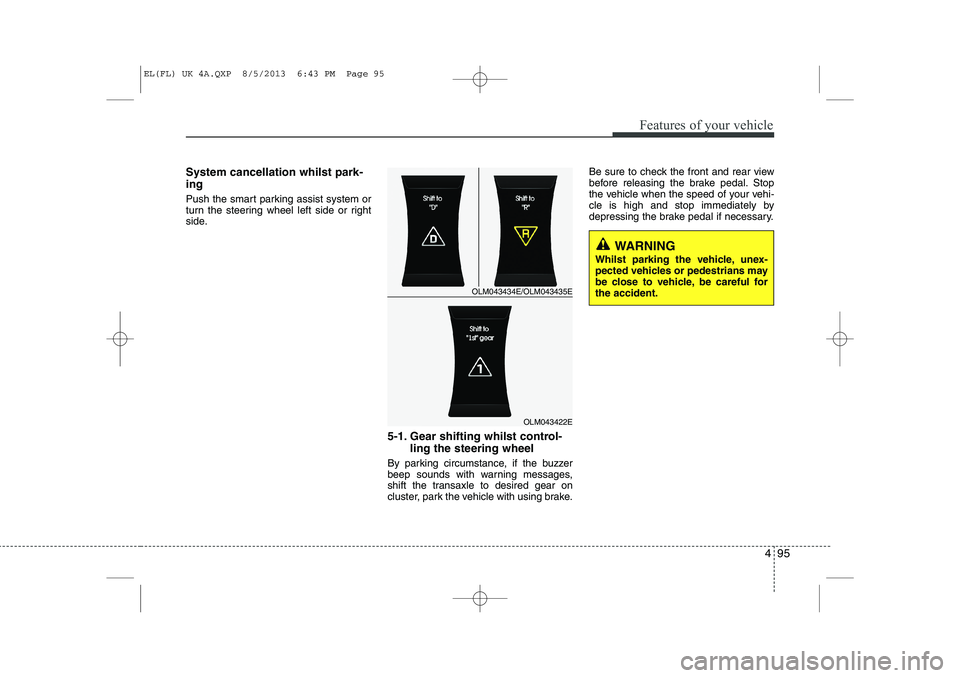
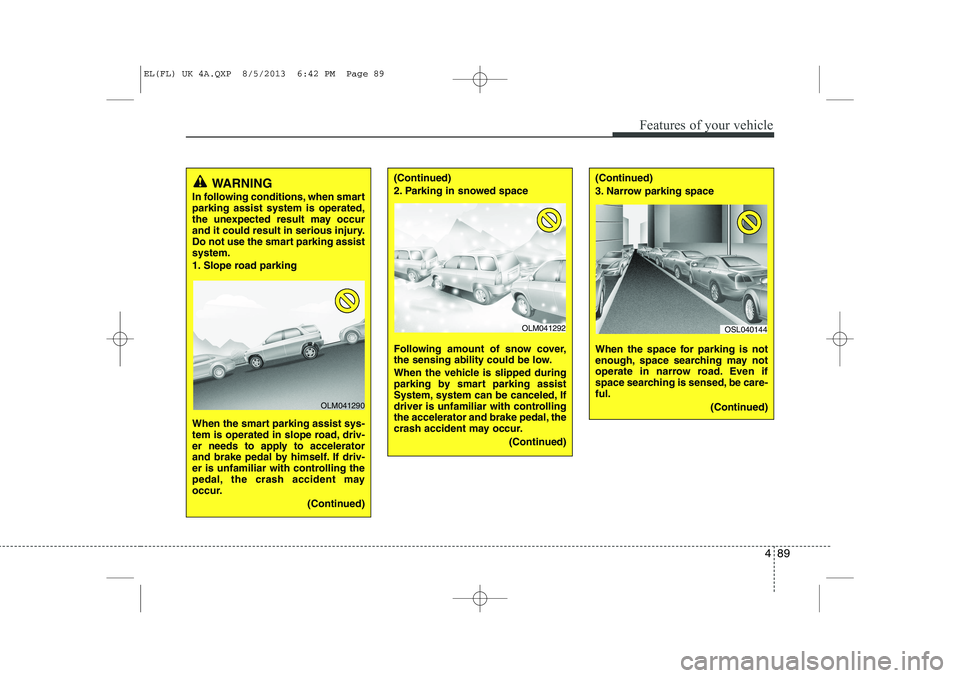
In following conditions, when smart parking assist system is operated,
the unexpected result may occur
and it could result in serious injury.
Do not use the smart parking assistsystem.
1. Slope road parking
When the smart parking assist sys-
tem is operated in slope road, driv-
er needs to apply to accelerator
and brake pedal by himself. If driv-
er is unfamiliar with controlling the
pedal, the crash accident may
occur.
(Continued)
OLM041290
(Continued)
2. Parking in snowed space
Following amount of snow cover,
the sensing ability could be low.
When the vehicle is slipped during
parking by smart parking assist
System, system can be canceled, If
driver is unfamiliar with controlling
the accelerator and brake pedal, the
crash accident may occur.(Continued)(Continued)
3. Narrow parking space
When the space for parking is not
enough, space searching may not
operate in narrow road. Even if
space searching is sensed, be care-ful.(Continued)
OLM041292OSL040144
EL(FL) UK 4A.QXP 8/5/2013 6:42 PM Page 89
Page 1163 of 1534
Features of your vehicle
92
4
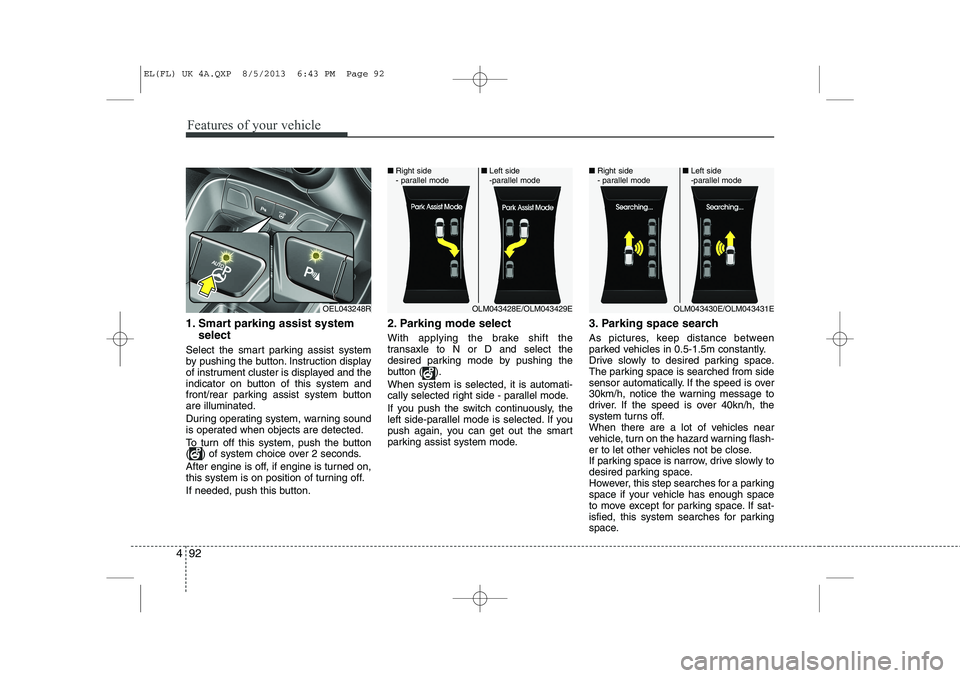
1. Smart parking assist system
select
Select the smart parking assist system
by pushing the button. Instruction display
of instrument cluster is displayed and the
indicator on button of this system and
front/rear parking assist system buttonare illuminated.
During operating system, warning sound
is operated when objects are detected.
To turn off this system, push the button
( ) of system choice over 2 seconds.
After engine is off, if engine is turned on,
this system is on position of turning off.
If needed, push this button. 2. Parking mode select
With applying the brake shift the
transaxle to N or D and select the
desired parking mode by pushing the
button ( ). When system is selected, it is automati-
cally selected right side - parallel mode.
If you push the switch continuously, the
left side-parallel mode is selected. If you
push again, you can get out the smart
parking assist system mode.
3. Parking space search
As pictures, keep distance between
parked vehicles in 0.5-1.5m constantly.
Drive slowly to desired parking space.
The parking space is searched from side
sensor automatically. If the speed is over
30km/h, notice the warning message to
driver. If the speed is over 40kn/h, the
system turns off.
When there are a lot of vehicles near
vehicle, turn on the hazard warning flash-
er to let other vehicles not be close.
If parking space is narrow, drive slowly to
desired parking space.
However, this step searches for a parking
space if your vehicle has enough space
to move except for parking space. If sat-
isfied, this system searches for parking
space.
OEL043248ROLM043428E/OLM043429E
■
Right side
- parallel mode ■
Left side
-parallel modeOLM043430E/OLM043431E
■
Right side
- parallel mode ■
Left side
-parallel mode
EL(FL) UK 4A.QXP 8/5/2013 6:43 PM Page 92
Page 1165 of 1534
Features of your vehicle
94
4
CAUTION
If you go forward or backward
without notice like warning mes-
sage, the parking state may be not good.
However, if the 3rd warning sound(continuous sound) occurs, drive
the vehicle reverse direction slowly after confirming surround-ing objects.
When parking the vehicle, care- fully go forward or backward with
depressing the brake pedal after completing steering wheel con-trol support.
If the speed of vehicle is high, the crash accident may occur.
Whilst parking the vehicle, if the 3rd warning sound (continuoussound) occurs, it means the vehi- cle is close to objects. Check the
surround objects by yourself.
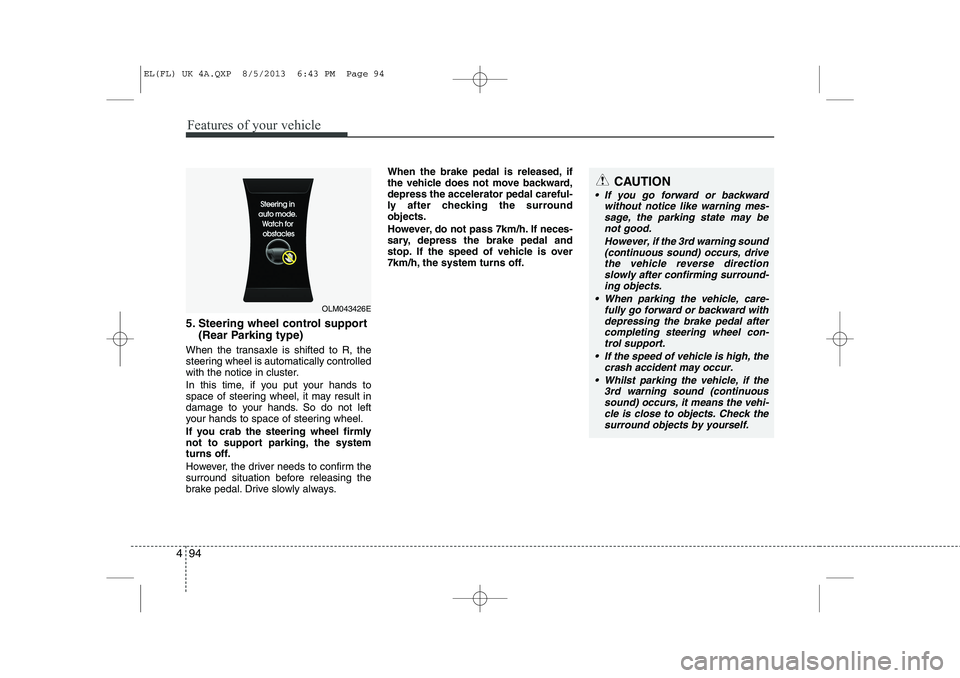
5. Steering wheel control support
(Rear Parking type)
When the transaxle is shifted to R, the
steering wheel is automatically controlled
with the notice in cluster.
In this time, if you put your hands to
space of steering wheel, it may result in
damage to your hands. So do not left
your hands to space of steering wheel.
If you crab the steering wheel firmly
not to support parking, the system
turns off.
However, the driver needs to confirm the
surround situation before releasing the
brake pedal. Drive slowly always. When the brake pedal is released, if
the vehicle does not move backward,depress the accelerator pedal careful-
ly after checking the surroundobjects.
However, do not pass 7km/h. If neces-
sary, depress the brake pedal and
stop. If the speed of vehicle is over
7km/h, the system turns off.
OLM043426E
EL(FL) UK 4A.QXP 8/5/2013 6:43 PM Page 94
Page 1166 of 1534
495
Features of your vehicle
System cancellation whilst park- ing
Push the smart parking assist system or
turn the steering wheel left side or right
side.5-1. Gear shifting whilst control-ling the steering wheel
By parking circumstance, if the buzzer
beep sounds with warning messages,
shift the transaxle to desired gear on
cluster, park the vehicle with using brake. Be sure to check the front and rear view
before releasing the brake pedal. Stop
the vehicle when the speed of your vehi-
cle is high and stop immediately by
depressing the brake pedal if necessary.
OLM043434E/OLM043435E
OLM043422E
WARNING
Whilst parking the vehicle, unex-
pected vehicles or pedestrians may
be close to vehicle, be careful forthe accident.
EL(FL) UK 4A.QXP 8/5/2013 6:43 PM Page 95
Page 1168 of 1534
497
Features of your vehicle
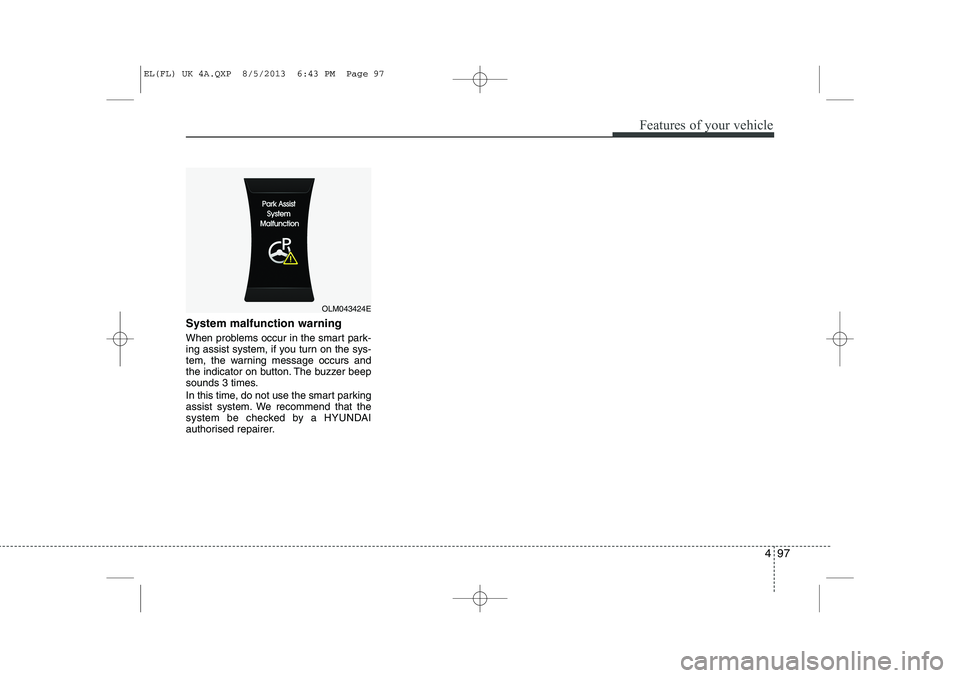
System malfunction warning
When problems occur in the smart park-
ing assist system, if you turn on the sys-
tem, the warning message occurs and
the indicator on button. The buzzer beep
sounds 3 times.
In this time, do not use the smart parking
assist system. We recommend that the
system be checked by a HYUNDAI
authorised repairer.
OLM043424E
EL(FL) UK 4A.QXP 8/5/2013 6:43 PM Page 97
Page 1169 of 1534
Features of your vehicle
98
4
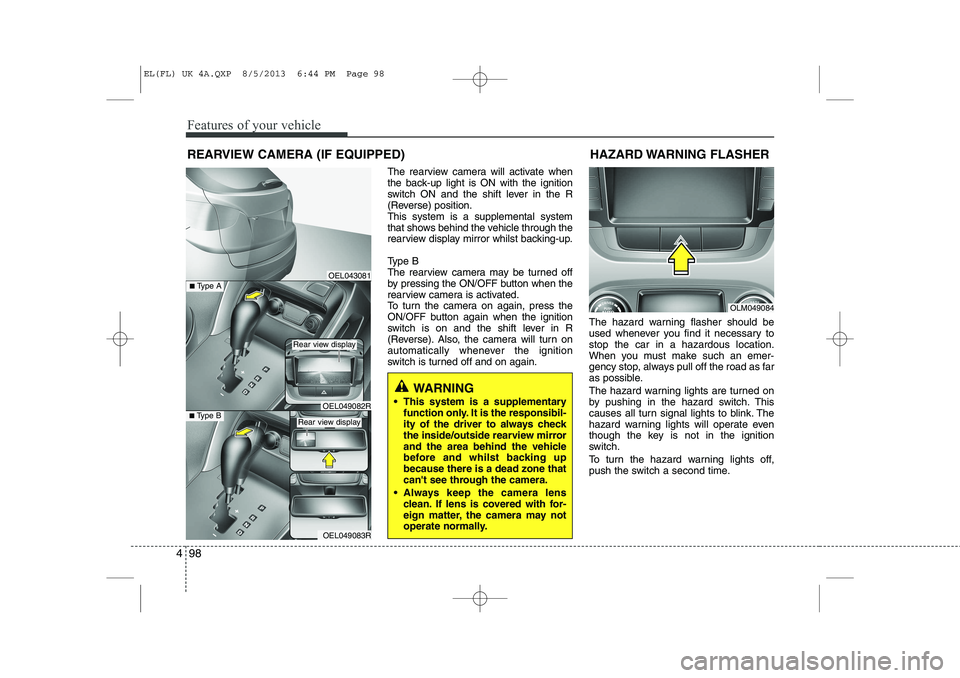
The rearview camera will activate when
the back-up light is ON with the ignition
switch ON and the shift lever in the R
(Reverse) position.This system is a supplemental system
that shows behind the vehicle through the
rearview display mirror whilst backing-up.
Type B
The rearview camera may be turned off
by pressing the ON/OFF button when the
rearview camera is activated.
To turn the camera on again, press the
ON/OFF button again when the ignition
switch is on and the shift lever in R
(Reverse). Also, the camera will turn on
automatically whenever the ignition
switch is turned off and on again. The hazard warning flasher should be
used whenever you find it necessary tostop the car in a hazardous location.
When you must make such an emer-
gency stop, always pull off the road as far
as possible.
The hazard warning lights are turned on
by pushing in the hazard switch. This
causes all turn signal lights to blink. The
hazard warning lights will operate even
though the key is not in the ignition
switch.
To turn the hazard warning lights off,
push the switch a second time.
REARVIEW CAMERA (IF EQUIPPED)
WARNING
This system is a supplementary function only. It is the responsibil-
ity of the driver to always check
the inside/outside rearview mirror
and the area behind the vehicle
before and whilst backing upbecause there is a dead zone that
can't see through the camera.
Always keep the camera lens clean. If lens is covered with for-
eign matter, the camera may not
operate normally.
OEL043081
OLM049084
HAZARD WARNING FLASHER
OEL049083R
■
Type BOEL049082R
■Type A
Rear view display
Rear view display
EL(FL) UK 4A.QXP 8/5/2013 6:44 PM Page 98
Page 1172 of 1534
4 101
Features of your vehicle
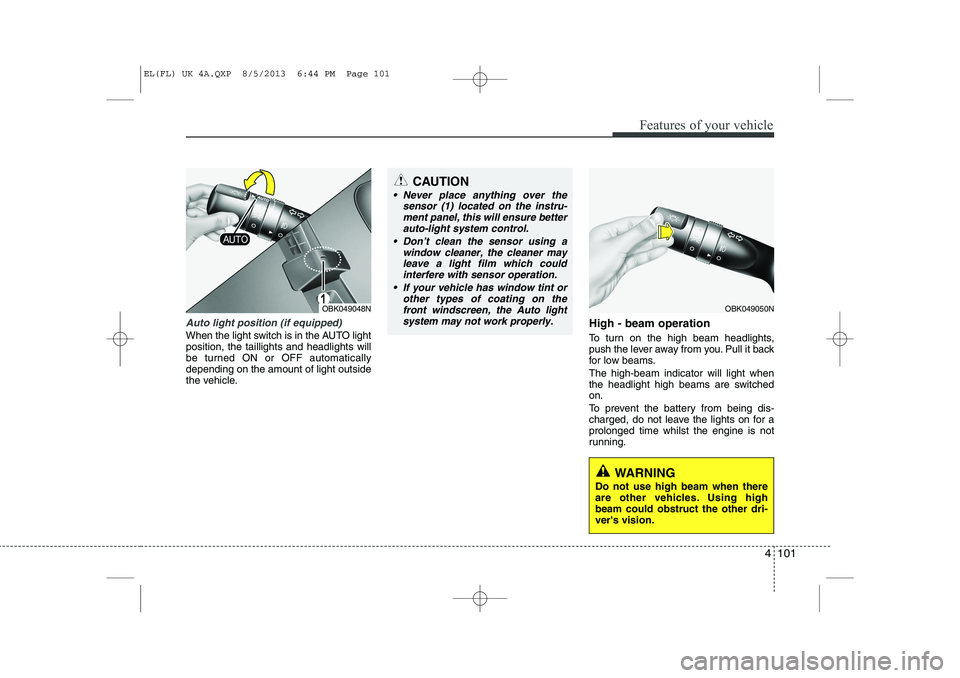
Auto light position (if equipped)
When the light switch is in the AUTO light position, the taillights and headlights will
be turned ON or OFF automaticallydepending on the amount of light outside
the vehicle.High - beam operation
To turn on the high beam headlights,
push the lever away from you. Pull it back
for low beams. The high-beam indicator will light when
the headlight high beams are switchedon.
To prevent the battery from being dis-
charged, do not leave the lights on for aprolonged time whilst the engine is not
running.
OBK049050N
CAUTION
Never place anything over the
sensor (1) located on the instru-
ment panel, this will ensure better auto-light system control.
Don’t clean the sensor using a window cleaner, the cleaner may
leave a light film which could interfere with sensor operation.
If your vehicle has window tint or other types of coating on thefront windscreen, the Auto light
system may not work properly.
OBK049048N
WARNING
Do not use high beam when there
are other vehicles. Using highbeam could obstruct the other dri-ver's vision.
EL(FL) UK 4A.QXP 8/5/2013 6:44 PM Page 101
Page 1176 of 1534
4 105
Features of your vehicle
Automatic type
It automatically adjusts the headlight
beam level according to the number of
passengers and loading weight in theluggage area.
And it offers proper headlight beam
under various conditions.
WARNING
If it does not work properly even
though your car is inclined back-
ward according to passenger's
posture, or the headlight beam is
irradiated to the high or low posi-
tion, we recommend that you have
your vehicle inspected by a
HYUNDAI authorised repairer. Do not attempt to inspect or
replace the wiring yourself.
EL(FL) UK 4A.QXP 8/5/2013 6:44 PM Page 105