Maintenance
46
7
MAINTENANCE UNDER SEVERE USAGE CONDITIONS - FOR RUSSIA
The following items must be serviced more frequently on cars mainly used under severe driving conditions.
Refer to the chart below for the appropriate maintenance intervals.
R : Replace I : Inspect and if necessary, adjust, correct, clean or replace
MAINTENANCE ITEMMAINTENANCE
OPERATIONMAINTENANCE INTERVALSDRIVING
CONDITION
Engine oil and engine oil filterREvery 7,500 km (5,000 miles)
or 6 monthsA, B, C, F, G, H, I, J, K, L
Air cleaner filterRReplace more frequently depending on the conditionC, E
Spark plugRReplace more frequently depending on the conditionB, H
Manual transaxle fluid (if equipped)REvery 120,000 km (80,000 miles)C, D, E, G, H, I, K
Automatic transaxle fluid (if equipped)REvery 90,000 km (60,000 miles)A, C, F, G, H, I, K
Steering gear rack, linkage and bootsIInspect more frequently depending on the conditionC, D, E, F, G
Propeller shaft (if equipped) IEvery 15,000 km (10,000 miles) or 12 monthsC, E
Front suspension ball jointsIInspect more frequently depending on the conditionC, D, E, F, G
EL(FL) Eng 7.QXP 10/7/2013 9:29 AM Page 46
Features of your vehicle
54
4
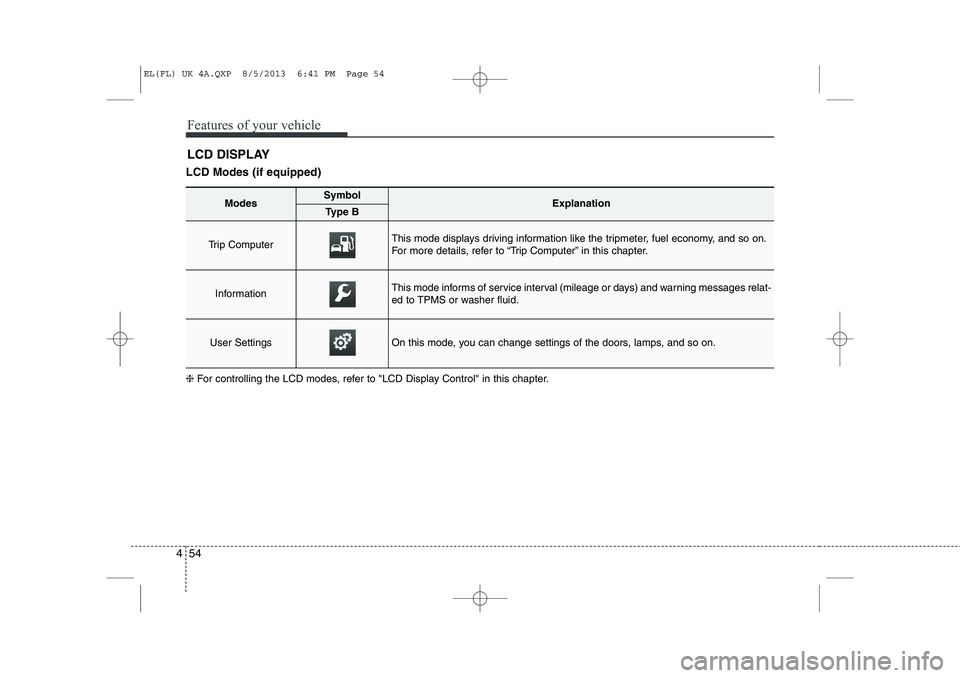
LCD DISPLAY
LCD Modes (if equipped) ❈ For controlling the LCD modes, refer to "LCD Display Control" in this chapter.
ModesSymbolExplanationType B
Trip Computer This mode displays driving information like the tripmeter, fuel economy, and so on.
For more details, refer to “Trip Computer” in this chapter.
InformationThis mode informs of service interval (mileage or days) and warning messages relat-
ed to TPMS or washer fluid.
User SettingsOn this mode, you can change settings of the doors, lamps, and so on.
EL(FL) UK 4A.QXP 8/5/2013 6:41 PM Page 54
455
Features of your vehicle
Information Mode
Service Interval
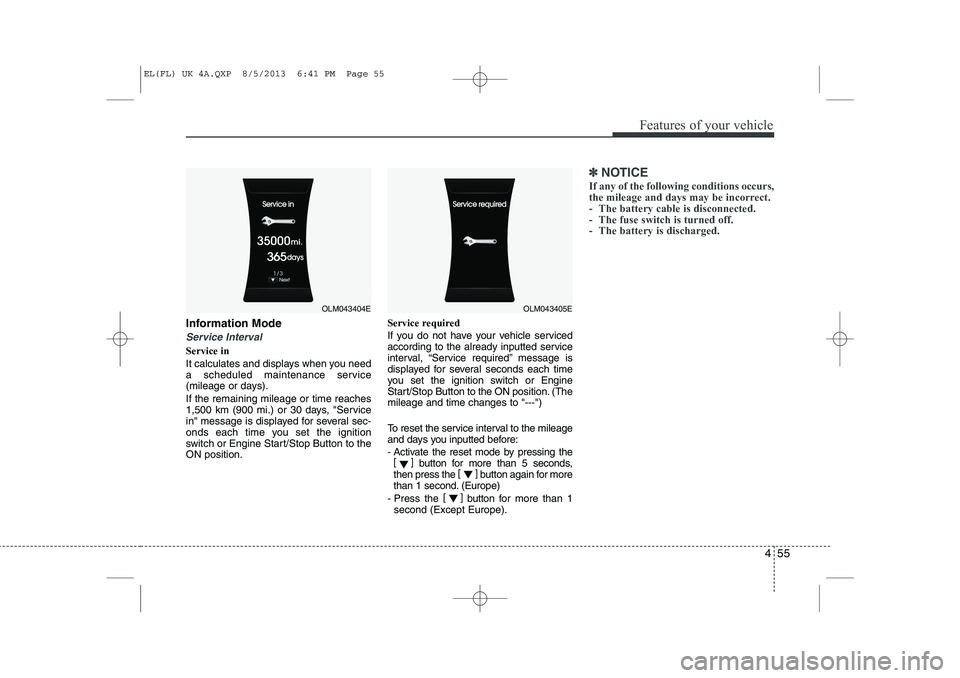
Service in
It calculates and displays when you need
a scheduled maintenance service
(mileage or days). If the remaining mileage or time reaches
1,500 km (900 mi.) or 30 days, "Service
in" message is displayed for several sec-
onds each time you set the ignition
switch or Engine Start/Stop Button to theON position.Service required
If you do not have your vehicle serviced
according to the already inputted service
interval, “Service required” message is
displayed for several seconds each time
you set the ignition switch or Engine
Start/Stop Button to the ON position. (Themileage and time changes to "---")
To reset the service interval to the mileage
and days you inputted before:
- Activate the reset mode by pressing the
[] button for more than 5 seconds,
then press the []
button again for more
than 1 second. (Europe)
- Press the []
button for more than 1
second (Except Europe).
✽✽ NOTICE
If any of the following conditions occurs,
the mileage and days may be incorrect.
- The battery cable is disconnected.
- The fuse switch is turned off.
- The battery is discharged.
OLM043404EOLM043405E
EL(FL) UK 4A.QXP 8/5/2013 6:41 PM Page 55
Features of your vehicle
58
4
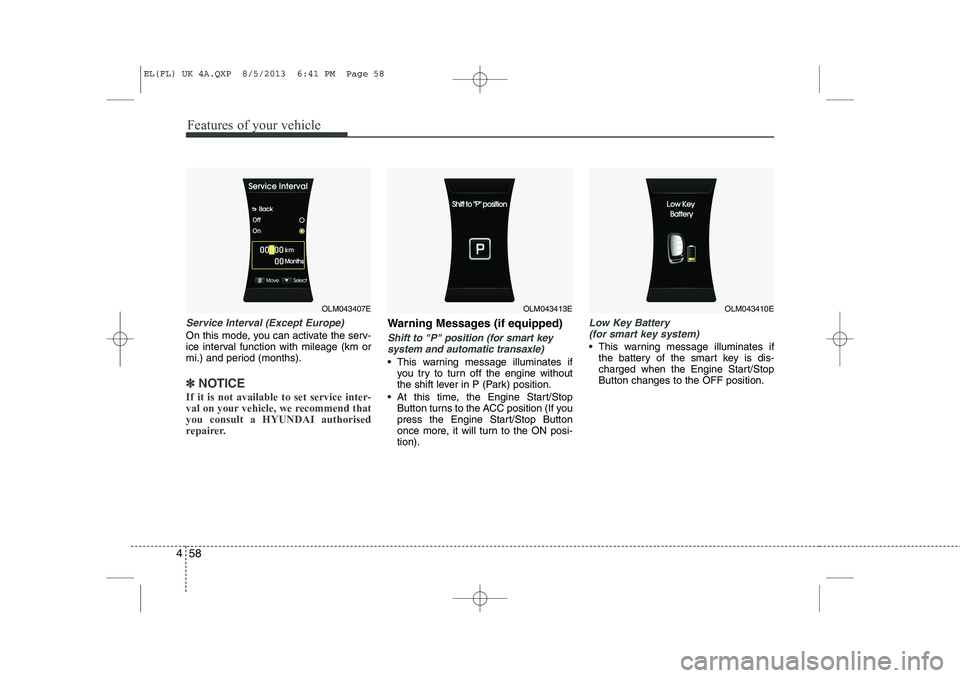
Service Interval (Except Europe)
On this mode, you can activate the serv-
ice interval function with mileage (km or
mi.) and period (months).
✽✽
NOTICE
If it is not available to set service inter-
val on your vehicle, we recommend thatyou consult a HYUNDAI authorised
repairer.
Warning Messages (if equipped)
Shift to "P" position (for smart key system and automatic transaxle)
This warning message illuminates if you try to turn off the engine without
the shift lever in P (Park) position.
At this time, the Engine Start/Stop Button turns to the ACC position (If you
press the Engine Start/Stop Button
once more, it will turn to the ON posi-tion).
Low Key Battery
(for smart key system)
This warning message illuminates if the battery of the smart key is dis-
charged when the Engine Start/StopButton changes to the OFF position.
OLM043407EOLM043413EOLM043410E
EL(FL) UK 4A.QXP 8/5/2013 6:41 PM Page 58