Page 1076 of 1534
45
Features of your vehicle
Immobiliser system
Your vehicle may be equipped with an electronic engine immobiliser system to
reduce the risk of unauthorised vehicle
use.
Your immobiliser system is comprised of
a small transponder in the ignition key
and electronic devices inside the vehicle.
With the immobiliser system, whenever
you insert your ignition key into the igni-
tion switch and turn it to ON, it checks
and determines and verifies if the ignition
key is valid or not.
If the key is determined to be valid, the
engine will start.
If the key is determined to be invalid, the
engine will not start.To deactivate the immobiliser sys-tem:
Insert the ignition key into the key cylin-
der and turn it to the ON position.
To activate the immobiliser system:
Turn the ignition key to the OFF position.
The immobiliser system activates auto-
matically. Without a valid ignition key for
your vehicle, the engine will not start.
✽✽ NOTICE
The immobiliser system detects the
presence of a key in the ignition switch.
To ensure the system performs correct-
ly, the keys should be separated afterdelivery of the vehicle so that only one
key is near the ignition switch when
using the vehicle. The engine may not
start or may stop shortly after starting if
more than one key is near the ignitionswitch.
✽
✽ NOTICE
If you need additional keys or lose your
keys, we recommend that you consult a
HYUNDAI authorised repairer.
WARNING
In order to prevent theft of your
vehicle, do not leave spare keys
anywhere in your vehicle. Your
immobiliser password is a cus-
tomer unique password and should
be kept confidential. Do not leave
this number anywhere in your vehi-
cle.CAUTION
Do not put metal accessories near the ignition switch.
The engine may not start for themetal accessories may interrupt the transponder signal from normallytransmitting.
EL(FL) UK 4A.QXP 8/5/2013 6:38 PM Page 5
Page 1081 of 1534
Features of your vehicle
10
4
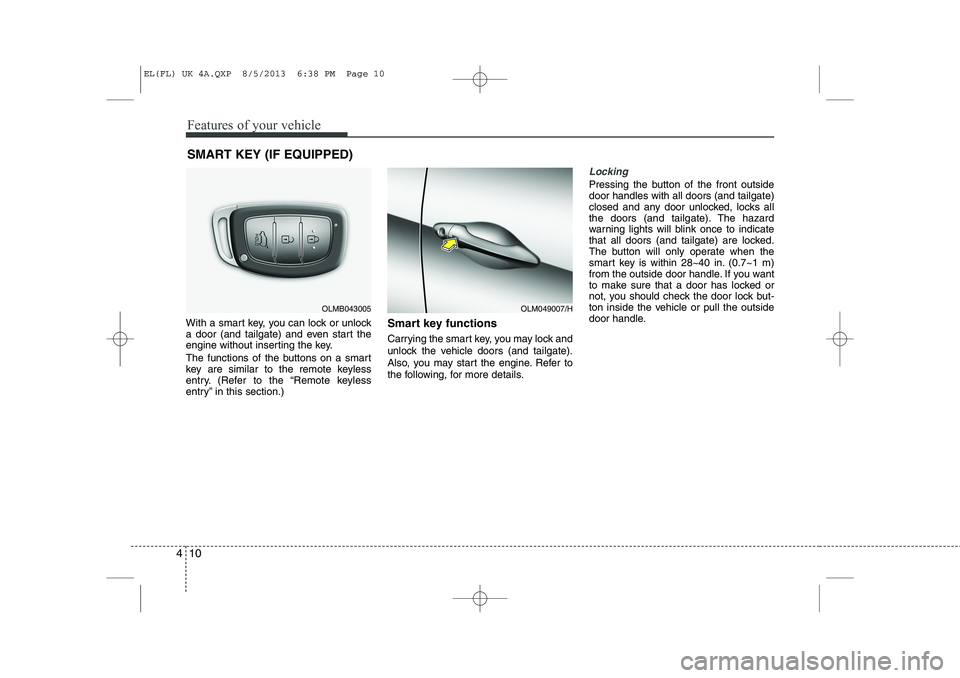
With a smart key, you can lock or unlock
a door (and tailgate) and even start the
engine without inserting the key.
The functions of the buttons on a smart
key are similar to the remote keyless
entry. (Refer to the “Remote keyless
entry” in this section.) Smart key functions
Carrying the smart key, you may lock and
unlock the vehicle doors (and tailgate).
Also, you may start the engine. Refer to
the following, for more details.
Locking
Pressing the button of the front outside door handles with all doors (and tailgate)
closed and any door unlocked, locks all
the doors (and tailgate). The hazard
warning lights will blink once to indicate
that all doors (and tailgate) are locked.
The button will only operate when the
smart key is within 28~40 in. (0.7~1 m)
from the outside door handle. If you want
to make sure that a door has locked or
not, you should check the door lock but-
ton inside the vehicle or pull the outside
door handle.
SMART KEY (IF EQUIPPED)
OLM049007/HOLMB043005
EL(FL) UK 4A.QXP 8/5/2013 6:38 PM Page 10
Page 1095 of 1534
Features of your vehicle
24
4
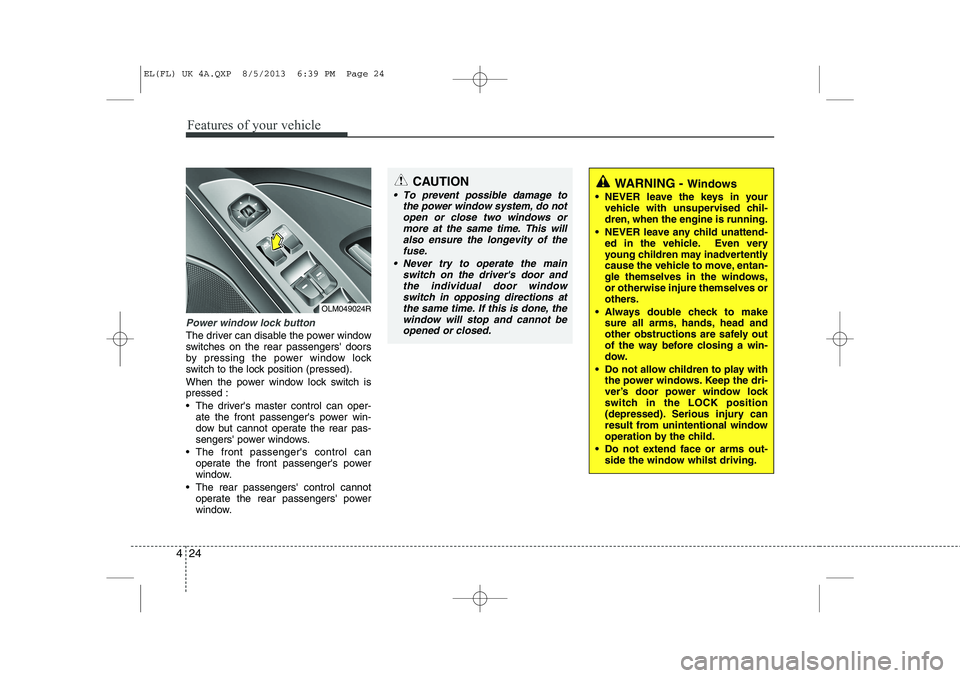
Power window lock button
The driver can disable the power window
switches on the rear passengers' doors
by pressing the power window lock
switch to the lock position (pressed).
When the power window lock switch is pressed :
The driver's master control can oper-
ate the front passenger's power win-
dow but cannot operate the rear pas-
sengers' power windows.
The front passenger's control can operate the front passenger's power
window.
The rear passengers' control cannot operate the rear passengers' power
window.
OLM049024R
CAUTION
To prevent possible damage to
the power window system, do not
open or close two windows ormore at the same time. This willalso ensure the longevity of thefuse.
Never try to operate the main switch on the driver's door andthe individual door windowswitch in opposing directions at
the same time. If this is done, the window will stop and cannot beopened or closed.WARNING - Windows
NEVER leave the keys in your vehicle with unsupervised chil-
dren, when the engine is running.
NEVER leave any child unattend- ed in the vehicle. Even very
young children may inadvertently
cause the vehicle to move, entan-
gle themselves in the windows,or otherwise injure themselves or
others.
Always double check to make sure all arms, hands, head and
other obstructions are safely out
of the way before closing a win-
dow.
Do not allow children to play with the power windows. Keep the dri-
ver’s door power window lock
switch in the LOCK position
(depressed). Serious injury can
result from unintentional window
operation by the child.
Do not extend face or arms out- side the window whilst driving.
EL(FL) UK 4A.QXP 8/5/2013 6:39 PM Page 24
Page 1097 of 1534
Features of your vehicle
26
4
Closing the bonnet
1. Before closing the bonnet, check the
following:
All filler caps in engine compartment must be correctly installed.
Gloves, rags or any other com- bustible material must be removed
from the engine compartment.
2. Return the support rod to its clip to prevent it from rattling.
3. Lower the bonnet until it is about 12 in. (30 cm) above the closed position and
let it drop. Make sure that it locks into
place.
WARNING - Bonnet
Before closing the bonnet, ensure that all obstructions are
removed from the bonnet open-
ing. Closing the bonnet with anobstruction present in the bonnet
opening may result in property
damage or severe personal
injury.
Do not leave gloves, rags or any other combustible material in the
engine compartment. Doing so
may cause a heat-induced fire.WARNING
Always double check to be sure that the bonnet is firmly latched
before driving away. If it is not
latched, the bonnet could fly
open whilst the vehicle is being
driven, causing a total loss of vis-
ibility, which might result in anaccident.
The support rod must be inserted completely into the hole whenev-
er you inspect the engine com-
partment. This will prevent the
bonnet from falling and possibly
injuring you.
Do not move the vehicle with the bonnet raised. The view will be
blocked and the bonnet could fall
or be damaged.
EL(FL) UK 4A.QXP 8/5/2013 6:39 PM Page 26
Page 1100 of 1534
429
Features of your vehicle
(Continued)Use only portable plastic fuel
containers designed to carry and
store petrol.
Do not use mobile phones whilst refuelling. Electric current and/or
electronic interference from
mobile phones can potentially
ignite fuel vapours causing a fire.
When refuelling, always shut the engine off. Sparks produced byelectrical components related tothe engine can ignite fuel
vapours causing a fire. Once
refuelling is complete, check tomake sure the filler cap and filler
door are securely closed, before
starting the engine.
DO NOT use matches or a lighter and DO NOT SMOKE or leave a lit
cigarette in your vehicle whilst at
a gas station especially during
refuelling. Automotive fuel is
highly flammable and can, when
ignited, result in fire.
(Continued)(Continued)
If a fire breaks out during refu-elling, leave the vicinity of the
vehicle, and immediately contact
the manager of the gas stationand then contact the local fire
department. Follow any safety
instructions they provide.CAUTION
Make sure to refuel your vehicle
according to the "Fuel require-
ments" suggested in section 1.
If the fuel filler cap requires replacement, we recommend thatyou use parts for replacement
from a HYUNDAI authorisedrepairer. An incorrect fuel filler cap can result in a serious mal-function of the fuel system or
emission control system.
Do not spill fuel on the exterior surfaces of the vehicle. Any typeof fuel spilled on painted surfaces
may damage the paint.
After refuelling, make sure the fuel cap is installed securely toprevent fuel spillage in the eventof an accident.
EL(FL) UK 4A.QXP 8/5/2013 6:40 PM Page 29
Page 1105 of 1534
Features of your vehicle
34
4
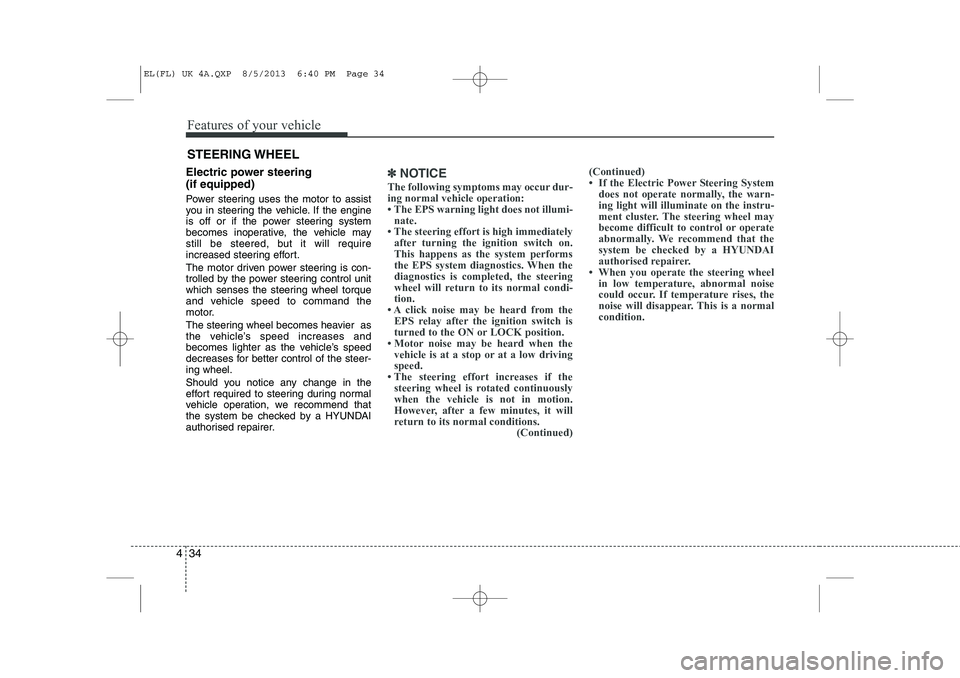
Electric power steering (if equipped)
Power steering uses the motor to assist
you in steering the vehicle. If the engine
is off or if the power steering system
becomes inoperative, the vehicle may
still be steered, but it will require
increased steering effort.
The motor driven power steering is con-
trolled by the power steering control unit
which senses the steering wheel torque
and vehicle speed to command the
motor.
The steering wheel becomes heavier as
the vehicle’s speed increases and
becomes lighter as the vehicle’s speed
decreases for better control of the steer-ing wheel.
Should you notice any change in the
effort required to steering during normal
vehicle operation, we recommend that
the system be checked by a HYUNDAI
authorised repairer.✽✽
NOTICE
The following symptoms may occur dur- ing normal vehicle operation:
Page 1130 of 1534
459
Features of your vehicle
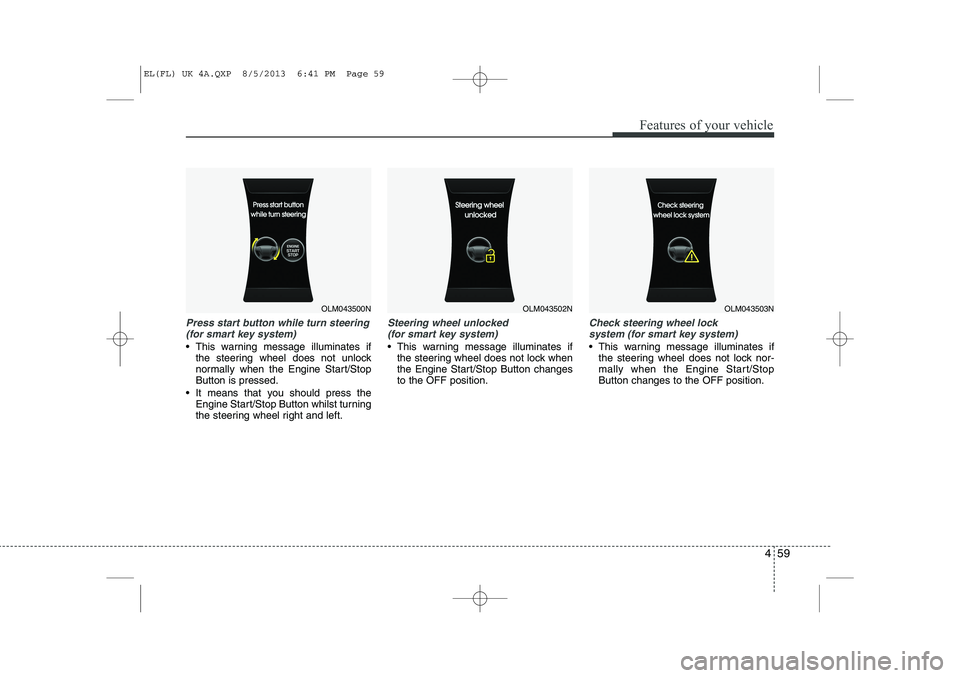
Press start button while turn steering(for smart key system)
This warning message illuminates if the steering wheel does not unlock
normally when the Engine Start/StopButton is pressed.
It means that you should press the Engine Start/Stop Button whilst turning
the steering wheel right and left.
Steering wheel unlocked
(for smart key system)
This warning message illuminates if the steering wheel does not lock when
the Engine Start/Stop Button changesto the OFF position.
Check steering wheel lock
system (for smart key system)
This warning message illuminates if the steering wheel does not lock nor-
mally when the Engine Start/StopButton changes to the OFF position.
OLM043500NOLM043502NOLM043503N
EL(FL) UK 4A.QXP 8/5/2013 6:41 PM Page 59
Page 1133 of 1534
Features of your vehicle
62
4
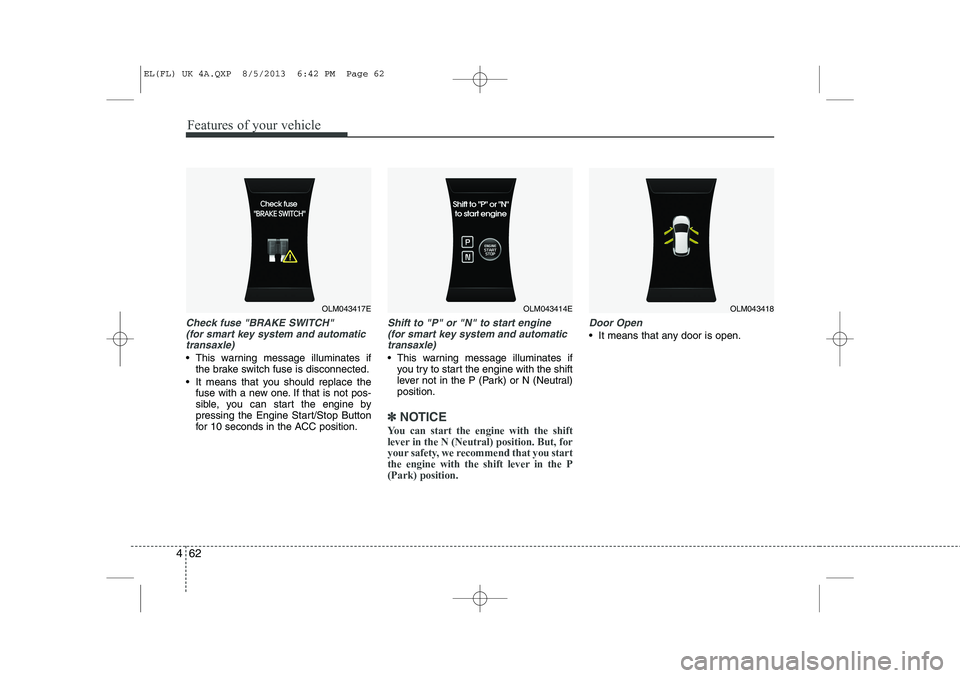
Check fuse "BRAKE SWITCH"
(for smart key system and automatic
transaxle)
This warning message illuminates if the brake switch fuse is disconnected.
It means that you should replace the fuse with a new one. If that is not pos-
sible, you can start the engine by
pressing the Engine Start/Stop Button
for 10 seconds in the ACC position.
Shift to "P" or "N" to start engine
(for smart key system and automatic
transaxle)
This warning message illuminates if you try to start the engine with the shift
lever not in the P (Park) or N (Neutral)position.
✽✽ NOTICE
You can start the engine with the shift
lever in the N (Neutral) position. But, for
your safety, we recommend that you start
the engine with the shift lever in the P(Park) position.
Door Open
It means that any door is open.
OLM043417EOLM043414EOLM043418
EL(FL) UK 4A.QXP 8/5/2013 6:42 PM Page 62