Page 188 of 479
499
Features of your vehicle
Indicator Lights
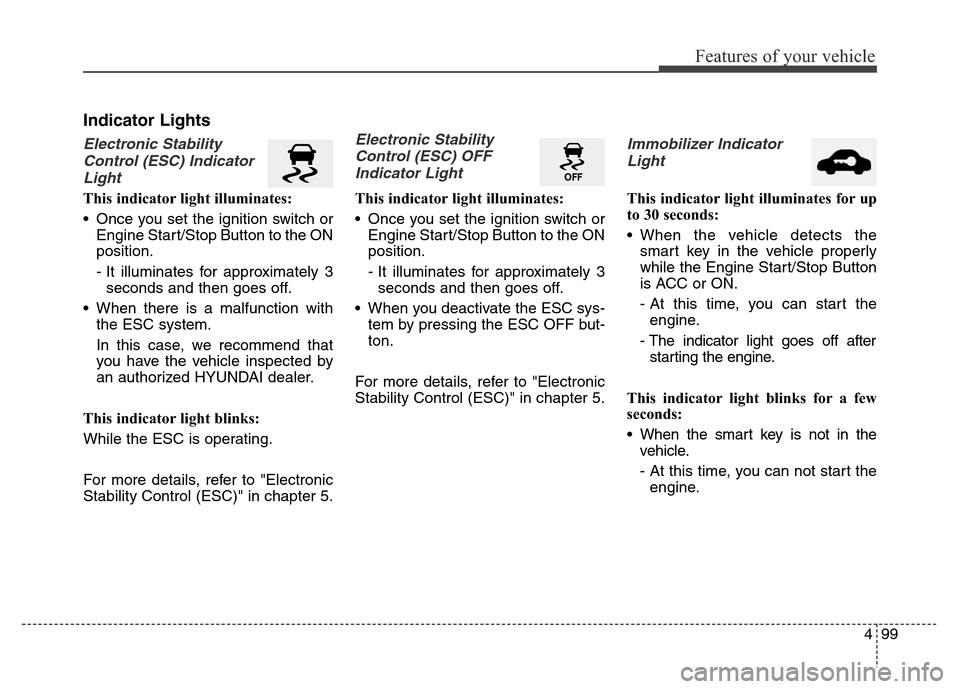
Electronic Stability
Control (ESC) Indicator
Light
This indicator light illuminates:
• Once you set the ignition switch or
Engine Start/Stop Button to the ON
position.
- It illuminates for approximately 3
seconds and then goes off.
• When there is a malfunction with
the ESC system.
In this case, we recommend that
you have the vehicle inspected by
an authorized HYUNDAI dealer.
This indicator light blinks:
While the ESC is operating.
For more details, refer to "Electronic
Stability Control (ESC)" in chapter 5.
Electronic Stability
Control (ESC) OFF
Indicator Light
This indicator light illuminates:
• Once you set the ignition switch or
Engine Start/Stop Button to the ON
position.
- It illuminates for approximately 3
seconds and then goes off.
• When you deactivate the ESC sys-
tem by pressing the ESC OFF but-
ton.
For more details, refer to "Electronic
Stability Control (ESC)" in chapter 5.
Immobilizer Indicator
Light
This indicator light illuminates for up
to 30 seconds:
• When the vehicle detects the
smart key in the vehicle properly
while the Engine Start/Stop Button
is ACC or ON.
- At this time, you can start the
engine.
- The indicator light goes off after
starting the engine.
This indicator light blinks for a few
seconds:
• When the smart key is not in the
vehicle.
- At this time, you can not start the
engine.
Page 205 of 479
![Hyundai Equus 2014 Owners Manual Features of your vehicle
116 4
This is the parking support system to
show around circumstance when you
park the vehicle in monitor. When
you push the button in [ON] position,
it is operated. To cancel](/manual-img/35/14641/w960_14641-204.png "Hyundai Equus 2014 Owners Manual Features of your vehicle
116 4
This is the parking support system to
show around circumstance when you
park the vehicle in monitor. When
you push the button in [ON] position,
it is operated. To cancel")
Features of your vehicle
116 4
This is the parking support system to
show around circumstance when you
park the vehicle in monitor. When
you push the button in [ON] position,
it is operated. To cancel the system,
push again.
Operating conditions
- When ignition is ON
- When the transaxle is on D, N or R
- When the vehicle speed is not over
20km/h• When the vehicle speed is over
20km/h, the AVM system is turned
off. If the vehicle speed is not over
20km/h after turning off the AVM
by over speed, the AVM is not
turned on. To operate again, push
the button.
• When the vehicle moves back-
wards, regardless of On/Off of but-
ton and vehicle speed, the AVM is
operated. And then, if you shift to
the D position and the driving
speed is over 10km/h the AVM is
deactivated.
• When the trunk and driver/passen-
ger door are opened and the out-
side mirror is folded, the warning is
illuminated in AVM system.
• If the AVM system is not normally
operated, we recommend that you
contact an authorized HYUNDAI
dealer.
* AVM : Around View Monitoring
AROUND VIEW MONITORING SYSTEM (IF EQUIPPED)
OVI043400
Page 214 of 479

4125
Features of your vehicle
Windshield washers
In the OFF (O) position, pull the lever
gently toward you to spray washer
fluid on the windshield and to run the
wipers 1-3 cycles.
Use this function when the wind-
shield is dirty.
CAUTION
When the ignition switch is ON
and the windshield wiper switch
is placed in the AUTO mode, use
caution in the following situa-
tions to avoid any injury to the
hands or other parts of the body:
• Do not touch the upper end of
the windshield glass facing
the rain sensor.
• Do not wipe the upper end of
the windshield glass with a
damp or wet cloth.
• Do not put pressure on the
windshield glass.
CAUTION
When washing the vehicle, set
the wiper switch in the OFF
position to stop the auto wiper
operation.
The wiper may operate and be
damaged if the switch is set in
the AUTO mode while washing
the vehicle.
Do not remove the sensor cover
located on the upper end of the
passenger side windshield
glass. Damage to system parts
could occur and may not be cov-
ered by your vehicle warranty.
When starting the vehicle in
winter, set the wiper switch in
the OFF position. Otherwise,
wipers may operate and ice may
damage the windshield wiper
blades. Always remove all snow
and ice and defrost the wind-
shield properly prior to operat-
ing the windshield wipers.
OVI043099
OVI043099L
■Type A
■Type B
Page 221 of 479
Features of your vehicle
132 4
✽NOTICE
If you want to defrost and defog the
front windshield, refer to
“Windshield defrosting and defog-
ging” in this section.
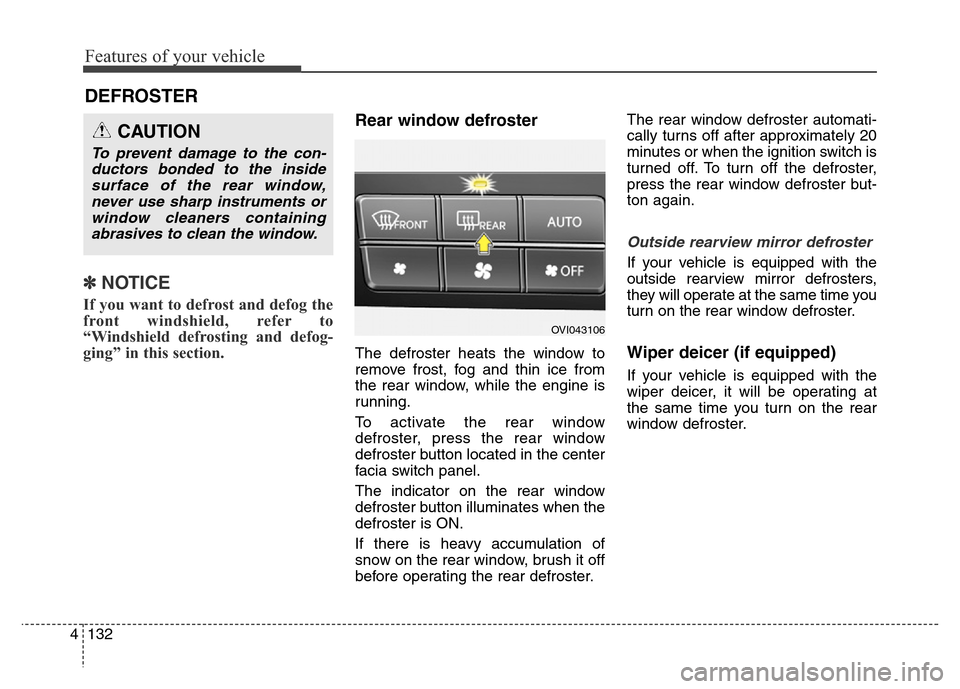
Rear window defroster
The defroster heats the window to
remove frost, fog and thin ice from
the rear window, while the engine is
running.
To activate the rear window
defroster, press the rear window
defroster button located in the center
facia switch panel.
The indicator on the rear window
defroster button illuminates when the
defroster is ON.
If there is heavy accumulation of
snow on the rear window, brush it off
before operating the rear defroster.The rear window defroster automati-
cally turns off after approximately 20
minutes or when the ignition switch is
turned off. To turn off the defroster,
press the rear window defroster but-
ton again.
Outside rearview mirror defroster
If your vehicle is equipped with the
outside rearview mirror defrosters,
they will operate at the same time you
turn on the rear window defroster.
Wiper deicer (if equipped)
If your vehicle is equipped with the
wiper deicer, it will be operating at
the same time you turn on the rear
window defroster.
DEFROSTER
CAUTION
To prevent damage to the con-
ductors bonded to the inside
surface of the rear window,
never use sharp instruments or
window cleaners containing
abrasives to clean the window.
OVI043106
Page 232 of 479
4143
Features of your vehicle
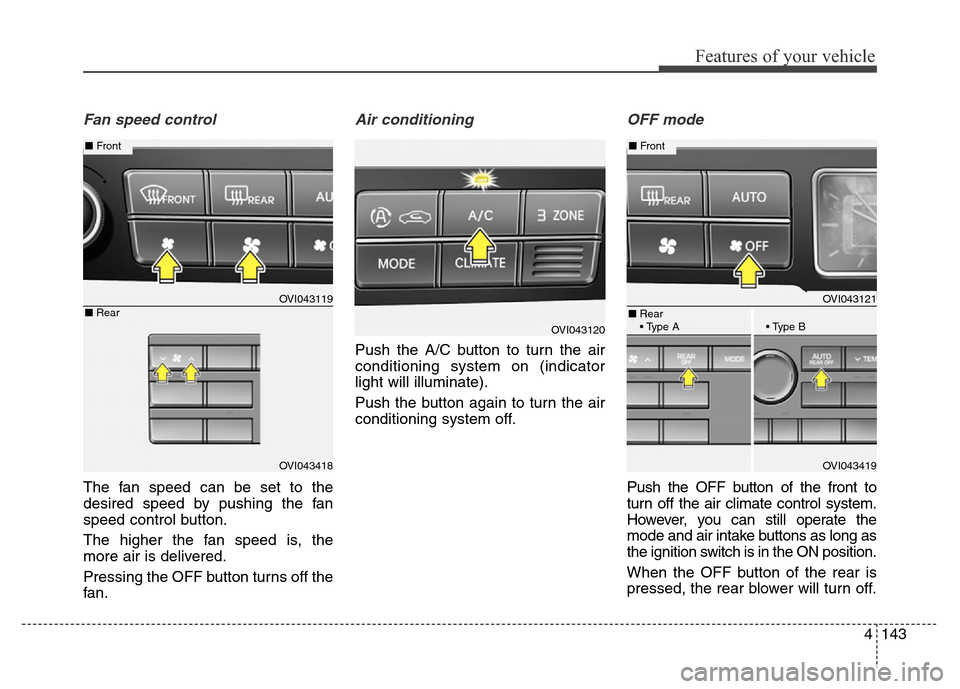
Fan speed control
The fan speed can be set to the
desired speed by pushing the fan
speed control button.
The higher the fan speed is, the
more air is delivered.
Pressing the OFF button turns off the
fan.
Air conditioning
Push the A/C button to turn the air
conditioning system on (indicator
light will illuminate).
Push the button again to turn the air
conditioning system off.
OFF mode
Push the OFF button of the front to
turn off the air climate control system.
However, you can still operate the
mode and air intake buttons as long as
the ignition switch is in the ON position.
When the OFF button of the rear is
pressed, the rear blower will turn off.
OVI043120
OVI043121
OVI043419
■Front
■Rear
• Type A • Type B
OVI043119
OVI043418
■Front
■Rear
Page 239 of 479

Features of your vehicle
150 4
1. Turn the ignition switch to the ON
position.
2. Press the defroster button ( ).
3. While pressing the air conditioning
button (A/C), press the air intake
control button at least 5 times with-
in 3 seconds.
The indicator on the air intake button
blinks 3 times with 0.5 seconds of
interval. It indicates that the defog-
ging logic is canceled or returned to
the programmed status.
If the battery has been discharged or
disconnected, it resets to the defog
logic status.
Auto defogging system
Auto defogging reduces the probabil-
ity of fogging up the inside of the
windshield by automatically sensing
the moisture of inside the windshield.
The auto defogging system operates
when the heater or air conditioning is
on.This indicator illuminates
when the auto defogging
system senses the mois-
ture of inside the wind-
shield and operates.
If more moisture is in the vehicle, the
higher steps operate as follow. For
example if auto defogging does not
defog inside the windshield at step 1
Outside air position, it tries to defog
again at step 2 Blowing air toward
the windshield.
Step 1 : Outside air position
Step 2 :Operating the air conditioning
Step 3 :Blowing air toward the wind-
shield
Step 4 : Increasing air flow toward
the windshield
OVI043125
OVI049124
Page 259 of 479

Economical operation . . . . . . . . . . . . . . . . . . . . . . 5-84
Special driving conditions . . . . . . . . . . . . . . . . . . . 5-86
• Hazardous driving conditions . . . . . . . . . . . . . . . . . . 5-86
• Rocking the vehicle . . . . . . . . . . . . . . . . . . . . . . . . . . . 5-86
• Smooth cornering . . . . . . . . . . . . . . . . . . . . . . . . . . . . 5-87
• Driving at night . . . . . . . . . . . . . . . . . . . . . . . . . . . . . . 5-88
• Driving in the rain . . . . . . . . . . . . . . . . . . . . . . . . . . . . 5-88
• Driving in flooded areas . . . . . . . . . . . . . . . . . . . . . . . 5-89
• Driving off-road . . . . . . . . . . . . . . . . . . . . . . . . . . . . . . 5-89
• Highway driving . . . . . . . . . . . . . . . . . . . . . . . . . . . . . 5-89
Winter driving . . . . . . . . . . . . . . . . . . . . . . . . . . . . 5-91
• Snowy or icy conditions . . . . . . . . . . . . . . . . . . . . . . . 5-91
• Use high quality ethylene glycol coolant . . . . . . . . . . 5-94
• Check battery and cables . . . . . . . . . . . . . . . . . . . . . . 5-94
• Change to "winter weight" oil if necessary . . . . . . . 5-95
• Check spark plugs and ignition system. . . . . . . . . . . 5-95
• To keep locks from freezing . . . . . . . . . . . . . . . . . . . . 5-95
• Use approved window washer anti-freeze in system . 5-95
• Don't let your parking brake freeze . . . . . . . . . . . . . 5-95
• Don't let ice and snow accumulate underneath . . . . 5-95
• Carry emergency equipment . . . . . . . . . . . . . . . . . . . 5-96
• Don't place foreign objects or materials in
the engine compartment . . . . . . . . . . . . . . . . . . . . . . 5-96
Vehicle weight . . . . . . . . . . . . . . . . . . . . . . . . . . . . . 5-97
• Base curb weight . . . . . . . . . . . . . . . . . . . . . . . . . . . . . 5-97
• Vehicle curb weight . . . . . . . . . . . . . . . . . . . . . . . . . . . 5-97
• Cargo weight . . . . . . . . . . . . . . . . . . . . . . . . . . . . . . . . 5-97
• GAW (Gross axle weight) . . . . . . . . . . . . . . . . . . . . . . 5-97
• GAWR (Gross axle weight rating) . . . . . . . . . . . . . . . 5-97
• GVW (Gross vehicle weight) . . . . . . . . . . . . . . . . . . . 5-97
• GVWR (Gross vehicle weight rating) . . . . . . . . . . . . 5-97
• Overloading . . . . . . . . . . . . . . . . . . . . . . . . . . . . . . . . . 5-97
Trailer towing . . . . . . . . . . . . . . . . . . . . . . . . . . . . . 5-98
5
Page 269 of 479

Driving your vehicle
12 5
For smooth operation, depress the
brake pedal when shifting from N
(Neutral) to a forward or reverse
gear.Transmission ranges
When ignition switch is off, cluster
and knob (transaxle lever) display
the shift lever position for 30 sec-
onds.
WARNING- Automatic
transmis-
sion
• Always check the surrounding
areas near your vehicle for
people, especially children,
before shifting a car into D
(Drive) or R (Reverse).
• Before leaving the driver’s
seat, always make sure the
shift lever is in the P (Park)
position; then set the parking
brake fully and shut the
engine off. Unexpected and
sudden vehicle movement
can occur if these precautions
are not followed in the order
identified.
• Do not use the engine brake
(shifting from a high gear to
lower gear) rapidly on slip-
pery roads. The vehicle may
slip causing an accident.
CAUTION
• To avoid damage to your
transmission, do not acceler-
ate the engine in R (Reverse)
or any forward gear position
with the brakes on.
• When stopped on an incline,
do not hold the vehicle sta-
tionary with engine power.
Use the service brake or the
parking brake.
• Do not shift from N (Neutral)
or P (Park) into D (Drive), or R
(Reverse) when the engine is
above idle speed.