Page 111 of 479
Features of your vehicle
22 4
✽NOTICE
In cold and wet climates, the power
trunk may not work properly due to
freezing conditions.
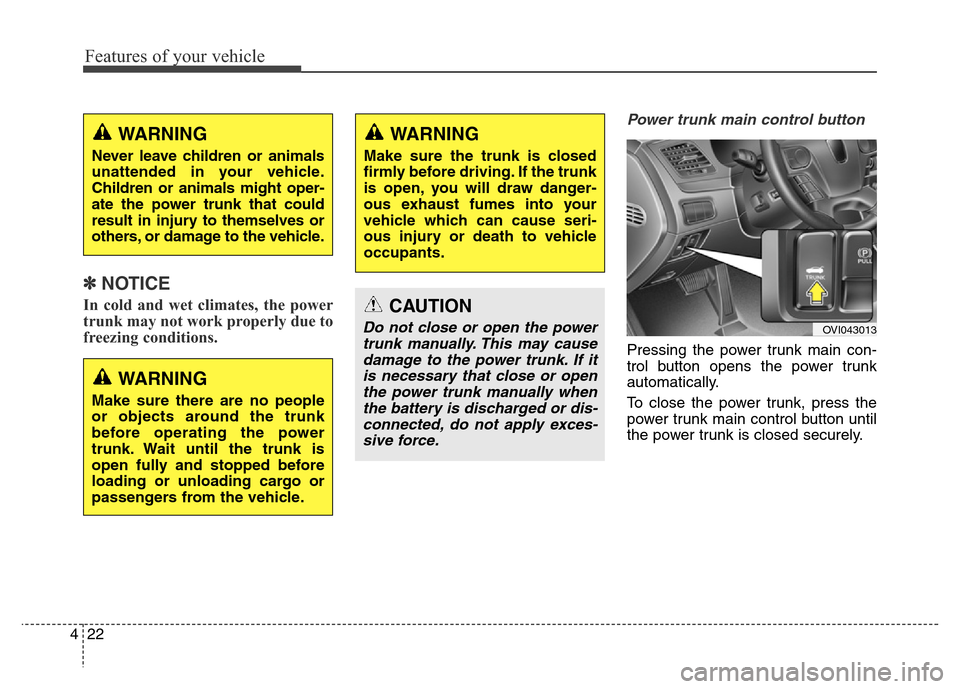
Power trunk main control button
Pressing the power trunk main con-
trol button opens the power trunk
automatically.
To close the power trunk, press the
power trunk main control button until
the power trunk is closed securely.
WARNING
Make sure there are no people
or objects around the trunk
before operating the power
trunk. Wait until the trunk is
open fully and stopped before
loading or unloading cargo or
passengers from the vehicle.
WARNING
Make sure the trunk is closed
firmly before driving. If the trunk
is open, you will draw danger-
ous exhaust fumes into your
vehicle which can cause seri-
ous injury or death to vehicle
occupants.
CAUTION
Do not close or open the power
trunk manually. This may cause
damage to the power trunk. If it
is necessary that close or open
the power trunk manually when
the battery is discharged or dis-
connected, do not apply exces-
sive force.OVI043013
WARNING
Never leave children or animals
unattended in your vehicle.
Children or animals might oper-
ate the power trunk that could
result in injury to themselves or
others, or damage to the vehicle.
Page 127 of 479

Features of your vehicle
38 4
If your vehicle is equipped with a
sunroof, you can slide or tilt your
sunroof with the sunroof control lever
located on the overhead console.
The sunroof can only be opened,
closed, or tilted when the engine
start/stop button is in the ON position.
✽NOTICE
• In cold and wet climates, the sun-
roof may not work properly due to
freezing conditions.
• After washing the car or after
there is rain, be sure to wipe off
any water that is on the sunroof
before operating it.
✽NOTICE
The sunroof cannot slide when it is
in the tilt position nor can it be tilted
while in an open or slide position.
SUNROOF (IF EQUIPPED)
OVI049027
CAUTION
Do not continue to move the
sunroof control lever after the
sunroof is fully open, closed, or
tilt. Damage to the motor or sys-
tem components could occur.
WARNING
Never adjust the sunroof or
sunshade while driving. This
could result in loss of control
and an accident that may cause
death, serious injury, or proper-
ty damage.
Page 150 of 479
461
Features of your vehicle
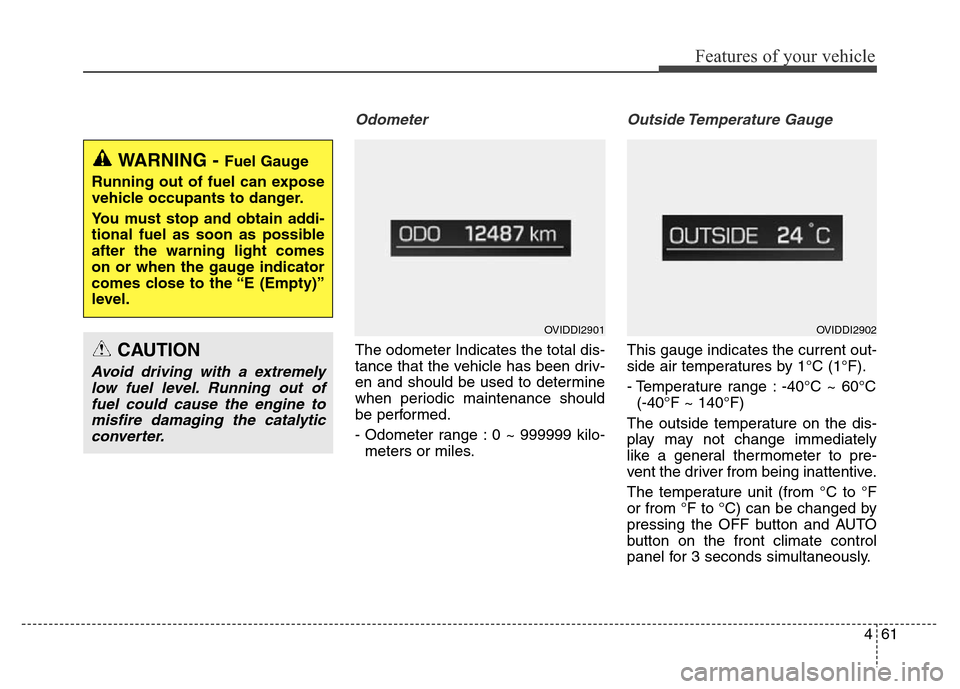
Odometer
The odometer Indicates the total dis-
tance that the vehicle has been driv-
en and should be used to determine
when periodic maintenance should
be performed.
- Odometer range : 0 ~ 999999 kilo-
meters or miles.
Outside Temperature Gauge
This gauge indicates the current out-
side air temperatures by 1°C (1°F).
- Temperature range : -40°C ~ 60°C
(-40°F ~ 140°F)
The outside temperature on the dis-
play may not change immediately
like a general thermometer to pre-
vent the driver from being inattentive.
The temperature unit (from °C to °F
or from °F to °C) can be changed by
pressing the OFF button and AUTO
button on the front climate control
panel for 3 seconds simultaneously.
WARNING - Fuel Gauge
Running out of fuel can expose
vehicle occupants to danger.
You must stop and obtain addi-
tional fuel as soon as possible
after the warning light comes
on or when the gauge indicator
comes close to the “E (Empty)”
level.
CAUTION
Avoid driving with a extremely
low fuel level. Running out of
fuel could cause the engine to
misfire damaging the catalytic
converter.
OVIDDI2901OVIDDI2902
Page 222 of 479
4133
Features of your vehicle
AUTOMATIC CLIMATE CONTROL SYSTEM (IF EQUIPPED)
1. Driver’s temperature control knob
2. Front windshield defrost button
3. Rear window defrost button
4. AUTO (automatic control) button
5. Fan speed control button
6. OFF button
7. Air intake control button /
AQS (Air quality system) button
8. Air conditioning button
9. 3 zone (Driver, passenger and rear side)
control button
10. Passenger’s temperature control knob
11. Mode selection button
12. Climate information screen selection
button
13. Fan speed control button
14. Off button (Rear)
15. Mode selection button (Rear)
16. AUTO (automatic control) button
17. Rear side temperature control button
18. AUTO (automatic control) or off button
19. LCD display
OVI043107/OVI043423/OVI043424/OVI043421
■ Front
■ Rear
• Type A • Type B
CAUTION
Operating the blower when the
engine start/stop button is in
the ON position could cause the
battery to discharge. Operate
the blower when the engine is
running.
Page 223 of 479
Features of your vehicle
134 4
Automatic heating and air con-
ditioning
1. Press the AUTO button.
The modes, fan speeds, air intake
and air-conditioning will be controlled
automatically according to the tem-
perature setting.2. Press the TEMP button to set the
desired temperature.
✽NOTICE
• To turn the automatic operation off,
select any button of the following:
- Mode selection button
- Front windshield defrost button
- Fan speed control button
The selected function will be con-
trolled manually while other func-
tions operate automatically.
• For your convenience and to
improve the effectiveness of the
climate control, use the AUTO
button and set the temperature to
23°C (73°F).
OVI043114
OVI043417
■Front
■Rear
• Type A• Type B
OVI043108
OVI043431
■Front
■Rear
Page 225 of 479
Features of your vehicle
136 4
✽NOTICE
You can activate or deactivate the
rear climate control button on the
rear armrest by using the REAR
LOCK button on the rear armrest or
in AVN (Audio, Video, and
Navigation).
Detailed information for AVN is
described in a separately supplied
manual.
OVI043111
Page 230 of 479

4141
Features of your vehicle
Recirculated air position
With the recirculated air
position selected, air from
the passenger compart-
ment will be drawn through
the heating system and
heated or cooled according
to the function selected.
Outside (fresh) air position
With the outside (fresh) air
position selected, air
enters the vehicle from out-
side and is heated or
cooled according to the
function selected.✽NOTICE
Prolonged operation of the heater in
the recirculated air position (with-
out air conditioning selected) may
cause fogging of the windshield and
side windows and the air within the
passenger compartment may
become stale.
In addition, prolonged use of the air
conditioning with the recirculated
air position selected will result in
excessively dry air in the passenger
compartment.WARNING
• Continued climate control
system operation in the recir-
culated air position may allow
humidity to increase inside
the vehicle which may fog the
glass and obscure visibility.
• Do not sleep in a vehicle with
the air conditioning or heating
system on. It may cause seri-
ous harm or death due to a
drop in the oxygen level
and/or body temperature.
• Continued climate control sys-
tem operation in the recirculat-
ed air position can cause
drowsiness or sleepiness, and
loss of vehicle control. Set the
air intake control to the outside
(fresh) air position as much as
possible while driving.
Page 232 of 479
4143
Features of your vehicle
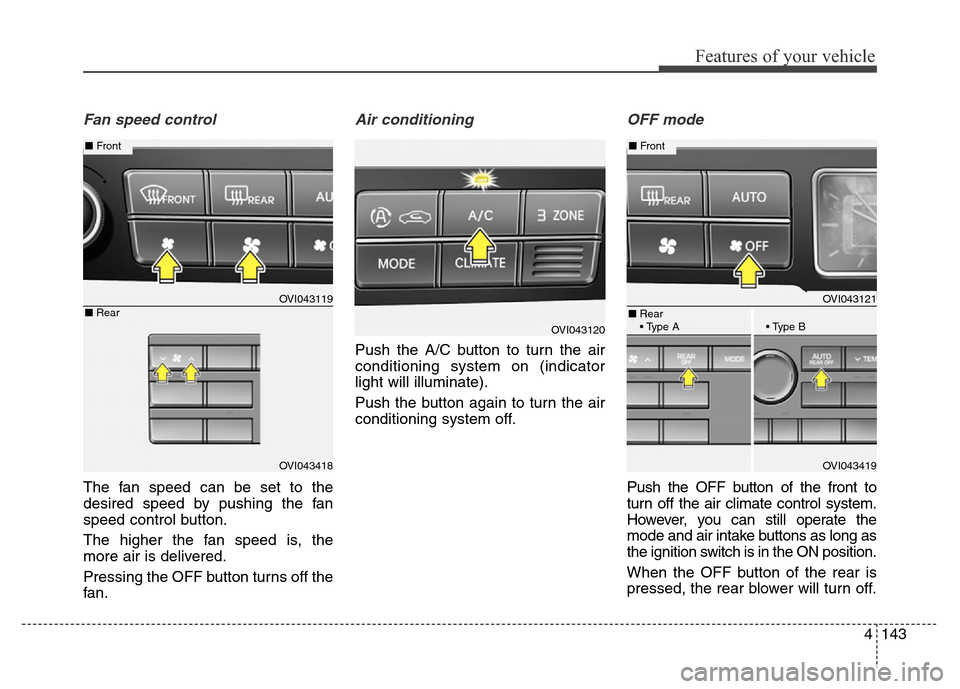
Fan speed control
The fan speed can be set to the
desired speed by pushing the fan
speed control button.
The higher the fan speed is, the
more air is delivered.
Pressing the OFF button turns off the
fan.
Air conditioning
Push the A/C button to turn the air
conditioning system on (indicator
light will illuminate).
Push the button again to turn the air
conditioning system off.
OFF mode
Push the OFF button of the front to
turn off the air climate control system.
However, you can still operate the
mode and air intake buttons as long as
the ignition switch is in the ON position.
When the OFF button of the rear is
pressed, the rear blower will turn off.
OVI043120
OVI043121
OVI043419
■Front
■Rear
• Type A • Type B
OVI043119
OVI043418
■Front
■Rear