Page 173 of 546
3-82
Convenient features of your vehicle
• If the estimated distance is below
1 km (1 mi.), the trip computer will
display “---” as distance to empty.
✽NOTICE
• If the vehicle is not on level ground
or the battery power has been
interrupted, the distance to empty
function may not operate correctly.
• The distance to empty may differ
from the actual driving distance as
it is an estimate of the available
driving distance.
• The trip computer may not regis-
ter additional fuel if less than 6
liters (1.6 gallons) of fuel are
added to the vehicle.
• The fuel economy and distance to
empty may vary significantly based
on driving conditions, driving
habits, and condition of the vehicle.
Average Fuel Economy (2)
• The average fuel economy is calcu-
lated by the total driving distance
and fuel consumption since the last
average fuel economy reset.
- Fuel economy range: 0.0 ~ 99.9
L/100km or MPG
• The average fuel economy can be
reset both manually and automati-
cally.
Manual reset
To clear the average fuel economy
manually, press the [OK] button on
the steering wheel for more than 1
second when the average fuel econo-
my is displayed.
Automatic reset
To make the average fuel economy
be reset automatically whenever refu-
eling, select the “Auto Reset” mode in
User Setting menu of the LCD display
(Refer to “LCD Display”).
Under “Auto Reset” mode, the aver-
age fuel economy will be cleared to
zero (---) when the vehicle speed
exceeds 1 km/h after refueling more
than 6 liters (1.6 gallons).
✽NOTICE
The average fuel economy is not dis-
played for more accurate calculation
if the vehicle does not drive more
than 10 seconds or 300 meters (0.19
miles) since the Engine Start/Stop
button is turned to ON.
Instant Fuel Economy (3)
• This mode displays the instant fuel
economy during the last few sec-
onds when the vehicle speed is
more than 10 km/h (6.2 MPH).
- Fuel economy range: 0 ~ 30
L/100km or 0 ~ 50 MPG
ProCarManuals.com
Page 178 of 546
3-87
Convenient features of your vehicle
3
✽NOTICE- Electronic Brake
force Distribution
(EBD) System
Warning Light
When the ABS Warning Light is on
or both ABS and Parking Brake &
Brake Fluid Warning Lights are on,
the speedometer, odometer, or trip-
meter may not work. Also, the EPS
Warning Light may illuminate and
the steering effort may increase or
decrease.
In this case, we recommend you
have the vehicle inspected by an
authorized HYUNDAI dealer as
soon as possible.
Electric Parking Brake
(EPB) Warning Light
(if equipped)
This warning light illuminates:
• Once you set the Engine
Start/Stop button to the ON posi-
tion.
- It illuminates for approximately 3
seconds and then goes off.
• When there is a malfunction with
the EPB.
In this case, we recommend that
you have the vehicle inspected by
an authorized HYUNDAI dealer.
✽NOTICE- Electric Parking
Brake (EPB)
Warning Light
The Electric Parking Brake (EPB)
Warning Light may illuminate when
the Electronic Stability control
(ESC) Indicator Light comes on to
indicates that the ESC is not work-
ing properly (This does not indicate
malfunction of the EPB).
Electronic Brake force
Distribution (EBD) System
Warning Light
When both ABS and Parking
Brake & Brake Fluid Warning
Lights are on, the brake system
will not work normally and you
may experience an unexpected
and dangerous situation during
sudden braking.
In this case, avoid high speed
driving and abrupt braking.
We recommend you have the
vehicle inspected by an author-
ized HYUNDAI dealer as soon
as possible.
WARNINGEPB
ProCarManuals.com
Page 179 of 546
3-88
Convenient features of your vehicle
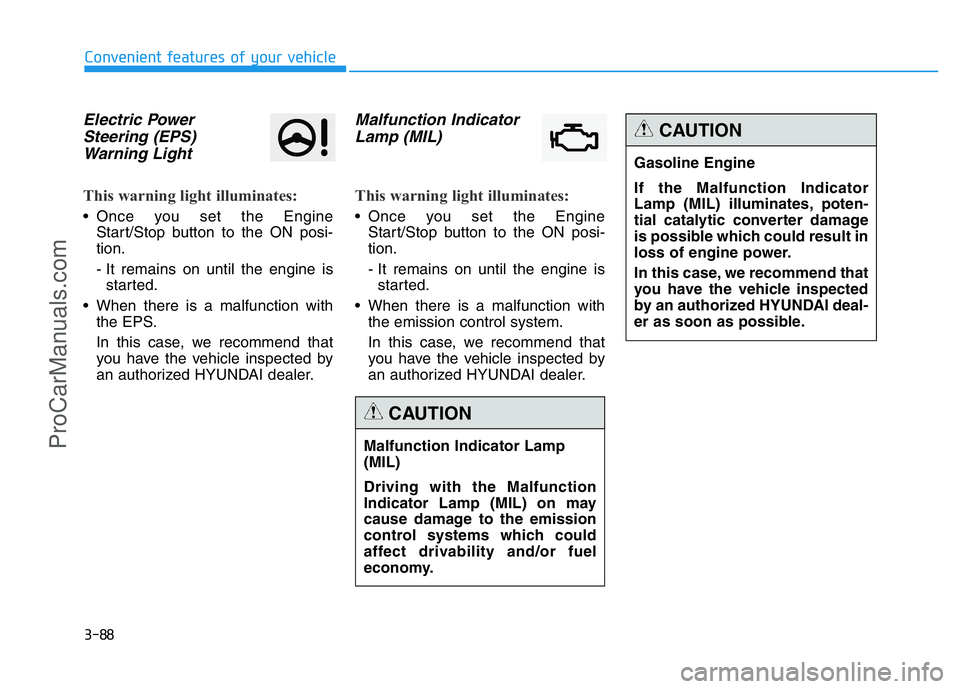
Electric Power
Steering (EPS)
Warning Light
This warning light illuminates:
• Once you set the Engine
Start/Stop button to the ON posi-
tion.
- It remains on until the engine is
started.
• When there is a malfunction with
the EPS.
In this case, we recommend that
you have the vehicle inspected by
an authorized HYUNDAI dealer.
Malfunction Indicator
Lamp (MIL)
This warning light illuminates:
• Once you set the Engine
Start/Stop button to the ON posi-
tion.
- It remains on until the engine is
started.
• When there is a malfunction with
the emission control system.
In this case, we recommend that
you have the vehicle inspected by
an authorized HYUNDAI dealer.
Malfunction Indicator Lamp
(MIL)
Driving with the Malfunction
Indicator Lamp (MIL) on may
cause damage to the emission
control systems which could
affect drivability and/or fuel
economy.
CAUTION
Gasoline Engine
If the Malfunction Indicator
Lamp (MIL) illuminates, poten-
tial catalytic converter damage
is possible which could result in
loss of engine power.
In this case, we recommend that
you have the vehicle inspected
by an authorized HYUNDAI deal-
er as soon as possible.
CAUTION
ProCarManuals.com
Page 198 of 546
3-107
Convenient features of your vehicle
3
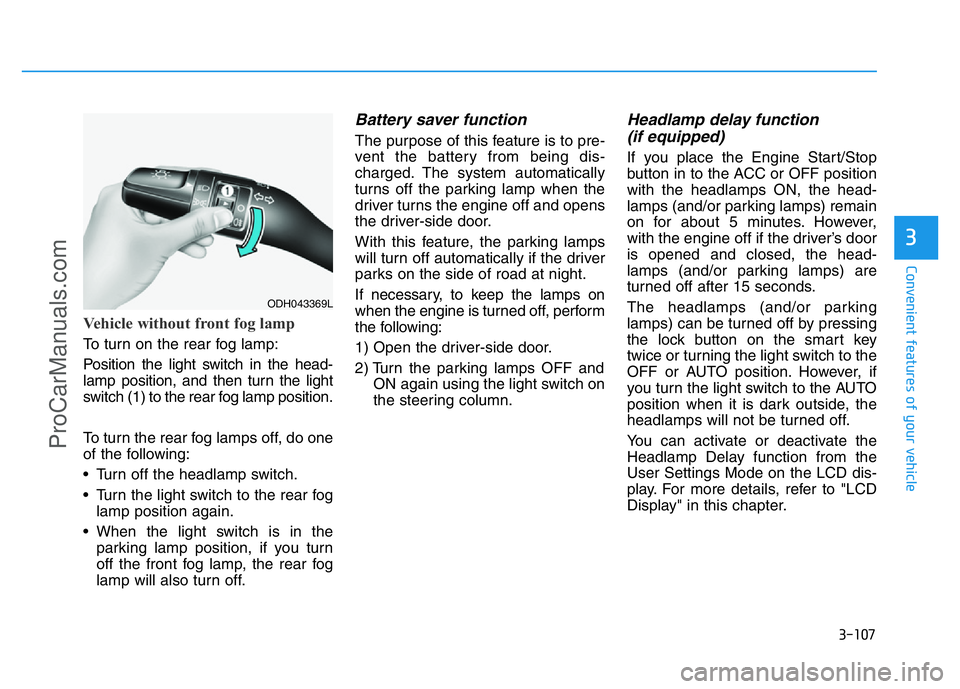
Vehicle without front fog lamp
To turn on the rear fog lamp:
Position the light switch in the head-
lamp position, and then turn the light
switch (1) to the rear fog lamp position.
To turn the rear fog lamps off, do one
of the following:
• Turn off the headlamp switch.
• Turn the light switch to the rear fog
lamp position again.
• When the light switch is in the
parking lamp position, if you turn
off the front fog lamp, the rear fog
lamp will also turn off.
Battery saver function
The purpose of this feature is to pre-
vent the battery from being dis-
charged. The system automatically
turns off the parking lamp when the
driver turns the engine off and opens
the driver-side door.
With this feature, the parking lamps
will turn off automatically if the driver
parks on the side of road at night.
If necessary, to keep the lamps on
when the engine is turned off, perform
the following:
1) Open the driver-side door.
2) Turn the parking lamps OFF and
ON again using the light switch on
the steering column.
Headlamp delay function
(if equipped)
If you place the Engine Start/Stop
button in to the ACC or OFF position
with the headlamps ON, the head-
lamps (and/or parking lamps) remain
on for about 5 minutes. However,
with the engine off if the driver’s door
is opened and closed, the head-
lamps (and/or parking lamps) are
turned off after 15 seconds.
The headlamps (and/or parking
lamps) can be turned off by pressing
the lock button on the smart key
twice or turning the light switch to the
OFF or AUTO position. However, if
you turn the light switch to the AUTO
position when it is dark outside, the
headlamps will not be turned off.
You can activate or deactivate the
Headlamp Delay function from the
User Settings Mode on the LCD dis-
play. For more details, refer to "LCD
Display" in this chapter.
ODH043369L
ProCarManuals.com
Page 214 of 546
3-123
Convenient features of your vehicle
3
✽NOTICE
Sensor may not recognize objects
less than 30 cm from the sensor, or it
may sense an incorrect distance.
Smart Parking Assist System
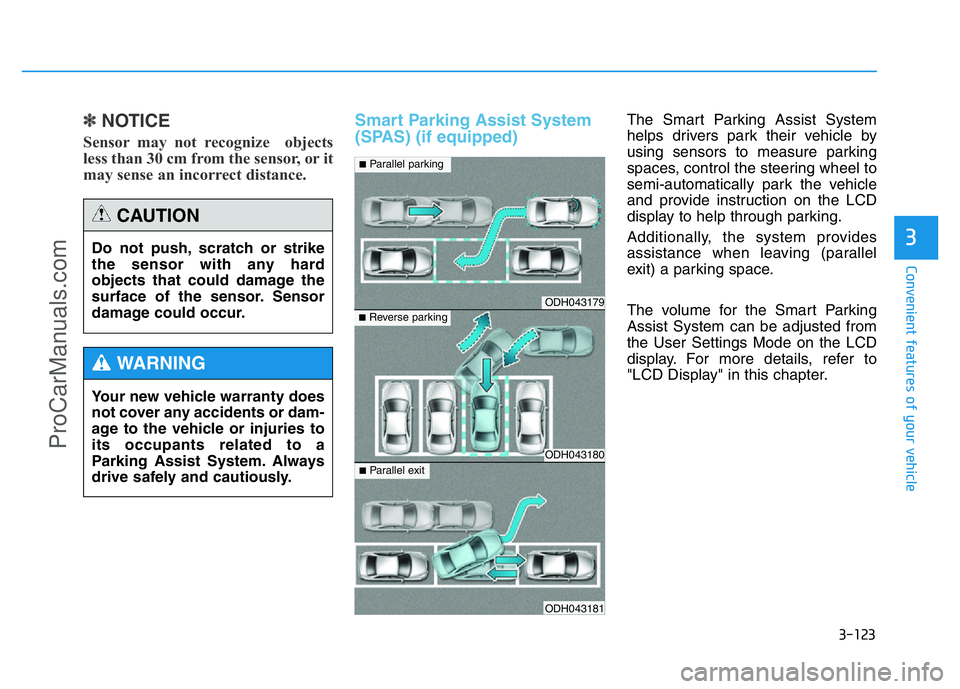
(SPAS) (if equipped)The Smart Parking Assist System
helps drivers park their vehicle by
using sensors to measure parking
spaces, control the steering wheel to
semi-automatically park the vehicle
and provide instruction on the LCD
display to help through parking.
Additionally, the system provides
assistance when leaving (parallel
exit) a parking space.
The volume for the Smart Parking
Assist System can be adjusted from
the User Settings Mode on the LCD
display. For more details, refer to
"LCD Display" in this chapter. Do not push, scratch or strike
the sensor with any hard
objects that could damage the
surface of the sensor. Sensor
damage could occur.
CAUTION
Your new vehicle warranty does
not cover any accidents or dam-
age to the vehicle or injuries to
its occupants related to a
Parking Assist System. Always
drive safely and cautiously.
WARNING
ODH043179
ODH043180
ODH043181
■Parallel parking
■Reverse parking
■Parallel exit
ProCarManuals.com
Page 220 of 546
3-129
Convenient features of your vehicle
3
How the system works
(Parking Mode)
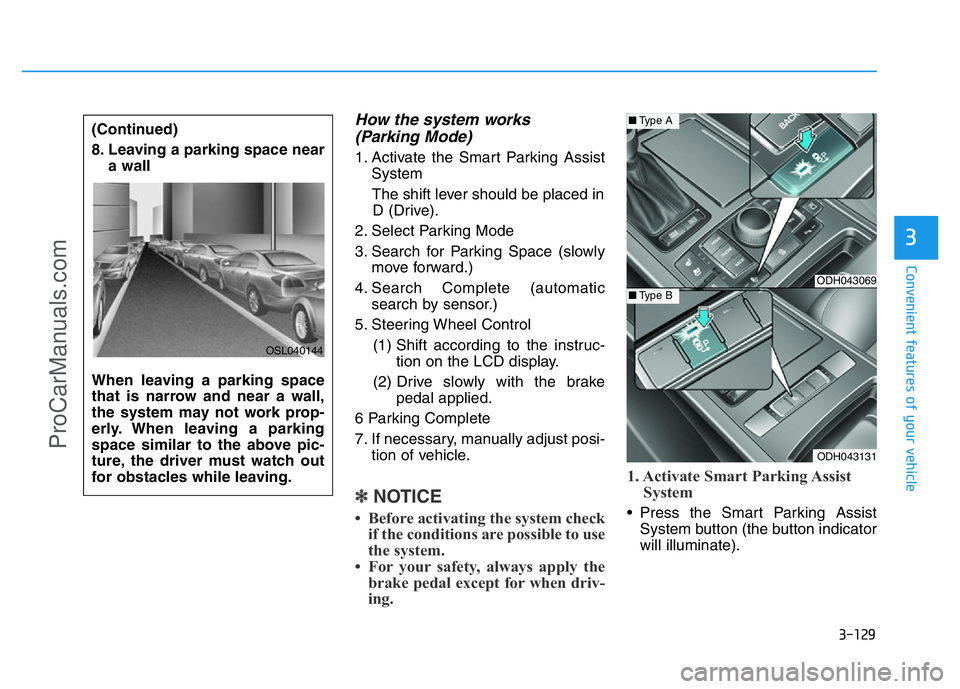
1. Activate the Smart Parking Assist
System
The shift lever should be placed in
D (Drive).
2. Select Parking Mode
3. Search for Parking Space (slowly
move forward.)
4. Search Complete (automatic
search by sensor.)
5. Steering Wheel Control
(1) Shift according to the instruc-
tion on the LCD display.
(2) Drive slowly with the brake
pedal applied.
6 Parking Complete
7. If necessary, manually adjust posi-
tion of vehicle.
✽NOTICE
• Before activating the system check
if the conditions are possible to use
the system.
• For your safety, always apply the
brake pedal except for when driv-
ing.1. Activate Smart Parking Assist
System• Press the Smart Parking Assist
System button (the button indicator
will illuminate). (Continued)
8. Leaving a parking space near
a wall
When leaving a parking space
that is narrow and near a wall,
the system may not work prop-
erly. When leaving a parking
space similar to the above pic-
ture, the driver must watch out
for obstacles while leaving.
OSL040144
ODH043069
ODH043131
■Type A
■Type B
ProCarManuals.com
Page 224 of 546
3-133
Convenient features of your vehicle
3
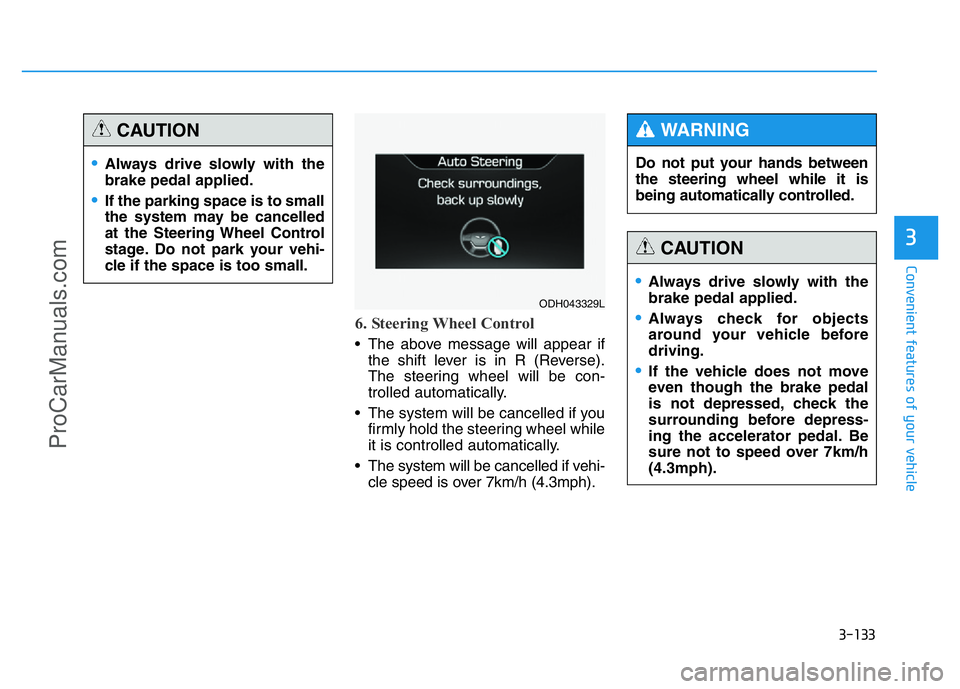
6. Steering Wheel Control
• The above message will appear if
the shift lever is in R (Reverse).
The steering wheel will be con-
trolled automatically.
• The system will be cancelled if you
firmly hold the steering wheel while
it is controlled automatically.
• The system will be cancelled if vehi-
cle speed is over 7km/h (4.3mph).
•Always drive slowly with the
brake pedal applied.
•If the parking space is to small
the system may be cancelled
at the Steering Wheel Control
stage. Do not park your vehi-
cle if the space is too small.
CAUTION
ODH043329L
Do not put your hands between
the steering wheel while it is
being automatically controlled.
WARNING
•Always drive slowly with the
brake pedal applied.
•Always check for objects
around your vehicle before
driving.
•If the vehicle does not move
even though the brake pedal
is not depressed, check the
surrounding before depress-
ing the accelerator pedal. Be
sure not to speed over 7km/h
(4.3mph).
CAUTION
ProCarManuals.com
Page 225 of 546
3-134
Convenient features of your vehicle
✽NOTICE
• If you do not follow the instruc-
tions provided, you may fail to
park your vehicle.
However, if the Parking Assist
System warning sound (distance
from object is within 30cm: con-
tinuous beep) occurs, slowly drive
the vehicle to the reverse direction
of the detected object after check-
ing the surrounding.
• Always check the surrounding
before driving your vehicle if the
Parking Assist System warning
sound (distance from object is
within 30cm: continuous beep) is
heard for the object is close to
your vehicle.
If the vehicle gets too close to the
object, the warning will not sound.To cancel the system while parking: • Press the Smart Parking Assist
System button and hold until the
system is cancelled.
• Press the Smart Parking Assist
System button while the system is
searching for a parking space or
when the steering wheel is con-
trolled.
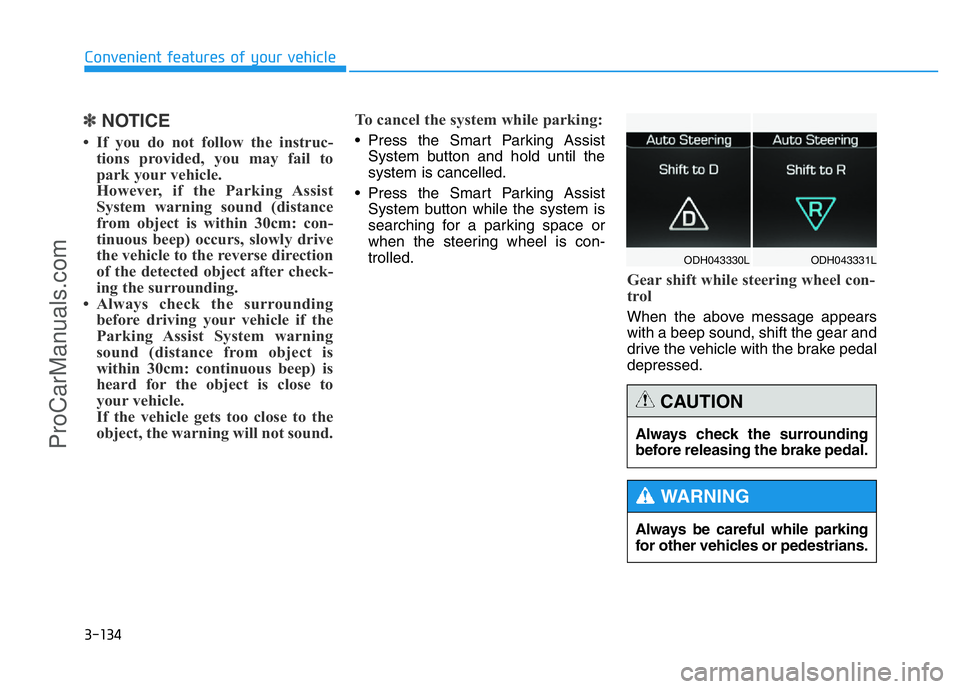
Gear shift while steering wheel con-
trol
When the above message appears
with a beep sound, shift the gear and
drive the vehicle with the brake pedal
depressed.
ODH043331L ODH043330L
Always be careful while parking
for other vehicles or pedestrians.
WARNING
Always check the surrounding
before releasing the brake pedal.
CAUTION
ProCarManuals.com