Page 227 of 546
3-136
Convenient features of your vehicle
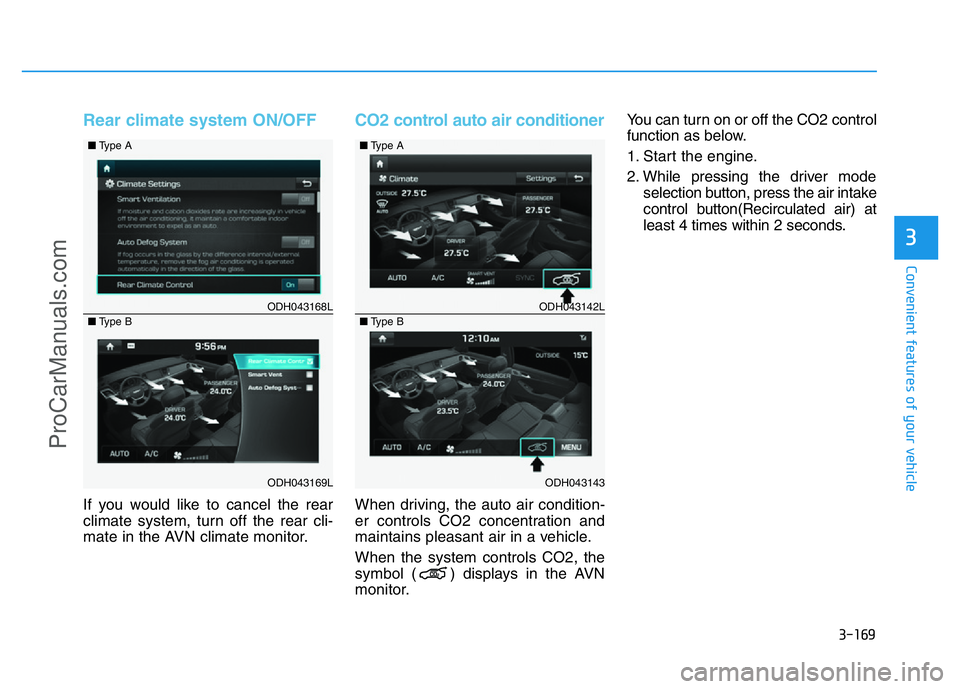
System malfunction
• If there is a problem with the sys-
tem, when the system is turned on,
the above message will appear.
Also, the indicator on the button
will not light up and a beep sound
will be heard 3 times.
• If there is a problem with only the
Smart Parking Assist System, the
Parking Assist System will operate
after 2 seconds.
If you notice any problem, we rec-
ommend that the system be checked
by an authorized HYUNDAI dealer.
How the system works
(Exit mode)
The Exit Mode operates in the below
condition:
• When vehicle speed is below 5
km/h the first time after the engine
has been started.
• After parallel parking is completed
with the Smart Parking Assist
System.
1. Activate the Smart Parking Assist
System
The shift lever should be placed in
P (Park) or N (Neutral).
2. Select Exit Mode
3. Check Surroundings
4. Steering Wheel Control
(1) Shift according to the instruc-
tion on the LCD display.
(2) Drive slowly with the brake
pedal applied.
5. Exiting Complete
If necessary, manually adjust posi-
tion of vehicle.
✽NOTICE
• Before activating the system check
if the conditions are possible to use
the system.
• For your safety, always apply the
brake pedal except for when driv-
ing.
ODH043336L
ProCarManuals.com
Page 228 of 546
3-137
Convenient features of your vehicle
3
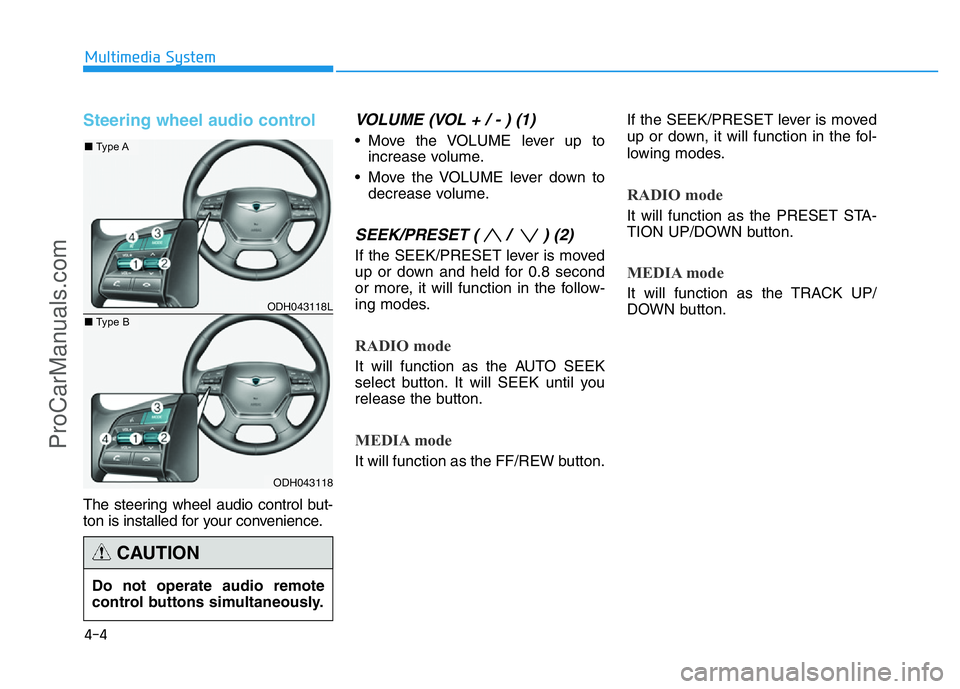
1. Activate Smart Parking Assist
System
• Press the Smart Parking Assist
System button (the button indicator
will illuminate).• The Parking Assist System will be
activated (the button indicator will
illuminate).
A warning sound will be heard if an
obstacle is detected.
• Press the Smart Parking Assist
System button again for more than
2 seconds to turn off the system.
• The Smart Parking Assist System
defaults to the OFF position when-
ever the Engine Start/Stop button
is turned on.
2. Select Exit Mode
• Select the mode by pressing the
Smart Parking Assist System but-
ton with the shift lever in P (Park)
or N (Neutral) and the brake pedal
depressed.
• The left side parallel mode is
selected automatically when the
Smart Parking Assist System is
activated.
• To select the right side parallel
mode, press the Smart Parking
Assist System button once more.
• If the button is pressed again, the
system will turn off.
ODH043069
ODH043131
■Type A
■Type B
ODH043338LODH043337L
■Left side
- Parallel exit■Right side
- Parallel exit
ProCarManuals.com
Page 248 of 546
3-157
Convenient features of your vehicle
3
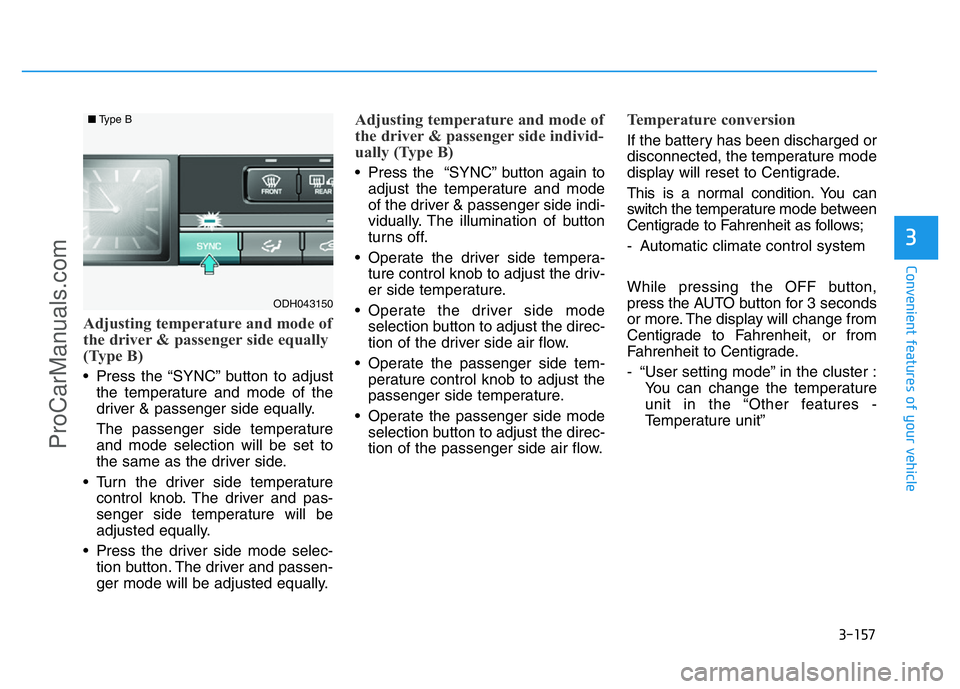
Adjusting temperature and mode of
the driver & passenger side equally
(Type B)
• Press the “SYNC” button to adjust
the temperature and mode of the
driver & passenger side equally.
The passenger side temperature
and mode selection will be set to
the same as the driver side.
• Turn the driver side temperature
control knob. The driver and pas-
senger side temperature will be
adjusted equally.
• Press the driver side mode selec-
tion button. The driver and passen-
ger mode will be adjusted equally.
Adjusting temperature and mode of
the driver & passenger side individ-
ually (Type B)
• Press the “SYNC” button again to
adjust the temperature and mode
of the driver & passenger side indi-
vidually. The illumination of button
turns off.
• Operate the driver side tempera-
ture control knob to adjust the driv-
er side temperature.
• Operate the driver side mode
selection button to adjust the direc-
tion of the driver side air flow.
• Operate the passenger side tem-
perature control knob to adjust the
passenger side temperature.
• Operate the passenger side mode
selection button to adjust the direc-
tion of the passenger side air flow.
Temperature conversion
If the battery has been discharged or
disconnected, the temperature mode
display will reset to Centigrade.
This is a normal condition. You can
switch the temperature mode between
Centigrade to Fahrenheit as follows;
- Automatic climate control system
While pressing the OFF button,
press the AUTO button for 3 seconds
or more. The display will change from
Centigrade to Fahrenheit, or from
Fahrenheit to Centigrade.
- “User setting mode” in the cluster :
You can change the temperature
unit in the “Other features -
Temperature unit”
ODH043150
■Type B
ProCarManuals.com
Page 253 of 546
3-162
Convenient features of your vehicle
✽NOTICE
• When using the air conditioning
system, monitor the temperature
gauge closely while driving up
hills or in heavy traffic when out-
side temperatures are high. Air
conditioning system operation
may cause engine overheating.
Continue to use the blower fan but
turn the air conditioning system
off if the temperature gauge indi-
cates engine overheating.
• When opening the windows in
humid weather air conditioning
may create water droplets inside
the vehicle. Since excessive water
droplets may cause damage to
electrical equipment, air condi-
tioning should only be used with
the windows closed.Air conditioning system operation
tips• If the vehicle has been parked in
direct sunlight during hot weather,
open the windows for a short time
to let the hot air inside the vehicle
escape.
• Use air conditioning to reduce
humidity and moisture inside the
vehicle on rainy or humid days.
• During air conditioning system
operation, you may occasionally
notice a slight change in engine
speed as the air conditioning com-
pressor cycles. This is a normal
system operation characteristic.
• Use the air conditioning system
every month only for a few minutes
to ensure maximum system per-
formance.
• When using the air conditioning
system, you may notice clear water
dripping (or even puddling) on the
ground under the passenger side
of the vehicle. This is a normal sys-
tem operation characteristic.• Operating the air conditioning sys-
tem in the recirculated air position
provides maximum cooling, how-
ever, continual operation in this
mode may cause the air inside the
vehicle to become stale.
• During cooling operation, you may
occasionally notice a misty air flow
because of rapid cooling and
humid air intake. This is a normal
system operation characteristic.
ProCarManuals.com
Page 260 of 546
3-169
Convenient features of your vehicle
3
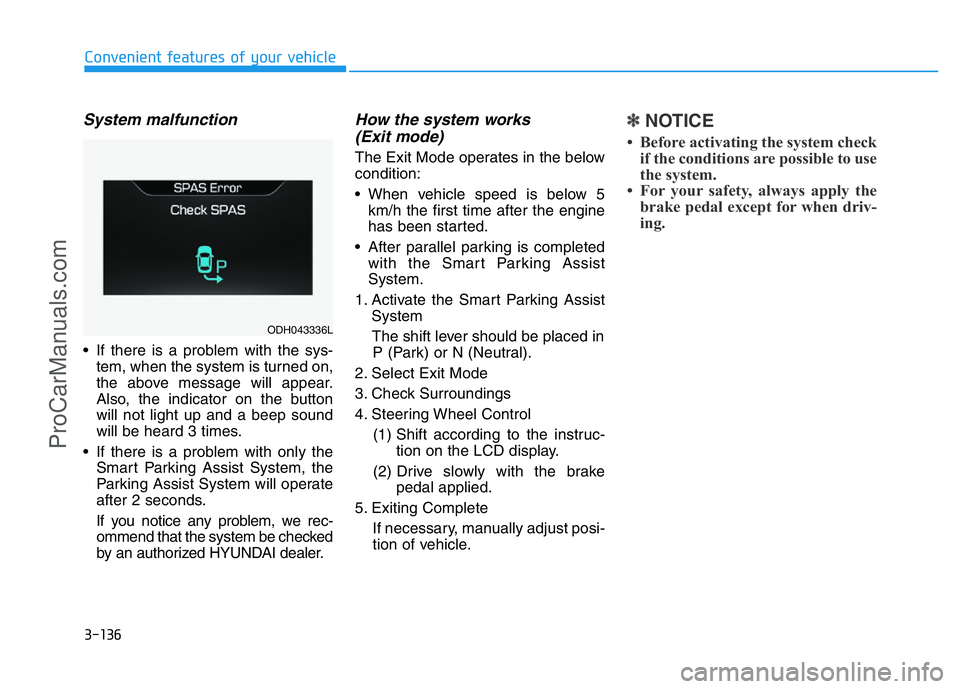
Rear climate system ON/OFF
If you would like to cancel the rear
climate system, turn off the rear cli-
mate in the AVN climate monitor.
CO2 control auto air conditioner
When driving, the auto air condition-
er controls CO2 concentration and
maintains pleasant air in a vehicle.
When the system controls CO2, the
symbol ( ) displays in the AVN
monitor.You can turn on or off the CO2 control
function as below.
1. Start the engine.
2. While pressing the driver mode
selection button, press the air intake
control button(Recirculated air) at
least 4 times within 2 seconds.
ODH043168L
ODH043169L ■Type A
■Type B
ODH043142L
ODH043143 ■Type A
■Type B
ProCarManuals.com
Page 274 of 546
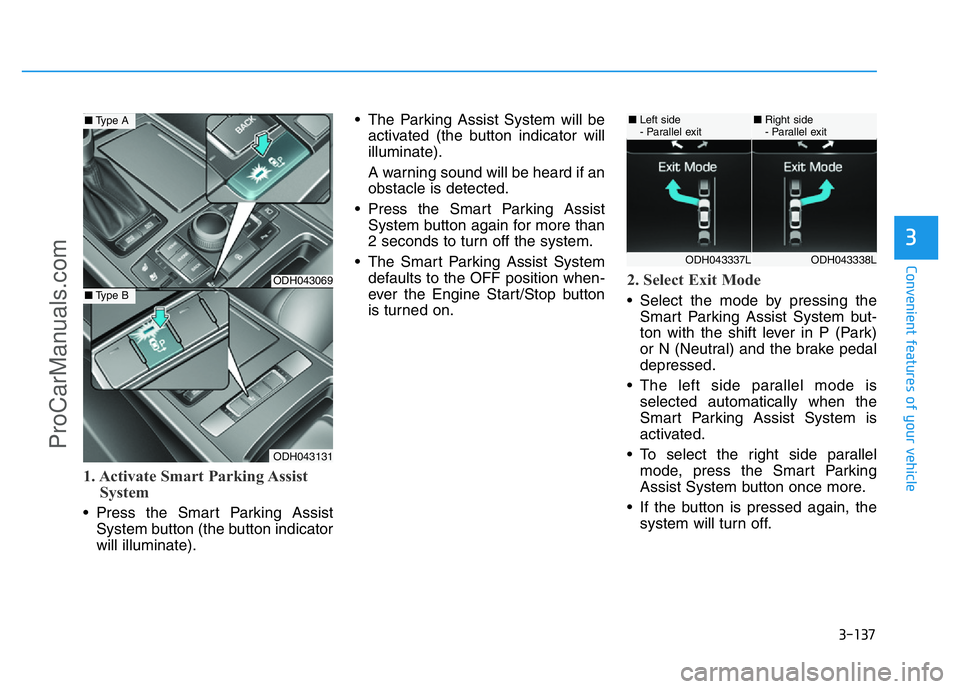
Steering wheel audio control
The steering wheel audio control but-
ton is installed for your convenience.
VOLUME (VOL + / - ) (1)
• Move the VOLUME lever up to
increase volume.
• Move the VOLUME lever down to
decrease volume.
SEEK/PRESET ( / ) (2)
If the SEEK/PRESET lever is moved
up or down and held for 0.8 second
or more, it will function in the follow-
ing modes.
RADIO mode
It will function as the AUTO SEEK
select button. It will SEEK until you
release the button.
MEDIA mode
It will function as the FF/REW button.If the SEEK/PRESET lever is moved
up or down, it will function in the fol-
lowing modes.
RADIO mode
It will function as the PRESET STA-
TION UP/DOWN button.
MEDIA mode
It will function as the TRACK UP/
DOWN button.
4-4
Multimedia System
ODH043118L
ODH043118
■Type A
■Type B
Do not operate audio remote
control buttons simultaneously.
CAUTION
ProCarManuals.com
Page 285 of 546
5-9
Driving your vehicle
5
Starting the engine ✽NOTICE
• The engine will start by pressing
the Engine Start/Stop button, only
when the smart key is in the vehi-
cle.
• Even if the smart key is in the
vehicle, if it is far away from the
driver, the engine may not start.
• When the Engine Start/Stop but-
ton is in the ACC or ON position,
if any door is open, the system
checks for the smart key. If the
smart key is not in the vehicle, the
warning, "Key not in vehicle" will
come on and if all doors are closed,
the chime will also sound for about
5 seconds. The indicator will turn
off while the vehicle is moving.
Keep the smart key in the vehicle
when using the ACC position or if
the vehicle engine is ON.
1.Always carry the smart key with
you.
2.Make sure the parking brake is
applied.
3.Make sure the shift lever is in P
(Park).
4.Depress the brake pedal.
5 Press the Engine Start/Stop but-
ton.
6.Do not wait for the engine to warm
up while the vehicle remains sta-
tionary. Start driving at moderate
engine speeds. (Steep accelerat-
ing and decelerating should be
avoided.)
✽NOTICE
Always start the vehicle with your
foot on the brake pedal. Do not
depress the accelerator while start-
ing the vehicle. Do not race the
engine while warming it up.
•Always wear appropriate shoes
when operating your vehicle.
Unsuitable shoes, such as
high heels, ski boots, sandals,
flip-flops, etc., may interfere
with your ability to use the
brake and accelerator pedals.
•Do not start the vehicle with the
accelerator pedal depressed.
The vehicle can move and lead
to an accident.
•Wait until the engine rpm is
normal. The vehicle may sud-
denly move if the brake pedal
is released when the rpm is
high.
WARNING
ProCarManuals.com
Page 289 of 546
5-13
Driving your vehicle
5
R (Reverse)
Use this position to drive the vehicle
backward.
N (Neutral)
The wheels and transmission are not
engaged.
Use N (Neutral) if you need to restart
a stalled engine, or if it is necessary
to stop with the engine ON. Shift into
P (Park) if you need to leave your
vehicle for any reason.
Always depress the brake pedal
when you are shifting from N
(Neutral) to another gear.
D (Drive)
This is the normal driving position.
The transmission will automatically
shift through a 8-gear sequence, pro-
viding the best fuel economy and
power.
For extra power when passing anoth-
er vehicle or driving uphill, depress
the accelerator pedal further until
you feel the transmission downshift
to a lower gear.
The DRIVE MODE switch, located on
the shift lever console, allows the driv-
er to switch from NORMAL mode to
SPORT, ECO or SNOW mode.
When driving in ice or snow condi-
tions, it is recommended you switch to
SNOW mode. Press the DRIVE
MODE switch for 2~3 seconds until
"SNOW" displays in the center of the
instrument cluster. To cancel SNOW
mode, press the DRIVE MODE switch
one time to select NORMAL mode.
For more information, refer to "Drive
Mode Integrated Control System"
later in this chapter. Always come to a complete
stop before shifting into or out
of R (Reverse); you may dam-
age the transmission if you shift
into R (Reverse) while the vehi-
cle is in motion.
CAUTION
•Do not shift into gear unless
your foot is firmly on the
brake pedal. Shifting into gear
when the engine is running at
high speed can cause the
vehicle to move very rapidly.
You could lose control of the
vehicle and hit people or
objects.
•Do not drive with the shift
lever in N (Neutral). The
engine brake will not work
and may lead to an accident.
WARNING
ProCarManuals.com