Page 327 of 546
5-51
Driving your vehicle
5
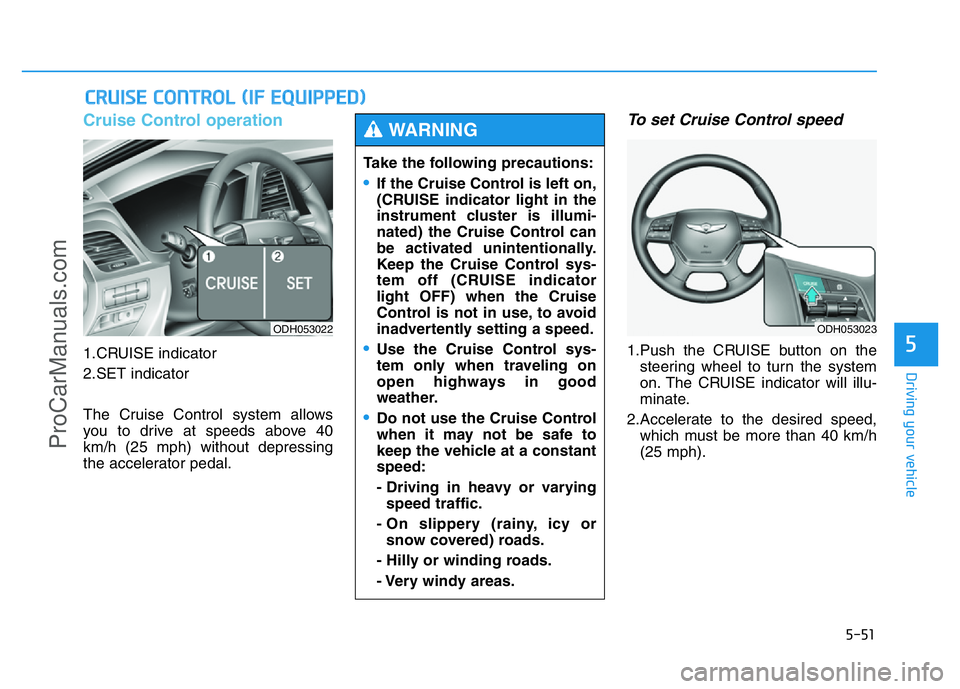
Cruise Control operation
1.CRUISE indicator
2.SET indicator
The Cruise Control system allows
you to drive at speeds above 40
km/h (25 mph) without depressing
the accelerator pedal.
To set Cruise Control speed
1.Push the CRUISE button on the
steering wheel to turn the system
on. The CRUISE indicator will illu-
minate.
2.Accelerate to the desired speed,
which must be more than 40 km/h
(25 mph).
CRUISE CONTROL (IF EQUIPPED)
ODH053022
Take the following precautions:
•If the Cruise Control is left on,
(CRUISE indicator light in the
instrument cluster is illumi-
nated) the Cruise Control can
be activated unintentionally.
Keep the Cruise Control sys-
tem off (CRUISE indicator
light OFF) when the Cruise
Control is not in use, to avoid
inadvertently setting a speed.
•Use the Cruise Control sys-
tem only when traveling on
open highways in good
weather.
•Do not use the Cruise Control
when it may not be safe to
keep the vehicle at a constant
speed:
- Driving in heavy or varying
speed traffic.
- On slippery (rainy, icy or
snow covered) roads.
- Hilly or winding roads.
- Very windy areas.
WARNING
ODH053023
ProCarManuals.com
Page 331 of 546
5-55
Driving your vehicle
5
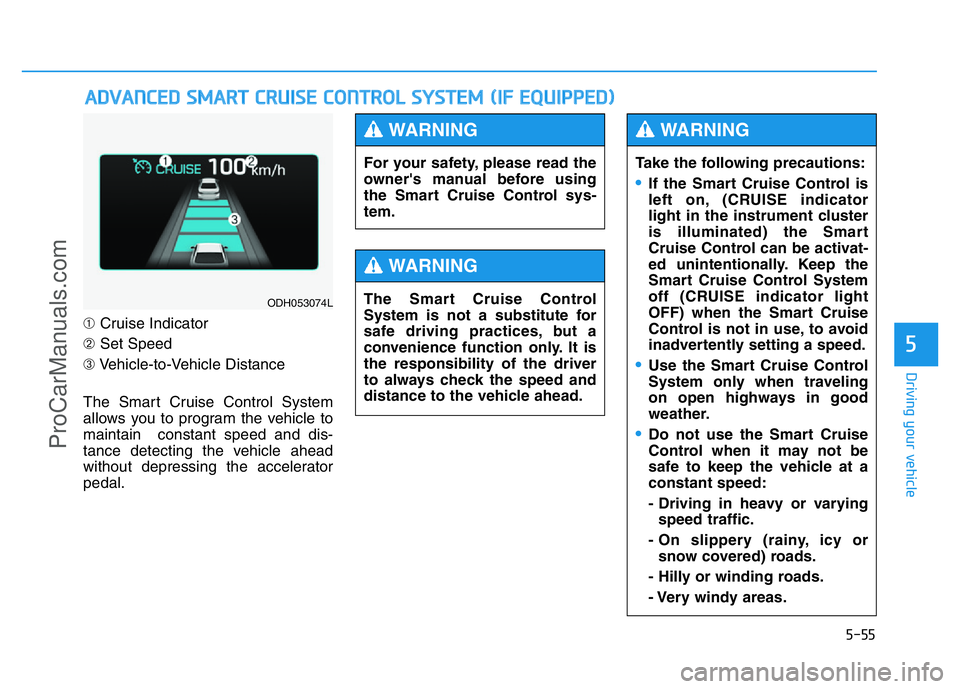
➀Cruise Indicator
➁Set Speed
➂Vehicle-to-Vehicle Distance
The Smart Cruise Control System
allows you to program the vehicle to
maintain constant speed and dis-
tance detecting the vehicle ahead
without depressing the accelerator
pedal.
ADVANCED SMART CRUISE CONTROL SYSTEM (IF EQUIPPED)
ODH053074L
For your safety, please read the
owner's manual before using
the Smart Cruise Control sys-
tem.
WARNING
The Smart Cruise Control
System is not a substitute for
safe driving practices, but a
convenience function only. It is
the responsibility of the driver
to always check the speed and
distance to the vehicle ahead.
WARNING
Take the following precautions:
•If the Smart Cruise Control is
left on, (CRUISE indicator
light in the instrument cluster
is illuminated) the Smart
Cruise Control can be activat-
ed unintentionally. Keep the
Smart Cruise Control System
off (CRUISE indicator light
OFF) when the Smart Cruise
Control is not in use, to avoid
inadvertently setting a speed.
•Use the Smart Cruise Control
System only when traveling
on open highways in good
weather.
•Do not use the Smart Cruise
Control when it may not be
safe to keep the vehicle at a
constant speed:
- Driving in heavy or varying
speed traffic.
- On slippery (rainy, icy or
snow covered) roads.
- Hilly or winding roads.
- Very windy areas.
WARNING
ProCarManuals.com
Page 332 of 546
5-56
Driving your vehicle
To convert to Cruise Control
mode
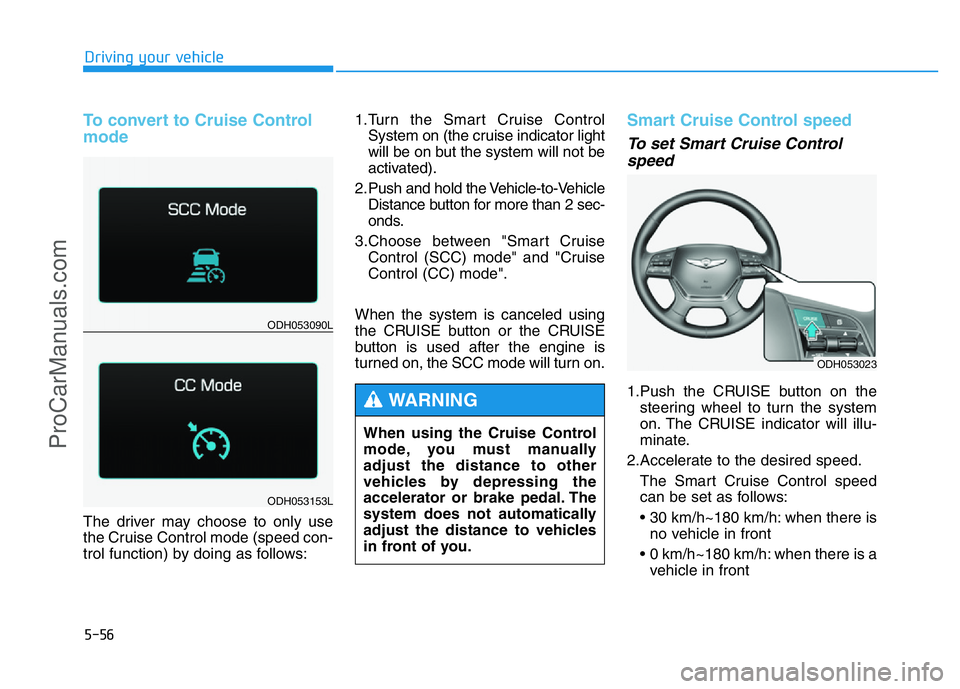
The driver may choose to only use
the Cruise Control mode (speed con-
trol function) by doing as follows:1.Turn the Smart Cruise Control
System on (the cruise indicator light
will be on but the system will not be
activated).
2. Push and hold the Vehicle-to-Vehicle
Distance button for more than 2 sec-
onds.
3.Choose between "Smart Cruise
Control (SCC) mode" and "Cruise
Control (CC) mode".
When the system is canceled using
the CRUISE button or the CRUISE
button is used after the engine is
turned on, the SCC mode will turn on.
Smart Cruise Control speed
To set Smart Cruise Control
speed
1.Push the CRUISE button on the
steering wheel to turn the system
on. The CRUISE indicator will illu-
minate.
2.Accelerate to the desired speed.
The Smart Cruise Control speed
can be set as follows:
• 30 km/h~180 km/h: when there is
no vehicle in front
• 0 km/h~180 km/h: when there is a
vehicle in front
ODH053023
ODH053090L
ODH053153L
When using the Cruise Control
mode, you must manually
adjust the distance to other
vehicles by depressing the
accelerator or brake pedal. The
system does not automatically
adjust the distance to vehicles
in front of you.
WARNING
ProCarManuals.com
Page 340 of 546
5-64
Driving your vehicle
Sensor warning message
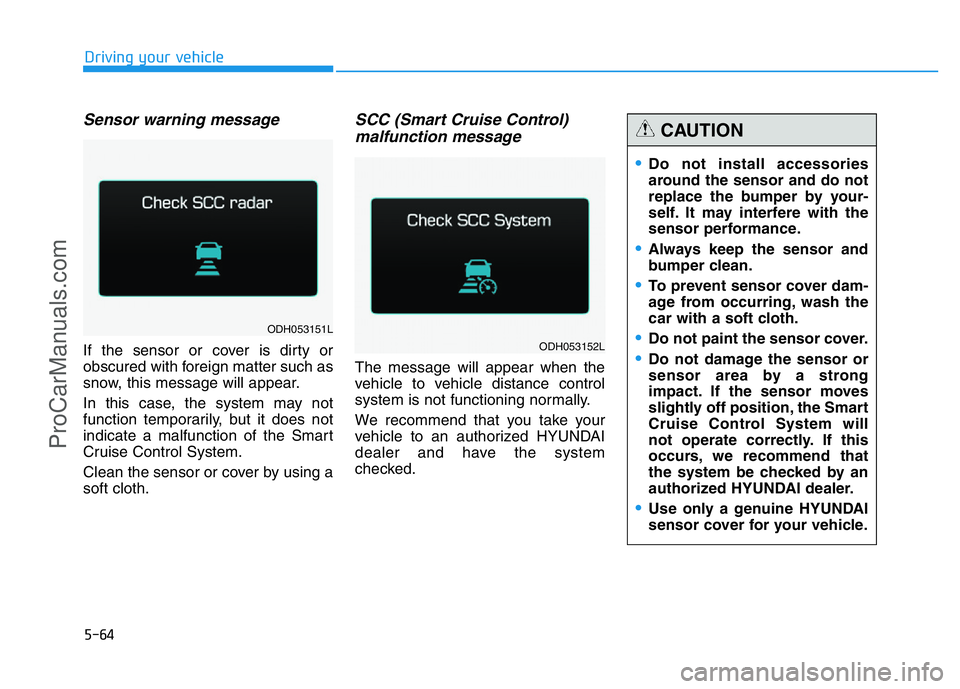
If the sensor or cover is dirty or
obscured with foreign matter such as
snow, this message will appear.
In this case, the system may not
function temporarily, but it does not
indicate a malfunction of the Smart
Cruise Control System.
Clean the sensor or cover by using a
soft cloth.
SCC (Smart Cruise Control)
malfunction message
The message will appear when the
vehicle to vehicle distance control
system is not functioning normally.
We recommend that you take your
vehicle to an authorized HYUNDAI
dealer and have the system
checked.
•Do not install accessories
around the sensor and do not
replace the bumper by your-
self. It may interfere with the
sensor performance.
•Always keep the sensor and
bumper clean.
•To prevent sensor cover dam-
age from occurring, wash the
car with a soft cloth.
•Do not paint the sensor cover.
•Do not damage the sensor or
sensor area by a strong
impact. If the sensor moves
slightly off position, the Smart
Cruise Control System will
not operate correctly. If this
occurs, we recommend that
the system be checked by an
authorized HYUNDAI dealer.
•Use only a genuine HYUNDAI
sensor cover for your vehicle.
CAUTION
ODH053151L
ODH053152L
ProCarManuals.com
Page 346 of 546
5-70
Driving your vehicle
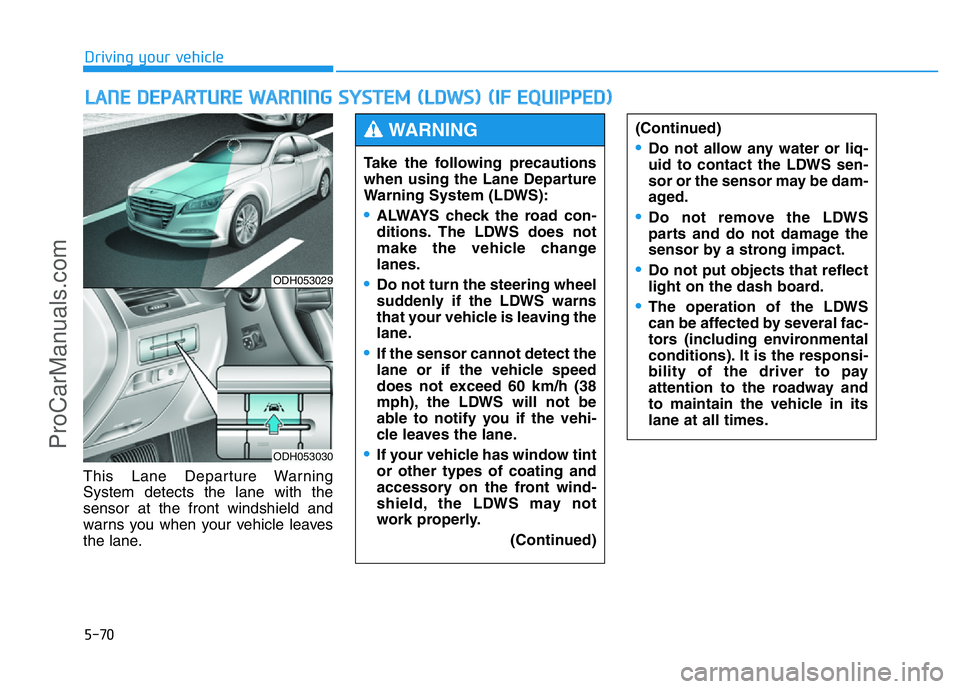
This Lane Departure Warning
System detects the lane with the
sensor at the front windshield and
warns you when your vehicle leaves
the lane.
LANE DEPARTURE WARNING SYSTEM (LDWS) (IF EQUIPPED)
ODH053029
ODH053030
Take the following precautions
when using the Lane Departure
Warning System (LDWS):
•ALWAYS check the road con-
ditions. The LDWS does not
make the vehicle change
lanes.
•Do not turn the steering wheel
suddenly if the LDWS warns
that your vehicle is leaving the
lane.
•If the sensor cannot detect the
lane or if the vehicle speed
does not exceed 60 km/h (38
mph), the LDWS will not be
able to notify you if the vehi-
cle leaves the lane.
•If your vehicle has window tint
or other types of coating and
accessory on the front wind-
shield, the LDWS may not
work properly.
(Continued)
(Continued)
•Do not allow any water or liq-
uid to contact the LDWS sen-
sor or the sensor may be dam-
aged.
•Do not remove the LDWS
parts and do not damage the
sensor by a strong impact.
•Do not put objects that reflect
light on the dash board.
•The operation of the LDWS
can be affected by several fac-
tors (including environmental
conditions). It is the responsi-
bility of the driver to pay
attention to the roadway and
to maintain the vehicle in its
lane at all times.
WARNING
ProCarManuals.com
Page 349 of 546
5-73
Driving your vehicle
5
The LDWS does not operate when:
• The driver turns on the turn signal
to change lanes or operates the
hazard warning flasher.
• Operating the wiper switch with HI
mode due to heavy rain.
• Driving on the lane line.
✽NOTICE
Always operate the turn signal
before changing lanes.
DRIVER'S ATTENTION
The LDWS may not warn you even
if the vehicle leaves the lane, or may
warn you even if the vehicle does not
leave the lane when:
• The lane can't be visible due to
snow, rain, stain, a puddle or other
factors.
• The brightness outside changes
suddenly such as tunnel enter/exit.
• The headlamps are not on at night
or in a tunnel, or light level is low.
• It is difficult to distinguish the
color of the lane marking from the
road or the lane line is damaged or
indistinct.
• Driving on a steep grade or a
curve.
• Light such as street light, sunlight
or oncoming vehicle light reflects
from the water on the road.
• The lens or windshield is covered
with foreign matter.
• The sensor cannot detect the lane
because of fog, heavy rain, or
heavy snow.
(Continued)(Continued)
• The surrounding of the inside rear
view mirror temperature is high
due to direct sun light.
• The lane is very wide or narrow.
• The windshield is fogged by
humid air in the vehicle.
• A shadow is on the lane line.
• There is a mark that looks like a
lane line.
• There is a boundary structure,
such as a concrete barrier.
• The distance from the vehicle
ahead is very short or the vehicle
ahead drives covering the lane
line.
• The vehicle vibrates heavily due to
road conditions.
• The number of lanes increases or
decreases or the lane lines are
crossing.
• Putting something on the dash-
board.
• Driving with the sun in front of
you.
• Driving in areas under construc-
tion.
• There are more than two lane
lines.
ProCarManuals.com
Page 350 of 546
5-74
Driving your vehicle
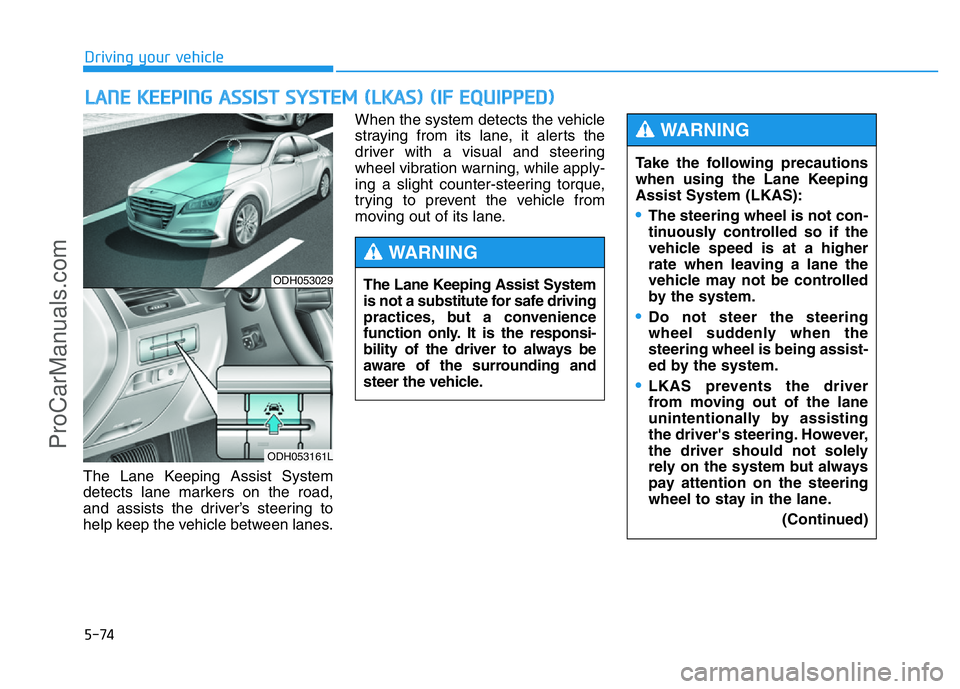
The Lane Keeping Assist System
detects lane markers on the road,
and assists the driver’s steering to
help keep the vehicle between lanes.When the system detects the vehicle
straying from its lane, it alerts the
driver with a visual and steering
wheel vibration warning, while apply-
ing a slight counter-steering torque,
trying to prevent the vehicle from
moving out of its lane.
LANE KEEPING ASSIST SYSTEM (LKAS) (IF EQUIPPED)
ODH053029
ODH053161L
Take the following precautions
when using the Lane Keeping
Assist System (LKAS):
•The steering wheel is not con-
tinuously controlled so if the
vehicle speed is at a higher
rate when leaving a lane the
vehicle may not be controlled
by the system.
•Do not steer the steering
wheel suddenly when the
steering wheel is being assist-
ed by the system.
•LKAS prevents the driver
from moving out of the lane
unintentionally by assisting
the driver's steering. However,
the driver should not solely
rely on the system but always
pay attention on the steering
wheel to stay in the lane.
(Continued)
WARNING
The Lane Keeping Assist System
is not a substitute for safe driving
practices, but a convenience
function only. It is the responsi-
bility of the driver to always be
aware of the surrounding and
steer the vehicle.
WARNING
ProCarManuals.com
Page 351 of 546
5-75
Driving your vehicle
5
LKAS operation
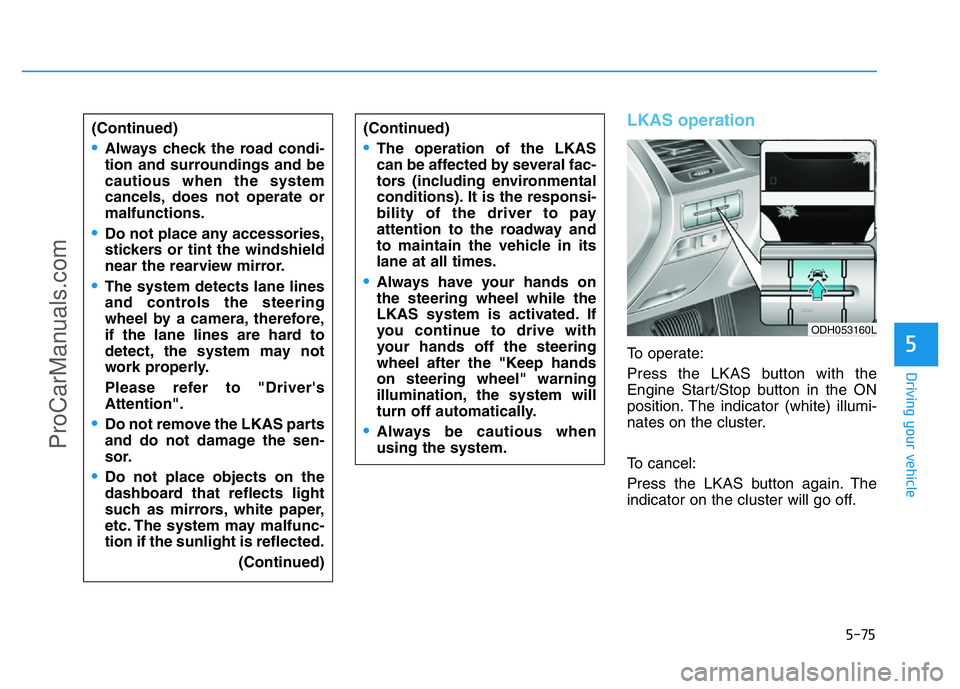
To operate:
Press the LKAS button with the
Engine Start/Stop button in the ON
position. The indicator (white) illumi-
nates on the cluster.
To cancel:
Press the LKAS button again. The
indicator on the cluster will go off. (Continued)
•Always check the road condi-
tion and surroundings and be
cautious when the system
cancels, does not operate or
malfunctions.
•Do not place any accessories,
stickers or tint the windshield
near the rearview mirror.
•The system detects lane lines
and controls the steering
wheel by a camera, therefore,
if the lane lines are hard to
detect, the system may not
work properly.
Please refer to "Driver's
Attention".
•Do not remove the LKAS parts
and do not damage the sen-
sor.
•Do not place objects on the
dashboard that reflects light
such as mirrors, white paper,
etc. The system may malfunc-
tion if the sunlight is reflected.
(Continued)
(Continued)
•The operation of the LKAS
can be affected by several fac-
tors (including environmental
conditions). It is the responsi-
bility of the driver to pay
attention to the roadway and
to maintain the vehicle in its
lane at all times.
•Always have your hands on
the steering wheel while the
LKAS system is activated. If
you continue to drive with
your hands off the steering
wheel after the "Keep hands
on steering wheel" warning
illumination, the system will
turn off automatically.
•Always be cautious when
using the system.
ODH053160L
ProCarManuals.com