Page 179 of 365
uuRear Entertainment System*uOperating the System
178
Features
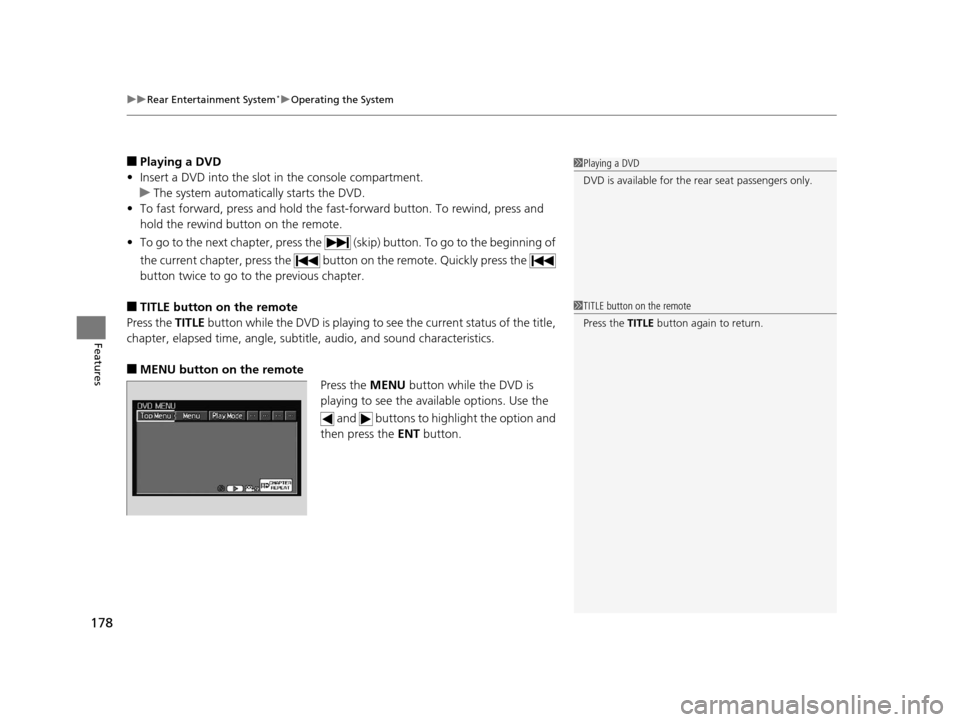
■Playing a DVD
• Insert a DVD into the slot in the console compartment.
u The system automatically starts the DVD.
• To fast forward, press and hold the fa st-forward button. To rewind, press and
hold the rewind button on the remote.
• To go to the next chapter, press the (skip) button. To go to the beginning of
the current chapter, press the butt on on the remote. Quickly press the
button twice to go to the previous chapter.
■TITLE button on the remote
Press the TITLE button while the DVD is playing to se e the current status of the title,
chapter, elapsed time, angle, subtitle, audio, and sound characteristics.
■MENU button on the remote Press the MENU button while the DVD is
playing to see the ava ilable options. Use the
and buttons to highlight the option and
then press the ENT button.
1Playing a DVD
DVD is available for the re ar seat passengers only.
1TITLE button on the remote
Press the TITLE button again to return.
14 CR-V-31T0A6200.book 178 ページ 2014年2月10日 月曜日 午後7時1分
Page 181 of 365
180
uuRear Entertainment System*uOperating the System
Features
Search:
You can search for a DVD segm ent from the following methods.
Title Search - Find the title you want to play.
Chapter Search - Find the chapter you want to play.
NumInput:
Enter a two-digit number, if issued to th e DVD, to find the segment you want to
start to play.
1. Select NumInput to go to the number input screen.
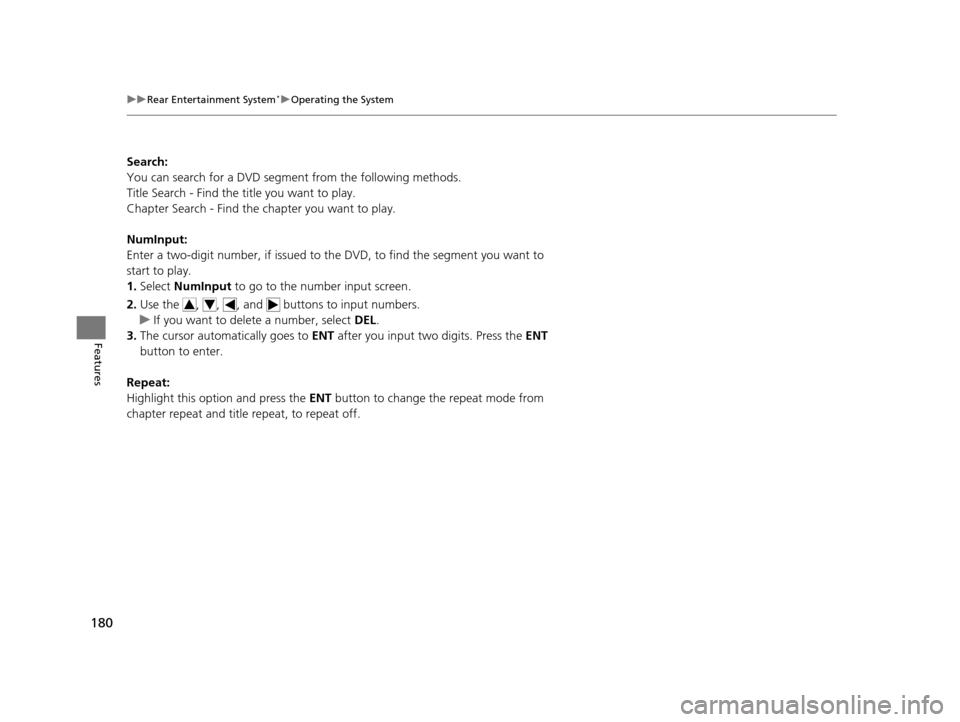
2. Use the , , , and buttons to input numbers.
u If you want to delete a number, select DEL.
3. The cursor automatically goes to ENT after you input two digits. Press the ENT
button to enter.
Repeat:
Highlight this option and press the ENT button to change the repeat mode from
chapter repeat and title repeat, to repeat off.
14 CR-V-31T0A6200.book 180 ページ 2014年2月10日 月曜日 午後7時1分
Page 182 of 365
Continued181
uuRear Entertainment System*uOperating the System
Features
■SETUP button on the remote
Press the SETUP button while the DVD is
playing to see the ava ilable options. Use the
and buttons to highlight the option and
then press ENT.
Disp Adjust:
You can adjust the overhead screen’s Brightness, Contrast , Black Level , Color ,
and Tint. To return to the defaul t display setting, select Reset.
After you make all the adjustments, the screen goes back to the top SETUP screen,
or press the CANCEL button to return.
Aspect Ratio:
You can select the screen mode wi th a different aspect ratio from Normal , Wide ,
Zoom , and Full. After you select the mode, it t akes about one second to return to
the play mode with the selected ratio.
Language:
You can select the display language from English, French , and Spanish .1SETUP button on the remote
Not all DVD formats allow for all the available setting
adjustments.
14 CR-V-31T0A6200.book 181 ページ 2014年2月10日 月曜日 午後7時1分
Page 184 of 365
183
uuRear Entertainment System*uOperating the System
Continued
Features
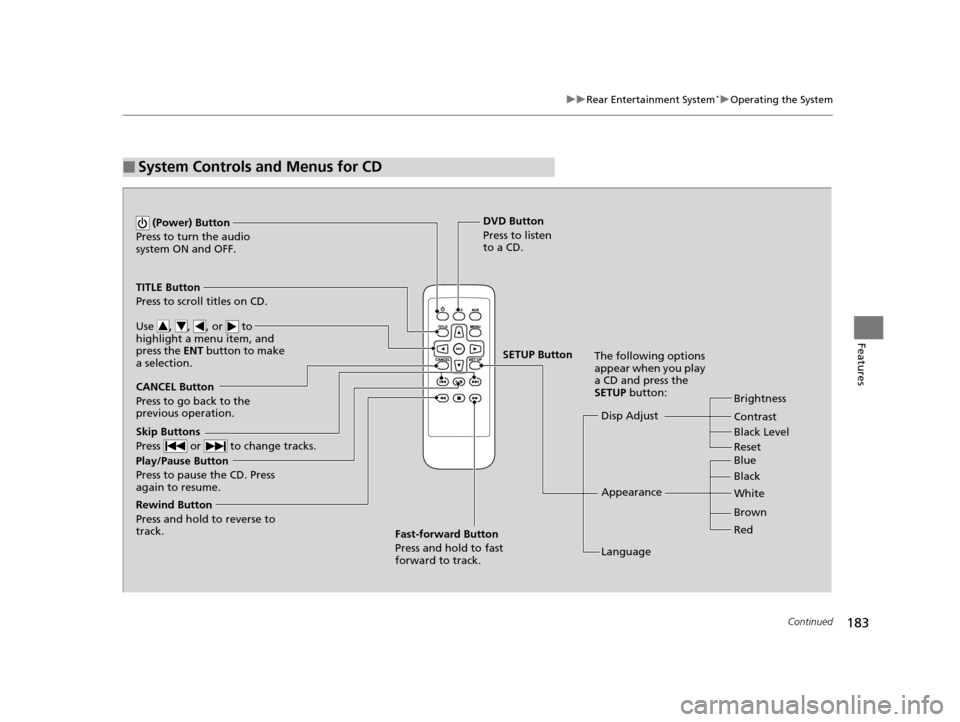
■System Controls and Menus for CD
Play/Pause Button
Press to pause the CD. Press
again to resume. (Power) Button
Press to turn the audio
system ON and OFF.
DVD Button
Press to listen
to a CD.
TITLE Button
Press to scroll titles on CD.
Use , , , or to
highlight a menu item, and
press the ENT button to make
a selection.
CANCEL Button
Press to go back to the
previous operation. Disp Adjust
LanguageBrightness
Contrast
Black Level
Appearance Black Blue
Brown White
Red
The following options
appear when you play
a CD and press the
SETUP button:
Skip Buttons
Press or to change tracks.
Rewind Button
Press and hold to reverse to
track. Fast-forward Button
Press and hold to fast
forward to track.
SETUP Button
Reset
14 CR-V-31T0A6200.book 183 ページ 2014年2月10日 月曜日 午後7時1分
Page 185 of 365

uuRear Entertainment System*uOperating the System
184
Features
■Playing a CD
Press the DVD button.
The available options that appear on the overhead screen are Repeat, Random, and Scan.
The fast-forward, rewind, , and buttons work similarly to operation a DVD.
2Playing a DVD P. 178
To scroll the audio data title, press the TITLE button for five seconds.
■SETUP button on the remote
Press the SETUP button while the CD is
playing to see the ava ilable options. Use the
and buttons to highlight the option,
then press ENT.
Disp Adjust:
You can adjust the overhead screen’s Brightness, Contrast, and Black Level . To
return to the default display setting, select Reset.
After you make adjustments, the screen goes back to the top SETUP screen, or press
the CANCEL button to return.
Appearance:
You can select the screen color from blue, black, white, brown, and red.
Language:
You can select the display language from English, French, and Spanish.
1System Controls and Menus for CD
You can insert an audio CD compatible with the
system, or recorded in MP3/WMA/AAC formats into
the slot and play.
2 Playable Discs P. 185
14 CR-V-31T0A6200.book 184 ページ 2014年2月10日 月曜日 午後7時1分
Page 195 of 365

194
Features
Bluetooth® HandsFreeLink ®
See the Navigation System Manual for how to operate the Bluetooth®
HandsFreeLink ®.
Bluetooth ® HandsFreeLink ® (HFL) allows you to place and receive phone calls using
your vehicle's audio system, without handling your cell phone.
Using HFL
(Pick-up) button: Press to go directly to the Phone screen or to answer an
incoming call.
(Hang-up/back) button: Press to end a call or to cancel a command.
(Talk) button: Press to call a number with a stored voice tag.
PHONE button: Press to go directly to the Phone screen.
Selector knob: Rotate to select an item on the screen, then press .
■HFL Buttons
1Bluetooth ® HandsFreeLink ®
To use HFL, you need a Bluetooth-compatible cell
phone. For a list of compatible phones, pairing
procedures, and special feature capabilities:
•U.S.: Visit www.handsfreelink.honda.com , or call
1-888-528-7876.
•Canada: Visit www.handsfreelink.ca , or call 1-888-
528-7876.
Voice control tips
•Aim the vents away from the ceiling and close the
windows, as noise coming fr om them may interfere
with the microphone.
•Press and release the button when you want to
call a number using a st ored voice tag. Speak
clearly and naturally after a beep.
•If the microphone picks up vo ices other than yours,
the command may be misinterpreted.
•To change the volume level, use the audio system's
volume knob or the remote audio controls on the
steering wheel.
State or local laws may pr ohibit the operation of
handheld electronic devices while operating a
vehicle.
If you receive a call while using the audio system, the
system resumes its operati on after ending the call.
Models with navigation system
Models without navigation system
Talk Button
Volume up
Microphone
Hang-up/Back Button
Pick-up
Button
Volume
downSelector
Knob PHONE
Button
14 CR-V-31T0A6200.book 194 ページ 2014年2月10日 月曜日 午後7時1分
Page 212 of 365

Continued211
uuBluetooth ® HandsFreeLink ®u HFL Menus
Features
Up to 15 speed dial numbers can be stored per phone.
To store a speed dial number:
1.Press the PHONE button or the button.
2. Rotate to select Phone Setup, then
press .
u Repeat the procedure to select Speed
Dial , then Add New .
3. Rotate to select a place to choose a
number from, then press .
By Phonebook :
u Select a number from the linked cell
phone’s imported phonebook.
By Call History :
u Select a number from the call history.
By Phone Number :
u Input the number manually.
4. When the speed dial is successfully stored,
you are asked to create a voice tag for the
number. Rotate to select Yes or No,
then press .
5. Using the button, follow the prompts to
say the name for the speed dial entry.
■Speed Dial1Speed Dial
You can use the audio preset buttons during a call to
store a speed dial number:
1. Press and hold the desired audio preset button during a call.
2. The contact information for the active call will be stored for the corresponding speed dial.
When a voice tag is stored, you can press the
button and call the numbe r using voice commands.
14 CR-V-31T0A6200.book 211 ページ 2014年2月10日 月曜日 午後7時1分
Page 216 of 365

Continued215
uuBluetooth ® HandsFreeLink ®u HFL Menus
Features
■To make a call using redial
1. Press the PHONE button or the button.
2. Rotate to select Redial, then press .
u Dialing starts automatically.
■To make a call usin g the call history
Call history is stored by Dialed Calls,
Received Calls , and Missed Calls .
1. Press the PHONE button or the button.
2. Rotate to select Call History, then press
.
3. Rotate to select Dialed Calls, Received
Calls , or Missed Calls , then press .
4. Rotate to select a number, then press
.
u Dialing starts automatically.
■To make a call using a speed dial entry
1. Press the PHONE button or the button.
2. Rotate to select Speed Dial , then press
.
3. Rotate to select a number, then press
.
u Dialing starts automatically.
1To make a call using the call history
The call history appears only when a phone is
connected to HFL, and disp lays the last 20 dialed,
received, or missed calls.
1 To make a call using a speed dial entry
On the Phone screen, the first six speed dials on the
list can be directly selected by pressing the
corresponding audio preset buttons (1-6).
Select More Speed Dial Lists to view another paired
phone’s speed dial list.
When a voice tag is stored, press the button and
call the number using voice commands. 2 Speed Dial P. 211
Any voice-tagged speed dial entry can be dialed by
voice from any screen.
Press the button and follow the prompts.
14 CR-V-31T0A6200.book 215 ページ 2014年2月10日 月曜日 午後7時1分