Page 120 of 365

119
uuOperating the Switches Around the Steering Wheel uAdjusting the Steering Wheel
Controls
Adjusting the Steering Wheel
The steering wheel height and distance from your body can be adjusted so that you
can comfortably grip the steering wheel in an appropriate driving posture.
1. Pull the steering wheel adjustment lever up.
u The steering wheel adjustment lever is
under the steering column.
2. Move the steering wheel up or down, and
in or out.
u Make sure you can see the instrument
panel gauges and indicators.
3. Push the steering wheel adjustment lever
down to lock the steering wheel in position.
u After adjusting the position, make sure
you have securely locked the steering
wheel in place by trying to move it up,
down, in, and out.1Adjusting the Steering Wheel
Make any steering wheel adjustments before you
start driving.
3WARNING
Adjusting the steering wheel position while
driving may cause you to lose control of the
vehicle and be seriously injured in a crash.
Adjust the steering wheel only when the
vehicle is stopped.To adjust
To lockLever
14 CR-V-31T0A6200.book 119 ページ 2014年2月10日 月曜日 午後7時1分
Page 130 of 365

129
uuAdjusting the Seats uRear Seats
Continued
Controls
Rear Seats
The rear seats can be folded down separa tely to allow for additional storage space.
■To fold down the seat
1. Store the center seat belt first. Insert the la tch plate into the slot on the side of the
anchor buckle.
2. Retract the seat belt into the holder on the ceiling.
2 Seat Belt with Detachable Anchor P. 34
3.Lower the center head restraint to its lo west position. Put the armrest back into
the seat-back.
4.Pull the release strap.
u The seat cushion flips forward, the head
restraints tilt down ward, and the seat-
back then folds flat.
4. Pull the release lever.
u The seat cushion flips forward, the head
restraints tilt down ward, and the seat-
back then folds flat.
■Folding Down the Rear Seats1 Folding Down the Rear Seats
Make sure all items in the cargo area or items
extending to the rear seats are properly
secured. Loose items can fly forward if you have
to brake hard.
Remove any items from th e rear seat cushion and
floor before you fold down the rear seat.
Make sure the seat-back completely lowers (a click
sounds). Otherwise it will no t re-latch when returned
to the upright position.
The front seat(s) must be far enough forward so they
do not interfere with the rear seats as they fold
down.
Pull
From the rear door side
LeverFrom the cargo area side
14 CR-V-31T0A6200.book 129 ページ 2014年2月10日 月曜日 午後7時1分
Page 131 of 365
uuAdjusting the Seats uRear Seats
130
Controls
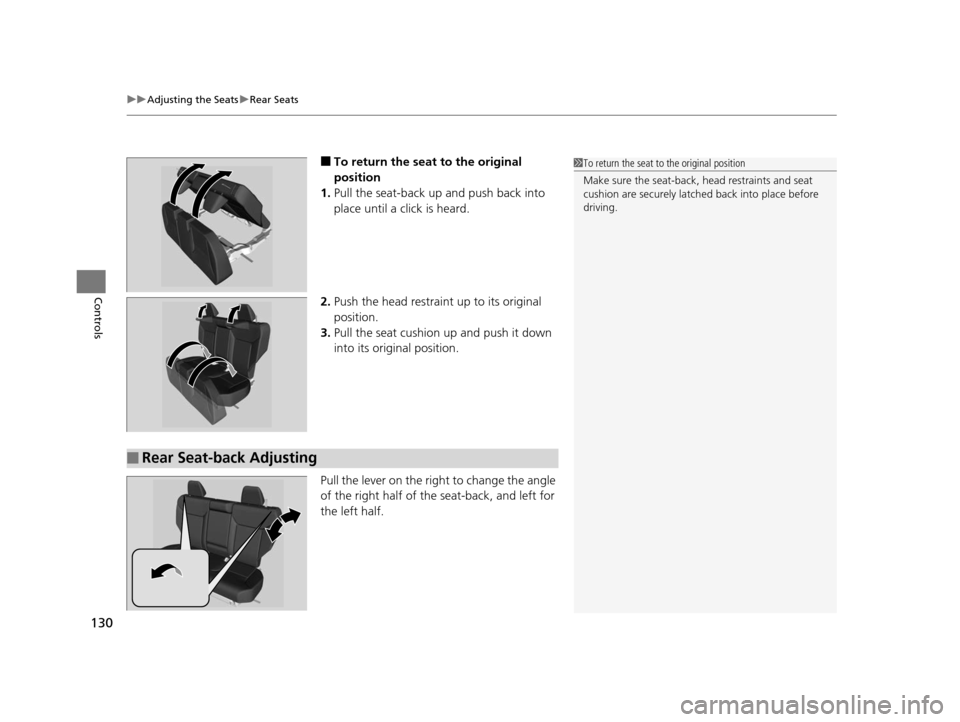
■To return the seat to the original
position
1. Pull the seat-back up and push back into
place until a click is heard.
2. Push the head restraint up to its original
position.
3. Pull the seat cushion up and push it down
into its original position.
Pull the lever on the right to change the angle
of the right half of the seat-back, and left for
the left half.
■Rear Seat-back Adjusting
1 To return the seat to the original position
Make sure the seat-back, head restraints and seat
cushion are securely latche d back into place before
driving.
14 CR-V-31T0A6200.book 130 ページ 2014年2月10日 月曜日 午後7時1分
Page 137 of 365
uuInterior Lights/Interior Convenience Items uInterior Convenience Items
136
Controls
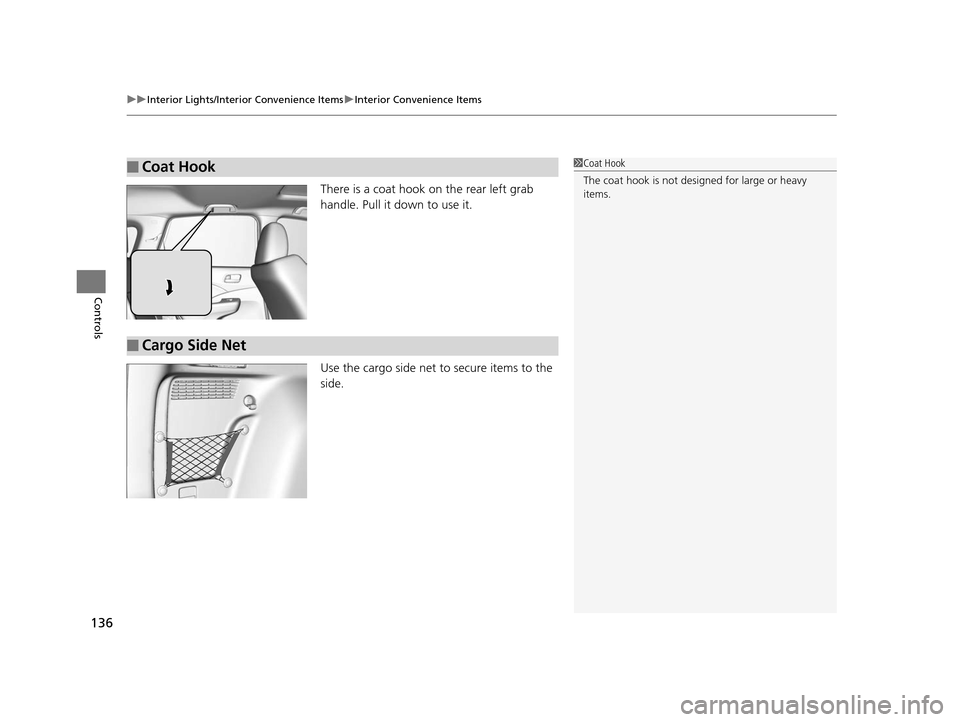
There is a coat hook on the rear left grab
handle. Pull it down to use it.
Use the cargo side net to secure items to the
side.
■Coat Hook1Coat Hook
The coat hook is not desi gned for large or heavy
items.
■Cargo Side Net
14 CR-V-31T0A6200.book 136 ページ 2014年2月10日 月曜日 午後7時1分
Page 138 of 365
Continued137
uuInterior Lights/Interior Convenience Items uInterior Convenience Items
Controls
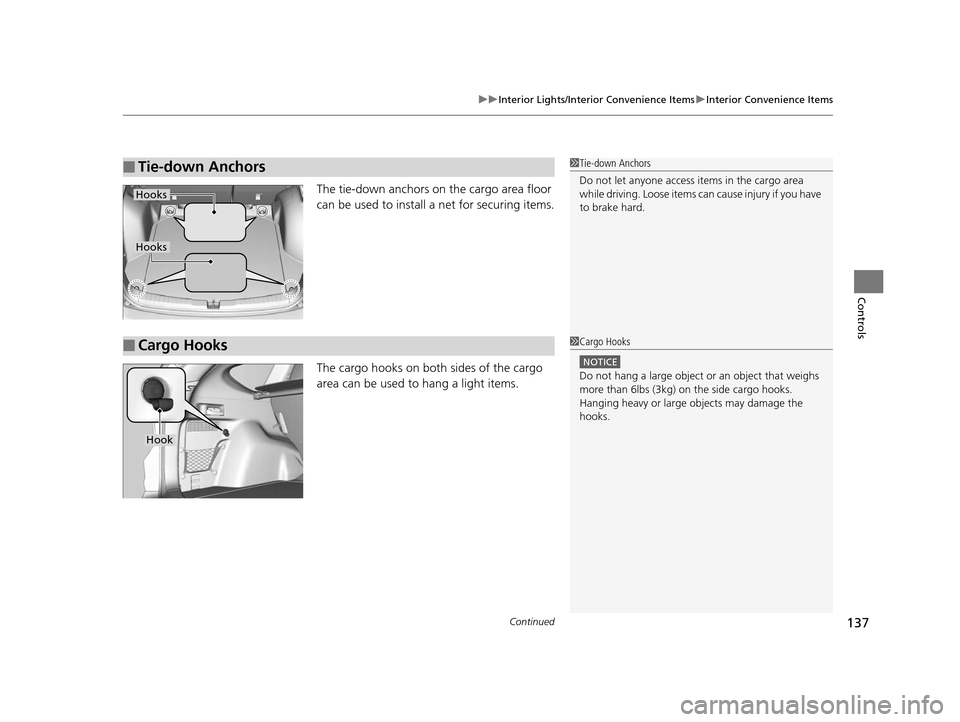
The tie-down anchors on the cargo area floor
can be used to install a net for securing items.
The cargo hooks on both sides of the cargo
area can be used to hang a light items.
■Tie-down Anchors1Tie-down Anchors
Do not let anyone access items in the cargo area
while driving. Loose items ca n cause injury if you have
to brake hard.
Hooks
Hooks
■Cargo Hooks1 Cargo Hooks
NOTICE
Do not hang a large object or an object that weighs
more than 6lbs (3kg) on the side cargo hooks.
Hanging heavy or large objects may damage the
hooks.
Hook
14 CR-V-31T0A6200.book 137 ページ 2014年2月10日 月曜日 午後7時1分
Page 142 of 365
141
uuInterior Lights/Interior Convenience Items uInterior Convenience Items
Controls
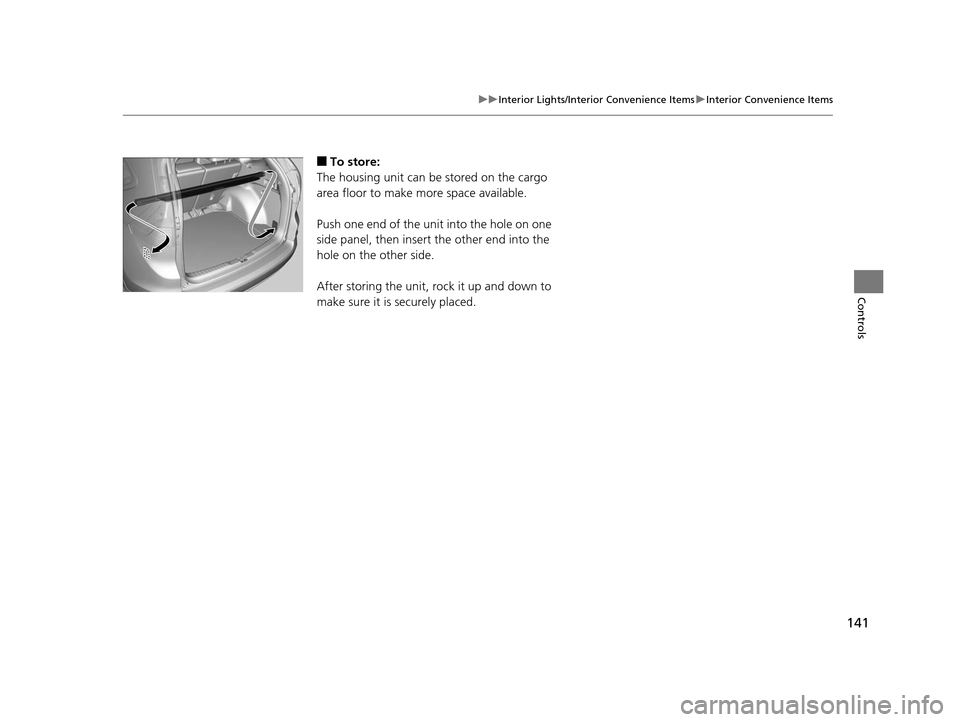
■To store:
The housing unit can be stored on the cargo
area floor to make more space available.
Push one end of the unit into the hole on one
side panel, then insert the other end into the
hole on the other side.
After storing the unit, rock it up and down to
make sure it is securely placed.
14 CR-V-31T0A6200.book 141 ページ 2014年2月10日 月曜日 午後7時1分
Page 153 of 365
152
uuAudio System uAudio Antenna
Features
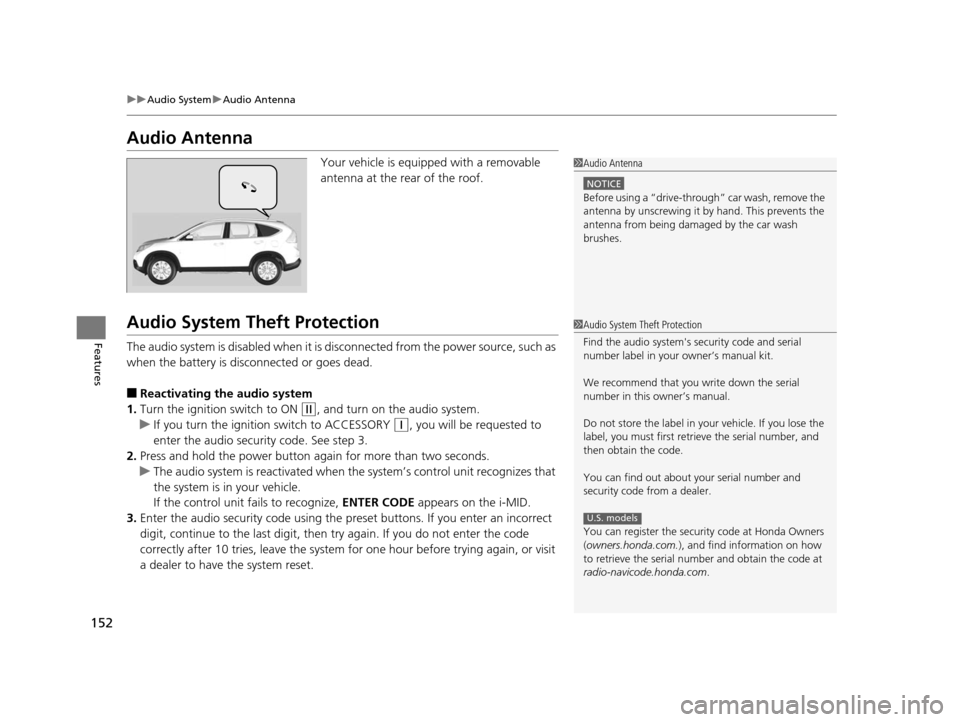
Audio Antenna
Your vehicle is equipped with a removable
antenna at the rear of the roof.
Audio System Theft Protection
The audio system is disabled when it is di sconnected from the power source, such as
when the battery is disconnected or goes dead.
■Reactivating th e audio system
1. Turn the ignition switch to ON
(w, and turn on the audio system.
u If you turn the ignition switch to ACCESSORY
(q, you will be requested to
enter the audio security code. See step 3.
2. Press and hold the power button ag ain for more than two seconds.
u The audio system is reactivated when the system’s control unit recognizes that
the system is in your vehicle.
If the control unit fails to recognize, ENTER CODE appears on the i-MID.
3. Enter the audio security code using the pr eset buttons. If you enter an incorrect
digit, continue to the last digit, then try again. If you do not enter the code
correctly after 10 tries, leave the system for one hour before trying again, or visit
a dealer to have the system reset.
1 Audio Antenna
NOTICE
Before using a
Page 194 of 365

193
uuGeneral Information on the Audio System uCompatible iPod ®, iPhone ® and USB Flash Drives
Features
Compatible iPod ®, iPhone® and USB Flash Drives
•Use a recommended USB flash drive of 256 MB or higher.
• Some digital audio players may not be compatible.
• Some USB flash drives (e.g., a device with security lockout) may not work.
• Some software files may not allow for audio play or text data display.
• Some versions of MP3, WMA, or AAC formats may be unsupported.
■iPod® and iPhone ® Model Compatibility
Model
iPod (5th generation)
iPod classic 80/160 GB (launched in 2007)
iPod classic 120 GB (launched in 2008)
iPod classic 160 GB (launched in 2009)
iPod nano (launched in 2011)
iPod touch (launched in 2011)
iPhone 3G/iPhone 3GS/iPhone 4/iPhone 4S
■USB Flash Drives
1 iPod ® and iPhone ® Model Compatibility
This system may not work with all software versions
of these devices.
1 USB Flash Drives
Files on the USB flash drive are played in their stored
order. This order may be different from the order
displayed on your PC or device.
14 CR-V-31T0A6200.book 193 ページ 2014年2月10日 月曜日 午後7時1分