Page 159 of 365
158
uuAudio System Basic Operation uPlaying AM/FM Radio
Features
Provides text data information related to your selected RDS-capable FM station.
■RDS information
1.Press the SETUP button and rotate to
select RDS Information .
2. Each time you press , the RDS
Information switches between on and off.
■To find an RDS station from your selected program category
1.Press the / button to display and
select an RDS category.
2. Use Seek/Skip or SCAN to select an RDS
station.
■Radio Data System (RDS)
RDS Category
14 CR-V-31T0A6200.book 158 ページ 2014年2月10日 月曜日 午後7時1分
Page 160 of 365
159
uuAudio System Basic Operation uPlaying XM ® Radio*
Continued
Features
Playing XM ® Radio*
/ Buttons
Press to skip to the
next category, and to skip
to the previous category.
(XM ®) Button
Press to select XM ® Radio.
(Power) Button
Press to turn the audio
system on and off.
Seek/Skip Buttons
Press or to previous
or next channel.SETUP Button
Press to display menu items. Selector Knob
Turn to adjust the volume.
Press and turn to select channels. Preset Buttons (1-6)
To store a channel:
1. Tune to the selected channel.
2. Pick a preset button and hold it until you hear a beep.
To listen to a stored channel, select
XM, then press the preset button.
SCAN Button
Press to sample all channels (in the
channel mode), or channels within a
category (in the category mode).
Each sampling continues for a few
seconds. Press
SCAN again to cancel
scanning and continue listening to
the channel.
* Not available on all models
14 CR-V-31T0A6200.book 159 ページ 2014年2月10日 月曜日 午後7時1分
Page 161 of 365

uuAudio System Basic Operation uPlaying XM ® Radio*
160
Features
1. Press the button to select the XM ® radio band (XM1 or XM2).
2. Press the SETUP button, rotate to select MODE/CATEGORY or MODE
CHANNEL . Each time you press , the mode switches between them. Press the
button to enter the setting.
3. Select a channel using , or the Seek/Skip, / , SCAN, or preset
button.
1.Press to display a channel list.
2. Rotate to select a channel, then press
.
■To Play the XM® Radio
■To Select a Channel from a List
1Playing XM ® Radio*
In the channel mode, you can select all available
channels. In the category mode, you can select a
channel within a ca tegory (Jazz, Rock, Classical, etc.).
You can store 12 XM ® stations in the preset buttons.
XM1 and XM2 let you store 6 stations each.
There may be instances when XM ® Radio does not
broadcast all the data fields (artist name, title). This
does not indicate a problem with your audio system.
* Not available on all models
14 CR-V-31T0A6200.book 160 ページ 2014年2月10日 月曜日 午後7時1分
Page 168 of 365
167
uuAudio System Basic Operation uPlaying Internet Radio
Continued
Features
Playing Internet Radio
Activate Pandora ®, and connect the iPhone ® using your dock connector to the USB
adapter cable, then press the AUX button.
2USB Adapter Cable P. 151
U.S. models
iPhone® use only
/ Buttons
Press to the next
station.
Press to the previous
station.
(Power) Button
Press to turn the audio
system on and off.
Skip Button
Press to skip a song.
SETUP Button
Press to display menu items. Selector Knob
Press to enter PANDORA MENU .
Turn to adjust the volume.
Press and turn to select an item, then
press to set your selection.
AUX Button
Press to select iPhone ® (if connected
when the Pandora ® application is
activated).
Album Art Rating Icon
14 CR-V-31T0A6200.book 167 ページ 2014年2月10日 月曜日 午後7時1分
Page 169 of 365

uuAudio System Basic Operation uPlaying Internet Radio
168
Features
You can operate some of the Pandora menu items from your vehicle’s audio system.
The available items are:
• Station List (QuickMix is also available)
• Like
• Dislike
• Resume/Pause
• SKIP
• Bookmark this song
• Bookmark this artist
■Operating a menu item
1.Press to display the PANDORA MENU.
2. Rotate to select a menu.
3. Press to display the items on that menu.
■Pandora® Menu1Playing Internet Radio
Pandora ® is a personalized Intern et radio service that
selects music based on an artist, song, or genre a user
enters, and streams what is likely to be of interest.
To use this service in your vehicle, the Pandora ® app
must first be installed on your iPhone ®. Visit
www.pandora.com. for more information.
If you cannot operate Pandora ® through the audio
system, it may be streaming through Bluetooth®
Audio. Make sure Pandora ® mode on your audio
system is selected.
1 Pandora ® Menu
Available operating functi ons vary on software
versions. Some functions ma y not be available on the
vehicle's audio system.
If there is a problem, you may see an error message
on the i-MID. 2 Pandora ® P. 188
There are restrictions on the number of songs you
can skip or dislike in a given hour.
14 CR-V-31T0A6200.book 168 ページ 2014年2月10日 月曜日 午後7時1分
Page 191 of 365
190
Features
General Information on the Audio System
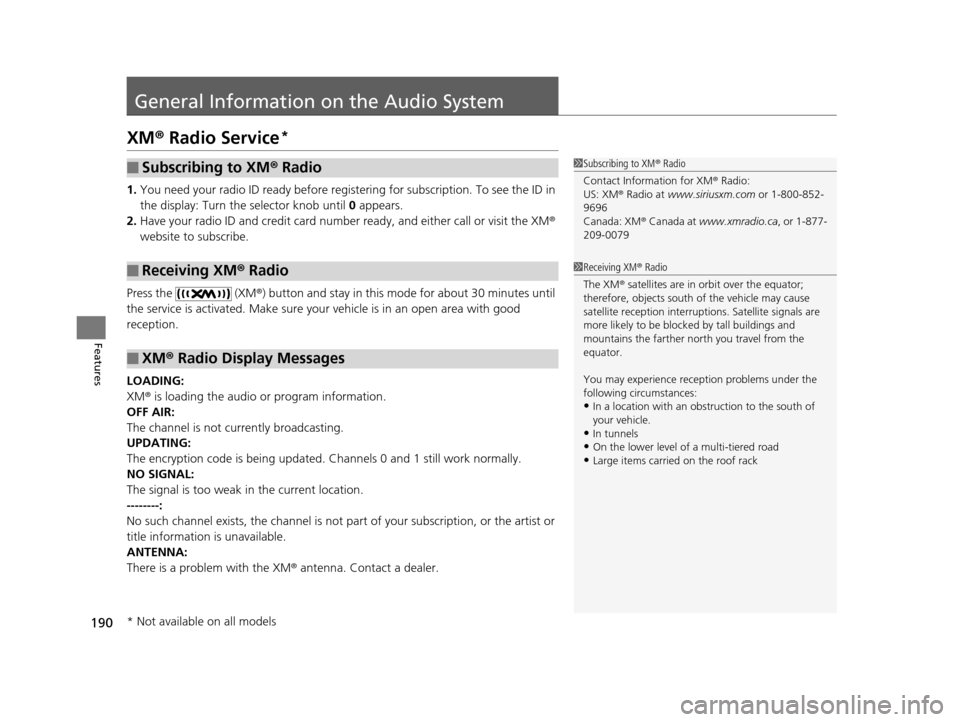
XM® Radio Service*
1. You need your radio ID ready before regist ering for subscription. To see the ID in
the display: Turn the selector knob until 0 appears.
2. Have your radio ID and credit card numbe r ready, and either call or visit the XM®
website to subscribe.
Press the (XM®) button and stay in this mode for about 30 minutes until
the service is activated. Make sure your vehicle is in an open area with good
reception.
LOADING:
XM ® is loading the audio or program information.
OFF AIR:
The channel is not currently broadcasting.
UPDATING:
The encryption code is being updated. Channels 0 and 1 still work normally.
NO SIGNAL:
The signal is too weak in the current location.
--------:
No such channel exists, the channel is not pa rt of your subscription, or the artist or
title information is unavailable.
ANTENNA:
There is a problem with the XM ® antenna. Contact a dealer.
■Subscribing to XM® Radio
■Receiving XM® Radio
■XM ® Radio Display Messages
1 Subscribing to XM ® Radio
Contact Information for XM ® Radio:
US: XM ® Radio at www.siriusxm.com or 1-800-852-
9696
Canada: XM ® Canada at www.xmradio.ca , or 1-877-
209-0079
1 Receiving XM ® Radio
The XM ® satellites are in orbit over the equator;
therefore, objects south of the vehicle may cause
satellite reception interruptions. Sa tellite signals are
more likely to be blocked by tall buildings and
mountains the farther north you travel from the
equator.
You may experience rece ption problems under the
following circumstances:
•In a location with an obstruction to the south of
your vehicle.
•In tunnels
•On the lower level of a multi-tiered road•Large items carried on the roof rack
* Not available on all models
14 CR-V-31T0A6200.book 190 ページ 2014年2月10日 月曜日 午後7時1分
Page 237 of 365
236
uuTowing a Trailer uTowing Your Vehicle
Driving
■Extended towing
If you tow more than eight hours in one da y, you should repeat the “before towing
your vehicle procedure” at least every eight hours. You also need to perform the
following procedure to prevent the battery from running down.
1.Remove the 7.5 A accessory radio fuse. This
fuse is located in the interior fuse box.
2 Interior Fuse Box P. 338
2.Store the fuse in a safe place so you do not
lose it.
u Make sure to reinstall the fuse before
you start driving your vehicle.
Accessory Radio Fuse
14 CR-V-31T0A6200.book 236 ページ 2014年2月10日 月曜日 午後7時1分
Page 344 of 365
343
Information
This chapter includes your vehicle's specifications, locations of identification numbers, and other
information required by regulation.
Specifications .................................... 344
Identification Numbers
Vehicle Identification Number (VIN)...... 346
Engine Number and Transmission Number...................................... 346
Devices that Emit Radio Waves ....... 347
Reporting Safety Defects ................. 348Emissions Testing
Testing of Readiness Codes.............. 349
Warranty Coverages ........................ 351
Authorized Manuals ......................... 353
Customer Service Information ......... 354
14 CR-V-31T0A6200.book 343 ページ 2014年2月10日 月曜日 午後7時1分


