Page 119 of 365

118
uuOperating the Switches Around the Steering Wheel uRear Defogger/Heated Door Mirror* Button
Controls
Rear Defogger/Heated Door Mirror* Button
Press the rear defogger and heated door mirror button to defog the rear window
and mirrors when the igni tion switch is in ON
(w.
The rear defogger and heated door mirrors
automatically switch off after 20 minutes.
However, if the outside temperature is 18°F
(−8°C) or below, they do not automatically
switch off.
The rear defogger and heated door mirrors
automatically switch off after 10-30 minutes
depending on the outside temperature.
However, if the outside temperature is 32°F
(0°C) or below, they do not automatically
switch off.
1 Rear Defogger/Heated Door Mirror* Button
NOTICE
When cleaning the inside of the rear window, be
careful not to damage the heating wires.
It is critical to wipe the window from side to side
along the defogger heating wires.
This system consumes a lot of power, and may
weaken the battery, making it difficult to start the
engine. Turn it off when the window has been
defogged.
Also, do not use the system for a long period even if
the engine is idling.Models with heating and cooling system
Models with climate control system
* Not available on all models
14 CR-V-31T0A6200.book 118 ページ 2014年2月10日 月曜日 午後7時1分
Page 136 of 365
Continued135
uuInterior Lights/Interior Convenience Items uInterior Convenience Items
Controls
The accessory power so ckets can be used when the i gnition switch is in ACCESSORY
(q or ON (w.
■Accessory power socket on the console
panel
Open the cover to use it.
■Accessory power socket in the console
compartment*
Open the console lid and the cover to use it.
■Accessory Power Sockets1 Accessory Power Sockets
NOTICE
Do not insert an automotive type cigarette lighter
element.
This can overheat the power socket.
The accessory power socket is designed to supply
power for 12 volt DC access ories that are rated 180
watts or less (15 amps).
To prevent battery drain, only use the power socket
with the engine running.
When both sockets are being used, the combined
power rating of the accesso ries should not exceed
180 watts (15 amps).
* Not available on all models
14 CR-V-31T0A6200.book 135 ページ 2014年2月10日 月曜日 午後7時1分
Page 140 of 365

Continued139
uuInterior Lights/Interior Convenience Items uInterior Convenience Items
Controls
The ignition switch must be in ON (w to use
the seat heaters. The HI setting heats the seats
faster than the LO setting.
The indicator for your setting comes on while
the seat heater is in use. Press the button on
the opposite side to turn the heater off. The
indicator goes off.
While in HI , the heater cycles on and off.
When a comfortable temp erature is reached,
select LO to keep the seat warm.
■Seat Heaters*1Seat Heaters*
Do not use the seat heaters even in LO when the
engine is off. Under such conditions, the battery may
be weakened, making the engine difficult to start.
In the LO setting, the heater runs continuously and
does not automatically turn off.
3WARNING
Heat induced burns are possible when
using seat heaters.
Persons with a diminished ability to sense
temperature (e.g., persons with diabetes,
lower-limb nerve damage, or paralysis) or
with sensitive skin should not use seat
heaters.
* Not available on all models
14 CR-V-31T0A6200.book 139 ページ 2014年2月10日 月曜日 午後7時1分
Page 153 of 365
152
uuAudio System uAudio Antenna
Features
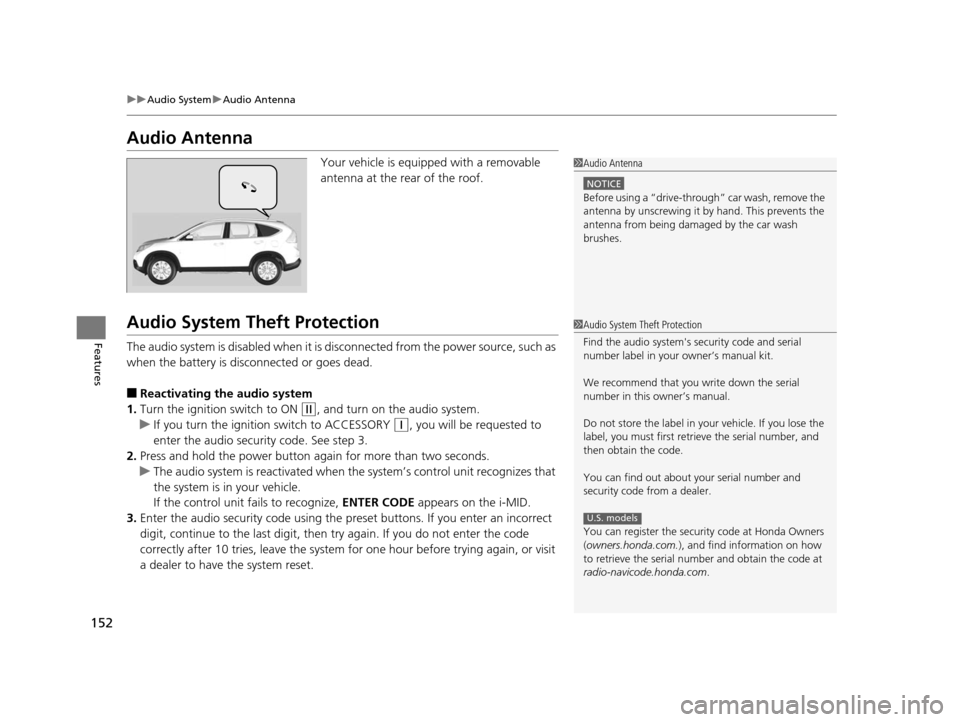
Audio Antenna
Your vehicle is equipped with a removable
antenna at the rear of the roof.
Audio System Theft Protection
The audio system is disabled when it is di sconnected from the power source, such as
when the battery is disconnected or goes dead.
■Reactivating th e audio system
1. Turn the ignition switch to ON
(w, and turn on the audio system.
u If you turn the ignition switch to ACCESSORY
(q, you will be requested to
enter the audio security code. See step 3.
2. Press and hold the power button ag ain for more than two seconds.
u The audio system is reactivated when the system’s control unit recognizes that
the system is in your vehicle.
If the control unit fails to recognize, ENTER CODE appears on the i-MID.
3. Enter the audio security code using the pr eset buttons. If you enter an incorrect
digit, continue to the last digit, then try again. If you do not enter the code
correctly after 10 tries, leave the system for one hour before trying again, or visit
a dealer to have the system reset.
1 Audio Antenna
NOTICE
Before using a
Page 196 of 365

195
uuBluetooth ® HandsFreeLink ®u Using HFL
Features
The i-MID notifies you when there is an
incoming call.
Certain manual functions are disabled or
inoperable while the vehicle is in motion. You
cannot select a grayed-out option until the
vehicle is stopped.
Only previously stored speed dial entries can
be called using voice commands while the
vehicle is in motion.
2 Speed Dial P. 211
■HFL Status Display1Bluetooth ® HandsFreeLink ®
Bluetooth ® Wireless Technology
The Bluetooth ® word mark and logos are registered
trademarks owned by Bluetooth SIG, Inc., and any
use of such marks by Honda Motors Co., Ltd., is
under license. Other tradem arks and trade names are
those of their respective owners.
HFL Limitations
An incoming call on HFL will interrupt the audio
system when it is playing. It will resume when the call
is ended.
Signal Strength
HFL Mode Battery Level Status Roam Status
Call Name
Bluetooth IndicatorAppears when your phone
is connected to HFL.
■Limitations for Manual Operation
1 HFL Status Display
The information that appears on the i-MID varies
between phone models.
You can change the system language to English,
French, or Spanish.
2 Customized Features P. 84
Disabled Option
14 CR-V-31T0A6200.book 195 ページ 2014年2月10日 月曜日 午後7時1分
Page 202 of 365

Continued201
uuBluetooth ® HandsFreeLink ®u HFL Menus
Features
■To pair a cell phone (No phone has
been paired to the system)
1. Press the PHONE button or the button.
2. Rotate to select Yes, then press .
3. Make sure your phone is in search or
discoverable mode, then press .
u HFL automatically searches for a
Bluetooth device.
4. When your phone appears on the list, select
it by pressing .
u If your phone doesn’t appear, select
Phone Not Found? and search for
Bluetooth devices using your phone.
From your phone, select
HandsFreeLink .
5. HFL gives you a four-digit pairing code to
input on your phone.
When your phone prompts you, input the
four-digit pairing code.
6. A notification appears on the screen if
pairing is successful.
■Phone Setup1Phone Setup
Your Bluetooth -compatible phone must be paired to
HFL before you can make and receive hands-free
calls.
Phone Pairing Tips:
•You cannot pair your phone while the vehicle is
moving.
•Up to six phones can be paired.
•Your phone's battery may dr ain faster when it is
connected to HFL.
•If your phone is not ready for pairing or not found
by the system within three minutes, the system will
time out and returns to idle.
Once you have paired a phone, you can see it
displayed on the screen with one or two icons on the
right side.
These icons indicate the following: : The phone can be used with HFL.: The phone is compatible with Bluetooth® Audio.
14 CR-V-31T0A6200.book 201 ページ 2014年2月10日 月曜日 午後7時1分
Page 236 of 365

235
uuTowing a Trailer uTowing Your Vehicle
Continued
Driving
Towing Your Vehicle
Your vehicle can be towed behind a motorhome.
Perform the following procedure before towing your vehicle.
1. Check the transmission fluid level.
u Make sure the fluid level is be tween the upper and lower marks.
2. Start the engine.
3. Depress the brake pedal. Move the sh ift lever through all its positions.
4. Shift to
(D and hold for five seconds, then to (N. Let the engine run for three
minutes, then turn it off.
5. Release the parking brake.
6. Leave the ignition switch in ACCESSORY
(q.
u Make sure the steering wheel does not lock.
7. Turn off all the electric devices. Do not use any accessory power sockets.
u This can prevent the battery from running down.
■When Your Vehicle is Towed Behind a Motorhome
1Towing Your Vehicle
NOTICE
Failure to follow the recommended instructions
exactly will result in severe automatic transmission
damage. If you cannot shift the transmission or start
the engine, your vehicle must be transported on a
flat-bed truck or trailer.
Do not exceed 65 mph (100 km/h).
To avoid damage to the AWD system, your vehicle
must be towed with all four wheels on the ground.
Consult your towing parts sales or rental agency if
any other items are recommended or required for
your towing situation.
If you tow your vehicle behind a motorhome, the
transmission fluid must be changed every 2 years or
30,000 miles (48,000 km), whichever comes first.
AWD models
1 When Your Vehicle is Towed Behind a Motorhome
NOTICE
Severe transmission damage wi ll occur if the vehicle is
shifted from
( R to (N and then towed with the drive
wheels on the ground.
14 CR-V-31T0A6200.book 235 ページ 2014年2月10日 月曜日 午後7時1分
Page 237 of 365
236
uuTowing a Trailer uTowing Your Vehicle
Driving
■Extended towing
If you tow more than eight hours in one da y, you should repeat the “before towing
your vehicle procedure” at least every eight hours. You also need to perform the
following procedure to prevent the battery from running down.
1.Remove the 7.5 A accessory radio fuse. This
fuse is located in the interior fuse box.
2 Interior Fuse Box P. 338
2.Store the fuse in a safe place so you do not
lose it.
u Make sure to reinstall the fuse before
you start driving your vehicle.
Accessory Radio Fuse
14 CR-V-31T0A6200.book 236 ページ 2014年2月10日 月曜日 午後7時1分

