Page 2 of 469

Contents
Child Safety P. 52Exhaust Gas Hazard P. 64Safety Labels P. 65Opening and Closing the Trunk P. 121 Security System P. 125 Opening and Closing the Windows P. 128
Operating the Switches Around the Steering Wheel P. 131 Adjusting the Mirrors P. 144
Interior Lights/Interior Convenience Items P. 154 Heating and Cooling
* P. 161
Audio Error Messages P. 224General Information on the Audio System P. 230When Driving P. 313 Braking P. 337Parking Your Vehicle P. 341
Accessories and Modifications P. 347Maintenance Under the Hood P. 361 Replacing Light Bulbs P. 376
Checking and Maintaining Tires P. 391 Battery P. 400 Remote Transmitter Care
* P. 401
Cleaning P. 404
Engine Does Not Start P. 426 Jump Starting P. 429Shift Lever Does Not Move P. 432
Fuses P. 439 Emergency Towing P. 442Devices that Emit Radio Waves P. 449 Reporting Safety Defects P. 450
Authorized Manuals P. 455 Customer Service Information P. 456
Quick Reference Guide
P. 2
Safe Driving
P. 27
Instrument Panel
P. 67
Controls
P. 103
Features
P. 169
Driving
P. 303
Maintenance
P. 349
Handling the Unexpected
P. 409
Information
P. 443
Index
P. 457
Page 75 of 469
74
uuIndicators u
Instrument Panel
*1:Models with the smart entry system have an ENGINE START/STOP button instead of an ignition switch.Indicator
Name
On/Blinking
Explanation
Message
*
System Message
Indicator
*
●Comes on for a few seconds when
you turn the ignition switch to ON (w
*1, then goes off.
●Comes on along with a beep when a
problem is detected. A system
message on the i-MID appears at the
same time.
●While the indicator is on, press the
(display/information) button to see the
message again.●Refer to the Indicators information in
this chapter when a system message
appears on the i-MID. Take the
appropriate action for the message.●The i-MID does not return to the normal
screen unless the warning is canceled,
or the button is pressed.
—
Turn Signal and
Hazard Warning
Indicators
●Blink when you operate the turn
signal lever.●Blink along with all turn signals
when you press the hazard warning
button.
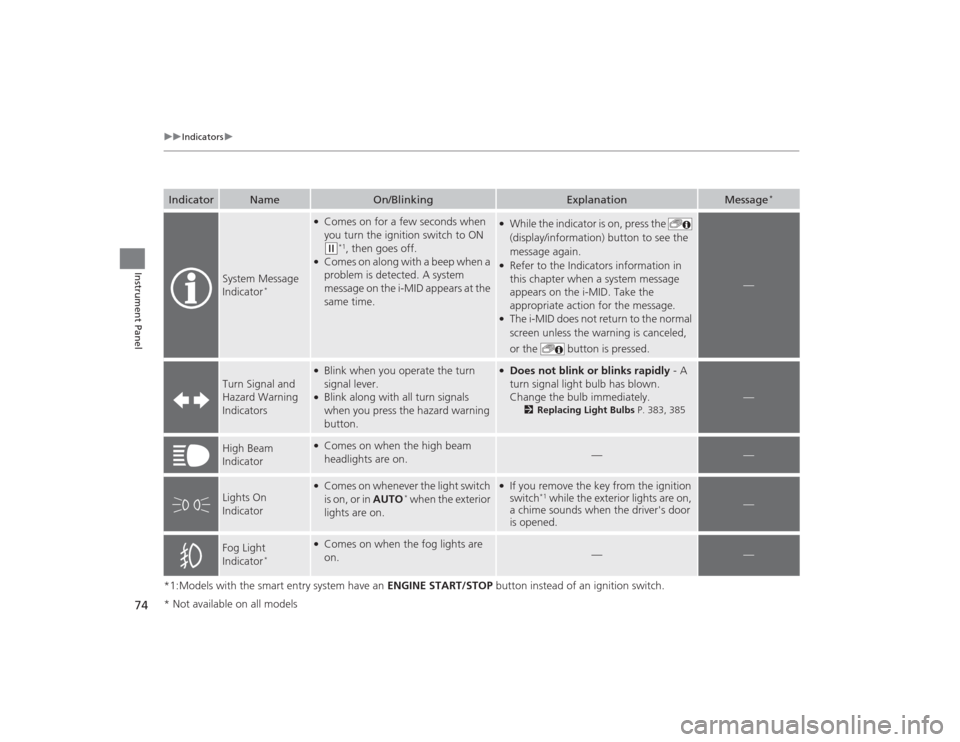
●Does not blink or blinks rapidly - A
turn signal light bulb has blown.
Change the bulb immediately.
2 Replacing Light Bulbs P. 383, 385
—
High Beam
Indicator
●Comes on when the high beam
headlights are on.
—
—
Lights On
Indicator
●Comes on whenever the light switch
is on, or in AUTO
* when the exterior
lights are on.
●If you remove the key from the ignition
switch
*1 while the exterior lights are on,
a chime sounds when the driver's door
is opened.
—
Fog Light
Indicator
*
●Comes on when the fog lights are
on.
—
—
* Not available on all models
Page 350 of 469

349
Maintenance
This chapter discusses basic maintenance.
Before Performing MaintenanceInspection and Maintenance ............ 350Safety When Performing Maintenance..... 351Parts and Fluids Used in Maintenance Service ........................................... 352
Maintenance Minder
TM..................... 353
Maintenance Under the Hood
Maintenance Items Under the Hood ..... 361Opening the Hood ........................... 363
Recommended Engine Oil ................ 364
Oil Check ......................................... 365
Adding Engine Oil ............................ 367Changing the Engine Oil and Oil Filter ..... 368
Engine Coolant ................................ 371
Transmission Fluid ............................ 373
Brake/Clutch Fluid ............................ 374
Refilling Window Washer Fluid......... 375
Replacing Light Bulbs ....................... 376Checking and Maintaining Wiper
Blades .......................................... 389Checking and Maintaining Tires
Checking Tires ................................. 391Tire and Loading Information Label ...... 392Tire Labeling .................................... 392DOT Tire Quality Grading (U.S. Vehicles)....... 394Wear Indicators................................ 396 Tire Service Life ................................ 396
Tire and Wheel Replacement ........... 397
Tire Rotation .................................... 398
Winter Tires ..................................... 399
Battery ............................................... 400
Remote Transmitter Care
*
Replacing the Button Battery ........... 401
Heating and Cooling System
*/Climate
Control System
* Maintenance ....... 403
Cleaning
Interior Care .................................... 404
Exterior Care.................................... 406
* Not available on all models
Page 351 of 469
350Maintenance
Before Performing MaintenanceInspection and MaintenanceFor your safety, perform all listed inspections and maintenance to keep your vehicle
in good condition. If you become aware of any abnormality (noise, smell, insufficient
brake fluid, oil residue on the ground, etc.), have your vehicle inspected by a dealer.
(Note, however, that service at a dealer is not mandatory to keep your \
warranties in
effect.) Refer to the separate maintenance booklet for detailed maintenance and
inspection information.■Daily inspections
Perform inspections before long distance trips, when washing the vehicle, or when
refueling.■Periodic inspections
• Check the continuously variable transmission fluid level monthly.2 Continuously Variable Transmission (CVT) Fluid P. 373
•Check the brake fluid level monthly.
2 Brake/Clutch Fluid P. 374
•Check the tire pressure monthly. Examine the tread for wear and foreign objects.
2 Checking and Maintaining Tires P. 391
•Check the operation of the exterior lights monthly.
2 Replacing Light Bulbs P. 376
•Check the condition of the wiper blades at least every six months.
2Checking and Maintaining Wiper Blades P. 389
■
Types of Inspection and Maintenance
1Inspection and Maintenance
Maintenance, replacement, or repair of
emissions control devices and systems may be
done by any automotive repair establishment or
individuals using parts that are “certified” to
EPA standards.
According to state and federal regulations, failure to
perform maintenance on the maintenance main
items marked with # will not void your emissions
warranties. However, all maintenance services should
be performed in accordance with the intervals
indicated by the information display
*/i-MID
*.
2 Maintenance Service Items P. 355, 359
If you want to perform complex maintenance tasks
that require mor e skills and tools, you can purchase a
subscription to the Service Express website at
www.techinfo.honda.com .
2 Authorized Manuals P. 455
If you want to perform maintenance yourself, make
sure that you have the necessary tools and skills first.
After performing maintenance, update the records in
the separate maintenance booklet.
U.S. models
* Not available on all models
Page 377 of 469
376Maintenance
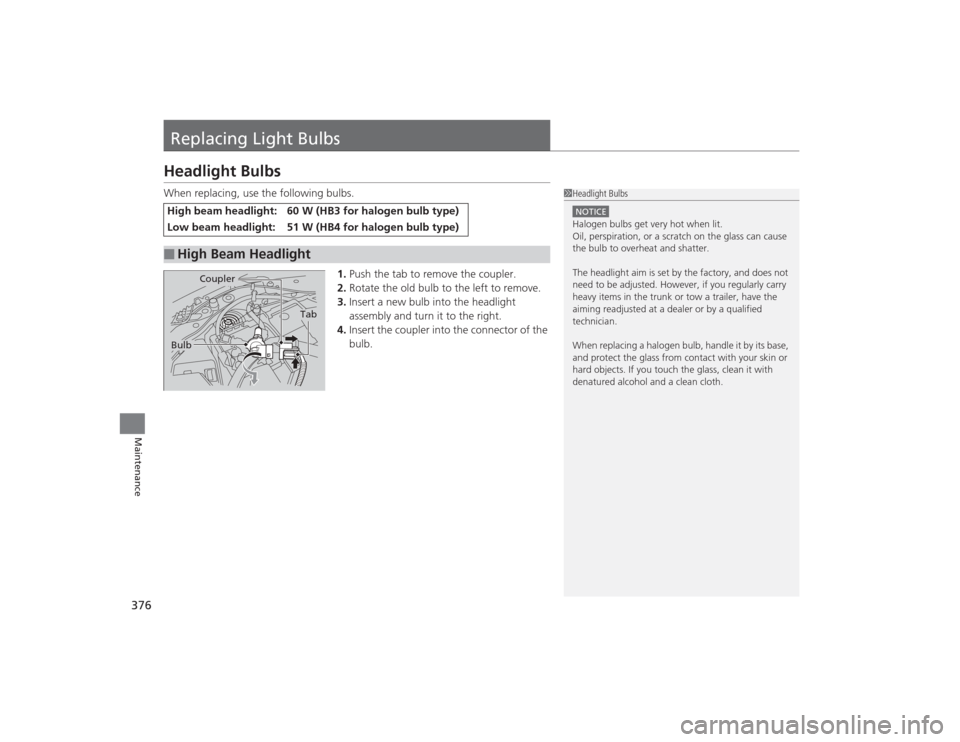
Replacing Light BulbsHeadlight BulbsWhen replacing, use the following bulbs.1.Push the tab to remove the coupler.
2. Rotate the old bulb to the left to remove.
3. Insert a new bulb into the headlight
assembly and turn it to the right.
4. Insert the coupler into the connector of the
bulb.High beam headlight:
60 W (HB3 for halogen bulb type)
Low beam headlight:
51 W (HB4 for halogen bulb type)
■
High Beam Headlight
1Headlight BulbsNOTICEHalogen bulbs get very hot when lit.
Oil, perspiration, or a scratch on the glass can cause
the bulb to overheat and shatter.
The headlight aim is set by the factory, and does not
need to be adjusted. However, if you regularly carry
heavy items in the trunk or tow a trailer, have the
aiming readjusted at a dealer or by a qualified
technician.
When replacing a halogen bulb, handle it by its base,
and protect the glass from contact with your skin or
hard objects. If you touch the glass, clean it with
denatured alcohol and a clean cloth.
Tab
Coupler
Bulb
Page 378 of 469
Continued
377
uuReplacing Light Bulbs uHeadlight Bulbs
Maintenance
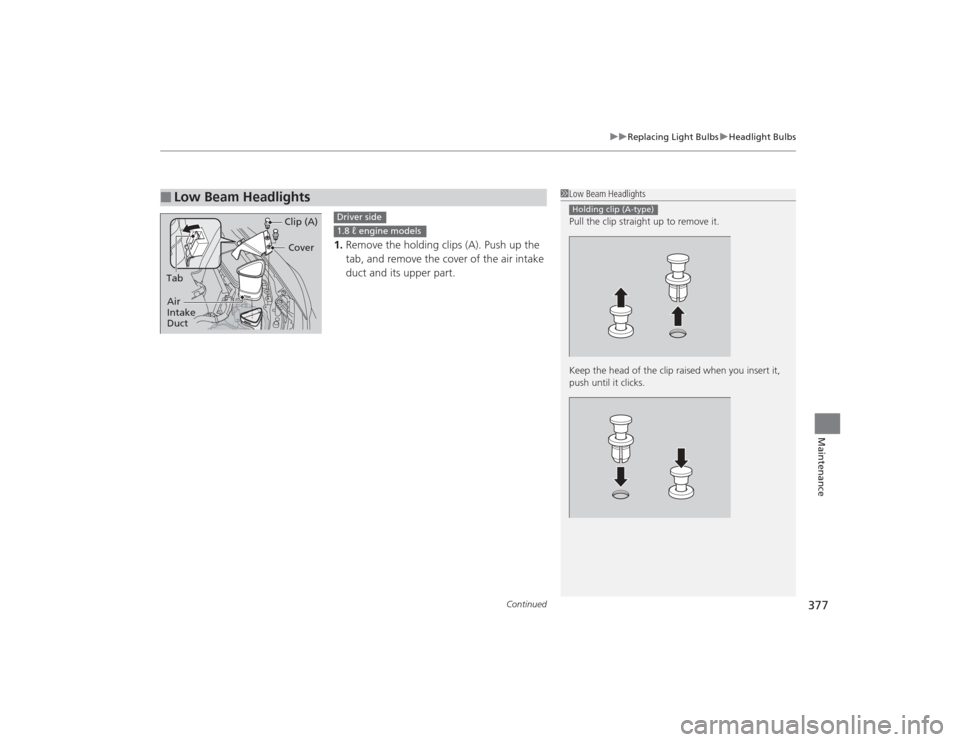
1. Remove the holding clips (A). Push up the
tab, and remove the cover of the air intake
duct and its upper part.
■
Low Beam Headlights
1Low Beam Headlights
Pull the clip straight up to remove it.
Keep the head of the clip raised when you insert it,
push until it clicks.Holding clip (A-type)
Cover
Tab Clip (A)
Air
Intake
Duct
Driver side1.8 ℓ engine models
Page 379 of 469
uuReplacing Light Bulbs uHeadlight Bulbs
378Maintenance
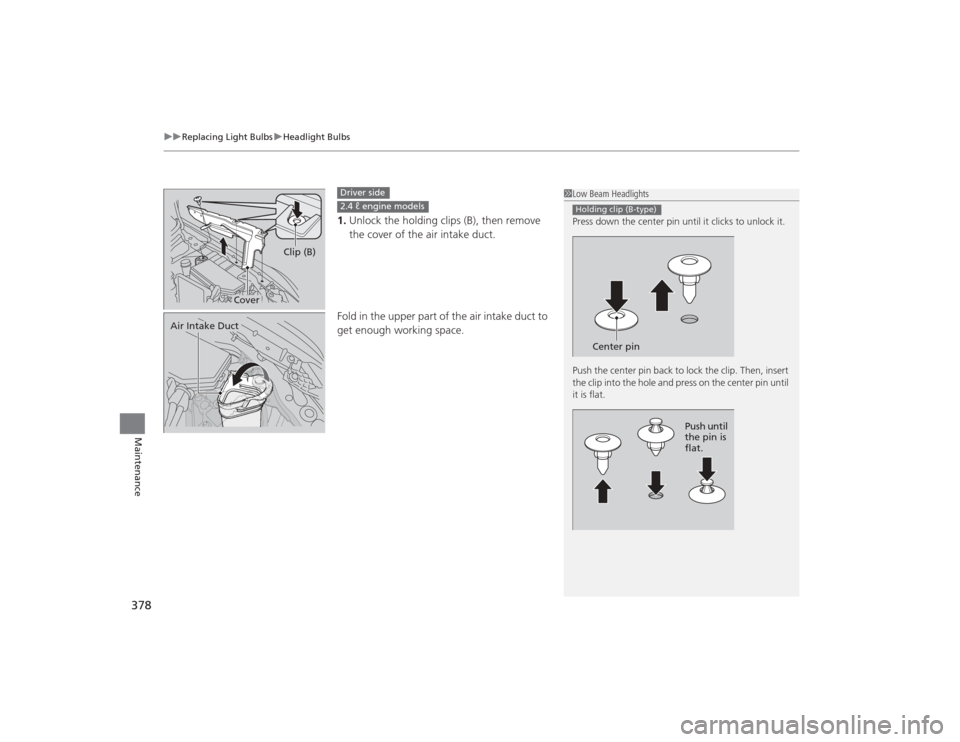
1. Unlock the holding clips (B), then remove
the cover of the air intake duct.
Fold in the upper part of the air intake duct to
get enough working space.
1 Low Beam Headlights
Press down the center pin until it clicks to unlock it.
Push the center pin back to lock the clip. Then, insert
the clip into the hole and press on the center pin until
it is flat.Holding clip (B-type)
Center pin
Push until
the pin is
flat.
Cover Clip (B)
Driver side2.4 ℓ engine models
Air Intake Duct
Page 380 of 469
379
uuReplacing Light Bulbs uHeadlight Bulbs
Maintenance
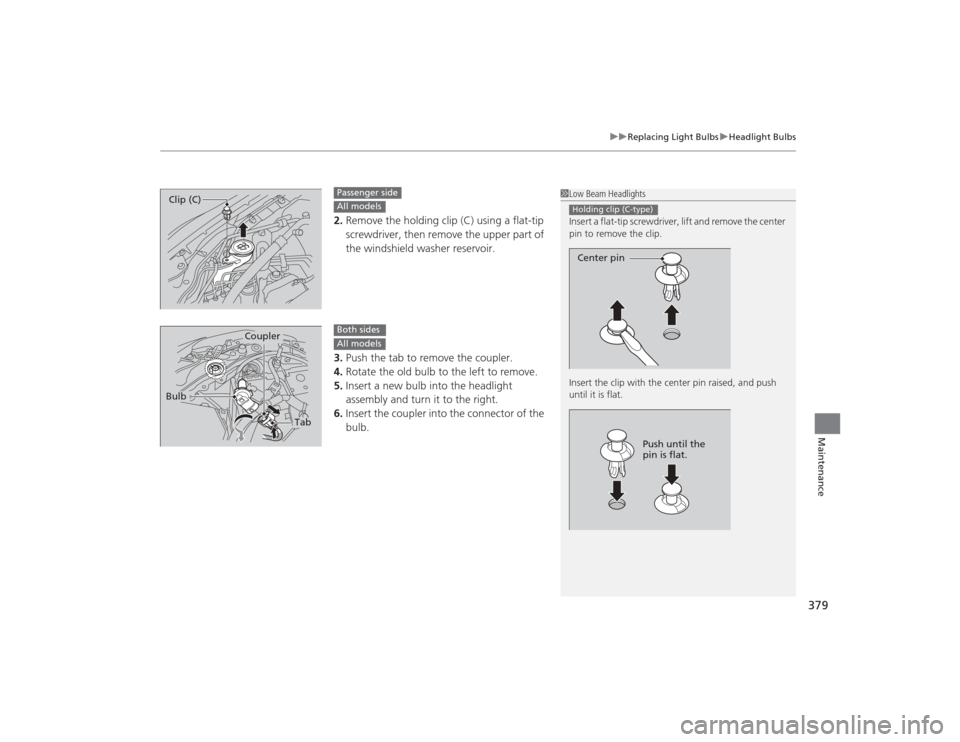
2. Remove the holding clip (C) using a flat-tip
screwdriver, then remove the upper part of
the windshield washer reservoir.
3. Push the tab to remove the coupler.
4. Rotate the old bulb to the left to remove.
5. Insert a new bulb into the headlight
assembly and turn it to the right.
6. Insert the coupler into the connector of the
bulb.
1Low Beam Headlights
Insert a flat-tip screwdriver, lift and remove the center
pin to remove the clip.
Insert the clip with the center pin raised, and push
until it is flat.Holding clip (C-type)Center pin
Push until the
pin is flat.
Clip (C)
Passenger sideAll models
Tab
Coupler
Bulb
Both sidesAll models