2014 HONDA CIVIC steering
[x] Cancel search: steeringPage 42 of 469
41
uuAirbags uAirbag System Components
Safe Driving
Airbags can pose serious hazards. To do their job, airbags must inflate with
tremendous force. So, while airbags help save lives, they can cause burns, bruises,
and other minor injuries, sometimes even fatal ones if occupants are not wearing
their seat belts properly and sitting correctly.
What you should do: Always wear your seat belt properly, and sit upright and as
far back from the steering wheel as possible while allowing full control of the
vehicle. A front passenger should move their seat as far back from the dashboard as
possible.
Remember, however, that no safety system can prevent all injuries or deaths that
can occur in a severe crash, even when seat belts are properly worn and the airbags
deploy.
Do not place hard or sharp objects between yourself and a front airbag.
Carrying hard or sharp objects on your lap, or driving with a pipe or other sharp
object in your mouth, can result in injuries if your front airbag inflates.
Do not attach or place objects on the front airbag covers. Objects on the
covers marked SRS AIRBAG could interfere with the proper operation of the airbags
or be propelled inside the vehicle and hurt someone if the airbags inflate.■
Important Facts About Your Airbags
1 Important Facts About Your Airbags
Do not attempt to deactivate your airbags. Together,
airbags and seat belts provide the best protection.
When driving, keep hands and arms out of the
deployment path of the front airbag by holding each
side of the steering wheel. Do not cross an arm over
the airbag cover.
Page 43 of 469
42
uuAirbags uTypes of Airbags
Safe Driving
Types of AirbagsYour vehicle is equipped with three types of airbags:
• Front airbags: Airbags in front of the driver's and front passenger's seats.
• Side airbags: Airbags in the driver's and front passenger's seat-backs.
• Side curtain airbags: Airbags above the side windows.
Each is discussed in the following pages.Front Airbags (SRS)The front SRS airbags inflate in a moderate-to-severe frontal collision to help protect
the head and chest of the driver and/or front passenger.
SRS (Supplemental Restraint System) indicates that the airbags are designed to
supplement seat belts, not replace them. Seat belts are the occupant's primary
restraint system.
The front airbags are housed in the center of the steering wheel for the driver, and
in the dashboard for the front passenger. Both airbags are marked SRS AIRBAG.*1: Models with the smart entry system have an ENGINE START/STOP button instead of an
ignition switch.■
Housing Locations
1 Types of Airbags
The airbags can inflate whenever the ignition switch
is in ON
(w*1.
After an airbag inflates in a crash, you may see a
small amount of smoke. This is from the combustion
process of the inflator ma terial and is not harmful.
People with respiratory problems may experience
some temporary discomfort. If this occurs, get out of
the vehicle as soon as it is safe to do so.
1 Front Airbags (SRS)
Dual-Stage, Multiple-Threshold Front Airbags
(SRS)
Your vehicle is equipped with dual-stage, multiple-
threshold front airbags (SRS).
During a frontal crash severe enough to cause one or
both front airbags to deploy, the airbags can inflate
at different rates, depending on the severity of the
crash, whether or not the seat belts are latched, and/
or other factors. Frontal airbags are designed to
supplement the seat belts to help reduce the
likelihood of head and chest injuries in frontal
crashes.
Page 74 of 469

73
uuIndicators u
Continued
Instrument Panel
*1:Models with the smart entry system have an ENGINE START/STOP button instead of an ignition switch.Indicator
Name
On/Blinking
Explanation
Message
*
Trunk Open
Indicator
●Comes on for a few seconds if you turn the
ignition switch to ON
(w
*1, then goes off.
●Comes on if the trunk is not completely
closed.
●Goes off when the trunk is closed.
Electric Power
Steering (EPS)
System
Indicator
●Comes on when you turn the ignition switch to
ON
(w
*1, and goes off when the engine starts.
●Comes on if there is a problem with the
EPS system.
●Stays on constantly or does not come on
at all - Have your vehicle checked by a dealer.
2If the Electric Power Steering (EPS)
System Indicator Comes On P. 437
Daytime
Running
Lights
Indicator
*
●Comes on for a few seconds when you turn
the ignition switch to ON
(w
*1, then goes off.
●Comes on if there is a problem with the
DRL system.
●Have your vehicle checked by a dealer.
2Daytime Running Lights P. 139
—
Low Tire
Pressure/
TPMS
Indicator
●Comes on for a few seconds when you
turn the ignition switch to ON
(w
*1.
●May come on briefly if the ignition switch
is turned to ON
(w
*1 and the vehicle is not
moved within 45 seconds, to indicate the
calibration process is not yet complete.
●Comes on and stays on when:
- One or more tires’ pressures are
determined to be significantly low.
- The system has not been calibrated.
●Comes on while driving - Stop in a
safe place, check tire pressures, and
inflate the tire(s) if necessary.●Stays on after the tires are inflated
to the recommended pressures - The
system needs to be calibrated.
2 TPMS Calibration P. 333
●Blinks for about one minute, and then
stays on if there is a problem with the
TPMS, or when a compact spare tire
* is
temporarily installed.
●Blinks and remains on - Have your
vehicle checked by a dealer. If the
vehicle is fitted with a compact spare,
get your regular tire repaired or
replaced and put back on your vehicle
as soon as you can.
U.S.
models* Not available on all models
Page 80 of 469
79
uuIndicators uintelligent Multi-Information Display (i -MID) Warning and Information Messages
*
Continued
Instrument Panel
Message
Condition
Explanation
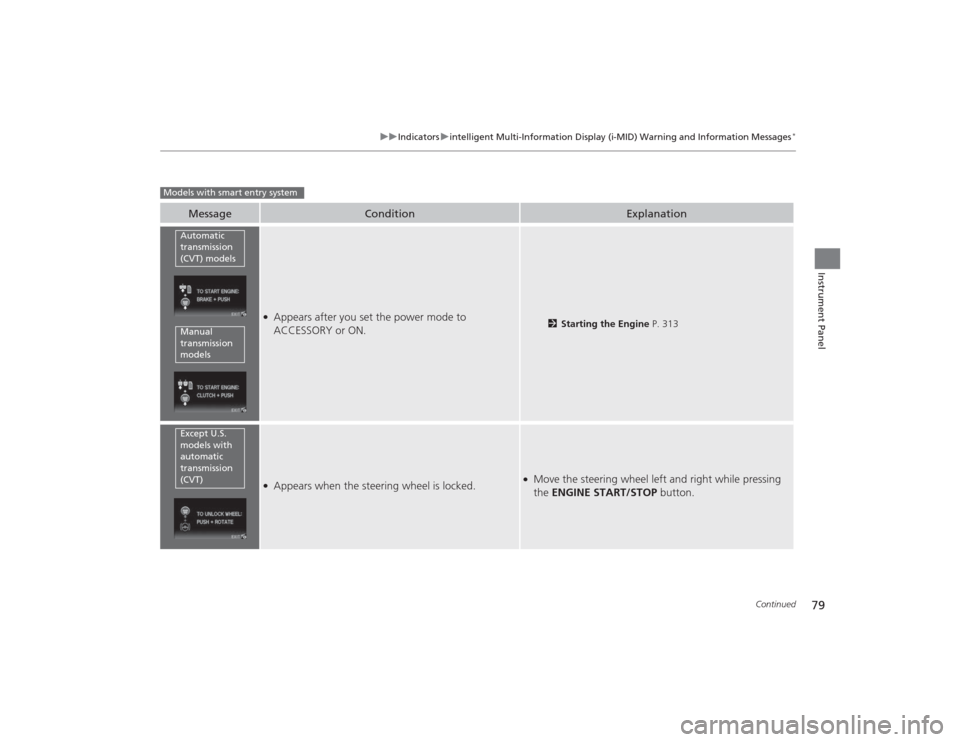
●Appears after you set the power mode to
ACCESSORY or ON.
2Starting the Engine P. 313
●Appears when the steering wheel is locked.
●Move the steering wheel left and right while pressing
the ENGINE START/STOP button.
Models with smart entry system
Automatic
transmission
(CVT) modelsManual
transmission
modelsExcept U.S.
models with
automatic
transmission
(CVT)
Page 104 of 469

103
Controls
This chapter explains how to operate the various controls necessary for driving.
Clock.................................................. 104
Locking and Unlocking the Doors Key Types and Functions .................. 106Low Smart Entry Remote Signal Strength
*....... 108
Locking/Unlocking the Doors from the Outside .......................................... 109
Locking/Unlocking the Doors from the Inside ............................................. 114
Childproof Door Locks ..................... 116
Auto Door Locking/Unlocking
*........ 117
Opening and Closing the Trunk....... 121
Security System
Immobilizer System .......................... 125
Security System Alarm
*.................... 125
Opening and Closing the Windows ..... 128Opening and Closing the Moonroof
*..... 130
Operating the Switches Around the
Steering Wheel
Ignition Switch
*............................... 131
ENGINE START/STOP Button
*........... 132
Ignition Switch and Power Mode Comparison ................................... 135
Turn Signals ..................................... 136
Light Switches.................................. 136
Fog Lights
*...................................... 139
Daytime Running Lights ................... 139
Wipers and Washers ........................ 140
Brightness Control ........................... 141
Rear Defogger/Heated Door Mirror
*
Button ........................................... 142
Adjusting the Steering Wheel........... 143 Adjusting the Mirrors
Interior Rearview Mirror ................... 144
Power Door Mirrors ......................... 144
Adjusting the Seats .......................... 146
Interior Lights/Interior Convenience
ItemsInterior Lights .................................. 154
Interior Convenience Items .............. 156
Heating and Cooling
*
Using Vents, Heating and A/C
*........ 161
Climate Control System
*
Using Automatic Climate Control .... 165Automatic Climate Control Sensors ...... 167
* Not available on all models
Page 132 of 469
131Controls
Operating the Switches Around the Steering WheelIgnition Switch
*
1Ignition Switch
*
You cannot take the key out unless the shift lever is
in (P.
If you open the driver's door when the key is in LOCK
( 0 or ACCESSORY
(q, a warning buzzer will sound
to remind you to take the key out.
When this happens, the following messages appear
on the i-MID
*:
•In LOCK
( 0: REMOVE KEY .
•In ACCESSORY
(q: RETURN IGNITION SWITCH
TO LOCK (0) POSITION The buzzer will stop when
you take the key out.
If the key won't turn from LOCK
( 0 to ACCESSORY
(q, turn the key while moving the steering wheel left
and right. The steering wheel will unlock, allowing
the key to turn.
3
WARNING
Removing the key from the ignition switch
while driving locks the steering. This can
cause you to lose control of the vehicle.
Remove the key from the ignition switch
only when parked.Manual transmission modelsAutomatic transmission (CVT) modelsAll models
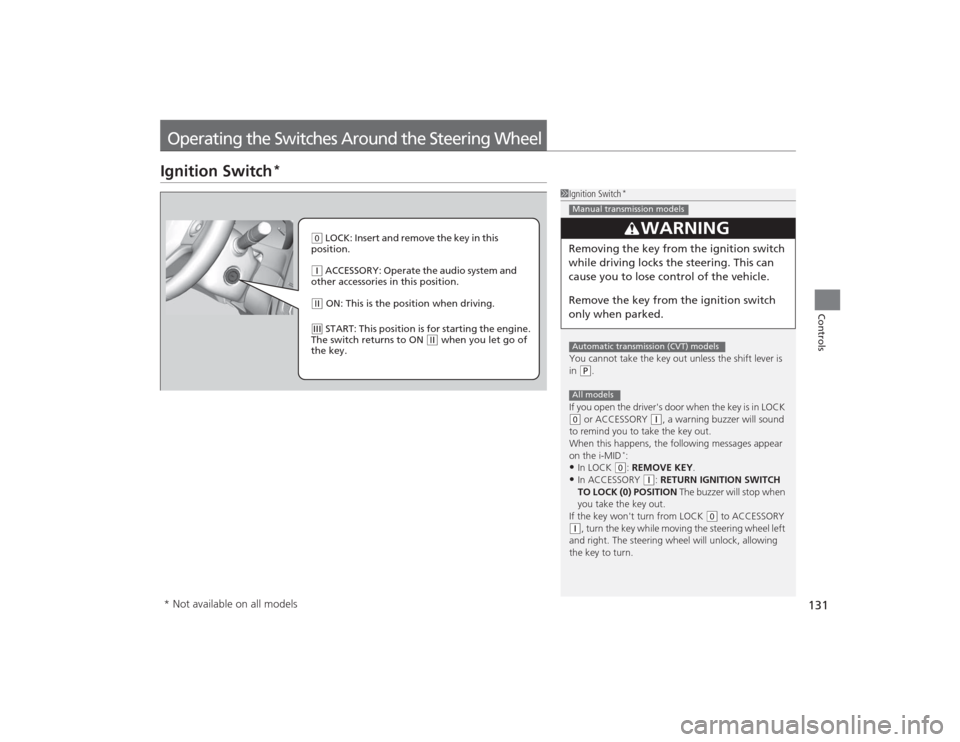
( 0 LOCK: Insert and remove the key in this
position.( q ACCESSORY: Operate the audio system and
other accessories in this position.( w ON: This is the position when driving.(e START: This position is for starting the engine.
The switch returns to ON
( w when you let go of
the key.
* Not available on all models
Page 133 of 469
132
uuOperating the Switches Around the Steering Wheel uENGINE START/STOP Button
*
Controls
ENGINE START/STOP Button
*
*1: Except U.S. models with automatic transmission (CVT)■
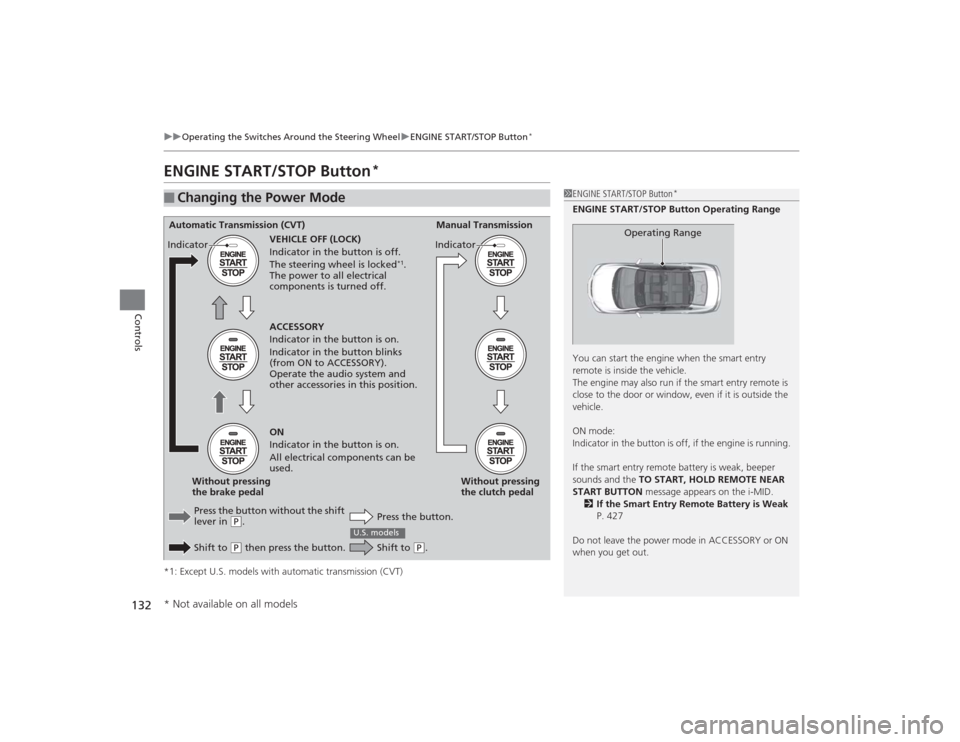
Changing the Power Mode
1ENGINE START/STOP Button
*
ENGINE START/STOP Button Operating Range
You can start the engine when the smart entry
remote is inside the vehicle.
The engine may also run if the smart entry remote is
close to the door or window, even if it is outside the
vehicle.
ON mode:
Indicator in the button is off, if the engine is running.
If the smart entry remote battery is weak, beeper
sounds and the TO START, HOLD REMOTE NEAR
START BUTTON message appears on the i-MID.
2 If the Smart Entry Remote Battery is Weak
P. 427
Do not leave the power mode in ACCESSORY or ON
when you get out.
Operating Range
Automatic Transmission (CVT) Manual Transmission
VEHICLE OFF (LOCK)
Indicator in the button is off.
The steering wheel is locked
*1.
The power to all electrical
components is turned off.
Press the button without the shift
lever in
( P.
Shift to ( P then press the button. Press the button.Without pressing
the clutch pedal
Without pressing
the brake pedal ACCESSORY
Indicator in the button is on.
Indicator in the button blinks
(from ON to ACCESSORY).
Operate the audio system and
other accessories in this position.
ON
Indicator in the button is on.
All electrical components can be
used.
Indicator
Indicator
Shift to
(
P.
U.S. models
* Not available on all models
Page 134 of 469
133
uuOperating the Switches Around the Steering Wheel uENGINE START/STOP Button
*
Continued
Controls
If you leave the vehicle for 30 to 60 minutes with the shift lever in
(P
*1 and the
power mode in ACCESSORY, the vehicle automatically goes into the mode similar to
VEHICLE OFF (LOCK) to avoid the battery drain.
When in this mode:
The steering wheel does not lock.
You cannot lock or unlo ck doors with the remote transmitter or the smart entry
system.
Press the ENGINE START/STOP button twice to switch the mode to VEHICLE OFF
(LOCK).
*1: Automatic transmission (CVT) models■
Automatic Power Off