Page 83 of 469
82Instrument Panel
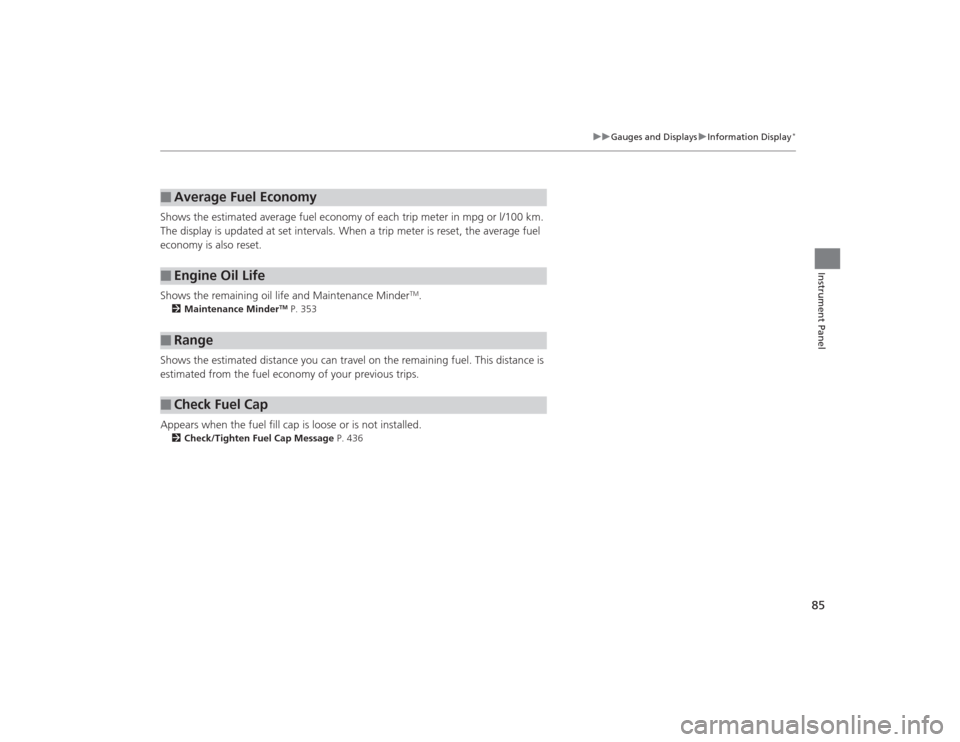
Gauges and DisplaysGaugesGauges include the speedometer, tachometer, fuel gauge, and related indicators.
They are displayed when the ignition switch is in ON
(w
*1.
Displays your driving speed in mph or km/h.
Shows the number of engine revolutions per minute.
Displays the amount of fuel left in the fuel tank.
Shows the instant fuel economy as a bar graph in mpg or l/100km.
*1: Models with the smart entry system have an ENGINE START/STOP button instead of an
ignition switch.■
Speedometer
■
Tachometer
■
Fuel Gauge
■
Instant Fuel Economy Gauge
*
1 Gauges
Press and hold the km/mile change knob until you
hear a beep. The speedometer reading and the
displayed measurements switch between mph and
km/h.1Fuel GaugeNOTICEYou should refuel when the reading approaches .
Running out of fuel can cause the engine to misfire,
damaging the catalytic converter.
The actual amount of remaining fuel may differ from
the fuel gauge reading.
E
1Instant Fuel Economy Gauge
*
Press and hold the km/mile change knob to switch
the measurement.
* Not available on all models
Page 85 of 469
84
uuGauges and Displays uInformation Display
*
Instrument Panel
Information Display
*
The information display shows the odometer, trip meter, engine oil life and
maintenance service item codes, and other gauges.
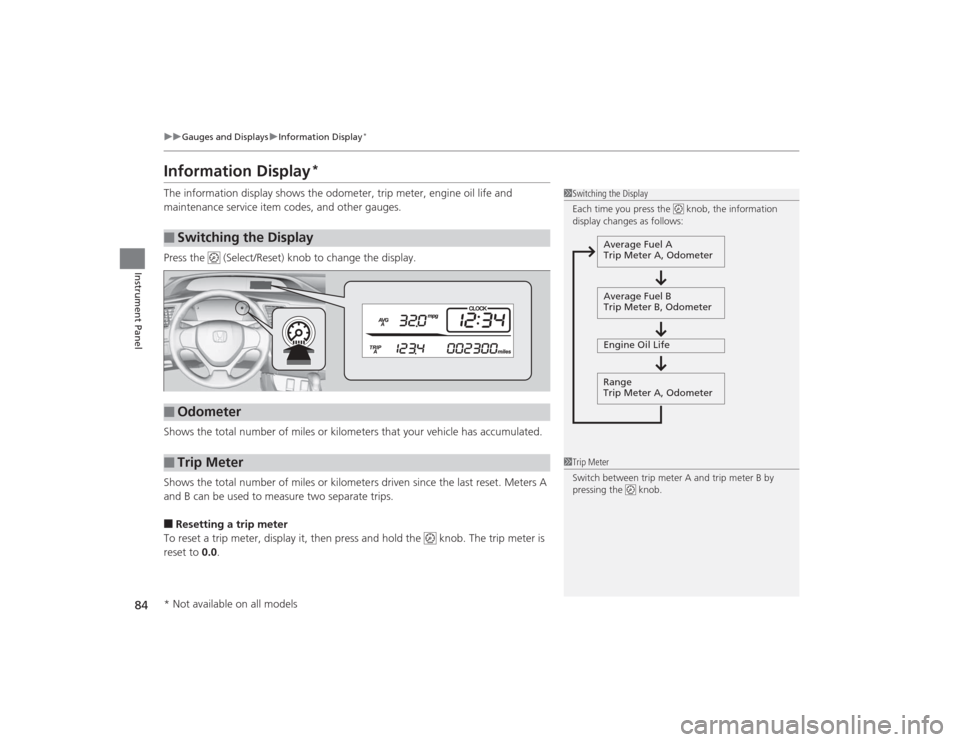
Press the (Select/Reset) knob to change the display.
Shows the total number of miles or kilometers that your vehicle has accumulated.
Shows the total number of miles or kilometers driven since the last reset. Meters A
and B can be used to measure two separate trips.■Resetting a trip meter
To reset a trip meter, display it, then press and hold the knob. The trip meter is
reset to 0.0 .■
Switching the Display
1Switching the Display
Each time you press the knob, the information
display changes as follows:
Average Fuel A
Trip Meter A, Odometer
Average Fuel B
Trip Meter B, Odometer
Engine Oil Life
Range
Trip Meter A, Odometer
■
Odometer
■
Trip Meter
1 Trip Meter
Switch between trip meter A and trip meter B by
pressing the knob.
* Not available on all models
Page 86 of 469
85
uuGauges and Displays uInformation Display
*
Instrument Panel
Shows the estimated average fuel economy of each trip meter in mpg or l/100 km.
The display is updated at set intervals. When a trip meter is reset, the average fuel
economy is also reset.
Shows the remaining oil life and Maintenance Minder
TM.
2 Maintenance Minder
TM P. 353
Shows the estimated distance you can travel on the remaining fuel. This distance is
estimated from the fuel economy of your previous trips.
Appears when the fuel fill cap is loose or is not installed.2Check/Tighten Fuel Cap Message P. 436■
Average Fuel Economy
■
Engine Oil Life
■
Range
■
Check Fuel Cap
Page 87 of 469
86
uuGauges and Displays uintelligent Multi-Information Display (i-MID)
*
Instrument Panel
intelligent Multi-Information Display (i-MID)
*
The i-MID shows the odometer, trip meter, outside temperature indicator, and other
gauges.
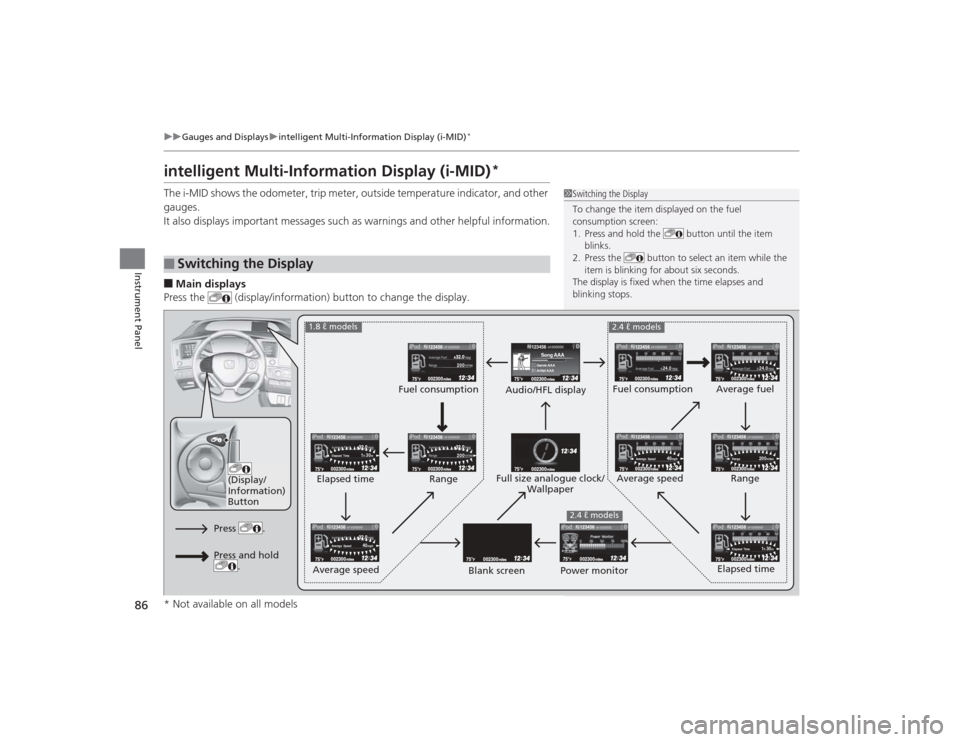
It also displays important messages such as warnings and other helpful information.■Main displays
Press the (display/information) button to change the display.■
Switching the Display
1 Switching the Display
To change the item displayed on the fuel
consumption screen:
1. Press and hold the button until the item
blinks.
2. Press the button to select an item while the
item is blinking for about six seconds.
The display is fixed when the time elapses and
blinking stops.
123456Genre AAASong AAAArtist AAA
200200
1h 30m
Elapsed Time
1h 30m
Elapsed Time
24.0
24.0
40mph
Average Speed
40mph
Average Speed
200miles
Range
123456
123456123456
123456123456
123456
123456
123456
123456123456
(Display/
Information)
Button
Audio/HFL display Fuel consumption
Blank screen Full size analogue clock/
Wallpaper
2.4 ℓ models
Power monitor
1.8 ℓ models
2.4 ℓ models
Fuel consumption
Range
Elapsed time
Average speed Elapsed time
Average speed
Average fuel
Range
Press .Press and hold .
* Not available on all models
Page 89 of 469
uuGauges and Displays uintelligent Multi-Information Display (i-MID)
*
88Instrument Panel
Shows the estimated average fuel economy of each trip meter in mpg or l/100 km.
The display is updated at set intervals. When a trip meter is reset, the average fuel
economy is also reset.
Shows the estimated distance you can travel on the remaining fuel. This distance is
estimated from the fuel economy of your previous trips.
Shows the time elapsed since Trip A or Trip B was reset.
Shows the average speed in mph or km/h since Trip A or Trip B was reset.
Shows the remaining oil life and Maintenance Minder
TM.
2 Maintenance Minder
TM P. 353
■
Average Fuel Economy
■
Range
■
Elapsed Time
■
Average Speed
■
Engine Oil Life
1Average Fuel Economy
You can change when to reset the average fuel
economy.
2 Customized Features P. 90
You can choose an item to be displayed in the fuel
consumption screen. Average fuel economy, range,
elapsed time, or average speed can be selected. 2 Customized Features P. 90
2 Switching the Display P. 862.4 ℓ engine models1Range
You can choose an item to be displayed in the fuel
consumption screen. Range, elapsed time, or average
speed can be selected.
2 Customized Features P. 90
2 Switching the Display P. 861.8 ℓ engine models
Page 90 of 469

Continued
89
uuGauges and Displays uintelligent Multi-Information Display (i-MID)
*
Instrument Panel
Shows the outside temperature in Fahrenheit (U.S.) or Celsius (Canada).■Adjusting the ou tside temperature display
Adjust the temperature reading up to ±5°F or ±3°C if the temperature reading
seems incorrect.
Use the i-MID’s customized features to correct the temperature.2 Customized Features P. 90Shows the instant fuel economy as a bar graph in mpg or l/100 km.
Engine horsepower usage while driving is
displayed in the power monitor.
100% indicates that horsepower is at its
maximum.
Shows you turn-by-turn driving directi ons to your destination linked with the
navigation system.2 Refer to the Navigation System Manual■
Outside Temperature
■
Instant Fuel Economy
*
■
Power Monitor
*
1Outside Temperature
The temperature sensor is in the front bumper.
Road heat and exhaust from another vehicle can
affect the temperature reading when your vehicle
speed is less than 19 mph (30 km/h).
It may take several mi nutes for the display to be
updated after the temperature reading has stabilized.1 Power Monitor
*
Engine horsepower is affected by external conditions
such as driving conditions, or vehicle condition. The
power monitor can compensa te for some of these
variables, but diff erent readings may be displayed.
■
Turn-by-Turn Directions
*
1Turn-by-Turn Directions
*
You can select whether the turn-by-turn display
comes on during the route guidance.
2 Customized Features P. 90
* Not available on all models
Page 93 of 469
92
uuGauges and Displays uintelligent Multi-Information Display (i-MID)
*
Instrument Panel
Display SetupTrip Computer Setup
Select Wallpaper
*
Import Wallpaper
*
Delete Wallpaper
*
Language SelectionAdjust Outside Temp. Display
Trip A reset triggerDisplay km/milesTrip Meter Item to DisplayWelcome ScreenColor Theme
Fuel Efficiency Backlight
*
Customize Settings
Turn by Turn Display
*
Trip B reset trigger
TPMS Calibration
*
Keyless Start Guidance Screens
*
Keyless Access Setup
*
Door Unlock ModeKeyless Access Beep
* Not available on all models
Page 96 of 469
95
uuGauges and Displays uintelligent Multi-Information Display (i-MID)
*
Continued
Instrument Panel
*1: Models with the smart entry system have an ENGINE START/STOP button instead of an ignition switch.
*2: Default Setting
*3: Default Setting for 1.8 ℓ engine models
*4: Default Setting for 2.4 ℓ engine models
*5: Refer to the Navigation System Manual for complete details. Setup Group Customizable Features
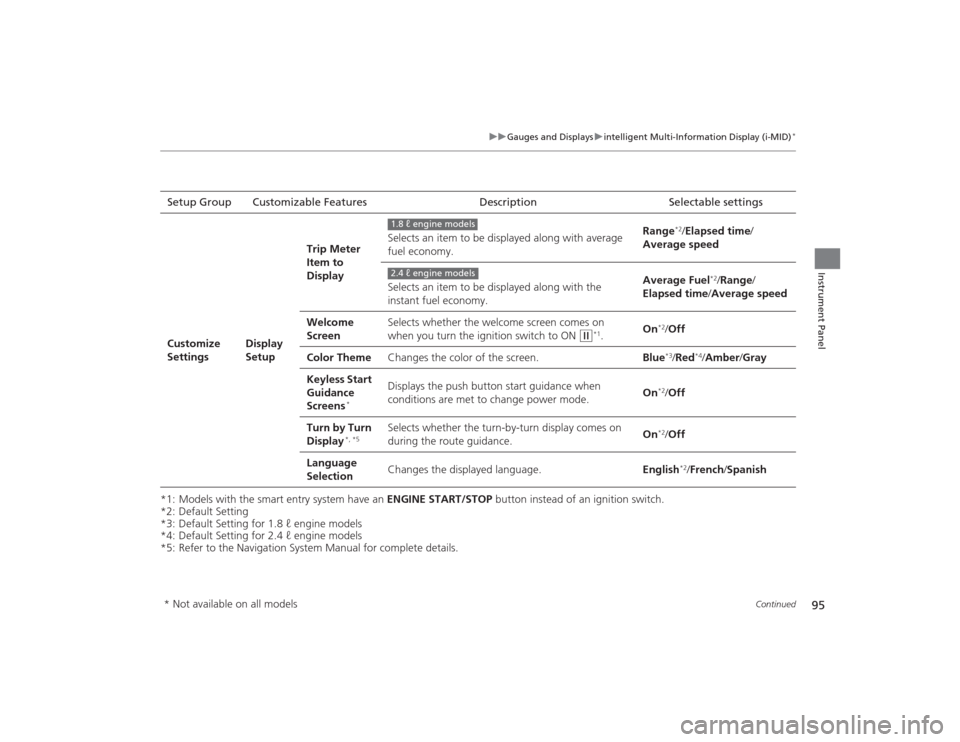
DescriptionSelectable settingsCustomize
Settings
Display
SetupTrip Meter
Item to
Display
Selects an item to be displayed along with average
fuel economy.
Range
*2/
Elapsed time /
Average speed
Selects an item to be displayed along with the
instant fuel economy. Average Fuel
*2/
Range /
Elapsed time /Average speed
Welcome
Screen Selects whether the welcome screen comes on
when you turn the ignition switch to ON
(w
*1.
On
*2/
Off
Color Theme Changes the color of the screen. Blue*3/Red
*4/Amber /Gray
Keyless Start
Guidance
Screens
*
Displays the push button start guidance when
conditions are met to change power mode. On
*2/
Off
Turn by Turn
Display
*, *5
Selects whether the turn-by-turn display comes on
during the route guidance. On
*2/
Off
Language
Selection Changes the displayed language.
English
*2/French /Spanish
1.8 ℓ engine models2.4 ℓ engine models
* Not available on all models