2014 HONDA CIVIC HYBRID maintenance reset
[x] Cancel search: maintenance resetPage 90 of 377
Continued89
uuGauges and intelligent Multi- Information Display (i-MID)uintelligent Multi-Information Display (i-MID)
Instrument Panel
Shows the average speed in mph or km/h since Trip A or Trip B was reset.
Shows the remaining oil life and Maintenance Minder
TM.
2 Maintenance MinderTM P. 283
Shows the outside temperature in Fahr enheit (U.S.) or Celsius (Canada).
■Adjusting the outside temperature display
Adjust the temperature reading up to ±5°F or ±3°C if the temperature reading
seems incorrect.
Shows the instant fuel economy as a bar graph in mpg or l/100 km.
Shows you turn-by-turn driv ing directions to your destination linked with the
navigation system.
2 Refer to the Navigation System Manual
■Average Speed
■Engine Oil Life
■Outside Temperature
■Instant Fuel Economy
■Turn-by-Turn Direction*
1Outside Temperature
The temperature sensor is in the front bumper.
Road heat and exhaust from another vehicle can
affect the temperature reading when your vehicle
speed is less than 19 mph (30 km/h).
It may take several minutes for the display to be
updated after the temperature reading has stabilized.
Use the i-MID’s customized features to correct the
temperature.
2 Customized Features P. 93
1Turn-by-Turn Direction*
You can select whether th e turn-by-turn display
comes on or not during the route guidance. 2 Customized Features P. 93
* Not available on all models
14 CIVIC IMA-31TR26200.book 89 ページ 2013年12月23日 月曜日 午後4時9分
Page 95 of 377
94
uuGauges and intelligent Multi- Information Display (i-MID)uintelligent Multi-Information Display (i-MID)
Instrument Panel
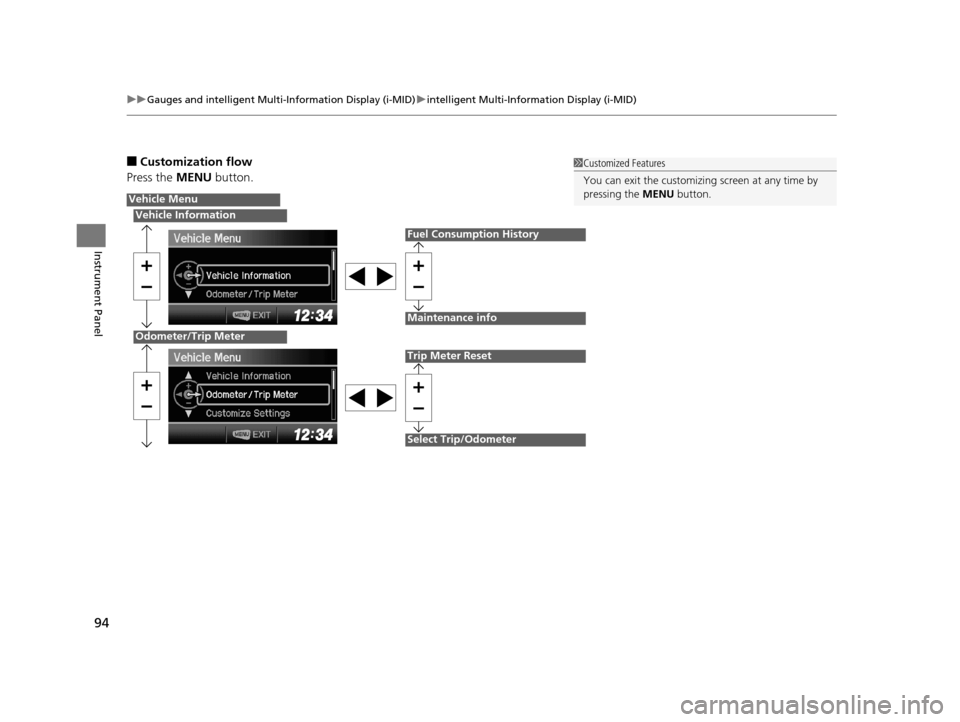
■Customization flow
Press the MENU button.1Customized Features
You can exit the customizing screen at any time by
pressing the MENU button.
Vehicle Menu
Vehicle Information
Odometer/Trip Meter
Fuel Consumption History
Maintenance info
Trip Meter Reset
Select Trip/Odometer
14 CIVIC IMA-31TR26200.book 94 ページ 2013年12月23日 月曜日 午後4時9分
Page 98 of 377
97
uuGauges and intelligent Multi- Information Display (i-MID)uintelligent Multi-Information Display (i-MID)
Continued
Instrument Panel
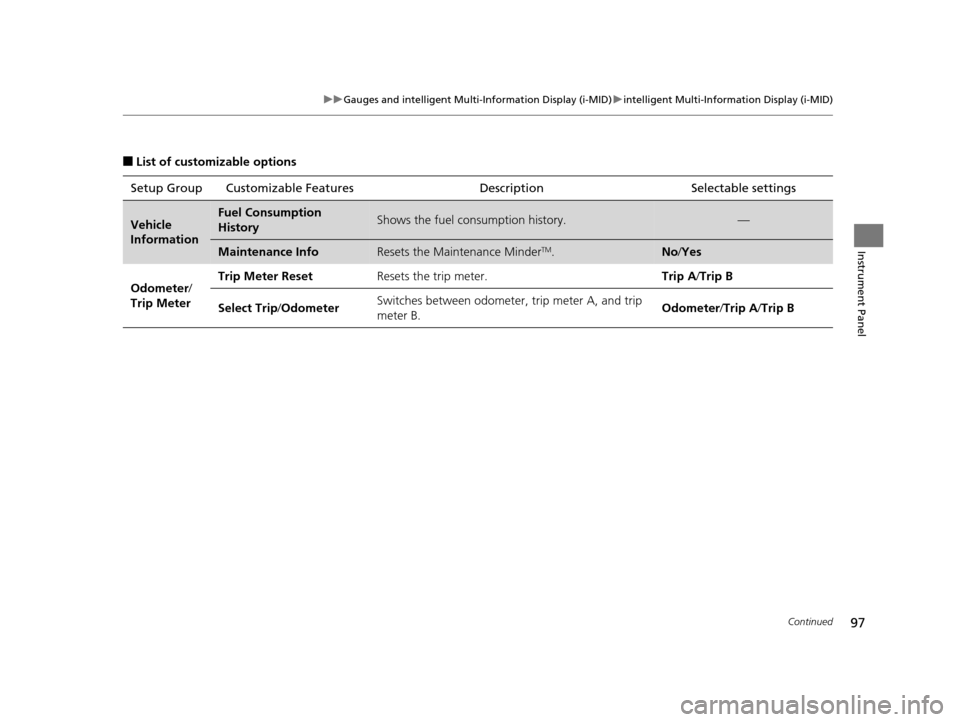
■List of customizable options
Setup Group Customizable Features Description Selectable settings
Vehicle
InformationFuel Consumption
HistoryShows the fuel consumption history.—
Maintenance InfoResets the Maintenance MinderTM.No/Yes
Odometer /
Trip Meter Trip Meter Reset
Resets the trip meter. Trip A/Trip B
Select Trip /Odometer Switches between odometer, trip meter A, and trip
meter B. Odometer
/Trip A /Trip B
14 CIVIC IMA-31TR26200.book 97 ページ 2013年12月23日 月曜日 午後4時9分
Page 287 of 377
286
uuMaintenance MinderTMuTo Use Maintenance MinderTM
Maintenance
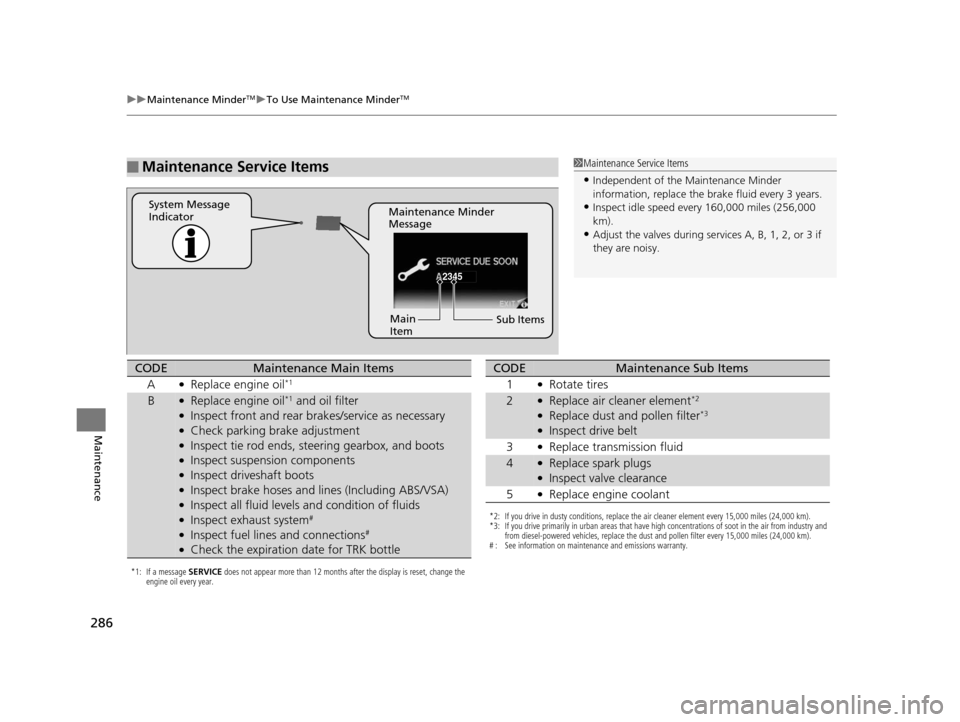
■Maintenance Service Items1Maintenance Service Items
•Independent of the Maintenance Minder
information, replace the brake fluid every 3 years.
•Inspect idle speed every 160,000 miles (256,000
km).
•Adjust the valves during services A, B, 1, 2, or 3 if
they are noisy.
2345
Maintenance Minder
Message
System Message
Indicator
Sub Items
Main
Item
*1: If a message
SERVICE does not appear more than 12 months after the display is reset, change the
engine oil every year.
CODEMaintenance Main Items
A
●Replace engine oil*1
B●Replace engine oil*1 and oil filter●Inspect front and rear bra kes/service as necessary●Check parking brake adjustment●Inspect tie rod ends, steering gearbox, and boots●Inspect suspension components●Inspect driveshaft boots●Inspect brake hoses and li nes (Including ABS/VSA)●Inspect all fluid levels and condition of fluids●Inspect exhaust system#
●Inspect fuel lines and connections#
●Check the expiration date for TRK bottle
*2: If you drive in dusty conditions, replace the air cleaner element every 15,000 miles (24,000 km).
*3: If you drive primarily in urban areas that have high concentrations of soot in the air from industry and
from diesel-powered vehicles, replace the dust and pollen filter every 15,000 miles (24,000 km).
# : See information on maintenance and emissions warranty.
CODEMaintenance Sub Items
1
●Rotate tires
2●Replace air cleaner element*2
●Replace dust and pollen filter*3
●Inspect drive belt
3
●Replace transmission fluid
4●Replace spark plugs●Inspect valve clearance
5
●Replace engine coolant
14 CIVIC IMA-31TR26200.book 286 ページ 2013年12月23日 月曜日 午後4時9分
Page 288 of 377
287
uuMaintenance MinderTMuTo Use Maintenance MinderTM
Maintenance
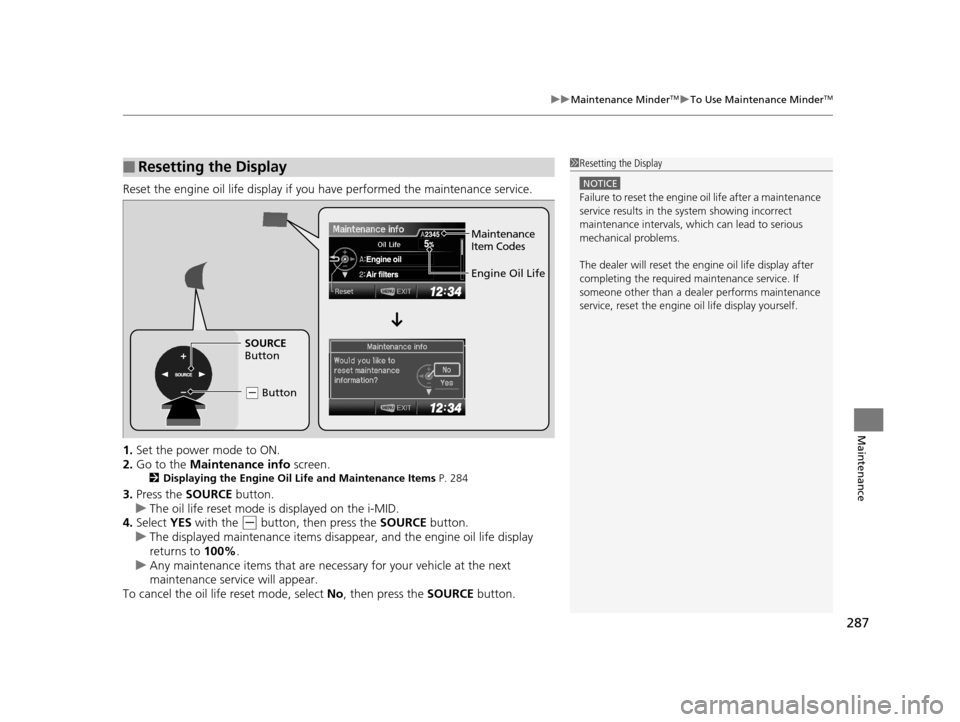
Reset the engine oil life display if you have performed the maintenance service.
1. Set the power mode to ON.
2. Go to the Maintenance info screen.
2Displaying the Engine Oil Life and Maintenance Items P. 284
3.Press the SOURCE button.
u The oil life reset mode is displayed on the i-MID.
4. Select YES with the
(- button, then press the SOURCE button.
u The displayed maintenance items disappear, and the engine oil life display
returns to 100%.
u Any maintenance items that are necessary for your vehicle at the next
maintenance service will appear.
To cancel the oil life reset mode, select No, then press the SOURCE button.
■Resetting the Display1Resetting the Display
NOTICE
Failure to reset the engine oil life after a maintenance
service results in the sy stem showing incorrect
maintenance intervals, which can lead to serious
mechanical problems.
The dealer will reset the en gine oil life display after
completing the required ma intenance service. If
someone other than a deal er performs maintenance
service, reset the engine oil life display yourself.
Engine Oil Life
SOURCE
Button
( - Button
Maintenance
Item Codes
14 CIVIC IMA-31TR26200.book 287 ページ 2013年12月23日 月曜日 午後4時9分
Page 318 of 377
317
Maintenance
12 Volt Battery
Checking the 12 Volt Battery
Check the battery condition monthly and check the terminals for corrosion.
If your vehicle’s battery is disconnected or goes dead:
• The audio system is disabled.
2 Reactivating the audio system P. 151
•The clock resets.
2 Clock P. 102
•The navigation system* is disabled.
2 Refer to the Navigation System Manual
Charging the Battery
Disconnect both battery cables to prevent damaging your vehicle’s electrical system.
Always disconnect the negative (-) cable first, and reconnect it last.
112 Volt Battery
WARNING: Battery post, terminals,
and related accessories contain lead
and lead compounds.
Wash your hands after handling.
When you find corrosion, cl ean the battery terminals
by applying a baking powder and water solution.
Clean the terminals with a damp towel. Cloth/towel
dry the battery. Coat the terminals with grease to
help prevent future corrosion.
When replacing the battery, the replacement must be
of the same specifications.
Please consult a dealer for more information.
3WARNING
The battery gives off explosive hydrogen
gas during normal operation.
A spark or flame can cause the battery to
explode with enough force to kill or
seriously hurt you.
When conducting any battery
maintenance, wear prot ective clothing and
a face shield, or have a skilled technician do
it.
* Not available on all models
14 CIVIC IMA-31TR26200.book 317 ページ 2013年12月23日 月曜日 午後4時9分
Page 375 of 377
374
Index
Maintenance MinderTM............................. 283
Malfunction Indicator Lamp .............. 69, 350
Map Lights ................................................ 139
Maximum Load Limit ................................ 235
MENU Button .............................................. 93
Meters, Gauges ........................................... 84
Mirrors ....................................................... 132
Adjusting ................................................. 132
Door ........................................................ 132
Exterior .................................................... 132
Interior Rearview...................................... 132
Modifications and Accessories ................. 277
MP3 ............................................ 167, 175, 180
Multi-Information Display .......................... 85
N
Numbers (Identification).......................... 360
O
Odometer.................................................... 88
Oil (Engine) ............................................... 290
Adding .................................................... 292
Checking ................................................. 291
Displaying Oil Life .................................... 284
Low Oil Pressure Indicator .................. 72, 349
Recommended Engine Oil ........................ 290
Viscosity .................................................. 290
Opening/Closing Hood ....................................................... 289 Power Windows ...................................... 119
Trunk ...................................................... 114
Outside Temperature Display .................... 89
Overheating .............................................. 347
P
Pandora®................................................... 174
Panic Mode ............................................... 118
Parking ...................................................... 271
Parking Brake ........................................... 267
Parking Brake and Brake System Indicator (Red) .................................. 68, 351
Passenger Airbag Off Indicator ................. 50
Passing Indicators ..................................... 124
Power Flow Monitor .................................. 92
Power Windows ....................................... 119
Precautions While Driving ....................... 241
Rain ........................................................ 241
Pregnant Women ....................................... 37
Puncture (Tire) .......................................... 335
R
Radiator.................................................... 296
Radio (AM/FM) ......................................... 161
Radio (XM ®).............................................. 164
Radio Data System (RDS) ......................... 162
Range .......................................................... 88
RDS (Radio Data System) ......................... 162
Readiness Code (Emissions Testing) ........ 363Rear Defogger/Heated Door Mirror
Button ..................................................... 130
Rearview Camera ..................................... 272
Rearview Mirror ....................................... 132
Refueling .................................................. 273
Fuel Gauge ............................................... 84
Gasoline ......................................... 273, 358
Low Fuel Indicator ..................................... 70
Regulations ...................................... 265, 310
Remote Transmitter ................................. 106
Replacement
Battery .................................................... 317
Bulbs ...................................................... 300
Fuses .............................................. 353, 354
Tires........................................................ 314
Wiper Blade Rubber ................................ 306
Reporting Safety Defects ......................... 362
Resetting a Trip Meter ............................... 88
S
Safe Driving................................................ 27
Safety Check ............................................... 31
Safety Labels .............................................. 65
Safety Message .......................................... 25
Seat ........................................................... 134
Adjusting ................................................ 134
Front Seat ............................................... 134
Seat Heaters ........................................... 143
Seat Belts .................................................... 32
Adjusting the Shoulder Anchor ................. 36
14 CIVIC IMA-31TR26200.book 374 ページ 2013年12月23日 月曜日 午後4時9分