Page 74 of 377
73
uuIndicators u
Continued
Instrument Panel
IndicatorNameOn/BlinkingExplanationMessage
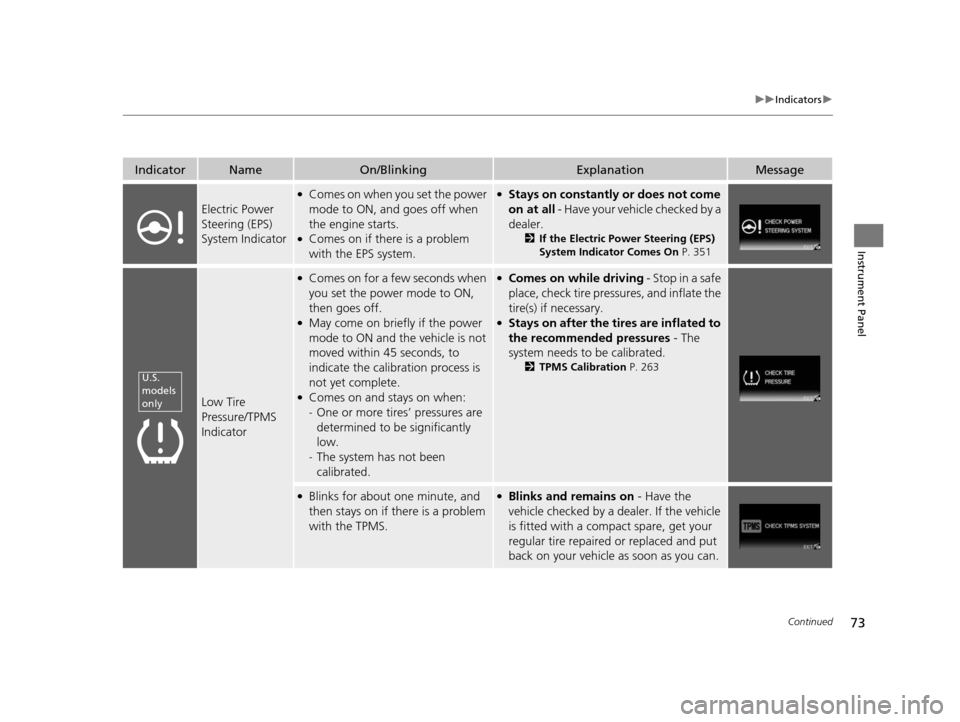
Electric Power
Steering (EPS)
System Indicator
●Comes on when you set the power
mode to ON, and goes off when
the engine starts.
●Comes on if there is a problem
with the EPS system.
●Stays on constantly or does not come
on at all - Have your vehicle checked by a
dealer.
2 If the Electric Power Steering (EPS)
System Indicator Comes On P. 351
Low Tire
Pressure/TPMS
Indicator
●Comes on for a few seconds when
you set the power mode to ON,
then goes off.
●May come on briefly if the power
mode to ON and the vehicle is not
moved within 45 seconds, to
indicate the calibration process is
not yet complete.
●Comes on and stays on when:
-One or more tires’ pressures are
determined to be significantly
low.
- The system has not been
calibrated.
●Comes on while driving - Stop in a safe
place, check tire pressures, and inflate the
tire(s) if necessary.
●Stays on after the tires are inflated to
the recommended pressures - The
system needs to be calibrated.
2 TPMS Calibration P. 263
●Blinks for about one minute, and
then stays on if th ere is a problem
with the TPMS.●Blinks and remains on - Have the
vehicle checked by a de aler. If the vehicle
is fitted with a compact spare, get your
regular tire repaired or replaced and put
back on your vehicle as soon as you can.
U.S.
models
only
14 CIVIC IMA-31TR26200.book 73 ページ 2013年12月23日 月曜日 午後4時9分
Page 82 of 377
81
uuIndicators uintelligent Multi-Information Display (i-MID) Warning and Information Messages
Continued
Instrument Panel
MessageConditionExplanation
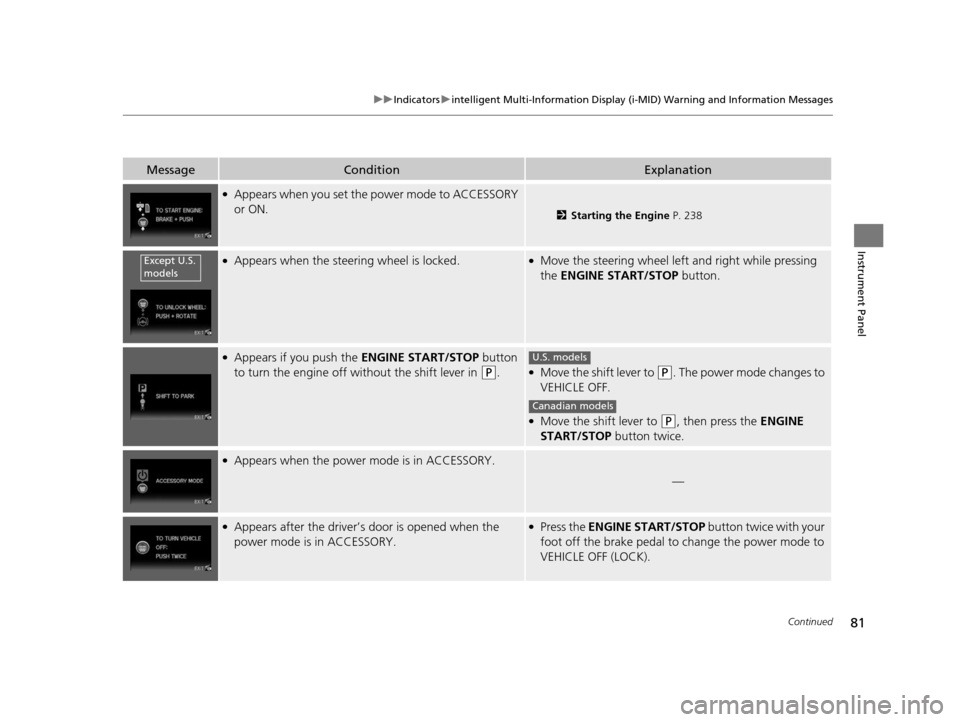
●Appears when you set the power mode to ACCESSORY
or ON.
2 Starting the Engine P. 238
●Appears when the steering wheel is locked.●Move the steering wheel left and right while pressing
the ENGINE START/STOP button.
●Appears if you push the ENGINE START/STOP button
to turn the engine off wi thout the shift lever in
(P.●Move the shift lever to (P. The power mode changes to
VEHICLE OFF.
●Move the shift lever to (P, then press the ENGINE
START/STOP button twice.
●Appears when the power mode is in ACCESSORY.
—
●Appears after the driver’s door is opened when the
power mode is in ACCESSORY.●Press the ENGINE START/STOP button twice with your
foot off the brake pedal to change the power mode to
VEHICLE OFF (LOCK).
Except U.S.
models
U.S. models
Canadian models
14 CIVIC IMA-31TR26200.book 81 ページ 2013年12月23日 月曜日 午後4時9分
Page 83 of 377
82
uuIndicators uintelligent Multi-Informat ion Display (i-MID) Warning and Information Messages
Instrument Panel
MessageConditionExplanation
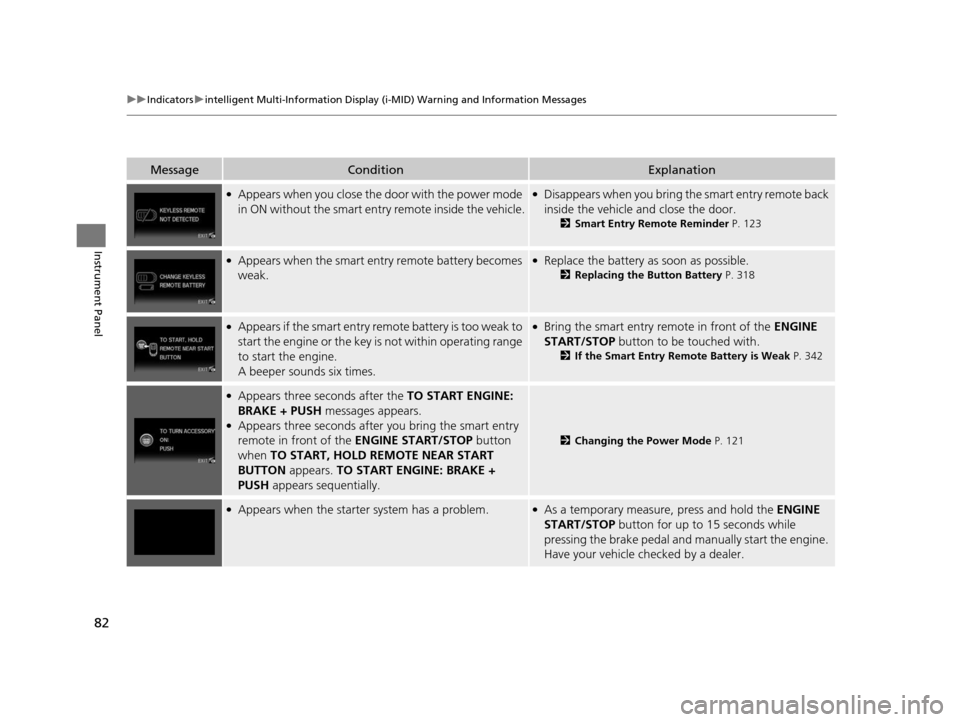
●Appears when you close the door with the power mode
in ON without the smart entry remote inside the vehicle.●Disappears when you bring the smart entry remote back
inside the vehicle and close the door.
2Smart Entry Remote Reminder P. 123
●Appears when the smart entry remote battery becomes
weak.●Replace the battery as soon as possible.
2Replacing the Button Battery P. 318
●Appears if the smart entry remote battery is too weak to
start the engine or the key is not within operating range
to start the engine.
A beeper sounds six times.●Bring the smart entry remote in front of the ENGINE
START/STOP button to be touched with.
2 If the Smart Entry Remote Battery is Weak P. 342
●Appears three seconds after the TO START ENGINE:
BRAKE + PUSH messages appears.
●Appears three seconds after you bring the smart entry
remote in front of the ENGINE START/STOP button
when TO START, HOLD REMOTE NEAR START
BUTTON appears. TO START ENGINE: BRAKE +
PUSH appears sequentially.
2Changing the Power Mode P. 121
●Appears when the starter system has a problem.●As a temporary measure, press and hold the ENGINE
START/STOP button for up to 15 seconds while
pressing the brake pedal and manually start the engine.
Have your vehicle ch ecked by a dealer.
14 CIVIC IMA-31TR26200.book 82 ページ 2013年12月23日 月曜日 午後4時9分
Page 102 of 377
101
Controls
This chapter explains how to operate the various controls necessary for driving.
Clock.................................................. 102
Locking and Unlocking the Doors Key Types and Functions .................. 103
Locking/Unlocking the Doors from the Outside .......................................... 106
Locking/Unlocking the Doors from the
Inside ............................................. 110
Childproof Door Locks ..................... 112
Auto Door Locking/Unlocking .......... 113
Opening and Closing the Trunk ....... 114
Security System Immobilizer System .......................... 117
Security System Alarm ...................... 117 Opening and Closing the Windows
... 119
Operating the Switches Around the Steering Wheel
ENGINE START/STOP Button............. 121
Turn Signals ..................................... 124
Light Switches.................................. 124
Daytime Running Lights ................... 127
Wipers and Washers ........................ 128
Brightness Control ........................... 129
Rear Defogger/Heat ed Door Mirror
*
Button ........................................... 130
Adjusting the Steering Wheel........... 131 Adjusting the Mirrors
Interior Rearview Mirror ................... 132
Power Door Mirrors ......................... 132
Adjusting the Seats Adjusting the Seat Positions ............. 134
Interior Lights/Interior Convenience
ItemsInterior Lights .................................. 139
Interior Convenience Items .............. 140
Climate Control System Using Automatic Climate Control .... 144
Automatic Climate Control Sensors ... 146
* Not available on all models
14 CIVIC IMA-31TR26200.book 101 ページ 2013年12月23日 月曜日 午後4時9分
Page 104 of 377
103Continued
Controls
Locking and Unlocking the Doors
Key Types and Functions
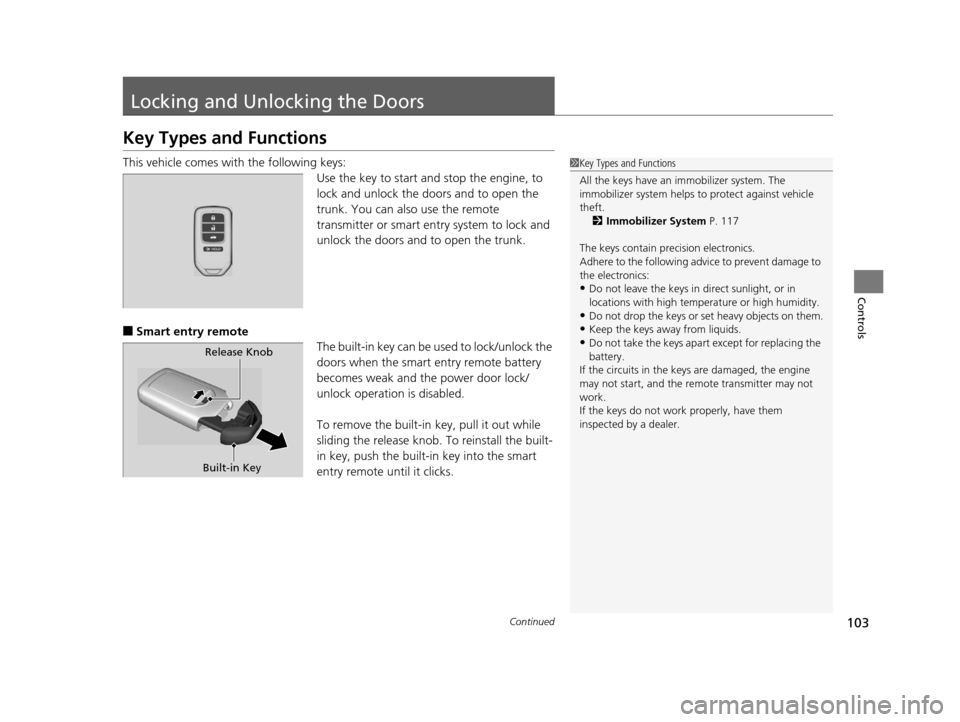
This vehicle comes with the following keys:
Use the key to start and stop the engine, to
lock and unlock the doors and to open the
trunk. You can also use the remote
transmitter or smart entry system to lock and
unlock the doors and to open the trunk.
■Smart entry remote
The built-in key can be used to lock/unlock the
doors when the smart entry remote battery
becomes weak and the power door lock/
unlock operation is disabled.
To remove the built-in key, pull it out while
sliding the release knob. To reinstall the built-
in key, push the built-i n key into the smart
entry remote until it clicks.
1 Key Types and Functions
All the keys have an immobilizer system. The
immobilizer system helps to protect against vehicle
theft. 2 Immobilizer System P. 117
The keys contain precision electronics.
Adhere to the following advi ce to prevent damage to
the electronics:
•Do not leave the keys in direct sunlight, or in
locations with high temperature or high humidity.
•Do not drop the keys or set heavy objects on them.
•Keep the keys away from liquids.
•Do not take the keys apart except for replacing the
battery.
If the circuits in the keys are damaged, the engine
may not start, and the remote transmitter may not
work.
If the keys do not work properly, have them
inspected by a dealer.Release Knob
Built-in Key
14 CIVIC IMA-31TR26200.book 103 ページ 2013年12月23日 月曜日 午後4時9分
Page 118 of 377
117Continued
Controls
Security System
Immobilizer System
The immobilizer system prevents a key that has not been pre-registered from
starting the engine. Each key contains electronic transmitters that use electronic
signals to verify the key.
Pay attention to the follo wing when pressing the ENGINE START/STOP button:
• Do not allow objects that emit strong radio waves near the ENGINE START/
STOP button.
• Make sure the key is not covered by or touching a metal object.
• Do not bring a key from another vehicle’s immobilizer system near the smart entry
remote.
Security System Alarm
The security system alarm activates when the trunk, hood or doors are forcibly
opened. The alarm does not go off if the trunk or doors are opened with the key,
remote transmitter or smart entry system.
However, the alarm goes off when a door is opened with the key, then the shift
lever is moved out of
( P or the hood is opened before the power mode is set to ON.
■When the security system alarm activates
The horn sounds intermittently and all the exterior lights flash.
■To deactivate the security system alarm
Unlock the vehicle using the remote transmi tter or smart entry system. The system,
along with the horn and flashing lights, is deactivated.
1 Immobilizer System
NOTICE
Leaving the smart entry remote in the vehicle can
result in theft or accidental movement of the vehicle.
Always take the key with you whenever you leave the
vehicle unattended.
Do not alter the system or add other devices to it.
Doing so may damage the system and make your
vehicle inoperable.
1 Security System Alarm
The security alarm continues for a maximum of two
minutes until the security system deactivates.
14 CIVIC IMA-31TR26200.book 117 ページ 2013年12月23日 月曜日 午後4時9分
Page 122 of 377
121Continued
Controls
Operating the Switches Around the Steering Wheel
ENGINE START/STOP Button
*1:Canadian models
■Changing the Power Mode1ENGINE START/STOP Button
ENGINE START/STOP Button Operating Range
You can start the engine when the smart entry
remote is inside the vehicle.
The engine may also run if the smart entry remote is
close to the door or window, ev en if it is outside the
vehicle.
ON mode:
Indicator in the button is of f, if the engine is running.
If the smart entry remote battery is weak, beeper
sounds and the TO START, HOLD REMOTE NEAR
START BUTTON message appears on the i-MID.
2 If the Smart Entry Remote Battery is Weak
P. 342
Do not leave the power mode in ACCESSORY or ON
when you get out.
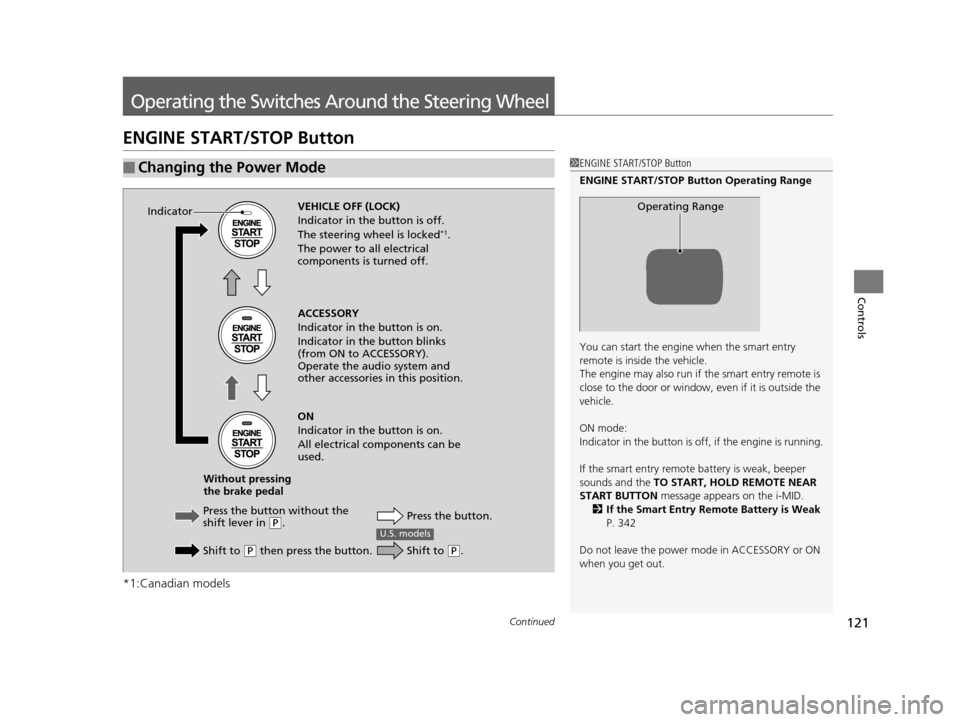
Operating RangeVEHICLE OFF (LOCK)
Indicator in th e button is off.
The steering wheel is locked
*1.
The power to all electrical
components is turned off.
Press the butto n without the
shift lever in
( P.
Shift to
( P then press the button. Press the button.
Without pressing
the brake pedal ACCESSORY
Indicator in the button is on.
Indicator in th
e button blinks
(from ON to ACCESSORY).
Operate the audio system and
other accessories in this position.
ON
Indicator in the button is on.
All electrical components can be
used.
Indicator
U.S. models
Shift to (
P.
14 CIVIC IMA-31TR26200.book 121 ページ 2013年12月23日 月曜日 午後4時9分
Page 123 of 377
122
uuOperating the Switches Around the Steering Wheel uENGINE START/STOP Button
Controls
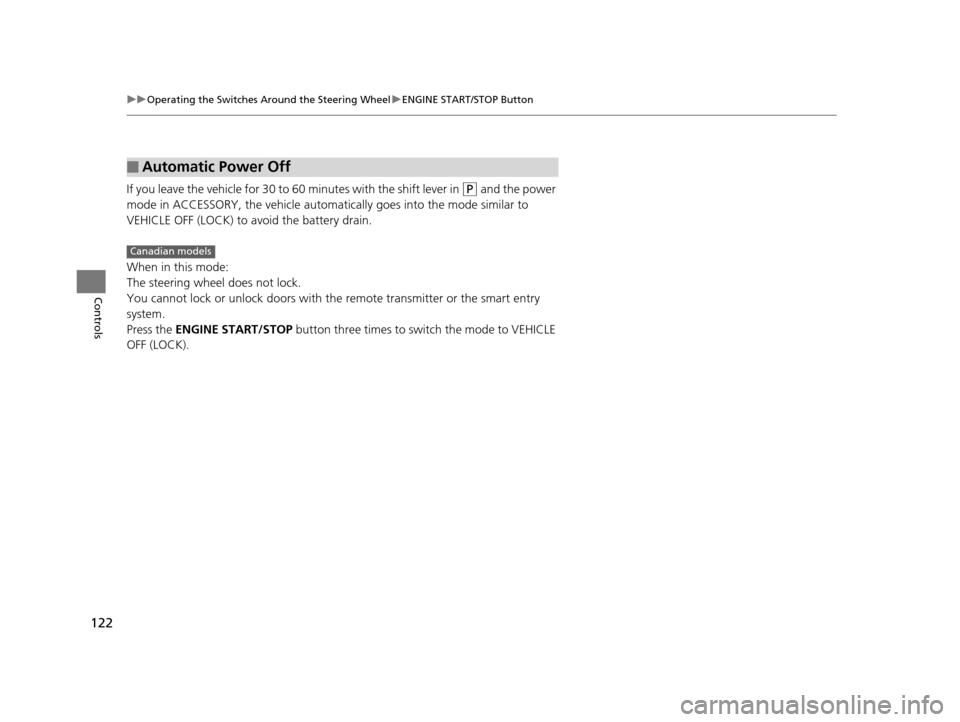
If you leave the vehicle for 30 to 60 minutes with the shift lever in (P and the power
mode in ACCESSORY, the vehicle automati cally goes into the mode similar to
VEHICLE OFF (LOCK) to avoid the battery drain.
When in this mode:
The steering wheel does not lock.
You cannot lock or unlock doors with th e remote transmitter or the smart entry
system.
Press the ENGINE START/STOP button three times to swit ch the mode to VEHICLE
OFF (LOCK).
■Automatic Power Off
Canadian models
14 CIVIC IMA-31TR26200.book 122 ページ 2013年12月23日 月曜日 午後4時9分