Page 4 of 561
3
Quick Reference Guide
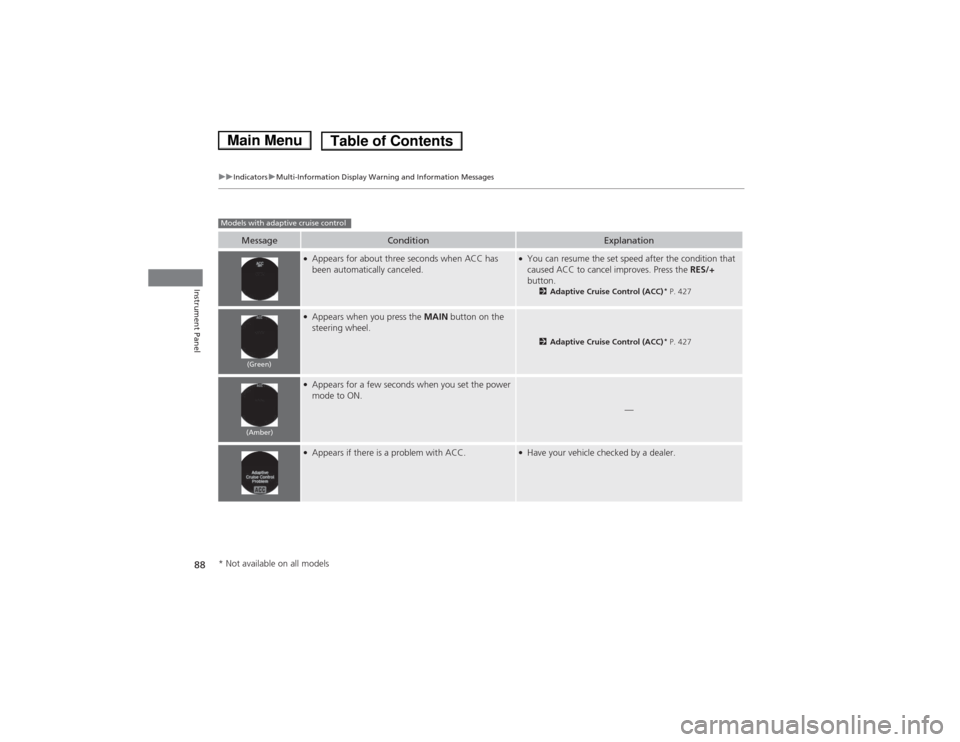
❙(+ / (- / / Buttons (P 174)
❙SOURCE Button (P 174)
❙Bluetooth® HandsFreeLink ® System
Voice Control Buttons (P 333, 370)
❙Navigation System Voice Control Buttons *
(P 239) , () See Navigation System Manual
❙Steering Wheel Adjustments (P 145)
❙SEL/RESET Button (P 95)
❙ (Information) Buttons (P 94)
❙Adaptive Cruise Control (ACC) Buttons *
(P 427)
❙Cruise Control Buttons *
(P 424)
❙Wipers/Washers (P 140)
❙Brightness Control (P 141)
❙ (Select/Reset) Knob (P 141)
❙Horn (Press an area around .)
❙ (Display) Button (P 176, 201, 233)
❙LaneWatchTM
(P 445)
❙Headlights/Turn Signals (P 136)
* Not available on all models
Main Menu
Page 82 of 561

81
uuIndicatorsu
Continued
Instrument Panel
*1:On the left: Models without adaptive cruise controlOn the right: Models with adaptive cruise control
IndicatorNameOn/BlinkingExplanationMessage *1
Forward
Collision
Warning (
FCW )
Indicator *
●
Comes on for a few seconds
when you set the power mode
to ON, then goes off.
● Comes on when you have
customized FCW to turn off.
● Comes on if there is a problem
with the FCW system.●Stays on constantly without FCW off - Have your
vehicle checked by a dealer.
● Comes on when the FCW
system shuts itself off.●
Stays on - The temperature inside the FCW system is
too high. The system activates when the temperature
inside the system cools down. 2Automatic shutoff P. 437
●
Stays on - The radar sensor or the area around the
camera is blocked by dirt, mud, etc. Stop your vehicle
in a safe place, and wipe it off with a soft cloth.
● Have your vehicle checked by a dealer if:
The indicator and message stay on after you cleaned
the radar sensor cover.
The indicator and message come back on after you
cleaned the area around the camera.
2Automatic shutoff P. 437
2Automatic shutoff P. 437—
Models without adaptive cruise control
Models with adaptive cruise control
Models without adaptive cruise control
* Not available on all models
Main MenuTable of Contents
Page 83 of 561
82
uuIndicatorsu
Instrument Panel
*1:On the left: Models without adaptive cruise controlOn the right: Models with adapti ve cruise control
IndicatorNameOn/BlinkingExplanationMessage*1
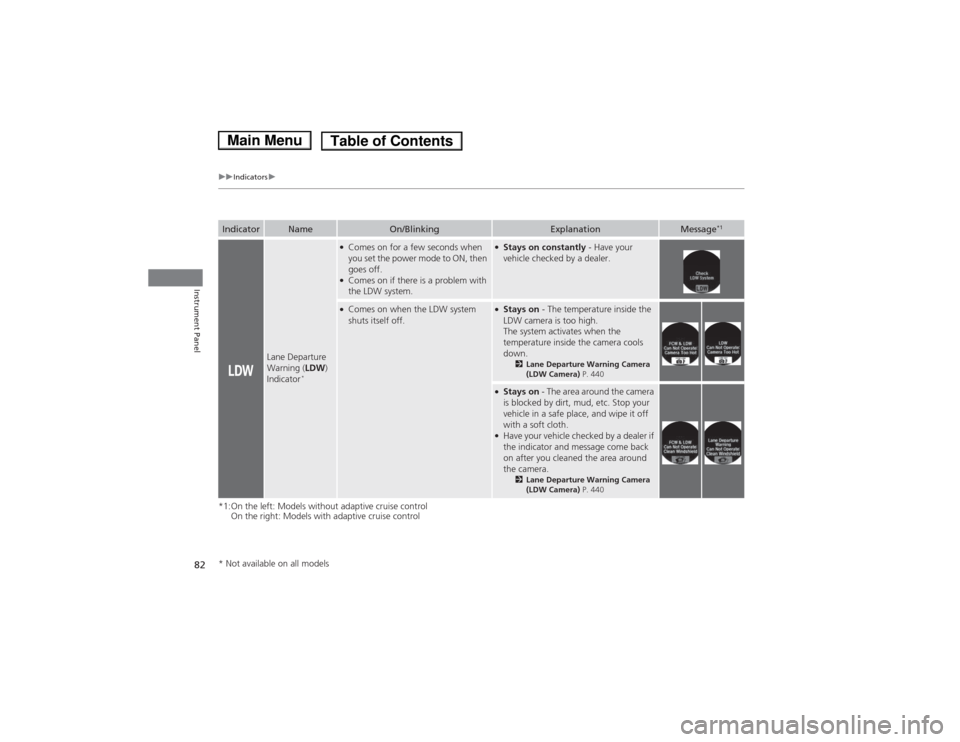
Lane Departure
Warning (
LDW)
Indicator *
●
Comes on for a few seconds when
you set the power mode to ON, then goes off.
● Comes on if there is a problem with
the LDW system.●Stays on constantly - Have your
vehicle checked by a dealer.
● Comes on when the LDW system
shuts itself off.●Stays on - The temperature inside the
LDW camera is too high.
The system activates when the
temperature inside the camera cools
down. 2Lane Departure Warning Camera (LDW Camera) P. 440
●
Stays on - The area around the camera
is blocked by dirt, mud, etc. Stop your
vehicle in a safe place, and wipe it off
with a soft cloth.
● Have your vehicle checked by a dealer if
the indicator and message come back
on after you cleaned the area around the camera.
2Lane Departure Warning Camera (LDW Camera) P. 440
* Not available on all models
Main MenuTable of Contents
Page 89 of 561
88
uuIndicatorsuMulti-Information Display Warning and Information Messages
Instrument Panel
MessageConditionExplanation
●
Appears for about three seconds when ACC has
been automatically canceled.●You can resume the set speed after the condition that
caused ACC to cancel improves. Press the RES/+
button. 2Adaptive Cruise Control (ACC) *
P. 427
● Appears when you press the MAIN button on the
steering wheel.
2 Adaptive Cruise Control (ACC) *
P. 427
● Appears for a few seconds when you set the power
mode to ON.
—
●Appears if there is a problem with ACC.●Have your vehicle checked by a dealer.
Models with adaptive cruise control
(Green)
(Amber)
* Not available on all models
Main MenuTable of Contents
Page 90 of 561
89
uuIndicatorsuMulti-Information Display Warning and Information Messages
Continued
Instrument Panel
MessageConditionExplanation
●Appears when you press the CRUISE button on the
steering wheel.
2 Cruise Control *
P. 424
● Appears if you have set a speed for cruise control.
2 Cruise Control *
P. 424
MessageConditionExplanation
● Flashes when the system senses a likely collision with
a vehicle in front of you.● Take appropriate action to prevent a collision (apply the
brakes, change lanes, etc.).
2Forward Collision Warning (FCW) *
P. 435
2 Adaptive Cruise Control (ACC) *
P. 427
● Appears when your vehicle is too close to the traffic
lane lines. The beeper sounds.● Take appropriate action to keep your vehicle within the
lane lines.
2Lane Departure Warning (LDW) *
P. 439
Models without adaptive cruise control
Models with forward collision warning and lane departure warning
* Not available on all models
Main MenuTable of Contents
Page 410 of 561
409
Driving
This chapter discusses driving, refueling, and information on items such as accessories.
Before Driving Driving Preparation .......................... 410
Maximum Load Limit........................ 413
Towing a Trailer Towing Your Vehicle ........................ 415
When Driving Turning on the Power ...................... 416
Precautions While Driving................. 419
Transmission .................................... 419
Shifting ............................................ 420
ECON Button ................................... 422
Acoustic Vehicle Alerting System ...... 423
Cruise Control *
................................ 424 Adaptive Cruise Control (ACC)
*
....... 427
Forward Collision Warning (FCW) *
.. 435
Lane Departure Warning (LDW) *
..... 439
Vehicle Stability Assist (VSA®), aka Electronic
Stability Control (ESC), System ............... 443
LaneWatchTM....................................... 445Tire Pressure Monitoring System (TPMS) ... 447Tire Pressure Monitoring System (TPMS) -
Required Federal Explanation ......... 449
High Voltage Battery ........................ 451
Braking
Brake System ................................... 452
Anti-lock Brake System (ABS) ........... 454 Brake Assist System ......................... 455
Parking Your Vehicle
When Stopped ................................ 456
Multi-View Rear Camera .................. 457
Rearview Camera ............................. 458
Refueling Fuel Information .............................. 459
How to Refuel ................................. 460
Fuel Economy Improving Fuel Economy .................. 461
Accessories and Modifications ........ 462
* Not available on all models
Main Menu
Page 428 of 561

427
uuWhen DrivinguAdaptive Cruise Control (ACC)*
Continued
Driving
Adaptive Cruise Control (ACC) *
Helps maintain a constant vehicle speed and a set following distance behind a
vehicle detected ahead of yours, without you having to keep your foot on the brake
or the accelerator.
1Adaptive Cruise Control (ACC) *
Important Reminder
As with any system, there are limits to ACC. Use the
brake pedal whenever necessary, and always keep a
safe distance between your vehicle and other
vehicles.
The radar sensor for ACC is shared with FCW
(Forward Collision Warning). 2 Forward Collision Warning (FCW) *
P. 435
3WARNING
Improper use of ACC can lead to a crash.
Use ACC only when traveling on open
highways in good weather.
3WARNING
ACC has limited braking capability.
When your vehicle speed drops below
22 mph (35 km/h), ACC will
automatically cancel and no longer will
apply your vehicle’s brakes.
Always be prepared to apply the brake
pedal when conditions require.
When to use
■ Vehicle speed for adaptive cruise control:
Desired speed in a range above roughly 25
mph (40 km/h) ~
■ Shift position for adaptive cruise control:
In
(D
The radar sensor is inside the front
grille on the right side.
How to use
■Press the MAIN button on
the steering wheel. ACC (green) is on in the
multi-information display.
Adaptive cruise control is ready to use.
* Not available on all models
Main MenuTable of Contents
Page 429 of 561
uuWhen DrivinguAdaptive Cruise Control (ACC)*
428
Driving
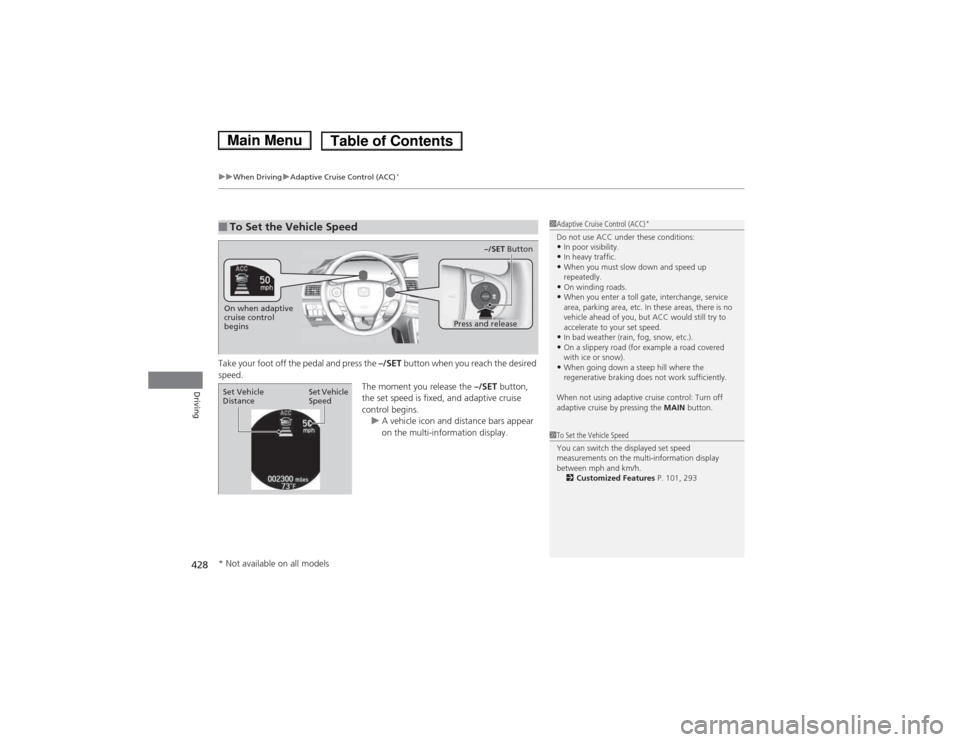
Take your foot off the pedal and press the –/SET button when you reach the desired
speed. The moment you release the –/SET button,
the set speed is fixed, and adaptive cruise
control begins.
uA vehicle icon and distance bars appear
on the multi-information display.
■To Set the Vehicle Speed1Adaptive Cruise Control (ACC) *
Do not use ACC under these conditions: • In poor visibility.
• In heavy traffic.
• When you must slow down and speed up
repeatedly.
• On winding roads.
• When you enter a toll gate, interchange, service
area, parking area, etc. In these areas, there is no
vehicle ahead of you, but ACC would still try to accelerate to your set speed.
• In bad weather (rain, fog, snow, etc.).
• On a slippery road (for example a road covered
with ice or snow).
• When going down a steep hill where the
regenerative braking does not work sufficiently.
When not using adaptive cruise control: Turn off
adaptive cruise by pressing the MAIN button.
1To Set the Vehicle Speed
You can switch the displayed set speed
measurements on the multi-information display
between mph and km/h.
2 Customized Features P. 101, 293
On when adaptive
cruise control
begins
Press and release–/SET
Button
Set Vehicle Speed
Set Vehicle
Distance
* Not available on all models
Main MenuTable of Contents