2014 GMC TERRAIN key battery
[x] Cancel search: key batteryPage 178 of 360
Black plate (22,1)GMC Terrain/Terrain Denali Owner Manual (GMNA-Localizing-U.S./Canada/
Mexico-6081485) - 2014 - CRC - 12/6/13
9-22 Driving and Operating
{Caution
Do not try to shift to P (Park) if the
vehicle is moving. If you do, you
could damage the transmission.
Shift to P (Park) only when the
vehicle is stopped.
{Caution
If the steering wheel is turned
until it reaches the end of its
travel, and is held in that position
while starting the vehicle, damage
may occur to the hydraulic power
steering system and there may be
loss of power steering assist.Starting Procedure
1. With your foot off the accelerator
pedal, turn the ignition key to
START. When the engine starts,
let go of the key. The idle speed
will go down as the engine
warms. Do not race the engine
immediately after starting it.
Operate the engine and
transmission gently to allow the
oil to warm up and lubricate all
moving parts.
The vehicle has a
Computer-Controlled Cranking
System. This feature assists in
starting the engine and protects
components. If the ignition key is
turned to the START position,
and then released when the
engine begins cranking, the
engine will continue cranking for
a few seconds or until the
vehicle starts. If the engine does
not start and the key is held in
START for many seconds,
cranking will be stopped after
15 seconds to prevent cranking
motor damage. To prevent gear damage, this system also
prevents cranking if the engine
is already running. Engine
cranking can be stopped by
turning the ignition switch to
ACC/ACCESSORY or
LOCK/OFF.
{Caution
Cranking the engine for long
periods of time, by returning the
ignition to the START position
immediately after cranking has
ended, can overheat and damage
the cranking motor, and drain the
battery. Wait at least 15 seconds
between each try, to let the
cranking motor cool down.
2. If the engine does not start after five to 10 seconds, especially in
very cold weather (below −18°C
or 0°F), it could be flooded with
too much gasoline. Push the
accelerator pedal all the way to
the floor and hold it there as you
hold the key in START for a
Page 287 of 360

Black plate (71,1)GMC Terrain/Terrain Denali Owner Manual (GMNA-Localizing-U.S./Canada/
Mexico-6081485) - 2014 - CRC - 12/6/13
Vehicle Care 10-71
6. The jumper cables should be ingood working condition with no
loose or missing insulation. The
vehicles could be damaged if
they are not.
7. Connect the red positive (+) cable to the positive (+) terminal
on the vehicle with the dead
battery. Use a remote
positive (+) terminal if the
vehicle has one.
8. Do not let the other end touch metal. Connect it to the
positive (+) terminal of the good
battery. Use a remote
positive (+) terminal if the
vehicle has one.
9. Connect the black negative (−) cable to the negative (−) terminal
of the good battery. Use a
remote negative (−) terminal if
the vehicle has one. Do not let the other end touch
anything until the next step. The
other end of the negative (−)
cable does not go to the dead
battery. It goes to a heavy,
unpainted metal engine part or
to a remote negative (−) terminal
on the vehicle with the dead
battery.
10. Connect the other end of the negative (−) cable away from
the dead battery, but not near
engine parts that move.
11. Start the vehicle with the good battery and run the engine.
12. Press the unlock symbol on the remote keyless entry
transmitter to disarm the
security system, if equipped.
13. Try to start the vehicle that had the dead battery. If it will not
start after a few tries, it needs
service.{Caution
If the jumper cables are
connected or removed in the
wrong order, electrical shorting
may occur and damage the
vehicle. The repairs would not be
covered by the vehicle warranty.
Always connect and remove the
jumper cables in the correct order,
making sure that the cables do
not touch each other or other
metal.
Jumper Cable Removal
Reverse the sequence exactly when
removing the jumper cables.
Page 289 of 360
Black plate (73,1)GMC Terrain/Terrain Denali Owner Manual (GMNA-Localizing-U.S./Canada/
Mexico-6081485) - 2014 - CRC - 12/6/13
Vehicle Care 10-73
For vehicles being dinghy towed,
the vehicle should be run at the
beginning of each day and at each
RV fuel stop for about five minutes.
This will ensure proper lubrication of
transmission components.
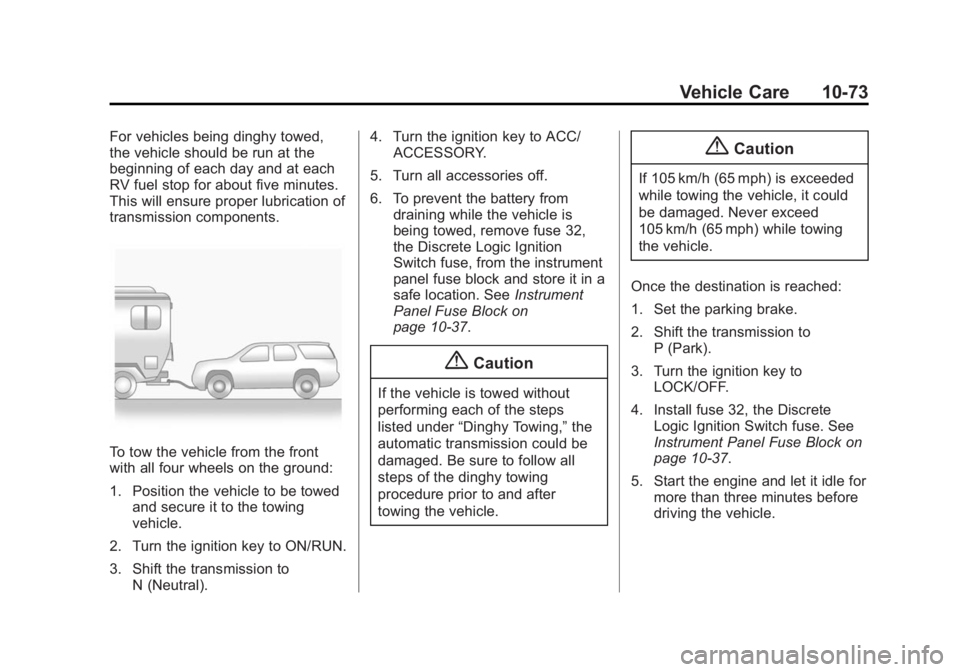
To tow the vehicle from the front
with all four wheels on the ground:
1. Position the vehicle to be towedand secure it to the towing
vehicle.
2. Turn the ignition key to ON/RUN.
3. Shift the transmission to N (Neutral). 4. Turn the ignition key to ACC/
ACCESSORY.
5. Turn all accessories off.
6. To prevent the battery from draining while the vehicle is
being towed, remove fuse 32,
the Discrete Logic Ignition
Switch fuse, from the instrument
panel fuse block and store it in a
safe location. See Instrument
Panel Fuse Block on
page 10-37.
{Caution
If the vehicle is towed without
performing each of the steps
listed under “Dinghy Towing,” the
automatic transmission could be
damaged. Be sure to follow all
steps of the dinghy towing
procedure prior to and after
towing the vehicle.
{Caution
If 105 km/h (65 mph) is exceeded
while towing the vehicle, it could
be damaged. Never exceed
105 km/h (65 mph) while towing
the vehicle.
Once the destination is reached:
1. Set the parking brake.
2. Shift the transmission to P (Park).
3. Turn the ignition key to LOCK/OFF.
4. Install fuse 32, the Discrete Logic Ignition Switch fuse. See
Instrument Panel Fuse Block on
page 10-37.
5. Start the engine and let it idle for more than three minutes before
driving the vehicle.
Page 355 of 360

Black plate (7,1)GMC Terrain/Terrain Denali Owner Manual (GMNA-Localizing-U.S./Canada/
Mexico-6081485) - 2014 - CRC - 12/6/13
INDEX i-7
Memory Seats . . . . . . . . . . . . . . . . . . 3-6
MessagesAirbag System . . . . . . . . . . . . . . . . 5-29
Battery Voltage andCharging . . . . . . . . . . . . . . . . . . . . 5-24
Brake System . . . . . . . . . . . . . . . . 5-25
Compass . . . . . . . . . . . . . . . . . . . . . 5-25
Door Ajar . . . . . . . . . . . . . . . . . . . . . 5-25
Engine Cooling System . . . . . . . 5-25
Engine Oil . . . . . . . . . . . . . . . . . . . . 5-26
Engine Power . . . . . . . . . . . . . . . . 5-27
Fuel System . . . . . . . . . . . . . . . . . . 5-27
Key and Lock . . . . . . . . . . . . . . . . . 5-27
Object Detection System . . . . . 5-27
Ride Control System . . . . . . . . . . 5-28
Security . . . . . . . . . . . . . . . . . . . . . . 5-29
Service Vehicle . . . . . . . . . . . . . . . 5-30
Tire . . . . . . . . . . . . . . . . . . . . . . . . . . . 5-30
Transmission . . . . . . . . . . . . . . . . . 5-30
Vehicle . . . . . . . . . . . . . . . . . . . . . . . 5-24
Vehicle Reminder . . . . . . . . . . . . . 5-31
Mirrors Automatic DimmingRearview . . . . . . . . . . . . . . . . . . . . 2-17
Blind Spot . . . . . . . . . . . . . . . . . . . . 2-16
Convex . . . . . . . . . . . . . . . . . . . . . . . 2-15 Mirrors (cont'd)
Heated . . . . . . . . . . . . . . . . . . . . . . . 2-16
Manual Rearview . . . . . . . . . . . . . 2-17
Power . . . . . . . . . . . . . . . . . . . . . . . . 2-15
Tilt in Reverse . . . . . . . . . . . . . . . . 2-17
Mirrors, Interior Rearview . . . . . . 2-17
Monitor System, Tire Pressure . . . . . . . . . . . . . . . . . . . . 10-48
N
NavigationOnStar®. . . . . . . . . . . . . . . . . . . . . . 14-2
Net, Convenience . . . . . . . . . . . . . . 4-2
New Vehicle Break-In . . . . . . . . . . 9-19
O
Object Detection System Messages . . . . . . . . . . . . . . . . . . . . 5-27
Odometer . . . . . . . . . . . . . . . . . . . . . . . 5-8
Off-Road . . . . . . . . . . . . . . . . . . . . . . . 9-6 Driving . . . . . . . . . . . . . . . . . . . . . . . . . 9-6
Recovery . . . . . . . . . . . . . . . . . . . . . . 9-5 Oil
Engine . . . . . . . . . . . . . . . . . . . . . . . . 10-8
Engine Oil Life System . . . . . .10-11
Messages . . . . . . . . . . . . . . . . . . . . 5-26
Pressure Light . . . . . . . . . . . . . . . . 5-18
Older Children, Restraints . . . . . 3-31
Online Owner Center . . . . . . . . . . 13-4
OnStar
®
System, In Brief . . . . . . . . . . . . . . 1-21
OnStar®Additional
Information . . . . . . . . . . . . . . . . . . . 14-5
OnStar
®Connections . . . . . . . . . . 14-3
OnStar®Emergency . . . . . . . . . . . 14-2
OnStar®Navigation . . . . . . . . . . . . 14-2
OnStar®Overview . . . . . . . . . . . . . 14-1
OnStar®Security . . . . . . . . . . . . . . 14-2
OnStar®Vehicle
Diagnostics . . . . . . . . . . . . . . . . . . 14-5
Ordering Service Publications . . . . . . . . .13-11
Outlets
Power . . . . . . . . . . . . . . . . . . . . . . . . . 5-5
Overheating, Engine . . . . . . . . . . 10-18