2014 GMC SIERRA Page%%
[x] Cancel search: Page%%Page 35 of 544

Black plate (29,1)GMC Sierra Owner Manual (GMNA-Localizing-U.S./Canada/Mexico-
5853626) - 2014 - 3rd crc - 6/6/14
In Brief 1-29
Resetting the Oil Life System
To reset the engine oil life system:
1. Display OIL LIFE REMAININGon the DIC. See Driver
Information Center (DIC) (Base
Level) on page 5-30 orDriver
Information Center (DIC)
(Uplevel) on page 5-32. If the
vehicle does not have DIC
buttons, the vehicle must be in
P (Park) to access this display.
2. Press and hold the
Vbutton on
the DIC, or the trip odometer
reset stem if the vehicle does
not have DIC buttons, for
several seconds. The oil life will
change to 100%.
The oil life system can also be reset
as follows:
1. Turn the ignition to ON/RUN with the engine off.
2. Fully press the accelerator pedal slowly three times within
five seconds. 3. Display OIL LIFE REMAINING
on the DIC. If the display shows
100%, the system is reset.
See Engine Oil Life System on
page 10-13.
E85 or FlexFuel
Vehicles with a yellow fuel cap can
use either unleaded gasoline or
ethanol fuel containing up to 85%
ethanol (E85). See E85 or FlexFuel
on page 9-70. For all other vehicles,
use only the unleaded gasoline
described under Fuel on page 9-68.
Driving for Better Fuel
Economy
Driving habits can affect fuel
mileage. Here are some driving tips
to get the best fuel economy
possible.
.Avoid fast starts and accelerate
smoothly.
.Brake gradually and avoid
abrupt stops.
.Avoid idling the engine for long
periods of time.
.When road and weather
conditions are appropriate, use
cruise control.
.Always follow posted speed
limits or drive more slowly when
conditions require.
.Keep vehicle tires properly
inflated.
.Combine several trips into a
single trip.
.Replace the vehicle's tires with
the same TPC Spec number
molded into the tire's sidewall
near the size.
.Follow recommended scheduled
maintenance.
Page 36 of 544
Black plate (30,1)GMC Sierra Owner Manual (GMNA-Localizing-U.S./Canada/Mexico-
5853626) - 2014 - 3rd crc - 6/6/14
1-30 In Brief
Roadside Assistance
Program
U.S.: 1-888-881-3302
TTY Users (U.S. Only):
1-888-889-2438
Canada: 1-800-268-6800
New GMC owners are automatically
enrolled in the Roadside Assistance
Program.
SeeRoadside Assistance Program
on page 13-5.
OnStar®
If equipped, this vehicle has a
comprehensive, in-vehicle system
that can connect to a live Advisor
for Emergency, Security, Navigation,
Connection, and Diagnostic
Services when activated. See
OnStar Overview on page 14-1.
Page 39 of 544
Black plate (3,1)GMC Sierra Owner Manual (GMNA-Localizing-U.S./Canada/Mexico-
5853626) - 2014 - 3rd crc - 6/6/14
Keys, Doors, and Windows 2-3
5. Repeat Steps 2–4 two moretimes. After the third time, turn to
ON/RUN; the key is learned and
all previously known keys will no
longer work with the vehicle.
Remaining keys can be learned by
following the procedure in
“Programming with a
Recognized Key.”
The key has a bar-coded key tag
that the dealer or qualified locksmith
can use to make new keys. Store
this information in a safe place, not
in the vehicle.
See your dealer if a replacement
key or additional key is needed.
If it becomes difficult to turn a key,
inspect the key blade for debris.
Periodically clean with a brush
or pick.
With an active OnStar subscription,
an OnStar Advisor may remotely
unlock the vehicle. See OnStar
Overview on page 14-1.Remote Keyless Entry
(RKE) System
See Radio Frequency Statement on
page 13-15.
If there is a decrease in the RKE
operating range:
.Check the distance. The
transmitter may be too far from
the vehicle.
.Check the location. Other
vehicles or objects may be
blocking the signal.
.Check the transmitter's battery.
See “Battery Replacement” later
in this section.
.If the transmitter is still not
working correctly, see your
dealer or a qualified technician
for service.
Remote Keyless Entry
(RKE) System Operation
The RKE transmitter functions may
work up to 60 m (197 ft) away from
the vehicle.
Other conditions can affect the
performance of the transmitter. See
Remote Keyless Entry (RKE)
System on page 2-3.
Page 40 of 544
Black plate (4,1)GMC Sierra Owner Manual (GMNA-Localizing-U.S./Canada/Mexico-
5853626) - 2014 - 3rd crc - 6/6/14
2-4 Keys, Doors, and Windows
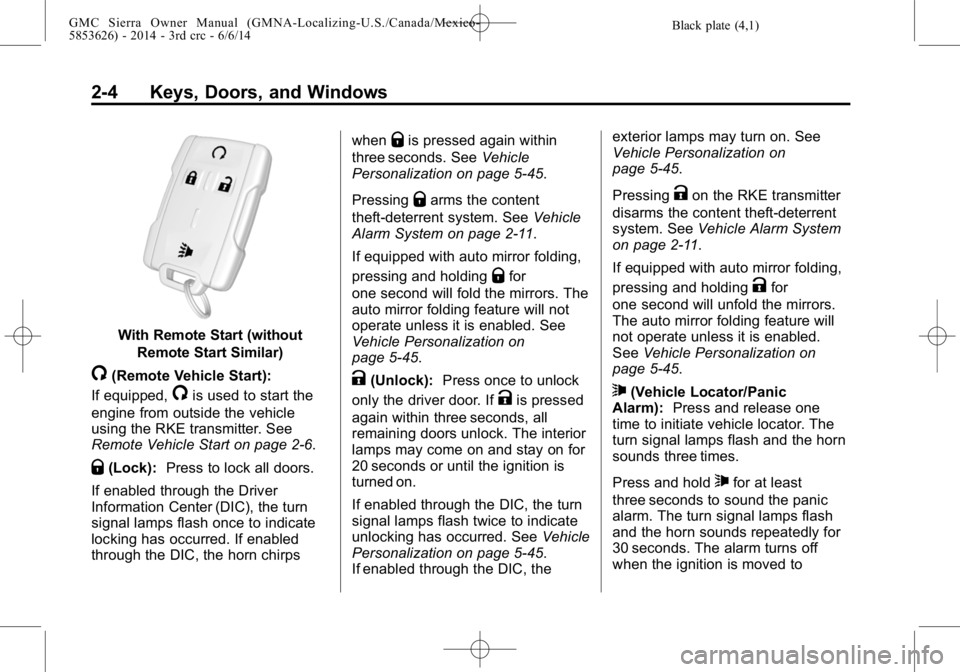
With Remote Start (withoutRemote Start Similar)
/(Remote Vehicle Start):
If equipped,
/is used to start the
engine from outside the vehicle
using the RKE transmitter. See
Remote Vehicle Start on page 2-6.
Q(Lock): Press to lock all doors.
If enabled through the Driver
Information Center (DIC), the turn
signal lamps flash once to indicate
locking has occurred. If enabled
through the DIC, the horn chirps when
Qis pressed again within
three seconds. See Vehicle
Personalization on page 5-45.
Pressing
Qarms the content
theft-deterrent system. See Vehicle
Alarm System on page 2-11.
If equipped with auto mirror folding,
pressing and holding
Qfor
one second will fold the mirrors. The
auto mirror folding feature will not
operate unless it is enabled. See
Vehicle Personalization on
page 5-45.
K(Unlock): Press once to unlock
only the driver door. If
Kis pressed
again within three seconds, all
remaining doors unlock. The interior
lamps may come on and stay on for
20 seconds or until the ignition is
turned on.
If enabled through the DIC, the turn
signal lamps flash twice to indicate
unlocking has occurred. See Vehicle
Personalization on page 5-45.
If enabled through the DIC, the exterior lamps may turn on. See
Vehicle Personalization on
page 5-45.
Pressing
Kon the RKE transmitter
disarms the content theft-deterrent
system. See Vehicle Alarm System
on page 2-11.
If equipped with auto mirror folding,
pressing and holding
Kfor
one second will unfold the mirrors.
The auto mirror folding feature will
not operate unless it is enabled.
See Vehicle Personalization on
page 5-45.
7(Vehicle Locator/Panic
Alarm): Press and release one
time to initiate vehicle locator. The
turn signal lamps flash and the horn
sounds three times.
Press and hold
7for at least
three seconds to sound the panic
alarm. The turn signal lamps flash
and the horn sounds repeatedly for
30 seconds. The alarm turns off
when the ignition is moved to
Page 42 of 544

Black plate (6,1)GMC Sierra Owner Manual (GMNA-Localizing-U.S./Canada/Mexico-
5853626) - 2014 - 3rd crc - 6/6/14
2-6 Keys, Doors, and Windows
Remote Vehicle Start
If equipped, this feature starts the
engine from outside of the vehicle.
It may also start up the vehicle's
heating or air conditioning systems
and rear window defogger. Normal
operation of the system will return
after the key is turned to the ON/
RUN position.
The climate control system will use
the previous settings during a
remote start. The rear defog may
come on during remote start based
on cold ambient conditions. The
rear fog indicator light does not
come on during remote start.
If the vehicle has heated seats and
the feature is turned on in vehicle
personalization, the heated seats
will turn on during colder outside
temperatures and will shut off when
the key is turned to ON/RUN. See
Heated and Cooled Front Seats on
page 3-8.Laws in some communities may
restrict the use of remote starters.
For example, some laws may
require a person using the remote
start to have the vehicle in view
when doing so. Check local
regulations for any requirements on
remote starting of vehicles.
Do not use the remote start feature
if the vehicle is low on fuel. The
vehicle may run out of fuel.
The RKE transmitter range may be
less while the vehicle is running.
Other conditions can affect the
performance of the transmitter. See
Remote Keyless Entry (RKE)
System on page 2-3
orVehicle
Personalization on page 5-45.
/(Remote Vehicle Start): This
button will be on the RKE
transmitter if the vehicle has remote
start. Starting the Engine Using Remote
Start
1. Aim the RKE transmitter at the
vehicle and press and
release
Q.
2. Immediately press and hold
/
until the turn signal lamps flash
or for at least four seconds.
When the vehicle starts, the
parking lamps will turn on. The
doors will be locked and the
climate control system may
come on.
The engine will continue to run
for 10 minutes. Repeat the steps
for a 10-minute time extension.
Remote start can be extended
only once.
After entering the vehicle during a
remote start, insert and turn the key
to ON/RUN to drive the vehicle.
Page 44 of 544

Black plate (8,1)GMC Sierra Owner Manual (GMNA-Localizing-U.S./Canada/Mexico-
5853626) - 2014 - 3rd crc - 6/6/14
2-8 Keys, Doors, and Windows
Warning (Continued)
.Young children who get into
unlocked vehicles may be
unable to get out. A child can
be overcome by extreme heat
and can suffer permanent
injuries or even death from
heat stroke. Always lock the
vehicle whenever leaving it.
.Outsiders can easily enter
through an unlocked door
when you slow down or stop
the vehicle. Locking the doors
can help prevent this from
happening.There are several ways to lock and
unlock the vehicle.
From outside, use the Remote
Keyless Entry (RKE) transmitter or
the key in the driver door.
From inside, use the power door
locks. See
Power Door Locks on
page 2-8.
From inside, pull the door handle
once to unlock the door. Pull the
handle again to open the door.
See Vehicle Alarm System on
page 2-11.
Power Door Locks
Crew/Double Cab Premium
Shown, Other Models Similar
Page 45 of 544
Black plate (9,1)GMC Sierra Owner Manual (GMNA-Localizing-U.S./Canada/Mexico-
5853626) - 2014 - 3rd crc - 6/6/14
Keys, Doors, and Windows 2-9
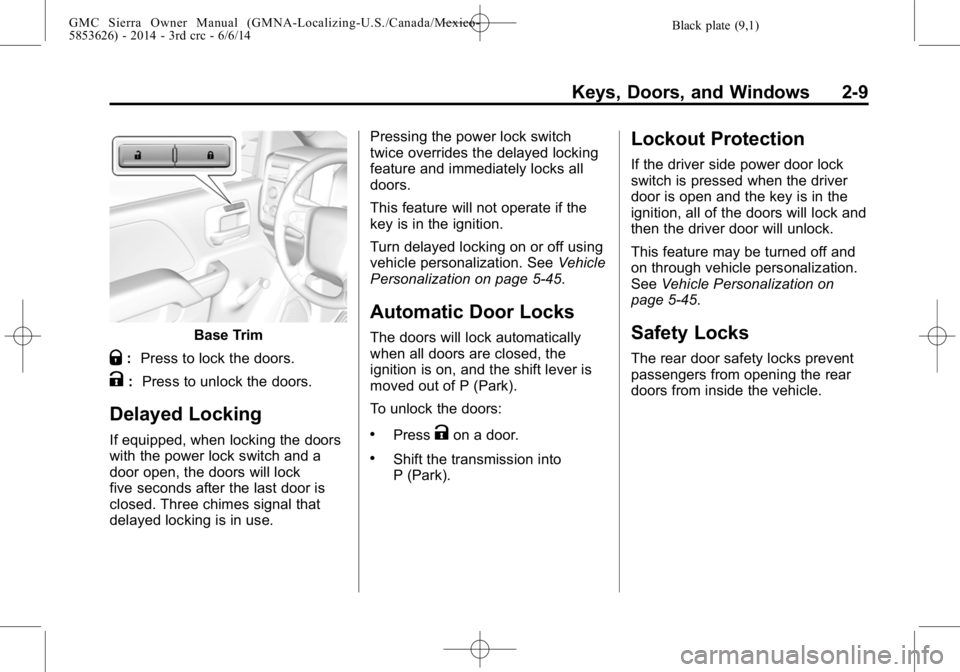
Base Trim
Q:Press to lock the doors.
K: Press to unlock the doors.
Delayed Locking
If equipped, when locking the doors
with the power lock switch and a
door open, the doors will lock
five seconds after the last door is
closed. Three chimes signal that
delayed locking is in use. Pressing the power lock switch
twice overrides the delayed locking
feature and immediately locks all
doors.
This feature will not operate if the
key is in the ignition.
Turn delayed locking on or off using
vehicle personalization. See
Vehicle
Personalization on page 5-45.
Automatic Door Locks
The doors will lock automatically
when all doors are closed, the
ignition is on, and the shift lever is
moved out of P (Park).
To unlock the doors:
.PressKon a door.
.Shift the transmission into
P (Park).
Lockout Protection
If the driver side power door lock
switch is pressed when the driver
door is open and the key is in the
ignition, all of the doors will lock and
then the driver door will unlock.
This feature may be turned off and
on through vehicle personalization.
See Vehicle Personalization on
page 5-45.
Safety Locks
The rear door safety locks prevent
passengers from opening the rear
doors from inside the vehicle.
Page 46 of 544
Black plate (10,1)GMC Sierra Owner Manual (GMNA-Localizing-U.S./Canada/Mexico-
5853626) - 2014 - 3rd crc - 6/6/14
2-10 Keys, Doors, and Windows
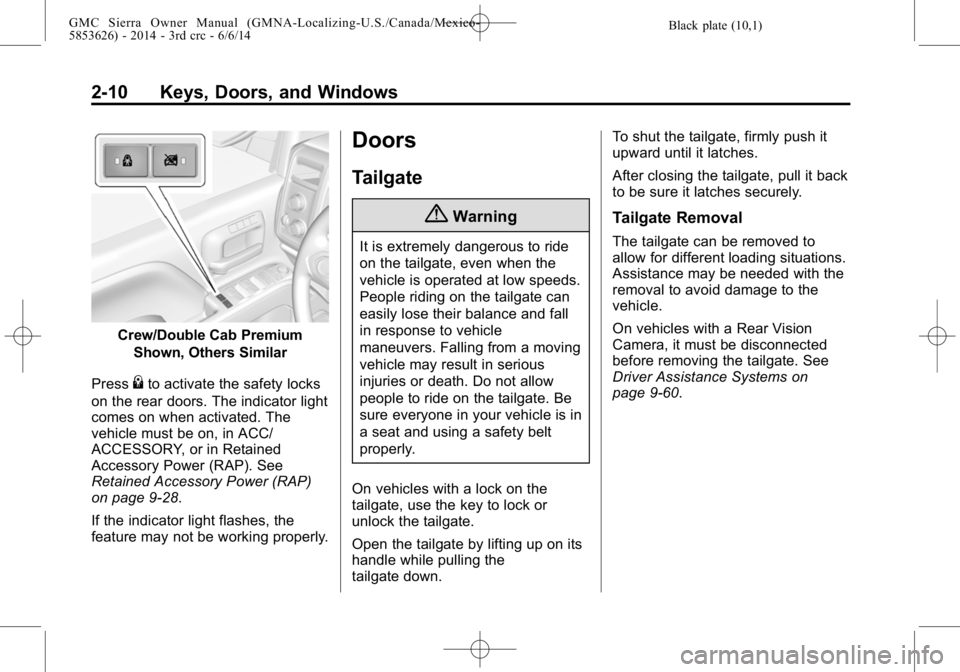
Crew/Double Cab PremiumShown, Others Similar
Press
{to activate the safety locks
on the rear doors. The indicator light
comes on when activated. The
vehicle must be on, in ACC/
ACCESSORY, or in Retained
Accessory Power (RAP). See
Retained Accessory Power (RAP)
on page 9-28.
If the indicator light flashes, the
feature may not be working properly.
Doors
Tailgate
{Warning
It is extremely dangerous to ride
on the tailgate, even when the
vehicle is operated at low speeds.
People riding on the tailgate can
easily lose their balance and fall
in response to vehicle
maneuvers. Falling from a moving
vehicle may result in serious
injuries or death. Do not allow
people to ride on the tailgate. Be
sure everyone in your vehicle is in
a seat and using a safety belt
properly.
On vehicles with a lock on the
tailgate, use the key to lock or
unlock the tailgate.
Open the tailgate by lifting up on its
handle while pulling the
tailgate down. To shut the tailgate, firmly push it
upward until it latches.
After closing the tailgate, pull it back
to be sure it latches securely.
Tailgate Removal
The tailgate can be removed to
allow for different loading situations.
Assistance may be needed with the
removal to avoid damage to the
vehicle.
On vehicles with a Rear Vision
Camera, it must be disconnected
before removing the tailgate. See
Driver Assistance Systems on
page 9-60.