2014 GMC ACADIA manual radio set
[x] Cancel search: manual radio setPage 202 of 414

Black plate (28,1)GMC Acadia/Acadia Denali Owner Manual (GMNA-Localizing-U.S./Canada/
Mexico-6014315) - 2014 - crc - 8/15/13
7-28 Infotainment System
Favorite Pages :Press to select
the number of favorite pages
displayed on the screen. The choice
is 1–6 pages.
Display Settings : Press to adjust
the screen settings.
.The Auto setting adjusts the
screen background automatically
depending on the exterior
lighting conditions.
.The Day setting brightens the
map background.
.The Night setting darkens the
map background.
Speed Dependent Volume :
Select OFF, Low, Medium, or High
sensitivity to automatically adjust
the volume to minimize the effects
of unwanted background noise that
can result from changing road
surfaces, driving speeds, or open
windows. This feature works best at
lower volume settings where
background noise is typically louder
than the sound system volume. Startup Volume :
Press to set the
maximum volume level for startup
that will be used even if a higher
volume had been set when the radio
was turned off.
Radio Favorites : Press to select
the number of FAV pages to be
used in the system.
Add/Remove XM Categories :
Press to customize which available
XM Categories are displayed and
used in the system.
RDS Settings : Press to customize
station name and radio text display
options.
Set Time:
.Press the up or down arrows to
increase or decrease the Hours,
Minutes, AM, PM, or 24 hr on
the clock.
.Press and hold to quickly
increase or decrease the time
settings.
.Press OK or the Back screen
button to save the adjustments. Set Date:
.Press the up or down arrows to
increase or decrease the Month,
Day, and Year settings.
.Press and hold to quickly
increase or decrease the date
settings.
.Press OK or the Back screen
button to save the adjustments.
Radio Settings
Press the Config button on the
Home Page or the CONFIG button
on the faceplate to enter the menu
options. Turn the PUSH/SEL knob
or touch-tap the scroll bar to scroll
through the available options. Press
the PUSH/SEL knob or press Radio
Settings to display the radio settings
menu. Press this feature to make
changes for radio information
displayed, preset pages, Auto
Volume Control, and XM Categories
Restore. See
Satellite Radio on
page 7-9 (if equipped), for more
information about XM Categories.
Page 203 of 414
Black plate (29,1)GMC Acadia/Acadia Denali Owner Manual (GMNA-Localizing-U.S./Canada/
Mexico-6014315) - 2014 - crc - 8/15/13
Infotainment System 7-29
The Radio Settings are:
Phone Settings
SeeBluetooth on page 7-20 in the
“Phone” section for more
information on phone settings.
Vehicle Settings
See Vehicle Personalization on
page 5-42.
Display
Mode : Press Mode to change the
screen background. This setting
controls map colors.
Calibrate Touchscreen : Press to
display the Touchscreen Calibration
Screen.
Turn Display Off : Press to turn
the Display option off.
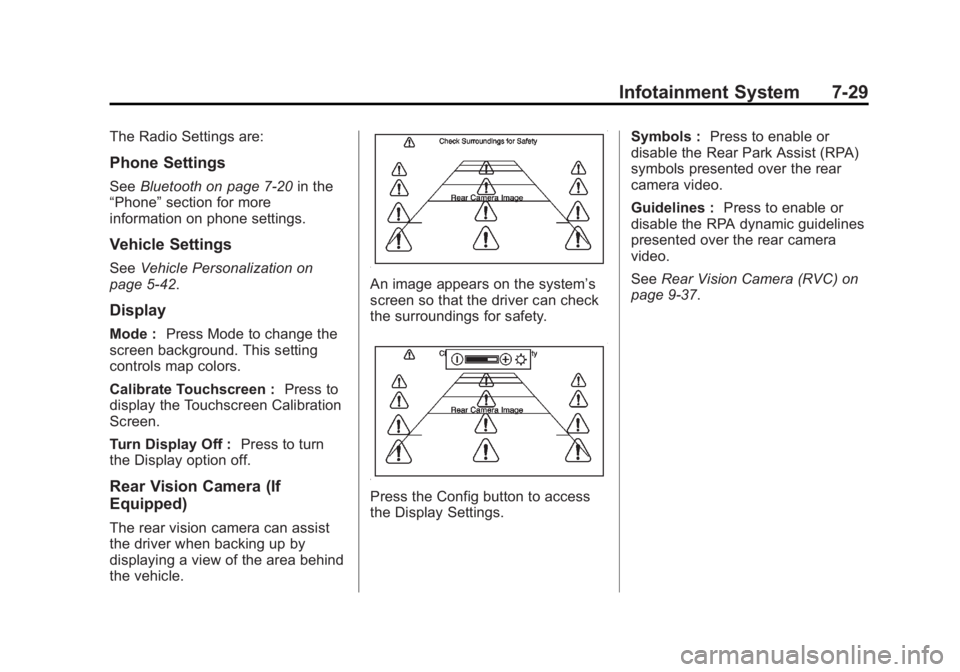
Rear Vision Camera (If
Equipped)
The rear vision camera can assist
the driver when backing up by
displaying a view of the area behind
the vehicle.
An image appears on the system’s
screen so that the driver can check
the surroundings for safety.
Press the Config button to access
the Display Settings. Symbols :
Press to enable or
disable the Rear Park Assist (RPA)
symbols presented over the rear
camera video.
Guidelines : Press to enable or
disable the RPA dynamic guidelines
presented over the rear camera
video.
See Rear Vision Camera (RVC) on
page 9-37.
Page 218 of 414

Black plate (2,1)GMC Acadia/Acadia Denali Owner Manual (GMNA-Localizing-U.S./Canada/
Mexico-6014315) - 2014 - crc - 8/15/13
9-2 Driving and Operating
Trailer Towing
General TowingInformation . . . . . . . . . . . . . . . . . 9-46
Driving Characteristics and Towing Tips . . . . . . . . . . . . . . . . 9-46
Trailer Towing . . . . . . . . . . . . . . . . 9-49
Towing Equipment . . . . . . . . . . . 9-51
Conversions and Add-Ons
Add-On Electrical
Equipment . . . . . . . . . . . . . . . . . 9-53
Driving Information
Distracted Driving
Distraction comes in many forms
and can take your focus from the
task of driving. Exercise good
judgment and do not let other
activities divert your attention away
from the road. Many local
governments have enacted laws
regarding driver distraction. Become
familiar with the local laws in
your area.
To avoid distracted driving, always
keep your eyes on the road, hands
on the wheel, and mind on the drive.
.Do not use a phone in
demanding driving situations.
Use a hands-free method to
place or receive necessary
phone calls.
.Watch the road. Do not read,
take notes, or look up
information on phones or other
electronic devices.
.Designate a front seat
passenger to handle potential
distractions.
.Become familiar with vehicle
features before driving, such as
programming favorite radio
stations and adjusting climate
control and seat settings.
Program all trip information into
any navigation device prior to
driving.
.Wait until the vehicle is parked
to retrieve items that have fallen
to the floor.
.Stop or park the vehicle to tend
to children.
.Keep pets in an appropriate
carrier or restraint.
.Avoid stressful conversations
while driving, whether with a
passenger or on a cell phone.
Page 339 of 414

Black plate (69,1)GMC Acadia/Acadia Denali Owner Manual (GMNA-Localizing-U.S./Canada/
Mexico-6014315) - 2014 - crc - 8/15/13
Vehicle Care 10-69
2. Get the vehicles close enoughso the jumper cables can reach,
but be sure the vehicles are not
touching each other. If they are,
it could cause a ground
connection you do not want. You
would not be able to start your
vehicle, and the bad grounding
could damage the electrical
systems.
To avoid the possibility of the
vehicles rolling, set the parking
brake firmly on both vehicles
involved in the jump start
procedure. Put an automatic
transmission in P (Park) or a
manual transmission in Neutral
before setting the parking brake.
If one of the vehicles is a
four-wheel-drive vehicle, be sure
the transfer case is not in
Neutral.{Caution
If any accessories are left on or
plugged in during the jump
starting procedure, they could be
damaged. The repairs would not
be covered by the vehicle
warranty. Whenever possible, turn
off or unplug all accessories on
either vehicle when jump starting.
3. Turn off the ignition on both vehicles. Unplug unnecessary
accessories plugged into the
cigarette lighter or the accessory
power outlets. Turn off the radio
and all lamps that are not
needed. This will avoid sparks
and help save both batteries.
And it could save the radio!
4. Open the hoods and locate the positive (+) and negative (−)
terminal locations on the other
vehicle. Your vehicle has a remote positive (+) and a remote
negative (−) jump starting
terminal. See
Engine
Compartment Overview on
page 10-5 for the terminal
locations.
{Warning
Using a match near a battery can
cause battery gas to explode.
People have been hurt doing this,
and some have been blinded.
Use a flashlight if you need more
light.
Be sure the batteries have
enough water. You do not need to
add water to the ACDelco
®
battery (or batteries) installed in
your new vehicle. But if a battery
has filler caps, be sure the right
amount of fluid is there. If it is low,
add water to take care of that
first. If you do not, explosive gas
could be present.
(Continued)
Page 389 of 414

Black plate (13,1)GMC Acadia/Acadia Denali Owner Manual (GMNA-Localizing-U.S./Canada/
Mexico-6014315) - 2014 - crc - 8/15/13
Customer Information 13-13
Reporting Safety Defects
to the Canadian
Government
If you live in Canada, and you
believe that the vehicle has a safety
defect, notify Transport Canada
immediately, and notify General
Motors of Canada Limited. Call
Transport Canada at
1-800-333-0510 or write to:
Transport Canada
Road Safety Branch
80 rue Noel
Gatineau, QC J8Z 0A1
Reporting Safety Defects
to General Motors
In addition to notifying NHTSA (or
Transport Canada) in a situation like
this, please notify General Motors.
Call 1-800-GMC-8782
(1-800-462-8782), or write:
GMC Customer Assistance Center
P.O. Box 33172
Detroit, MI 48232-5172
In Canada, call 1-800-263-3777
(English) or 1-800-263-7854
(French), or write:
General Motors of Canada Limited
Customer Care Centre, Mail Code:
CA1-163-005
1908 Colonel Sam Drive
Oshawa, Ontario L1H 8P7
Vehicle Data
Recording and
Privacy
The vehicle has a number of
computers that record information
about the vehicle’s performance and
how it is driven. For example, the
vehicle uses computer modules to
monitor and control engine and
transmission performance, to
monitor the conditions for airbag
deployment and deploy them in a
crash, and, if equipped, to provide
antilock braking to help the driver
control the vehicle. These modules
may store data to help the dealer
technician service the vehicle.
Some modules may also store data
about how the vehicle is operated,
such as rate of fuel consumption or
average speed. These modules may
retain personal preferences, such as
radio presets, seat positions, and
temperature settings.
Page 412 of 414

Black plate (10,1)GMC Acadia/Acadia Denali Owner Manual (GMNA-Localizing-U.S./Canada/
Mexico-6014315) - 2014 - crc - 8/15/13
i-10 INDEX
Routing, Engine Drive Belt . . . . . 12-4
Running the Vehicle WhileParked . . . . . . . . . . . . . . . . . . . . . . . 9-21
S
Safety Belts . . . . . . . . . . . . . . . . . . . 3-14Care . . . . . . . . . . . . . . . . . . . . . . . . . . 3-22
Extender . . . . . . . . . . . . . . . . . . . . . . 3-21
How to Wear Safety BeltsProperly . . . . . . . . . . . . . . . . . . . . . 3-15
Lap-Shoulder Belt . . . . . . . . . . . . 3-16
Reminders . . . . . . . . . . . . . . . . . . . . 5-13
Replacing after a Crash . . . . . . 3-22
Use During Pregnancy . . . . . . . . 3-21
Safety Defects Reporting Canadian Government . . . . . . 13-13
General Motors . . . . . . . . . . . . . 13-13
U.S. Government . . . . . . . . . . . 13-12
Safety Locks . . . . . . . . . . . . . . . . . . . . 2-7
Safety System Check . . . . . . . . . . 3-21
Satellite Radio . . . . . . . . . . . . . . . . . . 7-9
Scheduling Appointments . . . . . . 13-7
Seats Adjustment, Front . . . . . . . . . . . . . . 3-3
Head Restraints . . . . . . . . . . . . . . . 3-2
Lumbar Adjustment, Front . . . . . 3-4 Seats (cont'd)
Memory . . . . . . . . . . . . . . . . . . . . . . . . 3-6
Power Adjustment, Front . . . . . . 3-4
Rear . . . . . . . . . . . . . . . . . . . . . . . . . . . 3-9
Reclining Seatbacks . . . . . . . . . . . 3-5
Third Row Seat . . . . . . . . . . . . . . . 3-11
Securing Child Restraints . . . . . . . . . . . . . . 3-51, 3-53
Security
Light . . . . . . . . . . . . . . . . . . . . . . . . . . 5-22
Messages . . . . . . . . . . . . . . . . . . . . 5-39
OnStar
®. . . . . . . . . . . . . . . . . . . . . . 14-2
Vehicle . . . . . . . . . . . . . . . . . . . . . . . 2-11
Vehicle Alarm . . . . . . . . . . . . . . . . . 2-11
Service Accessories andModifications . . . . . . . . . . . . . . . . 10-2
Doing Your Own Work . . . . . . . . 10-3
Engine Soon Light . . . . . . . . . . . . 5-16
Maintenance Records . . . . . . .11-14
Maintenance, General
Information . . . . . . . . . . . . . . . . . . 11-1
Parts Identification Label . . . . . 12-1
Publications Ordering
Information . . . . . . . . . . . . . . . . .13-11
Scheduling Appointments . . . . . 13-7
Vehicle Messages . . . . . . . . . . . . 5-39 Servicing the Airbag . . . . . . . . . . . 3-34
Settings . . . . . . . . . . . . . . . . . . . . . . . 7-27
Shift Lock Control Function
Check, Automatic
Transmission . . . . . . . . . . . . . . . . 10-23
Shifting Into Park . . . . . . . . . . . . . . . . . . . . . . 9-19
Out of Park . . . . . . . . . . . . . . . . . . . 9-20
Side Blind Zone Alert (SBZA) . . . . . . . . . . . . . . . . . 9-35
Signals, Turn and
Lane-Change . . . . . . . . . . . . . . . . . 6-3
Spare Tire Compact . . . . . . . . . . . . . . . . . . . . 10-67
Specifications and Capacities . . . . . . . . . . . . . . . . . . . . 12-2
Speedometer . . . . . . . . . . . . . . . . . . 5-11
StabiliTrak Indicator Light . . . . . . . . . . . . . . . . 5-20
Start Assist, Hills . . . . . . . . . . . . . . 9-28
Start Vehicle, Remote . . . . . . . . . . 2-4
Starter Switch Check . . . . . . . . . 10-23
Starting the Engine . . . . . . . . . . . . 9-16