2014 FORD TRANSIT CONNECT height
[x] Cancel search: heightPage 34 of 411

4. While the safety belt warning light is
on, buckle and then unbuckle the
safety belt. After Step 4, the safety belt
warning light flashes for confirmation.
• This will switch the feature off for that
seating position if it is currently on.
• This will switch the feature on for that
seating position if it is currently off.
CHILD RESTRAINT AND
SAFETY BELT MAINTENANCE
Inspect the vehicle safety belts and child
safety seat systems periodically to make
sure they work properly and are not
damaged. Inspect the vehicle and child
seat safety belts to make sure there are no
nicks, tears or cuts. Replace if necessary.
All vehicle safety belt assemblies, including
retractors, buckles, front safety belt buckle
assemblies, buckle support assemblies
(slide bar-if equipped), shoulder belt
height adjusters (if equipped), shoulder
belt guide on seat back (if equipped), child
safety seat LATCH and tether anchors, and
attaching hardware, should be inspected
after a crash. Read the child restraint
manufacturer's instructions for additional
inspection and maintenance information
specific to the child restraint.
Ford Motor Company recommends that
all safety belt assemblies in use in vehicles
involved in a crash be replaced. However,
if the crash was minor and an authorized
dealer finds that the belts do not show
damage and continue to operate properly,
they do not need to be replaced. Safety
belt assemblies not in use during a crash
should also be inspected and replaced if
either damage or improper operation is
noted.
Properly care for safety belts. See Vehicle
Care (page 202).
31
Tourneo Connect/Transit Connect (CHC) Canada/United States of America, enUSA, Edition date: 07/2013 Safety Belts
Page 102 of 411

Adjusting the Height of the Driver
Seat (If Equipped)
Recline Adjustment
(If Equipped)
Folding the Seatback
WARNINGS
When folding the seatback down,
take care not to get your fingers
caught between the seatback and
seat frame. Failure to follow this warning
could result in serious personal injury. WARNINGS
Do not sit behind a seat that you fold
forward. This can increase the risk of
serious personal injury in a crash.
1. Lift the lever.
2. Fold the seatback forward.
POWER SEATS
(If Equipped)
WARNINGS
Do not adjust the driver's seat or
seatback when your vehicle is
moving.
Do not place cargo or any objects
behind the seatback before returning
it to the original position.
99
Tourneo Connect/Transit Connect (CHC) Canada/United States of America, enUSA, Edition date: 07/2013 SeatsE70730 E138646 E167549
Page 192 of 411
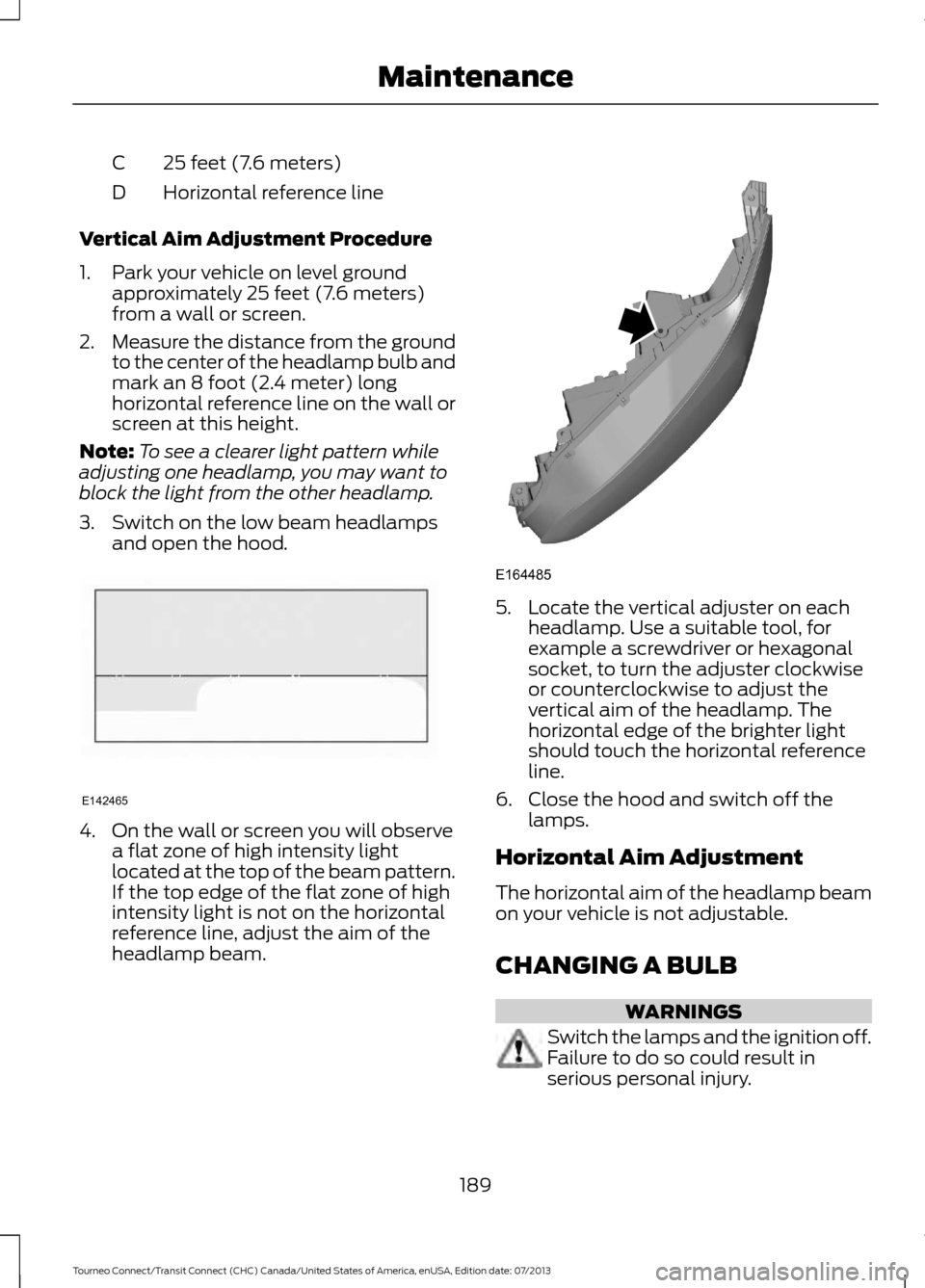
25 feet (7.6 meters)
C
Horizontal reference line
D
Vertical Aim Adjustment Procedure
1. Park your vehicle on level ground approximately 25 feet (7.6 meters)
from a wall or screen.
2. Measure the distance from the ground
to the center of the headlamp bulb and
mark an 8 foot (2.4 meter) long
horizontal reference line on the wall or
screen at this height.
Note: To see a clearer light pattern while
adjusting one headlamp, you may want to
block the light from the other headlamp.
3. Switch on the low beam headlamps and open the hood. 4. On the wall or screen you will observe
a flat zone of high intensity light
located at the top of the beam pattern.
If the top edge of the flat zone of high
intensity light is not on the horizontal
reference line, adjust the aim of the
headlamp beam. 5. Locate the vertical adjuster on each
headlamp. Use a suitable tool, for
example a screwdriver or hexagonal
socket, to turn the adjuster clockwise
or counterclockwise to adjust the
vertical aim of the headlamp. The
horizontal edge of the brighter light
should touch the horizontal reference
line.
6. Close the hood and switch off the lamps.
Horizontal Aim Adjustment
The horizontal aim of the headlamp beam
on your vehicle is not adjustable.
CHANGING A BULB WARNINGS
Switch the lamps and the ignition off.
Failure to do so could result in
serious personal injury.
189
Tourneo Connect/Transit Connect (CHC) Canada/United States of America, enUSA, Edition date: 07/2013 MaintenanceE142465 E164485
Page 216 of 411

describes the fundamental
characteristics of the tire and also
provides a U.S. DOT Tire
Identification Number for safety
standard certification and in case
of a recall.
Information on P Type Tires
P215/65R15 95H is an example of
a tire size, load index and speed
rating. The definitions of these
items are listed below. (Note that
the tire size, load index and speed
rating for your vehicle may be
different from this example.) A.
P: Indicates a tire, designated
by the Tire and Rim Association,
that may be used for service on
cars, sport utility vehicles,
minivans and light trucks. Note:
If
your tire size does not begin with
a letter, this may mean it is
designated by either ETRTO
(European Tire and Rim Technical
Organization) or JATMA (Japan
Tire Manufacturing Association).
B. 215:
Indicates the nominal
width of the tire in millimeters
from sidewall edge to sidewall
edge. In general, the larger the
number, the wider the tire.
C. 65:
Indicates the aspect ratio
which gives the tire's ratio of
height to width.
D. R:
Indicates a radial type tire.
E. 15:
Indicates the wheel or rim
diameter in inches. If you change
your wheel size, you will have to
purchase new tires to match the
new wheel diameter.
F. 95:
Indicates the tire's load
index. It is an index that relates to
how much weight a tire can carry.
You may find this information in
your owner ’s manual. If not,
contact a local tire dealer.
Note: You may not find this
information on all tires because it
is not required by federal law.
213
Tourneo Connect/Transit Connect (CHC) Canada/United States of America, enUSA, Edition date: 07/2013 Wheels and TiresH
I
J
KL
M
A
B
CDEFG
E142543
Page 220 of 411

A.
T: Indicates a type of tire,
designated by the Tire and Rim
Association, that is intended for
temporary service on cars,
sport-utility vehicles, minivans and
light trucks.
B. 145:
Indicates the nominal
width of the tire in millimeters
from sidewall edge to sidewall
edge. In general, the larger the
number, the wider the tire.
C. 80:
Indicates the aspect ratio
which gives the tire's ratio of
height to width. Numbers of 70 or
lower indicate a short sidewall.
D. D:
Indicates a diagonal type tire.
R:
Indicates a radial type tire. E.
16:
Indicates the wheel or rim
diameter in inches. If you change
your wheel size, you will have to
purchase new tires to match the
new wheel diameter.
Location of the Tire Label
You will find a Tire Label
containing tire inflation pressure
by tire size and other important
information located on the B-Pillar
or the edge of the driver ’s door.
Inflating Your Tires
Safe operation of your vehicle
requires that your tires are
properly inflated. Remember that
a tire can lose up to half of its air
pressure without appearing flat.
Every day before you drive, check
your tires. If one looks lower than
the others, use a tire gauge to
check pressure of all tires and
adjust if required.
At least once a month and before
long trips, inspect each tire and
check the tire pressure with a tire
gauge (including spare, if
equipped). Inflate all tires to the
inflation pressure recommended
by Ford Motor Company.
217
Tourneo Connect/Transit Connect (CHC) Canada/United States of America, enUSA, Edition date: 07/2013 Wheels and TiresA
BCDE
E142545
Page 223 of 411

Inspecting Your Tires and
Wheel Valve Stems
Periodically inspect the tire treads
for uneven or excessive wear and
remove objects such as stones,
nails or glass that may be wedged
in the tread grooves. Check the tire
and valve stems for holes, cracks,
or cuts that may permit air
leakage and repair or replace the
tire and replace the valve stem.
Inspect the tire sidewalls for
cracking, cuts, bruises and other
signs of damage or excessive
wear. If internal damage to the tire
is suspected, have the tire
demounted and inspected in case
it needs to be repaired or replaced.
For your safety, tires that are
damaged or show signs of
excessive wear should not be used
because they are more likely to
blow out or fail.
Improper or inadequate vehicle
maintenance can cause tires to
wear abnormally. Inspect all your
tires, including the spare,
frequently, and replace them if
one or more of the following
conditions exist:
Tire Wear When the tread is worn down to
1/16th of an inch (2 mm), tires
must be replaced to help prevent
your vehicle from skidding and
hydroplaning. Built-in treadwear
indicators, or wear bars, which
look like narrow strips of smooth
rubber across the tread will
appear on the tire when the tread
is worn down to 1/16th of an inch
(2 mm)
When the tire tread wears down
to the same height as these wear
bars, the tire is worn out and must
be replaced.
Damage
Periodically inspect the tire treads
and sidewalls for damage (such
as bulges in the tread or sidewalls,
cracks in the tread groove and
separation in the tread or
sidewall). If damage is observed
220
Tourneo Connect/Transit Connect (CHC) Canada/United States of America, enUSA, Edition date: 07/2013 Wheels and TiresE142546
Page 406 of 411

Interior Lamps - Vehicles With:
Panoramic Roof Panel..............................66
Center Mounted Lamp...................................... 66
Luggage Compartment Lamp........................ 66
Side Mounted Lamp........................................... 66
Interior Lamps - Vehicles Without: Panoramic Roof Panel..............................65
Courtesy Lamp...................................................... 65
Luggage Compartment Lamp........................ 65
Reading Lamps..................................................... 65
Interior Mirror...................................................70
Auto-Dimming Mirror.......................................... 70
Introduction.........................................................7
J
Jump Starting the Vehicle.........................156 Connecting the Jumper Cables...................... 157
Jump Starting...................................................... 158
Preparing Your Vehicle...................................... 157
Removing the Jumper Cables........................ 158
K
Keys and Remote Controls
..........................41
L
Lighting Control...............................................61 Headlamp Flasher............................................... 62
High Beams............................................................ 62
Parking Lamps....................................................... 61
Lighting...............................................................61 General Information............................................. 61
Load Carriers See: Roof Racks and Load Carriers..............136
Load Carrying
.................................................134
Load Limit.......................................................136 Special Loading Instructions for Owners of
Pick-up Trucks and Utility-type
Vehicles............................................................. 143
Vehicle Loading - with and without a Trailer.................................................................. 136Locking and Unlocking
................................48
Auto lock and Auto unlock Feature..............50
Emergency Locking with the Key.................... 51
Locking and Unlocking the Doors From Inside................................................................... 48
Locking and Unlocking the Doors with the Key........................................................................\
49
Opening the Double Rear Doors.................... 48
Rear Emergency Exit............................................ 51
Remote Control.................................................... 48
Smart Unlocks For Integrated Keyhead Transmitter........................................................ 49
Smart Unlocks For Intelligent Access Keys ........................................................................\
....... 50
Unlocking the Doors with the Interior Door Handles............................................................... 49
Locks...................................................................48
Luggage Anchor Points..............................134
Lug Nuts See: Changing a Road Wheel....................... 230
M
Maintenance
...................................................177
General Information........................................... 177
Manual Climate Control..............................89
Manual Liftgate
...............................................52
Opening and Closing the Liftgate.................. 52
Manual Seats
..................................................98
Adjusting the Height of the Driver
Seat...................................................................... 99
Adjusting the Lumbar Support ...................... 98
Folding the Seatback......................................... 99
Moving the Seat Backward and Forward.............................................................. 98
Recline Adjustment............................................ 99
Media Hub......................................................256
Message Center See: Information Displays.................................. 77
Mirrors See: Heated Windows and Mirrors................94
See: Windows and Mirrors................................ 67
Mobile Communications Equipment
.......12
Motorcraft Parts - 2.5L..............................239
Motorcraft Parts...........................................238
MyFord Touch ™
...........................................303
General Information......................................... 303
MyKey Troubleshooting
...............................47
403
Tourneo Connect/Transit Connect (CHC) Canada/United States of America, enUSA, Edition date: 07/2013 Index
Page 408 of 411

Rear View Camera.......................................130
Switching the Rear View Camera Off..........131
Switching the Rear View Camera On.........130
Using the Display................................................ 130
Vehicles With Parking Aid................................. 131
Rear View Camera See: Rear View Camera................................... 130
Rear Window Wiper and Washers...........59 Rear Window Washer........................................ 60
Rear Window Wiper............................................ 59
Recommended Towing Weights............145 Calculating the Maximum Loaded Trailer
Weight............................................................... 146
Reduced Engine Performance.................152
Refueling...........................................................114 Easy Fuel ™ Capless Fuel System.................115
Remote Control...............................................41 Car Finder................................................................ 42
Integrated Keyhead Transmitter...................... 41
Programming a New Remote Control...........41
Replacing the Battery......................................... 42
Reprogramming the Unlocking Function............................................................... 41
Repairing Minor Paint Damage
..............206
Replacement Parts Recommendation.........................................11
Collision Repairs..................................................... 11
Scheduled Maintenance and Mechanical Repairs................................................................... 11
Warranty on Replacement Parts..................... 12
Replacing a Lost Key or Remote Control.............................................................42
Reporting Safety Defects (Canada Only)...............................................................165
Reporting Safety Defects (U.S. Only)..............................................................164
Roadside Assistance
...................................155
Vehicles Sold in Canada: Getting Roadside
Assistance........................................................ 155
Vehicles Sold in Canada: Using Roadside Assistance........................................................ 155
Vehicles Sold in the United States: Getting Roadside Assistance.................................... 155
Vehicles Sold in the United States: Using Roadside Assistance.................................... 155
Roadside Emergencies...............................155
Roof Racks and Load Carriers
.................136
Maximum Load Weights.................................. 136Running-In
See: Breaking-In.................................................. 152
Running Out of Fuel......................................113 Refilling With a Portable Fuel
Container........................................................... 113
S
Safety Belt Height Adjustment.................28
Safety Belt Minder
.........................................29
Belt-Minder™........................................................ 29
Safety Belts......................................................25 Principle of Operation......................................... 25
Safety Belt Warning Lamp and Indicator Chime
..............................................................29
Conditions of operation..................................... 29
Safety Canopy ™
............................................38
Safety Precautions........................................112
Satellite Radio..............................................253
Satellite Radio Electronic Serial Number
(ESN)................................................................ 254
Satellite Radio Reception Factors...............254
SIRIUS® Satellite Radio Service.................. 254
Troubleshooting................................................. 255
Scheduled Maintenance Record
...........392
Scheduled Maintenance..........................384
Seats...................................................................96
Security..............................................................53
Settings.............................................................311 Clock........................................................................\
312
Display..................................................................... 312
Settings.................................................................. 314
Sound...................................................................... 313
Vehicle..................................................................... 313
Sitting in the Correct Position...................96
Snow Chains See: Using Snow Chains................................. 225
Special Notices................................................12 New Vehicle Limited Warranty......................... 12
Special Instructions.............................................. 12
Special Operating Conditions Scheduled Maintenance..............................................390
Speed Control See: Cruise Control............................................. 132
Stability Control............................................125 Principle of Operation....................................... 125
Starter Switch See: Ignition Switch........................................... 109
405
Tourneo Connect/Transit Connect (CHC) Canada/United States of America, enUSA, Edition date: 07/2013 Index