Page 503 of 550
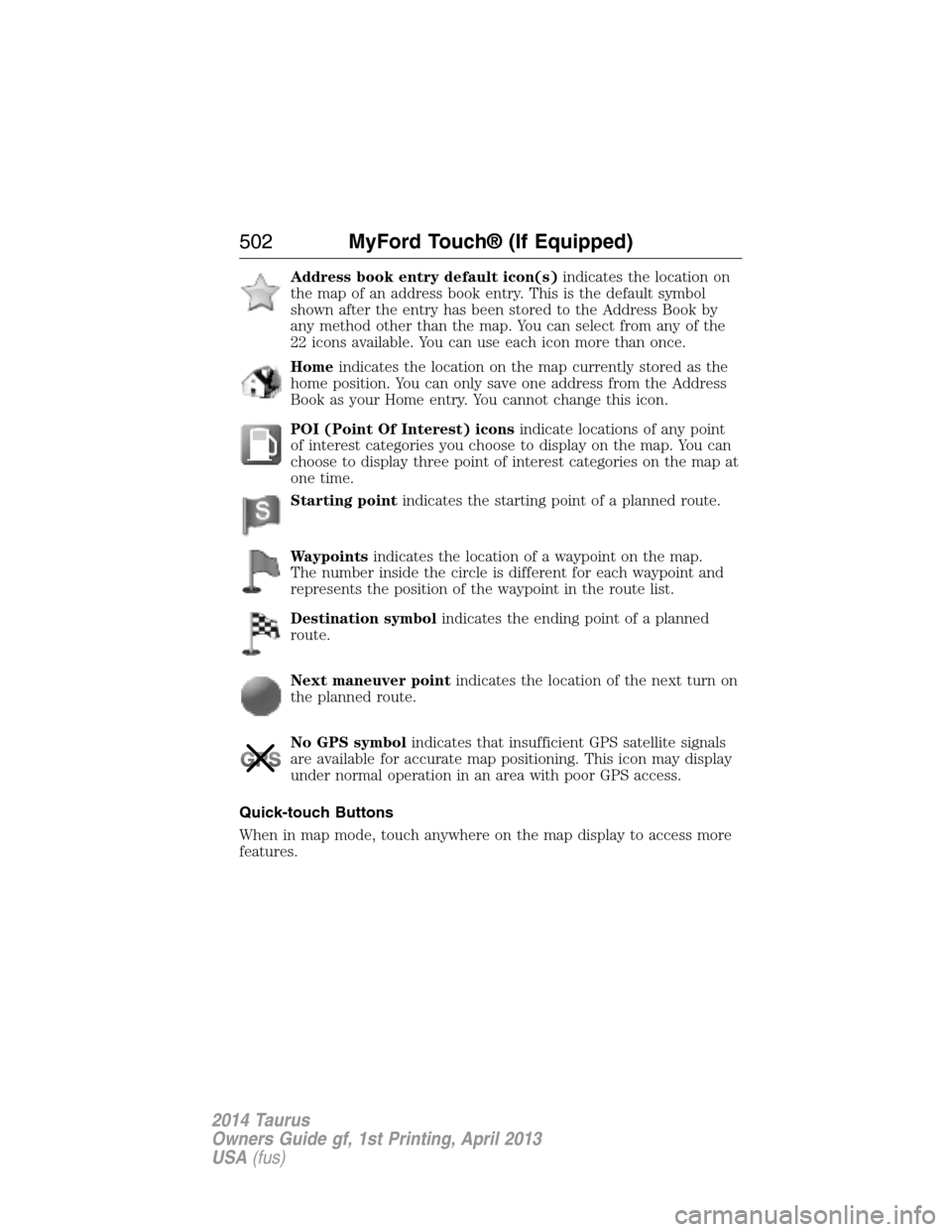
Address book entry default icon(s)indicates the location on
the map of an address book entry. This is the default symbol
shown after the entry has been stored to the Address Book by
any method other than the map. You can select from any of the
22 icons available. You can use each icon more than once.
Homeindicates the location on the map currently stored as the
home position. You can only save one address from the Address
Book as your Home entry. You cannot change this icon.
POI (Point Of Interest) iconsindicate locations of any point
of interest categories you choose to display on the map. You can
choose to display three point of interest categories on the map at
one time.
Starting pointindicates the starting point of a planned route.
Waypointsindicates the location of a waypoint on the map.
The number inside the circle is different for each waypoint and
represents the position of the waypoint in the route list.
Destination symbolindicates the ending point of a planned
route.
Next maneuver pointindicates the location of the next turn on
the planned route.
No GPS symbolindicates that insufficient GPS satellite signals
are available for accurate map positioning. This icon may display
under normal operation in an area with poor GPS access.
Quick-touch Buttons
When in map mode, touch anywhere on the map display to access more
features.
502MyFord Touch® (If Equipped)
2014 Taurus
Owners Guide gf, 1st Printing, April 2013
USA(fus)
Page 513 of 550
General operation
Voice Command Control
Functions within the Windows Automotive-based system may be
accomplished using only voice commands. Using voice commands while
driving allows you to operate the system without removing your hands
from the wheel.
Prolonged Views of Screen
Do not access any function requiring a prolonged view of the screen
while you are driving. Pull over in a safe and legal manner before
attempting to access a function of the system requiring prolonged
attention. Even occasional short scans to the screen may be hazardous if
your attention has been diverted away from your driving task at a critical
time.
Volume Setting
Do not raise the volume excessively. Keep the volume at a level where
you can still hear outside traffic and emergency signals while driving.
Driving while unable to hear these sounds could cause an accident.
Use of Speech Recognition Functions
Speech recognition software is inherently a statistical process which is
subject to errors. It is your responsibility to monitor any speech
recognition functions included in the system and address any errors.
Navigation Features
Any navigation features included in the system are intended to provide
turn by turn instructions to get you to a desired destination. Please make
certain all persons using this system carefully read and follow
instructions and safety information fully.
Distraction Hazard
Any navigation features may require manual (non-verbal) setup.
Attempting to perform such set-up or insert data while driving can
seriously distract your attention and could cause an accident or other
serious consequences. Stop the vehicle in a safe and legal manner before
attempting these operations.
512Appendices
2014 Taurus
Owners Guide gf, 1st Printing, April 2013
USA(fus)
Page 550 of 550
Transaxle
fluid, refill capacities ..............352
lubricant specifications ..........352
Transmission
brake-shift interlock (BSI) ....183
fluid, checking and adding
(automatic) .....................288–289
Trunk .....................................75–76
remote release ..........................69
Turn signal ..................................94
U
USB port ............................381, 453
Using privacy mode ..................390
V
Vehicle health report ........404, 478
Vehicle Identification Number
(VIN) ..........................................357
Vehicle loading ..........................235Ventilating your vehicle ...........168
Voice commands in media
mode ..........................................410
Voice commands in phone
mode ..........................................388
Voice recognition ......................435
W
Warning lights (see Lights) .....104
Washer fluid ..............................293
Water, Driving through .............251
Windows
power .........................................96
Windshield washer fluid and
wipers ..........................................87
checking and adding fluid .....293
replacing wiper blades ...........296
Wrecker towing .........................247
Index549
2014 Taurus
Owners Guide gf, 1st Printing, April 2013
USA(fus)