2014 FORD MONDEO VIN Number
[x] Cancel search: VIN NumberPage 325 of 446
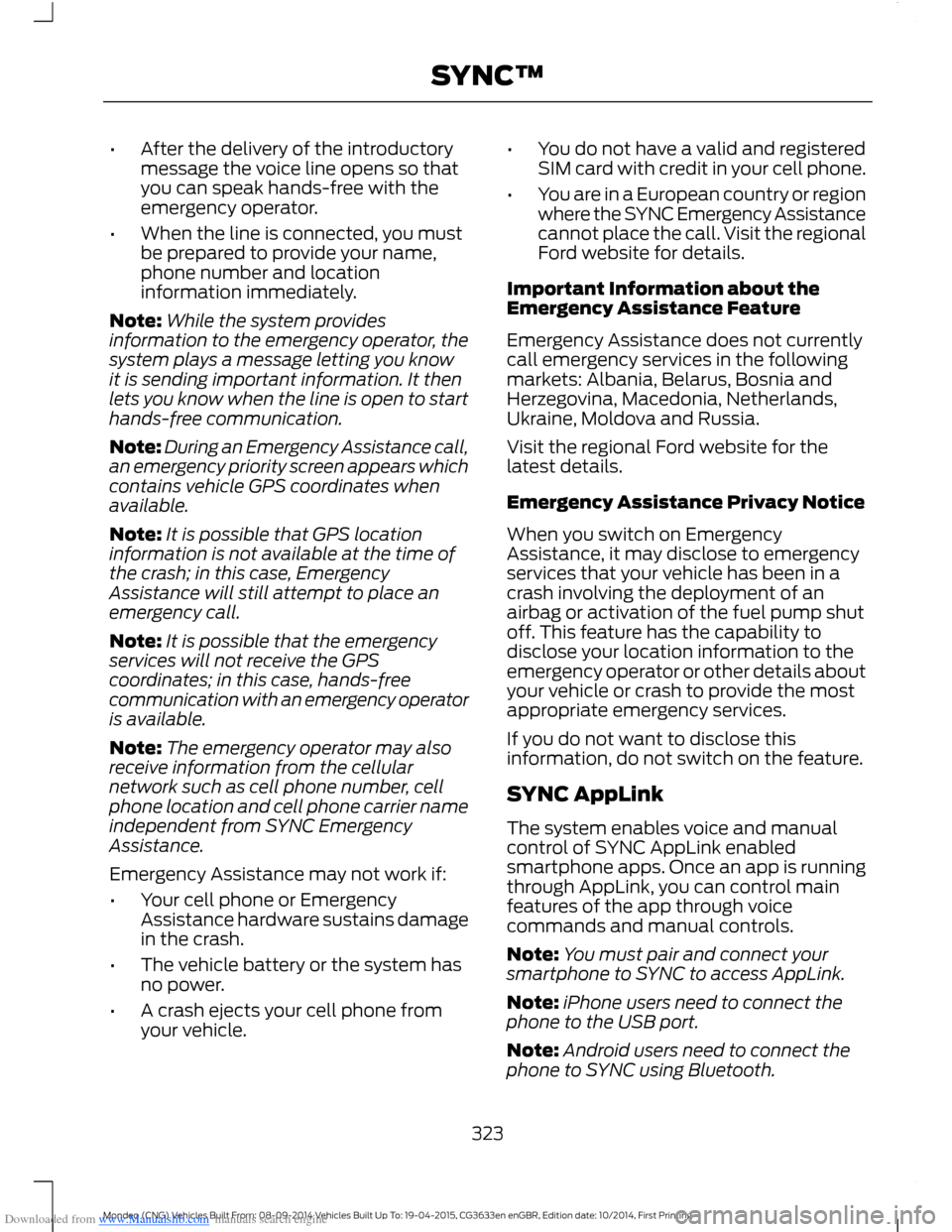
Downloaded from www.Manualslib.com manuals search engine •After the delivery of the introductorymessage the voice line opens so thatyou can speak hands-free with theemergency operator.
•When the line is connected, you mustbe prepared to provide your name,phone number and locationinformation immediately.
Note:While the system providesinformation to the emergency operator, thesystem plays a message letting you knowit is sending important information. It thenlets you know when the line is open to starthands-free communication.
Note:During an Emergency Assistance call,an emergency priority screen appears whichcontains vehicle GPS coordinates whenavailable.
Note:It is possible that GPS locationinformation is not available at the time ofthe crash; in this case, EmergencyAssistance will still attempt to place anemergency call.
Note:It is possible that the emergencyservices will not receive the GPScoordinates; in this case, hands-freecommunication with an emergency operatoris available.
Note:The emergency operator may alsoreceive information from the cellularnetwork such as cell phone number, cellphone location and cell phone carrier nameindependent from SYNC EmergencyAssistance.
Emergency Assistance may not work if:
•Your cell phone or EmergencyAssistance hardware sustains damagein the crash.
•The vehicle battery or the system hasno power.
•A crash ejects your cell phone fromyour vehicle.
•You do not have a valid and registeredSIM card with credit in your cell phone.
•You are in a European country or regionwhere the SYNC Emergency Assistancecannot place the call. Visit the regionalFord website for details.
Important Information about theEmergency Assistance Feature
Emergency Assistance does not currentlycall emergency services in the followingmarkets: Albania, Belarus, Bosnia andHerzegovina, Macedonia, Netherlands,Ukraine, Moldova and Russia.
Visit the regional Ford website for thelatest details.
Emergency Assistance Privacy Notice
When you switch on EmergencyAssistance, it may disclose to emergencyservices that your vehicle has been in acrash involving the deployment of anairbag or activation of the fuel pump shutoff. This feature has the capability todisclose your location information to theemergency operator or other details aboutyour vehicle or crash to provide the mostappropriate emergency services.
If you do not want to disclose thisinformation, do not switch on the feature.
SYNC AppLink
The system enables voice and manualcontrol of SYNC AppLink enabledsmartphone apps. Once an app is runningthrough AppLink, you can control mainfeatures of the app through voicecommands and manual controls.
Note:You must pair and connect yoursmartphone to SYNC to access AppLink.
Note:iPhone users need to connect thephone to the USB port.
Note:Android users need to connect thephone to SYNC using Bluetooth.
323Mondeo (CNG) Vehicles Built From: 08-09-2014 Vehicles Built Up To: 19-04-2015, CG3633en enGBR, Edition date: 10/2014, First PrintingSYNC™
Page 327 of 446
![FORD MONDEO 2014 4.G Owners Manual Downloaded from www.Manualslib.com manuals search engine Description and ActionCommand
The system will search your connected mobile device forSYNC compatible apps.find [new] [mobile](apps | applicatio](/manual-img/11/5483/w960_5483-326.png "FORD MONDEO 2014 4.G Owners Manual Downloaded from www.Manualslib.com manuals search engine Description and ActionCommand
The system will search your connected mobile device forSYNC compatible apps.find [new] [mobile](apps | applicatio")
Downloaded from www.Manualslib.com manuals search engine Description and ActionCommand
The system will search your connected mobile device forSYNC compatible apps.find [new] [mobile](apps | applications)
Say the name of an app to start it on SYNC.
The system will list the available voice commands for therequested app.
Use this command followed by the name of the app.(quit | exit | close)
Enabling and Disabling PushNotifications
Some apps can send push notifications. Apush notification is an alert from an apprunning in the background and is deliveredby voice, pop up or both. This may beparticularly useful for news or locationbased apps.
Press the MENU button then select:
Description and ActionMessage
SYNC-Apps
Mobile Apps
Settings
If push notifications are supported, this setting will be listed.Select to enable or disable the feature as required.All Apps
Enabling SYNC Mobile Apps
To use the system you must consent tosend and receive app authorizationinformation and updates, using the dataplan associated with the connected device.
Data is sent to Ford in the United Statesthrough the connected device. Theinformation is encrypted and includes yourVIN, SYNC module number, anonymoususage statistics and debugginginformation. Updates may take placeautomatically.
Note:You must enable mobile apps foreach connected device the first time youselect a mobile app using the system.
Note:Standard data rates will apply. Fordis not responsible for any additional chargesyou may receive from your service provider,when your vehicle sends or receives datathrough the connected device. This includesany additional charges incurred due todriving in areas when roaming out of a homenetwork.
325Mondeo (CNG) Vehicles Built From: 08-09-2014 Vehicles Built Up To: 19-04-2015, CG3633en enGBR, Edition date: 10/2014, First PrintingSYNC™
Page 365 of 446

Downloaded from www.Manualslib.com manuals search engine Action and DescriptionMenu Item
Makes SYNC an access point for a phone or a computer whenturned on. This forms the local area network within yourvehicle for things, such as game playing, file transfer andinternet browsing. Press ? for more information.
Gateway (Access Point) Settings
Allows you to view and change settings for using SYNC asthe internet gateway.
Gateway (Access Point) Devices List
Allows you to view recent connections to your Wi-Fi system.
Instead of using Wi-Fi, your system can also use a USB mobilebroadband connection to access the internet. (You mustswitch on your mobile broadband device on your personalcomputer before connecting it to the system.) This screenallows you to set up what is your typical area for your USBmobile broadband connection. (USB mobile broadbandsettings may not display if the device is already on.) You canselect the following:
USB Mobile Broadband
Country
Carrier
Phone Number
User Name
Password
Shows you the currently paired devices as well as giving youyour typical Bluetooth options to connect, disconnect, set asfavorite, delete and add device. Bluetooth is a registeredtrademark of the Bluetooth SIG.
Bluetooth Settings
Choose your connection methods and change them asneeded. You can select to change order and have the systemeither always attempt to connect using a USB mobilebroadband or using Wi-Fi.
Prioritize ConnectionMethods
363Mondeo (CNG) Vehicles Built From: 08-09-2014 Vehicles Built Up To: 19-04-2015, CG3633en enGBR, Edition date: 10/2014, First PrintingSYNC™ 2
Page 366 of 446
Downloaded from www.Manualslib.com manuals search engine The Wi-Fi CERTIFIED Logo is a certificationmark of the Wi-Fi Alliance.
Help
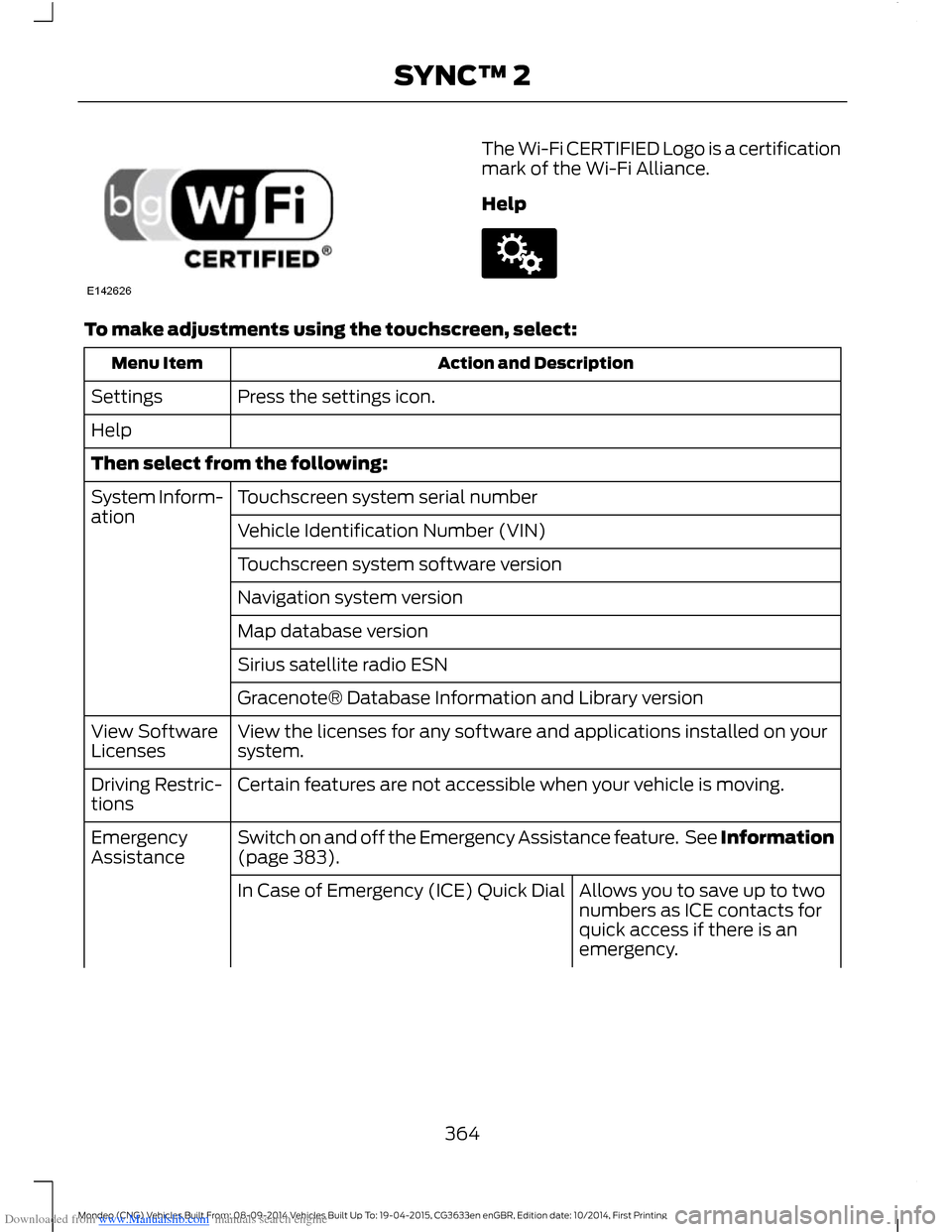
To make adjustments using the touchscreen, select:
Action and DescriptionMenu Item
Press the settings icon.Settings
Help
Then select from the following:
Touchscreen system serial numberSystem Inform-ationVehicle Identification Number (VIN)
Touchscreen system software version
Navigation system version
Map database version
Sirius satellite radio ESN
Gracenote® Database Information and Library version
View the licenses for any software and applications installed on yoursystem.View SoftwareLicenses
Certain features are not accessible when your vehicle is moving.Driving Restric-tions
Switch on and off the Emergency Assistance feature. See Information(page 383).EmergencyAssistance
Allows you to save up to twonumbers as ICE contacts forquick access if there is anemergency.
In Case of Emergency (ICE) Quick Dial
364Mondeo (CNG) Vehicles Built From: 08-09-2014 Vehicles Built Up To: 19-04-2015, CG3633en enGBR, Edition date: 10/2014, First PrintingSYNC™ 2
Page 378 of 446

Downloaded from www.Manualslib.com manuals search engine Menu ItemItem
PhoneA
Quick DialB
PhonebookC
Call HistoryD
MessagingE
SettingsF
Hands-free calling is one of the mainfeatures of SYNC. Once you pair your cellphone, you can access many options usingthe touchscreen or voice commands. Whilethe system supports a variety of features,many are dependent on your cell phone’sfunctionality.
At a minimum, most cell phones withBluetooth wireless technology support thefollowing functions:
•Answering an incoming call.
•Ending a call.
•Dialing a number.
•Call waiting notification.
•Caller ID.
Other features, such as text messagingusing Bluetooth and automatic phonebookdownload, are phone-dependent features.To check your phone’s compatibility, seeyour phone’s user manual or the local Fordwebsite.
Pairing Your Cell Phone for theFirst Time
WARNING
Driving while distracted can result inloss of vehicle control, crash andinjury. We strongly recommend thatyou use extreme caution when using anydevice that may take your focus off theroad. Your primary responsibility is the safeoperation of your vehicle. We recommendagainst the use of any handheld devicewhile driving and encourage the use ofvoice-operated systems when possible.Make sure you are aware of all applicablelocal laws that may affect the use ofelectronic devices while driving.
The first thing you must do to use thephone features of SYNC is to pair yourBluetooth-enabled cell phone with SYNC.This allows you to use your cell phone in ahands-free manner.
Touch the upper left corner of the touchscreen:
Action and DescriptionMenu Item
Add phone
Follow the on-screen instructions.Find SYNC
376Mondeo (CNG) Vehicles Built From: 08-09-2014 Vehicles Built Up To: 19-04-2015, CG3633en enGBR, Edition date: 10/2014, First PrintingSYNC™ 2
Page 380 of 446

Downloaded from www.Manualslib.com manuals search engine Action and DescriptionMenu Item
SYNC may prompt you with more cell phone options. Formore information on your cell phone's capability, see yourcell phone's manual and visit the website.
Making Calls
Press the voice button and say acommand similar to the following:
Voice command
Call
Dial
You can say the name of a person fromyour phone book to call or a say a numberto dial. For example "Call Jenny" or "Dial867-5309".
To end the call or exit phonemode, press and hold the phonebutton.
Receiving Calls
During an incoming call, an audible tonesounds. Call information appears in thedisplay if it is available.
To accept the call, select:
Menu Item
Accept
Note:You can also accept the call bypressing the phone button on the steeringwheel.
To reject the call, select:
Menu Item
Reject
Note:You can also reject the call bypressing the phone button on the steeringwheel.
Ignore the call by doing nothing. SYNC logsit as a missed call.
Phone Menu Options
Press the top left corner on thetouchscreen to select from the followingoptions:
Action and DescriptionMenu Item
Touch this button to accessthe on-screen numerical padto enter a number and placea call. During an active call,you can also choose any ofthese options:
Phone
Mute Call
Hold Call
Privacy
Join Calls
End
Select to call storedcontacts.Quick Dial
378Mondeo (CNG) Vehicles Built From: 08-09-2014 Vehicles Built Up To: 19-04-2015, CG3633en enGBR, Edition date: 10/2014, First PrintingSYNC™ 2
Page 389 of 446
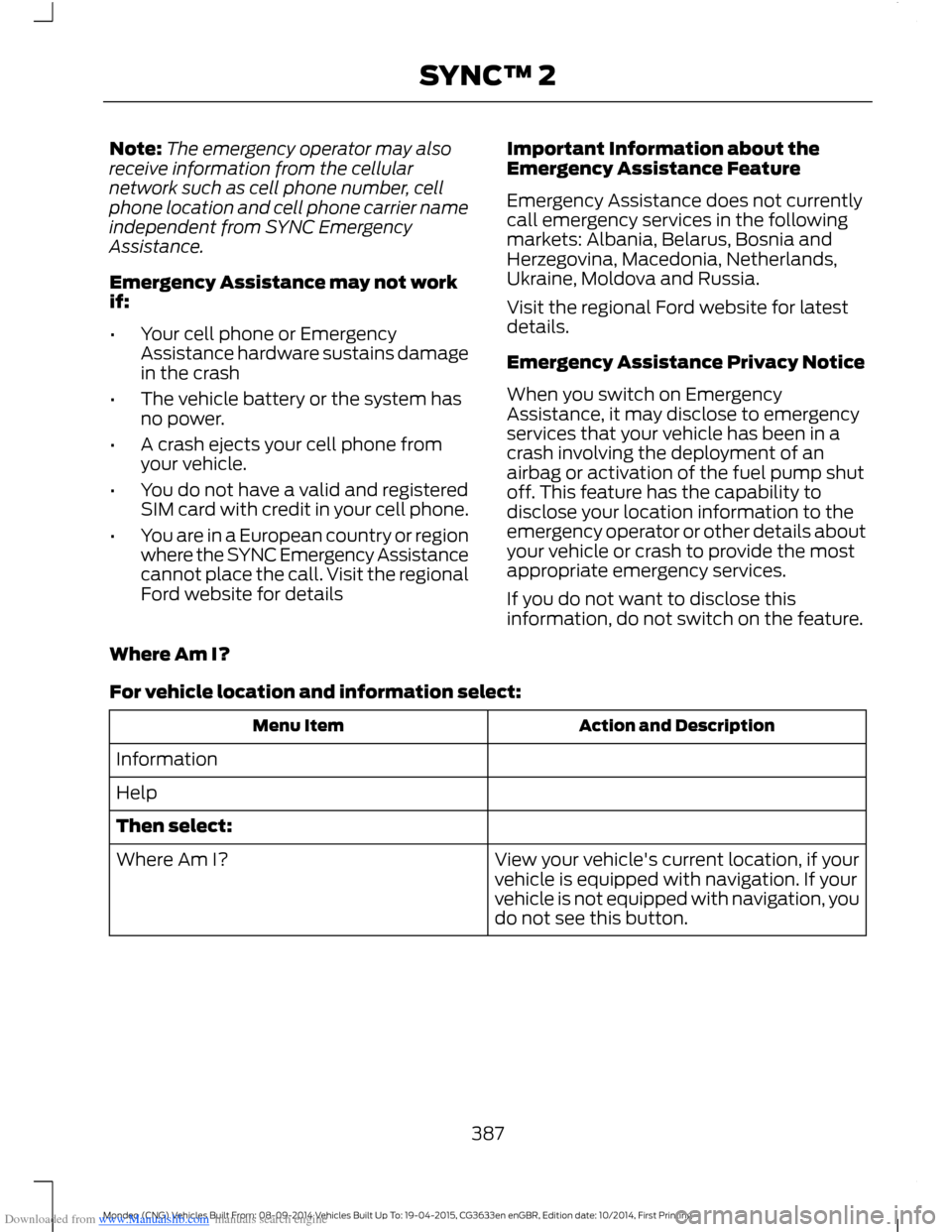
Downloaded from www.Manualslib.com manuals search engine Note:The emergency operator may alsoreceive information from the cellularnetwork such as cell phone number, cellphone location and cell phone carrier nameindependent from SYNC EmergencyAssistance.
Emergency Assistance may not workif:
•Your cell phone or EmergencyAssistance hardware sustains damagein the crash
•The vehicle battery or the system hasno power.
•A crash ejects your cell phone fromyour vehicle.
•You do not have a valid and registeredSIM card with credit in your cell phone.
•You are in a European country or regionwhere the SYNC Emergency Assistancecannot place the call. Visit the regionalFord website for details
Important Information about theEmergency Assistance Feature
Emergency Assistance does not currentlycall emergency services in the followingmarkets: Albania, Belarus, Bosnia andHerzegovina, Macedonia, Netherlands,Ukraine, Moldova and Russia.
Visit the regional Ford website for latestdetails.
Emergency Assistance Privacy Notice
When you switch on EmergencyAssistance, it may disclose to emergencyservices that your vehicle has been in acrash involving the deployment of anairbag or activation of the fuel pump shutoff. This feature has the capability todisclose your location information to theemergency operator or other details aboutyour vehicle or crash to provide the mostappropriate emergency services.
If you do not want to disclose thisinformation, do not switch on the feature.
Where Am I?
For vehicle location and information select:
Action and DescriptionMenu Item
Information
Help
Then select:
View your vehicle's current location, if yourvehicle is equipped with navigation. If yourvehicle is not equipped with navigation, youdo not see this button.
Where Am I?
387Mondeo (CNG) Vehicles Built From: 08-09-2014 Vehicles Built Up To: 19-04-2015, CG3633en enGBR, Edition date: 10/2014, First PrintingSYNC™ 2
Page 443 of 446
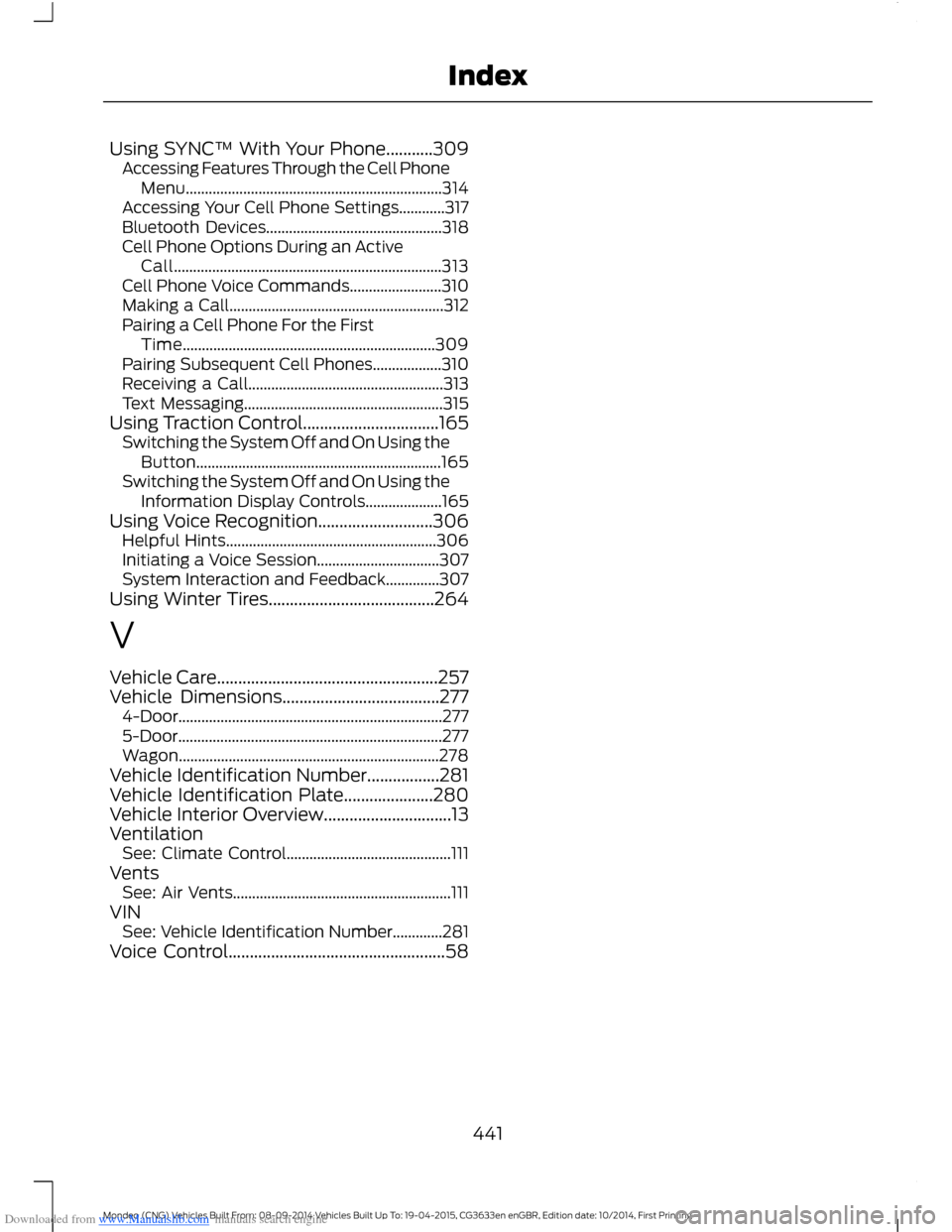
Downloaded from www.Manualslib.com manuals search engine Using SYNC™ With Your Phone...........309Accessing Features Through the Cell PhoneMenu...................................................................314Accessing Your Cell Phone Settings............317Bluetooth Devices..............................................318Cell Phone Options During an ActiveCall......................................................................313Cell Phone Voice Commands........................310Making a Call........................................................312Pairing a Cell Phone For the FirstTime..................................................................309Pairing Subsequent Cell Phones..................310Receiving a Call...................................................313Text Messaging....................................................315Using Traction Control................................165Switching the System Off and On Using theButton................................................................165Switching the System Off and On Using theInformation Display Controls....................165Using Voice Recognition...........................306Helpful Hints.......................................................306Initiating a Voice Session................................307System Interaction and Feedback..............307Using Winter Tires.......................................264
V
Vehicle Care....................................................257Vehicle Dimensions.....................................2774-Door.....................................................................2775-Door.....................................................................277Wagon....................................................................278Vehicle Identification Number.................281Vehicle Identification Plate.....................280Vehicle Interior Overview..............................13VentilationSee: Climate Control...........................................111VentsSee: Air Vents.........................................................111VINSee: Vehicle Identification Number.............281Voice Control...................................................58
441Mondeo (CNG) Vehicles Built From: 08-09-2014 Vehicles Built Up To: 19-04-2015, CG3633en enGBR, Edition date: 10/2014, First PrintingIndex