You can find more information on the rear
view camera in another chapter. See Rear
View Camera (page 181).
Enable Valet Mode
Note: If the system locks, and you need to
reset the PIN, enter 3681 and the system
unlocks.
Valet mode allows you to lock the system.
No information is accessible until the
system is unlocked with the correct PIN. E142607
1. Press the Settings icon > Vehicle >
Enable Valet Mode .
2. When prompted, enter a four-digit PIN.
After you press Continue , the system locks
until you enter the PIN again.
Charge Point Light Ring E142607
Press the Settings icon >
Vehicle > Charge Point Light
Ring , then select from the
following:
Charge point light ring
Illuminates when plugging in, opening doors, pressing the
unlock button on your remote, and while charging.On
Does not illuminate.Off
Cord Acknowledgement: Illuminates when plugging in.Limited
Charge Status: Illuminates when opening doors or
pressing the unlock button on your remote.
Note: Details on the charge port light ring
functions are in another chapter. See High
Voltage Battery (page 160).
Settings Access and adjust system settings, voice
features, as well as phone, navigation and
wireless settings. System E142607
Press the Settings icon >
Settings > System , then select
from the following:
System
Select to have the touchscreen display in English, Spanish
or French.Language
Select to display units in kilometers or miles.Distance
Select to display units in Celsius or Fahrenheit.Temperature
Adjust the volume of voice prompts from the system.System Prompt Volume
367MyFord Touch™ (If Equipped)
E142599
Press the voice icon on the
steering wheel. When prompted,
you can say:"BROWSE" within devices
"Browse" *
"Browse games" **
"Browse channels" **
"Browse SD card"
"Browse Sirius channel guide" **
"Browse USB"
"Help"*
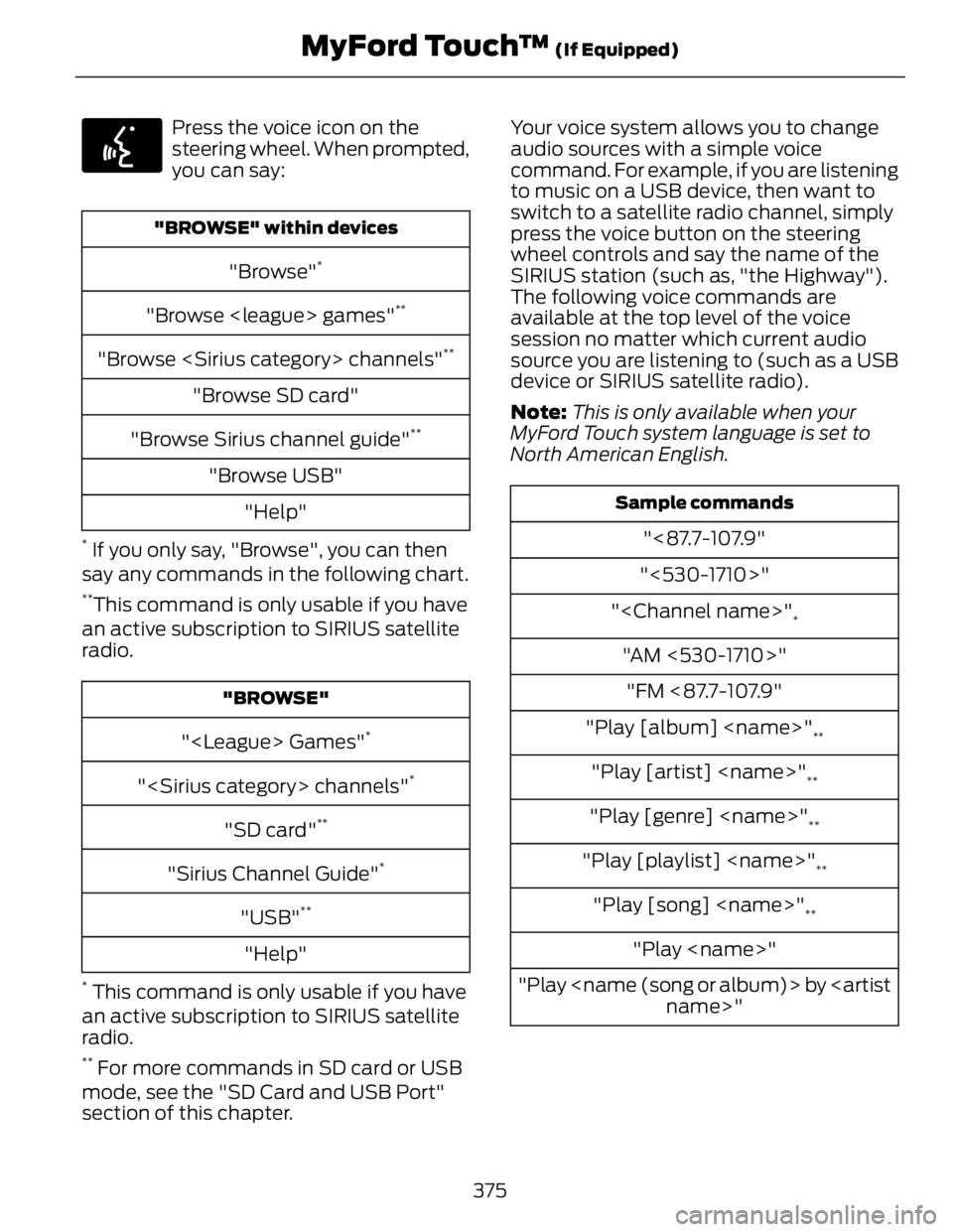
If you only say, "Browse", you can then
say any commands in the following chart. **
This command is only usable if you have
an active subscription to SIRIUS satellite
radio. "BROWSE"
" Games" *
" channels" *
"SD card" **
"Sirius Channel Guide" *
"USB" **
"Help"*
This command is only usable if you have
an active subscription to SIRIUS satellite
radio. **
For more commands in SD card or USB
mode, see the "SD Card and USB Port"
section of this chapter. Your voice system allows you to change
audio sources with a simple voice
command. For example, if you are listening
to music on a USB device, then want to
switch to a satellite radio channel, simply
press the voice button on the steering
wheel controls and say the name of the
SIRIUS station (such as, "the Highway").
The following voice commands are
available at the top level of the voice
session no matter which current audio
source you are listening to (such as a USB
device or SIRIUS satellite radio).
Note: This is only available when your
MyFord Touch system language is set to
North American English. Sample commands
"<87.7-107.9"
"<530-1710>"
"" *
"AM <530-1710>"
"FM <87.7-107.9"
"Play [album] " **
"Play [artist] " **
"Play [genre] " **
"Play [playlist] " **
"Play [song] " **
"Play "
"Play by
name>"
375MyFord Touch™ (If Equipped)