2014 FORD FUSION (AMERICAS) glove box
[x] Cancel search: glove boxPage 61 of 458

You can use the keypad to:
•lock or unlock the doors
•release the trunk
•recall memory seat and mirrorpositions (if equipped)
•program and erase user codes
•arm and disarm the anti-theft alarm.
You can operate the keypad with thefactory-set 5-digit entry code. The code islocated on the owner’s wallet card in theglove box and is available from anauthorized dealer. You can also create upto five of your own 5-digit personal entrycodes.
Programming a Personal Entry Code
To create your own personal entry code:
1.Enter the factory-set code.
2.Press 1·2 on the keypad within fiveseconds.
3.Enter your personal 5-digit code. Youmust enter each number within fiveseconds of each other.
4.Press 1·2 on the keypad to savepersonal code 1.
The doors will lock then unlock to confirmthat programming was successful.
To program additional personal entrycodes, repeat Steps 1-3, then for Step 4:
•press 3·4 to save personal code 2
•press 5·6 to save personal code 3
•press 7·8 to save personal code 4
•press 9·0 to save personal code 5.
You may also program a personal entrycode through the MyFord Touch system(if equipped).
Tips:
•Do not set a code that uses five of thesame number.
•Do not use five numbers in sequentialorder.
•The factory-set code will work even ifyou have set your own personal code.
Recalling Memory Positions (IfEquipped)
The programmed entry codes will recalldriver memory positions as follows:
•Entry code 1 will recall driver 1 memorypositions.
•Entry code 2 will recall driver 2 memorypositions.
•Entry code 3 will recall driver 3 memorypositions.
Note:Personal entry codes 4 and 5 will notrecall memory positions.
Erasing a Personal Code
1.Enter the factory-set 5-digit code.
2.Press and release 1·2 on the keypadwithin five seconds.
3.Press and hold 1·2 for two seconds.You must do this within five secondsof completing Step 2.
All personal codes are now erased and onlythe factory-set 5–digit code will work.
58Fusion (CC7) , enUSALocksE138637
Page 122 of 458
Side Window Defogging in Cold Weather
Vehicle With Automatic Climate ControlVehicle With Manual Climate Control
Press the defrost button.Select the instrument panel and footwellair vents positions through the air distri-bution control.
1
Adjust the temperature control to thedesired setting. Use 72°F (22°C) as astarting point, then adjust the setting asnecessary.
Press the A/C button.2
Adjust the temperature control to thedesired setting.3
Adjust the fan speed to the highestsetting.4
Direct the instrument panel side air ventstoward the side windows.5
Close the instrument panel center vents.6
HEATED WINDOWS AND
MIRRORS (IF EQUIPPED)
Heated Rear Window
Note:You must switch the ignition on touse this feature.
Press the button to clear therear window of thin ice and fog.It switches off automaticallyafter 10 minutes, or when you switch offthe ignition. You can also press the buttonagain to switch it off.
Do not use razor blades or other sharpobjects to clean the inside of the rearwindow or to remove decals from theinside of the rear window. This maycause damage to the heated grid lines.Your warranty does not cover thisdamage.
Heated Exterior Mirror (If Equipped)
Note:Do not remove ice from the mirrorswith a scraper or attempt to readjust themirror glass that has frozen in place. Theseactions could cause damage to the glassand mirrors.
Note:Do not clean the housing or glass ofany mirror with harsh abrasives, fuel or otherpetroleum-based cleaning products.
The heated mirrors remove ice, mist andfog when you switch on the heated rearwindow.
CABIN AIR FILTER
Your vehicle is equipped with a cabin airfilter. It is located behind the glove box.
The particulate filtration system reducesthe concentration of airborne particlessuch as dust, spores and pollen in the airsupplied to the interior of your vehicle.
119Fusion (CC7) , enUSAClimate ControlE72507
Page 236 of 458

Protected componentsFuse amp ratingFuse or relay number
Lighting (ambient, glove box, vanity, dome,trunk)10A11
Memory seats, Lumbar, Power mirror7.5A12
Driver door unlock20A13
Not used (spare)5A14
Subwoofer amplifier20A15
Not used (spare)10A26
Not used (spare)10A27
Not used (spare)10A28
Not used (spare)10A29
Keypad5A210
Not used5A211
Climate control, Gear shift7.5A212
Steering wheel column, Cluster, Datalinklogic7.5A213
Not used10A214
Datalink/Gateway module10A215
Not used (spare)15A116
Not used (spare)5A217
Ignition, Push button stop/start5A218
Passenger airbag disabled indicator,Transmission range5A219
Not used (spare)5A220
Humidity and in–car temperature5A221
233Fusion (CC7) , enUSAFuses
Page 310 of 458
Possible actionConditionRadio display
Contact SIRIUS at 1-888-539-7474 to resolvesubscription issues.
Your satellite service is nolonger available.Call SIRIUS 1-888-539-7474
Use the channel guide toturn off the Lock or Skipfunction on that station.
All the channels in theselected category are eitherskipped or locked.
None found. Check ChannelGuide.
No action required.SIRIUS has updated thechannels available for yourvehicle.
Subscription Updated
AUDIO INPUT JACK
WARNINGS
Driving while distracted can result inloss of vehicle control, crash andinjury. We strongly recommend thatyou use extreme caution when using anydevice that may take your focus off theroad. Your primary responsibility is the safeoperation of your vehicle. We recommendagainst the use of any hand-held devicewhile driving and encourage the use ofvoice-operated systems when possible.Make sure you are aware of all applicablelocal laws that may affect the use ofelectronic devices while driving.
For safety reasons, do not connector adjust the settings on yourportable music player while yourvehicle is moving.
Store the portable music player in asecure location, such as the centerconsole or the glove box, when yourvehicle is moving. Hard objects maybecome projectiles in a collision or suddenstop, which may increase the risk of seriousinjury. The audio extension cable must belong enough to allow the portable musicplayer to be safely stored while yourvehicle is moving.
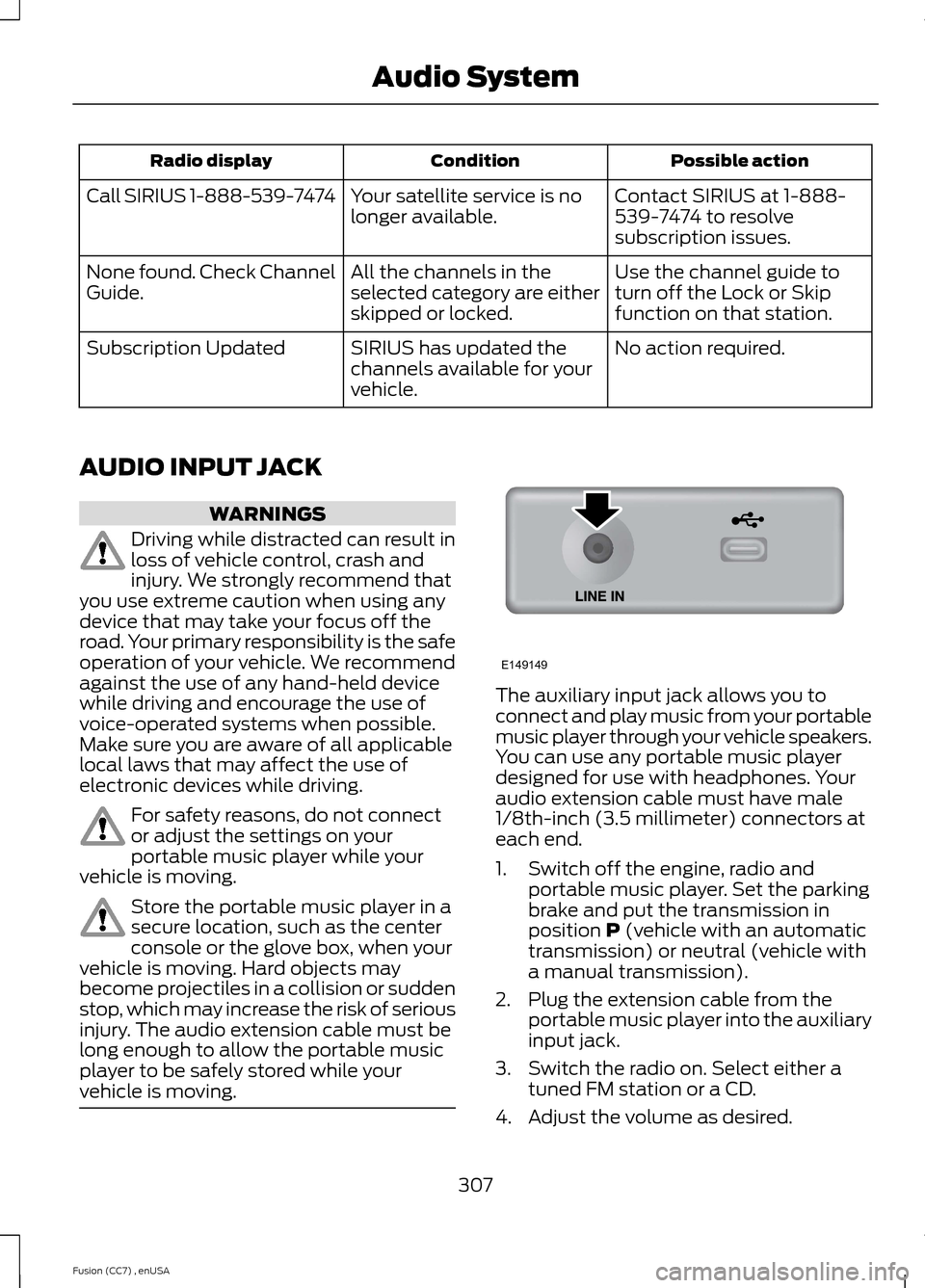
The auxiliary input jack allows you toconnect and play music from your portablemusic player through your vehicle speakers.You can use any portable music playerdesigned for use with headphones. Youraudio extension cable must have male1/8th-inch (3.5 millimeter) connectors ateach end.
1.Switch off the engine, radio andportable music player. Set the parkingbrake and put the transmission inposition P (vehicle with an automatictransmission) or neutral (vehicle witha manual transmission).
2.Plug the extension cable from theportable music player into the auxiliaryinput jack.
3.Switch the radio on. Select either atuned FM station or a CD.
4.Adjust the volume as desired.
307Fusion (CC7) , enUSAAudio SystemE149149
Page 383 of 458
To access, press the lower leftcorner on the touchscreen, thenselect the BT Stereo tab.
Bluetooth Audio Voice Commands
If you are listening to a Bluetoothaudio device, press the voicebutton on the steering wheelcontrol. When prompted, say "Next song","Pause", "Play" or "Previous song".
If you are not listening to a Bluetooth audiodevice, press the voice button and, afterthe tone, say "Next song", "Pause", "Play"or "Previous song".
A/V Inputs
WARNINGS
Driving while distracted can result inloss of vehicle control, crash andinjury. We strongly recommend thatyou use extreme caution when using anydevice that may take your focus off theroad. Your primary responsibility is the safeoperation of your vehicle. We recommendagainst the use of any handheld devicewhile driving and encourage the use ofvoice-operated systems when possible.Make sure you are aware of all applicablelocal laws that may affect the use ofelectronic devices while driving.
For safety reasons, do not connector adjust the settings on yourportable music player while yourvehicle is moving.
Store the portable music player in asecure location, such as the centerconsole or the glove box, when yourvehicle is moving. Hard objects maybecome projectiles in a crash or suddenstop, which may increase the risk of seriousinjury. The audio extension cable must belong enough to allow the portable musicplayer to be safely stored while yourvehicle is moving.
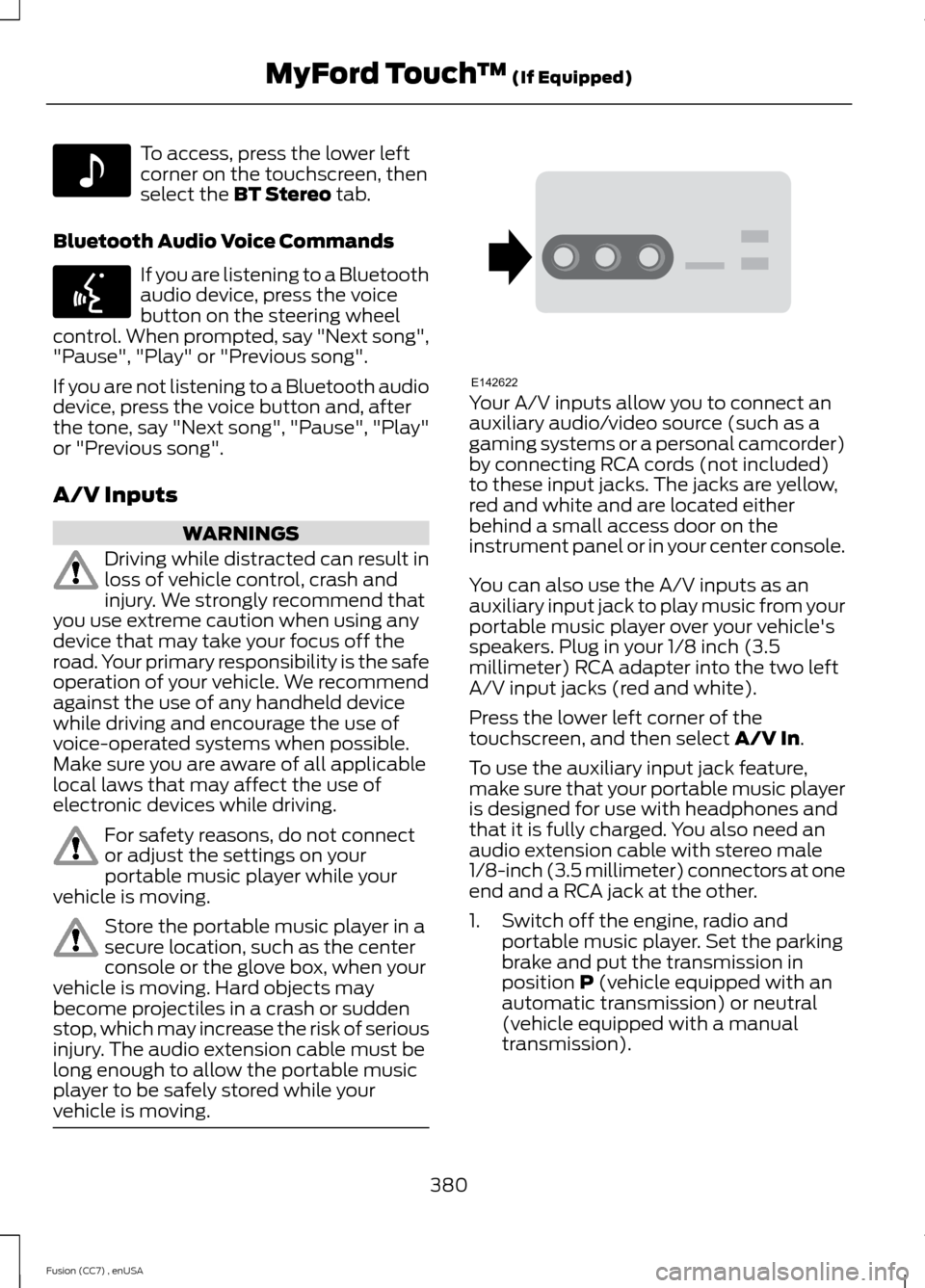
Your A/V inputs allow you to connect anauxiliary audio/video source (such as agaming systems or a personal camcorder)by connecting RCA cords (not included)to these input jacks. The jacks are yellow,red and white and are located eitherbehind a small access door on theinstrument panel or in your center console.
You can also use the A/V inputs as anauxiliary input jack to play music from yourportable music player over your vehicle'sspeakers. Plug in your 1/8 inch (3.5millimeter) RCA adapter into the two leftA/V input jacks (red and white).
Press the lower left corner of thetouchscreen, and then select A/V In.
To use the auxiliary input jack feature,make sure that your portable music playeris designed for use with headphones andthat it is fully charged. You also need anaudio extension cable with stereo male1/8-inch (3.5 millimeter) connectors at oneend and a RCA jack at the other.
1.Switch off the engine, radio andportable music player. Set the parkingbrake and put the transmission inposition P (vehicle equipped with anautomatic transmission) or neutral(vehicle equipped with a manualtransmission).
380Fusion (CC7) , enUSAMyFord Touch™ (If Equipped)E142611 E142599 E142622