2014 FORD F150 AUX
[x] Cancel search: AUXPage 354 of 472
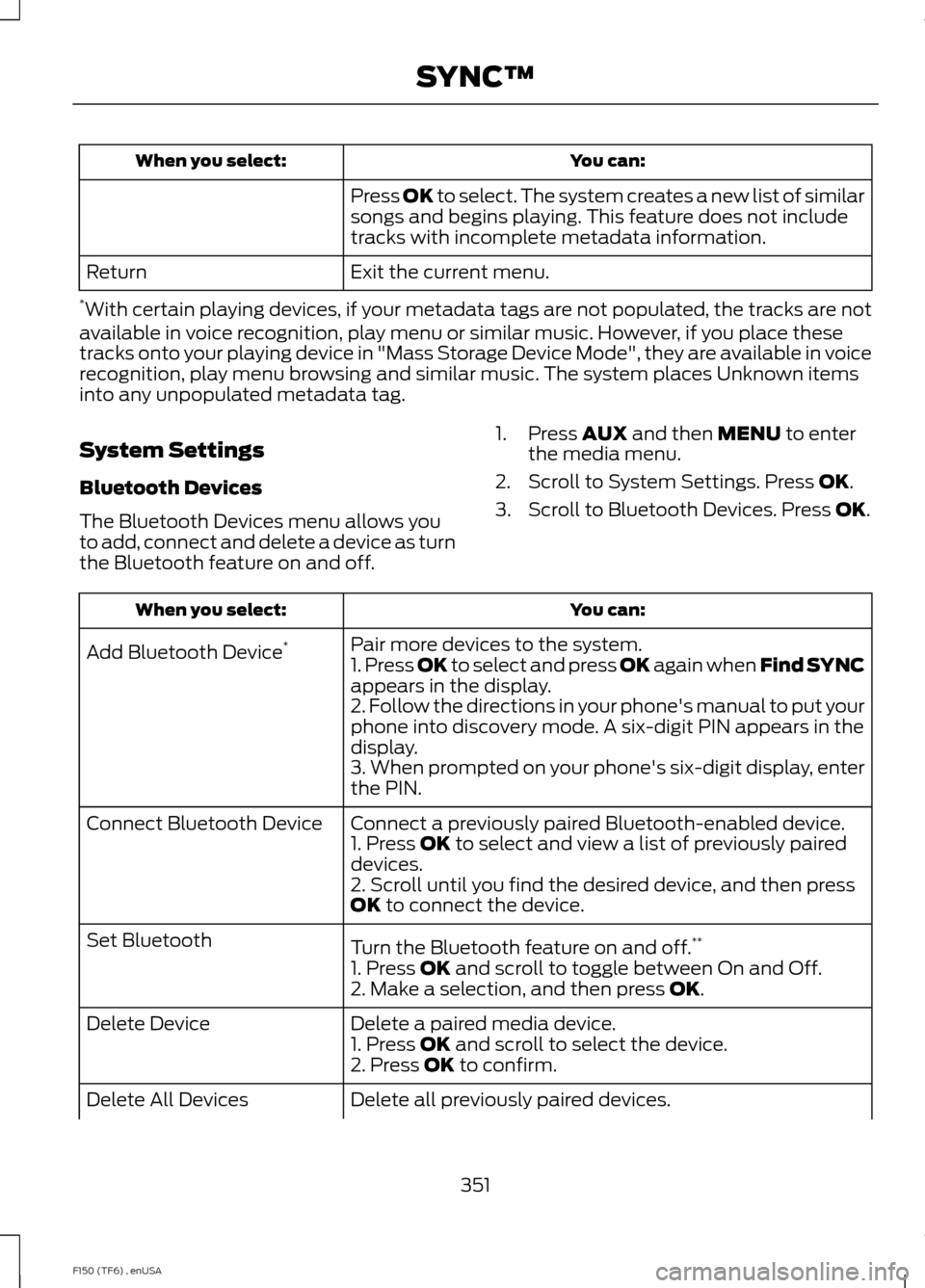
You can:
When you select:
Press OK to select. The system creates a new list of similar
songs and begins playing. This feature does not include
tracks with incomplete metadata information.
Exit the current menu.
Return
* With certain playing devices, if your metadata tags are not populated, the tracks are not
available in voice recognition, play menu or similar music. However, if you place these
tracks onto your playing device in "Mass Storage Device Mode", they are available in voice
recognition, play menu browsing and similar music. The system places Unknown items
into any unpopulated metadata tag.
System Settings
Bluetooth Devices
The Bluetooth Devices menu allows you
to add, connect and delete a device as turn
the Bluetooth feature on and off. 1. Press
AUX and then MENU to enter
the media menu.
2. Scroll to System Settings. Press
OK.
3. Scroll to Bluetooth Devices. Press
OK. You can:
When you select:
Pair more devices to the system.
Add Bluetooth Device *
1. Press OK to select and press OK again when Find SYNC
appears in the display.
2. Follow the directions in your phone's manual to put your
phone into discovery mode. A six-digit PIN appears in the
display.
3. When prompted on your phone's six-digit display, enter
the PIN.
Connect a previously paired Bluetooth-enabled device.
Connect Bluetooth Device
1. Press
OK to select and view a list of previously paired
devices.
2. Scroll until you find the desired device, and then press
OK
to connect the device.
Turn the Bluetooth feature on and off. **
Set Bluetooth
1. Press
OK and scroll to toggle between On and Off.
2. Make a selection, and then press OK.
Delete a paired media device.
Delete Device
1. Press
OK and scroll to select the device.
2. Press OK to confirm.
Delete all previously paired devices.
Delete All Devices
351
F150 (TF6) , enUSA SYNC™
Page 355 of 472
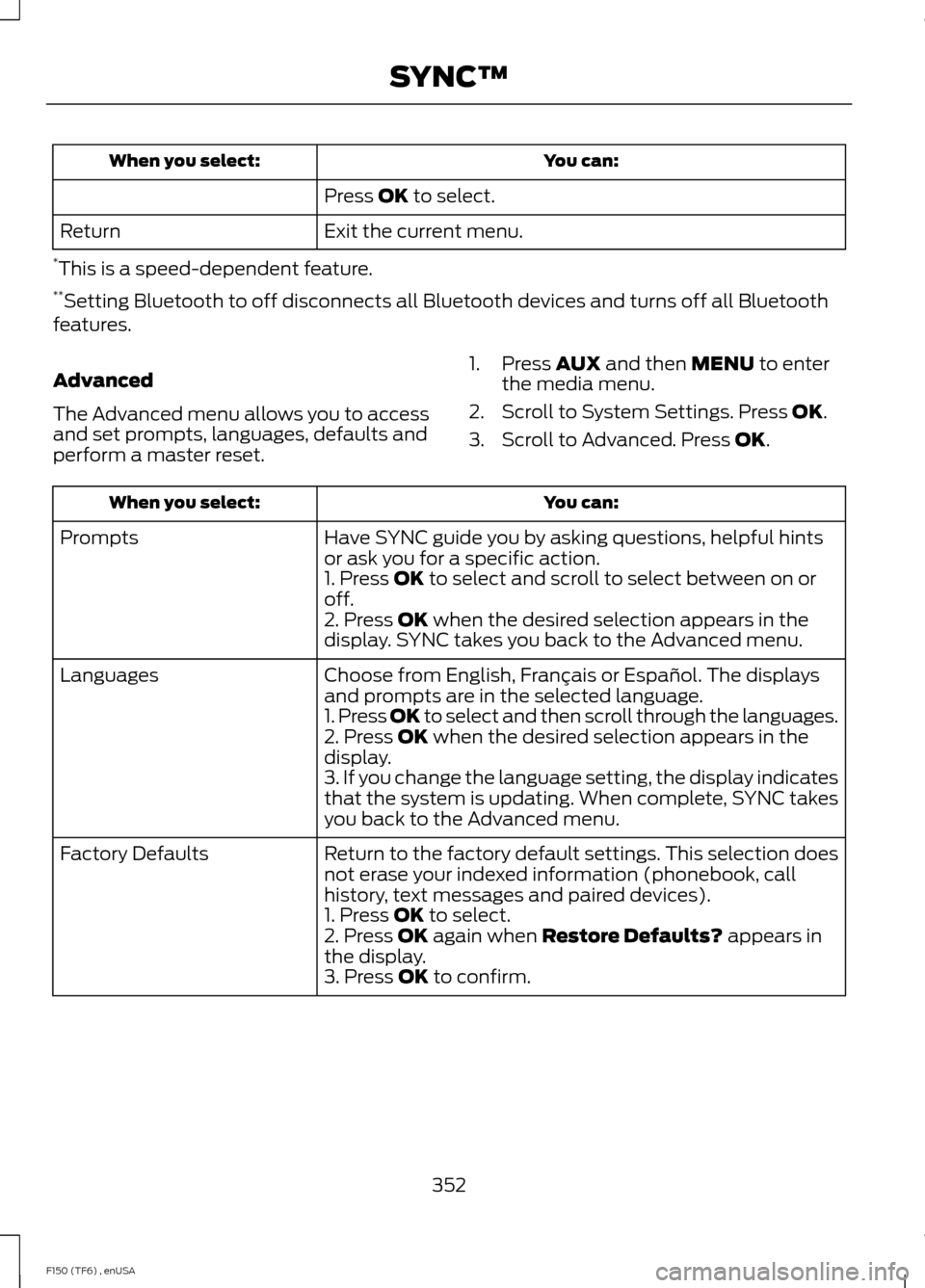
You can:
When you select:
Press OK to select.
Exit the current menu.
Return
* This is a speed-dependent feature.
** Setting Bluetooth to off disconnects all Bluetooth devices and turns off all Bluetooth
features.
Advanced
The Advanced menu allows you to access
and set prompts, languages, defaults and
perform a master reset. 1. Press
AUX and then MENU to enter
the media menu.
2. Scroll to System Settings. Press
OK.
3. Scroll to Advanced. Press
OK. You can:
When you select:
Have SYNC guide you by asking questions, helpful hints
or ask you for a specific action.
Prompts
1. Press
OK to select and scroll to select between on or
off.
2. Press
OK when the desired selection appears in the
display. SYNC takes you back to the Advanced menu.
Choose from English, Français or Español. The displays
and prompts are in the selected language.
Languages
1. Press OK to select and then scroll through the languages.
2. Press
OK when the desired selection appears in the
display.
3. If you change the language setting, the display indicates
that the system is updating. When complete, SYNC takes
you back to the Advanced menu.
Return to the factory default settings. This selection does
not erase your indexed information (phonebook, call
history, text messages and paired devices).
Factory Defaults
1. Press
OK to select.
2. Press OK again when Restore Defaults? appears in
the display.
3. Press
OK to confirm.
352
F150 (TF6) , enUSA SYNC™
Page 395 of 472
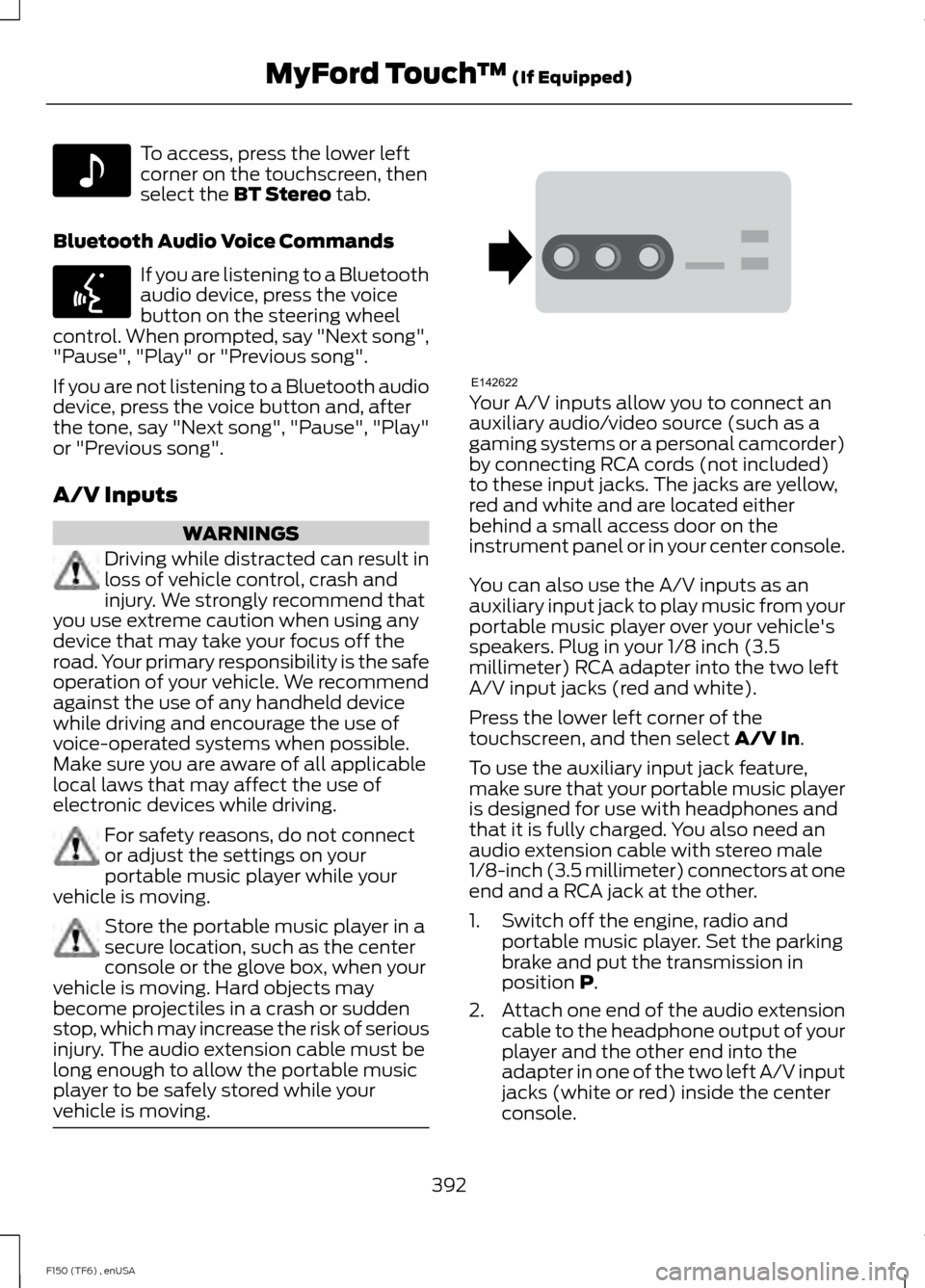
To access, press the lower left
corner on the touchscreen, then
select the BT Stereo tab.
Bluetooth Audio Voice Commands If you are listening to a Bluetooth
audio device, press the voice
button on the steering wheel
control. When prompted, say "Next song",
"Pause", "Play" or "Previous song".
If you are not listening to a Bluetooth audio
device, press the voice button and, after
the tone, say "Next song", "Pause", "Play"
or "Previous song".
A/V Inputs WARNINGS
Driving while distracted can result in
loss of vehicle control, crash and
injury. We strongly recommend that
you use extreme caution when using any
device that may take your focus off the
road. Your primary responsibility is the safe
operation of your vehicle. We recommend
against the use of any handheld device
while driving and encourage the use of
voice-operated systems when possible.
Make sure you are aware of all applicable
local laws that may affect the use of
electronic devices while driving. For safety reasons, do not connect
or adjust the settings on your
portable music player while your
vehicle is moving. Store the portable music player in a
secure location, such as the center
console or the glove box, when your
vehicle is moving. Hard objects may
become projectiles in a crash or sudden
stop, which may increase the risk of serious
injury. The audio extension cable must be
long enough to allow the portable music
player to be safely stored while your
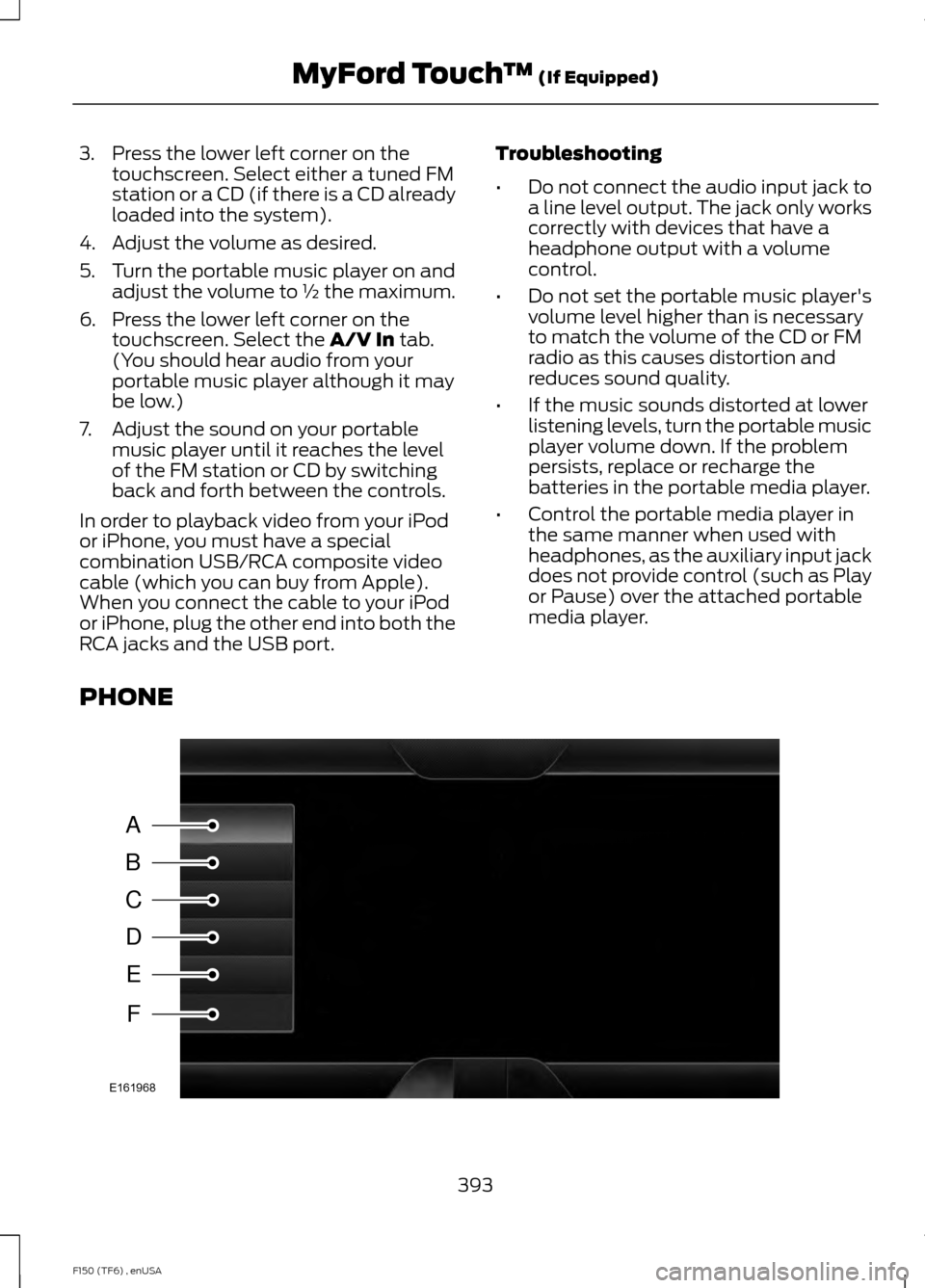
vehicle is moving. Your A/V inputs allow you to connect an
auxiliary audio/video source (such as a
gaming systems or a personal camcorder)
by connecting RCA cords (not included)
to these input jacks. The jacks are yellow,
red and white and are located either
behind a small access door on the
instrument panel or in your center console.
You can also use the A/V inputs as an
auxiliary input jack to play music from your
portable music player over your vehicle's
speakers. Plug in your 1/8 inch (3.5
millimeter) RCA adapter into the two left
A/V input jacks (red and white).
Press the lower left corner of the
touchscreen, and then select
A/V In.
To use the auxiliary input jack feature,
make sure that your portable music player
is designed for use with headphones and
that it is fully charged. You also need an
audio extension cable with stereo male
1/8-inch (3.5 millimeter) connectors at one
end and a RCA jack at the other.
1. Switch off the engine, radio and portable music player. Set the parking
brake and put the transmission in
position
P.
2. Attach one end of the audio extension
cable to the headphone output of your
player and the other end into the
adapter in one of the two left A/V input
jacks (white or red) inside the center
console.
392
F150 (TF6) , enUSA MyFord Touch
™
(If Equipped)E142611 E142599 E142622
Page 396 of 472
3. Press the lower left corner on the
touchscreen. Select either a tuned FM
station or a CD (if there is a CD already
loaded into the system).
4. Adjust the volume as desired.
5. Turn the portable music player on and adjust the volume to ½ the maximum.
6. Press the lower left corner on the touchscreen. Select the A/V In tab.
(You should hear audio from your
portable music player although it may
be low.)
7. Adjust the sound on your portable music player until it reaches the level
of the FM station or CD by switching
back and forth between the controls.
In order to playback video from your iPod
or iPhone, you must have a special
combination USB/RCA composite video
cable (which you can buy from Apple).
When you connect the cable to your iPod
or iPhone, plug the other end into both the
RCA jacks and the USB port. Troubleshooting
•
Do not connect the audio input jack to
a line level output. The jack only works
correctly with devices that have a
headphone output with a volume
control.
• Do not set the portable music player's
volume level higher than is necessary
to match the volume of the CD or FM
radio as this causes distortion and
reduces sound quality.
• If the music sounds distorted at lower
listening levels, turn the portable music
player volume down. If the problem
persists, replace or recharge the
batteries in the portable media player.
• Control the portable media player in
the same manner when used with
headphones, as the auxiliary input jack
does not provide control (such as Play
or Pause) over the attached portable
media player.
PHONE 393
F150 (TF6) , enUSA MyFord Touch
™
(If Equipped)A
B
C
D
E
F
E161968
Page 462 of 472

4
4WD
See: Four-Wheel Drive...................................... 153
A
A/C See: Climate Control......................................... 106
About This Manual...........................................7
Protecting the Environment................................ 7
ABS See: Brakes............................................................ 163
ABS driving hints See: Hints on Driving With Anti-Lock
Brakes................................................................ 163
Accessories.....................................................419 Exterior style......................................................... 419
Interior style.......................................................... 419
Lifestyle.................................................................. 419
Peace of mind...................................................... 419
Accessories See: Replacement Parts
Recommendation............................................. 11
Adjusting the Headlamps
........................249
Horizontal Aim Adjustment............................ 251
Vertical Aim Adjustment................................ 249
Adjusting the Pedals
....................................68
Adjusting the Steering Wheel...................65 Power Tilt and Telescope Steering
Column................................................................ 65
Airbag Disposal..............................................48
Air Conditioning See: Climate Control......................................... 106
Alarm See: Anti-Theft Alarm........................................ 62
Anti-Theft Alarm............................................62 Arming the Alarm................................................. 62
Disarming the Alarm........................................... 62
Appendices.....................................................421
Audible Warnings and Indicators.............85 Headlamps On Warning Chime...................... 85
Key in Ignition Warning Chime........................ 85
Parking Brake On Warning Chime.................86 Audio Control
..................................................66
Media........................................................................\
. 67
Seek, Next or Previous........................................ 67
Type 1........................................................................\
66
Type 2....................................................................... 66
Audio Input Jack............................................321
Audio System
...............................................306
General Information......................................... 306
Audio unit - Vehicles With: AM/FM/CD/ SYNC/Satellite Radio.............................308
Audio unit - Vehicles With: AM/FM
.......307
Audio unit - Vehicles With: Sony AM/FM/ CD....................................................................315
Autolamps..........................................................71
Automatic Climate Control......................109
Automatic Transmission............................147 Brake-Shift Interlock......................................... 150
If Your Vehicle Gets Stuck In Mud or Snow................................................................... 152
Understanding the Shift Positions of a 6– Speed Automatic Transmission.........147
Understanding your SelectShift Automatic® transmission.......................... 149
Automatic Transmission Fluid Check.............................................................245
Autowipers.......................................................69
Auxiliary Power Points................................132 110 Volt AC Power Points................................. 132
12 Volt DC Power Point..................................... 132
Locations................................................................ 132
B
Bonnet Lock See: Opening and Closing the Hood..........235
Booster Seats..................................................24 Types of Booster Seats...................................... 25
Brake Fluid Check
........................................246
Brakes...............................................................163
General Information.......................................... 163
Breaking-In......................................................210
Bulb Specification Chart...........................254
C
California Proposition 65..............................11
Capacities and Specifications................296 Technical Specifications.................................. 301
459
F150 (TF6) , enUSA Index
Page 465 of 472

Front Seat Armrest.......................................122
Fuel and Refueling.......................................139
Fuel Consumption........................................143
Calculating Fuel Economy.............................. 144
Filling the Tank..................................................... 143
Fuel Filter
........................................................246
Fuel Quality....................................................140 Choosing the Right Fuel With a Flex Fuel
Vehicle (If Equipped)................................... 140
Choosing the Right Fuel Without a Flex Fuel Vehicle (If Equipped)................................... 140
Octane Recommendations............................ 140
Fuel Shutoff....................................................216
Fuses.................................................................225
Fuse Specification Chart
...........................225
Auxiliary relay box (SVT Raptor
only)................................................................... 233
Passenger Compartment Fuse Panel.................................................................. 229
Power Distribution Box.................................... 225
G
Garage Door Opener See: Universal Garage Door Opener............124
Gauges................................................................81 Engine Coolant Temperature Gauge............82
Engine Oil Pressure Gauge............................... 82
Fuel Gauge.............................................................. 82
Information Display............................................. 82
Transmission Fluid Temperature Gauge................................................................... 82
General Information on Radio Frequencies...................................................49
General Maintenance Information.......438 Multi-point Inspection.................................... 440
Owner Checks and Services.......................... 439
Protecting Your Investment.......................... 438
Why Maintain Your Vehicle?......................... 438
Why Maintain Your Vehicle at Your Dealership?..................................................... 438
Getting Assistance Outside the U.S. and Canada..........................................................222
Getting the Services You Need................219 Away From Home............................................... 219H
Handbrake
See: Parking Brake............................................. 164
Hazard Warning Flashers
..........................216
HDC See: Using Hill Descent Control.................... 170
Head Restraints
..............................................114
Adjusting the Head Restraint.......................... 115
Heated Seats
.................................................120
Rear Heated Seats............................................... 121
Heated Windows and Mirrors
....................112
Heated Exterior Mirror........................................ 113
Heated Rear Window......................................... 112
Heating See: Climate Control......................................... 106
Hill Start Assist..............................................164 Using Hill Start Assist....................................... 164
Hints on Controlling the Interior Climate...........................................................110
Cooling the Interior Quickly............................... 111
General Hints........................................................ 110
Heating the Interior Quickly.............................. 111
Recommended Settings for Cooling ...........112
Recommended Settings for Heating.............111
Side Window Defogging in Cold Weather.............................................................. 112
Hints on Driving With Anti-Lock Brakes............................................................163
Hood Lock See: Opening and Closing the Hood..........235
I
Ignition Switch
...............................................135
In California (U.S. Only)............................220
Information Display Control.......................67 Type 1........................................................................\
. 67
Type 2........................................................................\
67
Information Displays
.....................................87
General Information............................................ 87
462
F150 (TF6) , enUSA Index