2014 FORD ESCAPE key battery
[x] Cancel search: key batteryPage 136 of 428

On-Board Diagnostics (OBD-II)
Your vehicle is equipped with a computer
that monitors the engine’s emission control
system. This system is commonly known
as the on-board diagnostics system
(OBD-II). The OBD-II system protects the
environment by ensuring that your vehicle
continues to meet government emission
standards. The OBD-II system also assists
your authorized dealer in properly servicing
your vehicle.
When the service engine soon
indicator illuminates, the OBD-II
system has detected a
malfunction. Temporary malfunctions may
cause the service engine soon indicator to
illuminate. Examples are:
1. The vehicle has run out of fuel—the
engine may misfire or run poorly.
2. Poor fuel quality or water in the
fuel—the engine may misfire or run
poorly.
3. The fuel fill inlet may not have been
properly closed. See Refueling (page
130).
4. Driving through deep water—the
electrical system may be wet.
These temporary malfunctions can be
corrected by filling the fuel tank with good
quality fuel, properly closing the fuel fill
inlet or letting the electrical system dry out.
After three driving cycles without these or
any other temporary malfunctions present,
the service engine soon indicator should
stay off the next time the engine is started.
A driving cycle consists of a cold engine
startup followed by mixed city/highway
driving. No additional vehicle service is
required.If the service engine soon indicator remains
on, have your vehicle serviced at the first
available opportunity. Although some
malfunctions detected by the OBD-II may
not have symptoms that are apparent,
continued driving with the service engine
soon indicator on can result in increased
emissions, lower fuel economy, reduced
engine and transmission smoothness, and
lead to more costly repairs.
Readiness for
Inspection/Maintenance (I/M)
Testing
Some state/provincial and local
governments may have
Inspection/Maintenance (I/M) programs
to inspect the emission control equipment
on your vehicle. Failure to pass this
inspection could prevent you from getting
a vehicle registration.
If the service engine soon
indicator is on or the bulb does
not work, the vehicle may need
to be serviced. See On-Board Diagnostics
(OBD-II).
Your vehicle may not pass the I/M test if
the service engine soon indicator is on or
not working properly (bulb is burned out),
or if the OBD-II system has determined
that some of the emission control systems
have not been properly checked. In this
case, the vehicle is considered not ready
for I/M testing.
If the vehicle’s engine or transmission has
just been serviced, or the battery has
recently run down or been replaced, the
OBD-II system may indicate that the
vehicle is not ready for I/M testing. To
determine if the vehicle is ready for I/M
testing, turn the ignition key to the on
position for 15 seconds without cranking
133
Fuel and Refueling
Page 189 of 428

ROADSIDE ASSISTANCE
Vehicles Sold In The U.S.: Getting
Roadside Assistance
To fully assist you should you have a
vehicle concern, Ford Motor Company
offers a complimentary roadside
assistance program. This program is
separate from the New Vehicle Limited
Warranty. The service is available:
• 24 hours, seven days a week.
• for the coverage period listed on the
Roadside Assistance Card included in
your Owner's Manual portfolio.
Roadside assistance will cover:
• a flat tire change with a good spare, if
provided with the vehicle (except
vehicles that have been supplied with
a tire inflation kit).
• battery jump start.
• lock-out assistance (key replacement
cost is the customer's responsibility).
• fuel delivery — Independent Service
Contractors, if not prohibited by state,
local or municipal law, shall deliver up
to 2.0 gallons (7.5 liters) of gasoline or
5.0 gallons (18.9 liters) of diesel fuel
to a disabled vehicle. Fuel delivery
service is limited to two no-charge
occurrences within a 12-month period.
• winch out — available within 100 feet
(30.5 meters) of a paved or county
maintained road, no recoveries.
• towing — Ford and Lincoln eligible
vehicles towed to an authorized dealer
within 35 miles (56.3 kilometers) of the
disablement location or to the nearest
authorized dealer. If a member
requests to be towed to an authorized
dealer more than 35 miles (56.3
kilometers) from the disablement
location, the member shall be
responsible for any mileage costs in
excess of 35 miles (56.3 kilometers).Trailers shall be covered up to $200 if the
disabled eligible vehicle requires service at
the nearest authorized dealer. If the trailer
is disabled, but the towing vehicle is
operational, the trailer does not qualify for
any roadside services.
Vehicles Sold In The U.S. : Using
Roadside Assistance
Complete the roadside assistance
identification card and place it in your
wallet for quick reference. This card is
found in the owner's information portfolio
in the glove compartment.
U.S. Ford vehicle customers who require
Roadside Assistance, call 1-800-241-3673.
If you need to arrange roadside assistance
for yourself, Ford Motor Company will
reimburse a reasonable amount for towing
to the nearest dealership within 35 miles
(56.3 kilometers). To obtain
reimbursement information, U.S. Ford
vehicle customers call 1-800-241-3673.
Customers will be asked to submit their
original receipts.
Vehicles Sold In Canada : Getting
Roadside Assistance
Canadian customers who require roadside
assistance, call 1-800-665-2006.
Vehicles Sold In Canada : Using
Roadside Assistance
For your convenience, you may complete
the roadside assistance identification card
found in the centerfold of your warranty
guide and retain for future reference.
Canadian roadside coverage and benefits
may differ from the U.S. coverage. If you
require more information, please refer to
the coverage section of your warranty
guide, call us in Canada at
1-800-665-2006, or visit our website at
www.ford.ca.
186
Roadside Emergencies
Page 209 of 428

GENERAL INFORMATION
Have your vehicle serviced regularly to help
maintain its roadworthiness and resale
value. There is a large network of Ford
authorized dealers that are there to help
you with their professional servicing
expertise. We believe that their specially
trained technicians are best qualified to
service your vehicle properly and expertly.
They are supported by a wide range of
highly specialized tools developed
specifically for servicing your vehicle.
To help you service your vehicle, we
provide scheduled maintenance
information which makes tracking routine
service easy. See Scheduled
Maintenance (page 400).
If your vehicle requires professional service,
your authorized dealer can provide the
necessary parts and service. Check your
warranty information to find out which
parts and services are covered.
Use only recommended fuels, lubricants,
fluids and service parts conforming to
specifications. Motorcraft® parts are
designed and built to provide the best
performance in your vehicle.
Precautions
• Do not work on a hot engine.
• Make sure that nothing gets caught in
moving parts.
• Do not work on a vehicle with the
engine running in an enclosed space,
unless you are sure you have enough
ventilation.
• Keep all open flames and other burning
material (such as cigarettes) away
from the battery and all fuel related
parts.
Working with the Engine Off
1. Set the parking brake and shift to P
(Park).
2. Turn off the engine and remove the key
(if equipped).
3. Block the wheels.
Working with the Engine On
WARNING
To reduce the risk of vehicle damage
and/or personal burn injuries, do not
start your engine with the air cleaner
removed and do not remove it while the
engine is running.
1. Set the parking brake and shift to P
(Park).
2. Block the wheels
OPENING AND CLOSING THE
HOOD
Opening the Hood
E142457
1. Pull the hood release handle.
206
Maintenance
Page 419 of 428

B
Blind Spot Monitor......................................160Blind Spot Information System (BLIS®)
with Cross Traffic Alert................................160
Bonnet LockSee: Opening and Closing the Hood..........206Booster Seats....................................................17Types of Booster Seats.......................................17Brake Fluid Check.........................................215
Brakes...............................................................145
General Information..........................................145Breaking-In......................................................183
Bulb Specification Chart...........................226
C
Cabin Air Filter................................................107
California Proposition 65..............................11
Capacities and Specifications.................261
Technical Specifications.................................265Car WashSee: Cleaning the Exterior...............................227Center Console..............................................122
Changing a Bulb...........................................222
Lamp Assembly Condensation....................222
Replacing Fog, Park and Turn Signal
Bulbs..................................................................224
Replacing Headlamp Bulbs...........................222
Replacing HID Headlamp Bulbs...................223
Replacing High-Mount Brake Lamp
Bulb....................................................................225
Replacing License Plate Lamp Bulb...........225
Replacing Reverse Lamp Assembly...........225
Replacing Side Marker Bulbs.........................224
Replacing Tail, Brake and Turn Signal
Bulbs..................................................................225
Changing a Fuse...........................................196Fuses.......................................................................196Changing a Road Wheel...........................255Dissimilar Spare Wheel and Tire Assembly
Information.....................................................255
Tire Change Procedure....................................256
Changing the 12V Battery..........................216
Changing the Engine Air Filter.................219
...................................................................................2 1 9
1.6L and 2.0L EcoBoost Engines...................219
2.5L Engine............................................................219
Changing the Wiper Blades......................218
Checking MyKey System Status..............50
Checking the Wiper Blades......................218
Child Restraint and Safety Belt
Maintenance.................................................32
Child Safety.......................................................14
General Information.............................................14Child Safety Locks..........................................24Left-Hand Side......................................................25
Right-Hand Side...................................................25
Child Seat Positioning...................................15
Cleaning Leather Seats..............................231
Cleaning Products........................................227
Cleaning the Alloy Wheels........................231
Cleaning the Engine....................................229
Cleaning the Exterior...................................227
Cleaning Plastic Exterior Parts.....................228
Exterior Chrome..................................................227
Stripes or Graphics (if equipped).................227
Underbody...........................................................228
Cleaning the Instrument Panel and
Instrument Cluster Lens........................230
Cleaning the Interior...................................229
Cleaning the Windows and Wiper
Blades...........................................................229
Clearing All MyKeys.......................................50
Climate............................................................368
Climate Control Voice Commands.............369Climate Control..............................................101
Coolant Check
See: Engine Coolant Check.............................212Crash Sensors and Airbag Indicator........42
Creating a MyKey...........................................50
Programming/Changing Configurable
Settings...............................................................50
Cruise Control.................................................68Principle of Operation.......................................159Cruise controlSee: Using Cruise Control................................159Customer Assistance.................................190
D
Data Recording..................................................9Event Data Recording...........................................9
Service Data Recording........................................9
416
Index
Page 422 of 428

Information....................................................359911 Assist...............................................................365
Alerts......................................................................365
Calendar...............................................................365
SIRIUS Travel Link.............................................362
SYNC Services (If Equipped, United States
Only).................................................................360
Vehicle Health Report......................................367
Information Messages..................................91Airbag........................................................................91
Alarm........................................................................92
Battery and Charging System.........................92
Blind Spot Information and Cross Traffic
Alert System......................................................92
Doors.........................................................................93
Engine.......................................................................94
Hill Start Assist.....................................................94
Keyless Vehicle.....................................................94
Lighting....................................................................95
Maintenance..........................................................96
Message indicator.................................................91
MyKey.......................................................................96
Park Aid....................................................................97
Park Brake...............................................................97
Power Steering.....................................................98
Starting System ...................................................98
Tire Pressure Monitoring System.................100
Traction Control..................................................100
Transmission and Four-Wheel Drive............98
Installing Child Seats.....................................19Child Seats...............................................................19
Using Lap and Shoulder Belts..........................19
Using Lower Anchors and Tethers for
CHildren (LATCH)............................................22
Using Tether Straps.............................................23
Instrument Cluster........................................83
Instrument Lighting Dimmer......................74
Vehicles With Front Fog Lamps......................74
Vehicles Without Front Fog Lamps...............74
Interior Lamps..................................................75Front Interior Lamp .............................................76
Rear Interior Lamp...............................................76
Interior Mirror...................................................80Auto-Dimming Mirror...........................................81Introduction.........................................................7
J
Jump-Starting the Vehicle........................187Connecting the Jumper Cables.....................188
Jump Starting......................................................188
Preparing Your Vehicle......................................187
Removing the Jumper Cables.......................188
K
Keyless Entry....................................................62SECURICODE™ KEYLESS ENTRY
KEYPAD...............................................................62
Keyless Starting.............................................123Ignition Modes.....................................................124Keys and Remote Controls.........................44
Knee Airbag.......................................................37
L
Lighting Control...............................................73Headlamp Flasher................................................73
High Beams.............................................................73
Lighting...............................................................73
Load Carriers
See: Roof Racks and Load Carriers..............167Load Carrying.................................................166
Load Limit.......................................................168
Special Loading Instructions for Owners of
Pick-up Trucks and Utility-type
Vehicles..............................................................175
Vehicle Loading - with and without a
Trailer.................................................................168
Locking and Unlocking.................................55Activating Intelligent Access ..........................56
Autolock...................................................................57
Battery Saver.........................................................58
Illuminated Entry..................................................58
Illuminated Exit.....................................................58
Mechanical Key.....................................................56
Opening a Rear Door from Inside..................56
Power Door Locks................................................55
Remote Control....................................................55
Smart Unlocks For Integrated Keyhead
Transmitter.........................................................57
Smart Unlocks For Intelligent Access Keys
................................................................................5 7
Locks...................................................................55
419
Index
Page 424 of 428
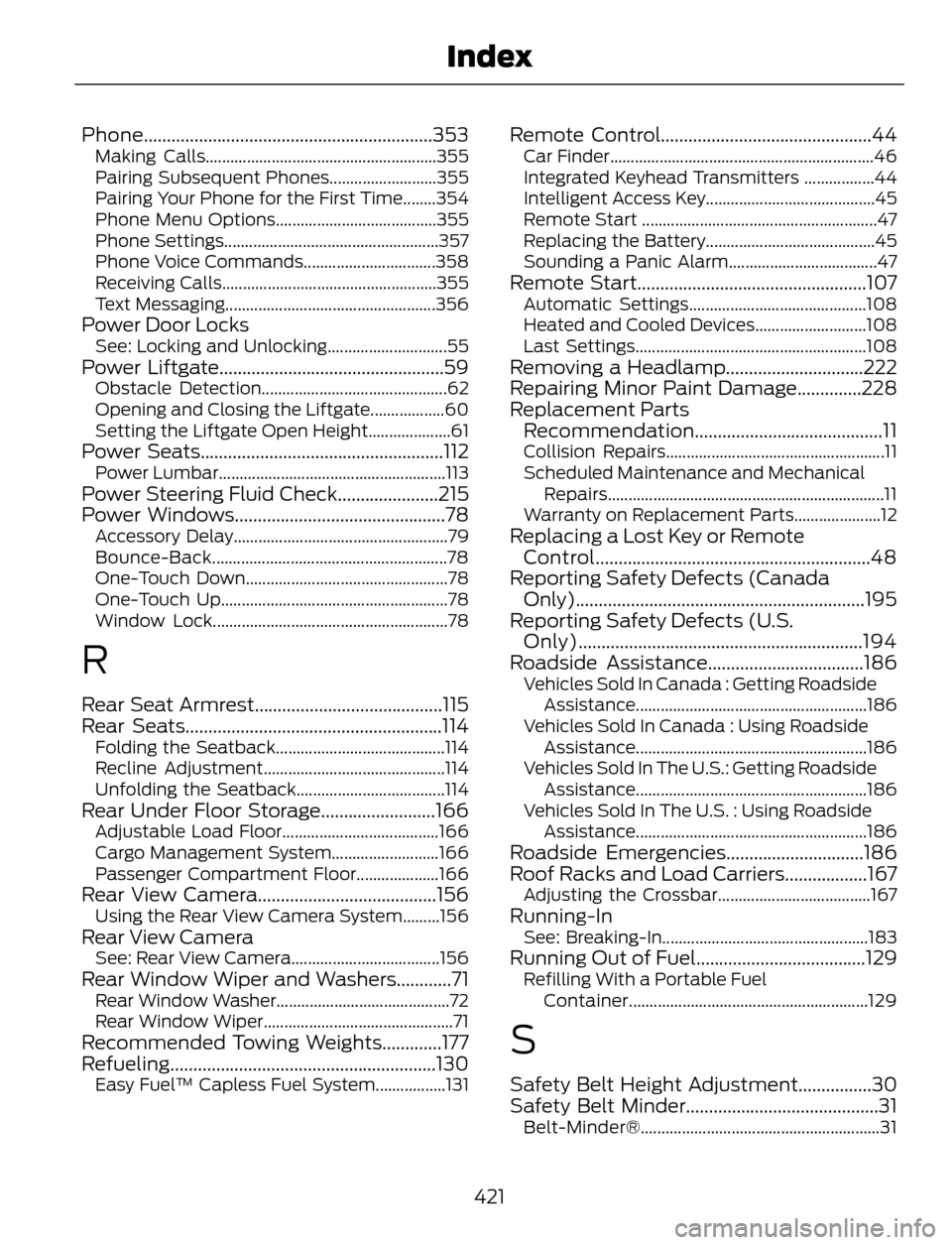
Phone...............................................................353Making Calls........................................................355
Pairing Subsequent Phones..........................355
Pairing Your Phone for the First Time........354
Phone Menu Options.......................................355
Phone Settings....................................................357
Phone Voice Commands................................358
Receiving Calls....................................................355
Text Messaging...................................................356
Power Door LocksSee: Locking and Unlocking.............................55Power Liftgate.................................................59Obstacle Detection.............................................62
Opening and Closing the Liftgate..................60
Setting the Liftgate Open Height....................61
Power Seats.....................................................112Power Lumbar.......................................................113Power Steering Fluid Check......................215
Power Windows..............................................78
Accessory Delay....................................................79
Bounce-Back.........................................................78
One-Touch Down.................................................78
One-Touch Up.......................................................78
Window Lock.........................................................78
R
Rear Seat Armrest.........................................115
Rear Seats........................................................114
Folding the Seatback.........................................114
Recline Adjustment............................................114
Unfolding the Seatback....................................114
Rear Under Floor Storage.........................166Adjustable Load Floor......................................166
Cargo Management System..........................166
Passenger Compartment Floor....................166
Rear View Camera.......................................156Using the Rear View Camera System.........156Rear View CameraSee: Rear View Camera....................................156Rear Window Wiper and Washers............71Rear Window Washer..........................................72
Rear Window Wiper..............................................71
Recommended Towing Weights.............177
Refueling..........................................................130
Easy Fuel™ Capless Fuel System.................131
Remote Control..............................................44Car Finder................................................................46
Integrated Keyhead Transmitters .................44
Intelligent Access Key.........................................45
Remote Start .........................................................47
Replacing the Battery.........................................45
Sounding a Panic Alarm....................................47
Remote Start..................................................107Automatic Settings...........................................108
Heated and Cooled Devices...........................108
Last Settings........................................................108
Removing a Headlamp..............................222
Repairing Minor Paint Damage..............228
Replacement Parts
Recommendation.........................................11
Collision Repairs.....................................................11
Scheduled Maintenance and Mechanical
Repairs...................................................................11
Warranty on Replacement Parts.....................12
Replacing a Lost Key or Remote
Control............................................................48
Reporting Safety Defects (Canada
Only)...............................................................195
Reporting Safety Defects (U.S.
Only)..............................................................194
Roadside Assistance..................................186
Vehicles Sold In Canada : Getting Roadside
Assistance........................................................186
Vehicles Sold In Canada : Using Roadside
Assistance........................................................186
Vehicles Sold In The U.S.: Getting Roadside
Assistance........................................................186
Vehicles Sold In The U.S. : Using Roadside
Assistance........................................................186
Roadside Emergencies..............................186
Roof Racks and Load Carriers..................167
Adjusting the Crossbar.....................................167Running-InSee: Breaking-In..................................................183Running Out of Fuel.....................................129Refilling With a Portable Fuel
Container..........................................................129
S
Safety Belt Height Adjustment................30
Safety Belt Minder..........................................31
Belt-Minder®..........................................................31
421
Index