2014 FORD EDGE park assist
[x] Cancel search: park assistPage 5 of 540
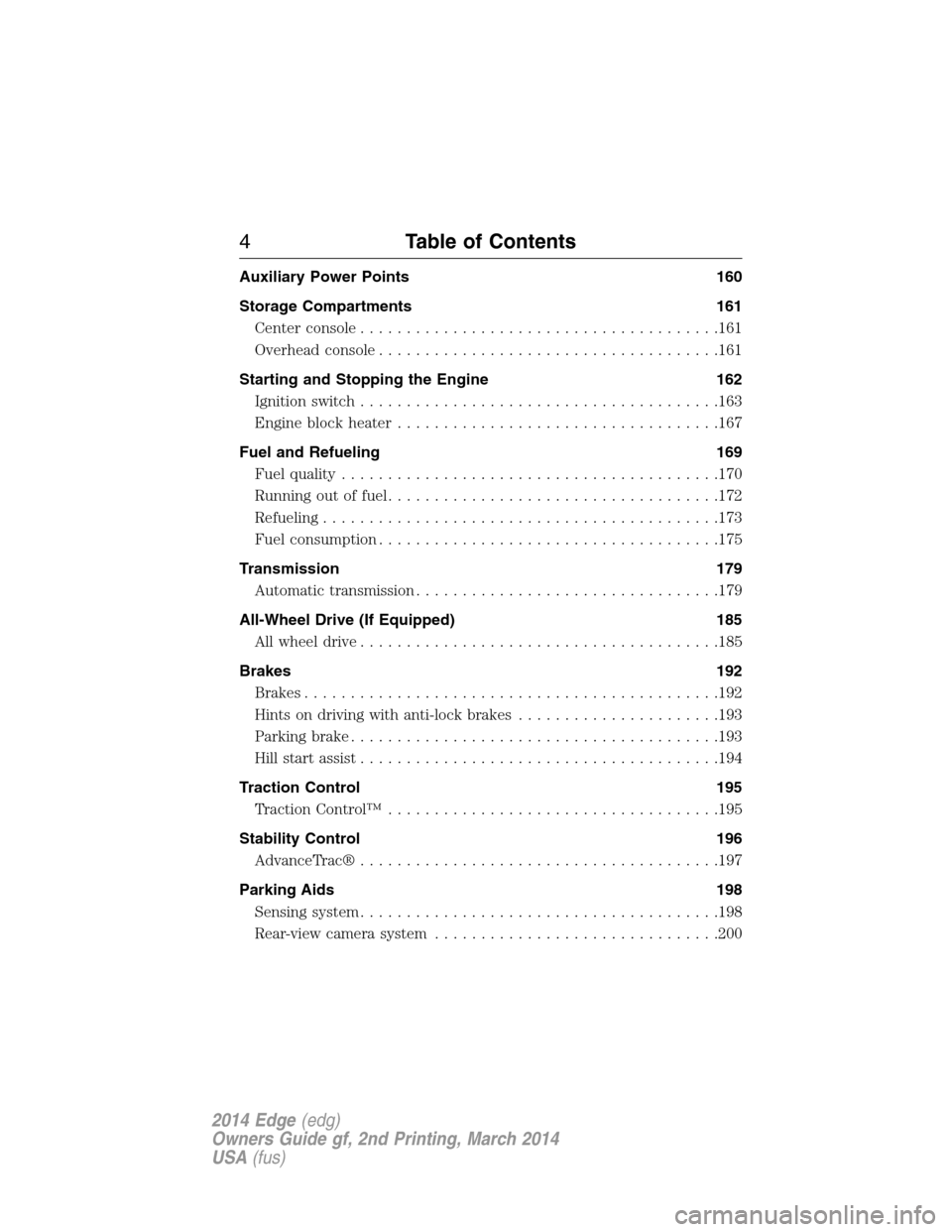
Auxiliary Power Points 160
Storage Compartments 161
Center console.......................................161
Overhead console.....................................161
Starting and Stopping the Engine 162
Ignition switch.......................................163
Engine block heater...................................167
Fuel and Refueling 169
Fuel quality.........................................170
Running out of fuel....................................172
Refueling...........................................173
Fuel consumption.....................................175
Transmission 179
Automatic transmission.................................179
All-Wheel Drive (If Equipped) 185
All wheel drive.......................................185
Brakes 192
Brakes.............................................192
Hints on driving with anti-lock brakes......................193
Parking brake........................................193
Hill start assist.......................................194
Traction Control 195
TractionControl™ ....................................195
Stability Control 196
AdvanceTrac®.......................................197
Parking Aids 198
Sensing system.......................................198
Rear-view camera system...............................200
4Table of Contents
2014 Edge(edg)
Owners Guide gf, 2nd Printing, March 2014
USA(fus)
Page 67 of 540

PRINCIPLES OF OPERATION
MyKey allows you to program keys with restricted driving modes to
promote good driving habits. All but one of the keys programmed to the
vehicle can be activated with these restricted modes.
Any keys that have not been programmed are referred to as
administrator keys or admin keys. These can be used to:
•Create a MyKey.
•Program configurable MyKey settings.
•Clear all MyKey features.
When you have programmed a MyKey, you can access the following
information using the information display:
•How many admin keys and MyKeys are programmed to your vehicle.
•The total distance your vehicle has traveled using a MyKey.
Note:All MyKeys are programmed to the same settings. You cannot
program them individually.
Note:For vehicles with intelligent access (push-button start), when both
a MyKey and an admin transmitter are present, the admin transmitter
will be recognized to start the vehicle.
Non-configurable Settings
The following settings cannot be changed by an admin key user :
•Belt-minder. You cannot disable this feature. The audio system will
mute when the front seat occupants’ safety belts are not fastened.
•Early low fuel warning. The low fuel warning is activated earlier,
giving the MyKey user more time to refuel.
•Driver assist features, if equipped on your vehicle, are forced on:
parking aid, blind spot information system (BLIS) with cross traffic
alert, lane departure warning and forward collision warning system.
Configurable Settings
With an admin key, you can configure certain MyKey settings when you
first create a MyKey and before you recycle the key or restart the
vehicle. You can also change the settings afterward with an admin key.
•A vehicle speed limit can be set. Warnings will be shown in the display
followed by an audible tone when your vehicle reaches the set speed.
You cannot override the set speed by fully depressing the accelerator
pedal or by setting cruise control.
66MyKey
2014 Edge(edg)
Owners Guide gf, 2nd Printing, March 2014
USA(fus)
Page 108 of 540
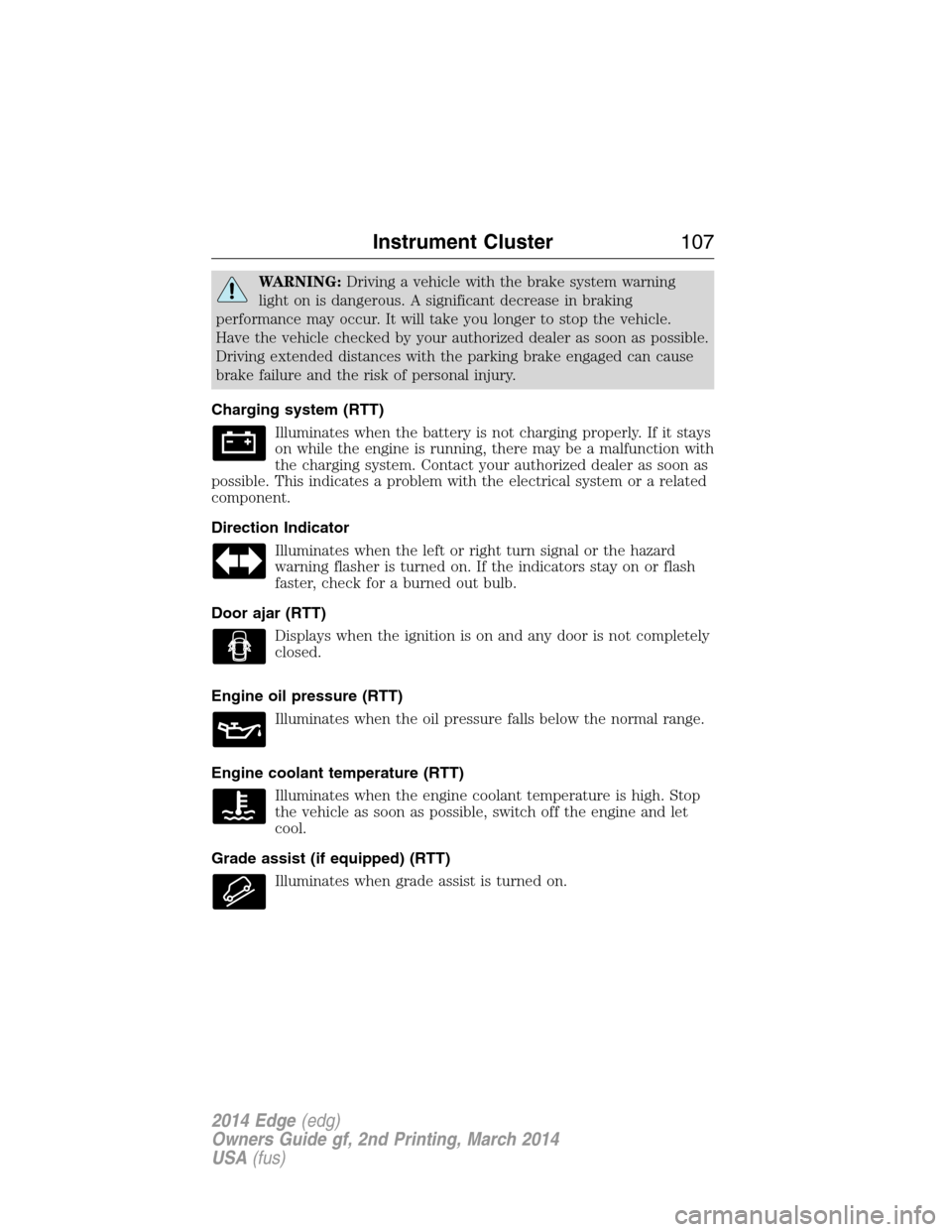
WARNING:Driving a vehicle with the brake system warning
light on is dangerous. A significant decrease in braking
performance may occur. It will take you longer to stop the vehicle.
Have the vehicle checked by your authorized dealer as soon as possible.
Driving extended distances with the parking brake engaged can cause
brake failure and the risk of personal injury.
Charging system (RTT)
Illuminates when the battery is not charging properly. If it stays
on while the engine is running, there may be a malfunction with
the charging system. Contact your authorized dealer as soon as
possible. This indicates a problem with the electrical system or a related
component.
Direction Indicator
Illuminates when the left or right turn signal or the hazard
warning flasher is turned on. If the indicators stay on or flash
faster, check for a burned out bulb.
Door ajar (RTT)
Displays when the ignition is on and any door is not completely
closed.
Engine oil pressure (RTT)
Illuminates when the oil pressure falls below the normal range.
Engine coolant temperature (RTT)
Illuminates when the engine coolant temperature is high. Stop
the vehicle as soon as possible, switch off the engine and let
cool.
Grade assist (if equipped) (RTT)
Illuminates when grade assist is turned on.
Instrument Cluster107
2014 Edge(edg)
Owners Guide gf, 2nd Printing, March 2014
USA(fus)
Page 114 of 540

Settings
Driver Assist Traction Ctrl — check enabled (default) / uncheck
disabled
Blind Spot — check enabled (default) / uncheck
disable
Collision Warning Sensitivity (if
MyKey is
programmed)High, Normal or
Low
Cross Traffic — check enabled (default) / uncheck
disable
Cruise Control Adaptive or Normal
Rear Park Aid — check enabled (default) / uncheck
disable
Trailer Sway
Display Language English, Español or Français
Units Distance Miles & Gal.
km/L
L/100km
Temperature Fahrenheit (°F)
or Celsius (°C)
Information Displays11 3
2014 Edge(edg)
Owners Guide gf, 2nd Printing, March 2014
USA(fus)
Page 120 of 540

•Inst. Fuel Economy: This display shows a visual graph of your
instantaneous fuel economy.
•XX. Min Fuel History: This display shows a bar chart of your fuel
history.
Driver Assist
In this mode, you can configure different driver assist setting choices.
Note:Some items are optional and may not appear.
Driver Assist
Traction Control — check enabled (default) / uncheck disabled
Blindspot — check enabled (default) / uncheck disabled
Collision Warning Sensitivity High / Normal / Low
Cross Traffic — check enabled (default) / uncheck disabled
Cruise Control Adaptive or Normal
Rear Park Aid — check enabled (default) / uncheck disabled
Trailer Sway — check enabled (default) / uncheck disabled
Information Displays11 9
2014 Edge(edg)
Owners Guide gf, 2nd Printing, March 2014
USA(fus)
Page 167 of 540

Once the engine has started, it remains running until you press the
button, even if the system does not detect a valid key. If you open and
close a door while the engine is running, the system searches for a valid
key. You cannot start the engine if the system does not detect a valid key
within 20 seconds.
Failure to Start
If you cannot start the engine after three attempts, wait 10 seconds and
follow this procedure:
1. Fully press the brake pedal.
2. Fully press the accelerator pedal and hold it there.
3. Start the engine.
Stopping the Engine When Your Vehicle Is Stationary
1. Move the transmission selector lever to positionP.
2. If your vehicle has an ignition key, turn the key to the off position.
If your vehicle has a keyless start system, press the button once.
3. Apply the parking brake.
Note:This switches off the ignition, all electrical circuits, warning lamps
and indicators.
Note:If the engine is idling for 30 minutes, the ignition and engine
automatically shut down.
Stopping the Engine When Your Vehicle Is Moving
WARNING:Switching off the engine when the vehicle is still
moving will result in a loss of brake and steering assistance.
The steering will not lock, but higher effort will be required. When the
ignition is switched off, some electrical circuits, warning lamps and
indicators may also be off.
1.If your vehicle has an ignition key,move the transmission
selector lever to positionNand use the brakes to bring your vehicle
to a safe stop. When your vehicle has stopped, move the transmission
selector lever to positionPand turn the key to the off position.
166Starting and Stopping the Engine
2014 Edge(edg)
Owners Guide gf, 2nd Printing, March 2014
USA(fus)
Page 180 of 540

AUTOMATIC TRANSMISSION
WARNING:Always set the parking brake fully and make sure
the gearshift is latched in P (Park). Turn the ignition to the off
position and remove the key whenever you leave your vehicle.
Your vehicle has been designed to improve fuel economy by reducing
fuel usage while coasting or decelerating. When you take your foot off
the accelerator pedal and the vehicle begins to slow down, the torque
converter clutch locks up and aggressively shuts off fuel flow to the
engine while decelerating. This fuel economy benefit may be perceived
as a light to medium braking sensation when removing your foot from
the accelerator pedal.
P (Park)
This position locks the transmission and prevents
the front wheels from turning.
To put your vehicle in gear:
•Press the brake pedal
•Move the gearshift lever into the desired gear
To put your vehicle in P (Park):
•Come to a complete stop
•Move the gearshift lever and securely latch it in P (Park)
R (Reverse)
With the gearshift lever in R (Reverse), the vehicle will move backward.
Always come to a complete stop before shifting into and out of
R (Reverse).
N (Neutral)
With the gearshift lever in N (Neutral), the vehicle can be started and
is free to roll. Hold the brake pedal down while in this position.
D (Drive) with Overdrive
The normal driving position for the best fuel economy. Transmission
operates in gears one through six.
The automatic transmission shift strategy has the ability to detect hilly
terrain or mountainous areas and will provide a limited amount of grade
assist features automatically.
PRNDL
Transmission179
2014 Edge(edg)
Owners Guide gf, 2nd Printing, March 2014
USA(fus)
Page 193 of 540

GENERAL INFORMATION
Note:Occasional brake noise is normal. If a metal-to-metal, continuous
grinding or continuous squeal sound is present, the brake linings may be
worn out. Have them inspected by an authorized dealer. If your vehicle
has continuous vibration or shudder in the steering wheel while braking,
have your vehicle inspected by an authorized dealer.
Note:Brake dust may accumulate on the wheels, even under normal
driving conditions. Some dust is inevitable as the brakes wear and does
not contribute to brake noise. See theVehicle Carechapter for wheel
cleaning instructions.
See theInstrument Clusterchapter for information on the
brake system warning light.
Wet brakes result in reduced braking efficiency. Gently press the brake
pedal a few times when driving from a car wash or standing water to dry
the brakes.
Brake Over Accelerator
In the event the accelerator pedal becomes stuck or entrapped, apply
steady and firm pressure to the brake pedal to slow your vehicle and
reduce engine power. If you experience this condition, apply the brakes
and bring your vehicle to a safe stop. Turn the engine off, shift to park
(P) and apply the parking brake. Inspect the accelerator pedal and the
area around it for any items or debris that may be obstructing its
movement. If none are found and the condition persists, have your
vehicle towed to the nearest authorized dealer.
Brake Assist
Brake assist detects when you brake heavily by measuring the rate at
which you press the brake pedal. It provides maximum braking efficiency
as long as you press the pedal. Brake assist can reduce stopping
distances in critical situations.
Anti-Lock Brake System
This system helps you maintain steering control during emergency stops
by keeping the brakes from locking.
This lamp momentarily illuminates when you turn the ignition
on. If the light does not illuminate during start-up, remains on
or flashes, the anti-lock brake system may be disabled and may
need to be serviced.
192Brakes
2014 Edge(edg)
Owners Guide gf, 2nd Printing, March 2014
USA(fus)