Page 258 of 664

Sunroof Maintenance
Use only a non-abrasive cleaner and a soft cloth to clean
the glass panel.
Ignition OFF Operation
The power sunroof switch will remain active for up to
approximately ten minutes after the ignition switch is
turned to the LOCK position. Opening either front door
will cancel this feature.
NOTE:Ignition Off time is programmable through the
Uconnect® System. Refer to “Uconnect® Settings/
Customer Programmable Features” in “Understanding
Your Instrument Panel” for further information.
ELECTRICAL POWER OUTLETS
Your vehicle is equipped with 12 Volt (13 Amp) power
outlets that can be used to power cellular phones, small
electronics and other low powered electrical accessories.
The power outlets are labeled with either a “key” or a
“battery” symbol to indicate how the outlet is powered.
Power outlets labeled with a “key” are powered when
the ignition switch is in the ON or ACC position, while
the outlets labeled with a “battery” are connected directly
to the battery and powered at all times.
NOTE:
• All accessories connected to the “battery” powered
outlets should be removed or turned off when the
vehicle is not in use to protect the battery against
discharge.
256 UNDERSTANDING THE FEATURES OF YOUR VEHICLE
Page 290 of 664

▫Customer Programmable Features —
Uconnect® 8.4 Settings ..................339
� Uconnect® RADIOS — IF EQUIPPED ........358
� iPod®/USB/MP3 CONTROL — IF EQUIPPED . .358
� Uconnect® REAR SEAT ENTERTAINMENT
SYSTEM — IF EQUIPPED .................359
▫ Getting Started ...................... .359
▫ Dual Video Screen .....................362
▫ Blu-ray™ Disc Player ...................362
▫ Play Video Games .....................363
▫ Play A DVD/Blu-ray™ Disc Using The
Touchscreen Radio .....................364
▫ Important Notes For Dual Video Screen
System ............................ .367▫
Blu-ray™ Disc Player Remote Control — If
Equipped .......................... .367
▫ Replacing The Remote Control Batteries ......369
▫ Headphones Operation .................370
▫ Controls ........................... .371
▫ Replacing The Headphone Batteries .........372
▫ Unwired® Stereo Headphone Lifetime Limited
Warranty .......................... .372
� STEERING WHEEL AUDIO CONTROLS — IF
EQUIPPED .......................... .379
▫ Radio Operation ..................... .380
▫ CD Player .......................... .381
� CD/DVD/Blu-ray™ Disc MAINTENANCE . . . .381
� RADIO OPERATION AND MOBILE PHONES . .382
288 UNDERSTANDING YOUR INSTRUMENT PANEL
Page 300 of 664

reduces fuel efficiency and tire tread life, and may affect
the vehicle’s handling and stopping ability.
Please note that the TPMS is not a substitute for proper
tire maintenance, and it is the driver ’s responsibility to
maintain correct tire pressure, even if under-inflation has
not reached the level to trigger illumination of the TPMS
low tire pressure telltale.
Your vehicle has also been equipped with a TPMS
malfunction indicator to indicate when the system is not
operating properly. The TPMS malfunction indicator is
combined with the low tire pressure telltale. When the
system detects a malfunction, the telltale will flash for
approximately one minute and then remain continuously
illuminated. This sequence will continue upon subse-
quent vehicle start-ups as long as the malfunction exists.
When the malfunction indicator is illuminated, the sys-
tem may not be able to detect or signal low tire pressure
as intended. TPMS malfunctions may occur for a variety
of reasons, including the installation of replacement oralternate tires or wheels on the vehicle that prevent the
TPMS from functioning properly. Always check the
TPMS malfunction telltale after replacing one or more
tires or wheels on your vehicle, to ensure that the
replacement or alternate tires and wheels allow the TPMS
to continue to function properly.
CAUTION!
The TPMS has been optimized for the original
equipment tires and wheels. TPMS pressures and
warning have been established for the tire size
equipped on your vehicle. Undesirable system opera-
tion or sensor damage may result when using re-
placement equipment that is not of the same size,
type, and/or style. Aftermarket wheels can cause
sensor damage. Do not use tire sealant from a can or
balance beads if your vehicle is equipped with a
TPMS, as damage to the sensors may result.
298 UNDERSTANDING YOUR INSTRUMENT PANEL
Page 307 of 664

Battery Saver Mode/Battery Saver On Message —
If Equipped
When the�Battery Saver Mode� or “Battery Saver On�
message is displayed, the vehicle will turn off certain
electrical functions to reduce battery energy consump-
tion. This will occur during periods when the battery is
not being adequately charged. During this time, the
following features (if equipped) may be turned off or will
operate at a reduced power level: heated seats and heated
steering wheel, heated or cooled cup-holder, rear de-
froster and heated mirrors, heating and air conditioning,
power inverter, audio and telematics system.
This condition is temporary and recoverable, this is for
driver information only.
Engine Oil Change Indicator System
Oil Change Required
Your vehicle is equipped with an engine oil change
indicator system. The “Oil Change Required” message
will display in the EVIC for five seconds after a single
chime has sounded, to indicate the next scheduled oil
change interval. The engine oil change indicator system
is duty cycle based, which means the engine oil change
interval may fluctuate, dependent upon your personal
driving style.
Unless reset, this message will continue to display each
time you turn the ignition switch to the ON/RUN
position or cycle the ignition to the ON/RUN position if
equipped with Keyless Enter-N-Go™. To turn off the
message temporarily, press and release the OK button. To
reset the oil change indicator system (after performing
the scheduled maintenance) refer to the following proce-
dure.
4
UNDERSTANDING YOUR INSTRUMENT PANEL 305
Page 383 of 664

CD Player
Pressing the top of the switch once will go to the next
track on the CD. Pressing the bottom of the switch once
will go to the beginning of the current track, or to the
beginning of the previous track if it is within one second
after the current track begins to play.
If you press the switch up or down twice, it plays the
second track; three times, it will play the third, etc.
CD/DVD/Blu-ray™ Disc MAINTENANCE
To keep a CD/DVD/Blu-ray™ Disc in good condition,
take the following precautions:
1. Handle the disc by its edge; avoid touching thesurface.
2. If the disc is stained, clean the surface with a soft cloth, wiping from center to edge. 3. Do not apply paper or tape to the disc; avoid scratch-
ing the disc.
4. Do not use solvents such as benzene, thinner, cleaners, or anti-static sprays.
5. Store the disc in its case after playing.
6. Do not expose the disc to direct sunlight.
7. Do not store the disc where temperatures may become too high.
NOTE: If you experience difficulty in playing a particular
disc, it may be damaged (i.e., scratched, reflective coating
removed, a hair, moisture or dew on the disc) oversized,
or have protection encoding. Try a known good disc
before considering disc player service.
4
UNDERSTANDING YOUR INSTRUMENT PANEL 381
Page 399 of 664

A solution of 50% OAT (Organic Additive Technology)
coolant that meets the requirements of Chrysler Material
Standard MS-12106 and 50% water is recommended.
Refer to “Maintenance Procedures” in “Maintaining Your
Vehicle” for proper coolant selection.
Winter Operation
Use of the air Recirculation mode during winter months
is not recommended because it may cause window
fogging.
Vacation Storage
Any time you store your vehicle or keep it out of service
(i.e., vacation) for two weeks or more, run the air
conditioning system at idle for about five minutes in the
fresh air and high blower setting. This will ensure
adequate system lubrication to minimize the possibility
of compressor damage when the system is started again.
Window Fogging
Interior fogging on the windshield can be quickly re-
moved by turning the mode selector to Defrost. The
Defrost/Floor mode can be used to maintain a clear
windshield and provide sufficient heating. If side win-
dow fogging becomes a problem increase blower speed.
Vehicle windows tend to fog on the inside in mild but
rainy or humid weather.
NOTE:Recirculate without A/C should not be used for
long periods, as fogging may occur.
4
UNDERSTANDING YOUR INSTRUMENT PANEL 397
Page 400 of 664
Outside Air Intake
Make sure the air intake, located directly in front of the
windshield, is free of obstructions such as leaves. Leaves
collected in the air intake may reduce airflow, and if they
enter the plenum, they could plug the water drains. In
Winter months, make sure the air intake is clear of ice,
slush, and snow.
A/C Air Filter
The climate control system filters outside air containing
dust, pollen and some odors. Strong odors cannot be
totally filtered out. Refer to “Maintenance Procedures” in
“Maintaining Your Vehicle” for filter replacement instruc-
tions.
398 UNDERSTANDING YOUR INSTRUMENT PANEL
Page 406 of 664
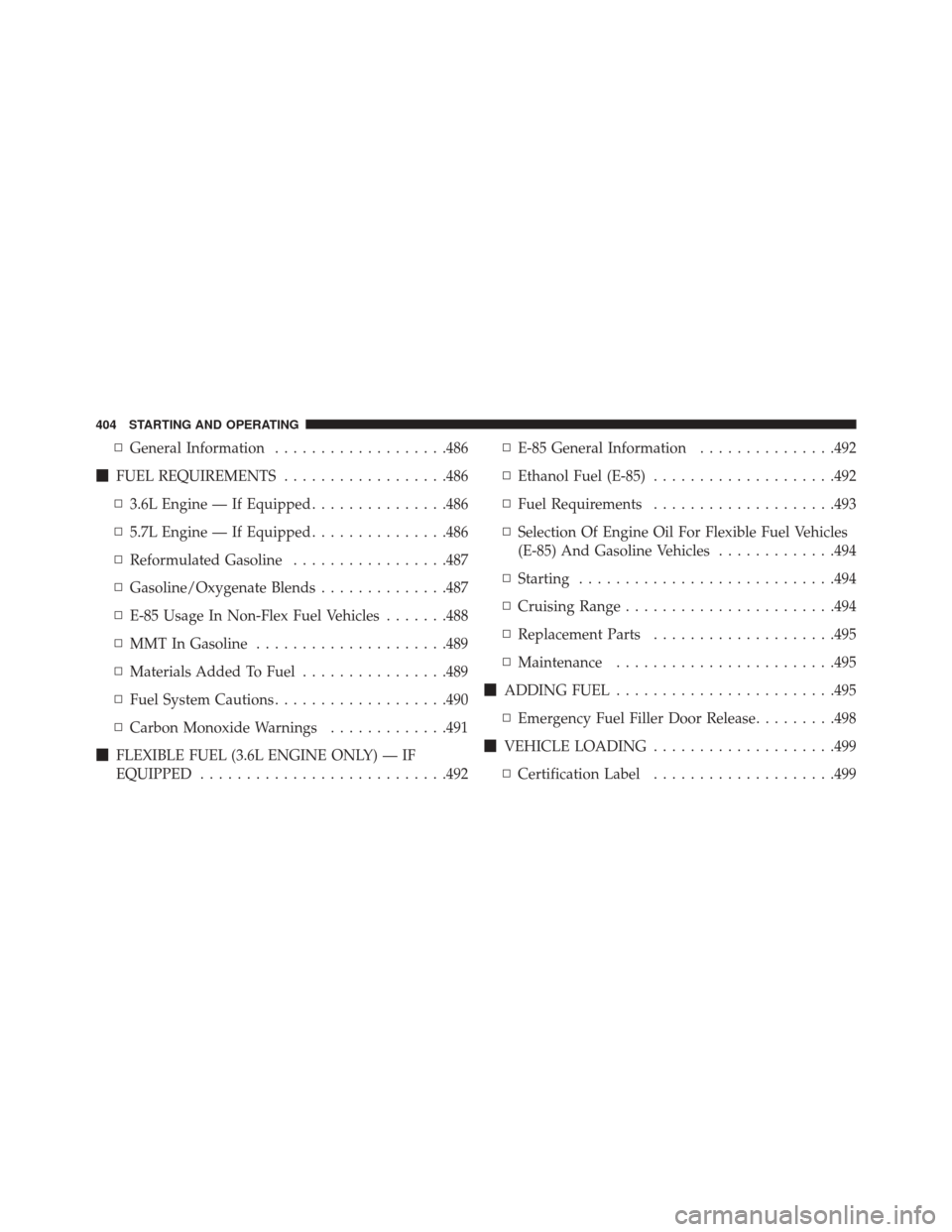
▫General Information ...................486
� FUEL REQUIREMENTS ..................486
▫ 3.6L Engine — If Equipped ...............486
▫ 5.7L Engine — If Equipped ...............486
▫ Reformulated Gasoline .................487
▫ Gasoline/Oxygenate Blends ..............487
▫ E-85 Usage In Non-Flex Fuel Vehicles .......488
▫ MMT In Gasoline .....................489
▫ Materials Added To Fuel ................489
▫ Fuel System Cautions ...................490
▫ Carbon Monoxide Warnings .............491
� FLEXIBLE FUEL (3.6L ENGINE ONLY) — IF
EQUIPPED .......................... .492▫
E-85 General Information ...............492
▫ Ethanol Fuel (E-85) ....................492
▫ Fuel Requirements ....................493
▫ Selection Of Engine Oil For Flexible Fuel Vehicles
(E-85) And Gasoline Vehicles .............494
▫ Starting ........................... .494
▫ Cruising Range ...................... .494
▫ Replacement Parts ....................495
▫ Maintenance ....................... .495
� ADDING FUEL ....................... .495
▫ Emergency Fuel Filler Door Release .........498
� VEHICLE LOADING ....................499
▫ Certification Label ....................499
404 STARTING AND OPERATING
