Page 210 of 529
▫List Or Browse Mode ...................274
▫ Bluetooth® Streaming Audio (BTSA) .......276
� HARMAN KARDON® Logic7® HIGH
PERFORMANCE MULTICHANNEL SURROUND
SOUND SYSTEM WITH DRIVER-SELECTABLE
SURROUND (DSS) — IF EQUIPPED .........277
� STEERING WHEEL AUDIO CONTROLS — IF
EQUIPPED .......................... .278
▫ Radio Operation ..................... .279
▫ CD Player .......................... .280�
CD/DVD DISC MAINTENANCE ...........280
� RADIO OPERATION AND MOBILE PHONES . .281
� CLIMATE CONTROLS ...................281
▫ Automatic Temperature Control (ATC) ......281
▫ Automatic Operation ...................282
▫ Blower Control ...................... .283
▫ Manual Operation .....................283
▫ Operating Tips ...................... .287
4
UNDERSTANDING YOUR INSTRUMENT PANEL 209
Page 211 of 529
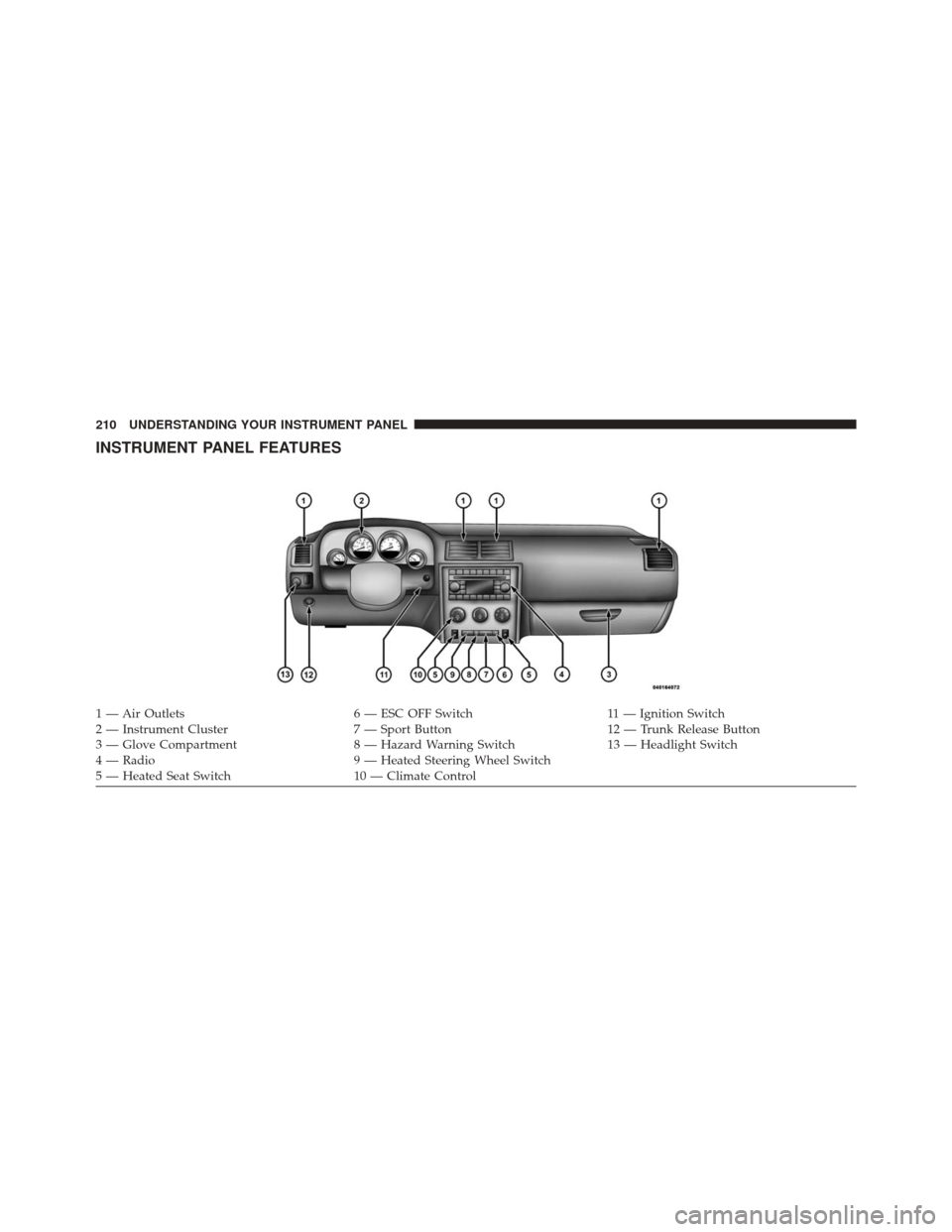
INSTRUMENT PANEL FEATURES
1 — Air Outlets6 — ESC OFF Switch11 — Ignition Switch
2 — Instrument Cluster 7 — Sport Button12 — Trunk Release Button
3 — Glove Compartment 8 — Hazard Warning Switch13 — Headlight Switch
4 — Radio 9 — Heated Steering Wheel Switch
5 — Heated Seat Switch 10 — Climate Control
210 UNDERSTANDING YOUR INSTRUMENT PANEL
Page 217 of 529

NOTE:•The “ESC Off Indicator Light” and the “ESC
Activation/Malfunction Indicator Light” come on
momentarily each time the ignition switch is turned
to ON/RUN.
• Each time the ignition is turned to ON/RUN, the
ESC system will be ON, even if it was turned off
previously.
• The ESC system will make buzzing or clicking
sounds when it is active. This is normal; the sounds
will stop when ESC becomes inactive following the
maneuver that caused the ESC activation.
13. Electronic Stability Control (ESC) OFF Indicator
Light — If Equipped
This light indicates the Electronic Stability Con-
trol (ESC) is off. 14. Oil Pressure Warning Light
This light indicates low engine oil pressure. The
light should turn on momentarily when the engine is
started. If the light turns on while driving, stop the
vehicle and shut off the engine as soon as possible. A
chime will sound when this light turns on.
Do not operate the vehicle until the cause is corrected.
This light does not indicate how much oil is in the engine.
The engine oil level must be checked under the hood.
15. High Beam Indicator
This indicator will turn on when the high beam
headlights are on. Push the multifunction lever
away from the steering wheel to switch the headlights to
high beam.
216 UNDERSTANDING YOUR INSTRUMENT PANEL
Page 225 of 529
This system conveniently allows the driver to select a
variety of useful information by pressing the switches
mounted on the steering wheel. The EVIC consists of the
following:
•System Status
• Vehicle Information Warning Message Displays
• Tire Pressure Monitor System
• Personal Settings (Customer-Programmable Features)
• Compass Display
• Outside Temperature Display
• Trip Computer Functions
• Uconnect® phone Displays (If Equipped) •
Uconnect® gps Screens (If Equipped)
• Audio Mode Display
• Surround Sound Modes (if equipped with Driver-
Selectable Surround [DSS])
• Performance Features
224 UNDERSTANDING YOUR INSTRUMENT PANEL
Page 226 of 529
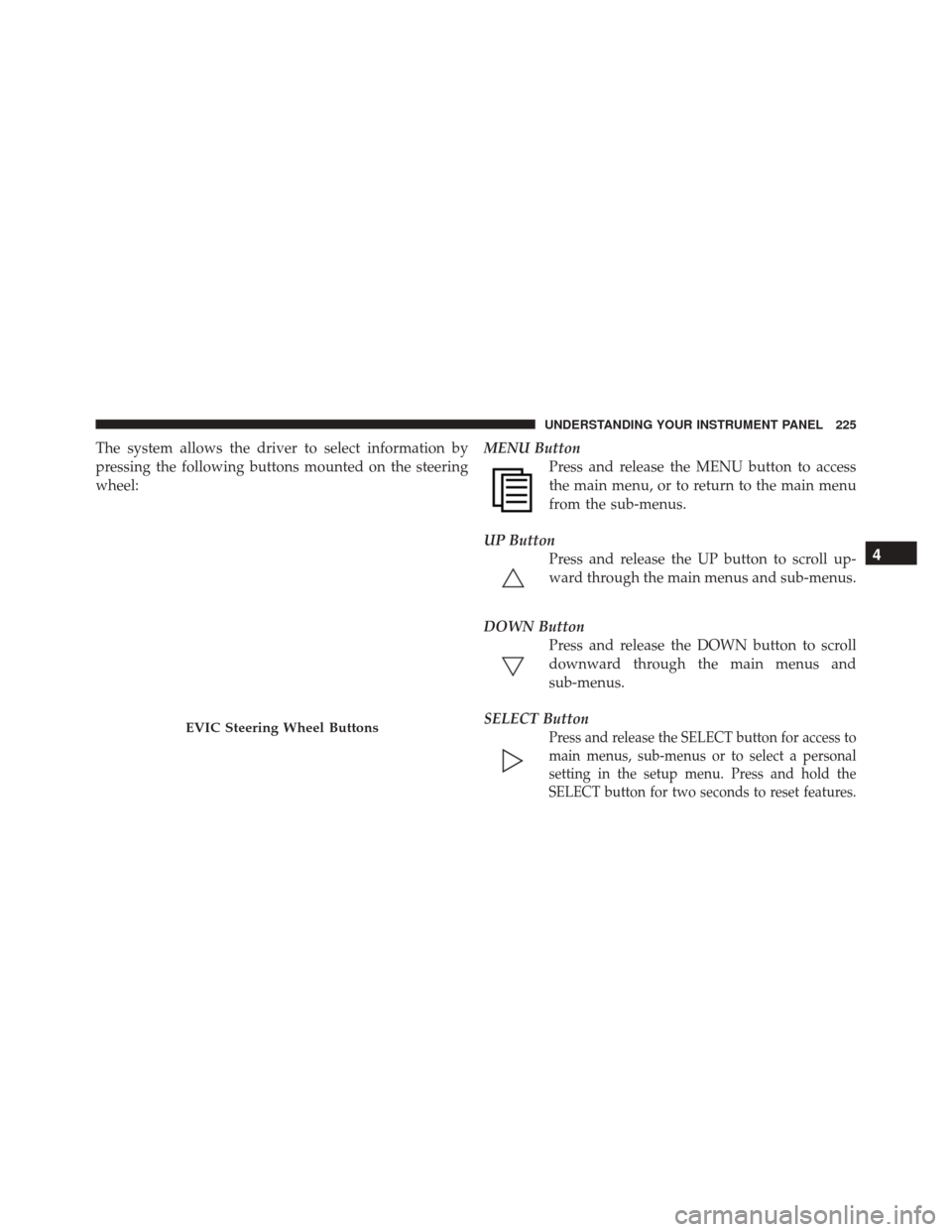
The system allows the driver to select information by
pressing the following buttons mounted on the steering
wheel:MENU Button
Press and release the MENU button to access
the main menu, or to return to the main menu
from the sub-menus.
UP Button Press and release the UP button to scroll up-
ward through the main menus and sub-menus.
DOWN Button Press and release the DOWN button to scroll
downward through the main menus and
sub-menus.
SELECT Button
Press and release the SELECT button for access to
main menus, sub-menus or to select a personal
setting in the setup menu. Press and hold the
SELECT button for two seconds to reset features.EVIC Steering Wheel Buttons
4
UNDERSTANDING YOUR INSTRUMENT PANEL 225
Page 242 of 529

press and release the SELECT button until “Driver Door
1st Press” or “All Doors 1st Press” appears.
Remote Start Comfort Sys. — If Equipped
When this feature is selected and the remote start is
activated, the heated steering wheel and driver heated
seat features will automatically turn on in cold weather.
In warm weather, the driver vented seat feature will
automatically turn on when the remote start is activated.
These features will stay on through the duration of
remote start or until the key is turned to RUN. To make
your selection, press and release the SELECT button until
a check-mark appears next to the feature showing the
system has been activated or the check-mark is removed
showing the system has been deactivated.
Sound Horn with Remote Key Lock
When ON is selected, a short horn sound will occur when
the RKE transmitter LOCK button is pressed. This feature
may be selected with or without the flash lights onlock/unlock feature. To make your selection, press and
release the SELECT button until “ON” or “OFF” appears.
Flash Lights With Remote Key Lock
When ON is selected, the front and rear turn signals will
flash when the doors are locked or unlocked with the
RKE transmitter. This feature may be selected with or
without the sound horn on lock feature selected. To make
your selection, press and release the SELECT button until
“ON” or “OFF” appears.
Headlamps On with Wipers (Available with Auto
Headlights Only)
When ON is selected, and the headlight switch is in the
AUTO (A) position, the headlights will turn on approxi-
mately 10 seconds after the wipers are turned on. The
headlights will also turn off when the wipers are turned
off if they were turned on by this feature. To make your
selection, press and release the SELECT button until
“ON” or “OFF” appears.
4
UNDERSTANDING YOUR INSTRUMENT PANEL 241
Page 279 of 529
The 12 Channel Class D GreenEdge™ high efficiency
amplifier is governed by a high voltage tracking power
supply and drives a 7.4-channel playback architecture.
The Harman Kardon® audio system offers the ability to
choose Logic 7® surround sound for any audio source.
The GreenEdge™ high-efficiency speaker designs ensure
the system has higher SPL and a dramatic increase in
dynamic sound quality. The speakers are tuned for
maximum efficiency and perfectly matched to the ampli-
fier output stage ensuring state of the art multi-seat
surround sound processing.
Logic7® multichannel surround-sound technology deliv-
ers an immersive, accurate sound-stage to every seating
position This surround effect is available for audio from
any source - AM/FM/CD/ Satellite Radio or dashboard
AUX input; and is activated through Uconnect® radio
touchscreen. Refer to “Customer Programmable Fea-
tures” under “Uconnect® SETTINGS” in “Understand-
ing Your Instrument Panel”.Selecting “Surround Sound” through the Uconnect®
radio activates the Harman Kardon® Logic7® multichan-
nel surround-sound technology in your vehicle. Some
audio will sound better in DSS modes, others in Stereo
mode.
When in “Surround Sound” mode, balance is set auto-
matically. Fader control is available in surround mode
but should be set to the center position for optimal
surround performance.
STEERING WHEEL AUDIO CONTROLS — IF
EQUIPPED
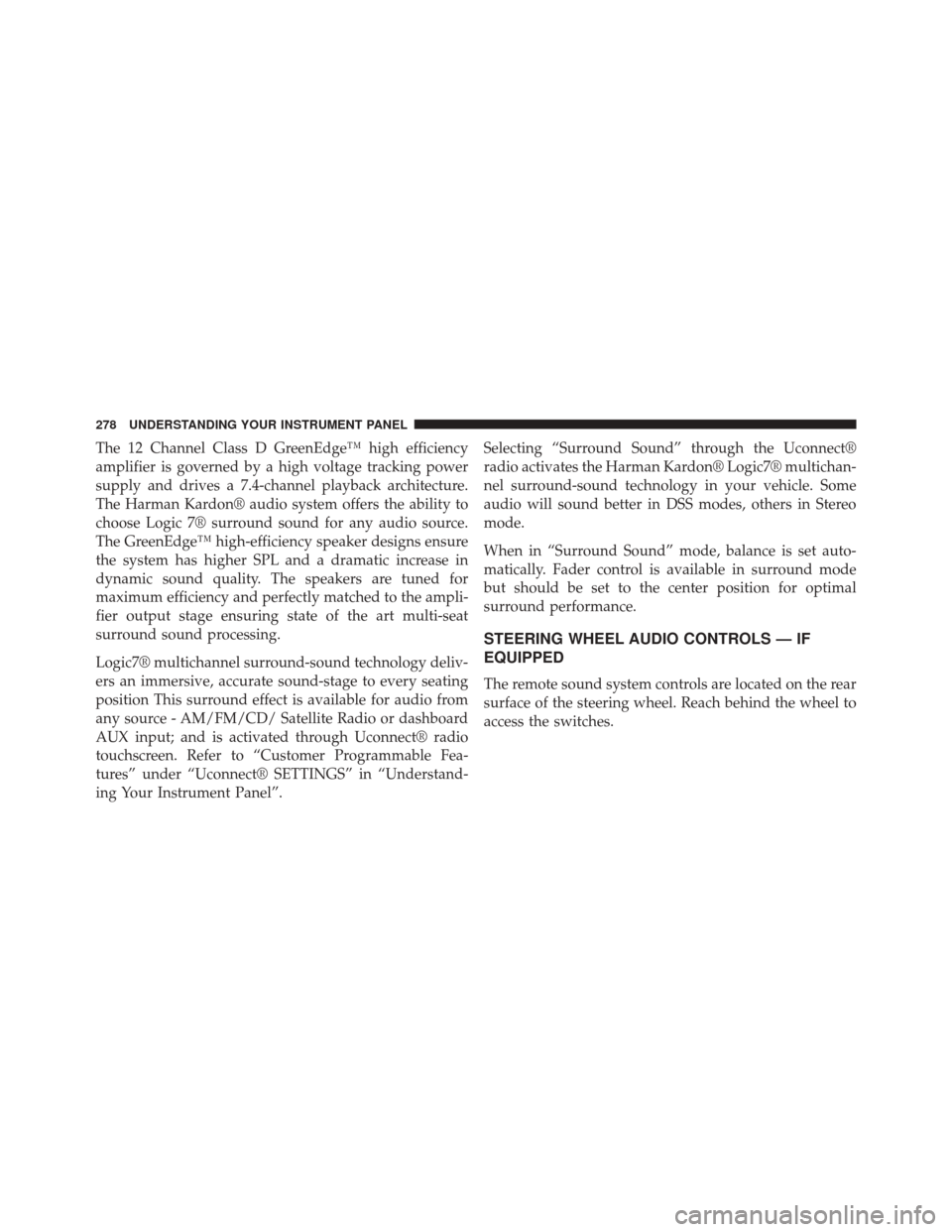
The remote sound system controls are located on the rear
surface of the steering wheel. Reach behind the wheel to
access the switches.
278 UNDERSTANDING YOUR INSTRUMENT PANEL
Page 280 of 529
The right-hand control is a rocker-type switch with a
push-button in the center and controls the volume and
mode of the sound system. Pressing the top of the rocker
switch will increase the volume, and pressing the bottom
of the rocker switch will decrease the volume.Pressing the center button will make the radio switch
between the various modes available (AM/FM/SAT/
CD/HDD/AUX etc.).
The left-hand control is a rocker-type switch with a
push-button in the center. The function of the left-hand
control is different depending on which mode you are in.
The following describes the left-hand control operation in
each mode.
Radio Operation
Pressing the top of the switch will “Seek” up for the next
listenable station and pressing the bottom of the switch
will “Seek” down for the next listenable station.
The button located in the center of the left-hand control
will tune to the next preset station that you have pro-
grammed in the radio preset pushbutton.
Remote Sound System Controls (Back View Of Steering
Wheel)
4
UNDERSTANDING YOUR INSTRUMENT PANEL 279