Page 170 of 252
9.16
05
JUMPY-VU_EN_CHAP09B_RT6-2-7_ED01-2014
NAVIGATION - GUIDANCE
ALERT PARAMETERS
RISK AREAS
Select:
- "Visual alert"
- "Audible alert"
- "Alert only in guidance"
- "Overspeed alarm only".
The choice of time of notifi cation defi nes how long in advance that Risk area warnings are given.
Select " OK " to confi rm the screen.
Select " Guidance options " and confi rm, then select " Set parameters for risk areas " and confi rm.
These functions are only available if risk areas have been downloaded and installed on the system.
The detailed procedure for updating risk area POIs can be found at www.citroen.com.
Press N AV to display the " Navigation - guidance " menu.
Page 173 of 252
9.19
05
JUMPY-VU_EN_CHAP09B_RT6-2-7_ED01-2014
NAVIGATION - GUIDANCE
Press N AV to display the " Navigation - guidance " menu.
MAP MANAGEMENT
SELECTING THE POINTS OF INTEREST DISPLAYED ON THE MAP
Select " Map management " and confi rm.
Select from the various categories the ones that you want to display on the screen.
Select " Map details " and confi rm.
Select " By default " to have only " Oil stations, garages " and " Accident-prone area " appear on the map (if installed in the system).
Select " OK " then confi rm and select " OK " again then confi rm to save the modifi cations.
Page 187 of 252
9.33
07
JUMPY-VU_EN_CHAP09B_RT6-2-7_ED01-2014
USING THE TELEPHONE
CALLING A RECENTLY ENTERED NUMBER
Press TEL , select " Call list " and confi rm,
Select the desired number and confi rm.
To erase the calls log, press PHONE twice, select " Phone functions " and confi rm then select " Delete calls log " and confi rm.
ENDING A CALL
Press PHONE then select " OK " to end the call.
Or make a long press on TEL at the steering mounted controls.
Or make two short presses on TEL at the steering mounted controls.
Or press the MODE button, as many times as necessary, until the telephone screen is displayed.
Press PHONE to display the calls log.
or
Press " OK " to display the contextual menu then select " Hang up " and confi rm.
Page 188 of 252
9.34
07
JUMPY-VU_EN_CHAP09B_RT6-2-7_ED01-2014
USING THE TELEPHONE
RECEIVING A CALL
An incoming call is announced by a ring and a superimposed display on the screen.
"Ye s " to accept the call is selected by default.
Press " OK " to accept the call.
Select " No " and confi rm to reject the call.
A short press on TEL accepts an incoming call.
A long press on TEL rejects an incoming call.
Page 189 of 252
9.35
07
JUMPY-VU_EN_CHAP09B_RT6-2-7_ED01-2014
USING THE TELEPHONE
OPTIONS DURING A CALL *
During a call, press the MODE button several times to select display of the telephone screen, then press " OK " to open the contextual menu.
Select " Private mode " and confi rm to take the call on the handset.
Or select " Hands-free mode " and confi rm to take the call via the vehicle's speakers.
Select " Put call on hold " and confi rm to put the current call on hold.
Or select " Resume the call " and confi rm to resume the call on hold.
Select " DTMF ring tones " to use the numerical keypad, so as to navigate through the menu of an interactive vocal server.
Select " Hang up " to end the call.
* Depending on the compatibility of the phone and your service plan.
It is possible to hold a 3-way conference call by making 2 calls in succession*. Select " Conference mode call " in the contextual menu accessible using this button.
Or make a short press on this button.
Page 202 of 252
9.48
10
JUMPY-VU_EN_CHAP09B_RT6-2-7_ED01-2014
CONFIGURATION
Press SETUP to display the " Confi guration " menu.
Select " Choose colour " and confi rm to Choose colour " and confi rm to Choose colourselect the screen colour harmony and the map presentation mode:
- day mode,
- night mode,
- automatic day/night mode, according to whether the headlamps are on.
Select " Adjust luminosity " and confi rm to adjust the screen brightness.
Press " OK " to save the changes.
The settings for day and night are independent.
Select " Display confi guration " and confi rm.
DISPLAY CONFIGURATION
Page 203 of 252
9.49
10
JUMPY-VU_EN_CHAP09B_RT6-2-7_ED01-2014
CONFIGURATION
SETTING THE DATE AND TIME
Select the setting to adjust.
Confi rm by pressing OK , then adjust the setting and confi rm again to save the modifi cation.
Press SETUP to display the " Confi guration " menu.
Adjust the settings one by one.
Then select " OK " on the screen and confi rm to save the settings.
Select " Synchronize the minutes with GPS " so that setting the minutes is done automatically by satellite reception.
Select " Display confi guration " and confi rm.
Select " Set date and time " and confi rm.
Page 205 of 252
9.51
11
JUMPY-VU_EN_CHAP09B_RT6-2-7_ED01-2014
TRIP COMPUTER
TRIP COMPUTER
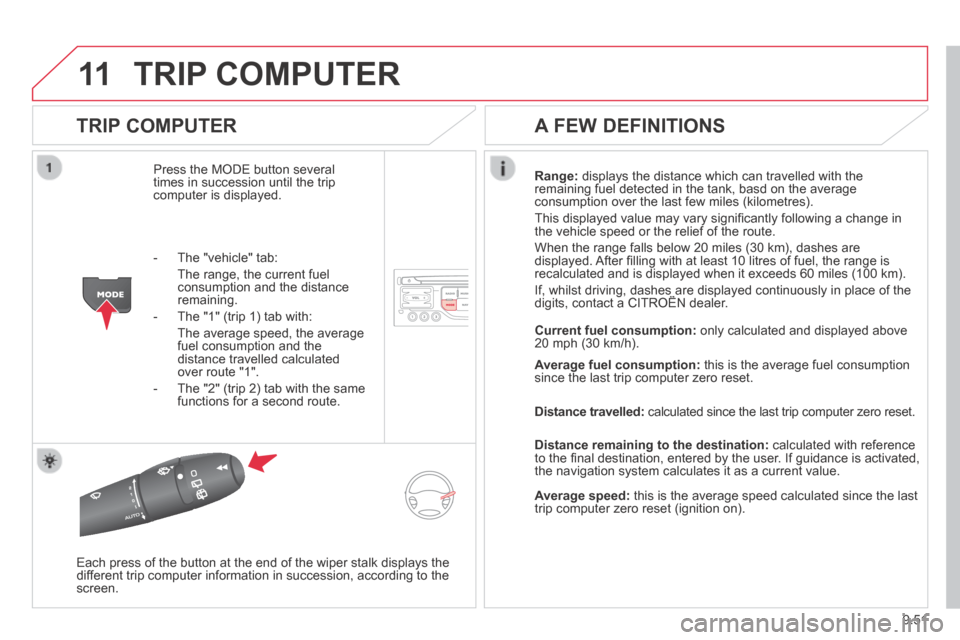
Press the MODE button several times in succession until the trip computer is displayed.
Range: displays the distance which can travelled with the remaining fuel detected in the tank, basd on the average consumption over the last few miles (kilometres).
This displayed value may vary signifi cantly following a change in the vehicle speed or the relief of the route.
When the range falls below 20 miles (30 km), dashes are displayed. After fi lling with at least 10 litres of fuel, the range is recalculated and is displayed when it exceeds 60 miles (100 km).
If, whilst driving, dashes are displayed continuously in place of the digits, contact a CITROËN dealer. If, whilst driving, dashes are displayed continuously in place of the digits, contact a CITROËN dealer. If, whilst driving, dashes are displayed continuously in place of the
Each press of the button at the end of the wiper stalk displays the different trip computer information in succession, according to the screen.
A FEW DEFINITIONS
- The "vehicle" tab:
The range, the current fuel consumption and the distance remaining.
- The "1" (trip 1) tab with:
The average speed, the average fuel consumption and the distance travelled calculated over route "1".
- The "2" (trip 2) tab with the same functions for a second route.
Current fuel consumption: only calculated and displayed above 20 mph (30 km/h).
Average fuel consumption: this is the average fuel consumption since the last trip computer zero reset.
Distance travelled: calculated since the last trip computer zero reset.
Distance remaining to the destination: calculated with reference to the fi nal destination, entered by the user. If guidance is activated, the navigation system calculates it as a current value.
Average speed: this is the average speed calculated since the last trip computer zero reset (ignition on).


