Page 484 of 590
▫Rear Axle .......................... .510
▫ Appearance Care And Protection From
Corrosion ...........................511
� FUSES ............................. .517
▫ Front Power Distribution Center (Fuses) .....517
▫ Rear Power Distribution Center (Fuses) .....522
� VEHICLE STORAGE ....................527
� REPLACEMENT BULBS .................528
� BULB REPLACEMENT ..................529 ▫
Low Beam And High Beam Headlamp ......529
▫ Front Turn Signal Lamps ................531
▫ Rear Backup Lamp And Turn Signal Lamps . . .531
▫ License Lamp ....................... .532
� FLUID CAPACITIES ....................534
� FLUIDS, LUBRICANTS AND GENUINE
PARTS ............................. .535
▫ Engine ............................ .535
▫ Chassis ........................... .536
482 MAINTAINING YOUR VEHICLE
Page 487 of 590
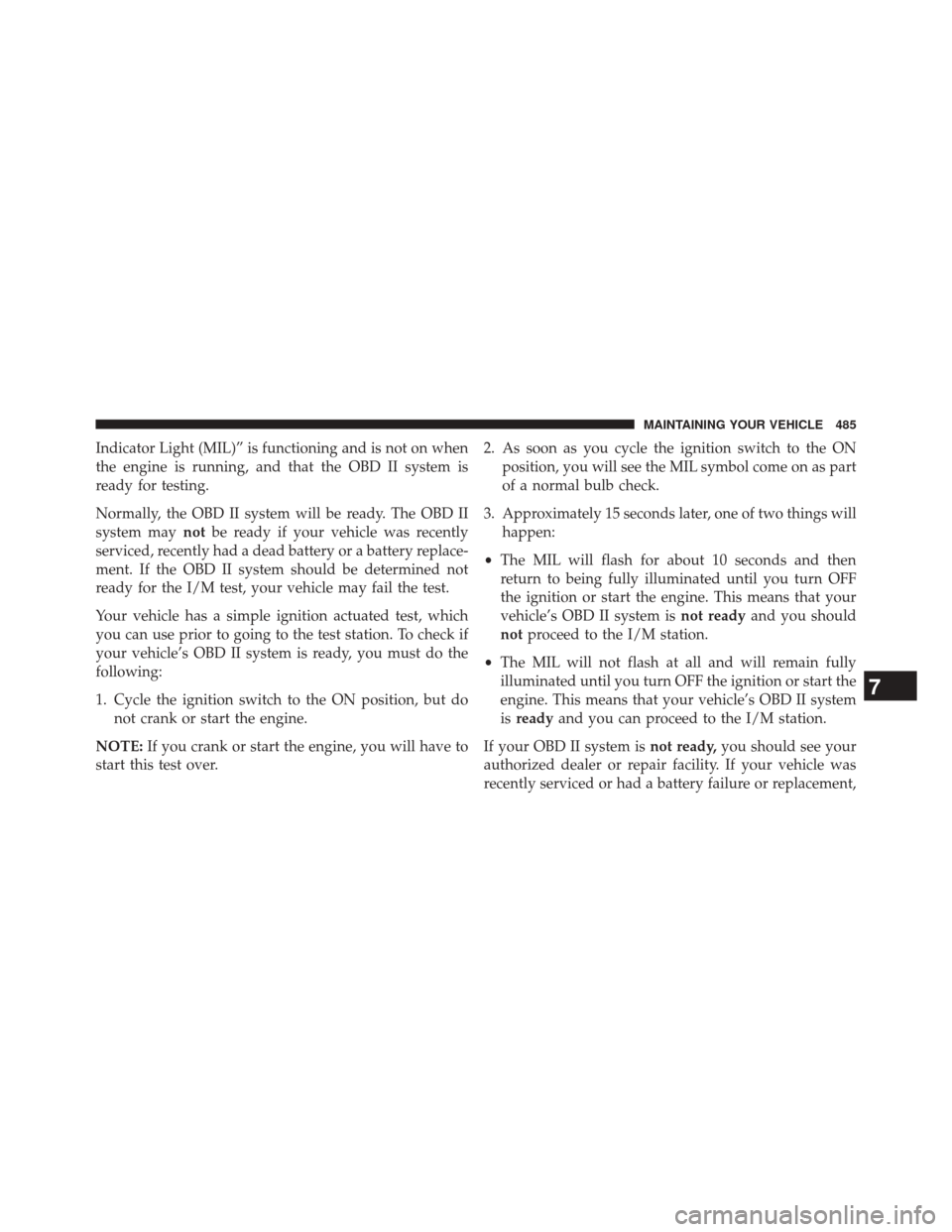
Indicator Light (MIL)” is functioning and is not on when
the engine is running, and that the OBD II system is
ready for testing.
Normally, the OBD II system will be ready. The OBD II
system maynotbe ready if your vehicle was recently
serviced, recently had a dead battery or a battery replace-
ment. If the OBD II system should be determined not
ready for the I/M test, your vehicle may fail the test.
Your vehicle has a simple ignition actuated test, which
you can use prior to going to the test station. To check if
your vehicle’s OBD II system is ready, you must do the
following:
1. Cycle the ignition switch to the ON position, but do not crank or start the engine.
NOTE: If you crank or start the engine, you will have to
start this test over. 2. As soon as you cycle the ignition switch to the ON
position, you will see the MIL symbol come on as part
of a normal bulb check.
3. Approximately 15 seconds later, one of two things will happen:
• The MIL will flash for about 10 seconds and then
return to being fully illuminated until you turn OFF
the ignition or start the engine. This means that your
vehicle’s OBD II system is not readyand you should
not proceed to the I/M station.
• The MIL will not flash at all and will remain fully
illuminated until you turn OFF the ignition or start the
engine. This means that your vehicle’s OBD II system
is ready and you can proceed to the I/M station.
If your OBD II system is not ready,you should see your
authorized dealer or repair facility. If your vehicle was
recently serviced or had a battery failure or replacement,
7
MAINTAINING YOUR VEHICLE 485
Page 530 of 590
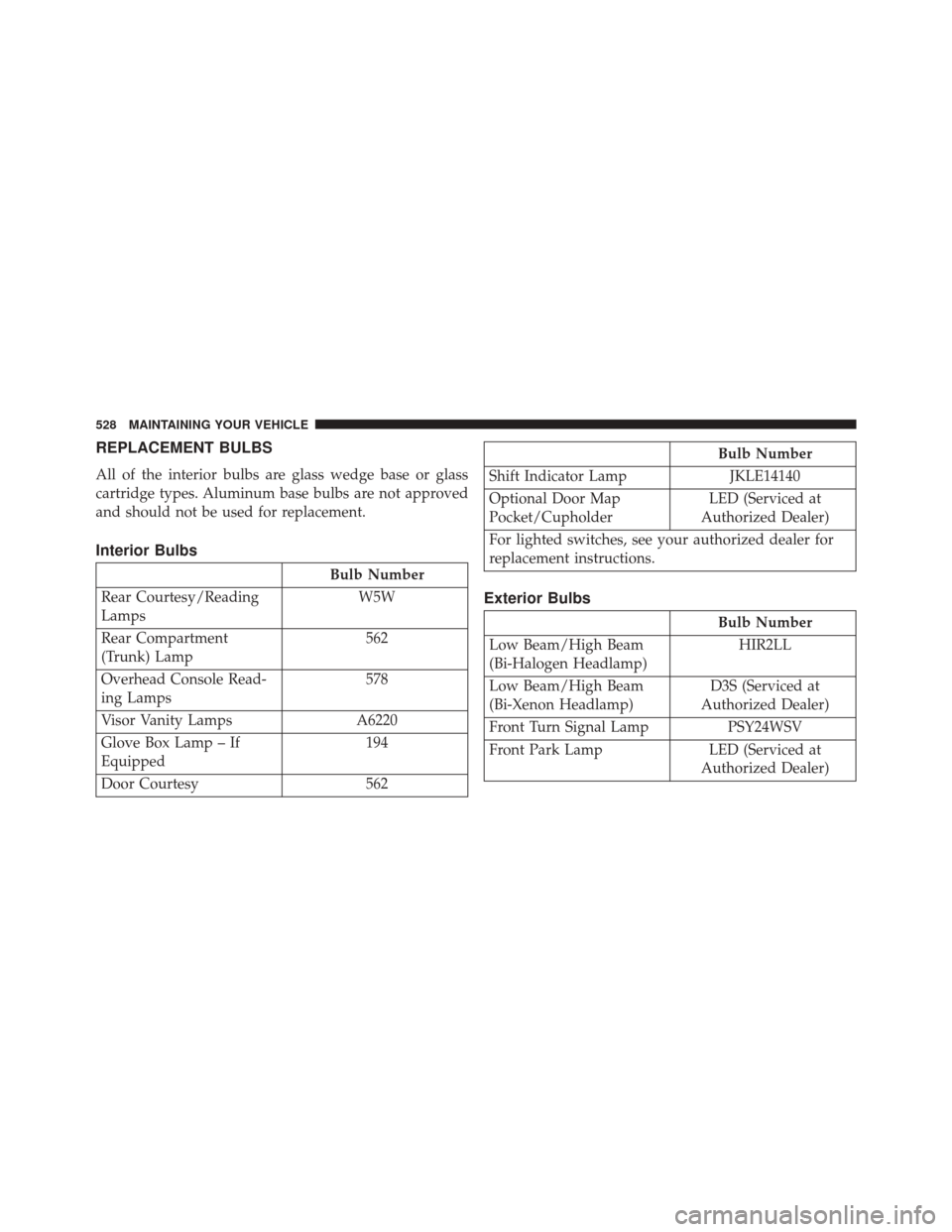
REPLACEMENT BULBS
All of the interior bulbs are glass wedge base or glass
cartridge types. Aluminum base bulbs are not approved
and should not be used for replacement.
Interior Bulbs
Bulb Number
Rear Courtesy/Reading
Lamps W5W
Rear Compartment
(Trunk) Lamp 562
Overhead Console Read-
ing Lamps 578
Visor Vanity Lamps A6220
Glove Box Lamp – If
Equipped 194
Door Courtesy 562
Bulb Number
Shift Indicator Lamp JKLE14140
Optional Door Map
Pocket/Cupholder LED (Serviced at
Authorized Dealer)
For lighted switches, see your authorized dealer for
replacement instructions.
Exterior Bulbs
Bulb Number
Low Beam/High Beam
(Bi-Halogen Headlamp) HIR2LL
Low Beam/High Beam
(Bi-Xenon Headlamp) D3S (Serviced at
Authorized Dealer)
Front Turn Signal Lamp PSY24WSV
Front Park Lamp LED (Serviced at Authorized Dealer)
528 MAINTAINING YOUR VEHICLE
Page 531 of 590

Bulb Number
Daytime Running Lamp LED (Serviced at Authorized Dealer)
Front Fog Lamp – If
Equipped H11
Front Sidemarker Lamp LED (Serviced at Authorized Dealer)
Rear Tail/Stop/Turn
Lamp LED (Serviced at
Authorized Dealer)
Rear Sidemarker Lamp LED (Serviced at Authorized Dealer)
Backup Lamp W21W
Center High Mount Stop
Lamp (CHMSL) LED (Serviced at
Authorized Dealer)
License W5W
Rear Fog Lamp – If
Equipped LED (Serviced at
Authorized Dealer)BULB REPLACEMENT
NOTE: Lens fogging can occur under certain atmo-
spheric conditions. This will usually clear as atmospheric
conditions change to allow the condensation to change
back into a vapor. Turning the lamps on will usually
accelerate the clearing process.
Low Beam And High Beam Headlamp
High Intensity Discharge Headlamps (HID) — If
Equipped
The headlamps are a type of high voltage discharge tube.
High voltage can remain in the circuit even with the
headlamp switch off and the ignition turned to the OFF
position. Because of this, you should not attempt to
service a headlamp bulb yourself. If a headlamp bulb
fails, take your vehicle to an authorized dealer for
service.
7
MAINTAINING YOUR VEHICLE 529
Page 532 of 590
WARNING!
A transient high voltage occurs at the bulb sockets of
HID headlamps when the headlamp switch is turned
ON. It may cause serious electrical shock or electro-
cution if not serviced properly. See your authorized
dealer for service.
NOTE: On vehicles equipped with HID headlamps,
when the headlamps are turned on, there is a blue hue to
the lights. This diminishes and becomes more white after
approximately 10 seconds, as the system charges.
Standard Low Beam And High Beam Headlamp
1. Open the hood.
NOTE: Removal of the air cleaner filter housing may be
necessary prior to replacing bulbs in the headlamp
assembly on the driver side of the vehicle. 2. Reach behind the headlamp housing to access the
headlamp (outboard) bulb cap.
3. Firmly grasp the cap and rotate it counterclockwise to unlock it.
4. Twist the headlamp bulb assembly counterclockwise, and then pull it out of the headlamp assembly.
5. Disconnect the bulb from the wiring assembly and install the replacement bulb.
6. Reinstall the bulb and wiring assembly into the head- lamp assembly, and then turn it clockwise.
7. Install the headlamp bulb cap in the headlamp hous- ing and rotate it clockwise to lock it.
530 MAINTAINING YOUR VEHICLE
Page 533 of 590
CAUTION!
Do not touch the new bulb with your fingers. Oil
contamination will severely shorten bulb life. If the
bulb comes in contact with an oily surface, clean the
bulb with rubbing alcohol.
Front Turn Signal Lamps
1. Open the hood.
NOTE:Removal of the air cleaner filter housing may be
necessary prior to replacing bulbs in the headlamp
assembly on the driver side of the vehicle.
2. Reach behind the headlamp housing to access the turn signal (inboard) bulb cap.
3. Firmly grasp the cap and rotate it counterclockwise to unlock it. 4. Squeeze the two tabs on the side of the bulb socket and
pull straight out from the lamp assembly.
5. Disconnect the bulb from the wiring connector and install the replacement bulb.
6. Install the bulb and connector assembly straight into the lamp until it locks in place.
7. Install the turn signal bulb cap in the headlamp housing and rotate clockwise to lock in place.
Rear Backup Lamp And Turn Signal Lamps
1. Open the trunk.
2. Remove the trunk trim by removing the grocery hook(using a T-20 torque driver or similar tool), remove the
fastener, and pull back the weather strip.
3. Pull back the trunk liner to gain access to the tail lamp wing nuts.
7
MAINTAINING YOUR VEHICLE 531
Page 534 of 590
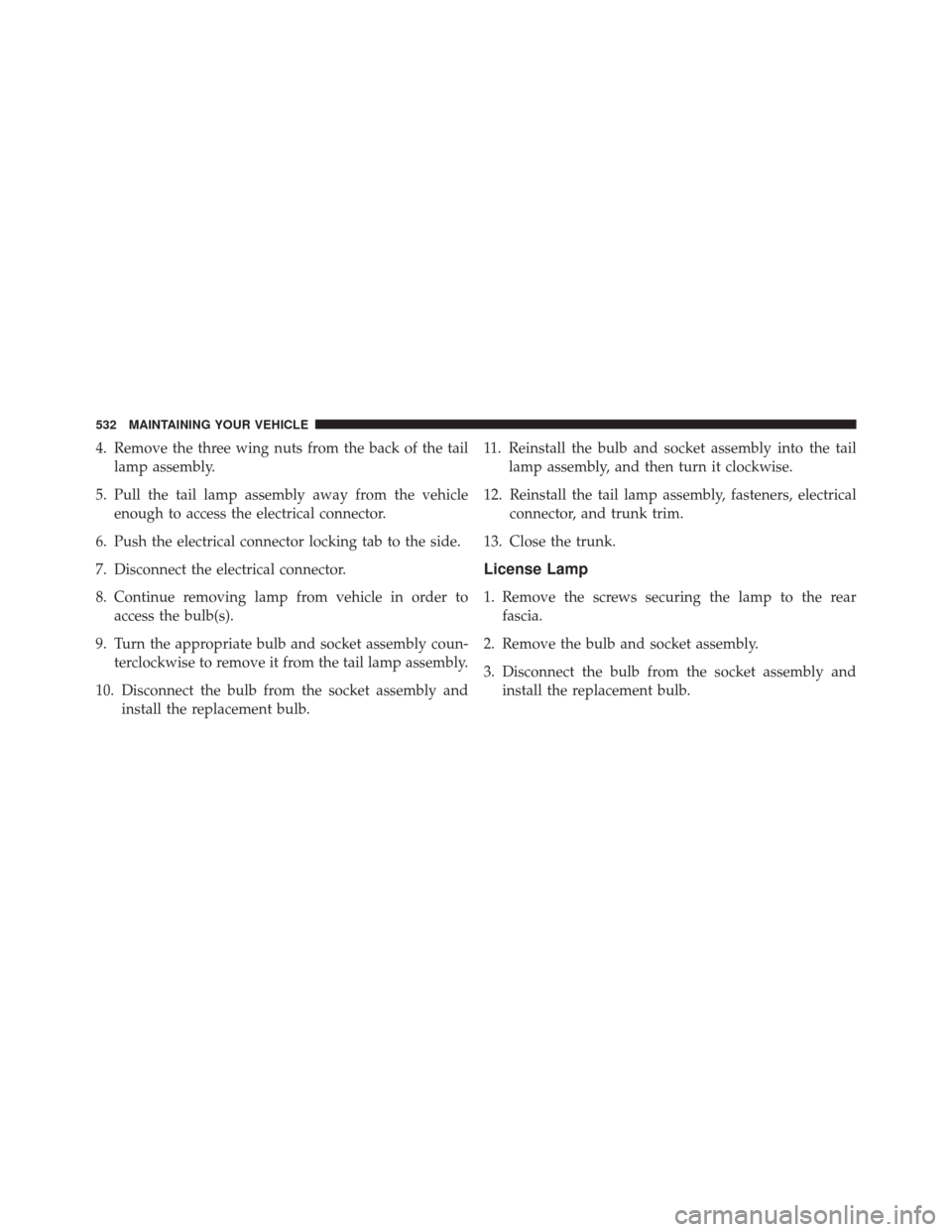
4. Remove the three wing nuts from the back of the taillamp assembly.
5. Pull the tail lamp assembly away from the vehicle enough to access the electrical connector.
6. Push the electrical connector locking tab to the side.
7. Disconnect the electrical connector.
8. Continue removing lamp from vehicle in order to access the bulb(s).
9. Turn the appropriate bulb and socket assembly coun- terclockwise to remove it from the tail lamp assembly.
10. Disconnect the bulb from the socket assembly and install the replacement bulb. 11. Reinstall the bulb and socket assembly into the tail
lamp assembly, and then turn it clockwise.
12. Reinstall the tail lamp assembly, fasteners, electrical connector, and trunk trim.
13. Close the trunk.
License Lamp
1. Remove the screws securing the lamp to the rear fascia.
2. Remove the bulb and socket assembly.
3. Disconnect the bulb from the socket assembly and install the replacement bulb.
532 MAINTAINING YOUR VEHICLE
Page 535 of 590
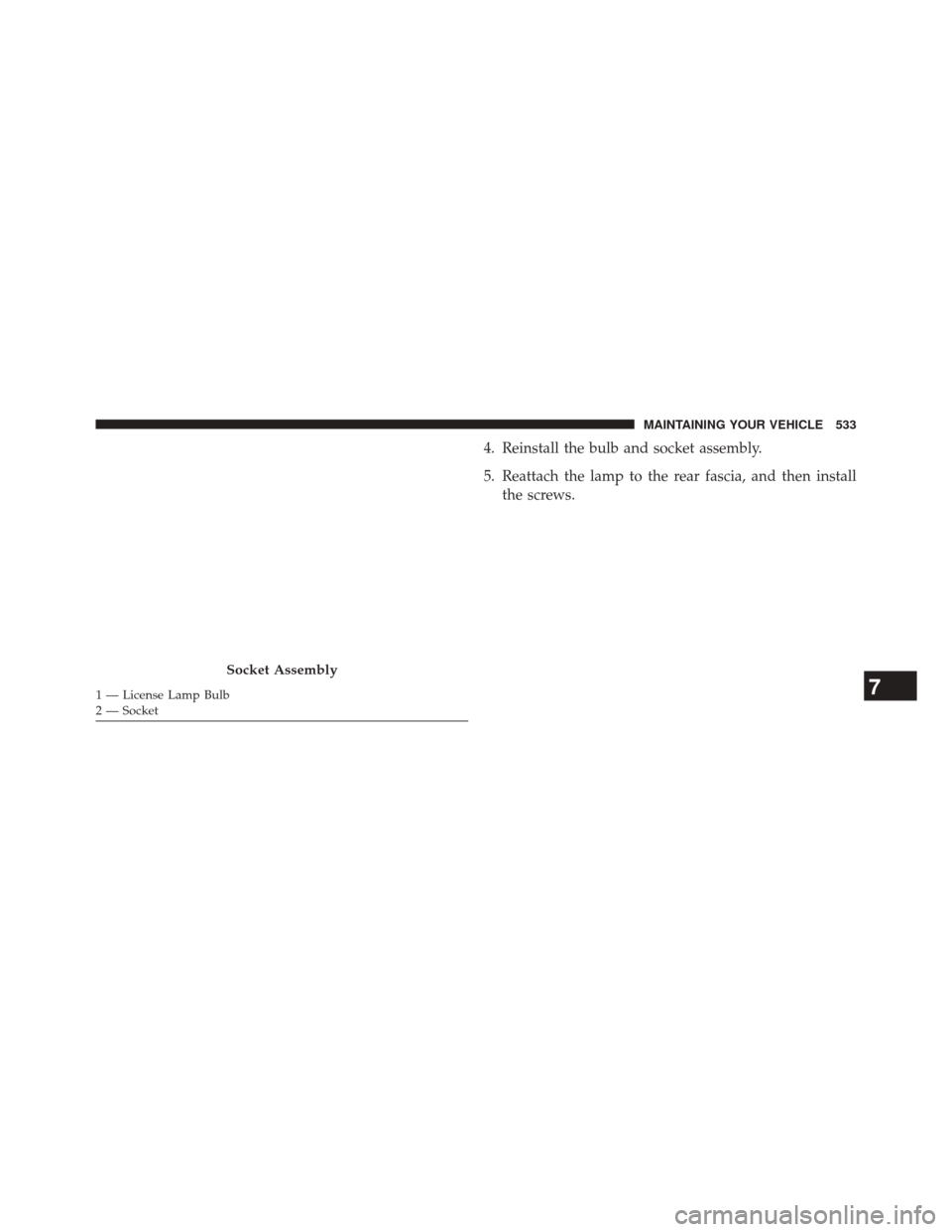
4. Reinstall the bulb and socket assembly.
5. Reattach the lamp to the rear fascia, and then installthe screws.
Socket Assembly
1 — License Lamp Bulb
2 — Socket7
MAINTAINING YOUR VEHICLE 533