2014 CHEVROLET SS change time
[x] Cancel search: change timePage 209 of 422

Black plate (73,1)Chevrolet SS Sedan Owner Manual (GMNA-Localizing-U.S.-6014851) - 2014 -
1st Edition - 8/22/13
Infotainment System 7-73
Change Country:Changes the
country origin to input a destination
from that region. The system will
accept United States, Canada,
or Mexico.
Address or Destination: Allows
an address to be stated as a
one-shot method. The system
will recognize the address if stated
all at once or say a city center.
An example is to say,
“200 Renaissance Street, Detroit,
Michigan” or“Detroit, Michigan.”
Directed Address: Allows an
address to be stated one step at a
time. The format will be State, City,
Street, then House Number.
Intersection: Allows an
Intersection to be stated as the
destination. The format will be
State, City, Street, then Intersection.
Home: Instructs the system to start
guidance to address saved as
My Home. Contact:
When a phone is paired
to the system, which contains
Address Information stored for
contacts, the address associated
with that contact can become a
route. If the system cannot resolve
the address, an error displays.
Points of Interest or POI: Allows a
Point of Interest to be stated as a
destination. Become familiar with
the POI categories and
sub-categories in the system by
pressing Destination from the Home
Page or DEST on the faceplate,
then selecting Point of Interest. POI
commands for Along Route and
Around Destination will be available
if route guidance is active.
Add Waypoint: Allows addition of
individual waypoints or the
destination. The system will ask for
the choice of entry method to
continue. An example is to say, “POI
Along Route” or“Intersection.”
Delete Waypoint: When guidance
is active, this command allows the
deletion of individual waypoints or the destination. If guidance is not
active, the system will indicate the
destination list is empty.
Where Am I?, My Location,
or Current Position:
Instructs the
system to give the current position
of the vehicle.
Help: The system plays back more
specific help commands associated
with Navigation or a Navigation
sub-feature.
Cancel Guidance or Cancel
Route: Instructs the system to
cancel guidance.
Entering a Destination in Other
Countries
For the voice recognition to respond
to a local address, the
corresponding country needs to be
set in the navigation system.
The country can also be set using
voice commands. However, the
country will change back to the
default country when the vehicle is
keyed off.
ProCarManuals.com
Page 212 of 422

Black plate (76,1)Chevrolet SS Sedan Owner Manual (GMNA-Localizing-U.S.-6014851) - 2014 -
1st Edition - 8/22/13
7-76 Infotainment System
Infotainment System Controls
For information about how to
navigate the menu system using the
infotainment controls, seeOverview
on page 7-2.
b/>(Phone/Mute): Press to
enter the Phone main menu. Press
and hold to mute or unmute.
Voice Recognition
The voice recognition system uses
commands to control the system
and dial phone numbers.
When using voice recognition:
.The system may not recognize
voice commands if there is too
much background noise.
.A tone sounds to indicate that
the system is ready for a voice
command. Wait for the tone and
then speak.
.Speak clearly in a calm and
natural voice.
See Voice Recognition on
page 7-68.
Audio System
Sound comes through the vehicle's
front audio system speakers and
overrides the audio system. Use the
VOL/
Oknob during a call to change
the volume level. The adjusted
volume level remains in memory for
later calls. The system maintains a
minimum volume level.
See Voice Recognition on
page 7-68.
Bluetooth Audio
See Bluetooth Audio on page 7-41.
Pairing with Infotainment
Controls
A Bluetooth-enabled cell phone
must be paired and then connected
to the vehicle before it can be used.
See your cell phone manufacturer's
user guide for Bluetooth functions
before pairing the cell phone. If a
Bluetooth phone is not connected,
calls will be made using OnStar
Hands-Free Calling, if available.
SeeOnStar Overview on page 14-1. Pairing Information
.A Bluetooth-enabled phone and
an audio playback device can be
paired to the system at the
same time.
.Up to five devices can be paired
to the Bluetooth system.
.The pairing process is disabled
when the vehicle is moving.
.Pairing only needs to be
completed once, unless the
pairing information on the cell
phone changes or the cell phone
is deleted from the system.
.Only one paired cell phone can
be connected to the Bluetooth
system at a time.
.If multiple paired cell phones are
within range of the system, the
radio will connect to the first
phone in the list or to the phone
that was previously connected.
ProCarManuals.com
Page 217 of 422

Black plate (81,1)Chevrolet SS Sedan Owner Manual (GMNA-Localizing-U.S.-6014851) - 2014 -
1st Edition - 8/22/13
Infotainment System 7-81
Muting a Call
During a call, all sounds from inside
the vehicle can be muted so that the
person on the other end of the call
cannot hear them.
Using the Infotainment Controls
Turn and press the TUNE/MENU
knob and select Mute Call. Press
again to cancel mute.
Transferring a Call
Audio can be transferred between
the Bluetooth system and the cell
phone.
The cell phone must be paired and
connected with the Bluetooth
system before a call can be
transferred.
To Transfer Audio from the
Bluetooth System to a Cell Phone
During a call with the audio in the
vehicle, press the Transfer Call
button on the screen or press and
hold the
b/gbutton on the
steering wheel. To Transfer Audio to the Bluetooth
System from a Cell Phone
Use the audio transfer feature on
the cell phone. See your cell phone
manufacturer's user guide for more
information. Press the Transfer call
button on the screen or press and
hold the
b/gbutton on the
steering wheel.
Dual Tone Multi-Frequency
(DTMF) Tones
The in-vehicle Bluetooth system can
send numbers during a call. This is
used when calling a menu-driven
phone system.
Using the Infotainment Controls
1. Turn and press the TUNE/MENU knob and select Enter Number.
2. Enter the phone number, or select Enter Number on the
screen and select digits, then
press OK.
Hands-Free Phone
Using Bluetooth Voice
Recognition
To use voice recognition, press the
b/gbutton on the steering wheel.
Use the commands below for the
various voice features. For
additional information, say “Help”
while in a voice recognition menu.
Making a Call
Calls can be made using the
following commands.
Dial or Call: These commands can
be used interchangeably to dial a
phone number.
Digit Dial: This command allows a
phone number to be dialed by
entering the digits one at a time.
Re-dial: This command dials the
last number used on the cell phone.
ProCarManuals.com
Page 221 of 422

Black plate (85,1)Chevrolet SS Sedan Owner Manual (GMNA-Localizing-U.S.-6014851) - 2014 -
1st Edition - 8/22/13
Infotainment System 7-85
.Select Manage Predefined
Messages to create a user
defined message that can be
used later to reply to a text
message.
.Select Text Alerts to choose the
alert behavior for incoming text
messages:
‐Text alert with tone
‐ Tone only
‐ Off
Trademarks and
License Agreements
FCC Information
See Radio Frequency Statement on
page 13-15.
“Made for iPod” and“Made for
iPhone” mean that an electronic
accessory has been designed to
connect specifically to iPod or
iPhone and has been certified by
the developer to meet Apple
performance standards.
iPod and iPhone are trademarks of
Apple Computer, Inc., registered in
the U.S. and other countries.
Fees and Taxes: Subscription fee,
taxes, one time activation fee, and
other fees may apply. Subscription
fee is consumer only. All fees and
programming subject to change.
Subscriptions subject to Customer
Agreement available at
www.siriusxm.com. SiriusXM
®
service only available in the
48 contiguous United States and
Canada.
Explicit Language Notice: Channels
with frequent explicit language are
indicated with an “XL”preceding the
channel name. Channel blocking is
available for SiriusXM Satellite
Radio receivers by notifying
SiriusXM:
.USA Customers —See
www.siriusxm.com or call
1-866-635-2349.
ProCarManuals.com
Page 238 of 422

Black plate (6,1)Chevrolet SS Sedan Owner Manual (GMNA-Localizing-U.S.-6014851) - 2014 -
1st Edition - 8/22/13
9-6 Driving and Operating
{Caution
If the vehicle is used for track
events and competitive driving,
the engine may use more oil than
it would with normal use. Low oil
levels can damage the engine.
Check the oil level often and at
the proper level. SeeEngine Oil
on page 10-6.
Be sure to check the oil level often
during racing or other competitive
driving and keep the level at or near
the upper mark that shows the
proper operating range on the
engine oil dipstick.
For track events or competitive
driving, it is recommended that the
brake fluid be replaced with a high
performance brake fluid that has a
dry boiling point greater than 279°C
(534°F). After conversion to the high
performance brake fluid, follow the
brake fluid service recommendations outlined by the
fluid manufacturer. Do not use
silicone or DOT-5 brake fluids.
Because the fluid temperatures may
be higher, it is necessary to change
the rear axle fluid every 24 hours of
racing or competitive driving. See
Recommended Fluids and
Lubricants on page 11-12.
{Caution
During a first time track or racing
event, high rear axle
temperatures can occur. Damage
could be caused to the rear axle
and would not be covered by the
vehicle warranty.
Do not drive as long or as fast the
first time the vehicle is driven on
the track or raced.
For extended track use, GM
recommends installing a rear
differential cooler to protect the
rear axle.
Driving on Wet Roads
Rain and wet roads can reduce
vehicle traction and affect your
ability to stop and accelerate.
Always drive slower in these types
of driving conditions and avoid
driving through large puddles and
deep‐standing or flowing water.
{Warning
Wet brakes can cause crashes.
They might not work as well in a
quick stop and could cause
pulling to one side. You could
lose control of the vehicle.
After driving through a large
puddle of water or a car/vehicle
wash, lightly apply the brake
pedal until the brakes work
normally.
Flowing or rushing water creates
strong forces. Driving through
flowing water could cause the
vehicle to be carried away. If this (Continued)
ProCarManuals.com
Page 259 of 422
Black plate (27,1)Chevrolet SS Sedan Owner Manual (GMNA-Localizing-U.S.-6014851) - 2014 -
1st Edition - 8/22/13
Driving and Operating 9-27
If driving safely on a wet road and it
becomes necessary to slam on the
brakes and continue braking to
avoid a sudden obstacle, a
computer senses that the wheels
are slowing down. If one of the
wheels is about to stop rolling, the
computer will separately work the
brakes at each wheel.
ABS can change the brake pressure
to each wheel, as required, faster
than any driver could. This can help
you steer around the obstacle while
braking hard.
As the brakes are applied, the
computer keeps receiving updates
on wheel speed and controls
braking pressure accordingly.
Remember: ABS does not change
the time needed to get a foot up to
the brake pedal or always decrease
stopping distance. If you get too
close to the vehicle in front of you,
there will not be enough time to
apply the brakes if that vehiclesuddenly slows or stops. Always
leave enough room up ahead to
stop, even with ABS.
Using ABS
Do not pump the brakes. Just hold
the brake pedal down firmly and let
ABS work. You might hear the ABS
pump or motor operating and feel
the brake pedal pulsate, but this is
normal.
Braking in Emergencies
ABS allows you to steer and brake
at the same time. In many
emergencies, steering can help
more than even the very best
braking.
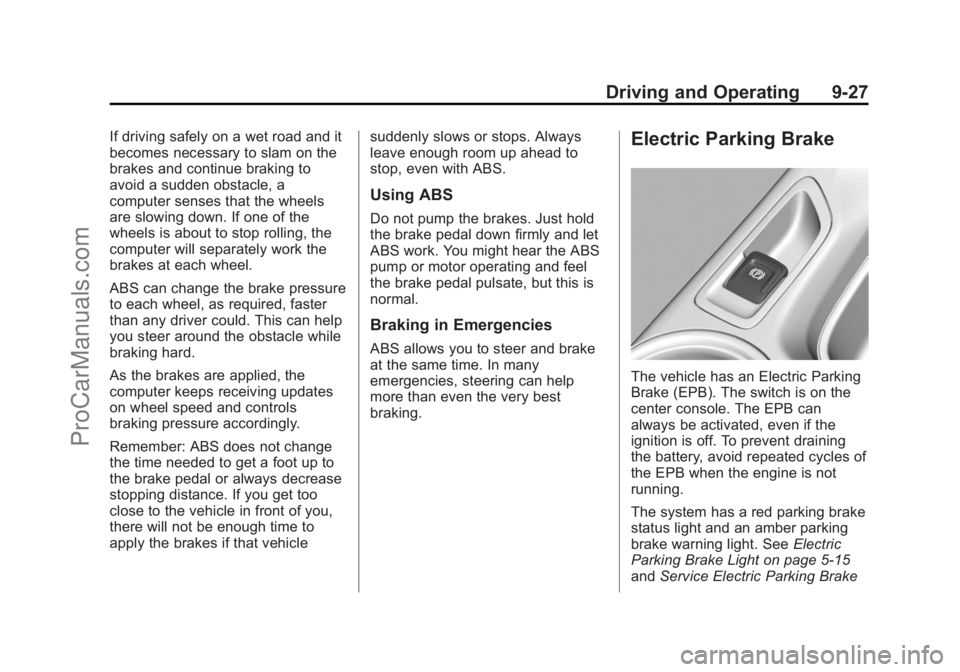
Electric Parking Brake
The vehicle has an Electric Parking
Brake (EPB). The switch is on the
center console. The EPB can
always be activated, even if the
ignition is off. To prevent draining
the battery, avoid repeated cycles of
the EPB when the engine is not
running.
The system has a red parking brake
status light and an amber parking
brake warning light. See
Electric
Parking Brake Light on page 5-15
and Service Electric Parking Brake
ProCarManuals.com
Page 264 of 422

Black plate (32,1)Chevrolet SS Sedan Owner Manual (GMNA-Localizing-U.S.-6014851) - 2014 -
1st Edition - 8/22/13
9-32 Driving and Operating
engine and brake systems are
advised to turn the normal TCS and
StabiliTrak systems on.
Competitive Driving Mode
Competitive Driving Mode controls
engine power while the StabiliTrak
system helps maintain directional
control of the vehicle by selective
brake application. In this mode, TCS
is optimized. Adjust your driving
style to account for the available
engine power.
The
glight is on when the vehicle is
in the Competitive Driving Mode.
This optional handling mode can be
selected by pressing the
gbutton
quickly two times. The appropriate
message displays in the DIC. See
Ride Control System Messages on
page 5-31 for more information.
When the
gbutton is pressed
again, the TCS and StabiliTrak
systems are on. The appropriate
message displays briefly in the DIC.
{Warning
The Competitive Driving Mode
system is designed for a closed
course race track and not
intended for use on public roads.
The system is not intended to
compensate for lack of driver
experience or familiarity with the
race track.
Limited-Slip Rear Axle
Vehicles with a limited-slip rear axle
can give more traction on snow,
mud, ice, sand, or gravel. When
traction is low, this feature allows
the drive wheel with the most
traction to move the vehicle. The
limited-slip rear axle also gives the
driver enhanced control when
cornering hard or completing a
maneuver, such as a lane change.
Cruise Control
With cruise control, the vehicle can
maintain a speed of about 40 km/h
(25 mph) or more without keeping
your foot on the accelerator. Cruise
control does not work at speeds
below 40 km/h (25 mph).
If the brakes are applied, the cruise
control is disengaged.
If the vehicle has the StabiliTrak
®
system and begins to limit wheel
spin while using cruise control, the
cruise control automatically
disengages. See Traction Control/
Electronic Stability Control on
page 9-30. If a collision alert occurs
when cruise control is activated,
cruise control is disengaged. See
Forward Collision Alert (FCA)
System on page 9-40. When road
conditions allow you to safely use it
again, the cruise control can be
turned back on.
ProCarManuals.com
Page 288 of 422
Black plate (6,1)Chevrolet SS Sedan Owner Manual (GMNA-Localizing-U.S.-6014851) - 2014 -
1st Edition - 8/22/13
10-6 Vehicle Care
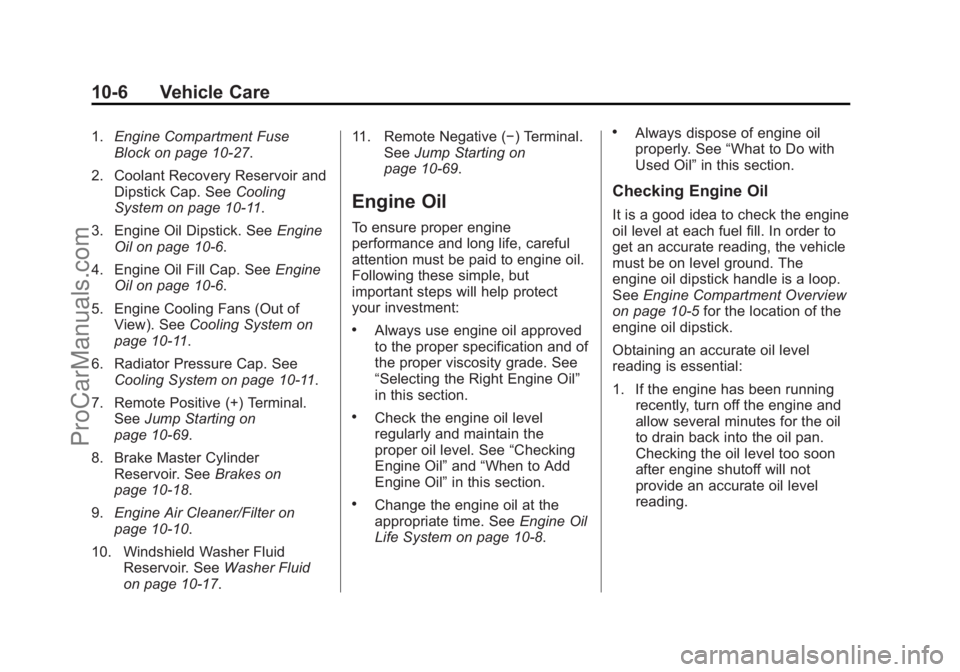
1.Engine Compartment Fuse
Block on page 10-27.
2. Coolant Recovery Reservoir and Dipstick Cap. See Cooling
System on page 10-11.
3. Engine Oil Dipstick. See Engine
Oil on page 10-6.
4. Engine Oil Fill Cap. See Engine
Oil on page 10-6.
5. Engine Cooling Fans (Out of View). See Cooling System on
page 10-11.
6. Radiator Pressure Cap. See Cooling System on page 10-11.
7. Remote Positive (+) Terminal. See Jump Starting on
page 10-69.
8. Brake Master Cylinder Reservoir. See Brakes on
page 10-18.
9. Engine Air Cleaner/Filter on
page 10-10.
10. Windshield Washer Fluid Reservoir. See Washer Fluid
on page 10-17. 11. Remote Negative (−) Terminal.
SeeJump Starting on
page 10-69.
Engine Oil
To ensure proper engine
performance and long life, careful
attention must be paid to engine oil.
Following these simple, but
important steps will help protect
your investment:
.Always use engine oil approved
to the proper specification and of
the proper viscosity grade. See
“Selecting the Right Engine Oil”
in this section.
.Check the engine oil level
regularly and maintain the
proper oil level. See “Checking
Engine Oil” and“When to Add
Engine Oil” in this section.
.Change the engine oil at the
appropriate time. See Engine Oil
Life System on page 10-8.
.Always dispose of engine oil
properly. See “What to Do with
Used Oil” in this section.
Checking Engine Oil
It is a good idea to check the engine
oil level at each fuel fill. In order to
get an accurate reading, the vehicle
must be on level ground. The
engine oil dipstick handle is a loop.
SeeEngine Compartment Overview
on page 10-5 for the location of the
engine oil dipstick.
Obtaining an accurate oil level
reading is essential:
1. If the engine has been running recently, turn off the engine and
allow several minutes for the oil
to drain back into the oil pan.
Checking the oil level too soon
after engine shutoff will not
provide an accurate oil level
reading.
ProCarManuals.com